
JFSecure MCP server
Commit Nov 11, 2026Allows AI agents to execute commands using secrets without ever exposing the actual sensitive values to the model.
Also known as theone55/jfs, jfs
- Stars
- 1
- Tools
- 4
- Downloads, 30 days
- —
- Latest version
- 2.10.0
- Last commit
- Nov 11, 2026
- License
- MIT
What is JFSecure MCP?
JFSecure allows AI agents to execute commands using secrets without ever exposing the actual sensitive values to the model. It exposes 4 tools, such as list_secrets, run_with_secrets, render_template.
Summary generated from the project's README
JFSecure MCP tools 4
Read from the server with tools/listlist_secretsRead-onlyNames only (never values): every secret (folder/name), 2FA code and SSH key (name + fingerprint) of the vault open in JFSecure; or one secret's keys, each with the environment variable it becomes in run_with_secrets; or the secrets in a folder.
run_with_secretsRun a command with the $key:value lines of a JFSecure secret as environment variables (named like the key in upper case: $db-password → DB_PASSWORD, $token → TOKEN; list_secrets shows them) — all of them, or only `keys`. Not needed for ssh / git with a JFSecure SSH key: run those directly. The user approves it in JFSecure, seeing the exact command. The command is NOT run by a shell (on Windows a .cmd / .bat such as npm runs as that file, its arguments quoted for cmd): to use a variable in an argument start a shell yourself, e.g. ["bash", "-c", "curl -s -H \"Authorization: Bearer $TOKEN\" https://api.github.com/user"] (Windows: ["powershell", "-NoProfile", "-Command", "... $env:TOKEN ..."]). stdout / stderr come back with every value replaced by [JFSecure: NAME] — best-effort masking of the exact values, not a guarantee; don't try to print, transform or exfiltrate values. A user's "Allow 15 min" covers re-running exactly this command (also if a script it runs has changed) — nothing else. Calls run one at a time; there is no cancelling one (timeout_seconds bounds it).
render_templateWrite a file from a template, filling in {{Secret:key}}, {{folder/Secret:key}} and {{totp:Name}} from JFSecure (anything else in {{ }} stays as written). The user approves it, seeing the names and the output path. You get the names filled in, never the content — don't read the written file back into the conversation. Use absolute paths.
create_secretCreate a NEW secret in the vault open in JFSecure, from values you write yourself (e.g. a blank with the keys a project needs — leave a value empty for the user to fill in — or a config you generated). It never changes or reads an existing secret: a taken name gets " 2". Values are stored as plain text ({{ }} is never a reference). The user approves it in JFSecure every time, seeing the name and the keys. Then run_with_secrets / render_template can use it.
Automated checks
Ran Nov 13, 2026Full report →Not verified yet. A server needs a score of 80, no serious finding, and enough data for us to check. How checks work · What to fix for more points

- Source repository linked and reachabletheone55/jfs is public and reachablegithub.com/theone55/jfs ↗Pass
- Package names this repository as its sourceNot checked
- Build provenance (Sigstore attestation)Not checked
- Open source license (OSI)MITspdx.org/licenses/MIT.html ↗Pass
- Commit or release in the last yearLast commit or release 2026-11-11github.com/theone55/jfs ↗Pass
- OpenSSF ScorecardNot checked
- Package name not close to a popular packageNot checked
- No critical advisory in the package or its dependenciesNot checked
- No hidden instructions to the model3 tool descriptions and the README read; no override phrases, credential paths or hidden charactersPass
- Destructive tools are labelledNo tool named like delete, drop or execPass
- Remote endpoint answers the MCP handshakeNot checked
README
View on GitHubjfs — secrets for AI agents that never see them
jfs is the command line and MCP server of JFSecure, an offline password and
snippet manager. It lets Claude Code, Cursor or any MCP agent use a secret without ever getting it — and you
approve every use in the app.
This repository is the source of jfs itself, so you can read exactly what an agent talks to. It is a thin client:
it sends one JSON request over a local pipe to the running, unlocked JFSecure app and prints the answer. It never
opens vault files, never sees the vault password and has no crypto. (The app is a separate download; jfs ships with it.)
MCP tools
| Tool | What it does | What the agent gets back |
|---|---|---|
list_secrets |
Lists secret and key names, with the environment variable each key becomes | Names only |
run_with_secrets |
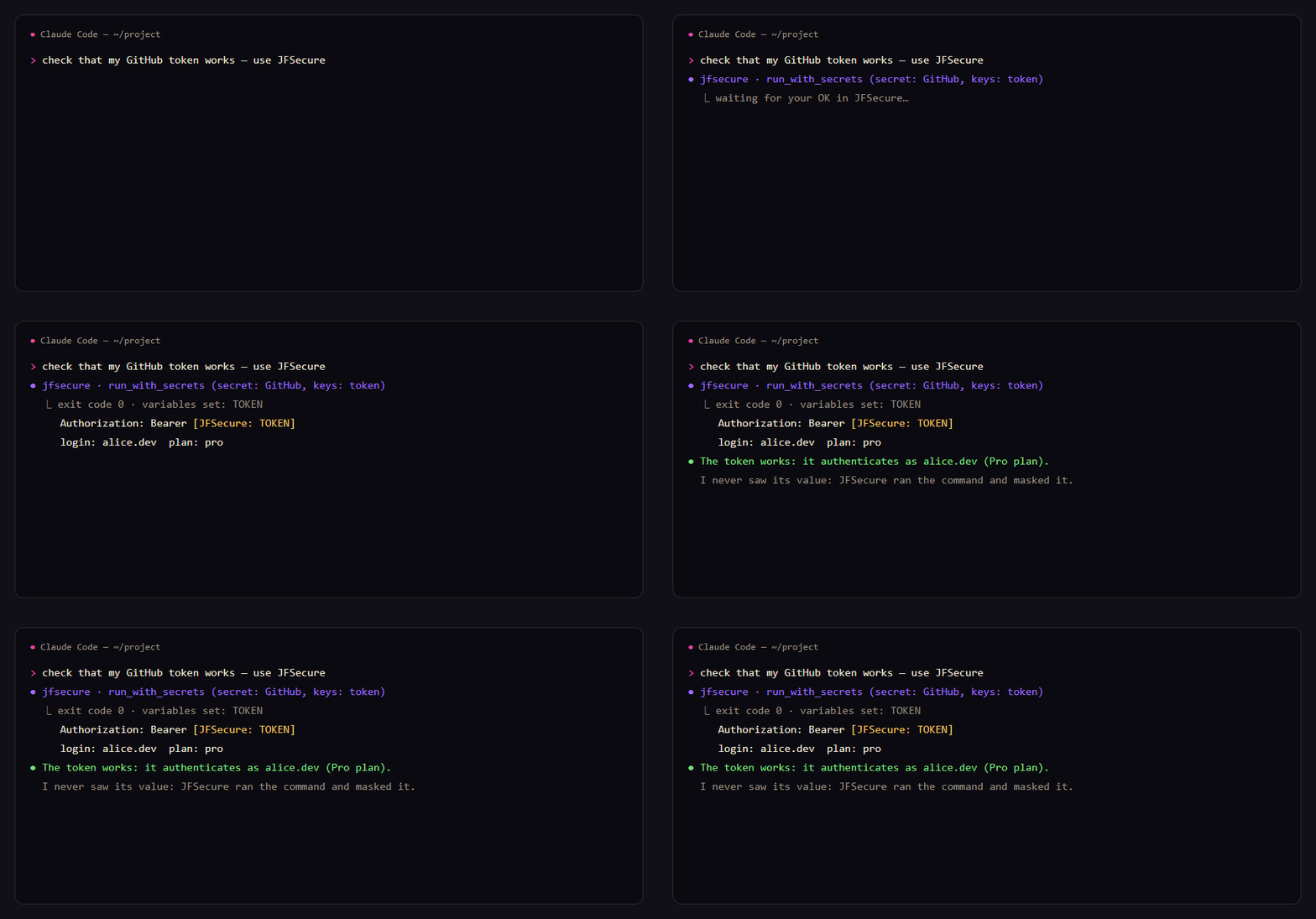
Runs a command with a secret's keys as environment variables (all, some, or one on stdin) | Exit code and output, every value masked as [JFSecure: NAME] |
render_template |
Fills {{Secret:key}} in a template and writes the file (e.g. .env) |
Which names were filled in |
There is no "get" tool, on purpose. Every use opens an approval window in JFSecure that shows the program, the exact command and the secret: allow once, allow 15 minutes, or deny. For Claude Code a 15-minute approval covers only that command and that secret.
# the agent called run_with_secrets(secret: "github", command: …)
exit code 0
variables set: TOKEN
--- stdout ---
token is [JFSecure: TOKEN]
{"login": "octocat", "plan": {"name": "pro"}}
Set up
- Install JFSecure and open your vault:
brew install theone55/jfsecure/jfsecure(macOS),scoop bucket add jfsecure https://github.com/theone55/scoop-jfsecure; scoop install jfsecure/jfsecure(Windows), or the installer (Windows, macOS, Linux).jfscomes with it: on Windows the app puts it on PATH at its first start (open a new terminal afterwards); on macOS (.dmg) and the Linux AppImage use Settings → Install the jfs command; Homebrew and the .deb install it for you. - Add the MCP server:
claude mcp add --scope user jfsecure -- jfs mcp
Cursor (~/.cursor/mcp.json), Claude Desktop, Windsurf, VS Code — any stdio MCP client:
{ "mcpServers": { "jfsecure": { "command": "jfs", "args": ["mcp"] } } }
More: https://secure.jfolio.org/agents
Also as an MCP bundle (.mcpb, Windows / macOS / Linux) on the releases page, and in the official MCP Registry as io.github.theone55/jfs.
Command line
jfs status                       is the app running and unlocked
jfs ls [secret|folder]           names only, no approval needed
jfs get github/token             print a value (approved in the app)
jfs copy github/token            to the clipboard, nothing printed
jfs run github -- gh api user    run with the secret's keys as env vars ($token → TOKEN); output masked when piped
jfs render .env.tpl -o .env      fill {{Secret:key}} into a file
git config --global credential.helper "!jfs git-credential"
Full guide: https://secure.jfolio.org/cli
What it protects — and what it doesn't
- The model never receives a value, so it can't end up in a transcript or a log.
- A prompt-injected agent can only ask; you see the exact command.
- The pipe is your OS user's only, and the app identifies the caller through the OS, not by what it says.
- Masking is a seatbelt, not a wall: a command you approve can still send a value away. Read the command.
Build
cargo build --release   # Rust stable; Windows, macOS, Linux
cargo test
The copy here follows each JFSecure release (version in Cargo.toml = the app's version it shipped with).
Issues and questions are welcome here.
MIT License.
JFSecure MCP questions
What tools does JFSecure MCP provide?
It exposes 4 tools, including list_secrets, run_with_secrets, render_template, create_secret.
Does the AI agent see my passwords?
No, the agent uses secrets without ever getting them, and all outputs are masked to prevent the model from seeing the actual values.
How do I approve an agent's request to use a secret?
Every use opens an approval window in the JFSecure app that shows the program, the exact command, and the secret for you to allow or deny.
What happens when an agent runs a command with a secret?
The agent receives the exit code and the command output, but every secret value is masked as [JFSecure: NAME].