
Skavio Processing MCP server
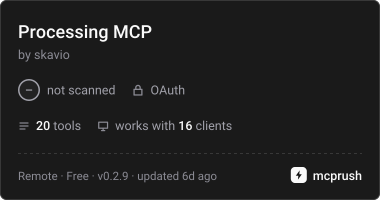
Commit Nov 9, 2026Enables AI agents to perform OCR, PDF manipulation, document extraction, and audio transcription using a prepaid credit system.
Also known as skavio-eu/skavio-processing-api, skavio-processing-api
- Stars
- 0
- Tools
- —
- Downloads, 30 days
- —
- Latest version
- 0.2.9
- Last commit
- Nov 9, 2026
- License
- MIT
What is Skavio Processing MCP?
Skavio Processing enables AI agents to perform OCR, PDF manipulation, document extraction, and audio transcription using a prepaid credit system.
Summary generated from the project's README
About Skavio Processing MCP server
Developers can automate document intelligence and media processing by connecting AI agents to the Skavio remote MCP server. This tool allows for complex workflows including invoice OCR, PDF manipulation, image editing, and audio transcription. It is designed for use with clients like Claude Desktop, Cursor, or Claude Code through a remote connection to the Skavio endpoint using company OAuth or a bearer credential.
Processing tasks are managed through a prepaid credit system where one USD equals 1,000 credits. Users must fund a company wallet via the Skavio dashboard to enable operations. The server provides specific tools for document extraction into formats like CSV or JSON, PDF page management, and speech-to-text services. It also supports large-scale workloads through bulk manifests containing up to 100,000 items, allowing for efficient batch processing of massive datasets.
What you can do with it
- 1Automated Invoice Data ExtractionAn AI agent can extract structured data from invoices and export it directly to a CSV or JSON file.
- 2PDF Document ManagementA developer can instruct an agent to merge, split, or rotate pages within a PDF document.
- 3Audio and Meeting TranscriptionUsers can send audio files to be transcribed or processed through specialized meeting workflows.
- 4Large Scale Batch ProcessingA developer can manage massive document workloads using manifests that support up to 100,000 items.
Written from the project's README. Every use case is checked against a quote from it.
How to install Skavio Processing MCP
Formats verified 10 Nov 2026Add to CursorAdd to GooseInstall Skavio Processing MCP in Claude Code
$ claude mcp add --transport http skavio-processing-api https://getskavio.com/processing/mcpInstall Skavio Processing MCP in Cursor
~/.cursor/mcp.json
{
  "mcpServers": {
    "skavio-processing-api": {
      "url": "https://getskavio.com/processing/mcp"
    }
  }
}Install Skavio Processing MCP in VS Code
.vscode/mcp.json
{
  "servers": {
    "skavio-processing-api": {
      "type": "http",
      "url": "https://getskavio.com/processing/mcp"
    }
  }
}Install Skavio Processing MCP in VS Code CLI
$ code --add-mcp '{"name":"skavio-processing-api","type":"http","url":"https://getskavio.com/processing/mcp"}'Install Skavio Processing MCP in Codex
$ codex mcp add skavio-processing-api --url https://getskavio.com/processing/mcpInstall Skavio Processing MCP in Codex config.toml
~/.codex/config.toml
[mcp_servers.skavio-processing-api]
url = "https://getskavio.com/processing/mcp"
Install Skavio Processing MCP in Gemini CLI
$ gemini mcp add -s user --transport http skavio-processing-api https://getskavio.com/processing/mcpInstall Skavio Processing MCP in Gemini settings.json
~/.gemini/settings.json
{
  "mcpServers": {
    "skavio-processing-api": {
      "url": "https://getskavio.com/processing/mcp",
      "type": "http"
    }
  }
}Configuration
SKAVIO_IDEMPOTENCY_KEY
Automated checks
Ran Nov 14, 2026Full report →Not verified yet. A server needs a score of 80, no serious finding, and enough data for us to check. How checks work · What to fix for more points

- Source repository linked and reachableskavio-eu/skavio-processing-api is public and reachablegithub.com/skavio-eu/skavio-processing-api ↗Pass
- Package names this repository as its sourceNot checked
- Build provenance (Sigstore attestation)Not checked
- Open source license (OSI)MITspdx.org/licenses/MIT.html ↗Pass
- Commit or release in the last yearLast commit or release 2026-11-09github.com/skavio-eu/skavio-processing-api ↗Pass
- OpenSSF ScorecardNot checked
- Package name not close to a popular packageNot checked
- No critical advisory in the package or its dependenciesNot checked
- No hidden instructions to the model0 tool descriptions and the README read; no override phrases, credential paths or hidden charactersPass
- Destructive tools are labelledNot checked
- Remote endpoint answers the MCP handshakeHTTPS endpoint answered 401 (sign-in required)Pass
README
View on GitHubSkavio Processing API
New customer MCP onboarding (9 November 2026): For self-service processing tools, open the Agent Tools dashboard, create a company or choose Continue with Skavio account using a verified main getskavio.com login. Existing Agent Tools accounts require explicit linking after signing in to both accounts; identical email addresses alone do not grant access. Generate an Agent Tools API key and connect to https://getskavio.com/agent-tools/mcp. The separate /processing/mcp documented below remains an operator-provisioned legacy integration, not something automatically activated by normal website registration. Company credentials, wallets and credits are not interchangeable. Current Agent Tools documentation.
New no-account integration example: Fictional Flow invoice to reviewable CSV — no key, no upload or charges. Public EN sample gallery and DE examples. For actual authenticated processing use the maintained quickstarts below and obtain a quote before submitting.
Smithery links: Skavio Processing catalog profile identifies this server. The work-6dqn namespace gateway is a Smithery-managed MCP interface requiring Smithery authorization (connections:execute); its available connections depend on the authorized namespace. It is not the canonical Skavio Processing endpoint. Use https://getskavio.com/processing/mcp with company OAuth for direct connections. Anonymous checks on 2026-10-27 confirmed the gateway's HTTP 401 and Smithery OAuth metadata, but did not establish access to Skavio tools through it. Never send a Skavio company credential to the namespace gateway.
Discover Skavio MCP tools
Cursor / Claude Desktop / Claude Code setup: step-by-step remote MCP connections · ready-to-use Cursor JSON · optional Claude Desktop JSON. Also discover Skavio USDC micro-APIs and their MCP client guide.
Skavio remote MCP server — invoice OCR and extraction, PDF text extraction, document automation, image and media processing, transcription and meeting workflows for AI agents. Discover it in the official MCP Registry, or connect a compatible MCP client to https://getskavio.com/processing/mcp and complete OAuth, or use an explicitly issued company MCP bearer credential. Processing requires authentication.
- MCP setup and all available tools
- MCP pricing and prepaid company credits
- Official MCP server manifest · Smithery link roles and verification
- x402 paid USDC verification micro-APIs · machine-readable x402 discovery
The Processing MCP uses company-scoped prepaid credits; the separate x402 micro-APIs advertise payment-required responses. Neither requires exposing private keys to Skavio.
Card-funded prepaid processing: Processing MCP uses the authenticated company's Skavio wallet (1 USD = 1,000 credits). Only a company administrator funds the correct company wallet through the website checkout; an MCP agent cannot charge a card. The separate Agent Tools Dashboard offers Stripe-hosted $5–$500 card top-ups or USDC for its bound Agent Tools company wallet and eligible processing jobs paid with payment_mode=prepaid. Company credentials are NOT interchangeable. The four public blockchain-proof/DNS tools on https://getskavio.com/mcp and standalone x402 HTTP API calls remain native-USDC x402 only. Card funding and credit debit/refund logic passed controlled tests, but a real paid customer card-to-MCP completed-job E2E has not yet been independently verified.
One company-scoped API for document extraction, PDF and image tools, media processing, transcription and meetings.
- Product and pricing
- Live developer documentation
- Company workspace: register and create an API key
- OpenAPI v1 · Developer guide
- Python quickstart · Node.js quickstart · Bulk guide
- Postman public documentation · Collection
- DEV.to integration article
- Webhook verification
API route version: /v1. Contract snapshot: 1.9.0 + Pricing V2, captured 2026-10-04.
What is new in API 1.7.0
- Monthly charged/reserved usage and separate payment history, bounded CSV and key attribution.
- Atomic company/key budgets for API, batch, bulk and paid web admission.
- Expiring API keys with granular permissions and administrator-only policy writes.
- Queue visibility, persisted alerts, cancellation of unstarted standalone jobs and governance audit.
- Idempotent replay of failed job/batch/bulk webhook deliveries using the frozen original event.
- Structured errors and X-Request-Id correlation; Czech/German/English dashboard additions.
Read the Usage, budgets and recovery guide for authorization, UTC month rules, limits and compatibility.
Storage Fabric introduced in API 1.6.0
- Private S3 sources/results and compatible legacy local files.
- Verified direct uploads and resumable imports from approved customer cloud URLs.
- Company-scoped retention, archive, deletion hold and opt-in separate-bucket backups.
- Manual verified backup/restore, signed result downloads and encrypted import credentials.
- Existing Pricing V2, jobs, batches and bulk contracts remain supported.
Read the Storage Fabric guide for endpoints, production limits and browser upload handling.
Bulk features introduced in API 1.5.0
- Bulk manifests up to 100,000 items with immutable manifest pages of 1–100 items and bounded incremental child admission.
- Storage-aware admission through
GET /v1/storage, declared input/output/scratch envelopes and durable storage reservations. - Resume and failed-item retry for large workloads without resubmitting successful items.
- Crash/restart recovery for scheduler state, reservations, checkpoints and provider-intent reconciliation.
- Fair scheduling across companies while preserving the current ceiling of 4 active platform jobs globally.
- Existing 100-item batches remain available for simpler workloads.
Start with Bulk processing guide or the Python bulk quickstart. This repository contains the public developer kit. The hosted processing service requires a Skavio account and credits.
First result
- Register, create a company profile and generate a read/write key in the company workspace. Copy it once and keep it server-side.
- Upload a source using multipart field
files. - Call
POST /v1/estimatewithout starting processing. - Set
max_creditsto the returnedestimated_credits. - Submit
POST /v1/jobswith a stableIdempotency-Key. - Poll the returned job ID until completed or failed; download through the authenticated result paths.
The included invoice is synthetic, contains no customer data, and can be used for an extraction test.
Python 3.10+
python -m venv .venv
. .venv/bin/activate
pip install -r requirements.txt
# Set SKAVIO_API_KEY securely in your local environment.
export SKAVIO_IDEMPOTENCY_KEY="your-persisted-invoice-request-001"
python quickstart.py
Node.js 22+
# Set SKAVIO_API_KEY securely in your local environment.
export SKAVIO_IDEMPOTENCY_KEY="your-persisted-invoice-request-002"
node quickstart.mjs
Both examples use sample-invoice.txt; set SKAVIO_SOURCE to a PDF/image/text source to change it. They estimate cost before submission and write JSON output into results/.
For intentional processing of a different source or changed payload, use a new idempotency key.
These examples are server-side starters. For the official Python and JavaScript SDK clients, see sdk/README.md; durable workflow pipelines are documented in workflow-guide.md.
Postman
Import the collection or fork its public workspace copy. Set your own local/private environment variable api_key; never save a real key in the public collection. Set source_file to a local source. Run Upload → Estimate → Submit → Job status → Download. Poll every 3–10 seconds until the job is terminal before downloading.
Requests cover the API-key processing endpoints; administration, key creation, billing and webhook registration use an interactive company administrator session in the dashboard.
Before a new business request, clear upload_id, job_id, download_path, max_credits and idempotency_key in your private environment. Preserve the idempotency key when retrying the same submission.
What can I process?
| Workflow | Operations |
|---|---|
| Documents | flow-extract → XLSX, CSV, JSON; chosen fields, evidence, review flags |
| PDFs | merge, split, extract/delete/rotate pages, compression, watermark, page numbering, protect/unlock with your password, OCR |
| Images | resize/crop/rotate/flip, compression, format conversion, OCR |
| Audio/video | conversion, trimming, compression; video rotation/resolution/mute |
| Speech | transcribe, meeting |
Capabilities snapshot lists exact operation names. Query GET /v1/capabilities for current prices and limits.
Normal file jobs accept one source; PDF merge accepts 2–20 PDFs; Flow can process multiple document sources. Transcribe and Meeting accept one media source. Batch processing supports up to 100 items. API 1.5.0 bulk manifests support up to 100,000 items with incremental dispatch; see bulk-guide.md. Standalone jobs do not support arbitrary operation chaining. Durable linear process/review/archive pipelines are available; see workflow guide.
Credits and price control
All web tools and API share a prepaid company wallet. No unlimited processing entitlement is advertised in this kit.
The server measures bytes, pages and media duration. It reserves the quoted amount on submission, charges that fixed quote on success, and releases the reservation on failure.
Use max_credits to reject unexpectedly expensive submissions and GET /v1/wallet to track balance and reservations.
| Operation | Pricing V2 |
|---|---|
| Raw OCR text (ocr-txt) | 3 credits/page |
| OCR document output (ocr-docx / ocr-pdf) | 10 credits/page |
| Flow extraction and export | 25 credits/page |
| PDF/image/office/text file operation | 2 per started 25 MB or 10 pages, larger basis per source |
| Transcribe | 8 per started minute |
| Meeting | 15 per started minute |
| File Toolbox audio/video | 4 per started minute |
Current base value: 1 USD = 1,000 credits. Use live pricing and the authenticated dashboard for exact supported packs and taxes. Retired EUR pack examples are not current.
Subscriptions and allowances are product-specific: do not assume former EUR plan tiers apply to MCP; verify the latest live pricing.
Web tools and API share one wallet. Submit reserves the measured quote; success charges it once; a permanent failure releases it. Temporary provider outages keep jobs queued with durable checkpoints and reserved credits. Existing quoted jobs and purchased checkout/subscription offers retain their original amounts.
Canonical live catalog: GET /v1/pricing. Always estimate before submission and use max_credits rather than hard-coding a rate.
Reliability and integration rules
queued → processing → completed | failed; submission returns HTTP 202.- Replaying the identical job request with the same idempotency key returns the same job. Changing its payload returns 409.
- Persist business request, exact payload, key and job ID in your system. If a response is lost, retry with the original key.
- A failed job releases credits; an intentional new attempt uses a new key.
- Provider outages and service restarts preserve durable jobs/checkpoints and reservations; permanent failures release them.
- Webhooks deliver at least once; verify HMAC on the raw bytes and deduplicate event IDs. Polling remains supported.
- Results/source retention defaults to 7 days. Storage Fabric policy, archive and hold control object retention; inspect retain_until and preserve results before expiry.
- Extraction can be wrong. Check evidence and review flags; review line items against the source before downstream accounting.
Limits (current deployment)
120 requests/minute per key/session; up to 100 files/500 MB per upload; 2 GB source storage/company; 100 pages/PDF; 100 queued jobs/company; 4 active platform jobs/company and 4 globally. Transcribe/Meeting input can be up to 10 hours; File Toolbox media up to 2 hours. These are ceilings, not guaranteed throughput or an SLA. Back off on 429 and transient 5xx responses. Current plans share the processing limits.
Errors
JSON errors retain detail and add error_code, request_id and retryable; X-Request-Id provides correlation. Use stable codes rather than matching error text. Validation does not echo secret inputs.
| HTTP | Meaning |
|---|---|
| 401 / 403 | Missing/invalid authentication, scope or permission |
| 402 | Insufficient credits |
| 404 | Missing object or another company’s object |
| 409 | State/idempotency conflict or max-credit rejection |
| 410 | Expired result |
| 413 / 422 | Upload/storage limit or invalid source/parameters |
| 429 | Request/queue limit |
| 502 / 503 / 504 | Processing/provider unavailable or timeout |
Security and support
Use Authorization: Bearer <your-key> over HTTPS. Never expose keys in frontend apps, URLs, screenshots, commits or shared Postman environments. Company-scoped object IDs cannot access another company.
Create/revoke keys and register webhooks in the dashboard. PDF passwords are secrets; do not log payloads.
Review Privacy and Terms before regulated/sensitive inputs. Source processing can involve external providers; backup/provider retention is separate from platform deletion.
Report integration issues through this repository with synthetic reproductions only, or contact support@getskavio.com privately. Never attach customer documents, keys or billing data to a public issue.
Versioning
Compatible additions remain under /v1; clients should ignore unknown response fields. Breaking changes require a major API version or an announced migration. Changelog.
License
Example code and documentation in this developer kit are MIT licensed. This does not license the hosted backend or grant free use of the hosted service; service use follows its Terms and credit pricing.
Batch processing — API 1.5.0
Submit up to 100 items for any advertised operation through the same processing pipeline. A batch uses one operation/options set and creates ordinary child jobs. Processing remains 4 active jobs per company and 4 globally; a batch does not promise 100 parallel executions.
- Upload files with
POST /v1/uploads; retain their upload IDs. - Quote
POST /v1/batches/estimateusing{"operation":"jpg","upload_ids":["UPLOAD_A","UPLOAD_B"]}. - Submit the same payload to
POST /v1/batcheswithmax_creditsset to the total quote and a persistedIdempotency-Key(8–128 allowed characters). - Poll
GET /v1/batches/{batch_id}. Eachitems[].jobincludes status, credits and result download paths.progressranges from 0 to 1; terminal states arecompleted,partial,failed. - Download
GET /v1/batches/{batch_id}/results.zipafter completion. The archive includes successful results andmanifest.json. Missing/expired files return 410. ZIP output is limited to 1 GB; use individual authenticated downloads for larger results. - Use
POST /v1/batches/{batch_id}/retry-failedwith a new persisted key to create a separately billed batch of failed items. Retry requests are bound to the original batch. Download successes before retention expires.
Credits reserve atomically for the complete batch. Every child has separate accounting; successful items are charged and failed items release their reservation. Replaying the same submission does not reserve credits again. Changing a request while reusing its key returns 409. Batch items count toward the 100 queued jobs per company.
Use either upload_ids (one child per source) or items (explicit groups), never both. PDF merge requires groups with 2–20 PDFs each:
{"operation":"pdf-merge","items":[{"upload_ids":["PDF_A","PDF_B"]},{"upload_ids":["PDF_C","PDF_D"]}],"webhook_mode":"both"}
Grouped Flow inputs use the same items shape. Optional webhook_id must belong to your company. webhook_mode accepts batch (parent events), items (child events), or both. Parent events are batch.completed, batch.partial, batch.failed; verify the same signature and deduplicate event IDs. Parent delivery IDs are distinct from child delivery IDs.
GET /v1/batches lists recent company batches. DELETE /v1/batches/{batch_id} deletes terminal result/source specifications while preserving accounting. Source/result retention is seven days. A repeated-failure guard may return 429; contact support rather than continuously resubmitting failing sources. Save exact payloads, keys and returned IDs in durable storage.
Batch starters: Python · Node.js · Batch guide. Set SKAVIO_API_KEY, SKAVIO_UPLOAD_IDS (JSON array from upload), and a persisted SKAVIO_BATCH_IDEMPOTENCY_KEY. The examples poll and print authenticated result paths; archive results before retention expires.
Durable workflow pipelines
Linear process/review/archive steps, checkpointed execution and per-step credit settlement. See workflow guide.
Official SDK clients
Python and Node.js clients are in sdk/README.md. Install from this repository with python3 -m pip install ./sdk/python or npm install ./sdk/javascript. They cover all 92 current OpenAPI operations, durable submission keys, resumable polling, signed webhook verification and authenticated result downloads. Packages are published: pip install skavio-sdk==1.1.0 and npm install @skavio-llc/sdk@1.1.0.
API 1.9.0 controls and notifications
Bulk pause and cancel require Idempotency-Key and enforce company isolation. Pause prevents new child admission; accepted jobs drain and settle once. Cancel is final and prevents further dispatch. GET /v1/notifications and GET /v1/notifications/settings are tenant-scoped. PUT /v1/notifications/settings requires a company administrator web session. Notifications are disabled by default; email requires configured transport. Frozen events are deduplicated and retried within a bounded delivery window. Email follows the current company billing address and supports cs/de/en.
Skavio Processing MCP questions
How do I add Skavio Processing MCP to Claude Code?
Run claude mcp add --transport http skavio-processing-api https://getskavio.com/processing/mcp in your terminal. Add --scope user to make it available in every project.
How do I add Skavio Processing MCP to Cursor?
Open ~/.cursor/mcp.json and add the server under mcpServers, using the Cursor config shown in the install section above.
How do I set up Skavio MCP with Claude Desktop or Cursor?
You can follow the step-by-step remote MCP connections guide or use the provided ready-to-use JSON configurations for Cursor and Claude Desktop.
What kind of document processing can I perform?
The server supports invoice OCR and extraction, PDF text extraction, document automation, image processing, and audio/video transcription.
How is the processing service billed?
The service uses a prepaid company wallet where 1 USD equals 1,000 credits. Users can fund their wallet via card or USDC through the dashboard.
Can I process large batches of files?
Yes, the API supports bulk manifests of up to 100,000 items with features like resume and failed-item retry.