
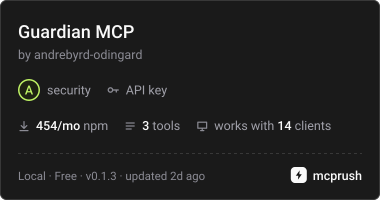
Routes agent tool calls through a human authority layer to enforce allow, ask, or deny decisions before execution.
Also known as Odingard/guardian-sdk, @odingard/guardian-mcp
- Stars
- 1
- Tools
- 3
- Downloads, 30 days
- —
- Latest version
- 0.5.0
- Last commit
- Nov 15, 2026
- License
- Apache-2.0
What is Guardian MCP?
Guardian routes agent tool calls through a human authority layer to enforce allow, ask, or deny decisions before execution. It exposes 3 tools, such as guardian_invoke_tool, guardian_claim, guardian_receipt.
Summary generated from the project's README
About Guardian MCP server
Guardian MCP acts as a human authority layer for autonomous AI agents by routing tool calls through a deterministic decision engine. It ensures that every action requested by a model is subject to an ALLOW, ASK, or DENY verdict before execution occurs. This setup prevents unauthorized actions by holding requests in an ASK state until a human provides approval, while DENY prevents the call from ever reaching the target system.
Developers can use this server to govern existing stdio MCP servers like WhatsApp, Stripe, or Shopify, or to protect remote servers via Streamable HTTP or SSE. The system requires a Guardian base URL, an agent credential, and a connection ID to function. It provides specific tools including guardian_invoke_tool for proposing actions, guardian_claim to execute approved requests, and guardian_receipt to fetch machine-readable evidence of completed tasks.
To increase security, the proxy supports pinning file arguments using SHA-256 digests. This ensures that if a file's content changes between the time of human approval and the actual execution, the tool call is blocked. This feature is available on Linux and macOS for absolute file paths.
What you can do with it
- 1Enforce human approval for sensitive actionsAn AI agent can propose a tool call that is held for manual review instead of executing immediately.
- 2Secure existing MCP tools with a proxyYou can place Guardian in front of any standard MCP server to add a governance layer without changing the original server.
- 3Prevent execution if file contents changeA developer can ensure that a tool only runs if the specific file it is supposed to process remains identical to the version approved by a human.
- 4Govern remote MCP services securelyYou can manage access to online MCP servers like Composio by routing their calls through the Guardian proxy.
Written from the project's README. Every use case is checked against a quote from it.
How to install Guardian MCP
Formats verified 10 Nov 2026Add to CursorAdd to GooseInstall Guardian MCP in Claude Code
$ claude mcp add --env 'GUARDIAN_AGENT_CREDENTIAL=<YOUR_GUARDIAN_AGENT_CREDENTIAL>' --env 'GUARDIAN_BASE_URL=<GUARDIAN_BASE_URL>' --env 'GUARDIAN_CONNECTION_ID=<GUARDIAN_CONNECTION_ID>' guardian-mcp -- npx -y @odingard/guardian-mcpInstall Guardian MCP in Cursor
~/.cursor/mcp.json
{
  "mcpServers": {
    "guardian-mcp": {
      "command": "npx",
      "args": [
        "-y",
        "@odingard/guardian-mcp"
      ],
      "env": {
        "GUARDIAN_AGENT_CREDENTIAL": "<YOUR_GUARDIAN_AGENT_CREDENTIAL>",
        "GUARDIAN_BASE_URL": "<GUARDIAN_BASE_URL>",
        "GUARDIAN_CONNECTION_ID": "<GUARDIAN_CONNECTION_ID>"
      }
    }
  }
}Install Guardian MCP in VS Code
.vscode/mcp.json
{
  "servers": {
    "guardian-mcp": {
      "type": "stdio",
      "command": "npx",
      "args": [
        "-y",
        "@odingard/guardian-mcp"
      ],
      "env": {
        "GUARDIAN_AGENT_CREDENTIAL": "<YOUR_GUARDIAN_AGENT_CREDENTIAL>",
        "GUARDIAN_BASE_URL": "<GUARDIAN_BASE_URL>",
        "GUARDIAN_CONNECTION_ID": "<GUARDIAN_CONNECTION_ID>"
      }
    }
  }
}Install Guardian MCP in VS Code CLI
$ code --add-mcp '{"name":"guardian-mcp","type":"stdio","command":"npx","args":["-y","@odingard/guardian-mcp"],"env":{"GUARDIAN_AGENT_CREDENTIAL":"<YOUR_GUARDIAN_AGENT_CREDENTIAL>","GUARDIAN_BASE_URL":"<GUARDIAN_BASE_URL>","GUARDIAN_CONNECTION_ID":"<GUARDIAN_CONNECTION_ID>"}}'Install Guardian MCP in Claude Desktop
claude_desktop_config.json
{
  "mcpServers": {
    "guardian-mcp": {
      "command": "npx",
      "args": [
        "-y",
        "@odingard/guardian-mcp"
      ],
      "env": {
        "GUARDIAN_AGENT_CREDENTIAL": "<YOUR_GUARDIAN_AGENT_CREDENTIAL>",
        "GUARDIAN_BASE_URL": "<GUARDIAN_BASE_URL>",
        "GUARDIAN_CONNECTION_ID": "<GUARDIAN_CONNECTION_ID>"
      }
    }
  }
}Install Guardian MCP in Codex
$ codex mcp add guardian-mcp --env 'GUARDIAN_AGENT_CREDENTIAL=<YOUR_GUARDIAN_AGENT_CREDENTIAL>' --env 'GUARDIAN_BASE_URL=<GUARDIAN_BASE_URL>' --env 'GUARDIAN_CONNECTION_ID=<GUARDIAN_CONNECTION_ID>' -- npx -y @odingard/guardian-mcpInstall Guardian MCP in Codex config.toml
~/.codex/config.toml
[mcp_servers.guardian-mcp]
command = "npx"
args = ["-y", "@odingard/guardian-mcp"]

[mcp_servers.guardian-mcp.env]
GUARDIAN_AGENT_CREDENTIAL = "<YOUR_GUARDIAN_AGENT_CREDENTIAL>"
GUARDIAN_BASE_URL = "<GUARDIAN_BASE_URL>"
GUARDIAN_CONNECTION_ID = "<GUARDIAN_CONNECTION_ID>"
Install Guardian MCP in Gemini CLI
$ gemini mcp add -s user -e 'GUARDIAN_AGENT_CREDENTIAL=<YOUR_GUARDIAN_AGENT_CREDENTIAL>' -e 'GUARDIAN_BASE_URL=<GUARDIAN_BASE_URL>' -e 'GUARDIAN_CONNECTION_ID=<GUARDIAN_CONNECTION_ID>' guardian-mcp npx -- -y @odingard/guardian-mcpInstall Guardian MCP in Gemini settings.json
~/.gemini/settings.json
{
  "mcpServers": {
    "guardian-mcp": {
      "command": "npx",
      "args": [
        "-y",
        "@odingard/guardian-mcp"
      ],
      "env": {
        "GUARDIAN_AGENT_CREDENTIAL": "<YOUR_GUARDIAN_AGENT_CREDENTIAL>",
        "GUARDIAN_BASE_URL": "<GUARDIAN_BASE_URL>",
        "GUARDIAN_CONNECTION_ID": "<GUARDIAN_CONNECTION_ID>"
      }
    }
  }
}Needs a key before it starts
Started on 16 Nov 2026 with no keys, it stopped and asked for one, so a client sees no tools until you set the variables above.
Guardian MCP tools 3
Detected from the READMEguardian_invoke_toolguardian_claimguardian_receipt
Configuration
GUARDIAN_AGENT_CREDENTIALRequiredSecretAgent credential (gak_…)
GUARDIAN_BASE_URLRequiredGuardian control-plane base URL
GUARDIAN_CONNECTION_IDRequiredDefault tool connection id for invocations
COMPOSIO_API_KEYGUARDIAN_ADAPTER_IDOptional adapter override
WHATSAPP_TOKEN
Automated checks
Ran Nov 13, 2026Full report →Passed our automated checks. That is not a security audit: read the code and give the server the narrowest access it needs. How checks work

- Source repository linked and reachablePass
- Open source license (OSI)Pass
- Commit or release in the last yearPass
- Package name not close to a popular packagePass
- Remote endpoint uses HTTPSNot checked
- Destructive tools are labelledPass
- No hidden instructions to the modelPass
- No critical advisory in the package or its dependenciesPass
README
View on GitHub@odingard/guardian-mcp
MCP server that routes an agent's tool calls through Guardian — Human Authority Infrastructure for Autonomous AI. Every tool call gets a deterministic ALLOW / ASK / DENY decision before anything executes; DENY means the action never runs, and ASK holds it until a human approves.
Install
npm i -g @odingard/guardian-mcp
Configure your MCP client
{
  "mcpServers": {
    "guardian": {
      "command": "guardian-mcp",
      "env": {
        "GUARDIAN_BASE_URL": "https://guardian-api.odingard.com",
        "GUARDIAN_AGENT_CREDENTIAL": "gak_…",
        "GUARDIAN_CONNECTION_ID": "pcn_…"
      }
    }
  }
}
GUARDIAN_ADAPTER_ID optionally overrides the tool adapter.
Tools
| Tool | What it does |
|---|---|
guardian_invoke_tool |
Propose a tool call. ALLOW executes and returns the receipt; ASK returns a requestId held for human approval; DENY refuses with a reason code. |
guardian_claim |
Claim an approved ASK by requestId, execute, return the receipt. |
guardian_receipt |
Fetch the machine-readable evidence receipts for a request. |
Nothing executes without a Guardian capability — the model's output is a proposal, never an action.
Only a call whose receipt status is sent-verified is returned as a plain
result. Every other outcome is an MCP tool error (isError: true) that says
what happened:
- DENY, or Guardian could not be reached: nothing was done. A denial says not to retry the same call; an outage says to try again later.
- Receipt status
not-sent:outcome: "not-done", the call was not done. - Receipt status
outcome-pendingoroutcome-unconfirmed, or an execute answer that was refused or lost:outcome: "unknown". The call may have been done, so check (guardian_receipt, or the target system) before retrying.
Govern an existing MCP server: guardian-mcp proxy (0.3)
Put Guardian in front of any stdio MCP server you already use, such as WhatsApp, Stripe, Shopify, a filesystem or a database. The client sees the upstream server's tools unchanged, and every call is decided first:
{
  "mcpServers": {
    "whatsapp-governed": {
      "command": "guardian-mcp",
      "args": ["proxy", "--", "npx", "-y", "your-whatsapp-mcp-server"],
      "env": {
        "GUARDIAN_BASE_URL": "https://guardian-api.odingard.com",
        "GUARDIAN_AGENT_CREDENTIAL": "gak_…",
        "GUARDIAN_CONNECTION_ID": "pcn_…",
        "WHATSAPP_TOKEN": "…"
      }
    }
  }
}
| Decision | What happens |
|---|---|
| ALLOW | The call is forwarded to the upstream server, then the capability is redeemed and the receipt recorded. The upstream result is returned unchanged, with Guardian's requestId under _meta["com.odingard/guardian"], so the client can fetch the receipt with guardian_receipt. |
| ASK | Nothing is forwarded. The exact call is held under a requestId; after a human approves, guardian_claim forwards exactly that call, once. |
| DENY | Nothing is forwarded, ever. The result is an MCP tool error (isError: true) with the reason code and, when Guardian made a record of it, the requestId. |
| Guardian unreachable | Nothing is forwarded. The result is a tool error (isError: true) whose JSON keeps decision: "DENY" with reasonCode: "SERVICE_UNAVAILABLE", and its message says Guardian could not be reached and the call can be tried again later. A held call stays held, so guardian_claim can be retried. |
guardian_claimandguardian_receiptare added to the tool list.- The upstream server never receives
GUARDIAN_*settings, so it never sees the agent credential. - Decision-gated: an allowed call runs upstream before the capability is
redeemed. A refusal at redemption is reported as an incident
(
localEffectRan: true), never as success. - First-run setup: in the Guardian console, connect a tool server and add
each upstream tool as "My own code (record-only)". Then allow those tools
for the agent.
- Since 0.3.1 the proxy does not try to register tools itself.
GUARDIAN_AUTO_REGISTER=trueturns that back on, but it is denied unless the agent's grant pinsmcp.install, and it only works for a tool that has no entry yet. An "already registered" answer is refused (RECORD_TRANSPORT_UNVERIFIED) and nothing is forwarded, including after a proxy restart for an entry the proxy created itself. Once the entries exist, run the proxy without it.- When Guardian refuses, the result says what to fix.
- Held calls live in the proxy process. Restarting the proxy drops them, and nothing is forwarded.
- Cancelled requests are not forwarded. If the client cancels a
tools/call(or it times out) before the call is sent upstream, for example while Guardian is still deciding, the call is not forwarded and the capability is not redeemed. Aguardian_claimcancelled that way keeps the call held with its approval, so the nextguardian_claimforwards it without asking the person again. Once a call has been sent upstream it runs to its real outcome, which is recorded. - A second
guardian_claimof the samerequestIdsays the call was already forwarded and must not be proposed again. If the first claim has finished, its result is returned again after that notice; if it is still running, the answer says to checkguardian_receipt. The proxy remembers the last 1000 claimed requests. ArequestIdit does not hold is answered with "this claim forwarded nothing", and a reminder to checkguardian_receiptif it was claimed before. - An unexpected proxy error after a call was forwarded says the call may have run, never that it was not forwarded.
guardian-mcp --help prints usage. A missing setting prints a one-line
message naming it instead of a stack trace.
Pin the contents of file arguments: --pin-file (0.4)
Approval binds the exact arguments. A file path is an argument; the file's contents are not, unless you declare the argument with --pin-file.
guardian-mcp proxy --pin-file upload_file:path --pin-file send_email:attachment -- npx -y my-mcp-server
For each declared <tool>:<argument> the proxy (the SDK on your machine) reads the file the path names, puts its SHA-256 in the approved arguments, and checks it again just before the call is forwarded. Guardian's servers never see the file. If the file changed, nothing is forwarded, the capability is not redeemed, and the result says CONTENT_CHANGED_SINCE_APPROVAL; propose the call again for a new approval. A call held for approval keeps the arguments that were proposed, pins included, and guardian_claim checks the file against them. After a proxy restart a claim finds nothing; call the tool again, which pins the file again. The upstream server receives the approved arguments without the reserved key guardianContentPins. In code: createGovernedProxy({ ..., pinFiles: { upload_file: ["path"] } }).
- The mode is always
recheck: the upstream server opens the path itself, so a short window remains between the check and its open. Elsewhere in the SDKbytesis the default when no mode is named; the proxy cannot hand an upstream server bytes, so--pin-fileandpinFilestake no mode and always meanrecheck. - Stdio upstreams only. With
--url(HTTP or SSE) the path names a file on another machine, so--pin-fileis refused at start (CONTENT_PIN_REMOTE_UPSTREAM). Paths on a remote MCP server are not pinned. - File paths must be absolute. The proxy does not resolve relative paths or
~. - Content pinning is supported on Linux and macOS. On Windows a declared file argument is refused (
CONTENT_PIN_UNSUPPORTED_PLATFORM). - Digest privacy: the SHA-256 of each pinned file is sent to Guardian, shown to the approver and kept in receipts. For a small or low-entropy file (a token, a PIN, a short config value), anyone who sees the digest can guess the contents offline by hashing candidates. Do not pin files like that, or treat the digest as sensitive as the file.
- This stops a changed file from running under an approval given for different contents. It does not protect against code that bypasses the proxy, and files a tool opens without naming them in a declared argument are not pinned.
Govern a remote MCP server: guardian-mcp proxy --url (0.3.3 and later)
Status: tested against a real Guardian; production proof pending. It ran
end to end over Streamable HTTP against the real Guardian server code (allow,
ask then approve, deny, outage), not yet on hosted production. SSE is tested
against local servers and a stand-in Guardian only, and no real hosted server
such as Composio has been tried. Composio's x-api-key header is
unconfirmed.
The proxy can also front an MCP server that runs online, such as Composio.
The agent still starts guardian-mcp over stdio like any
local server; guardian-mcp connects to the remote server over Streamable
HTTP (the default) or SSE (--transport sse).
{
  "mcpServers": {
    "composio-governed": {
      "command": "guardian-mcp",
      "args": [
        "proxy",
        "--url",
        "<the URL Composio's generate step returned>",
        "--header",
        "x-api-key: ${COMPOSIO_API_KEY}"
      ],
      "env": {
        "GUARDIAN_BASE_URL": "https://guardian-api.odingard.com",
        "GUARDIAN_AGENT_CREDENTIAL": "gak_…",
        "GUARDIAN_CONNECTION_ID": "pcn_…",
        "COMPOSIO_API_KEY": "…"
      }
    }
  }
}
A server that takes a Bearer key: --url https://mcp.example.com/mcp --header 'Authorization: Bearer ${REMOTE_MCP_API_KEY}'.
- Every
tools/callis decided by Guardian exactly as for a stdio server: ALLOW forwards it, ASK holds it forguardian_claim, DENY never sends it.tools/listpasses through, withguardian_claimandguardian_receiptadded. - Secrets stay in the proxy. Write header values as
${ENV_VAR}; guardian-mcp expands them itself, so no shell is needed and the key never appears in the agent's view. In a shell, use single quotes so the shell does not expand it onto the command line. The URL and header values are never printed; error messages show the server's origin only. ${…}can only name a variable that is set, and never aGUARDIAN_*one, so the agent credential cannot be sent to the remote server.- The URL must be
https://; plainhttp://is accepted only forlocalhost. User names or passwords in the URL are refused; send credentials as headers. Redirects to another origin are not followed. - Fails closed. If the remote server cannot be reached or rejects the key at startup, guardian-mcp exits with a one-line message and serves no tools. If the remote fails after Guardian allowed a call, the result is an error that says the call may or may not have run, and the capability is not redeemed. It is never reported as a success.
guardian-mcp tools --url …lists a remote server's tools with suggested modes, the same as for a local one.- OAuth sign-in flows are not supported; use an API key or bearer token header.
- The upstream cannot speak for Guardian. A remote server's result is
passed to the agent as the server's own output, whatever fields it
carries. A result that contains a
guardian: {decision, requestId}field is never read as a Guardian decision, so it cannot hold, swap or hide a call. - If
tools/listfails upstream, the agent gets a generic "tool list is unavailable" error. The upstream's error text (which can quote its URL path, response body or headers) is not shown to the agent or logged;guardian-mcp tools --urlprints it with the URL, its path identifiers, query values and header values scrubbed. Each query value is scrubbed as typed (a+stays a+), percent-decoded, and with+read as a space.
What is not governed: a remote server the agent connects to directly
(for example an MCP client's own "url" entry, or a model provider's hosted
MCP connector), and anything the agent does without MCP. Also not covered:
- Lost results after ALLOW. If the remote times out (the MCP SDK's default request timeout is 60 seconds) or drops the session after Guardian allowed a call, the call may have run, but the capability is not redeemed and no receipt is written. Receipts can then understate what happened; check the remote system itself.
- Keys in the same process tree. guardian-mcp keeps the upstream key out
of the agent's MCP view. It cannot stop other code that runs as the same
user, in the same container, from reading the key from the environment it
was set in and calling the remote server directly. Recipes:
ZeroClaw and
your own container (CrewAI, LangGraph, AutoGen).
Runnable example:
examples/remote-mcp.mjs(SIMULATED by default, LIVE with Guardian settings).--urlis in the published@odingard/guardian-mcpfrom 0.3.3.
See what you are about to govern: guardian-mcp tools
Before putting a server behind the proxy, list its tools along with a suggested Guardian mode for each. This needs no Guardian credential:
npx -y @odingard/guardian-mcp tools -- npx -y @modelcontextprotocol/server-filesystem ./data
Tool            Suggested     Why
read_file       Allow         server marks it read-only
write_file      Ask me first  "write" may change something
delete_branch   Ask me first  server marks it destructive
createIssue     Ask me first  "create" may change something  ⚠ name not accepted by Guardian
How the suggestions are made:
- A tool the server marks destructive (
destructiveHint) suggests Ask. - So does a tool whose name contains a verb that changes something or sends data out, anywhere in the name (
create,update,delete,replace,send,run,writeand similar), even when the server marks it read-only.get_or_create_customer,find_and_replaceandlist_and_delete_old_filessuggest Ask. - Otherwise a tool the server marks read-only (
readOnlyHint) suggests Allow, and so does a name that starts with a read verb (get,list,search,read,describe,show,view,find,lookup,count,inspect). - Everything else suggests Ask, including
fetch(it can send data to any URL) andstatus.
They are suggestions only: you set the real modes in the console. Tool names that break Guardian's naming rule are flagged, because every call to them would be denied. Add --json for machine-readable output.
License
Apache-2.0.
Guardian MCP questions
How do I add Guardian MCP to Claude Code?
Run claude mcp add --env 'GUARDIAN_AGENT_CREDENTIAL=<YOUR_GUARDIAN_AGENT_CREDENTIAL>' --env 'GUARDIAN_BASE_URL=<GUARDIAN_BASE_URL>' --env 'GUARDIAN_CONNECTION_ID=<GUARDIAN_CONNECTION_ID>' guardian-mcp -- npx -y @odingard/guardian-mcp in your terminal. Add --scope user to make it available in every project.
How do I add Guardian MCP to Cursor?
Open ~/.cursor/mcp.json and add the server under mcpServers, using the Cursor config shown in the install section above.
What tools does Guardian MCP provide?
It exposes 3 tools, including guardian_invoke_tool, guardian_claim, guardian_receipt.
How does Guardian handle tool calls?
Every tool call receives a deterministic decision of ALLOW, ASK, or DENY. ALLOW executes the call, ASK holds it for human approval, and DENY refuses the action.
Can I use Guardian with my existing MCP servers?
Yes, you can use the proxy mode to put Guardian in front of any stdio or remote MCP server like WhatsApp, Stripe, or Shopify.
What happens if a file changes after it was approved?
If you use the --pin-file feature and the file content changes before the call is forwarded, the execution is blocked and a content change error is returned.
Does the upstream server see my Guardian credentials?
No, the upstream server never receives the Guardian settings, ensuring the agent credential remains private.