
box MCP server
Commit Nov 6, 2026Runs MCP servers inside isolated Docker sandboxes with read-only filesystems and strict network policies to secure AI agent tool execution.
Also known as lowcache/mcp-box
- Stars
- 15
- Tools
- —
- Downloads, 30 days
- —
- Latest version
- —
- Last commit
- Nov 6, 2026
- License
- MIT
What is box MCP?
box runs MCP servers inside isolated Docker sandboxes with read-only filesystems and strict network policies to secure AI agent tool execution.
Summary generated from the project's README
About box MCP server
mcp-box provides a security layer for Model Context Protocol servers by executing them within isolated Docker sandboxes. It is designed for developers and AI agent users who need to run tools like shell commands, filesystem operations, or database queries without risking their host machine's integrity. The system uses a read-only root filesystem and strict network policies to ensure that even if an agent receives a malicious instruction, it cannot access sensitive files like SSH keys or cloud credentials.
Users can run this tool as a portable Go binary, requiring only Docker to be active on the local system. While Nix can be used for deterministic image builds, the server automatically falls back to pulling pinned OCI images from the GitHub Container Registry if Nix is missing. It includes built-in support for specific profiles such as sqlite, shell, filesystem, and fetch. Integration is simplified through a configuration generator that produces JSON snippets for Claude Desktop or Claude Code, allowing for quick setup of scoped workspaces via the --workspace flag.
What you can do with it
- 1Secure shell command executionRun arbitrary scripts in a sandbox where the root filesystem is read-only and network access is disabled by default.
- 2Isolated database queryingPerform high-performance database operations using the sqlite server within a restricted environment.
- 3Safe web scrapingAllow an AI agent to fetch web content using a controlled network mode that maintains container boundaries.
Written from the project's README. Every use case is checked against a quote from it.
Automated checks
Ran Nov 14, 2026Full report →Not verified yet. A server needs a score of 80, no serious finding, and enough data for us to check. How checks work · What to fix for more points

- Source repository linked and reachablelowcache/mcp-box is public and reachablegithub.com/lowcache/mcp-box ↗Pass
- Package names this repository as its sourceNot checked
- Build provenance (Sigstore attestation)Not checked
- Open source license (OSI)MITspdx.org/licenses/MIT.html ↗Pass
- Commit or release in the last yearLast commit or release 2026-11-06github.com/lowcache/mcp-box ↗Pass
- OpenSSF ScorecardNot checked
- Package name not close to a popular packageNot checked
- No critical advisory in the package or its dependenciesNot checked
- No hidden instructions to the model0 tool descriptions and the README read; no override phrases, credential paths or hidden charactersPass
- Destructive tools are labelledNot checked
- Remote endpoint answers the MCP handshakeNot checked
README
View on GitHubmcp-box


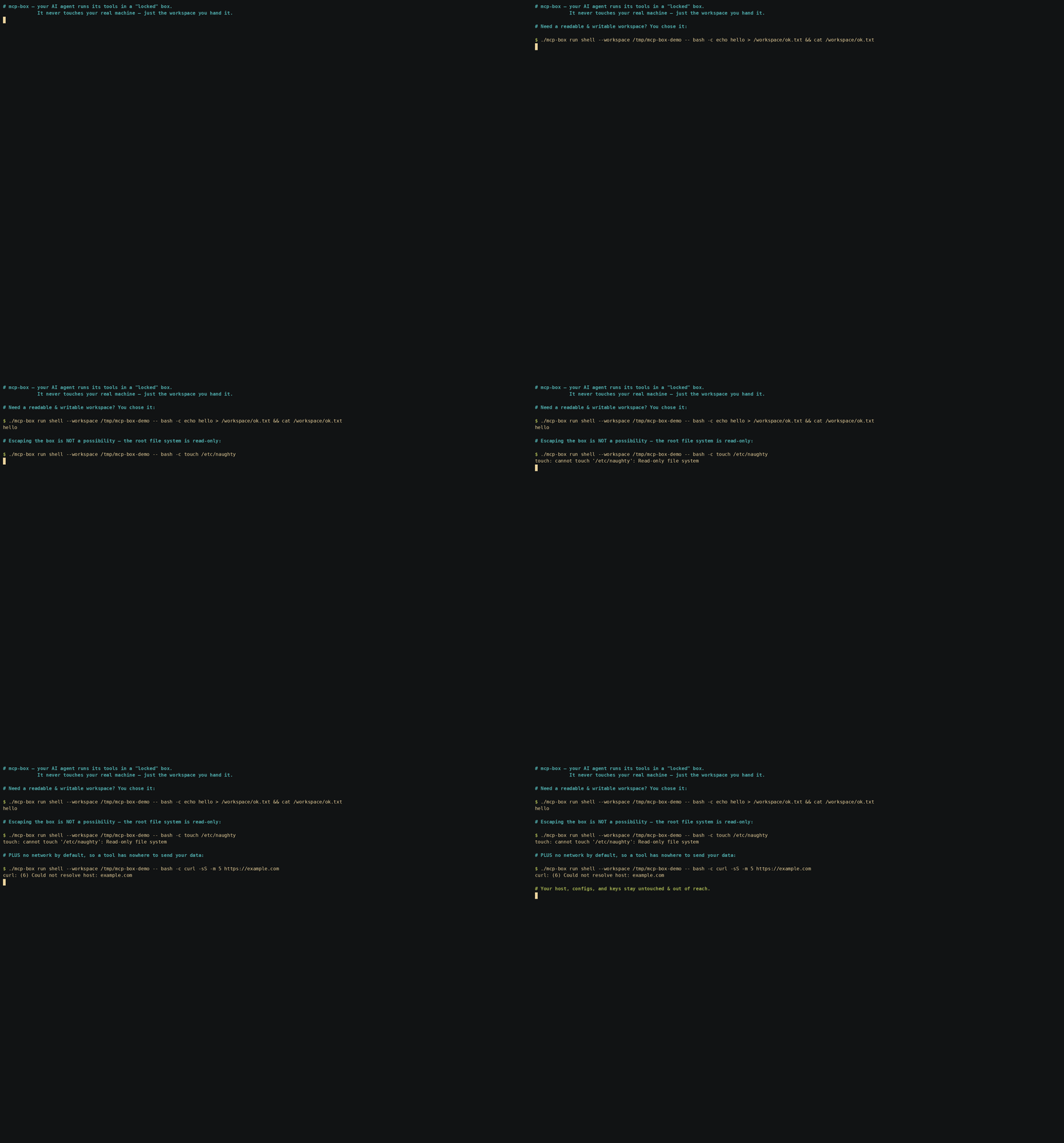
Your AI agent's tools run with your permissions. When an MCP server can call run_command or write files,
a buggy prompt or a malicious instruction can reach your home directory, your SSH keys, and your cloud credentials.
mcp-box puts every MCP server inside a locked-down Docker sandbox with a read-only root filesystem, explicit writable mounts,
dropped Linux capabilities, and per-profile network policy. Only the folders you mount are writable; the rest of your host stays out of reach.
mcp-box is the boringly reliable way to run MCP servers safely: inspectable, reproducible, and default-deny by design.
mcp-box is a single, portable Go binary that launches turnkey, immutable, strictly-isolated
container sandboxes for Model Context Protocol (MCP) servers. Nix is used for deterministic image builds
when present, but it is entirely optional. Without Nix, mcp-box pulls the same pinned OCI image definitions
from GHCR and runs them under the same Docker isolation model. Docker is the only hard requirement.
Same server, same hardening, same sandbox boundary — only the image source changes.
Security Audit Checks
You can audit the sandbox boundary directly by overriding the container command with -- bash -c '...'. These checks prove the boundary itself, not just the MCP server running inside it. The hardening (read-only root, no network, dropped capabilities, host UID mapping) applies to any process in the box:
- Read-only filesystem — writes outside
/workspaceare rejected:./mcp-box run shell -- bash -c 'touch /etc/naughty' # => touch: cannot touch '/etc/naughty': Read-only file system (exit 1) - Network isolation — with the default
--network none, DNS/egress fail:./mcp-box run shell -- bash -c 'curl -I https://google.com' # => curl: (6) Could not resolve host: google.com (exit 6) - No privilege escalation —
sudois not even present in the image:./mcp-box run shell -- bash -c 'sudo -l' # => bash: line 1: sudo: command not found (exit 127) - Host UID/GID mapping — the process is you, not root:
./mcp-box run shell -- bash -c 'id'
# => uid=<your uid> gid=<your gid> ...   (files in /workspace are owned by you)
Key Features
- Strict Sandboxing:
- Immutable Root (
--read-only): The entire root filesystem is mounted read-only. - Transient State (
--tmpfs): Writable spaces (/tmpand/run) exist solely in RAM and disappear once the container stops. - Zero Capabilities (
--cap-drop=ALL): The running processes have no special Linux kernel capabilities. - No Privilege Escalation (
no-new-privileges:true): Prevents elevation to root inside the sandbox. - Per-Profile Network Policy:
- Most sandboxes default to
--network none. - Networked profiles are explicit and opt-in, so a server only gets egress when its job genuinely requires it.
- The
fetchprofile is the exception by design: it uses a controlled network mode for web access, while still keeping the container boundary intact.
- Most sandboxes default to
- Scoped Workspaces: Only specifically mounted host directories (
--workspace) are visible to the server at/workspace.
- Immutable Root (
- Correct File Ownership:
- Containers run mapped to your host UID/GID (
-u $(id -u):$(id -g)), ensuring that files written to mounted workspaces are owned by you (notroot) and don't trigger host-side permission errors.
- Containers run mapped to your host UID/GID (
- Painless Integration:
- Built-in configuration generator (
mcp-box config <server>) prints out paste-ready JSON snippets to plug directly intoclaude_desktop_config.jsonor OpenClaw configurations.
- Built-in configuration generator (
- Zero-Dependency Nix Autonomy:
- If Nix is installed, running a sandbox automatically triggers a local rebuild and load of the OCI image.
- If Nix is absent,
mcp-boxautomatically detects this and falls back to pulling pre-built, identical, and secure OCI images directly from the GitHub Container Registry (ghcr.io/lowcache), making Nix entirely optional for the end-user.
CLI Surface
mcp-box is designed to be inspectable, scriptable, and auditable.
mcp-box run <server>— launch a sandboxed MCP servermcp-box stop <id>— stop a running sandboxmcp-box ps— list active sandboxesmcp-box inspect <id>— show the full sandbox spec and policymcp-box logs <id>— read audit logsmcp-box logs --follow— stream live eventsmcp-box config <server>— print paste-ready client configmcp-box build <server>— rebuild or refresh an OCI image
Quickstart
# 1. Get the binary (Docker is the only dependency)
curl -sSL https://github.com/lowcache/mcp-box/releases/latest/download/mcp-box-linux-amd64 -o mcp-box
chmod +x mcp-box && mv mcp-box ~/.local/bin/

# 2. Prove the sandbox holds — this write MUST fail
mcp-box run shell --workspace /tmp/demo -- bash -c 'touch /etc/naughty'
# => touch: cannot touch '/etc/naughty': Read-only file system

# 3. Wire it into your AI client (paste the output into claude_desktop_config.json)
mcp-box config sqlite
Pre-Packaged Sandboxes
| Server Name | Language | Included Utilities | Network Mode | Primary Purpose |
|---|---|---|---|---|
sqlite |
Python | sqlite3 CLI, fastmcp SDK |
none |
High-performance, isolated database querying. |
shell |
Python | bash, ripgrep, fd, git, curl, jq, sqlite, tar |
none |
Safe, sandboxed script running and file operations. |
filesystem |
Node.js | ripgrep, fd, git |
none |
Scoped filesystem read/write and code searching. |
fetch |
Node.js | curl |
bridge |
Safe, isolated web fetching and scraping. |
Policy, Compose, and Auditability
mcp-box is not just a runner — it is a trust layer for MCP execution.
Planned core platform features:
- Policy profiles for common trust levels:
readonly,dev,trusted,internet-off,internet-on - Compose-style specs for multi-server setups
- Append-only audit logs for sandbox lifecycle and denied actions
ps/inspect/logsso every sandbox can be checked after launch- Pinned image digests for reproducible, reviewable execution
Dependencies
Depending on your installation path, mcp-box has distinct dependency requirements:
- Runtime Boundary (All Users):
- Docker Engine (Must be active and running locally on the host system).
- Local Image Building (Source Flow with Nix):
- Nix (with experimental
flakesandnix-commandenabled).
- Nix (with experimental
- CLI Compilation (Source Flow with Go):
- Go compiler v1.22 or higher (only required if building the executable from source without using Nix).
- Zero-Dependency Fallback Flow:
- None. The pre-compiled CLI binary runs standalone and automatically pulls the pre-built, multi-arch OCI images straight from GHCR into your local Docker daemon.
Architecture
graph TD
    subgraph Host [Host Environment]
        Agent[AI Agent / Claude Desktop] <-->|stdio piping| CLI[mcp-box CLI]
        CLI -->|Checks for Nix| NixDetect{Nix Installed?}

        NixDetect -->|Yes: Source Flow| NixBuild[nix build .#server]
        NixBuild -->|Stream tarball| DockerLoad[docker load]

        NixDetect -->|No: Registry Flow| DockerPull[docker pull ghcr.io]
        DockerPull -->|Tag locally| DockerLoad

        DockerLoad -->|Loads image| Docker[Docker Engine]
    end

    subgraph Sandbox [Docker Sandbox]
        Server[MCP Server]
        Tools[Isolated Tools: git, rg, sqlite3, curl]
        Workspace[Mounted Workspace: /workspace]
    end

    Docker -->|spawns with strict isolation| Sandbox
    CLI <-->|stdio piping| Server
Installation
Depending on your host environment, you can install and run mcp-box with three different avenues:
Option A: Pre-built Go Binary (No Nix / Docker-only)
For systems that only have Docker installed:
- Download the compiled CLI binary (pick the asset matching your OS/arch —
linux/darwin,amd64/arm64):curl -sSL https://github.com/lowcache/mcp-box/releases/latest/download/mcp-box-linux-amd64 -o mcp-box chmod +x mcp-box - Move to PATH (Optional):
mv mcp-box ~/.local/bin/ # Or another folder in your PATH
On first execution, mcp-box will automatically detect the absence of Nix and pull the pre-built OCI images from ghcr.io/lowcache into your local Docker daemon.
Option B: From Source via Nix Flake (Nix/NixOS)
For systems running Nix/NixOS:
- Run directly without installing:
nix run github:lowcache/mcp-box -- list - Install to your user profile:
nix profile install github:lowcache/mcp-box - Declarative Installation (NixOS / Home Manager):
Add the flake input and package to your configuration:
# flake.nix inputs:
inputs.mcp-box.url = "github:lowcache/mcp-box";

# In systemPackages or home.packages:
inputs.mcp-box.packages.${pkgs.system}.default
On first execution, mcp-box will build the Go binary and OCI images purely from source and load them directly into your local Docker daemon.
Option C: Compile from Source (Go Compiler)
If you want to compile the CLI binary manually without Nix:
- Clone the repository:
git clone https://github.com/lowcache/mcp-box.git cd mcp-box - Compile the binary (the Go module lives in
src/go):cd src/go go build -o ../../mcp-box .
You can now run ./mcp-box directly, which will pull OCI layers from the registry or build locally using Nix based on your host environment.
Usage Guide
1. Show Help & Supported Servers
./mcp-box help
./mcp-box list
2. Run a Sandbox Interactively
You can launch any server interactively to test its behavior and tools:
./mcp-box run sqlite --workspace /tmp/sandbox-db -- --db /workspace/test.db
3. Build/Force-Update an OCI Image
If you want to manually rebuild or force-update a Nix-built image:
./mcp-box build sqlite
4. Integration with AI Clients
mcp-box config <server> prints a ready-to-paste mcpServers JSON block (with an
absolute path to the binary). The same block works for both Claude Desktop and
Claude Code.
./mcp-box config sqlite
Claude Code (CLI)
Claude Code does not use claude_desktop_config.json. Add the server with one
command — note the nested -- (the first separates claude's flags from the
subprocess; the second is consumed by mcp-box to forward server args):
# user scope (available in every project); drop -s user for the current project only
claude mcp add -s user mcp-box-sqlite -- \
  mcp-box run sqlite --workspace /abs/path/to/workspace -- --db /workspace/db.sqlite
Or, to commit a shareable config to your repo, drop the mcp-box config JSON block
straight into a project-root .mcp.json — it uses the exact {"mcpServers": …}
shape that config emits.
Verify with claude mcp list.
Claude Desktop
Paste the config block into claude_desktop_config.json. Its location is
OS-specific:
| OS | Path |
|---|---|
| macOS | ~/Library/Application Support/Claude/claude_desktop_config.json |
| Windows | %APPDATA%\Claude\claude_desktop_config.json |
| Linux | ~/.config/Claude/claude_desktop_config.json |
box MCP questions
How does mcp-box protect my host system?
It uses Docker sandboxes with a read-only root filesystem, dropped Linux capabilities, and per-profile network policies to ensure only specifically mounted folders are writable.
Do I need Nix to use mcp-box?
No, Nix is entirely optional. If Nix is not present, the tool automatically pulls pinned OCI images from the GitHub Container Registry.
What are the main dependencies for running mcp-box?
The only hard requirement is Docker Engine, which must be active and running on your local host.