
Cal MCP server
Commit Nov 13, 2026Lets an AI client manage a personal planner including calendars, tasks, notes, kanban boards, and time tracking via a token-gated MCP endpoint.
Also known as Dvorinka/cal
- Stars
- 5
- Tools
- —
- Downloads, 30 days
- —
- Latest version
- —
- Last commit
- Nov 13, 2026
- License
- MIT
What is Cal MCP?
Cal lets an AI client manage a personal planner including calendars, tasks, notes, kanban boards, and time tracking via a token-gated MCP endpoint.
Summary generated from the project's README
About Cal MCP server
Managing a personal planner through an AI assistant is possible with Cal, a self-hosted toolkit designed to centralize calendars, tasks, notes, and time tracking. By using a token-gated MCP endpoint, developers can connect AI clients to their private data, allowing the assistant to drive the planner directly. This setup is intended for users who prefer hosting their own data on their own hardware rather than relying on external SaaS providers.
The system includes diverse features such as kanban boards, markdown notes with wikilinks, a focus timer with pomodoro mode, and a relationship manager. It supports various synchronization methods including CalDAV, CardDAV, and read-only Google Calendar feeds. Users can deploy the entire stack using Docker, which sets up the application alongside a PostgreSQL database. The server also provides a GitHub inbox to turn issues and pull requests into actionable cards, ensuring all professional and personal workflows remain in one quiet place.
What you can do with it
- 1Project management via GitHubHave an AI assistant convert your GitHub issues into organized kanban cards.
- 2Time tracking and billingInstruct an AI to manage your billable sessions and focus timer.
- 3Personal relationship managementUse the AI to track important dates like birthdays and anniversaries.
Written from the project's README. Every use case is checked against a quote from it.
Automated checks
Ran Nov 15, 2026Full report →Not verified yet. A server needs a score of 80, no serious finding, and enough data for us to check. How checks work · What to fix for more points

- Source repository linked and reachabledvorinka/cal is public and reachablegithub.com/dvorinka/cal ↗Pass
- Package names this repository as its sourceNot checked
- Build provenance (Sigstore attestation)Not checked
- Open source license (OSI)MITspdx.org/licenses/MIT.html ↗Pass
- Commit or release in the last yearLast commit or release 2026-11-13github.com/dvorinka/cal ↗Pass
- OpenSSF ScorecardNot checked
- Package name not close to a popular packageNot checked
- No critical advisory in the package or its dependenciesNot checked
- No hidden instructions to the model0 tool descriptions and the README read; no override phrases, credential paths or hidden charactersPass
- Destructive tools are labelledNot checked
- Remote endpoint answers the MCP handshakeNot checked
README
View on GitHubCal is an open-source personal planner that replaces a handful of SaaS tabs. Month, week and day views with drag-and-drop; tasks with recurrence and natural-language quick add; markdown notes with wikilinks; kanban boards whose cards are real calendar entries; a focus timer and billable timesheets; a private relationship manager whose birthdays surface on the calendar. No accounts on someone else's server — one container and it's yours.
Screenshots
| Today — agenda, streaks, deadlines | Month view |
|---|---|
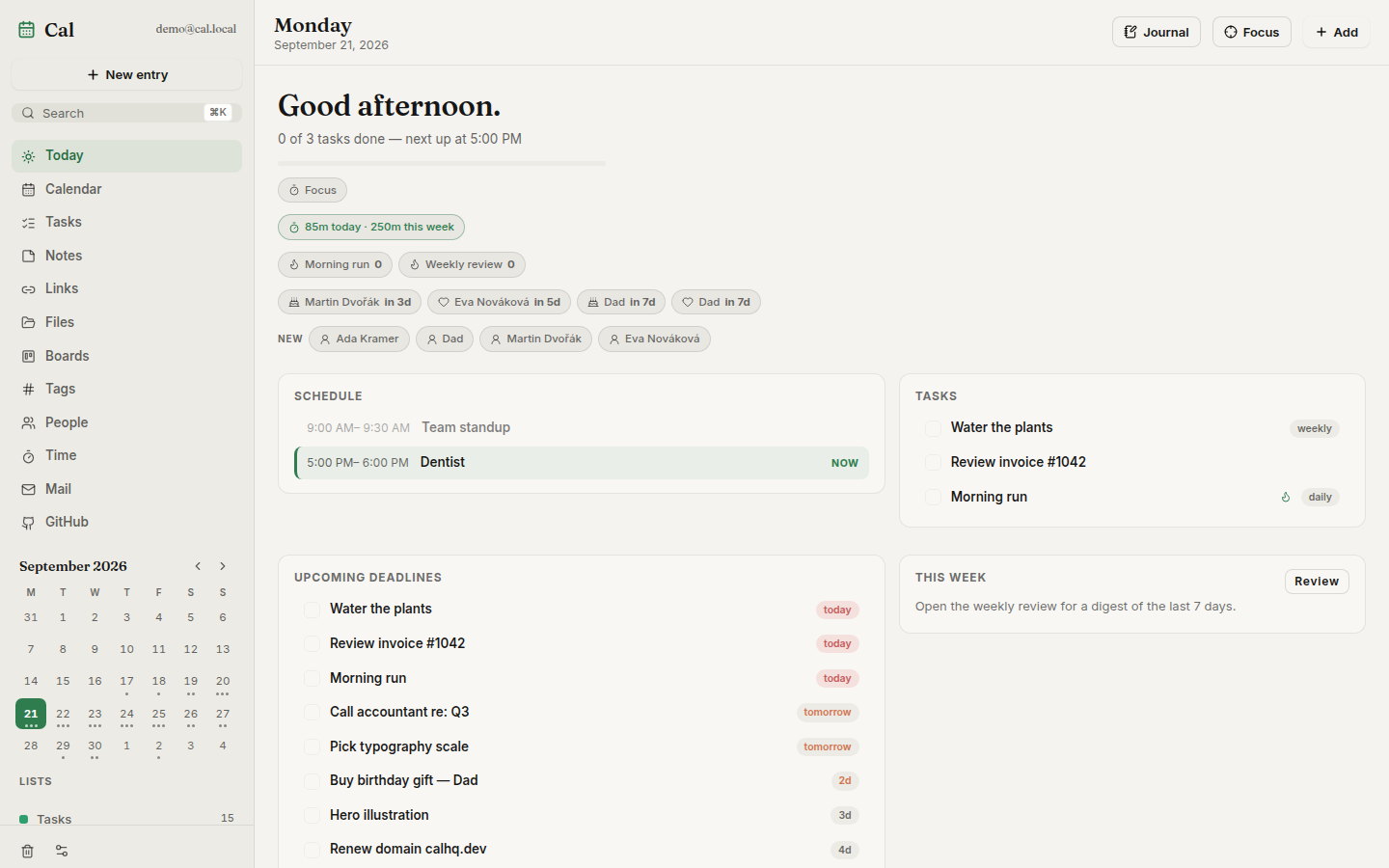 |
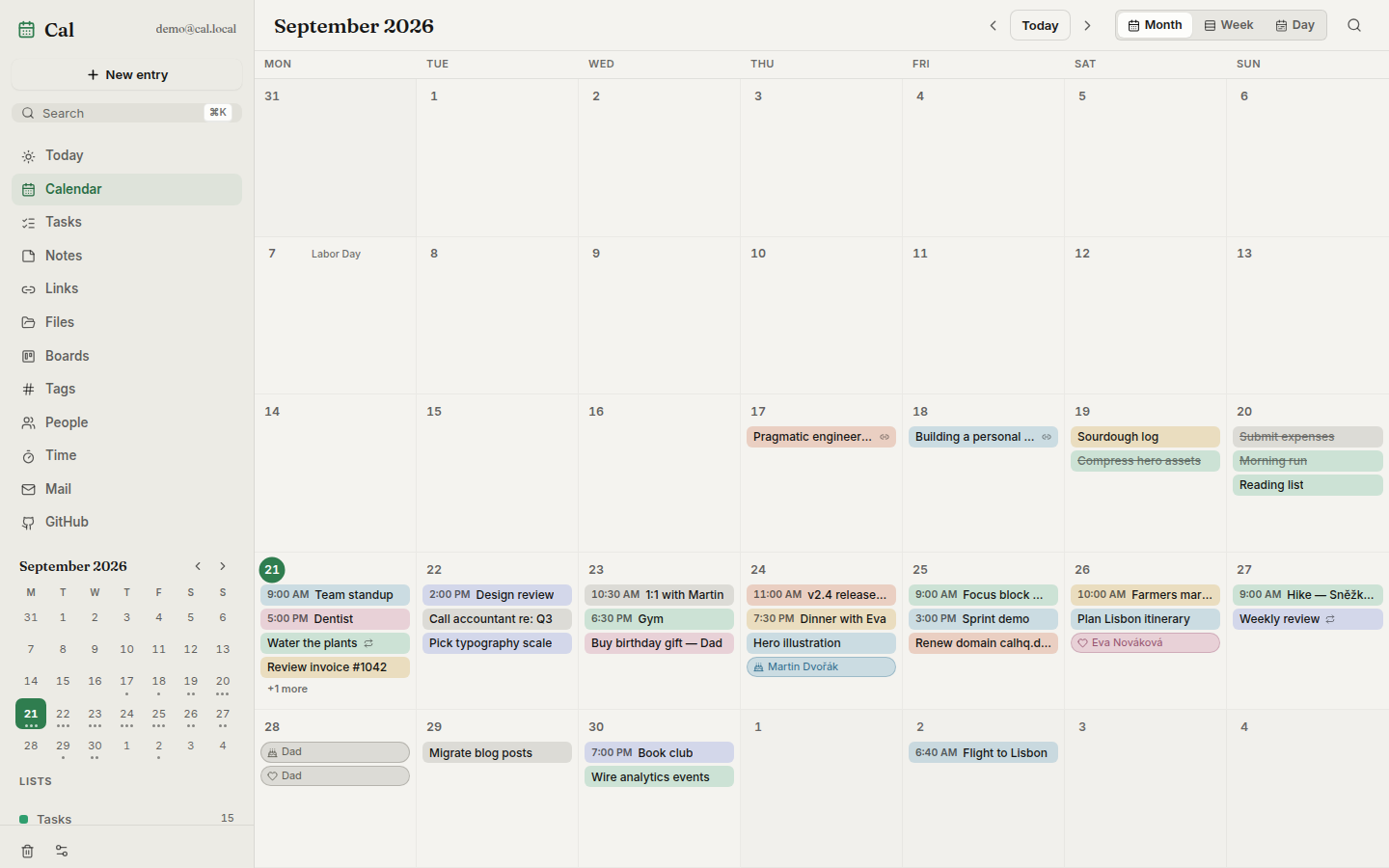 |
| Week view — timed blocks | Week view, dark theme |
|---|---|
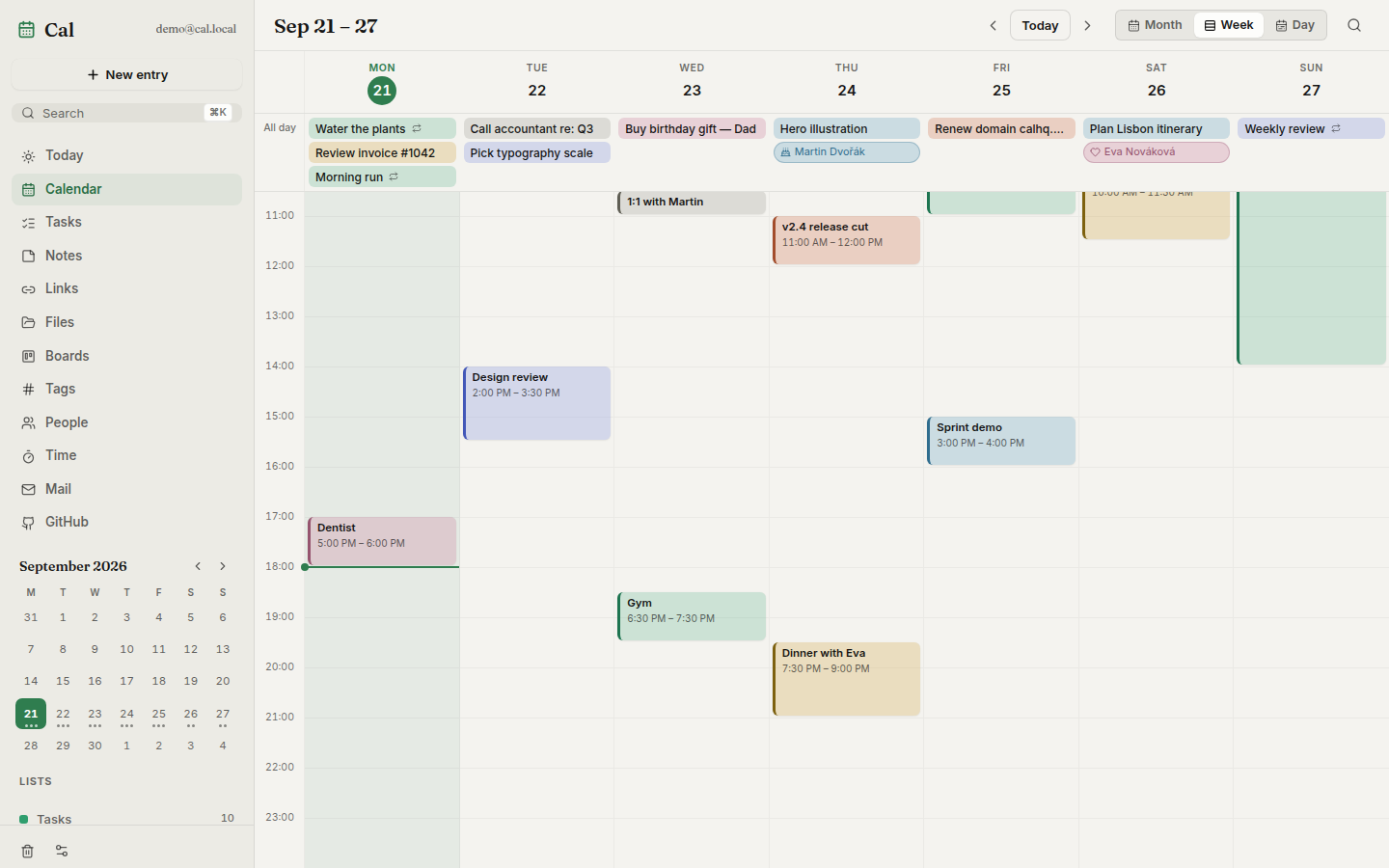 |
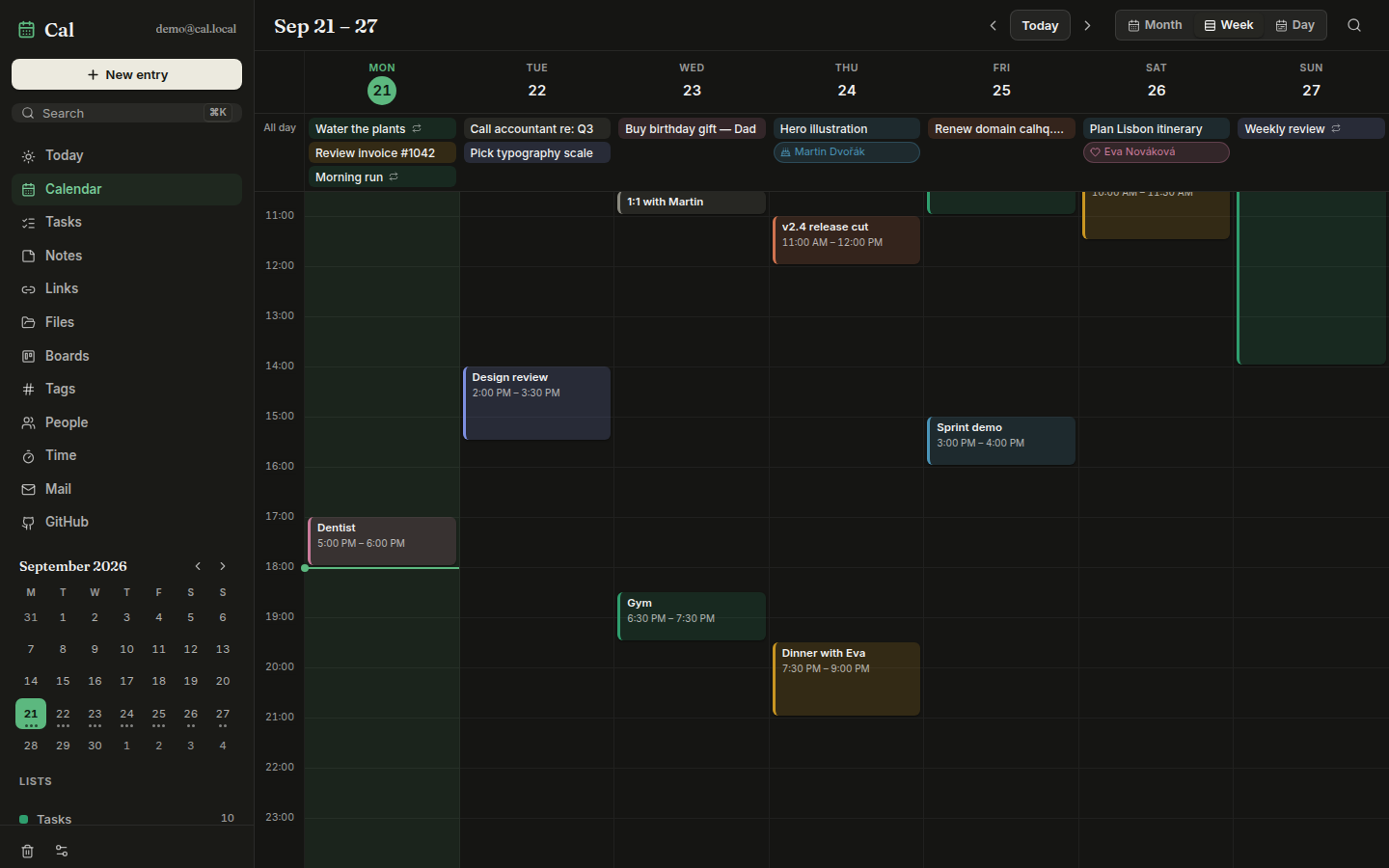 |
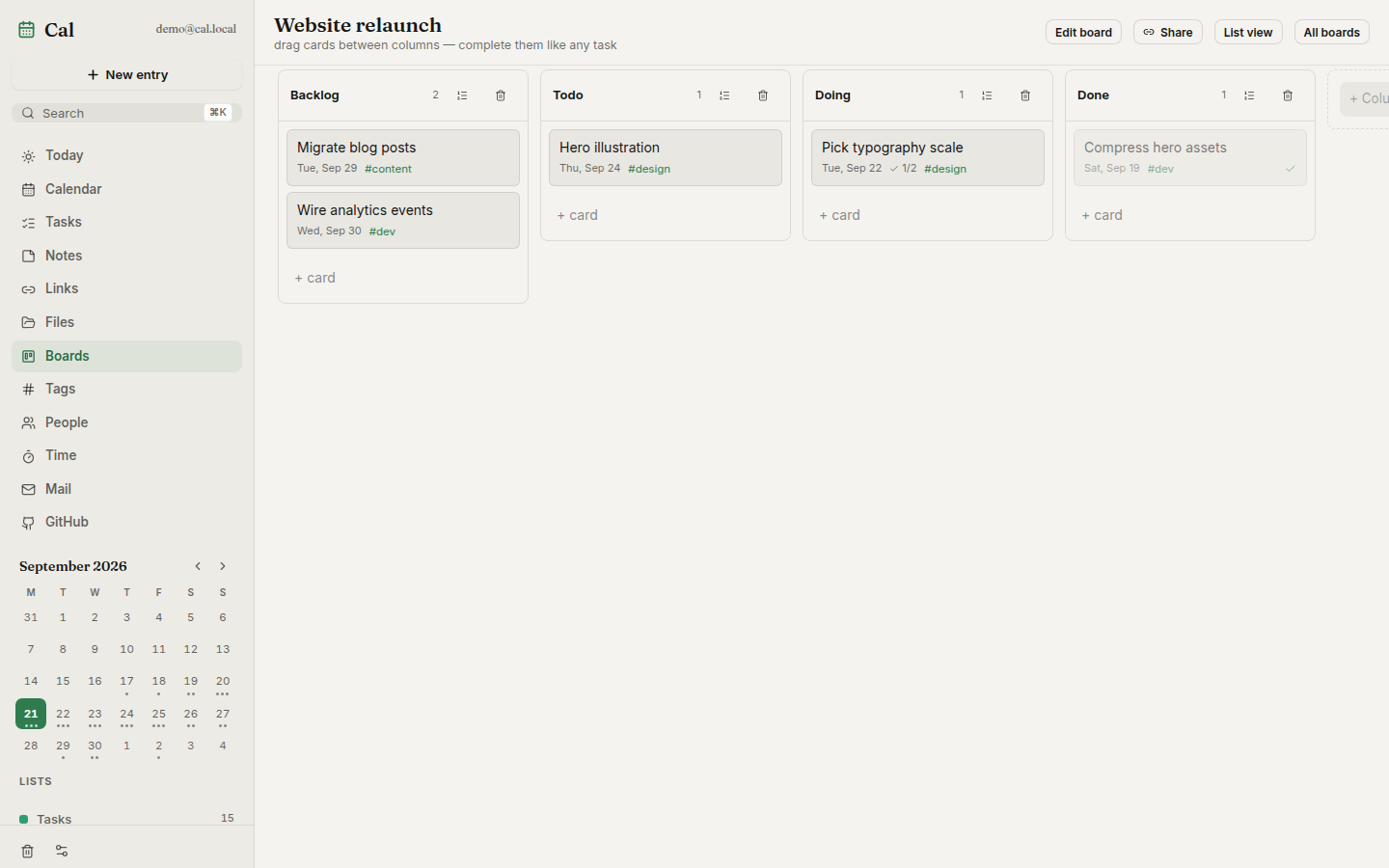
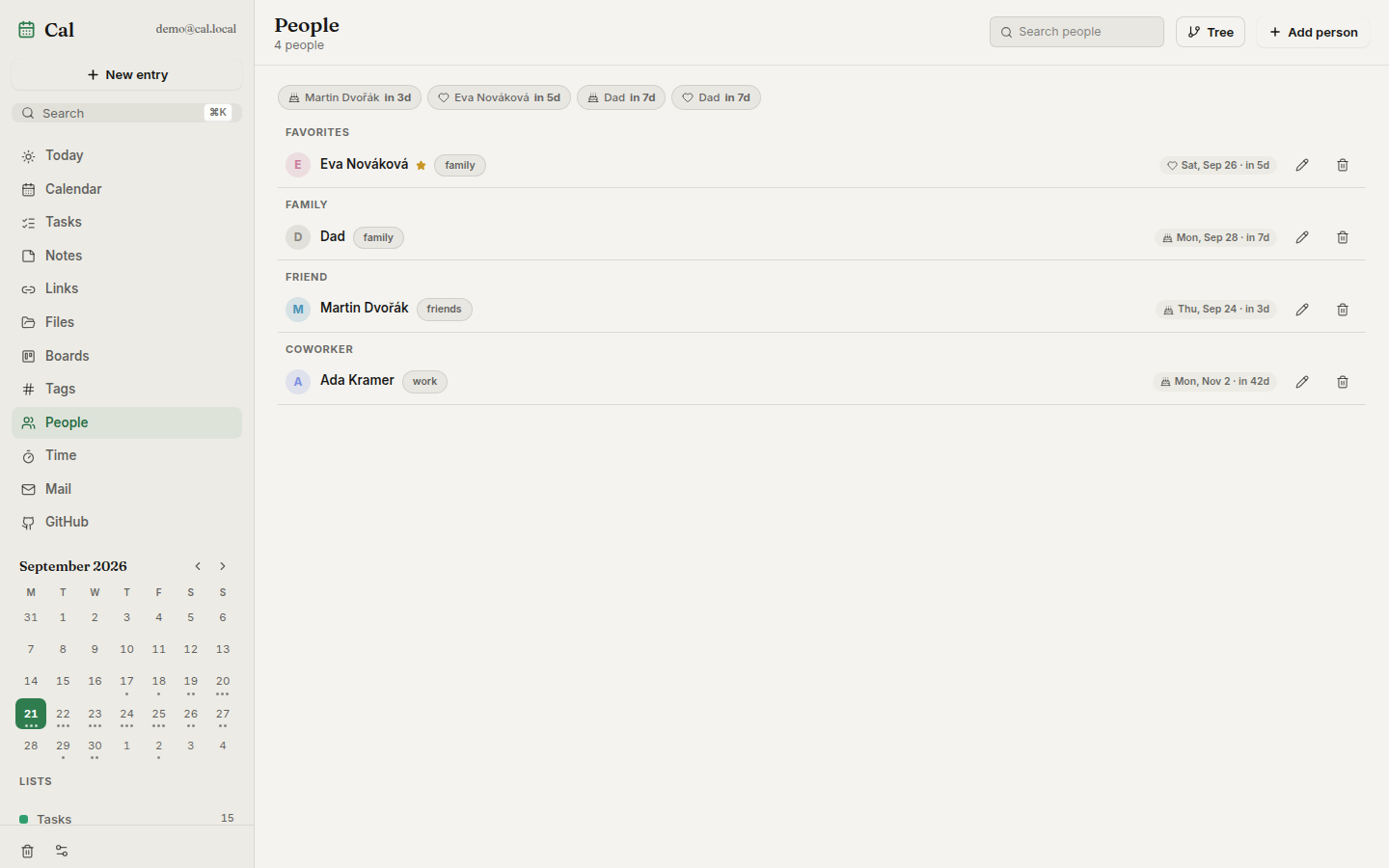
| Kanban board — cards are real tasks | People — relationship manager |
|---|---|
 |
 |
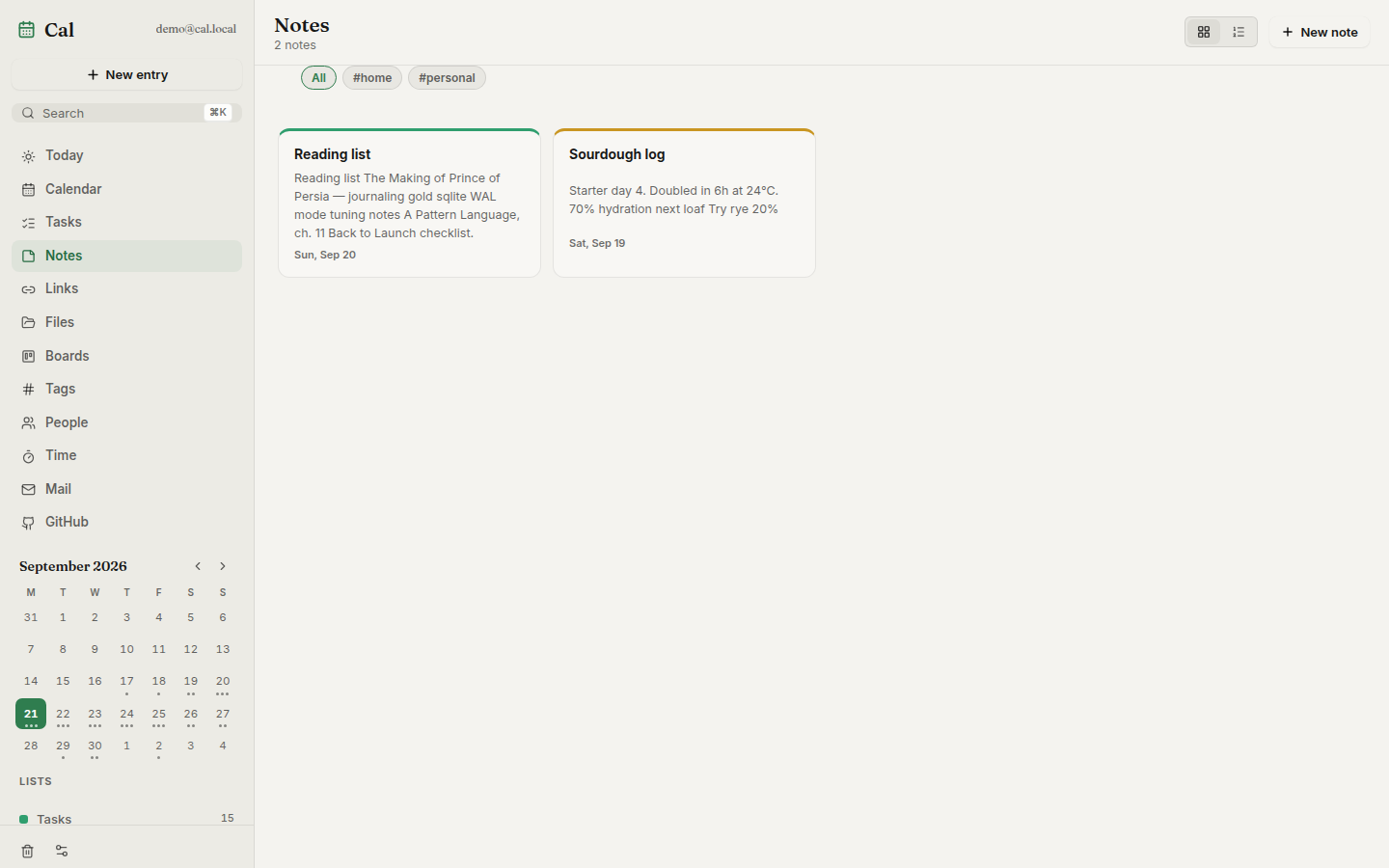
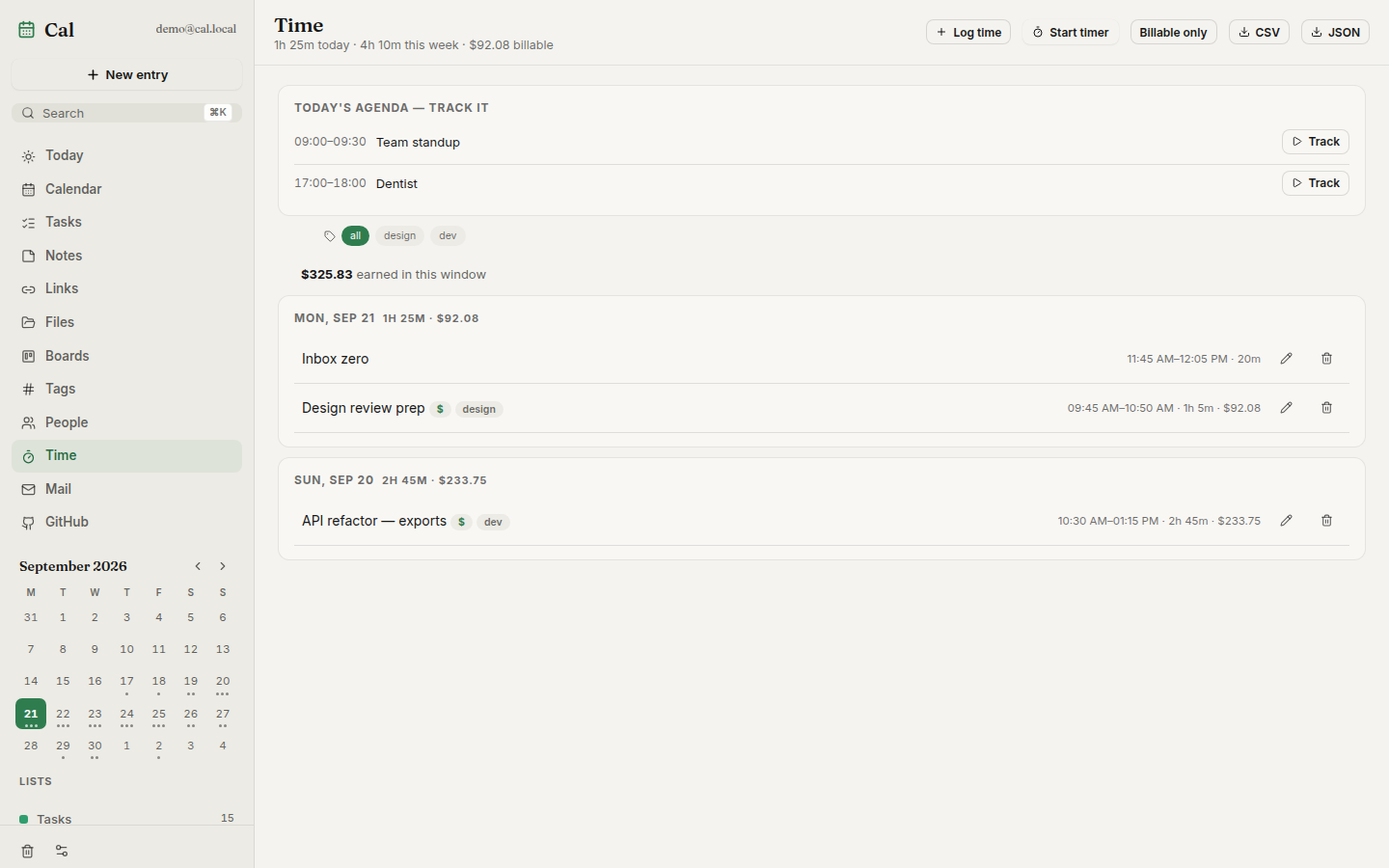
| Notes — markdown, wikilinks, tags | Time — timesheets and billables |
|---|---|
 |
 |
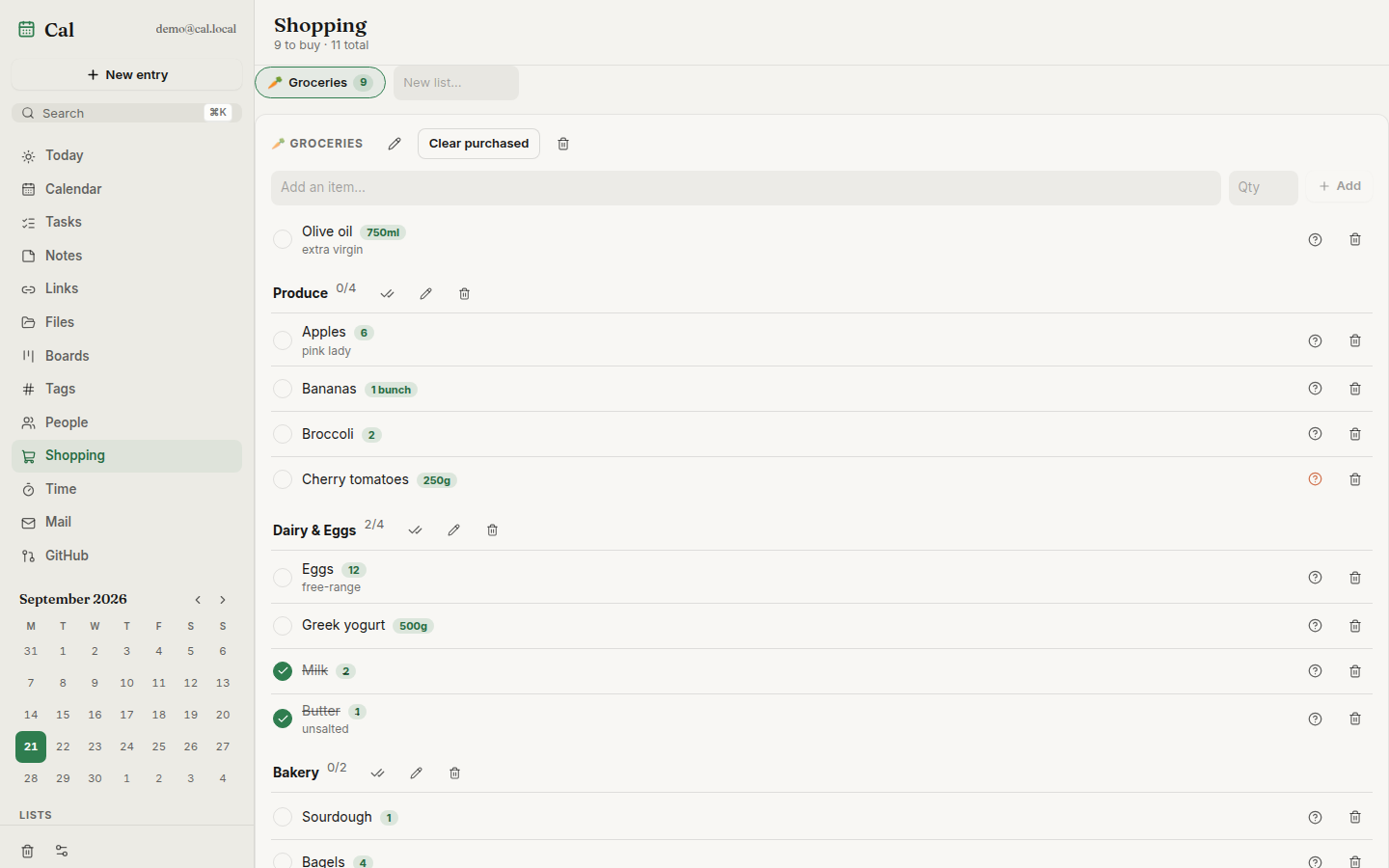
| Shopping — sections, quantities, can't-find flags |
|---|
 |
Features
- Planner core — month, week and day views with drag-and-drop, recurring
tasks, natural-language quick add (
dentist fri 5pm #health), reminders, per-entry version history, soft-delete trash - Beyond the calendar — notes with templates and
[[wikilinks]], a link library that unfurls titles/thumbnails and searches YouTube via your own Invidious instance, file uploads with public share links, kanban boards with WIP limits and read-only public sharing - Time & people — focus timer with pomodoro mode, billable sessions with hourly rates and CSV/JSON export; a private relationship manager whose birthdays, anniversaries and namedays surface on the calendar
- Shopping lists — multiple lists with sections (Dairy, Produce…), quantities, a "can't find it" flag, bulk check-off, clear-purchased, and autocomplete from your own item history
- Admin & multi-user — the first registered account administers the instance: open/close sign-ups, promote admins, remove accounts, all from Settings → Users & access
- Portable — full JSON export one click away, or a zip that packs every upload binary too; restores merge additively, and the server writes nightly snapshots for 14 days
- Sync & feeds — two-way CalDAV, read-only Google Calendar, iCalendar feed subscriptions, CardDAV birthdays, RSS/Atom items on their publish date, holidays for 40+ regions
- Automation — GitHub inbox (issues/PRs become cards, status flows both
ways), HMAC-signed webhooks out, email-to-task intake,
.icsimport/export, and a token-gated MCP endpoint so AI assistants can drive your planner - Everywhere — offline-first PWA with a write queue, Android shell with a
home-screen widget, Wails desktop app, share-target integration, global
⌘Kpalette, keyboard-first navigation. The Android app can also run serverless: local mode keeps only Mail and dials your IMAP/SMTP provider directly from the device — accounts stay encrypted on-device and can be imported to a server if you set one up later - Contained — cookie sessions, bcrypt passwords, login rate limiting, AES-256-GCM for stored credentials, SSRF-guarded outbound URLs, zero external services required
Quick Start
Requires Docker:
curl -fsSL https://raw.githubusercontent.com/Dvorinka/cal/main/install.sh | sh
Downloads docker-compose.yml into ./cal, generates a .env with a
random Postgres password, pulls the published images, and starts the app
plus its database — UI and API at http://localhost:8080. Re-running pulls
new images and restarts; .env and the named volumes are never touched.
Override with env vars:
curl -fsSL https://raw.githubusercontent.com/Dvorinka/cal/main/install.sh | \
  PORT=9090 CAL_DIR=/opt/cal CAL_VERSION=v1.2.3 sh
Or run the compose stack by hand:
echo "POSTGRES_PASSWORD=$(openssl rand -hex 24)" > .env
docker compose up -d
Open http://localhost:8080 and create your account. Back up two volumes:
cal-pg (the database) and cal-data (uploads, exports). Rather run a
single container? A bare docker run without DATABASE_URL starts the
image's embedded Postgres instead — then cal-data is the only thing to
back up.
Desktop apps (Windows/Linux/macOS), headless cal-server binaries and an
Android APK attach to every
release. On Windows grab
Cal-Setup-Windows.exe — a real installer with the database engine bundled,
so first launch works offline. The desktop app bundles its own server, or
can sign in to a server URL to share data between devices.
Architecture
apps/web         React PWA + Capacitor android/ios shells
apps/api         Go API (Gin) + migrations + MCP endpoint
apps/desktop     Wails app; `-tags headless` is the all-in-one server
packages/api-client   shared typed client, generated from openapi.yaml
React 19 + Vite + TypeScript + Tailwind 4 + Zustand · Go + Gin + PostgreSQL
(pgx, Goose migrations) · Wails 2 desktop · Capacitor shells · one Docker
image for everything. The API contract lives in openapi.yaml; the typed TS
client in packages/api-client is kept in sync with it.
Configuration
All configuration is via environment variables:
| Variable | Default | Purpose |
|---|---|---|
PORT |
8080 |
listen port |
DATA_DIR |
/data (container) |
files, backups, embedded PG data |
DATABASE_URL |
unset → embedded PG | external Postgres DSN |
SESSION_SECURE |
false |
set true behind HTTPS |
WEB_ORIGIN |
unset | extra CORS origin for the web app |
GOOGLE_CLIENT_ID / GOOGLE_CLIENT_SECRET |
unset | enable Google Calendar sync |
CAL_ALLOW_PRIVATE_FEEDS / CAL_ALLOW_PRIVATE_WEBHOOKS |
unset | allow private/LAN URLs (SSRF guard off) |
Never commit .env — if a secret was ever committed, rotate it.
Development
npm install
cp apps/api/.env.example apps/api/.env

# Postgres (or use the db service in docker-compose.yml)
docker run -d --name cal-db -e POSTGRES_DB=cal -e POSTGRES_USER=cal \
  -e POSTGRES_PASSWORD=cal -p 5432:5432 postgres:16-alpine

npm run dev -w @cal/web              # vite on :5173, proxies /api
cd apps/api && go run ./cmd/server   # api on :8080
Verify before opening a PR:
npm run typecheck && npm run test && npm run build
cd apps/api && go vet ./... && go test ./...
E2E: cd apps/web && npx playwright test (Playwright + axe).
Load: k6 run perf/k6.js -e EMAIL=… -e PASS=….
Documentation
openapi.yaml— full API schema; session-cookie auth, bearer tokens for MCP/intake/widget/feed endpointsdocs/releasing.md— how releases build, code-signing secretsROADMAP.md— what shipped, what's next, what's out of scope
Contributing · Security · MIT License © 2026 Tomas Dvorak
Cal MCP questions
Can AI assistants interact with my Cal planner?
Yes, Cal provides a token-gated MCP endpoint specifically so AI assistants can drive your planner.
Does Cal support GitHub integration?
Yes, it features a GitHub inbox where issues and pull requests become cards and status flows both ways.
What kind of data can I export from Cal?
You can perform a full JSON export with one click, or a zip file that includes all uploaded binary files.