
Cyntrisec CLI MCP server
✓ VerifiedAnalyzes AWS infrastructure to discover attack paths, build capability graphs, and identify security remediation priorities.
Also known as cyntrisec/cyntrisec-cli, cyntrisec-cli, cyntrisec
- Stars
- 4
- Tools
- —
- Downloads, 30 days
- 177
- Latest version
- 0.1.14
- Last commit
- May 6, 2026
- License
- Apache-2.0
What is Cyntrisec CLI MCP?
Cyntrisec CLI analyzes AWS infrastructure to discover attack paths, build capability graphs, and identify security remediation priorities.
Summary generated from the project's README
About Cyntrisec CLI MCP server
Security engineers and cloud administrators can use Cyntrisec CLI to map out AWS infrastructure and identify potential security vulnerabilities. The tool functions as a read-only analysis engine that scans environments via AssumeRole to build a comprehensive capability graph encompassing IAM, network configurations, and resource dependencies. It is designed to discover attack paths that lead from the internet to sensitive targets within an account.
Users interact with the tool through a command-line interface, requiring a configured AWS CLI and Terraform for the initial setup of a read-only IAM role. The system processes data locally, storing scan snapshots and findings in the ~/.cyntrisec directory. Beyond simple discovery, it helps prioritize remediation by calculating the return on investment for specific security fixes and identifying unused capabilities to reduce the overall blast radius. It provides deterministic JSON outputs, HTML reports, and Terraform hints to assist in infrastructure hardening.
What you can do with it
- 1Discovering internet-to-target attack pathsAn engineer can request a list of paths that an attacker might take to reach sensitive data from the public internet.
- 2Prioritizing security remediation tasksA developer can identify which security fixes will provide the most impact relative to their implementation cost.
- 3Reducing the cloud blast radiusA user can find and remove unused IAM permissions to minimize the potential damage from a compromised identity.
- 4Verifying compliance with security standardsAn auditor can check if the current AWS configuration meets specific CIS or SOC2 requirements.
Written from the project's README. Every use case is checked against a quote from it.
How to install Cyntrisec CLI MCP
Formats verified 10 Nov 2026Add to CursorAdd to GooseInstall Cyntrisec CLI MCP in Claude Code
$ claude mcp add --env 'AWS_ACCESS_KEY_ID=<YOUR_AWS_ACCESS_KEY_ID>' --env 'AWS_SECRET_ACCESS_KEY=<YOUR_AWS_SECRET_ACCESS_KEY>' cyntrisec-cli -- uvx cyntrisecInstall Cyntrisec CLI MCP in Cursor
~/.cursor/mcp.json
{
  "mcpServers": {
    "cyntrisec-cli": {
      "command": "uvx",
      "args": [
        "cyntrisec"
      ],
      "env": {
        "AWS_ACCESS_KEY_ID": "<YOUR_AWS_ACCESS_KEY_ID>",
        "AWS_SECRET_ACCESS_KEY": "<YOUR_AWS_SECRET_ACCESS_KEY>"
      }
    }
  }
}Install Cyntrisec CLI MCP in VS Code
.vscode/mcp.json
{
  "servers": {
    "cyntrisec-cli": {
      "type": "stdio",
      "command": "uvx",
      "args": [
        "cyntrisec"
      ],
      "env": {
        "AWS_ACCESS_KEY_ID": "<YOUR_AWS_ACCESS_KEY_ID>",
        "AWS_SECRET_ACCESS_KEY": "<YOUR_AWS_SECRET_ACCESS_KEY>"
      }
    }
  }
}Install Cyntrisec CLI MCP in VS Code CLI
$ code --add-mcp '{"name":"cyntrisec-cli","type":"stdio","command":"uvx","args":["cyntrisec"],"env":{"AWS_ACCESS_KEY_ID":"<YOUR_AWS_ACCESS_KEY_ID>","AWS_SECRET_ACCESS_KEY":"<YOUR_AWS_SECRET_ACCESS_KEY>"}}'Install Cyntrisec CLI MCP in Claude Desktop
claude_desktop_config.json
{
  "mcpServers": {
    "cyntrisec-cli": {
      "command": "uvx",
      "args": [
        "cyntrisec"
      ],
      "env": {
        "AWS_ACCESS_KEY_ID": "<YOUR_AWS_ACCESS_KEY_ID>",
        "AWS_SECRET_ACCESS_KEY": "<YOUR_AWS_SECRET_ACCESS_KEY>"
      }
    }
  }
}Install Cyntrisec CLI MCP in Codex
$ codex mcp add cyntrisec-cli --env 'AWS_ACCESS_KEY_ID=<YOUR_AWS_ACCESS_KEY_ID>' --env 'AWS_SECRET_ACCESS_KEY=<YOUR_AWS_SECRET_ACCESS_KEY>' -- uvx cyntrisecInstall Cyntrisec CLI MCP in Codex config.toml
~/.codex/config.toml
[mcp_servers.cyntrisec-cli]
command = "uvx"
args = ["cyntrisec"]

[mcp_servers.cyntrisec-cli.env]
AWS_ACCESS_KEY_ID = "<YOUR_AWS_ACCESS_KEY_ID>"
AWS_SECRET_ACCESS_KEY = "<YOUR_AWS_SECRET_ACCESS_KEY>"
Install Cyntrisec CLI MCP in Gemini CLI
$ gemini mcp add -s user -e 'AWS_ACCESS_KEY_ID=<YOUR_AWS_ACCESS_KEY_ID>' -e 'AWS_SECRET_ACCESS_KEY=<YOUR_AWS_SECRET_ACCESS_KEY>' cyntrisec-cli uvx -- cyntrisecInstall Cyntrisec CLI MCP in Gemini settings.json
~/.gemini/settings.json
{
  "mcpServers": {
    "cyntrisec-cli": {
      "command": "uvx",
      "args": [
        "cyntrisec"
      ],
      "env": {
        "AWS_ACCESS_KEY_ID": "<YOUR_AWS_ACCESS_KEY_ID>",
        "AWS_SECRET_ACCESS_KEY": "<YOUR_AWS_SECRET_ACCESS_KEY>"
      }
    }
  }
}Configuration
AWS_ACCESS_KEY_IDSecretAWS access key ID (use AWS_PROFILE instead if possible)
AWS_SECRET_ACCESS_KEYSecretAWS secret access key (use AWS_PROFILE instead if possible)
AWS_DEFAULT_REGIONAWS region to use (defaults to profile/env settings)
AWS_PROFILEAWS profile name to use for authentication
| Name | Description | |
|---|---|---|
| AWS_ACCESS_KEY_ID | AWS access key ID (use AWS_PROFILE instead if possible) | Secret |
| AWS_SECRET_ACCESS_KEY | AWS secret access key (use AWS_PROFILE instead if possible) | Secret |
| AWS_DEFAULT_REGION | AWS region to use (defaults to profile/env settings) | |
| AWS_PROFILE | AWS profile name to use for authentication |
Automated checks
Ran Nov 15, 2026Full report →Passed our automated checks. That is not a security audit: read the code and give the server the narrowest access it needs. How checks work

- Source repository linked and reachablecyntrisec/cyntrisec-cli is public and reachablegithub.com/cyntrisec/cyntrisec-cli ↗Pass
- Package names this repository as its sourcecyntrisec names cyntrisec/cyntrisec-cli as sourcepypi.org/project/cyntrisec/ ↗Pass
- Build provenance (Sigstore attestation)No build attestation published for this releaseNot checked
- Open source license (OSI)Apache-2.0spdx.org/licenses/Apache-2.0.html ↗Pass
- Commit or release in the last yearLast commit or release 2026-05-06github.com/cyntrisec/cyntrisec-cli ↗Pass
- OpenSSF ScorecardNot checked
- Package name not close to a popular packageNo popular package one edit away from cyntrisecPass
- No critical advisory in the package or its dependencies44 resolved dependencies checked; no critical advisoryosv.dev ↗Pass
- No hidden instructions to the model0 tool descriptions and the README read; no override phrases, credential paths or hidden charactersPass
- Destructive tools are labelledNot checked
- Remote endpoint answers the MCP handshakeNot checked
README
View on GitHubCyntrisec CLI



Historical pre-company project.
cyntrisec-cliwas created before Cyntrisec narrowed its company focus to EphemeralML and AIR v1. It is not a current Cyntrisec product, support surface, or commercial offering. The PyPI package namecyntrisec, CLI commandcyntrisec, and MCP server IDio.github.cyntrisec/cyntrisecare retained only to avoid breaking historical installs.
[!CAUTION] Historical Software Disclaimer: This tool is no longer an active Cyntrisec product. It is provided "as is", without warranty of any kind. While the CLI is a read-only analysis tool by default, the user assumes all responsibility for any actions taken based on its findings. Always review generated remediation plans and Terraform code before application.
Historical AWS capability graph analysis and attack path discovery CLI.
A read-only CLI tool that historically:
- Scans AWS infrastructure via AssumeRole
- Builds a capability graph (IAM, network, dependencies)
- Discovers attack paths from internet to sensitive targets
- Prioritizes fixes by ROI (security impact + cost savings)
- Identifies unused capabilities (blast radius reduction)
- Outputs deterministic JSON with proof chains
Demo
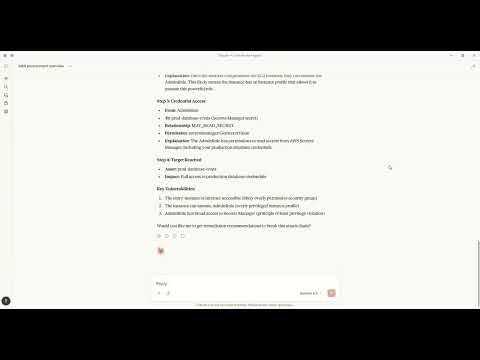
Watch how to discover attack paths and generate fixes using natural language with Claude MCP.
Architecture
+----------------------------------------------------------------------------------+
|                                   CYNTRISEC CLI                                   |
+----------------------------------------------------------------------------------+
| CLI Layer (Typer)                                                                 |
|   scan   analyze   cuts   waste   report   comply   can   diff   serve   ...      |
+-----------------------------+----------------------------------------------------+
| Core Engine                 | Storage (local)                                     |
|  - AWS collectors           |  ~/.cyntrisec/scans/<scan_id>/                      |
|  - Normalization/schema     |    snapshot.json, assets.json, relationships.json   |
|  - GraphBuilder -> AwsGraph |    findings.json, attack_paths.json                 |
|  - Path search -> paths     |  ~/.cyntrisec/scans/latest -> <scan_id>             |
|  - Min-cut + Cost (ROI)     |  (Windows fallback: latest is a file)               |
+-----------------------------+----------------------------------------------------+
| Outputs: JSON/agent, HTML report, remediation plan + Terraform hints              |
+----------------------------------------------------------------------------------+
Data Flow
CLI (scan) --AssumeRole--> AWS Session --Describe/Get/List--> AWS APIs (read-only)
     |
     v
Collectors -> normalize -> Assets + Relationships -> AwsGraph
                                                |
                                                v
                                   Attack path search (BFS/DFS)
                                                |
                                                v
                                   Min-cut (remediation cuts)
                                                |
                                                v
                                      Cost engine (ROI)

Local artifacts: ~/.cyntrisec/scans/<scan_id>/*.json
Installation
pip install cyntrisec
Windows PATH Fix
If you see "cyntrisec is not recognized", the Scripts folder isn't on PATH:
# Option 1: Run with python -m
python -m cyntrisec --help

# Option 2: Add to PATH for current session
$env:PATH += ";$env:APPDATA\Python\Python311\Scripts"
Quick Start
Prerequisite: Ensure you have AWS CLI installed and configured with credentials (e.g.,
aws configure) or environment variables set.terraformis required for the setup step.
# 1. Create the read-only IAM role in your account
cyntrisec setup iam 123456789012 --output role.tf

# 2. Apply the Terraform
cd your-infra && terraform apply

# 3. Run a scan
cyntrisec scan --role-arn arn:aws:iam::123456789012:role/CyntrisecReadOnly

# 4. View attack paths
cyntrisec analyze paths --min-risk 0.5

# 5. Find minimal fixes (prioritized by ROI)
cyntrisec cuts --format json

# 6. Generate HTML report
cyntrisec report --output report.html
Commands
Core Analysis
| Command | Description |
|---|---|
scan |
Scan AWS infrastructure |
analyze paths |
View attack paths |
analyze findings |
View security findings |
analyze stats |
View scan statistics |
analyze business |
Business entrypoint analysis |
report |
Generate HTML/JSON report |
Setup & Validation
| Command | Description |
|---|---|
setup iam |
Generate IAM role Terraform |
validate-role |
Validate IAM role permissions |
Remediation
| Command | Description |
|---|---|
cuts |
Find minimal fixes (Cost & ROI prioritized) |
waste |
Find unused IAM permissions |
remediate |
Generate or optionally apply Terraform plans (gated) |
Policy Testing
| Command | Description |
|---|---|
can |
Test "can X access Y?" |
diff |
Compare scan snapshots |
comply |
Check CIS AWS / SOC2 compliance |
Agentic Interface
| Command | Description |
|---|---|
manifest |
Output machine-readable capabilities |
explain |
Natural language explanations |
ask |
Query scans in plain English |
serve |
Run as MCP server for AI agents |
MCP Server Mode
The historical CLI can still run as an MCP server for compatibility with existing local setups:
# Install with MCP support (now included by default)
pip install cyntrisec
cyntrisec serve              # Start stdio server
cyntrisec serve --list-tools # List available tools
MCP Tools (15)
| Category | Tool | Description |
|---|---|---|
| Discovery | list_tools |
List all available tools |
set_session_snapshot |
Set active snapshot for session | |
get_scan_summary |
Get summary of latest AWS scan | |
| Assets | get_assets |
Get assets with type/name filtering |
get_relationships |
Get relationships between assets | |
get_findings |
Get security findings with severity filtering | |
| Attack Paths | get_attack_paths |
Get attack paths with risk scores |
explain_path |
Detailed hop-by-hop path breakdown | |
explain_finding |
Detailed finding explanation | |
| Remediation | get_remediations |
Find optimal fixes for attack paths |
get_terraform_snippet |
Generate Terraform code for remediation | |
| Access | check_access |
Test if principal can access resource |
get_unused_permissions |
Find unused IAM permissions | |
| Compliance | check_compliance |
Check CIS AWS or SOC 2 compliance |
compare_scans |
Compare scan snapshots |
Claude Desktop
MacOS: ~/Library/Application Support/Claude/claude_desktop_config.json
Windows: %APPDATA%\Claude\claude_desktop_config.json
{
  "mcpServers": {
    "cyntrisec": {
      "command": "python",
      "args": ["-m", "cyntrisec", "serve"]
    }
  }
}
Claude Code (CLI)
Run the following command to configure the server:
claude mcp add cyntrisec -- python -m cyntrisec serve
Google Gemini / Antigravity
Locate your agent configuration (e.g., ~/.gemini/antigravity/mcp_config.json) and add:
{
  "mcpServers": {
    "cyntrisec": {
      "command": "python",
      "args": ["-m", "cyntrisec", "serve"]
    }
  }
}
Trust & Safety
Read-Only Guarantees
This tool makes read-only API calls to your AWS account. The IAM role
should have only Describe*, Get*, List* permissions.
No Data Exfiltration
All data stays on your local machine. Nothing is sent to external servers.
Scan results are stored in ~/.cyntrisec/scans/.
No Auto-Remediation (Default Safe Mode)
By default, Cyntrisec is read-only and does not modify your AWS infrastructure.
- It analyzes your account using read-only APIs.
- It can generate remediation artifacts (e.g., Terraform modules) for you to review.
- It does not apply changes automatically.
Optional Remediation Execution (Explicit Opt-In)
Cyntrisec includes an explicitly gated path that can execute Terraform only if you intentionally enable it.
This mode is:
- Disabled by default
- Requires
--enable-unsafe-write-mode - Requires an additional explicit flag (e.g.
--execute-terraform) to run Terraform - Intended for controlled environments (sandbox / CI with approvals), not unattended production
If you do not pass these flags, Cyntrisec will never run terraform apply.
Write Operations
Cyntrisec makes no AWS write API calls during scanning and analysis.
The only supported "write" behavior is optional execution of Terraform locally on your machine, and only when explicitly enabled via unsafe flags.
Every AWS API call is logged in CloudTrail under session name cyntrisec-cli.
Trust & Permissions
Cyntrisec runs with a read-only IAM role. Generate the recommended policy with
cyntrisec setup iam <ACCOUNT_ID> and keep permissions to Describe*, Get*,
and List*. Live modes (waste --live, can --live) require extra IAM
permissions; the generated policy and docs cover those additions.
Output Format
Primary output is JSON to stdout. When stdout is not a TTY, the CLI automatically switches to JSON:
cyntrisec analyze paths --format json | jq '.paths[] | select(.risk_score > 0.7)'
Agent-friendly output wraps results in a structured envelope:
cyntrisec analyze paths --format agent
{
  "schema_version": "1.0",
  "status": "success",
  "data": {...},
  "artifact_paths": {...},
  "suggested_actions": [...]
}
Exit Codes
| Code | Meaning |
|---|---|
| 0 | Success / compliant |
| 1 | Findings / regressions / denied |
| 2 | Usage error |
| 3 | Transient error (retry) |
| 4 | Internal error |
Use in CI/CD:
cyntrisec scan --role-arn $ROLE_ARN || exit 1
cyntrisec diff || echo "Regressions detected"
Storage
Scan results are stored locally:
~/.cyntrisec/
|-- scans/
|   |-- 2026-01-17_123456_123456789012/
|   |   |-- snapshot.json
|   |   |-- assets.json
|   |   |-- relationships.json
|   |   |-- findings.json
|   |   `-- attack_paths.json
|   `-- latest -> 2026-01-17_...
`-- config.yaml
Versioning
This project follows Semantic Versioning. See CHANGELOG.md for release notes.
License
Apache-2.0
Links
Cyntrisec CLI MCP questions
How do I add Cyntrisec CLI MCP to Claude Code?
Run claude mcp add --env 'AWS_ACCESS_KEY_ID=<YOUR_AWS_ACCESS_KEY_ID>' --env 'AWS_SECRET_ACCESS_KEY=<YOUR_AWS_SECRET_ACCESS_KEY>' cyntrisec-cli -- uvx cyntrisec in your terminal. Add --scope user to make it available in every project.
How do I add Cyntrisec CLI MCP to Cursor?
Open ~/.cursor/mcp.json and add the server under mcpServers, using the Cursor config shown in the install section above.
Is this a current Cyntrisec product?
No, this is a historical pre-company project and is no longer an active Cyntrisec product.
What does the tool do during an AWS scan?
It scans AWS infrastructure via AssumeRole to build a capability graph including IAM, network, and dependencies to discover attack paths.
Is the tool destructive to my AWS environment?
By default, the CLI is a read-only analysis tool.
How do I install the tool?
You can install it using pip via the command pip install cyntrisec.