
Allows an AI client to curate reading lists, tag comics from URLs, inspect cover art, and reorganize comic book directories using natural language.
Also known as ComicsNow/comics-now
- Stars
- 19
- Tools
- —
- Downloads, 30 days
- —
- Latest version
- —
- Last commit
- Nov 15, 2026
- License
- AGPL-3.0
What is Comics Now! MCP?
Comics Now! allows an AI client to curate reading lists, tag comics from URLs, inspect cover art, and reorganize comic book directories using natural language.
Summary generated from the project's README
About Comics Now! MCP server
Managing a digital comic book collection through natural language is what this MCP server enables for collectors and developers. It provides an interface for AI clients like Claude or Gemini to interact with a self-hosted library, allowing them to curate reading lists, inspect cover art, and reorganize file directories. The server functions as a bridge between your local or remote comic files and an AI assistant, using over 60 specialized tools to perform complex cataloging tasks.
Users can deploy the server locally using npx or via Docker, and it can be integrated with Cloudflare Zero Trust for secure remote access. To enhance its intelligence, the system can utilize a Google Gemini API key for visual cover matching and identification. It supports advanced metadata enrichment by querying sources like ComicVine and GCD, and it can even trigger guided view detection for a better reading experience. This setup transforms a standard file browser into an intelligent, AI-augmented management platform.
What you can do with it
- 1Automated Metadata TaggingAsk the AI to identify and tag comic books using a web URL.
- 2Library OrganizationInstruct the AI to reorganize your comic book folders and directories.
- 3Reading List CurationHave the AI assistant build custom reading lists from your collection.
- 4Visual Content InspectionRequest the AI to look at comic book cover art to find specific issues.
Written from the project's README. Every use case is checked against a quote from it.
How to install Comics Now! MCP
Formats verified 10 Nov 2026Add to CursorAdd to GooseInstall Comics Now! MCP in Claude Code
$ claude mcp add comics-now -- npx -y comics-nowInstall Comics Now! MCP in Cursor
~/.cursor/mcp.json
{
  "mcpServers": {
    "comics-now": {
      "command": "npx",
      "args": [
        "-y",
        "comics-now"
      ]
    }
  }
}Install Comics Now! MCP in VS Code
.vscode/mcp.json
{
  "servers": {
    "comics-now": {
      "type": "stdio",
      "command": "npx",
      "args": [
        "-y",
        "comics-now"
      ]
    }
  }
}Install Comics Now! MCP in VS Code CLI
$ code --add-mcp '{"name":"comics-now","type":"stdio","command":"npx","args":["-y","comics-now"]}'Install Comics Now! MCP in Claude Desktop
claude_desktop_config.json
{
  "mcpServers": {
    "comics-now": {
      "command": "npx",
      "args": [
        "-y",
        "comics-now"
      ]
    }
  }
}Install Comics Now! MCP in Codex
$ codex mcp add comics-now -- npx -y comics-nowInstall Comics Now! MCP in Codex config.toml
~/.codex/config.toml
[mcp_servers.comics-now]
command = "npx"
args = ["-y", "comics-now"]
Install Comics Now! MCP in Gemini CLI
$ gemini mcp add -s user comics-now npx -- -y comics-nowInstall Comics Now! MCP in Gemini settings.json
~/.gemini/settings.json
{
  "mcpServers": {
    "comics-now": {
      "command": "npx",
      "args": [
        "-y",
        "comics-now"
      ]
    }
  }
}Automated checks
Ran Nov 13, 2026Full report →Passed our automated checks. That is not a security audit: read the code and give the server the narrowest access it needs. How checks work

- Source repository linked and reachablecomicsnow/comics-now is public and reachablegithub.com/comicsnow/comics-now ↗Pass
- Package names this repository as its sourcecomics-now names comicsnow/comics-now as sourcenpmjs.com/package/comics-now ↗Pass
- Build provenance (Sigstore attestation)Sigstore attestation for comics-nownpmjs.com/package/comics-now/v/4.1.0#provenance ↗Pass
- Open source license (OSI)AGPL-3.0spdx.org/licenses/AGPL-3.0.html ↗Pass
- Commit or release in the last yearLast commit or release 2026-11-11github.com/comicsnow/comics-now ↗Pass
- OpenSSF ScorecardNot checked
- Package name not close to a popular packageNo popular package one edit away from comics-nowPass
- No critical advisory in the package or its dependenciesNot checked
- No hidden instructions to the model0 tool descriptions and the README read; no override phrases, credential paths or hidden charactersPass
- Destructive tools are labelledNot checked
- Remote endpoint answers the MCP handshakeNot checked
README
View on GitHubComics Now! 💥📚
⚡ Why Comics Now!?
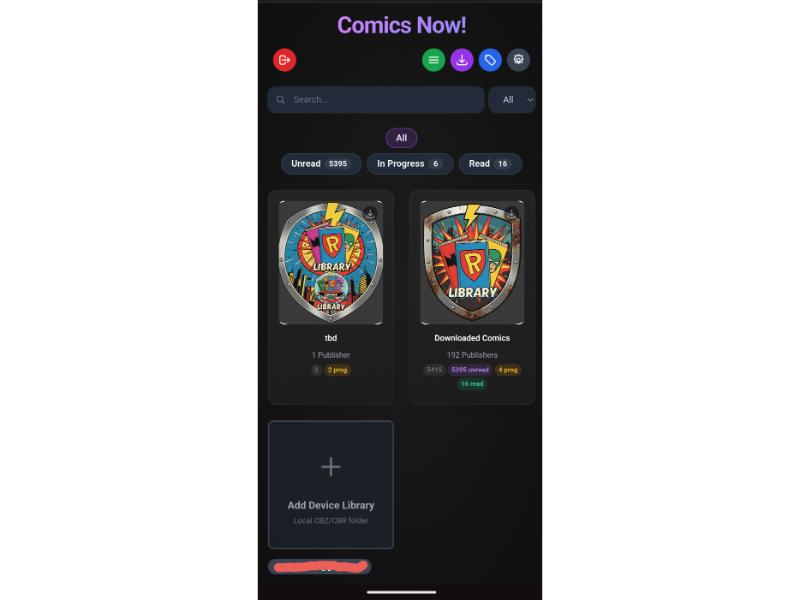
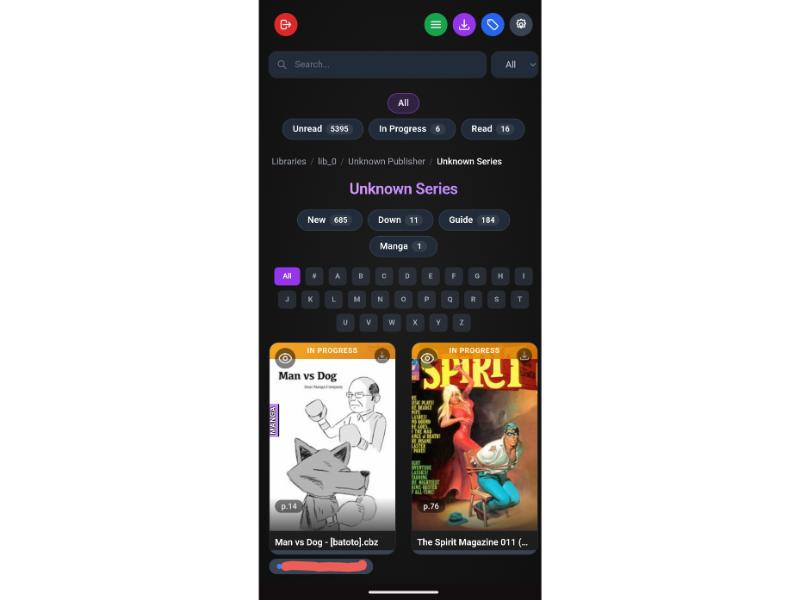
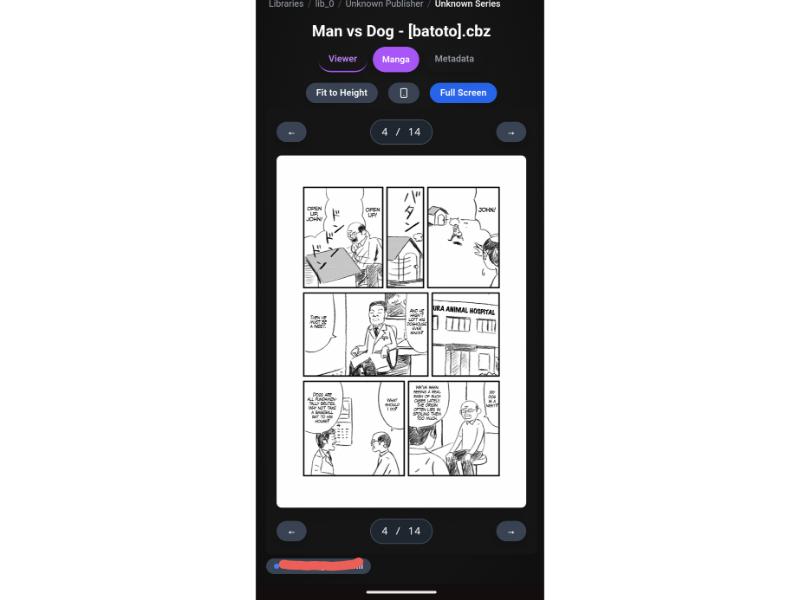
Most digital comic servers were built a decade ago as basic file browsers. Comics Now! re-imagines your comic library as a modern, intelligent web application designed for desktops, tablets, and phones:
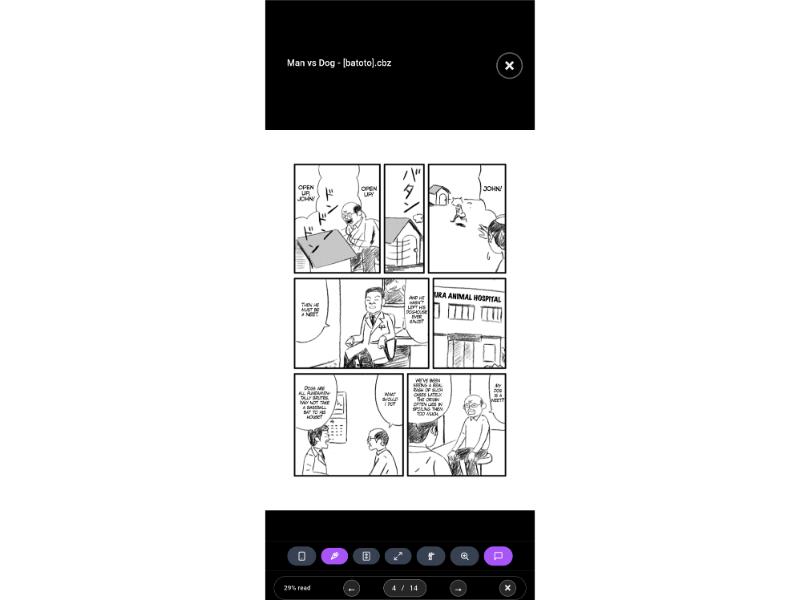
- 🧠 Interactive Panel & Bubble Zoom (Guided View): Powered by deep learning neural networks (
manga.onnxand speech bubble detectors) with instant cloud GPU acceleration via Modal (~1–2s per batch on NVIDIA T4s), incremental scoping, and visual authoring via GVE Now!. (Note: Automated guided view sequence buttons have been removed as automated stepping is not reliable enough across diverse comic layouts; interactive Panel Zoom and Bubble Zoom with adaptive touch tolerance remain fully active for precision on-demand zoom.) - 🔀 Interactive Continuity DAG View: Visualize complex multi-series crossover timelines as interactive Directed Acyclic Graphs with curved Bézier flow lines, fluid pinch-to-zoom/pan navigation, 1-click node reading, and a 3-way view switcher (Grid
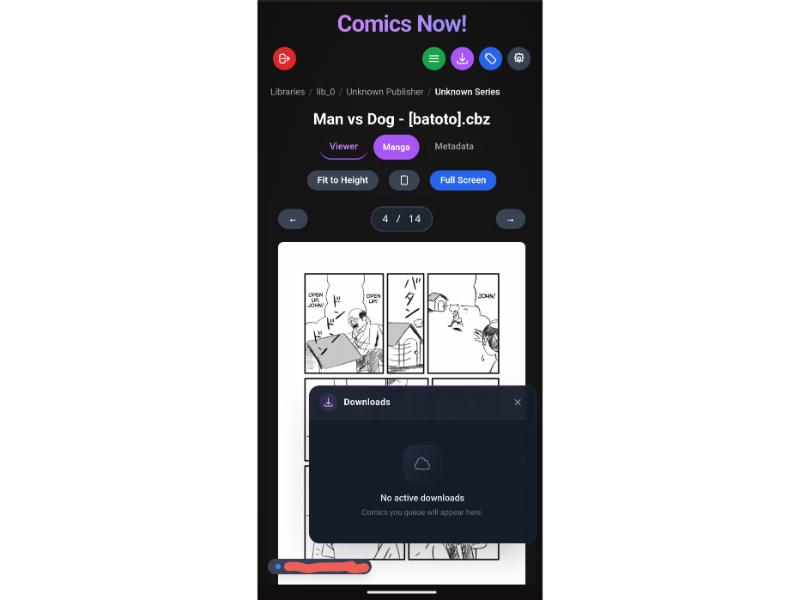
⊞, List☰, and DAG🔀). - 🖼️ Fullscreen Page Preview Grid, Filmstrip & Scrubber: Navigate issues visually with a dynamic, lazy-loaded page preview grid, a bottom precision page scrubber, and a horizontal touch-scrollable thumbnail filmstrip. Full-resolution WebP on-the-fly transcoding backed by an LRU disk cache cuts bandwidth while keeping 1:1 pixel coordinates for panel zoom.
- 🔄 True Cross-Device Sync: Pick up right where you left off. Reading progress syncs in real-time between your phone, tablet, and PC.
- 📱 Resumable Offline PWA & Self-Healing Connectivity: Install Comics Now! to your iOS, iPadOS, Android, or desktop home screen. Queue comics with HTTP
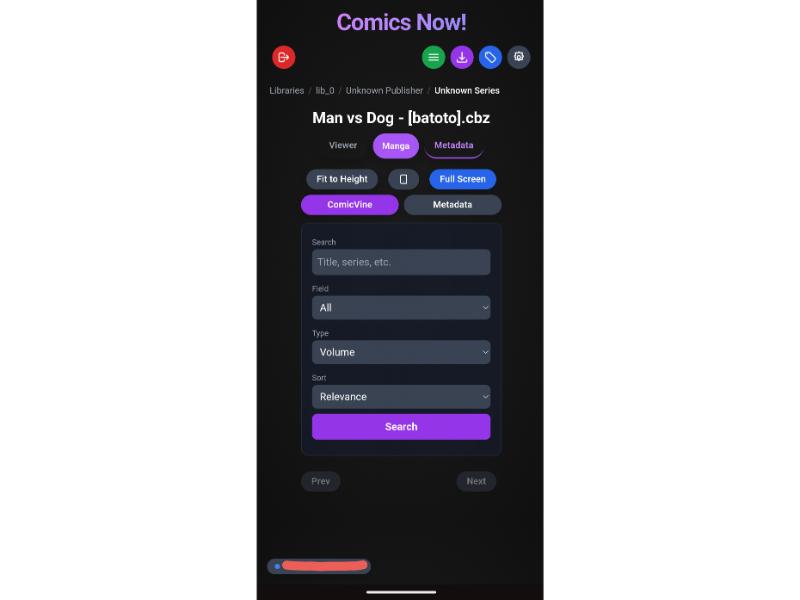
Rangeresumable transfers, native Android Background Fetch, and active health probing that self-heals when waking from mobile sleep mode. - 🤖 Google Gemini AI Vision & Multi-Source Tagging: Built-in enrichment engine querying ComicVine, Metron, GCD, Goodreads, Amazon, Google Books, and web URLs with perceptual cover hashing. Powered by Google Gemini AI Vision to visually identify issue numbers, series, publishers, and release years directly from cover art when standard scraping fails, plus one-step Web URL Tagging with daily quota tracking and manual metadata staging.
- ⚡ High-Throughput SQLite Architecture: Native zero-scan covering and composite indexes for reading lists and DAG views, backed by 256MB memory-mapped I/O (
mmap), in-memory temporary tables/sorts, and an expanded 64MB RAM cache. Instantaneous server boots with guarded startup migrations and potential database storage savings of up to 50%+. - 🎨 DC All In Typography & Clean 2-Line Hierarchy: Punchier Anton display typography with electric blue selection halos. Strict 2-line layout displaying Series & Issue Number on Line 1 and Story Title on Line 2 — eliminating raw filename leakage across cards and viewer headers.
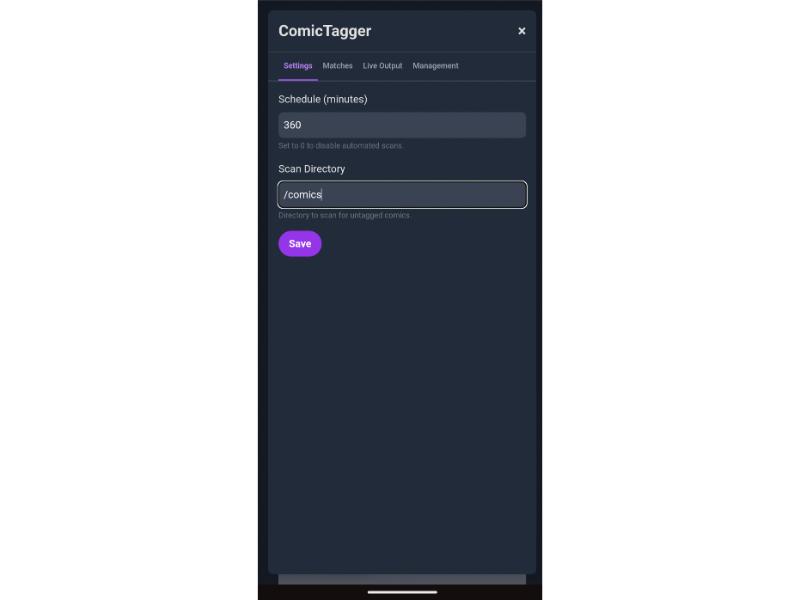
- 📁 Configurable File & Folder Organization: Flexible 4-tab management panel with customizable token naming rules and folder hierarchy templates, with live preview and safe, type-to-confirm batch execution for entire libraries.
- 🔌 AI Model Context Protocol (MCP): Native Python MCP server exposing 60+ tools allowing Claude, Cursor, and Gemini to curate reading lists, tag comics directly from web URLs (
tag_comic_from_url), inspect cover art, trigger guided view detection, reorganize directories, and query your collection with natural language. - 🛡️ Cloudflare Zero Trust Ready: Zero open ports needed. Full integration with Cloudflare Access JWT authentication, granular user permissions (down to publisher and series), and admin impersonation.
- 🔐 Enterprise-Grade Secrets Vault (AES-256-GCM): All third-party API keys (ComicVine, Gemini, Google Books), scraper logins (Metron, GCD), and cloud GPU tokens (Modal) are automatically encrypted at rest using envelope encryption with an auto-generated 256-bit key (
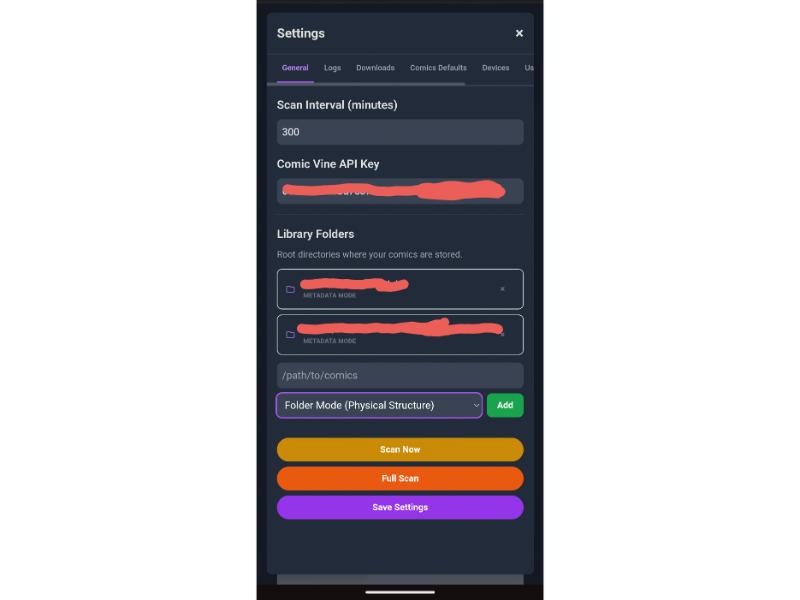
data/.app_secret) or container secrets (COMICS_SECRET_KEY/COMICS_SECRET_KEY_FILE). Sensitive values are masked in the UI to prevent shoulder-surfing and log leakage. - 📂 Metadata Mode & Folder Mode: Organize your library by metadata tags (Publisher → Series → Issue) or mirror your physical directory tree directly.
- 💻 Client-Side Local Reader: Drag and drop local CBZ/CBR files directly into the browser to read instantly with WebAssembly—no file upload required.
- 📖 E-Ink & Color E-Reader Modes: Purpose-built anti-ghosting display modes for e-paper devices. Monochrome applies grayscale + contrast for black-and-white screens; Color boosts saturation for color e-paper. Kindle, Kobo, Onyx Boox, and PocketBook are auto-detected, and the choice persists per device.
🎬 Live Interactive Demo & Showcase
Experience the full desktop, tablet, and mobile reader directly in your browser without installing anything:
👉 Launch Live Interactive Demo (comicsnow.github.io)
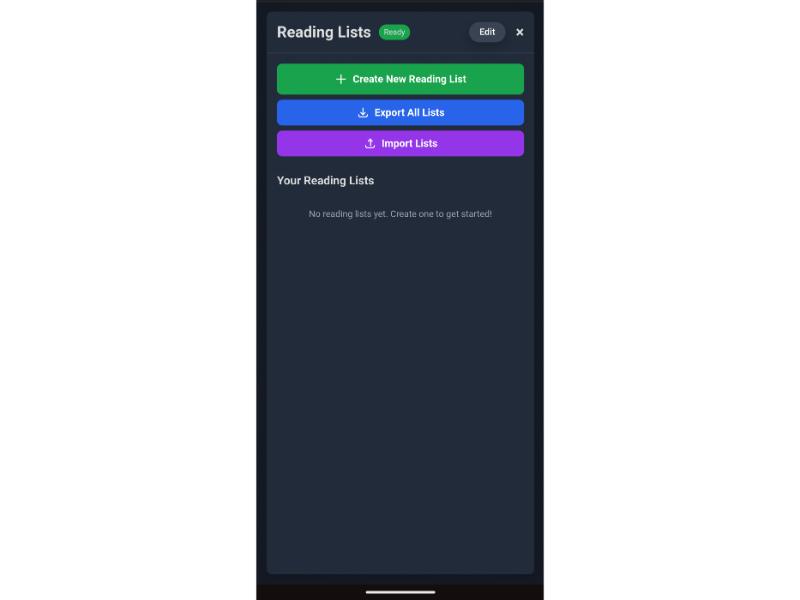
- 📖 Manga & Western Reader Demo — Test Manga Panel Zoom, Speech Bubble Zoom, Continuous Scrolling, and Anti-Ghosting E-Ink Modes on open-license titles.
- ✏️ GVE Now! Editor Demo — Test visual panel & dialogue bounding box authoring with zero-latency canvas rendering.
 |
 |
 |
 |
 |
 |
 |
 |
 |
🚀 Quick Start (60 Seconds)
Option 1: Run Instantly with npx (No Setup Required)
# Point directly to your comic books folder
npx comics-now --comics /path/to/your/comics --port 3000
Or install globally:
npm install -g comics-now
comics-now --comics /path/to/your/comics
Option 2: Docker CLI
docker run -d \
  --name comics-now \
  -p 3000:3000 \
  -v $(pwd)/data:/app/data \
  -v /path/to/your/comics:/comics:ro \
  --restart unless-stopped \
  ghcr.io/comicsnow/comics-now:latest
Open http://localhost:3000 in your browser!
Option 2: Docker Compose
Save as docker-compose.yml:
services:
  comics-now:
    image: ghcr.io/comicsnow/comics-now:latest
    container_name: comics-now
    ports:
      - "3000:3000"
    environment:
      - NODE_ENV=production
      - DATA_DIR=/app/data
      - PORT=3000
    volumes:
      - ./data:/app/data
      - /path/to/your/comics:/comics:ro
    restart: unless-stopped
Launch with:
docker compose up -d
Option 3: Configuration Quick Start (config.json)
Comics Now! reads its persistent server and library settings from data/config.json. A complete, valid template organized into [BOOT] and [UI] sections is provided in config.example.json:
# 1. Ensure the data directory exists
mkdir -p data

# 2. Copy the template into place
cp config.example.json data/config.json
The template clearly indicates which settings are required before startup versus which can be configured via the web interface:
[BOOT]Settings (port,baseUrl,trustProxy,authentication): Required before the server starts because routing, ports, and security initialize at boot.[UI]Settings (libraries, API keys, Gemini settings, tagger thresholds, scan intervals): Can be left with defaults or blank and configured anytime directly in the web UI. Changes made in the UI are automatically saved back todata/config.json. All API keys, passwords, and external tokens are automatically encrypted at rest using AES-256-GCM.
Key Settings at a Glance:
| Category | Setting | Recommended Value | Description |
|---|---|---|---|
[BOOT] |
baseUrl |
"/" |
Root domain path ("/"), or subpath prefix (e.g. "/comics") if behind a reverse proxy. |
[BOOT] |
trustProxy |
1 |
Enable when running behind Cloudflare Tunnel, Nginx, Traefik, or Caddy. |
[BOOT] |
authentication |
{ "enabled": false, ... } |
Set to true with adminEmail if using Cloudflare Zero Trust. |
[UI] |
comicsLocation |
"/path/to/inbox" |
Ingestion directory where Tag Comics Now! scans for untagged CBZ files. |
[UI] |
libraries |
[{"path": "...", "hierarchyMode": "metadata"}] |
Organized collections. Choose "metadata" or "folder". |
[UI] |
delete_cbr_after_conversion |
false |
Whether to delete (true) or keep (false, default) source .cbr files after converting them to .cbz. |
[UI] |
delete_pdf_after_conversion |
false |
Whether to delete (true) or keep (false, default) source .pdf files after converting them to .cbz. |
[UI] |
geminiApiKey |
"AIzaSy..." |
Optional Google Gemini API key for AI visual cover matching (encrypted at rest). |
(For full schema tables, Cloudflare Zero Trust setup, and in-depth UI vs. file configuration guides, see the Wiki Configuration Reference.)
📖 Complete Documentation & Wiki
Looking for detailed setup guides, configuration tables, or workflow deep dives? Check out our comprehensive documentation manual:
👉 Read the Full Comics Now! Wiki Manual
Manual Highlights:
- Cloudflare Zero Trust & LAN Admin Configuration
- AES-256-GCM Secrets Encryption & Master Keys
- Granular Permissions & User Impersonation
- Metadata Mode vs. Folder Mode
- Sidecar vs. Database vs. Archive Write-Back
- Multi-Source Tagging, GCD & Auto-Renaming Engine
- Grand Comics Database (GCD) & Cover Cascade
- Smart Guided View & Reading Modes (Panel Zoom, Bubble Zoom, Continuous, Manga, E-Ink)
- Modal Serverless GPU Acceleration & $30 Free Tier Cap
- Fullscreen Thumbnail Filmstrip & Scrubber
- Authoring & Editing Guided View with GVE Now!
- Interactive Reading List DAG & Continuity Views
- Curating & Syncing Reading Lists to All Users
- Progressive Web App (PWA) Offline Installation & Doze Recovery
- UI Long-Press Context Menus & Actions
- Model Context Protocol (MCP) Setup for Claude & Cursor
⚡ Serverless GPU Acceleration (Modal)
Analyzing comic pages with deep learning neural networks can be computationally heavy for low-power home servers or Raspberry Pis. Comics Now! natively integrates with Modal to offload panel and speech bubble detection to cloud NVIDIA T4 GPUs in ~1–2 seconds per batch.
$30/Month Free Tier & Setting a Spending Limit
Modal provides $30.00 of free recurring compute credits every calendar month to every user account (enough to process 30,000+ comic pages for free).
To guarantee you are never billed beyond the free tier:
- Go to your Modal Dashboard → Settings → Billing / Usage (or Workspace Settings → Usage Limits).
- Set the Monthly Spending Limit to
$30.00. - Enable email alert thresholds (e.g. at 50%, 80%, 100%) and save changes.
[!WARNING] User Responsibility & Billing Safeguards: It is strictly your responsibility to configure your spending limits in your Modal account dashboard and monitor your usage. Comics Now! provides automated budget monitoring and safe fallbacks to local CPU, but cannot control third-party billing accounts or guarantee that third-party services will not bill you if you choose not to set a spend limit or configure a higher limit.
Quick Setup (30 Seconds)
- In your Modal dashboard, generate an API token under Settings → API Tokens.
- In Comics Now!, open Settings → Guided View, check Use Modal GPU Acceleration, and paste your Token ID and Token Secret.
- Click Test Connection, then click ⚡ Initialize Modal GPU Environment to deploy models to cloud storage.
(Read the Complete Modal Setup & Telemetry Guide in the Wiki.)
🔀 Interactive Reading List DAG (Continuity Timelines)
For massive multi-title crossover events (Crisis on Infinite Earths, Absolute Universe, Infinity Gauntlet), Comics Now! features an interactive Continuity DAG (Directed Acyclic Graph) view:
- Parallel Series Lanes & Bézier Curves: See chronological issue order flow across publishers and titles.
- Pinch-to-Zoom & Pan: Full touch and mouse navigation with fluid SVG canvas scaling.
- Click-to-Read Graph Nodes: Tap any issue node directly on the graph to view summary or start reading.
- Segmented View Switcher: Toggle seamlessly between Grid (
⊞), List (☰) (with live % progress badges and action buttons), and DAG (🔀) modes.
(Read the Reading List DAG Guide in the Wiki.)
⚡ Story Arcs & Continuity Engine (ReadingOrders.com Integration)
Never lose track of where to read next in complex multi-series crossover events (Civil War, Crisis on Infinite Earths, Blackest Night, Absolute Universe):
- 🏆 Dedicated Story Arcs View (Gold Box-Set Design): Instant Smart Filter separating canonical multi-series crossovers (
#F59E0B/#EF4444) from personal reading lists. - 🤖 Gemini Flash AI Matching (Exclusive Engine — Zero Fallback): Continuity matching is powered exclusively by Gemini Flash AI. Comic book crossover events span dozens of separate series, one-shots, variant titles, collected edition trades, and tie-ins. Heuristic regex and string rule matchers are notoriously brittle and generate false positives. Gemini Flash semantic understanding is the only reliable way to achieve accurate, high-confidence continuity matching. If Gemini is unavailable or finds no confident match, the comic is left untouched—guaranteeing zero metadata corruption.
- ⏱️ Narrative Timeline DAG Visualizer: Visual timeline displaying chronological reading flow, issue importance tags (Core, Essential, Companion), and local library collection gaps.
- 📖 In-Reader Continuity Prompts: Automatically alerts you upon finishing an issue with an "Up Next in Arc" prompt leading directly to the next chronological issue.
- 🏷️ Tag Comics Now! ComicInfo Standard: Selectable metadata source enriching files with ComicInfo v2.0/v2.1
<StoryArc>,<StoryArcNumber>, and<SeriesGroup>tags. - 📡 Unified Live Sync & Crawler Logs: Live SSE streaming console displaying real-time turn-by-turn progress (
[idx/total] (X%)), AI token estimation, and matched issues. When the crawler indexes new reading orders, candidate comics are automatically evaluated with Gemini. - 🛡️ Polite Scraping & 3-Tier Rescrape Prevention: High-performance periodic runner with rate limiting (1.2s delay + anti-bot jitter) and Sitemap ETag conditional validation (
HTTP 304), skipping unmodified pages in < 150ms.
🎨 Companion App: GVE Now! (Guided View Editor)
Looking to visually fine-tune, re-sequence, or author panel coordinates from scratch? Meet GVE Now! — the dedicated visual editor companion for Comics Now!:
- 🖌️ Visual Bounding Box Editor: Click, drag, resize, and nudge panels and speech bubbles with 1:1 pixel precision.
- 🔢 Sequence & Flow Reordering: Drag-and-drop to adjust reading order for complex double-page spreads or dynamic layouts.
- ⚡ Shared Storage Architecture: Connects directly to Comics Now! via your
comicsNowRootpath — shares the SQLite database, metadata sidecars, and WebP page cache without duplicate files. - 🔄 Instant Live Sync: Saves directly to your collection; refresh Comics Now! to read your updated guided view immediately.
- 📦 Import & Export: Backup or share panel definitions across your library with JSON export/import.
👉 Explore the GVE Now! Repository & Setup Guide
🤖 Model Context Protocol (MCP) Integration
Comics Now! includes a built-in Python MCP server (mcp/) that lets your AI coding assistant or desktop agent manage your collection:
# Add to Claude Code
claude mcp add comics-now -- /path/to/comics-now/mcp/run.sh

# Or start directly
npm run mcp
What your AI agent can do:
- ⚡ "List all indexed story arcs for Marvel Comics and show which issues I am missing from Civil War."
- 🔍 "Create a chronological reading list for the Infinity Gauntlet event across all my comics."
- 🌐 "Tag comic #412 using this League of Comic Geeks / Comic Vine web URL."
- 🤖 "Use Gemini AI Vision to inspect the cover of comic #412 and identify its canonical publisher, series, and year."
- 🎨 "Inspect the cover of comic #412, verify the issue via web search, and tag the writer and artist."
- 📐 "Trigger incremental guided view panel detection for the Batman (2016) series."
- 📁 "Simulate file renaming and folder reorganization for my Marvel library using saved token rules."
- 📊 "Query SQLite for all unread Spider-Man comics published between 1985 and 1992."
(Read the MCP Architecture & Setup Guide for configuration details.)
🛠️ Bare Metal Installation
If you prefer running without Docker on Debian / Ubuntu / Raspberry Pi OS:
# 1. Install prerequisites
sudo apt update
sudo apt install -y nodejs npm python3 python3-pip python3-venv poppler-utils zip unrar

# 2. Clone repository & install dependencies
git clone https://github.com/ComicsNow/comics-now.git
cd comics-now
npm install
npm run build

# 3. Configure environment
cp .env.example .env

# 4. Start server
npm start
❤️ Support Comics Now!
If Comics Now! helps you enjoy and organize your comic book collection, consider buying a coffee to support continued development:

🤝 Contributing
Contributions, feature requests, and bug reports are warmly welcome!
- Fork the repository.
- Create your feature branch (
git checkout -b feature/amazing-feature). - Run automated tests (
npm test). - Commit your changes (
git commit -m 'feat: add amazing feature'). - Push to your branch and open a Pull Request.
📄 License
Comics Now! is free and open-source software licensed under the GNU Affero General Public License v3.0 (AGPL-3.0). See the LICENSE file for details.
Comics Now! MCP questions
How do I add Comics Now! MCP to Claude Code?
Run claude mcp add comics-now -- npx -y comics-now in your terminal. Add --scope user to make it available in every project.
How do I add Comics Now! MCP to Cursor?
Open ~/.cursor/mcp.json and add the server under mcpServers, using the Cursor config shown in the install section above.
What can an AI client do with the Comics Now! MCP server?
An AI client can curate reading lists, tag comics directly from web URLs, inspect cover art, trigger guided view detection, reorganize directories, and query your collection using natural language.
How does the server handle sensitive API keys?
All third-party API keys and tokens are automatically encrypted at rest using AES-256-GCM envelope encryption.