
prevju MCP server
Commit Nov 13, 2026Allows AI agents to upload HTML drafts and generate shareable preview links for clients.
Also known as baeroe/prevju
- Stars
- 1
- Tools
- —
- Downloads, 30 days
- —
- Latest version
- —
- Last commit
- Nov 13, 2026
- License
- MIT
What is prevju MCP?
prevju allows AI agents to upload HTML drafts and generate shareable preview links for clients.
Summary generated from the project's README
About prevju MCP server
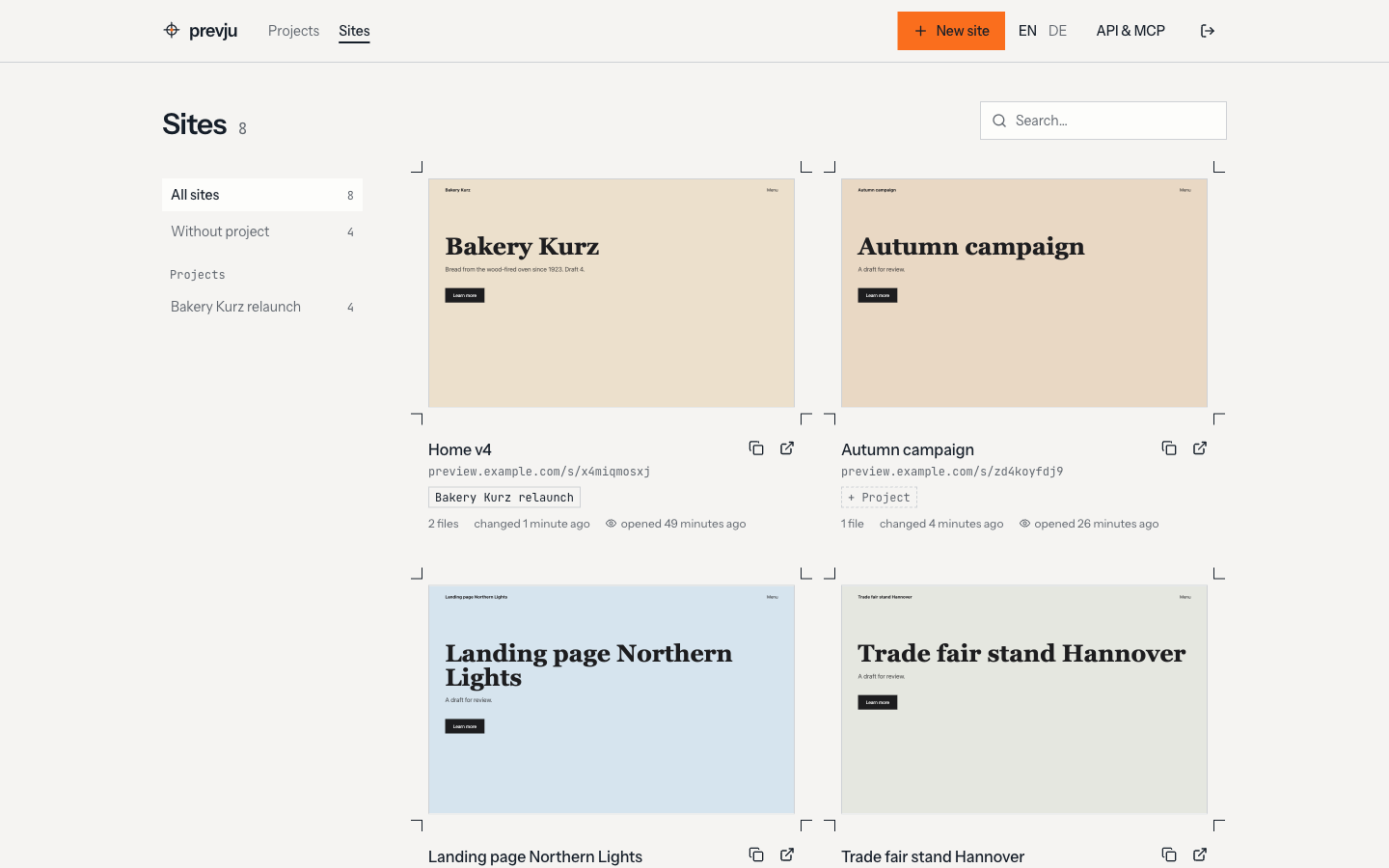
Generating shareable preview links for HTML drafts from within an AI agent is the primary function of prevju. Developers and designers use this tool to upload entire folders of web content so clients can view live versions of their work. It supports complex web structures including Vite or Create React App builds, single-page application routing, and relative paths.
Setting up the server requires a self-hosted Docker environment where you define an admin email and password via environment variables. Once running, you can interact with it through a REST API or via MCP-compatible clients like Claude Code or Codex. The system allows you to protect specific previews with passwords and provides visit tracking to see when a client has opened a link without collecting cookies or IP addresses.
What you can do with it
- 1Share web builds with clientsUpload a folder containing a new website build to generate a link for client review.
- 2Automate preview generation via AIUse an AI coding agent to automatically host a draft after making changes to the code.
- 3Monitor client engagementCheck if a client has viewed the provided HTML preview without compromising their privacy.
Written from the project's README. Every use case is checked against a quote from it.
Configuration
ADMIN_EMAILADMIN_PASSWORDAPP_URL
Automated checks
Ran Nov 15, 2026Full report →Not verified yet. A server needs a score of 80, no serious finding, and enough data for us to check. How checks work · What to fix for more points

- Source repository linked and reachablebaeroe/prevju is public and reachablegithub.com/baeroe/prevju ↗Pass
- Package names this repository as its sourceNot checked
- Build provenance (Sigstore attestation)Not checked
- Open source license (OSI)MITspdx.org/licenses/MIT.html ↗Pass
- Commit or release in the last yearLast commit or release 2026-11-13github.com/baeroe/prevju ↗Pass
- OpenSSF ScorecardNot checked
- Package name not close to a popular packageNot checked
- No critical advisory in the package or its dependenciesNot checked
- No hidden instructions to the model0 tool descriptions and the README read; no override phrases, credential paths or hidden charactersPass
- Destructive tools are labelledNot checked
- Remote endpoint answers the MCP handshakeNot checked
README
View on GitHubprevju


Self-hosted previews for HTML drafts. Upload a folder, send the link to your client, optionally with a password.
Docs: prevju.dev
Quick start
docker-compose.yml:
services:
  prevju:
    image: baeroe/prevju:latest
    restart: unless-stopped
    ports:
      - "7738:8080"
    environment:
      APP_URL: "${APP_URL}"
      ADMIN_EMAIL: "${ADMIN_EMAIL}"
      ADMIN_PASSWORD: "${ADMIN_PASSWORD}"
    volumes:
      - prevju-data:/var/www/html/storage/app

volumes:
  prevju-data:
.env next to it:
APP_URL=https://preview.example.com
ADMIN_EMAIL=admin@example.com
ADMIN_PASSWORD=change-me
docker compose up -d                              # start
docker compose pull && docker compose up -d       # update
Open APP_URL, log in with ADMIN_EMAIL / ADMIN_PASSWORD. HTTPS via a reverse proxy in front of port 7738.
Docs
- Setup and Reverse proxy
- What works: relative paths, Vite/CRA builds, SPA routing
- Visits: see when the client opened the link, without cookies or IPs
- REST API and MCP: upload drafts from scripts, Claude Code or Codex
- Upgrading
The docs live in docs/ (VitePress). Run them locally with cd docs && npm install && npm run dev.
Release
Push a tag, GitHub Actions builds the image for amd64 and arm64, pushes it to Docker Hub and creates a GitHub release:
git tag v1.0.0 && git push origin v1.0.0
License
prevju MCP questions
Can I protect my preview links?
Yes, you can send links to your client optionally with a password.