
Expense MCP server
Commit Nov 15, 2026Lets an AI assistant capture receipts, log mileage, answer spending questions, manage reports, and match bank statements.
Also known as assaf/expense
- Stars
- 6
- Tools
- —
- Downloads, 30 days
- —
- Latest version
- 1.0.0
- Last commit
- Nov 15, 2026
- License
- —
What is Expense MCP?
Expense lets an AI assistant capture receipts, log mileage, answer spending questions, manage reports, and match bank statements.
Summary generated from the project's README
About Expense MCP server
Managing personal finances and tax documentation becomes automated when you use an AI assistant to handle data entry. This MCP server connects to your Expense account via OAuth, allowing you to capture receipts, log mileage, and manage reports without manual typing. It works through a remote connection to a hosted endpoint, requiring only a simple sign-in to authorize the assistant rather than managing complex API keys.
Users can interact with their financial data by asking questions about spending or matching bank statements to existing records. The system processes various inputs like photos, PDFs, or screenshots to extract merchant details, amounts, and categories filed under IRS Schedule C lines. It also calculates drive costs using IRS rates based on the trip date and type. This tool is designed for individuals rather than corporate environments, offering a free service without ads or paid tiers.
What you can do with it
- 1Automated receipt loggingAsk the assistant to process a receipt image or screenshot to extract the merchant and total.
- 2Mileage tracking for taxesInstruct the AI to log a drive and calculate the cost using current tax rates.
- 3Financial data interrogationQuery the assistant to find specific information regarding your past spending habits.
- 4Bank statement reconciliationHave the assistant match your bank statement entries against your logged expenses.
Written from the project's README. Every use case is checked against a quote from it.
How to install Expense MCP
Formats verified 10 Nov 2026Add to CursorAdd to GooseInstall Expense MCP in Claude Code
$ claude mcp add --transport http expense https://expense.labnotes.org/mcpInstall Expense MCP in Cursor
~/.cursor/mcp.json
{
  "mcpServers": {
    "expense": {
      "url": "https://expense.labnotes.org/mcp"
    }
  }
}Install Expense MCP in VS Code
.vscode/mcp.json
{
  "servers": {
    "expense": {
      "type": "http",
      "url": "https://expense.labnotes.org/mcp"
    }
  }
}Install Expense MCP in VS Code CLI
$ code --add-mcp '{"name":"expense","type":"http","url":"https://expense.labnotes.org/mcp"}'Install Expense MCP in Codex
$ codex mcp add expense --url https://expense.labnotes.org/mcpInstall Expense MCP in Codex config.toml
~/.codex/config.toml
[mcp_servers.expense]
url = "https://expense.labnotes.org/mcp"
Install Expense MCP in Gemini CLI
$ gemini mcp add -s user --transport http expense https://expense.labnotes.org/mcpInstall Expense MCP in Gemini settings.json
~/.gemini/settings.json
{
  "mcpServers": {
    "expense": {
      "url": "https://expense.labnotes.org/mcp",
      "type": "http"
    }
  }
}Automated checks
Ran Nov 14, 2026Full report →Not verified yet. A server needs a score of 80, no serious finding, and enough data for us to check. How checks work · What to fix for more points

- Source repository linked and reachableassaf/expense is public and reachablegithub.com/assaf/expense ↗Pass
- Package names this repository as its sourceNot checked
- Build provenance (Sigstore attestation)Not checked
- Open source license (OSI)No licenseFinding
- Commit or release in the last yearLast commit or release 2026-11-08github.com/assaf/expense ↗Pass
- OpenSSF ScorecardNot checked
- Package name not close to a popular packageNot checked
- No critical advisory in the package or its dependenciesNot checked
- No hidden instructions to the model0 tool descriptions and the README read; no override phrases, credential paths or hidden charactersPass
- Destructive tools are labelledNot checked
- Remote endpoint answers the MCP handshakeHTTPS endpoint answered 401 (sign-in required)Pass
README
View on GitHubExpense
Expense is a seamless receipt tracking solution: receipts are automatically sent via email, mileage uses the tax rate provided by the IRS, and a smart AI assistant does your data entry so that you can forget about the process altogether.
PRODUCT.md is the map: what the product is, how it works, the pages a person uses, the architecture and data model, and the vocabulary. This file is the front door; that one is the orientation.
Screenshots
What it does
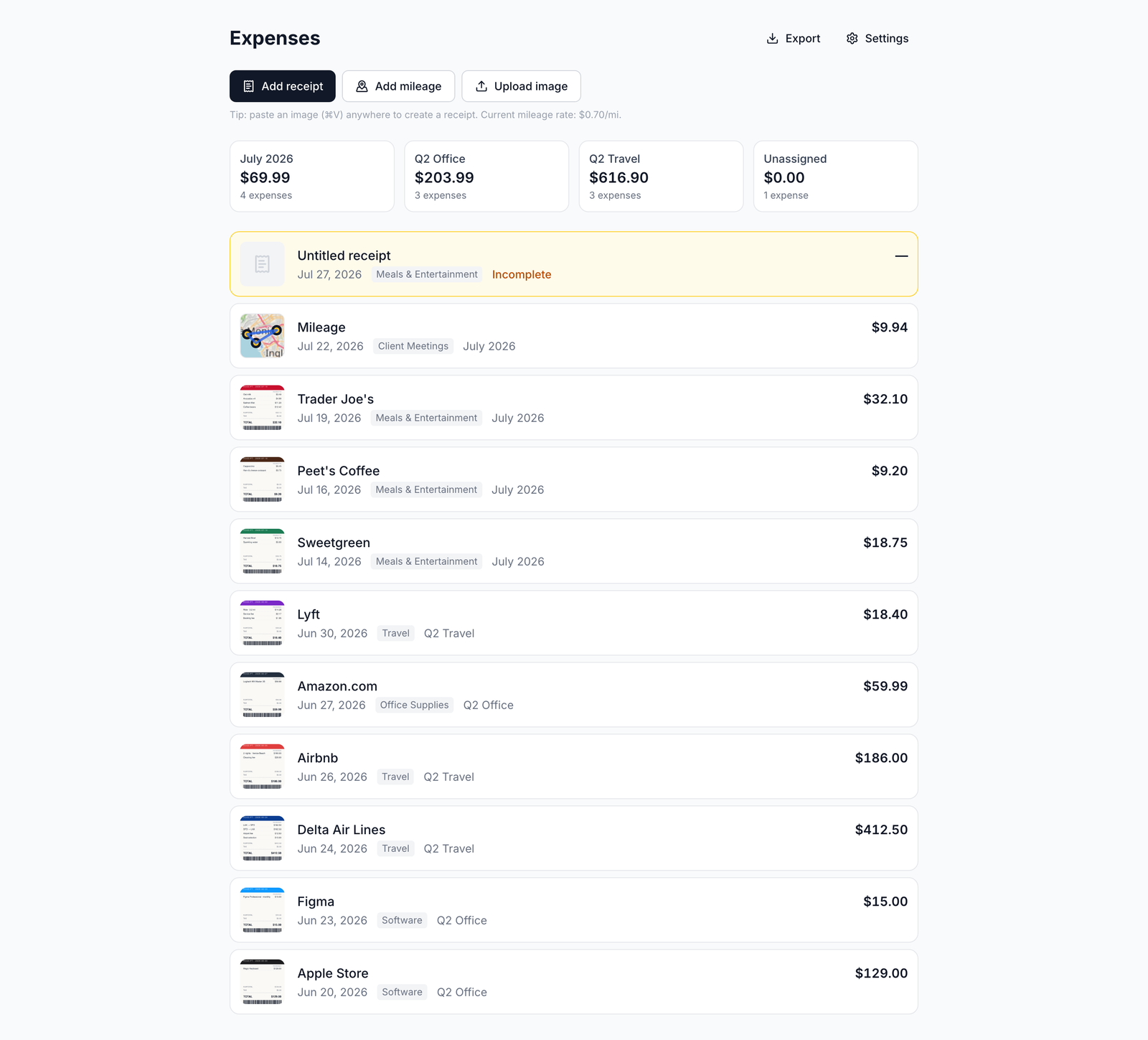
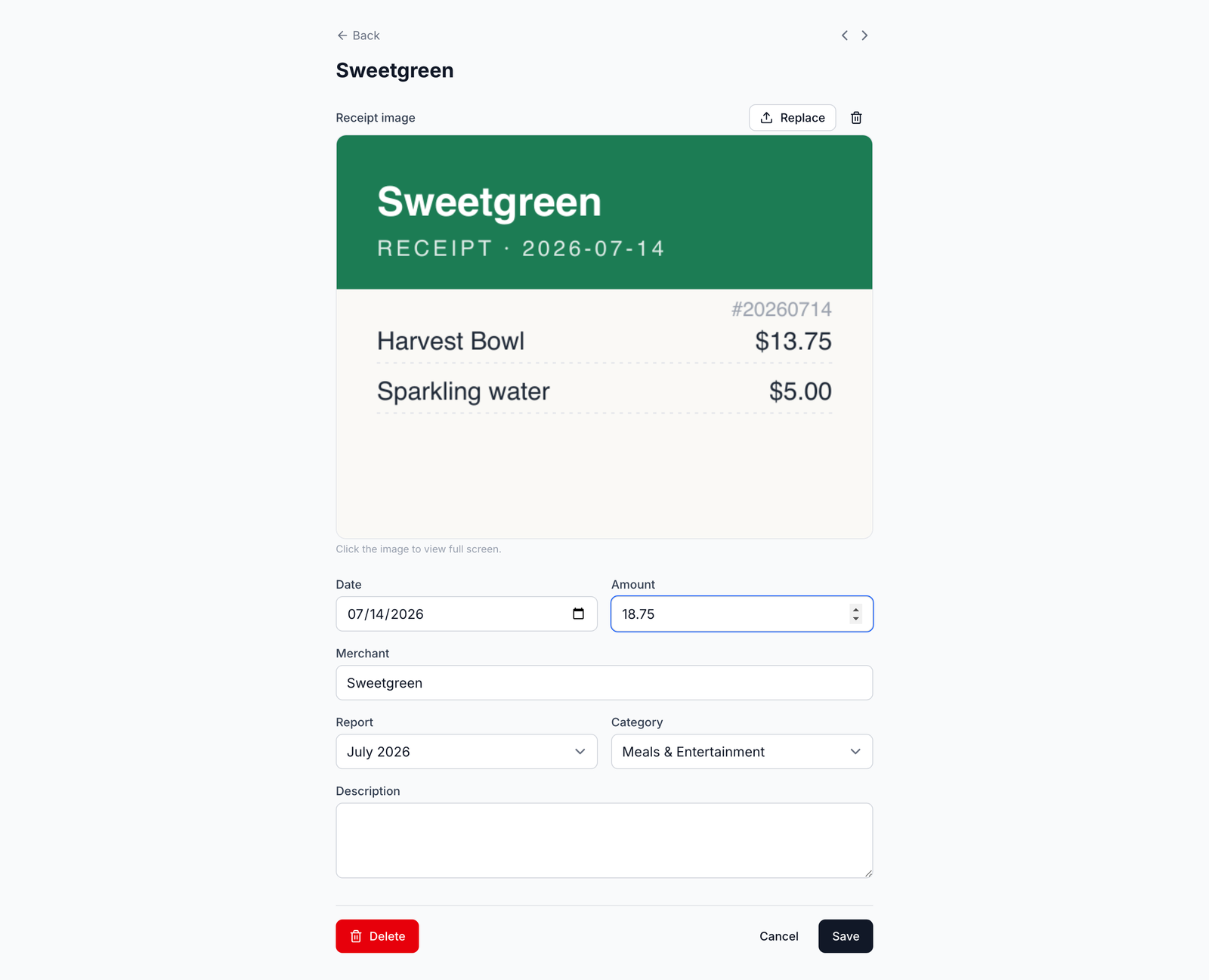
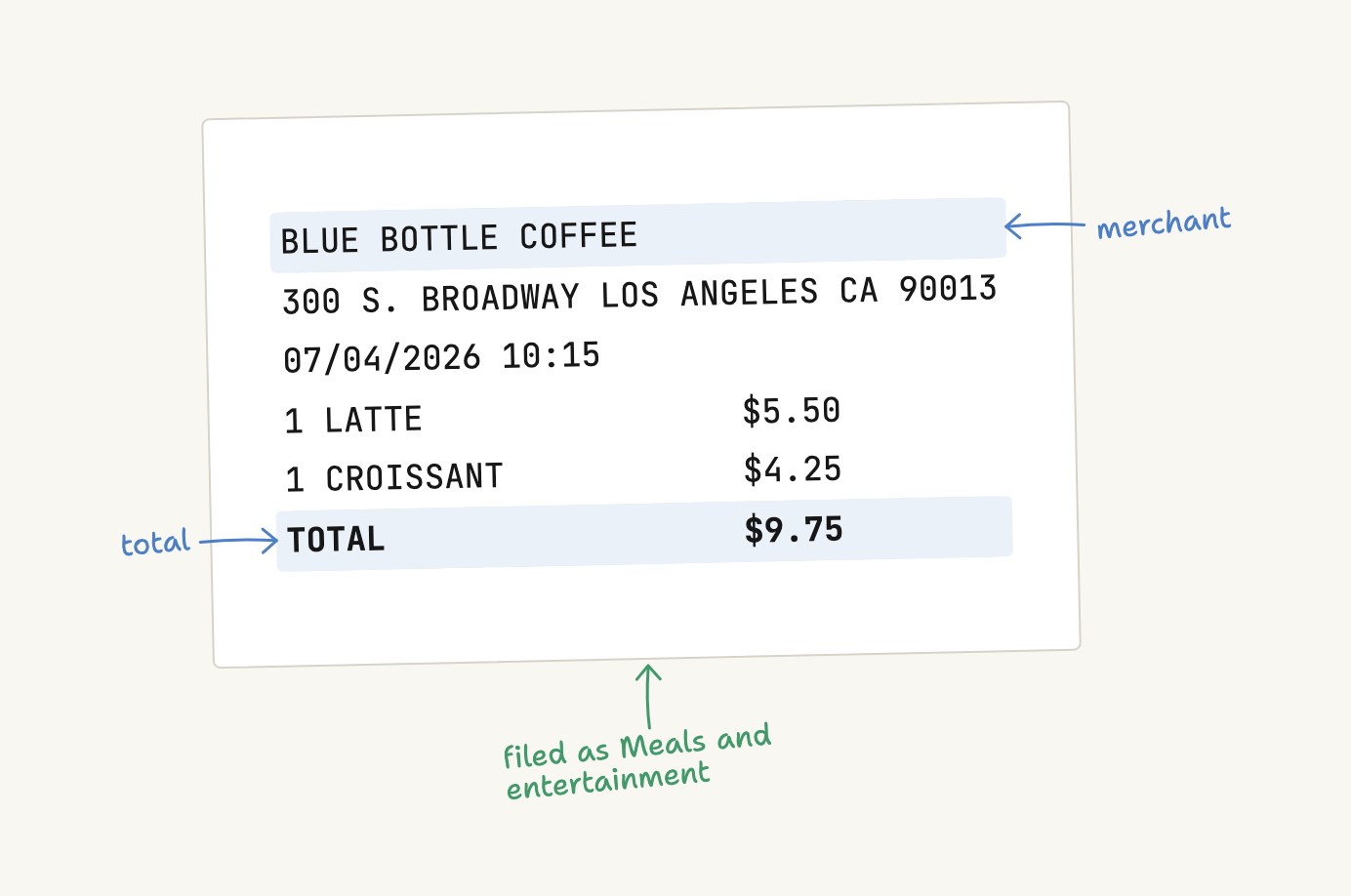
Receipts come in from a photo, a screenshot, a PDF, the clipboard, a connected Fastmail or Gmail mailbox, or an MCP assistant; each one is read for merchant, amount and category, filed under an IRS Schedule C line, and kept with its image. Drives are mapped and priced at the IRS rate for the trip date and type. The year leaves as a PDF per report, with the receipts attached, or as one ZIP of everything. A warranty document dropped on the warranties page becomes a record you can find by how soon coverage ends. Installed from the Home Screen on a phone, it opens on your expense list.
Free, no card, no ads, no paid tier. Not built for corporate expense policy, approvals, or double-entry bookkeeping. The full tour, with the pages and the rules behind each one, is in PRODUCT.md.
AI assistants (MCP)
The app speaks the Model Context Protocol at https://expense.labnotes.org/mcp.
An assistant connects with OAuth — you sign in and click Allow — so there are no
API keys. A connected assistant can capture a receipt, log a drive, answer
questions about your spending, manage reports, and match a bank statement.
// Claude — .mcp.json (no headers needed: the client discovers OAuth)
{
  "mcpServers": {
    "expense": {
      "type": "http",
      "url": "https://expense.labnotes.org/mcp"
    }
  }
}
The reference is docs/mcp.md; the tools are listed in PRODUCT.md.
Accounts
Email is the login name, hashed with scrypt, with a signed-cookie session. Everything belongs to an account; an account has several users; accounts are fully isolated from each other. Sign up for a new one, or join an existing one with the 8-character invite code in Settings. Image keys are namespaced per account, so two accounts can never collide. More detail in PRODUCT.md and docs/accounts.md.
How it is built
One app, one Postgres database, no monorepo. React Router v8 in framework mode
(SSR), where the URL tree is the filesystem; Prisma 8 contract-first, so
prisma/contract.prisma is the schema and there are no migration files; images
stored as bytes in Postgres rather than in object storage. Deployed on Vercel
plus Supabase Postgres, where a push to main deploys. The diagrams are in
PRODUCT.md.
Run it locally with pnpm dev; the environment variables, the connection
poolers and the deploy path are in docs/operations.md and
docs/deploy.md.
Documentation
| Document | What is in it |
|---|---|
| PRODUCT.md | What it is, how it works, the tour, architecture, vocabulary |
| AGENTS.md | The invariants, commands and traps that bind a change here |
| docs/files.md | Every notable file, one line each |
| docs/operations.md | Env vars, poolers, secrets, incident history |
| docs/deploy.md | Deploy ordering and the smoke checks |
| docs/extraction.md | How a receipt is read, and the caps around it |
| docs/receipts-by-email.md | The Fastmail forwarding path |
| docs/email-connections.md | Connected mailboxes and inbox review |
| docs/reconciliation.md | Matching a statement to expenses |
| docs/accounts.md | Accounts, users, invites |
| docs/mcp.md | The assistant-facing reference |
| docs/code-style.md · docs/testing.md · docs/dark-mode.md | Conventions |
Expense MCP questions
How do I add Expense MCP to Claude Code?
Run claude mcp add --transport http expense https://expense.labnotes.org/mcp in your terminal. Add --scope user to make it available in every project.
How do I add Expense MCP to Cursor?
Open ~/.cursor/mcp.json and add the server under mcpServers, using the Cursor config shown in the install section above.
How do I connect an AI assistant to Expense?
An assistant connects using OAuth, where you sign in and click Allow, so no API keys are required.
What can a connected MCP assistant do?
The assistant can capture receipts, log drives, answer spending questions, manage reports, and match bank statements.
Is there a cost to use Expense?
The service is free with no ads, no credit card required, and no paid tiers.