
Bring! MCP server
Commit Nov 4, 2026Lets an AI client manage shopping lists by reading items, adding groceries, and marking items as purchased.
Also known as arithmetic-zz/bring-mcp-server
- Stars
- 0
- Tools
- 7
- Downloads, 30 days
- —
- Latest version
- —
- Last commit
- Nov 4, 2026
- License
- MIT
What is Bring! MCP?
Bring! lets an AI client manage shopping lists by reading items, adding groceries, and marking items as purchased. It exposes 7 tools, such as get_lists, get_list, search_items.
Summary generated from the project's README
Bring! MCP tools 7
Detected from the READMEget_listsget_listsearch_itemsadd_itemcomplete_itemremove_itembatch_update
Configuration
BRING_EMAILBRING_PASSWORD
Automated checks
Ran Nov 14, 2026Full report →Not verified yet. A server needs a score of 80, no serious finding, and enough data for us to check. How checks work · What to fix for more points

- Source repository linked and reachablearithmetic-zz/bring-mcp-server is public and reachablegithub.com/arithmetic-zz/bring-mcp-server ↗Pass
- Package names this repository as its sourceNot checked
- Build provenance (Sigstore attestation)Not checked
- Open source license (OSI)MITspdx.org/licenses/MIT.html ↗Pass
- Commit or release in the last yearLast commit or release 2026-11-04github.com/arithmetic-zz/bring-mcp-server ↗Pass
- OpenSSF ScorecardNot checked
- Package name not close to a popular packageNot checked
- No critical advisory in the package or its dependenciesNot checked
- No hidden instructions to the model7 tool descriptions and the README read; no override phrases, credential paths or hidden charactersPass
- Destructive tools are labelledNot checked
- Remote endpoint answers the MCP handshakeNot checked
README
View on GitHubBring! MCP Server
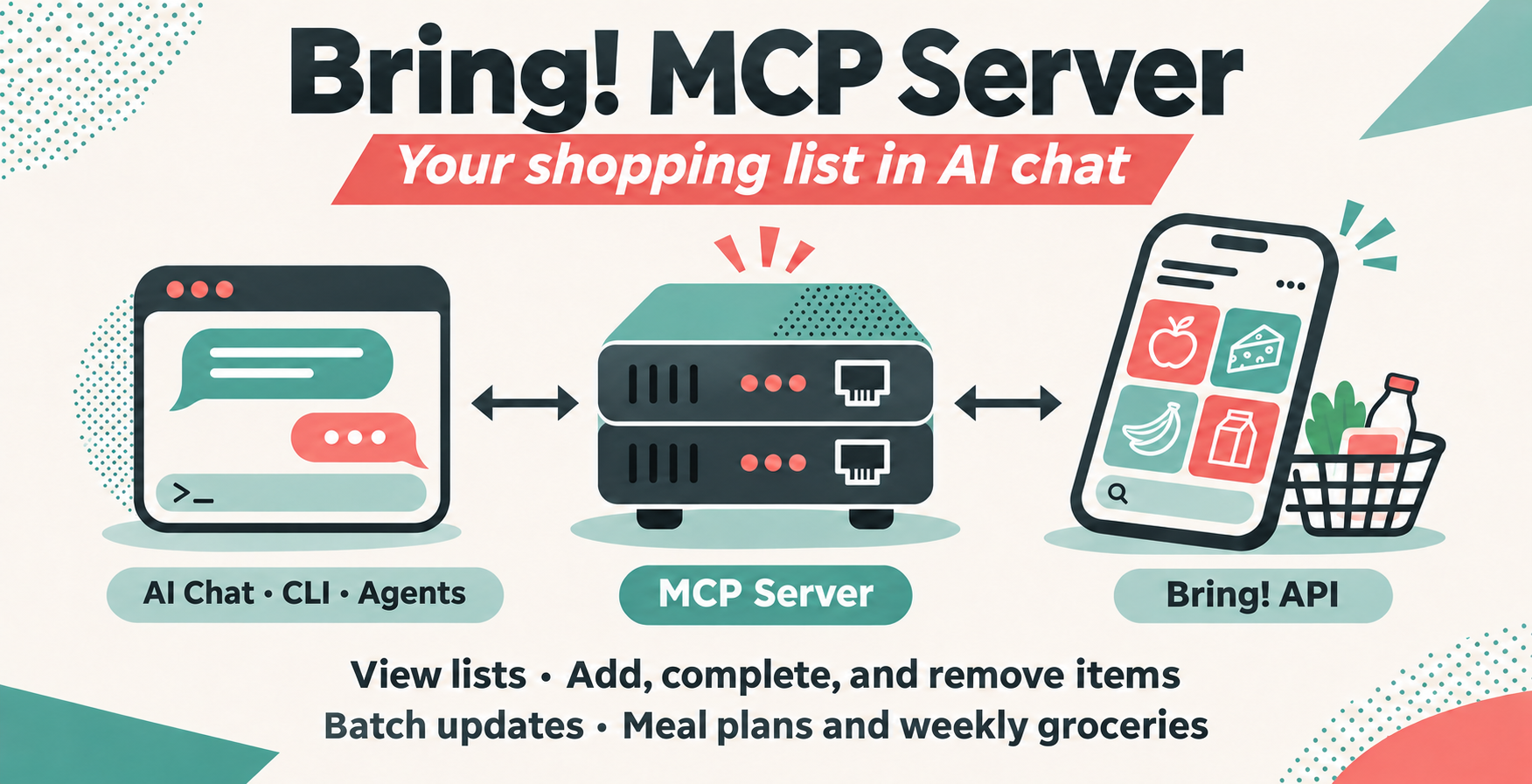
Bring! shopping lists in Codex, Claude Code, Claude Desktop, and other local MCP clients.
Read lists, add groceries, mark items as purchased, or preview a batch of changes before applying it.
Install · Credentials · Connect · Tools · Development
1. Install the server
You need a Bring! account. Choose one installation method:
Download and extract an archive from GitHub Releases into a permanent folder. Python and dependencies are included.
| Download suffix | Target |
|---|---|
macos-arm64.tar.gz |
macOS 15+ on Apple Silicon |
macos-x86_64.tar.gz |
macOS 15+ on Intel |
linux-x86_64.tar.gz |
Ubuntu 22.04+ or compatible glibc-based Linux |
windows-x86_64.zip |
Windows 10/11, 64-bit Intel/AMD |
Checksums are in SHA256SUMS. Downloads are unsigned and not notarized; macOS or Windows may require you to approve the executable.
macOS / Linux
git clone https://github.com/arithmetic-zz/bring-mcp-server.git
cd bring-mcp-server
python3 -m venv .venv
.venv/bin/python -m pip install -r requirements.txt
Windows (PowerShell)
git clone https://github.com/arithmetic-zz/bring-mcp-server.git
cd bring-mcp-server
py -3 -m venv .venv
.venv\Scripts\python.exe -m pip install -r requirements.txt
2. Add your credentials
In the extracted folder or source checkout, copy .env.example to .env:
cp .env.example .env
On Windows, use Copy-Item .env.example .env in PowerShell.
Open .env in a text editor and enter your Bring! login:
BRING_EMAIL=your@email.com
BRING_PASSWORD=your-password
Save .env beside the executable, or beside server.py for a source installation. Existing environment variables override the file.
Keep credentials private. .env is ignored by Git.
3. Connect your client
Your client starts the server automatically over stdio. Expand its instructions below.
Use absolute paths in every example. On Windows, use bring-mcp-server.exe or .venv\Scripts\python.exe; the CLI commands work on one line in Bash or PowerShell.
Install and sign in to the Codex CLI using the official quickstart. Register Bring with one of these commands.
Standalone download
codex mcp add bring -- "/absolute/path/to/bring-mcp-server"
Source installation
codex mcp add bring -- "/path/to/bring-mcp-server/.venv/bin/python" "/path/to/bring-mcp-server/server.py"
Start a new Codex session or restart the IDE extension. Run codex mcp list to check registration, then /mcp inside the CLI to check the connection.
Ask Codex: “List my Bring! shopping lists.”
The CLI and IDE extension share configuration. For manual config.toml setup, see the official Codex MCP documentation.
Install and sign in to Claude Code using the official quickstart. Register Bring with one of these commands.
Standalone download
claude mcp add --transport stdio --scope user bring -- "/absolute/path/to/bring-mcp-server"
Source installation
claude mcp add --transport stdio --scope user bring -- "/path/to/bring-mcp-server/.venv/bin/python" "/path/to/bring-mcp-server/server.py"
--scope user makes Bring available across your projects. Open Claude Code and check the connection with /mcp or run claude mcp get bring in your terminal.
Ask Claude: “List my Bring! shopping lists.”
See the official Claude Code MCP documentation for other scopes and troubleshooting.
Install Claude Desktop, then open Settings → Developer → Edit Config. Add bring to the existing mcpServers object in claude_desktop_config.json, or use this full example if the file is empty:
{
  "mcpServers": {
    "bring": {
      "command": "/absolute/path/to/bring-mcp-server",
      "args": []
    }
  }
}
For a source checkout, replace the bring entry with:
{
  "command": "/path/to/bring-mcp-server/.venv/bin/python",
  "args": ["/path/to/bring-mcp-server/server.py"]
}
In Windows JSON paths, escape backslashes as \\, for example C:\\Tools\\bring-mcp-server.exe. Both examples load credentials from .env.
Save the file, fully quit Claude Desktop, and reopen it.
Ask Claude: “List my Bring! shopping lists.” See the local MCP server guide for more details.
If the connection fails: Check the executable path, .env location, and credentials, then restart the client. For source installations, use the virtual environment's Python. Registration alone does not verify your Bring! login; the list request does.
Tools
| Tool | Action |
|---|---|
get_lists |
List shopping lists and their UUIDs |
get_list |
Read a list, optionally filter items or omit history |
search_items |
Search across all lists |
add_item |
Add, update, or restore an item |
complete_item |
Move an item to Recently Purchased |
remove_item |
Delete an item completely |
batch_update |
Combine ADD, COMPLETE, and REMOVE operations |
Select lists by list_uuid or exact list_name. Mutations accept dry_run: true to preview without writing. Item attributes are read-only; edit them in the Bring app.
Resources expose bring://lists and bring://lists/{listUuid}. The meal_plan and weekly_groceries prompts help plan groceries.
The full tool reference covers arguments, matching rules, JSON responses, batch validation, and API errors.
Development
After installing from source:
.venv/bin/python -m py_compile server.py
.venv/bin/python -m unittest discover -s tests -v
.venv/bin/python -m pip check
Tests mock Bring access and need no credentials. CI runs on Python 3.11–3.13. See the development guide for Inspector checks and release builds, and AGENTS.md for contributor conventions.
License
MIT
Bring! MCP questions
What tools does Bring! MCP provide?
It exposes 7 tools, including get_lists, get_list, search_items, add_item, complete_item.
What can I do with the Bring! MCP server?
You can read shopping lists, add groceries, search for items, mark items as purchased, or delete items.
Can I preview changes before they are applied to my list?
Yes, you can use a dry run to preview batch updates without writing changes to your lists.