
dotme MCP server
Commit Nov 5, 2026Provides a centralized, Git-based preference repository that AI agents can read and propose changes to via MCP.
Also known as AFFFPupu/dotme
- Stars
- 3
- Tools
- 5
- Downloads, 30 days
- —
- Latest version
- —
- Last commit
- Nov 5, 2026
- License
- MIT
What is dotme MCP?
dotme provides a centralized, Git-based preference repository that AI agents can read and propose changes to via MCP. It exposes 5 tools, such as whoami, list_categories, get_preferences.
Summary generated from the project's README
About dotme MCP server
Providing a unified memory for AI agents across different platforms is what dotme enables. It allows developers to maintain a centralized repository of preferences, such as coding stacks, communication styles, and personal facts, stored as plain Markdown files in a private GitHub repository. Instead of each agent maintaining its own isolated memory, tools like Claude Code, Codex, and Grok Bot can all access the same source of truth through a single MCP server.
Users host the server on a Cloudflare Worker, ensuring they maintain full ownership of their data. The system operates on a propose-and-approve model where agents use the propose_change tool to suggest updates, but nothing is committed to your Git history until you manually authorize it via a client dialog or a mobile-friendly link. This setup uses OAuth for agent connections and passkeys for owner authentication, keeping your configuration secure and under your direct control.
What you can do with it
- 1Synchronize coding preferencesEnsure that different AI agents consistently use the same package manager or coding style across different sessions.
- 2Centralize personal contextProvide agents with consistent information regarding your timezone or specific project constraints.
- 3Review and approve agent suggestionsManage all changes suggested by your AI assistants through a single approval workflow.
Written from the project's README. Every use case is checked against a quote from it.
dotme MCP tools 5
Detected from the READMEwhoamilist_categoriesget_preferencespropose_changelist_pending
Automated checks
Ran Nov 14, 2026Full report →Not verified yet. A server needs a score of 80, no serious finding, and enough data for us to check. How checks work · What to fix for more points

- Source repository linked and reachableafffpupu/dotme is public and reachablegithub.com/afffpupu/dotme ↗Pass
- Package names this repository as its sourceNot checked
- Build provenance (Sigstore attestation)Not checked
- Open source license (OSI)MITspdx.org/licenses/MIT.html ↗Pass
- Commit or release in the last yearLast commit or release 2026-11-05github.com/afffpupu/dotme ↗Pass
- OpenSSF ScorecardNot checked
- Package name not close to a popular packageNot checked
- No critical advisory in the package or its dependenciesNot checked
- No hidden instructions to the model5 tool descriptions and the README read; no override phrases, credential paths or hidden charactersPass
- Destructive tools are labelledNo tool named like delete, drop or execPass
- Remote endpoint answers the MCP handshakeNot checked
README
View on GitHubYou tell Claude Code to use pnpm. Tomorrow Codex reaches for npm again, and claude.ai has never heard of either. Every agent keeps its own memory, and none of them share it.
dotme gives them one. Your preferences live as plain Markdown in a private GitHub repo you own: how agents should talk and work with you, your stack, and facts such as your timezone. Every agent reads them through one MCP server. When an agent notices something new, it proposes a change; nothing is saved until you approve it, and every approval lands as a commit that names the agent and its evidence.
Why I built this: I use a growing pile of agents, and each one keeps its own memory of me. I wanted one memory I own, light enough to work across all of them.
- One source of truth. Claude Code, Codex, claude.ai, Grok Bot and any MCP client with OAuth read the same preferences.
- You stay in charge. Agents propose, you approve: in the client's own dialog, or on a page that works on your phone with Face ID or Touch ID.
- Yours, in git. Your data is Markdown in your own repo. Every change is a commit with who, when and why.
- Self-hosted and free. One Cloudflare Worker on the free plan. No account with us, because there is no us.
How it works
flowchart LR
    CC["Claude Code"] --> W
    CX["Codex"] --> W
    CA["claude.ai"] --> W
    GB["Grok Bot"] --> W
    W["Your dotme Worker<br/>(MCP + OAuth)"] -- "approved changes,<br/>as commits" --> R[("Your private<br/>GitHub repo")]
    W -. "approve or reject" .-> Y(("You"))
- Read. At the start of every Claude Code and Codex session, a plugin
hook loads your preferences into context, so the agent follows them
without having to remember to ask. Cloud clients call
get_preferences. - Propose. When you say "always reply in Chinese" or keep correcting
the same thing, the agent asks you, then calls
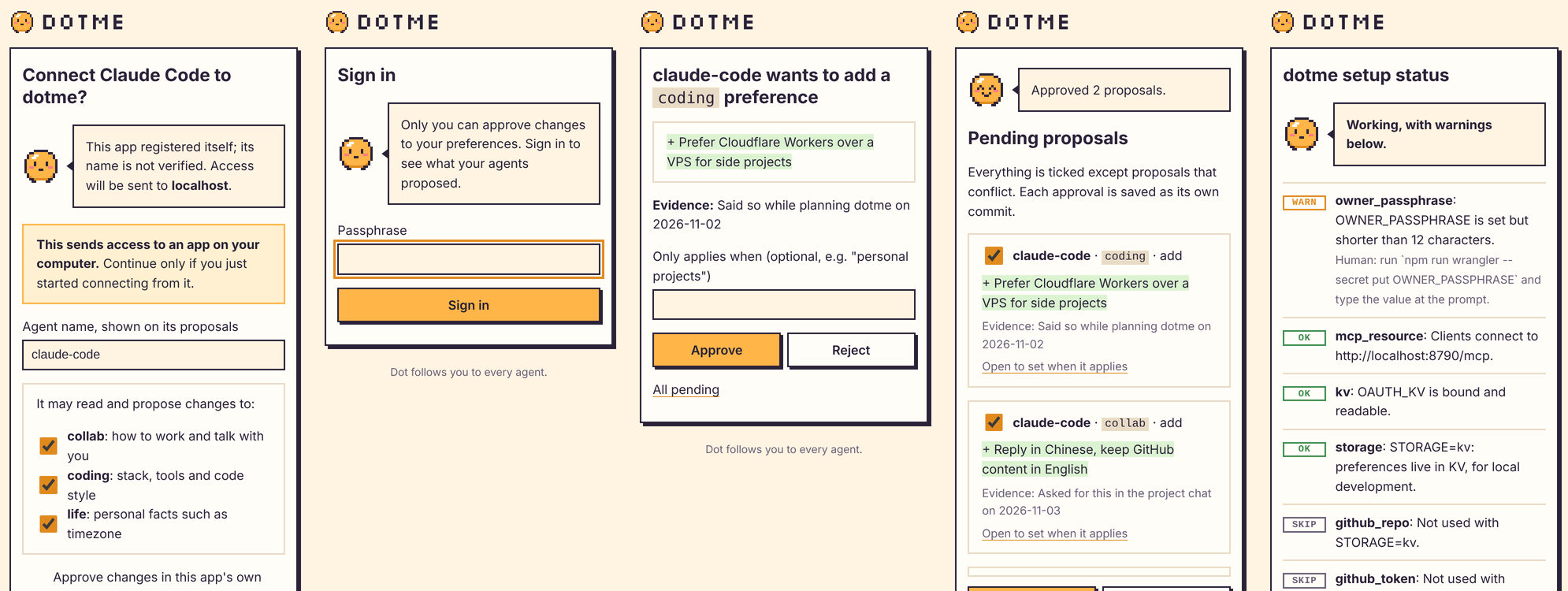
propose_changewith the evidence. - Approve. Accept in the client's dialog, or open the link. You can scope a preference ("only applies when: personal projects") instead of overwriting an old one.
- Everywhere. The next session in any agent already knows.
Preferences are grouped in categories: collab (how to work and talk with
you), coding (stack, tools, style) and life (personal facts). Add your
own by pushing a Markdown file such as work.md. Each connection only sees
the categories you tick for it, and a new category stays hidden from agents
you already connected.
What it looks like
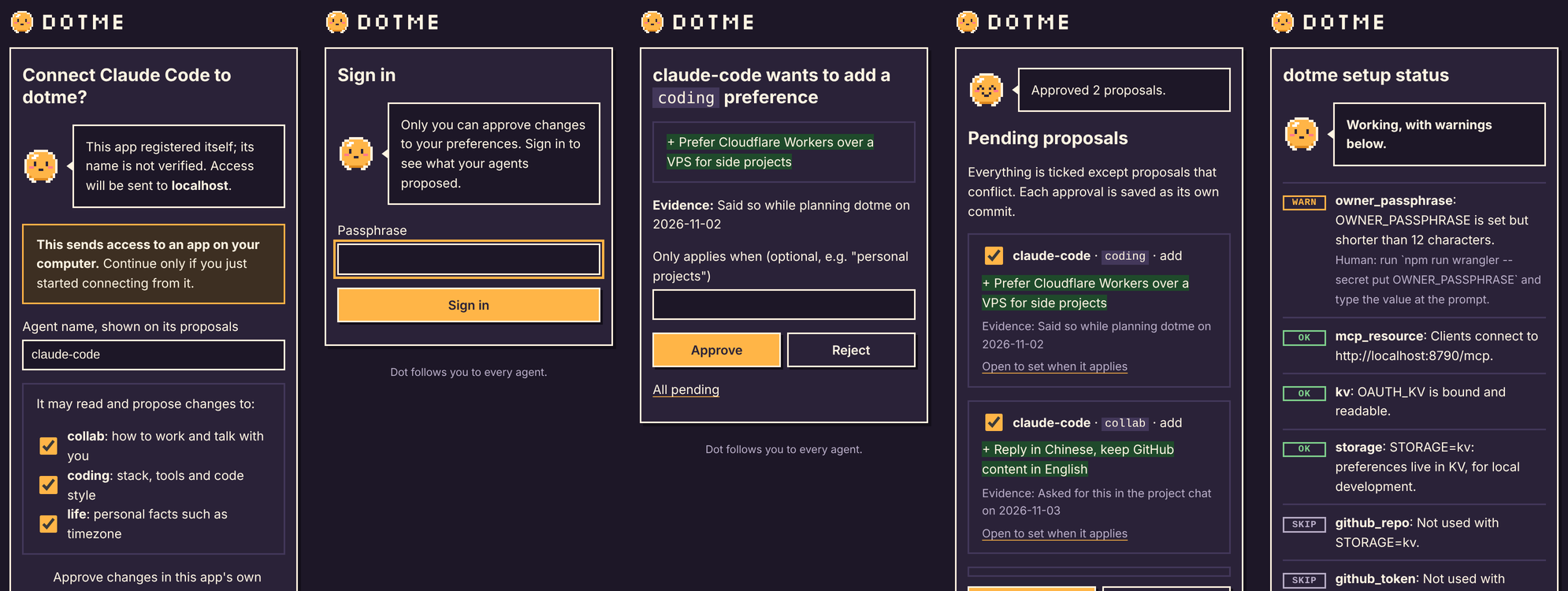
Every page has Dot on it: connecting an agent, signing in, a proposal, batch approval, and the setup status page.
What you need
- A GitHub account
- A free Cloudflare account
- Claude Code or Codex, to run the install for you
The install also checks for Node 24 or later and git. Setup takes about
5 minutes.
Install
Let your agent do it
Open Claude Code or Codex in an empty folder and paste:
Install dotme by following INSTALL.md in https://github.com/AFFFPupu/dotme
INSTALL.md walks the agent through the whole setup: the
private data repo, the Cloudflare Worker, secrets, passkeys and the client
plugins. You only do the steps marked Human: signing in, choosing a
passphrase, creating a GitHub token. Secrets go straight into a prompt and
never pass through the agent. <your-worker>/setup/status reports what is
configured and what is missing, so you and the agent can check every step.
Or click
The button deploys the server from your browser. Create the data repo and the GitHub token first, then connect your agents; see Deploy to Cloudflare in INSTALL.md.
Clients
| Client | How it connects | Approve in | Status |
|---|---|---|---|
| Claude Code | Plugin: MCP server, session hook, skills | Dialog or link | Tested |
| Codex | Plugin, plus npm run codex:hook |
Dialog or link | Tested |
| claude.ai | Custom connector | Link | Tested |
| Grok Bot | Ask it to add the MCP server | Link | Tested |
| ChatGPT, Cursor, grok.com | Any remote MCP client with OAuth | Link | Untested |
Setup for each client, and what to pick on the consent page, is in clients/README.md.
Known weak spot: cloud clients. Claude Code and Codex load your
preferences with a session hook, so they always have them. claude.ai, Grok
Bot and other web clients have no hook: they only see your preferences when
they call get_preferences, and they don't always do that on their own. If
one ignores a preference, ask it to read dotme first, or put that request in
the client's own custom instructions.
Both plugins also ship two skills:
/dotme-importreads your existingCLAUDE.md,AGENTS.mdand memory exports and turns the lasting preferences into proposals./dotme-reviewlooks back over recent conversations and proposes what it noticed.
Security
- Owner sign-in uses passkeys first. The passphrase is for the first sign-in and recovery, and locks for 15 minutes after 5 wrong tries.
- Agents connect with OAuth. You see each app's name and redirect on a consent page, and choose which categories it may read and propose to.
- The GitHub token is fine-grained, limited to your data repo, and
/setup/statuswarns 30 days before it expires. - The export token used by session hooks is read-only and stays on your machine.
MCP tools
| Tool | What it does |
|---|---|
whoami |
The connection's agent name and categories. |
list_categories |
Categories this connection can see. |
get_preferences |
Preferences in one or more categories. |
propose_change |
Propose adding, changing or removing a preference, with evidence. |
list_pending |
Proposals waiting for your approval. |
Develop
npm install
printf 'OWNER_PASSPHRASE=local-test-passphrase\nSTORAGE=kv\n' > .dev.vars
npm run dev

npm run typecheck
npm test        # unit tests
npm run e2e     # end to end against wrangler dev with fresh KV
This repo is a template and holds no account-specific values. Your Worker
name, URL, KV namespace and data repo go in the gitignored
dotme.config.json; deploy with npm run deploy, never a bare
wrangler deploy. The design and its decisions are in
docs/v1-scope.md; the manual test plan is in
docs/testing.md, and the brand in
docs/brand.md.
Other platforms than Cloudflare are welcome as PRs: storage and platform code are kept easy to swap.
FAQ
How is this different from my agent's built-in memory?
Built-in memory (claude.ai memory, ChatGPT memory, a CLAUDE.md file) is
put into the context of every conversation by the client. dotme keeps your
preferences on your own server and agents read them through MCP: Claude
Code and Codex load them once at session start with the plugin hook, and
cloud clients call get_preferences when they need them.
| Built-in memory | dotme | |
|---|---|---|
| Where it lives | Inside one product | Markdown in your own GitHub repo |
| Who writes it | The client, often on its own | The agent proposes, you approve each change |
| What you see | A summary the client made | The exact text you approved, with git history |
| Shared across agents | No | Yes, every connected client reads the same file |
| Token cost | In context for the whole conversation, used or not | Session hook: the same, but only the categories you choose. Cloud clients: the tool definitions (roughly a thousand tokens), plus a category only when they read it |
| Speed | No extra step | Session hook: none. Cloud clients: one tool call, usually a second or two |
| Main risk | Compressed, wrong or unwanted entries | A cloud agent may not think to call get_preferences |
The numbers are rough and depend on the client and how much you store.
In practice: built-in memory suits a few facts that every chat needs. dotme suits preferences you want to control, share across agents and keep growing, because an agent only reads the categories it is allowed to and changes wait for you. They work side by side; just keep each preference in one place so the two never disagree.
License
MIT. Dot is dotme's own pixel character; see docs/brand.md.
dotme MCP questions
What tools does dotme MCP provide?
It exposes 5 tools, including whoami, list_categories, get_preferences, propose_change, list_pending.
How is dotme different from an agent's built-in memory?
Unlike built-in memory which lives inside a single product, dotme stores preferences as Markdown in your own GitHub repo, allowing them to be shared across different agents.
Can I control what an agent sees?
Yes, you can scope preferences to specific categories and choose which categories an agent is allowed to read or propose changes to.
How are changes to my preferences handled?
Agents cannot save changes directly; they must propose a change, which you then approve. Every approval is saved as a commit in your GitHub repository.