
2extract MCP server
Commit Oct 23, 2026Lets an AI agent create and manage residential and mobile proxies with geo-targeting, usage limits, and spend reporting.
Also known as 2extract/mcp, mcp
- Stars
- 1
- Tools
- —
- Downloads, 30 days
- —
- Latest version
- 1.0.2
- Last commit
- Oct 23, 2026
- License
- MIT
What is 2extract MCP?
2extract lets an AI agent create and manage residential and mobile proxies with geo-targeting, usage limits, and spend reporting.
Summary generated from the project's README
About 2extract MCP server
Managing residential and mobile proxies through an AI agent is what 2extract enables for developers and data researchers. This remote MCP server allows an agent to handle the entire lifecycle of proxy resources, from initial creation to granular configuration and cost monitoring. Users connect their MCP clients, such as Claude Desktop, Cursor, or VS Code, to a hosted endpoint using a 2extract API key via Streamable HTTP.
Agents can perform highly specific tasks like geo-targeting down to a specific city, ZIP code, or mobile carrier. The server provides tools to set traffic and spend limits, manage IP whitelists, and restrict access to specific target hosts. Beyond simple management, it offers reporting capabilities to track account balance history and usage statistics. This allows an AI to proactively manage resources, such as identifying and deactivating unused proxies or generating monthly cost reports.
What you can do with it
- 1Automated proxy provisioningAn AI agent can create a new proxy with specific geographic and usage constraints based on a natural language request.
- 2Granular geo-targeting researchDevelopers can ask an agent to find specific mobile carriers or postal codes available for proxy targeting.
- 3Cost and usage auditingYou can instruct an AI to analyze your spending patterns and flag outliers in proxy traffic costs.
- 4Resource cleanup and optimizationAn agent can identify proxies that have been inactive for a month and deactivate them to save money.
Written from the project's README. Every use case is checked against a quote from it.
How to install 2extract MCP
Formats verified 10 Nov 2026Add to CursorAdd to GooseInstall 2extract MCP in Claude Code
$ claude mcp add --transport http mcp https://mcp.2extract.com/mcpInstall 2extract MCP in Cursor
~/.cursor/mcp.json
{
  "mcpServers": {
    "mcp": {
      "url": "https://mcp.2extract.com/mcp"
    }
  }
}Install 2extract MCP in VS Code
.vscode/mcp.json
{
  "servers": {
    "mcp": {
      "type": "http",
      "url": "https://mcp.2extract.com/mcp"
    }
  }
}Install 2extract MCP in VS Code CLI
$ code --add-mcp '{"name":"mcp","type":"http","url":"https://mcp.2extract.com/mcp"}'Install 2extract MCP in Codex
$ codex mcp add mcp --url https://mcp.2extract.com/mcpInstall 2extract MCP in Codex config.toml
~/.codex/config.toml
[mcp_servers.mcp]
url = "https://mcp.2extract.com/mcp"
Install 2extract MCP in Gemini CLI
$ gemini mcp add -s user --transport http mcp https://mcp.2extract.com/mcpInstall 2extract MCP in Gemini settings.json
~/.gemini/settings.json
{
  "mcpServers": {
    "mcp": {
      "url": "https://mcp.2extract.com/mcp",
      "type": "http"
    }
  }
}Configuration
EXTRACT_API_KEY
| Name | Description | |
|---|---|---|
| EXTRACT_API_KEY | — |
Automated checks
Ran Nov 14, 2026Full report →Not verified yet. A server needs a score of 80, no serious finding, and enough data for us to check. How checks work · What to fix for more points

- Source repository linked and reachable2extract/mcp is public and reachablegithub.com/2extract/mcp ↗Pass
- Package names this repository as its sourceNot checked
- Build provenance (Sigstore attestation)Not checked
- Open source license (OSI)MITspdx.org/licenses/MIT.html ↗Pass
- Commit or release in the last yearLast commit or release 2026-10-23github.com/2extract/mcp ↗Pass
- OpenSSF ScorecardNot checked
- Package name not close to a popular packageNot checked
- No critical advisory in the package or its dependenciesNot checked
- No hidden instructions to the model0 tool descriptions and the README read; no override phrases, credential paths or hidden charactersPass
- Destructive tools are labelledNot checked
- Remote endpoint answers the MCP handshakeinitialize answered with protocol 2025-06-18 in 1051 msPass
README
View on GitHub2extract MCP Server
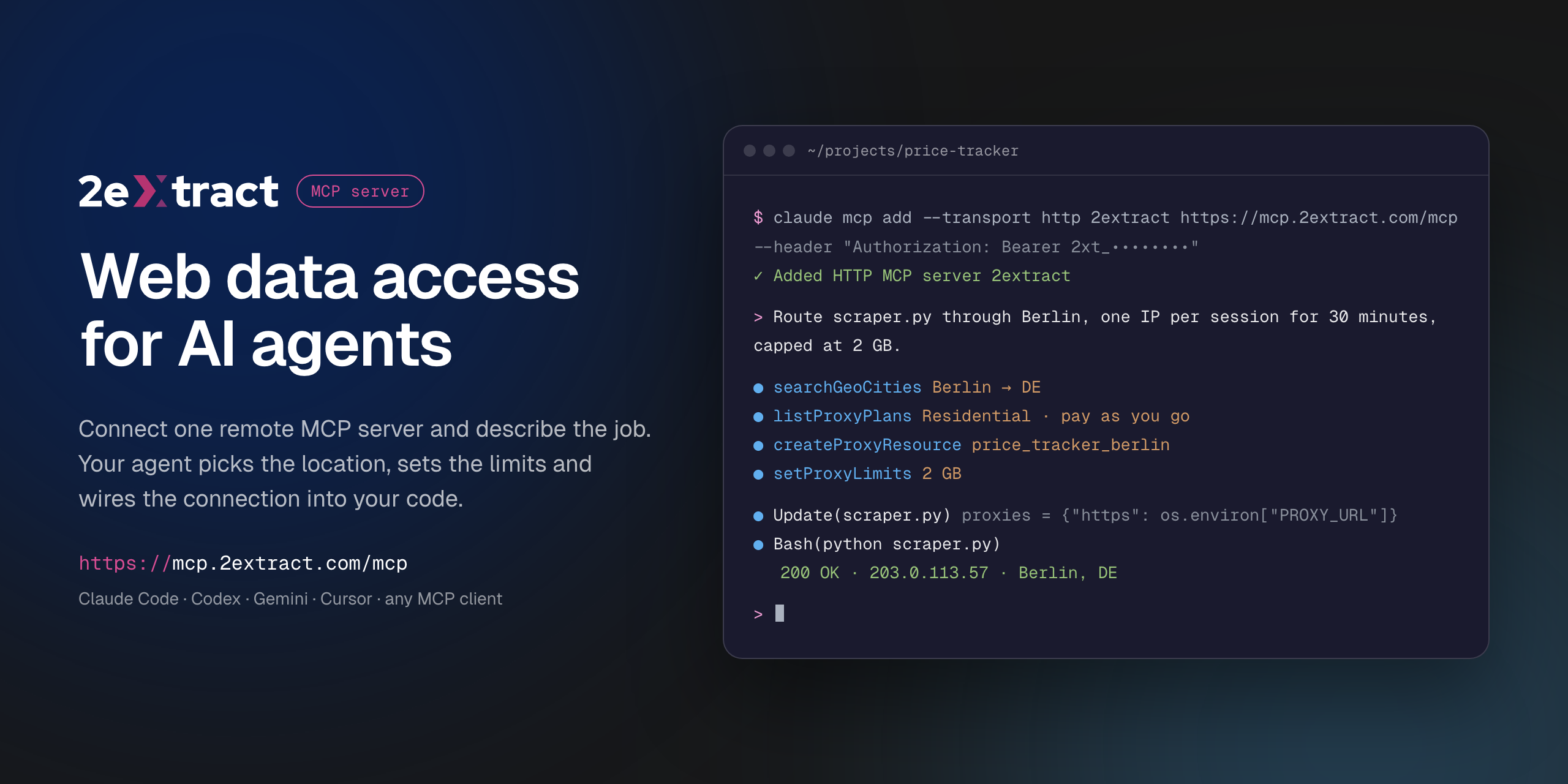


VS Code asks for the API key on install and does not store it in the config. Cursor installs with a placeholder: replace 2xt_your_api_key in mcp.json with your key.
Remote Model Context Protocol server for 2extract. It lets an AI agent create and manage residential and mobile proxies, pick geo targeting down to city, ZIP or carrier, set traffic and spend limits, and report on usage and cost.
This is a hosted server. There is nothing to install or run locally: your MCP client connects to the URL below with your 2extract API key.
| Endpoint | https://mcp.2extract.com/mcp |
| Transport | Streamable HTTP |
| Auth | Authorization: Bearer 2xt_... (2extract API key) |
Get an API key
- Sign up or log in to 2extract.
- Open API keys and create a key.
- Grant the scopes the agent needs:
proxies:read,proxies:write,balance:read,stats:read,geo:read. Write scopes do not include read access, so most workflows need bothproxies:readandproxies:write.
A read-only key (no proxies:write) is enough for reporting and lookups.
Connect
Claude Code
claude mcp add --transport http 2extract https://mcp.2extract.com/mcp \
  --header "Authorization: Bearer 2xt_your_api_key"
Codex CLI
The key is read from the EXTRACT_API_KEY environment variable; Codex adds Bearer itself:
export EXTRACT_API_KEY=2xt_your_api_key
codex mcp add 2extract --url https://mcp.2extract.com/mcp --bearer-token-env-var EXTRACT_API_KEY
Or edit ~/.codex/config.toml (or .codex/config.toml in a trusted project):
[mcp_servers.2extract]
url = "https://mcp.2extract.com/mcp"
bearer_token_env_var = "EXTRACT_API_KEY"
Gemini CLI
gemini mcp add -s user --transport http \
  --header "Authorization: Bearer 2xt_your_api_key" \
  2extract https://mcp.2extract.com/mcp
Or edit ~/.gemini/settings.json (or .gemini/settings.json in a project):
{
  "mcpServers": {
    "2extract": {
      "httpUrl": "https://mcp.2extract.com/mcp",
      "headers": { "Authorization": "Bearer 2xt_your_api_key" }
    }
  }
}
OpenCode
opencode.json in your project (or ~/.config/opencode/opencode.json). The key is read from the EXTRACT_API_KEY environment variable:
{
  "$schema": "https://opencode.ai/config.json",
  "mcp": {
    "2extract": {
      "type": "remote",
      "url": "https://mcp.2extract.com/mcp",
      "enabled": true,
      "headers": { "Authorization": "Bearer {env:EXTRACT_API_KEY}" }
    }
  }
}
Claude Desktop
claude_desktop_config.json:
{
  "mcpServers": {
    "2extract": {
      "type": "http",
      "url": "https://mcp.2extract.com/mcp",
      "headers": { "Authorization": "Bearer 2xt_your_api_key" }
    }
  }
}
Cursor
~/.cursor/mcp.json or .cursor/mcp.json:
{
  "mcpServers": {
    "2extract": {
      "url": "https://mcp.2extract.com/mcp",
      "headers": { "Authorization": "Bearer 2xt_your_api_key" }
    }
  }
}
VS Code
.vscode/mcp.json (the key is requested on first use and not stored in the file):
{
  "inputs": [
    {
      "type": "promptString",
      "id": "2extract-api-key",
      "description": "2extract API key",
      "password": true
    }
  ],
  "servers": {
    "2extract": {
      "type": "http",
      "url": "https://mcp.2extract.com/mcp",
      "headers": { "Authorization": "Bearer ${input:2extract-api-key}" }
    }
  }
}
Cline
Open the Cline panel, click MCP Servers, then Configure MCP Servers, and add to cline_mcp_settings.json:
{
  "mcpServers": {
    "2extract": {
      "type": "streamableHttp",
      "url": "https://mcp.2extract.com/mcp",
      "headers": { "Authorization": "Bearer 2xt_your_api_key" },
      "disabled": false
    }
  }
}
Keep "type": "streamableHttp": without it Cline falls back to the older SSE transport.
Other clients
Any client that supports remote MCP servers works. Give it the endpoint URL, the Streamable HTTP transport and the Authorization header.
Tools
Account
| Tool | What it does | Scope |
|---|---|---|
getAccountBalance |
Available funds, whether a new proxy can be created, and the proxy username prefix | balance:read |
getAccountTrafficUsage |
Traffic and spend over a period, for the account or one proxy | stats:read |
listAccountBalanceHistory |
Deposits and charges over a period | stats:read |
Geo targeting
| Tool | What it does | Scope |
|---|---|---|
listGeoCountries |
Countries available for targeting | geo:read |
searchGeoRegions |
Regions and states within a country | geo:read |
searchGeoCities |
Cities within a country or region | geo:read |
searchGeoZips |
ZIP and postal codes within a country | geo:read |
searchGeoISP |
Mobile carriers for ISP targeting | geo:read |
Plans
| Tool | What it does | Scope |
|---|---|---|
listProxyPlans |
Available plans and their prices | proxies:read |
Proxies
| Tool | What it does | Scope |
|---|---|---|
listProxyResources |
Every proxy on the account, with traffic and spend | proxies:read |
getProxyResource |
Full detail for one proxy | proxies:read |
createProxyResource |
Create a proxy (billable) | proxies:write |
updateProxyResource |
Change description, status, geo, whitelist or limits | proxies:write |
deactivateProxyResource |
Stop traffic without deleting the proxy | proxies:write |
deleteProxyResource |
Permanently remove a proxy (asks for confirmation) | proxies:write |
regenerateProxyPassword |
Issue a new password (asks for confirmation) | proxies:write |
setProxyLimits |
Cap traffic or spend per day or month | proxies:write |
setProxyIpWhitelist |
Restrict which IP addresses can use the proxy | proxies:write |
setProxyTargetHosts |
Restrict which domains the proxy can reach (wildcards like *.example.com) |
proxies:write |
buildConnectionString |
Ready-to-use username and connection string with geo, carrier and sticky-session parameters | proxies:read, balance:read |
Confirmation for destructive tools happens in your client. If the client does not ask, any key with proxies:write can run them, so scope keys accordingly.
Prompts
| Prompt | Arguments | What it does |
|---|---|---|
create-proxy-resource |
purpose, proxy_type?, country? |
Creates a proxy for a stated job and returns a connection string |
build-connection-string |
proxy_id?, purpose? |
Builds a connection string for an existing proxy |
monthly-cost-report |
period |
Traffic and spend per proxy for a period, with outliers flagged. Read-only |
cleanup-unused-proxies |
none | Finds proxies with no traffic in 30 days and deactivates them after you confirm. Never deletes |
Example requests
- "Create a residential proxy in Germany, Berlin, for price monitoring, capped at 5 GB a month."
- "Give me a sticky-session connection string for my
serp_usproxy." - "How much did I spend on traffic last month, per proxy?"
- "Which proxies had no traffic in the last 30 days? Deactivate them."
- "Find mobile carriers in the US I can target."
Documentation
Support
- Email: support@2extract.com
- Issues with this listing: open an issue in this repository
Legal
The server source code is not published. This repository holds the public listing, client configuration examples and the registry manifest (server.json).
2extract MCP questions
How do I add 2extract MCP to Claude Code?
Run claude mcp add --transport http mcp https://mcp.2extract.com/mcp in your terminal. Add --scope user to make it available in every project.
How do I add 2extract MCP to Cursor?
Open ~/.cursor/mcp.json and add the server under mcpServers, using the Cursor config shown in the install section above.
What scopes do I need to grant my API key?
You should grant the scopes your agent requires, such as proxies:read, proxies:write, balance:read, stats:read, and geo:read. Most workflows require both read and write access.
Is there anything I need to install locally?
No, this is a hosted server. You simply connect your MCP client to the provided URL using your API key.
Can I use a read-only key?
Yes, a read-only key without proxies:write permission is sufficient for generating reports and performing lookups.