
Cinve MCP server
Commit Nov 16, 2026Allows an AI assistant to look up movies, showtimes, ticket prices, concessions, and seat maps for major cinema chains in Venezuela.
Also known as 0bkevin/cinve
- Stars
- 1
- Tools
- —
- Downloads, 30 days
- —
- Latest version
- 0.1.0
- Last commit
- Nov 16, 2026
- License
- MIT
What is Cinve MCP?
Cinve allows an AI assistant to look up movies, showtimes, ticket prices, concessions, and seat maps for major cinema chains in Venezuela.
Summary generated from the project's README
About Cinve MCP server
Finding movie showtimes and ticket prices in Venezuela directly through an AI assistant is what Cinve enables. It provides access to real-time data for major cinema chains including Cinex, Cines Unidos, Cinepic, Supercines, and Gran Cine. Users can query specific details like concession availability and seat maps to plan their cinema visits.
Developers can run this server locally using Node.js 22 or connect to it as a remote MCP server. While many queries work immediately, accessing certain information for Cinex and Cines Unidos requires linking a cinema account. The setup process includes using a terminal command to log in to specific providers, ensuring that sensitive passwords are never typed directly into the chat interface.
What you can do with it
- 1Checking local movie schedulesAsk your assistant to find out which films are playing in a specific city today.
- 2Verifying seat availabilityDetermine if there are still open spots for a specific movie screening time.
- 3Comparing cinema pricingRetrieve information regarding ticket costs and concession prices across different Venezuelan theaters.
Written from the project's README. Every use case is checked against a quote from it.
How to install Cinve MCP
Formats verified 10 Nov 2026Add to CursorAdd to GooseInstall Cinve MCP in Claude Code
$ claude mcp add --transport http cinve https://cinve.kevinbravo.com/mcpInstall Cinve MCP in Cursor
~/.cursor/mcp.json
{
  "mcpServers": {
    "cinve": {
      "url": "https://cinve.kevinbravo.com/mcp"
    }
  }
}Install Cinve MCP in VS Code
.vscode/mcp.json
{
  "servers": {
    "cinve": {
      "type": "http",
      "url": "https://cinve.kevinbravo.com/mcp"
    }
  }
}Install Cinve MCP in VS Code CLI
$ code --add-mcp '{"name":"cinve","type":"http","url":"https://cinve.kevinbravo.com/mcp"}'Install Cinve MCP in Codex
$ codex mcp add cinve --url https://cinve.kevinbravo.com/mcpInstall Cinve MCP in Codex config.toml
~/.codex/config.toml
[mcp_servers.cinve]
url = "https://cinve.kevinbravo.com/mcp"
Install Cinve MCP in Gemini CLI
$ gemini mcp add -s user --transport http cinve https://cinve.kevinbravo.com/mcpInstall Cinve MCP in Gemini settings.json
~/.gemini/settings.json
{
  "mcpServers": {
    "cinve": {
      "url": "https://cinve.kevinbravo.com/mcp",
      "type": "http"
    }
  }
}Automated checks
Ran Nov 15, 2026Full report →Not verified yet. A server needs a score of 80, no serious finding, and enough data for us to check. How checks work · What to fix for more points

- Source repository linked and reachable0bkevin/cinve is public and reachablegithub.com/0bkevin/cinve ↗Pass
- Package names this repository as its sourceNot checked
- Build provenance (Sigstore attestation)Not checked
- Open source license (OSI)MITspdx.org/licenses/MIT.html ↗Pass
- Commit or release in the last yearLast commit or release 2026-11-12github.com/0bkevin/cinve ↗Pass
- OpenSSF ScorecardNot checked
- Package name not close to a popular packageNot checked
- No critical advisory in the package or its dependenciesNot checked
- No hidden instructions to the model0 tool descriptions and the README read; no override phrases, credential paths or hidden charactersPass
- Destructive tools are labelledNot checked
- Remote endpoint answers the MCP handshakeinitialize answered with protocol 2025-06-18 in 149 msPass
README
View on GitHub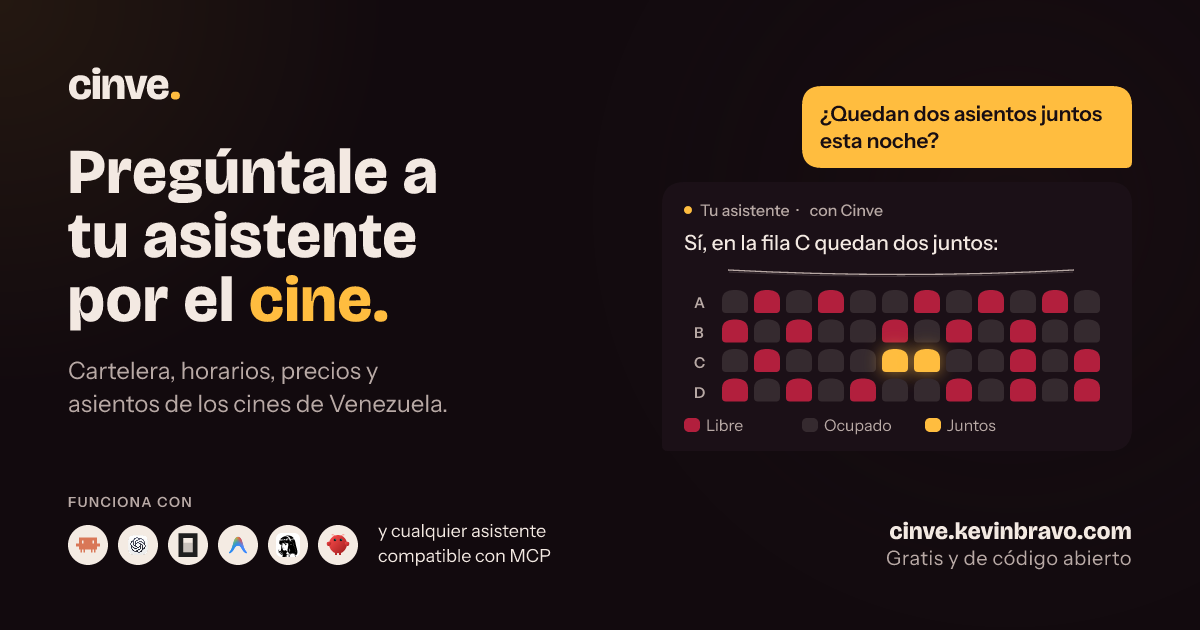
Cinve
An MCP server that lets your AI assistant look up movies, showtimes, ticket prices, concessions and seats at Cinex, Cines Unidos, Cinepic, Supercines and Gran Cine in Venezuela.
An independent, non-profit project, not affiliated with any cinema.
Usage
Ask your assistant:
Install Cinve following https://cinve.kevinbravo.com/install
Or add this remote MCP server: https://cinve.kevinbravo.com/mcp
Then ask, for example: "What movies are showing in Caracas today?" or "Are there seats left for the 7 pm showing?".
Some Cinex and Cines Unidos queries need your cinema account; the assistant will give you a private link to connect it. Never type passwords in the chat.
Run it locally
Requires Node.js 22 or later.
git clone https://github.com/0bkevin/cinve.git
cd cinve
npm ci
npm run build
Configure your MCP client:
{
  "mcpServers": {
    "cinve": {
      "command": "node",
      "args": ["/absolute/path/cinve/dist/index.js"]
    }
  }
}
Connect your cinema accounts from your terminal:
npm run login -- cinex     # or cinesunidos, supercines
npm run logout -- cinex
Host your own server
You need PostgreSQL and a domain with HTTPS. Follow the deployment guide.
Development
npm run check
npm test
See CONTRIBUTING.md and the
technical reference. For vulnerabilities, follow
SECURITY.md.
Author
Created by Kevin Bravo.
License
MIT.
Cinve MCP questions
How do I add Cinve MCP to Claude Code?
Run claude mcp add --transport http cinve https://cinve.kevinbravo.com/mcp in your terminal. Add --scope user to make it available in every project.
How do I add Cinve MCP to Cursor?
Open ~/.cursor/mcp.json and add the server under mcpServers, using the Cursor config shown in the install section above.
Which cinemas are supported?
The server supports Cinex, Cines Unidos, Cinepic, Supercines, and Gran Cine in Venezuela.
Do I need to provide my cinema account credentials to the AI?
No, you should never type passwords in the chat. For certain queries, the assistant will provide a private link to connect your account.