
Enables AI agents to navigate the web with semantic page digests, typed action diffs, and verifiable assertions.
Also known as zumerlab/snapsurf, @zumer/snapsurf
- Stars
- 0
- Tools
- —
- Downloads, 30 days
- —
- Latest version
- 0.1.2
- Last commit
- Oct 20, 2026
- License
- MIT
What is snapsurf MCP?
snapsurf enables AI agents to navigate the web with semantic page digests, typed action diffs, and verifiable assertions.
Summary generated from the project's README
About snapsurf MCP server
Navigating the web with high precision is what developers achieve using SnapSurf. Instead of simply seeing a static snapshot of a webpage, AI agents receive a semantic digest and a typed diff that details exactly how the last action changed the content, state, layout, and clickability of the page. This allows for verifiable web automation where agents can confirm if a specific button click actually triggered the expected dialog or UI change.
The server runs locally via Node.js 22 or newer using a dedicated Chromium session. It integrates with various MCP clients including Claude Code, Codex, Cursor, VS Code, Gemini CLI, Windsurf, and the OpenAI Agents SDK. Users can manage the browser through specific tools like browser_open, browser_find, browser_act, and browser_verify. By using browser_assert with a diffId, agents can perform checks against historical observations to ensure accuracy without advancing the live page baseline.
What you can do with it
- 1Verify UI state changesAn agent can confirm that clicking a button successfully opened a specific settings dialog.
- 2Perform verifiable web automationAn AI can use assertions to check that a specific element was added to the page after an interaction.
Written from the project's README. Every use case is checked against a quote from it.
How to install snapsurf MCP
Formats verified 10 Nov 2026Install snapsurf MCP in Claude Code
$ claude mcp add snapsurf -- npx -y @zumer/snapsurfInstall snapsurf MCP in Cursor
~/.cursor/mcp.json
{
  "mcpServers": {
    "snapsurf": {
      "command": "npx",
      "args": [
        "-y",
        "@zumer/snapsurf"
      ]
    }
  }
}Install snapsurf MCP in VS Code
.vscode/mcp.json
{
  "servers": {
    "snapsurf": {
      "type": "stdio",
      "command": "npx",
      "args": [
        "-y",
        "@zumer/snapsurf"
      ]
    }
  }
}Install snapsurf MCP in Claude Desktop
claude_desktop_config.json
{
  "mcpServers": {
    "snapsurf": {
      "command": "npx",
      "args": [
        "-y",
        "@zumer/snapsurf"
      ]
    }
  }
}Install snapsurf MCP in Codex
~/.codex/config.toml
[mcp_servers.snapsurf]
command = "npx"
args = ["-y", "@zumer/snapsurf"]
Install snapsurf MCP in Gemini CLI
~/.gemini/settings.json
{
  "mcpServers": {
    "snapsurf": {
      "command": "npx",
      "args": [
        "-y",
        "@zumer/snapsurf"
      ]
    }
  }
}Automated checks
Ran Nov 14, 2026Full report →Passed our automated checks. That is not a security audit: read the code and give the server the narrowest access it needs. How checks work

- Source repository linked and reachablezumerlab/snapsurf is public and reachablegithub.com/zumerlab/snapsurf ↗Pass
- Package names this repository as its source@zumer/snapsurf names zumerlab/snapsurf as sourcenpmjs.com/package/@zumer/snapsurf ↗Pass
- Build provenance (Sigstore attestation)No build attestation published for this releaseNot checked
- Open source license (OSI)MITspdx.org/licenses/MIT.html ↗Pass
- Commit or release in the last yearLast commit or release 2026-10-20github.com/zumerlab/snapsurf ↗Pass
- OpenSSF ScorecardNot checked
- Package name not close to a popular packageNo popular package one edit away from @zumer/snapsurfPass
- No critical advisory in the package or its dependencies31 resolved dependencies checked; no critical advisoryosv.dev ↗Pass
- No hidden instructions to the model0 tool descriptions and the README read; no override phrases, credential paths or hidden charactersPass
- Destructive tools are labelledNot checked
- Remote endpoint answers the MCP handshakeNot checked
README
View on GitHub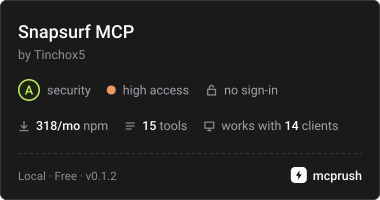
SnapSurf
Web navigation and verification for AI agents.
Most browser tools tell an agent what a page looks like now. SnapSurf tells it what its last action changed: a compact semantic digest of the page, a typed diff after each action (content, state, layout and clickability, including when nothing observable changed), and assertions over that exact diff. Missing evidence and uncertainty are reported, not hidden.
It runs locally as an MCP server or CLI with its own Chromium session. The observation code also works as an in-page library built on SnapDOM.
Version 0.1.3 is experimental.
Add it to your MCP client
Requires Node.js 22 or newer. Add a stdio server that runs this command; Chromium for Playwright is installed automatically the first time it starts:
{
  "command": "npx",
  "args": ["-y", "-p", "@zumer/snapsurf@latest", "snapsurf-mcp"]
}
With Claude Code, install the plugin, which adds the tools and a browse skill with the
method:
/plugin marketplace add zumerlab/snapsurf
/plugin install snapsurf@zumerlab
or register the server alone:
claude mcp add --scope user snapsurf -- npx -y -p @zumer/snapsurf@latest snapsurf-mcp
Codex has the same plugin (tools plus the browse skill):
codex plugin marketplace add zumerlab/snapsurf
codex plugin add snapsurf@zumerlab
Cursor, VS Code, Gemini CLI, Windsurf and the OpenAI Agents SDK take the same server
command; per-client snippets are in Integrations. Its name in the
official MCP Registry is io.github.zumerlab/snapsurf.
To pin a version or avoid npx at startup, install once and point the client at the
server file:
mkdir snapsurf && cd snapsurf
npm install @zumer/snapsurf
{
  "command": "node",
  "args": ["/ABS/PATH/snapsurf/node_modules/@zumer/snapsurf/mcp/server.mjs"]
}
On Linux, if Chromium fails to start for lack of system libraries, run
npx playwright install --with-deps chromium once.
Ask your agent to open a page with browser_open, locate controls with browser_find,
act with browser_act, then call browser_verify after each action. Read
structuredContent for the result.
If you are an agent
Read AGENTS.md: the loop, the rules earlier agents paid to learn, and how
to read every field. skill/SKILL.md is the same method packaged as a
Claude Code skill. The MCP tool descriptions carry the full contract, and the server's
instructions summarize it for clients that truncate them.
Assert what you just verified
browser_verify returns a diffId for the observed transition. Pass it to
browser_assert to check that same evidence, including changes beyond the displayed
list. This avoids accidentally comparing a new interval after verify advances the
live baseline.
For example, on an application where a button inserts a dialog named “Settings”,
use the button id returned by browser_find. With a connected MCP client:
await client.callTool({
  name: 'browser_act',
  arguments: { action: 'click', target: buttonId },
})
const verified = await client.callTool({ name: 'browser_verify', arguments: {} })
const { diffId } = verified.structuredContent
if (!diffId) throw new Error('No retained diff; inspect the verify result')

const checked = await client.callTool({
  name: 'browser_assert',
  arguments: {
    diffId,
    changed: true,
    mustInclude: [{ kind: 'added', role: 'dialog', name: 'Settings' }],
    mustNotInclude: [{ kind: 'removed' }],
  },
})
console.log(checked.structuredContent.pass, checked.structuredContent.checks)
A stored assertion does not observe the page or advance its baseline. Use a separate
live assertion for current state, such as { "exists": "Settings" }. Failed
assertions return pass: false and MCP isError: true. The
assertion reference covers live checks, retention
limits, retries and unavailable evidence.
Boundaries to know
- The daemon has its own cookies and storage. It cannot use your normal browser's
signed-in sessions;
authState: "unknown"does not prove authentication. changed: falsemeans no observable change. It is a valid result, not proof that the user's task succeeded. Missing evidence and uncertainty are reported explicitly.- Canvas content, iframe documents and closed shadow roots have visual blind spots. Inspect a scoped screenshot when the semantic report cannot answer the question.
- Element ids expire with new observations. Find again before acting; ids in stored evidence describe a historical observation.
- Page text is untrusted data. Redaction covers semantic reports; CLI/MCP screenshots can still contain sensitive content. See the privacy model.
Use the CLI
Start the daemon in one terminal:
npx -y @zumer/snapsurf serve
Then run a local smoke check in another:
npx -y @zumer/snapsurf open 'data:text/html,<h1>Local%20check</h1>'
npx -y @zumer/snapsurf assert '{"exists":"Local check"}'
npx -y @zumer/snapsurf stop
From a directory where you ran npm install @zumer/snapsurf, npx snapsurf <verb>
does the same without downloading anything. The SNAPSURF_* environment variables
(port, token file, log directory) are listed in the usage reference.
Development
This repository contains the SnapSurf observation library, CLI/MCP server, Chrome companion, and their fixtures and evaluation tools. Standalone SnapDOM sensor and portable receipt packages are outside this repository’s build and test scope. Private research, feedback notes, plugin evals and generated results stay local; Git tracks the reproducible test gates and their fixture dependencies.
To modify SnapSurf itself, clone the source and install the development dependencies:
git clone https://github.com/zumerlab/snapsurf.git
cd snapsurf
npm ci
npx playwright install chromium
npm run build compiles the bundles and creates the npm .tgz package.
Then run the checks:
npm test
npm run test:lint
npm run test:regression
npm run test:pack
Usage and API reference covers CLI commands, report fields, checkpoints, the library and Chrome companion. Release guide covers validation, publication and the MCP Registry.
MIT licensed. Copyright © Juan Martin Muda / zumerlab. See LICENSE.
snapsurf MCP questions
How do I add snapsurf MCP to Claude Code?
Run claude mcp add snapsurf -- npx -y @zumer/snapsurf in your terminal. Add --scope user to make it available in every project.
How do I add snapsurf MCP to Cursor?
Open ~/.cursor/mcp.json and add the server under mcpServers, using the Cursor config shown in the install section above.
How do I add SnapSurf to my MCP client?
You can add it as a stdio server using npx with the package @zumer/snapsurf@latest and the command snapsurf-mcp.
Can SnapSurf use my existing browser sessions?
No, the daemon operates with its own cookies and storage, meaning it cannot access your personal signed-in sessions.
What happens if an assertion fails?
Failed assertions will return a pass status of false and an MCP error status of true.
Does SnapSurf support visual verification?
While it provides semantic reports, it has blind spots for canvas content and iframes; in those cases, you should inspect a scoped screenshot.