
agentsync MCP server
Commit Nov 13, 2026Synchronizes rules, skills, and MCP configurations across multiple AI coding agents and IDEs from a single source of truth.
Also known as x0c/agentsync
- Stars
- 9
- Tools
- —
- Downloads, 30 days
- —
- Latest version
- —
- Last commit
- Nov 13, 2026
- License
- MIT
What is agentsync MCP?
agentsync synchronizes rules, skills, and MCP configurations across multiple AI coding agents and IDEs from a single source of truth.
Summary generated from the project's README
About agentsync MCP server
agentsync provides a centralized way to manage rules, skills, and MCP configurations for a wide variety of AI coding agents and IDEs. Instead of manually updating settings in every tool, you maintain a single source of truth in a local configuration directory. This includes global instructions in AGENTS.md, custom skill folders, and an mcp.json file for server definitions.
The tool operates as a lightweight standalone binary that works on Windows, macOS, and Linux. Users can install it via PowerShell, shell scripts, Homebrew, or Go. Once installed, you can preview changes with the --check command or use the --watch command to automatically push updates to your tools. It supports a massive list of clients including Claude Code, Cursor, Windsurf, Zed, Aider Desk, and many others.
This system ensures that your coding preferences and tool capabilities remain consistent across different environments. It handles the heavy lifting of writing configurations in native formats for each specific tool and automatically creates backups of replaced files. While it manages global machine settings, it also includes a repository mode to link project-specific files like CLAUDE.md to your central instructions.
What you can do with it
- 1Synchronize global AI instructionsUpdate your coding rules once to apply them across all installed AI agents and IDEs.
- 2Centralize MCP server managementManage all your MCP server configurations from a single mcp.json file.
- 3Automate configuration updatesUse a watcher to push changes from your central source to your tools automatically.
- 4Protect existing configurationsRevert to previous settings if a synchronization causes issues.
Written from the project's README. Every use case is checked against a quote from it.
Automated checks
Ran Nov 14, 2026Full report →Not verified yet. A server needs a score of 80, no serious finding, and enough data for us to check. How checks work · What to fix for more points

- Source repository linked and reachablex0c/agentsync is public and reachablegithub.com/x0c/agentsync ↗Pass
- Package names this repository as its sourceNot checked
- Build provenance (Sigstore attestation)Not checked
- Open source license (OSI)MITspdx.org/licenses/MIT.html ↗Pass
- Commit or release in the last yearLast commit or release 2026-11-13github.com/x0c/agentsync ↗Pass
- OpenSSF ScorecardNot checked
- Package name not close to a popular packageNot checked
- No critical advisory in the package or its dependenciesNot checked
- No hidden instructions to the model0 tool descriptions and the README read; no override phrases, credential paths or hidden charactersPass
- Destructive tools are labelledNot checked
- Remote endpoint answers the MCP handshakeNot checked
README
View on GitHubLanguages: English | 简体中文
agentsync
One command to share rules, skills, and MCP configs across your AI tools.
Keep one copy across Claude Code, Codex, OpenCode, Gemini CLI, Qwen Code, Copilot CLI, Kimi Code, Grok CLI, Amp, Crush, Goose, Factory Droid, iFlow, Kilo, Pi, dsh, Cursor, Windsurf, Zed, CodeBuddy, Qoder, Junie, Kiro, JoyCode, and Aider Desk, plus the shared ~/.agents entry. A lightweight standalone binary.



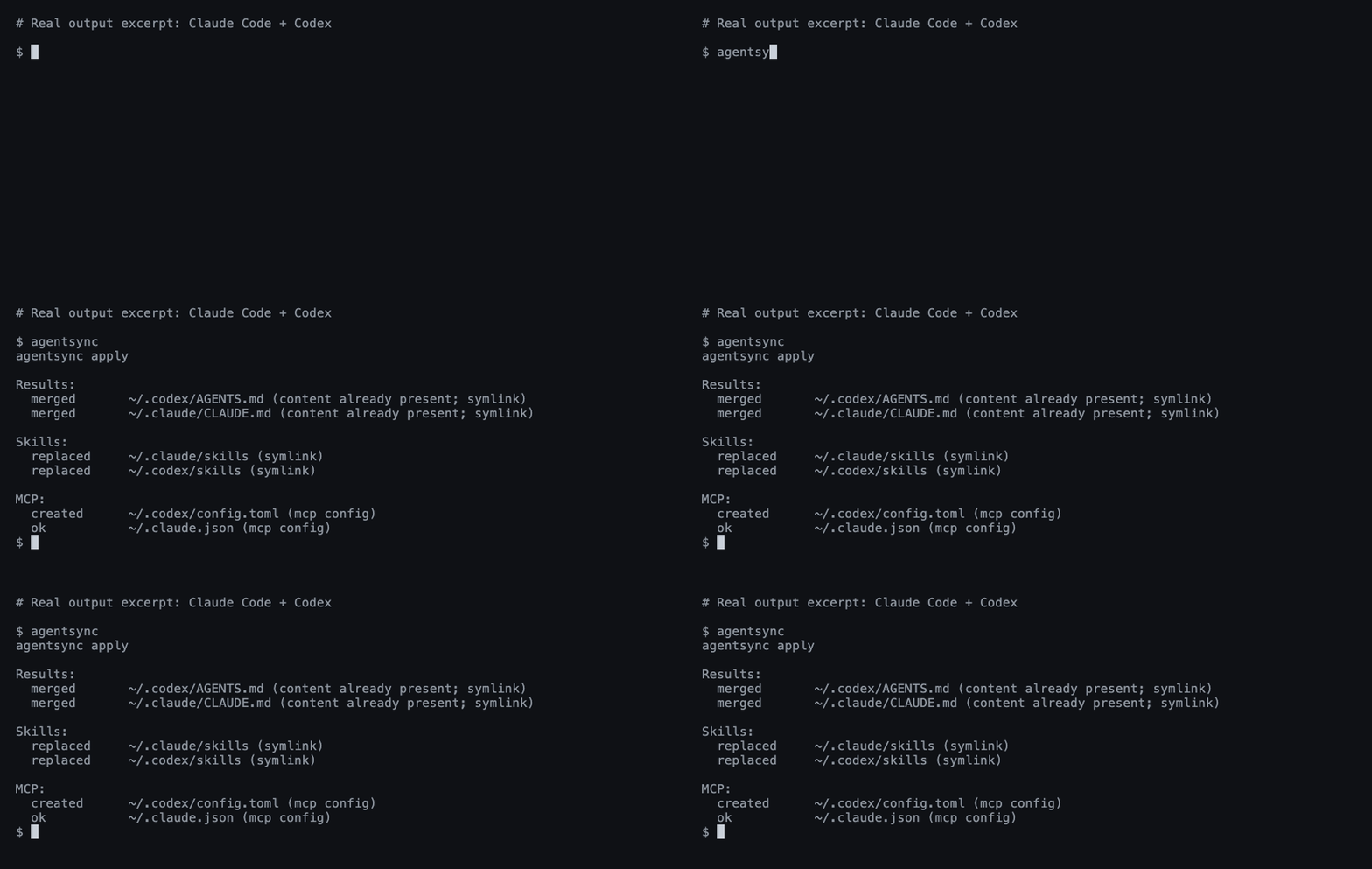
A real Claude Code + Codex run; output excerpted for readability.
Install
Windows — PowerShell:
irm https://raw.githubusercontent.com/x0c/agentsync/main/install.ps1 | iex
macOS / Linux — shell:
curl -fsSL https://raw.githubusercontent.com/x0c/agentsync/main/install.sh | sh
The installers download the matching release archive (agentsync_windows_<arch>.zip on Windows, agentsync_<os>_<arch>.tar.gz on macOS/Linux) and verify its SHA-256 checksum before installing. AGENTSYNC_INSTALL_DIR overrides the default (%LOCALAPPDATA%\Programs\agentsync\bin on Windows, ~/.local/bin on macOS/Linux); the Windows installer adds it to the user PATH.
macOS / Linux — Homebrew:
brew install --cask x0c/tap/agentsync
Any OS — Go 1.25.8+:
go install github.com/x0c/agentsync@latest
Add Go's bin directory to PATH if needed (usually ~/go/bin; %USERPROFILE%\go\bin on Windows).
Without an installer or Go: download and extract a release binary, then put it on PATH. Available for macOS and Linux (arm64 / amd64), and Windows (arm64 / amd64). Checksums are included.
Run
First preview, then apply:
agentsync --check
agentsync
That's it. agentsync merges your existing instructions, collects your skill folders, and imports your MCP servers into one shared source — then links or writes them back to each installed tool in its native format. Files replaced during sync are backed up automatically; tools you haven't installed are skipped.
From then on, maintain these files in ~/.config/agentsync/ (%USERPROFILE%\.config\agentsync\ on Windows):
| File | What you manage once |
|---|---|
AGENTS.md |
Global instructions |
skills/ |
Complete skill folders, including scripts and references |
mcp.json |
MCP servers |
Run agentsync again after changes, or use the optional watcher below.
Optional commands
| Need | Command |
|---|---|
| Preview without writing | agentsync --check |
| Automatically apply source changes | agentsync --watch |
| Restore the latest backup | agentsync --rollback latest |
Link a project's CLAUDE.md to its AGENTS.md |
agentsync --repo |
| Print the version | agentsync --version |
See the workflow guide for background services, batch repository sync, filters, and backup details.
Good to know
- Default sync manages global configuration on this machine. Project files are handled by the separate repository mode.
- Support varies by tool. See instruction and skill support and MCP support.
- Instructions and skills use links where possible. Cursor gets a managed
.mdcrule; on Windows, skill directories link as a symbolic link first, then an NTFS directory junction, otherwise agentsync reports an error naming Windows Developer Mode. See Cursor loading limits. - Exclude servers, skills, or instructions per tool with a
sync-policy.jsonbeside the canonical sources; see filtering. Filtering never removes content from the canonical source. - Edit the shared source. The watcher pushes changes out to your tools; it does not import edits made in another tool's settings. Keep
mcp.jsonlocal: it may contain tokens and machine-specific paths..gitignore/.stignoreentries protectingmcp.jsonare written only when the configuration directory is already a Git repository (.git) or a Syncthing folder (.stfolder). - Safety checks reject unsupported arguments, invalid MCP entries, and unsafe skill-directory overlaps. Your own rules are merged in before copies are generated; Codex servers that share a name keep their local restrictions and authentication options. Rollbacks use collision-resistant backup snapshots, and
latestskips backups with no file changes. See the preservation boundaries.
Questions or a missing tool? Open an issue with the tool name, OS, and redacted output. Contributor instructions: AGENTS.md.
🧩 Related Tools in the AI Coding Suite
If you run multiple AI coding agents daily, check out the rest of the local-first toolkit:
| Repository | Description |
|---|---|
| corral | Run Claude Code, Codex, OpenCode, Cursor & Pi side-by-side in a terminal session manager, then continue from iPhone or Mac. |
| subswap | Check remaining quota and switch Claude Code, Codex, Cursor, Kimi Code & OpenCode accounts without logging out. |
| agent-doc-skills | Navigable project knowledge base skills (doc-init, doc-update, doc-compact) so coding agents don't rediscover your repo every session. |
| sesskit | Parse and export local Claude Code, Codex CLI, and Cursor session transcript files from disk. |
License
agentsync MCP questions
Can I automatically apply changes when the source files are updated?
Yes, you can use the optional --watch command to automatically apply source changes.
What happens if a sync goes wrong?
The tool provides a rollback feature to restore the latest backup.