
Typed Graph MCP server
Commit Nov 11, 2026Lets an AI client perform openCypher queries, vector search, and GraphRAG retrieval over Obsidian vaults via a headless sidecar service.
Also known as Volland/typedgraph
- Stars
- 19
- Tools
- —
- Downloads, 30 days
- —
- Latest version
- —
- Last commit
- Nov 11, 2026
- License
- MIT
What is Typed Graph MCP?
Typed Graph lets an AI client perform openCypher queries, vector search, and GraphRAG retrieval over Obsidian vaults via a headless sidecar service.
Summary generated from the project's README
About Typed Graph MCP server
Transforming Obsidian notes into a structured knowledge graph is what typedgraph enables for developers and researchers. By using typed, signed edges with properties, users can turn simple links into rich relational data. This server operates via a headless sidecar service that works independently of the Obsidian application, providing a read-only interface for AI agents to interact with your vault.
To use this service, you must set up the sidecar using Node.js and provide the vault and data paths through environment variables. Once connected to an MCP client, the server provides three specific tools: cypher_query for executing openCypher queries, vector_search for semantic lookups, and graphrag_retrieve for advanced retrieval with citations. This setup allows an AI to navigate complex relationships, such as finding how specific people relate to projects, using the same logic you use in your notes.
What you can do with it
- 1Execute complex relational queriesAsk an AI to find specific connections between entities using openCypher syntax.
- 2Perform semantic knowledge retrievalUse vector search to find relevant notes based on meaning rather than exact keyword matches.
- 3Implement GraphRAG for agentsProvide an AI agent with context-aware information that includes citations from your graph.
Written from the project's README. Every use case is checked against a quote from it.
Configuration
OBSIGRAPH_OUT
Automated checks
Ran Nov 14, 2026Full report →Not verified yet. A server needs a score of 80, no serious finding, and enough data for us to check. How checks work · What to fix for more points

- Source repository linked and reachablevolland/typedgraph is public and reachablegithub.com/volland/typedgraph ↗Pass
- Package names this repository as its sourceNot checked
- Build provenance (Sigstore attestation)Not checked
- Open source license (OSI)MITspdx.org/licenses/MIT.html ↗Pass
- Commit or release in the last yearLast commit or release 2026-11-11github.com/volland/typedgraph ↗Pass
- OpenSSF ScorecardNot checked
- Package name not close to a popular packageNot checked
- No critical advisory in the package or its dependenciesNot checked
- No hidden instructions to the model0 tool descriptions and the README read; no override phrases, credential paths or hidden charactersPass
- Destructive tools are labelledNot checked
- Remote endpoint answers the MCP handshakeNot checked
README
View on GitHub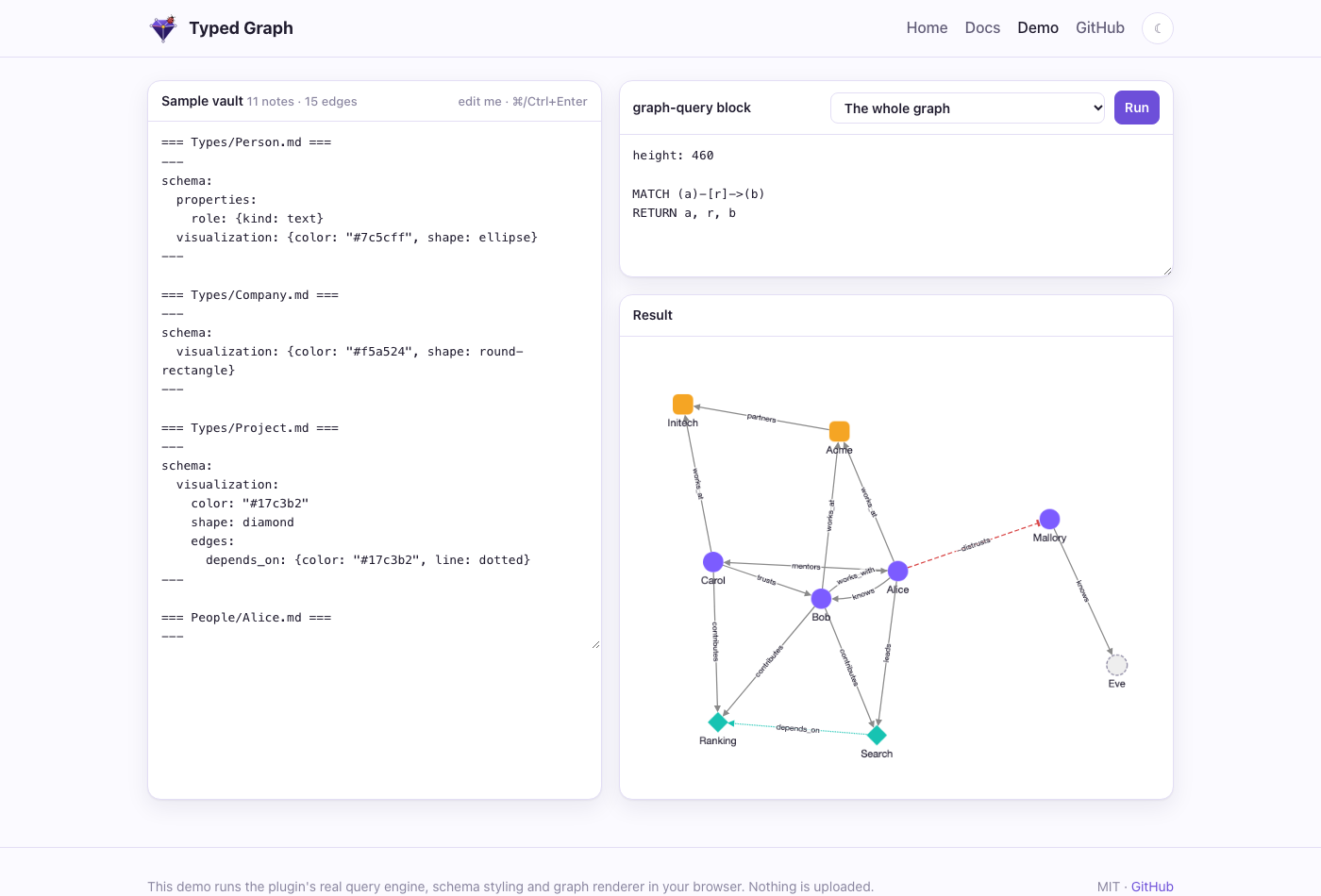
Why
Obsidian links say that two notes are related, not how. Typed Graph lets one line say how:
---
type: Person
---
knows:: [[Bob]] {since: 2020, label: "met at NeurIPS"}
works_at:: [[Acme]]
-distrusts:: [[Mallory]]
Then you can ask the vault questions in openCypher, inside any note:
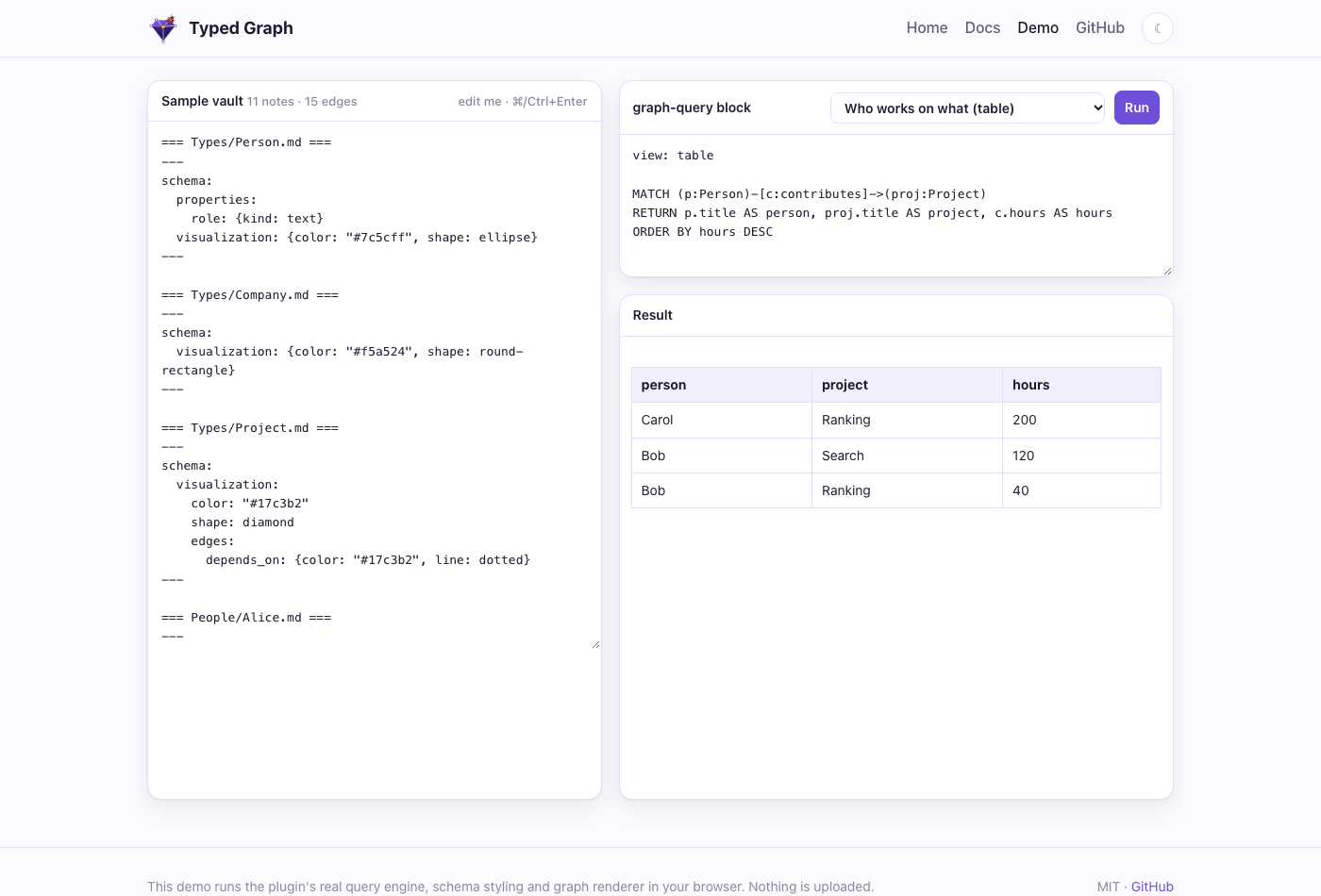
```graph-query
MATCH (p:Person)-[c:contributes]->(proj:Project)
RETURN p.title AS person, proj.title AS project, c.hours AS hours
ORDER BY hours DESC
```
Features
- Typed, signed edges with properties.
type:: [[Target]] {props}works like Graph Link Types, so your existing lines keep working. A-prefix makes an edge negative, and edges can have stable or pinned ids. - Typed nodes and schema notes. Frontmatter
typegives a note its labels. A note inTypes/declares a type's properties, allowed edges, template and look. - openCypher queries.
MATCH,OPTIONAL MATCH,WITH, aggregates, variable-length paths and path variables. Queries are read-only and errors are clear. - Note variables and built-in metadata. A block can use the note it sits in:
{{path}},{{title}},{{folder}}and frontmatter as{{fm.status}}become Cypher literals, soMATCH (me {path: {{path}}})-[r]-(x) RETURN me, r, xworks in any note. Every node haspath,title,stuband its frontmatter, and every edge hasr.sign,r.idand its{props}, with no schema. The Graph view binds$activeFile. See the query cheat sheet. - Graph or table, live. Results render as a labeled, styled graph or a table, and refresh as you edit.
- Graph view. A full-pane explorer that follows the active note, expands neighbors and explains where each style comes from. Frontmatter
subtitle: billingdrawsspecs/billing/spec.mdas spec — billing, so notes that share a file name stay apart. It is a separate view. Obsidian's core Graph view is left unchanged, but you can color types there yourself with groups such as[type:Person](see the docs). - AsciiDoc notes.
.adocfiles are typed notes too: properties in a leading////block or:tg-*:attributes, edges in// @tg: cites:: [[Source]]comments, so Asciidoctor renders the file exactly as before. See the docs. - Edge embeds.
{{edge: Alice -knows-> Bob . since}}shows an edge's property inside your prose. - Optional sidecar. A LadybugDB mirror for full Cypher, local vector search (Ollama), GraphRAG with citations, and an MCP server for agents.
 |
 |
 |
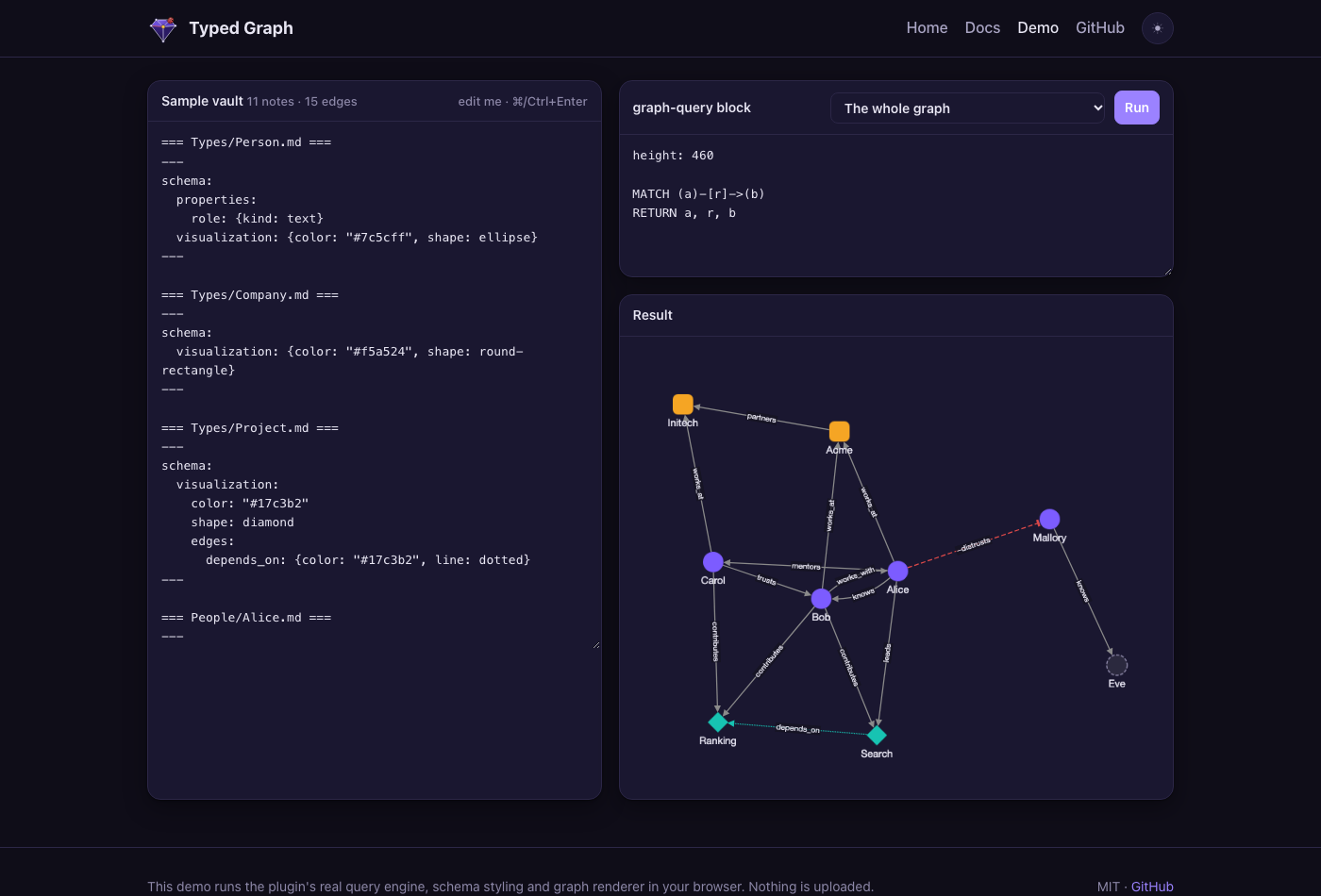 |
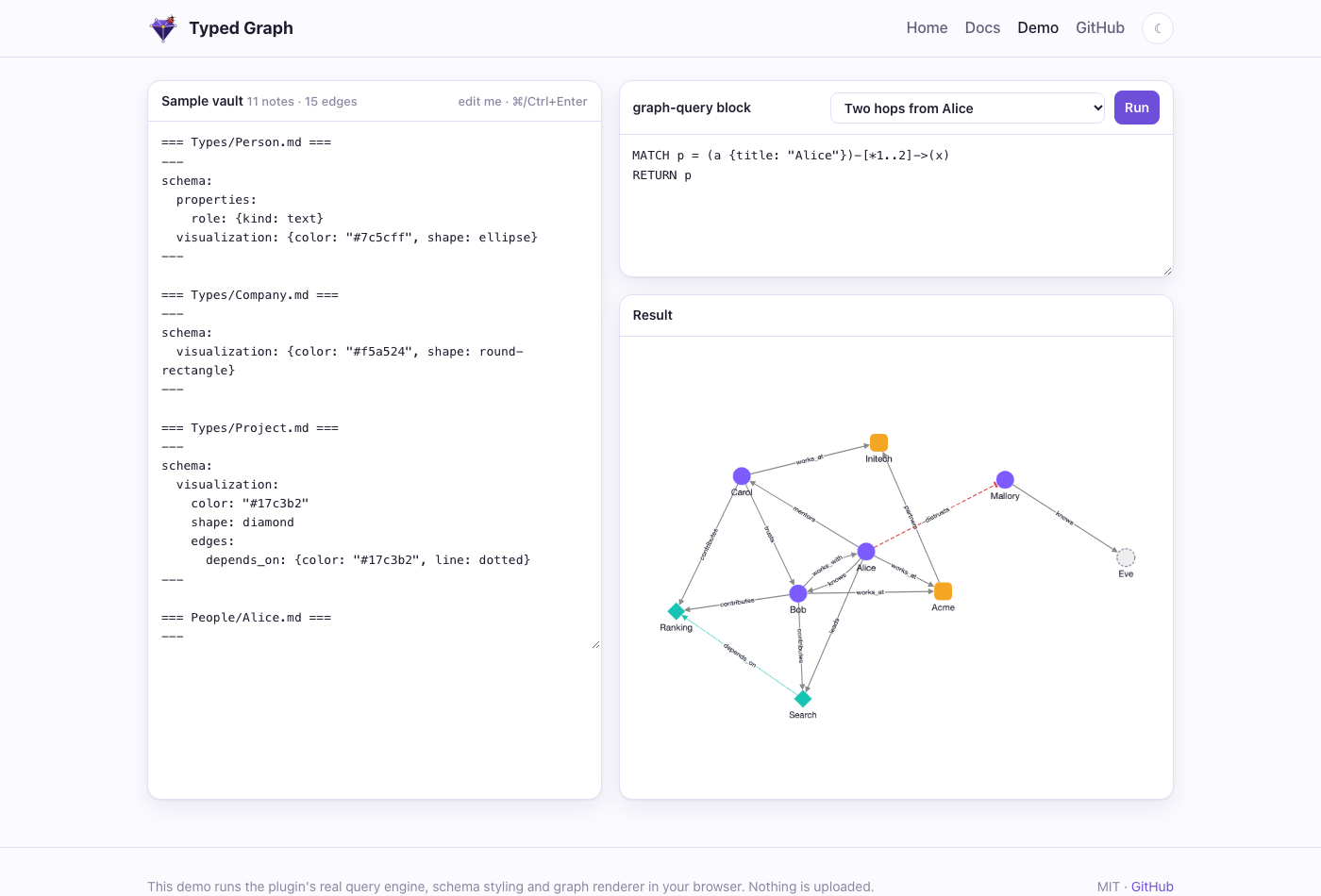
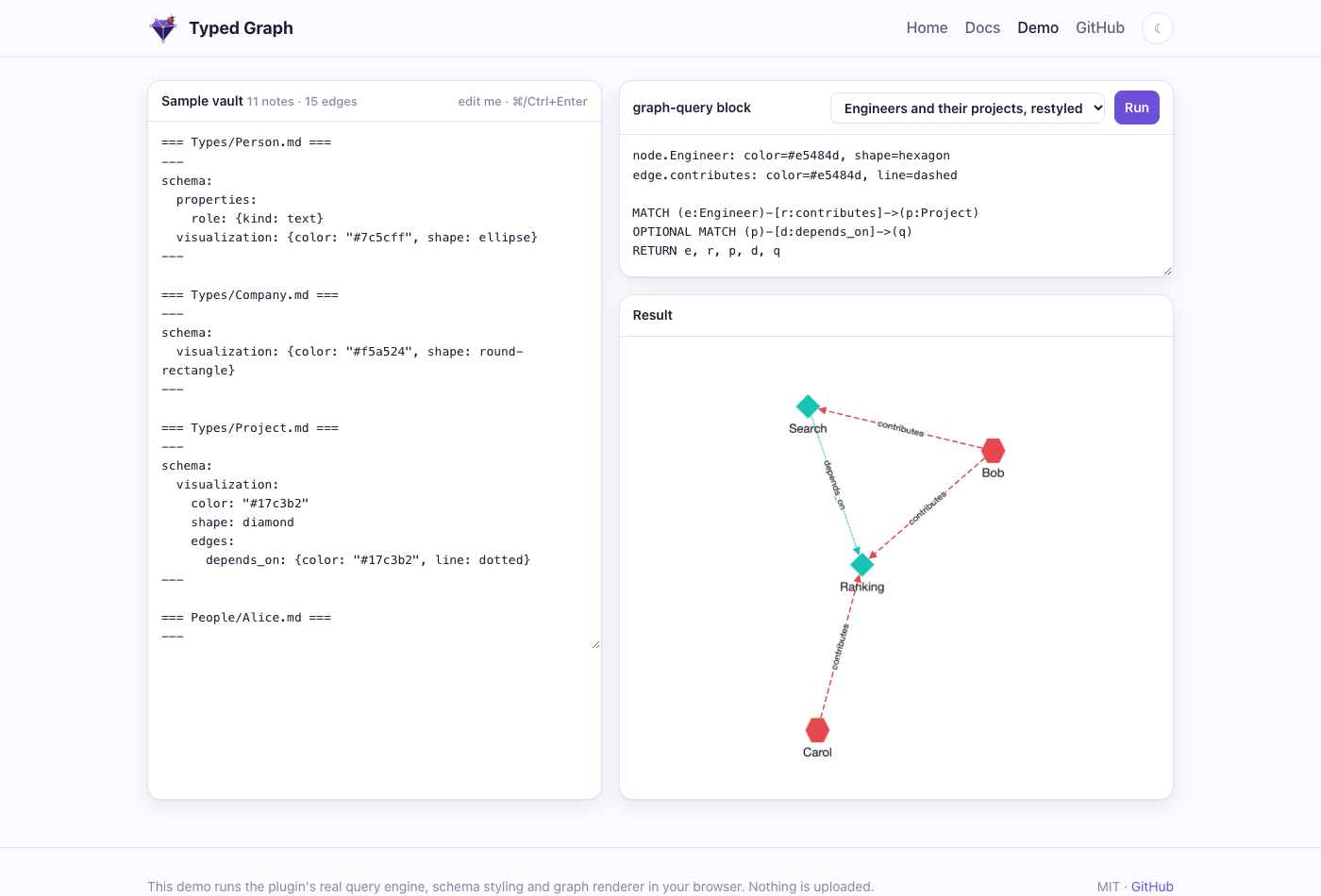
The screenshots come from the live demo, which runs the plugin's own query engine, schema styling and renderer in your browser.
Install
- Community plugins (recommended): open Typed Graph in Obsidian, or go to Settings → Community plugins → Browse, search for Typed Graph, then install and enable it. Directory page: community.obsidian.md/plugins/typed-graph.
- BRAT, for beta builds: install Obsidian42 - BRAT, run Add a beta plugin, and enter
Volland/typedgraph. - Manually: download
main.js,manifest.jsonandstyles.cssfrom the latest release into<vault>/.obsidian/plugins/typed-graph/, reload Obsidian, and enable the plugin.
The plugin works on desktop and mobile, and it never modifies your notes.
Quick start
- Add
type: Personto a note's frontmatter. - Write an edge line such as
knows:: [[Bob]] {since: 2020}. - Add a
graph-queryblock withMATCH (a:Person)-[r:knows]->(b) RETURN a, r, b. - Run Typed Graph: Open graph view to explore.
Try the demo vault: download typed-graph-demo-vault.zip, unzip it and open the folder as a vault. The plugin is preinstalled. Open Start Here for a tour and a hands-on Cypher manual. From a clone, npm run example:install builds the plugin into example/ instead.
The full guide covers edge syntax, schema notes, styling precedence, the Cypher subset, embeds and settings: typedgraph.org/docs.html. For the variables and properties a query can use without declaring anything, keep the query cheat sheet open.
CLI: tg
@typedgraph/cli is a standalone command line, a drop-in replacement for lat.md that also links code into the typed graph. It reads the same lat.md/ folder and gives the same check verdicts (a test compares it with lat check on real projects).
npx @typedgraph/cli init            # set up: pick agents, parts and docs folder in a terminal, then it writes
npx @typedgraph/cli init --dry-run  # only print the diff of what it would change
tg check                            # links, code refs, annotations, index files, section structure
tg search "how are edges signed"    # lexical by default; hybrid with TG_EMBED_PROVIDER or a key
tg section "edge-syntax#Sign"
tg cypher "MATCH (s:Section)-[:references]->(t:Section) RETURN s.title, t.title LIMIT 5"
tg export ./out --vault ~/vault     # vault notes to a lat.md folder (lossy, with a report)
tg import ../project/lat.md         # adopt a lat.md folder (--mount to symlink)
Code points at docs with // @lat: [[section]] (a plain link) or a typed edge, // @tg: implements:: [[auth#Login]] {since: 2}. tg mcp serves the same commands to agents over MCP. In Obsidian, Code in the graph (settings or the Graph view dropdown) shows annotated symbols as nodes without writing anything to the vault. Design: lat.md/cli.md.
For agents: the sidecar
packages/sidecar is a headless service over a read-only copy of your vault. It needs no Obsidian. It offers REST, an MCP server, a LadybugDB mirror, local vector search and GraphRAG.
npm install && npm run build:sidecar
claude mcp add typed-graph \
  -e OBSIGRAPH_VAULT=/path/to/vault -e OBSIGRAPH_DATA=/path/to/data \
  -- node packages/sidecar/dist/server.mjs --stdio
The MCP tools are cypher_query, vector_search and graphrag_retrieve, all read-only. For REST endpoints, Docker and environment variables, see the sidecar docs.
Development
packages/core     edge parser, graph model, schemas, styles, openCypher engine, embeddings (no Obsidian APIs)
packages/plugin   the Obsidian plugin
packages/sidecar  headless REST + MCP service, LadybugDB mirror, vector index, conformance suite
site/             the website and live demo (GitHub Pages)
lat.md/           architecture and test specs (lat.md)
openspec/         specs and archived changes (OpenSpec)
npm install
npm run verify                      # typecheck + tests + lat check
OBSIGRAPH_OUT="<vault>/.obsidian/plugins/typed-graph" npm run build   # build the plugin into a vault
npm run site:build && npx serve site                                 # preview the website
Releasing
- Run
npm run version:bump -- 0.5.0. This updatesmanifest.json,versions.jsonand every package version. - Commit, then run
git tag 0.5.0 && git push origin 0.5.0. The tag has novprefix. - The Release plugin workflow typechecks, tests, builds, and attaches
main.js,manifest.jsonandstyles.cssto the GitHub release.
Submitting to the Obsidian community directory
Obsidian takes submissions through its web directory, not through pull requests. community-plugins.json in obsidianmd/obsidian-releases is only a mirror of it.
- Sign in at community.obsidian.md with your Obsidian account, and link your GitHub account to prove you own the repo.
- Add the plugin from the
Volland/typedgraphrepository. The directory readsREADME.md,LICENSEand the rootmanifest.json, and installs from the GitHub release tagged with the manifest version. - An automated review runs. To fix anything it reports, update the repo and publish a new release with a higher version (
npm run version:bump, then push the tag).
License
MIT © Volodymyr Pavlyshyn. Not affiliated with Obsidian or LadybugDB.
Typed Graph MCP questions
What tools are available via the MCP server?
The MCP tools include cypher_query, vector_search, and graphrag_retrieve, all of which are read-only.
Does the sidecar require Obsidian to be running?
No, the sidecar is a headless service that works on a read-only copy of your vault and needs no Obsidian.
Can I use openCypher queries in my notes?
Yes, you can use openCypher queries inside any note using a graph-query block.