
Generates hand-sketched system design diagrams in SVG or PNG format from concise YAML specifications.
Also known as Tonys-Coding/sysketch, sysketch-mcp
- Stars
- 1
- Tools
- 2
- Downloads, 30 days
- —
- Latest version
- 0.5.0
- Last commit
- Oct 29, 2026
- License
- MIT
What is sysketch MCP?
sysketch generates hand-sketched system design diagrams in SVG or PNG format from concise YAML specifications. It exposes 2 tools, such as render_diagram, list_icons.
Summary generated from the project's README
About sysketch MCP server
sysketch allows AI assistants like Claude and Cursor to generate hand-sketched system design diagrams using YAML specifications. Instead of the assistant generating complex image data directly, it writes a short description that the server converts into SVG or PNG files. This method significantly reduces token usage, making the process faster and more cost-effective for developers.
Users can set up the server locally via npx for desktop clients or connect to a remote endpoint for web-based chats. The server requires Node.js 20 or newer. It provides the render_diagram tool to create visuals from a specification or file, and a list_icons tool to help identify available icons and logos. Diagrams are saved to a local directory, which can be customized using the SYSKETCH_DIR environment variable or a specific directory argument.
What you can do with it
- 1Generate system architecture visualsAsk an AI assistant to create a PNG diagram of a ride-sharing system architecture.
- 2Iterate on existing diagramsRequest specific modifications to a previously generated diagram such as adding a new service.
- 3Apply different visual stylesChange the aesthetic of a diagram by specifying a different theme like blueprint.
- 4Incorporate official brand logosUse recognized product names to display actual logos for services like S3 or Stripe.
Written from the project's README. Every use case is checked against a quote from it.
How to install sysketch MCP
Formats verified 10 Nov 2026Add to CursorAdd to GooseInstall sysketch MCP in Claude Code
$ claude mcp add sysketch -- npx -y sysketch-mcpInstall sysketch MCP in Cursor
~/.cursor/mcp.json
{
  "mcpServers": {
    "sysketch": {
      "command": "npx",
      "args": [
        "-y",
        "sysketch-mcp"
      ]
    }
  }
}Install sysketch MCP in VS Code
.vscode/mcp.json
{
  "servers": {
    "sysketch": {
      "type": "stdio",
      "command": "npx",
      "args": [
        "-y",
        "sysketch-mcp"
      ]
    }
  }
}Install sysketch MCP in VS Code CLI
$ code --add-mcp '{"name":"sysketch","type":"stdio","command":"npx","args":["-y","sysketch-mcp"]}'Install sysketch MCP in Claude Desktop
claude_desktop_config.json
{
  "mcpServers": {
    "sysketch": {
      "command": "npx",
      "args": [
        "-y",
        "sysketch-mcp"
      ]
    }
  }
}Install sysketch MCP in Codex
$ codex mcp add sysketch -- npx -y sysketch-mcpInstall sysketch MCP in Codex config.toml
~/.codex/config.toml
[mcp_servers.sysketch]
command = "npx"
args = ["-y", "sysketch-mcp"]
Install sysketch MCP in Gemini CLI
$ gemini mcp add -s user sysketch npx -- -y sysketch-mcpInstall sysketch MCP in Gemini settings.json
~/.gemini/settings.json
{
  "mcpServers": {
    "sysketch": {
      "command": "npx",
      "args": [
        "-y",
        "sysketch-mcp"
      ]
    }
  }
}sysketch MCP tools 2
Detected from the READMErender_diagramlist_icons
| render_diagram | — | |
| list_icons | — |
Automated checks
Ran Nov 13, 2026Full report →Passed our automated checks. That is not a security audit: read the code and give the server the narrowest access it needs. How checks work

- Source repository linked and reachablePass
- Open source license (OSI)Pass
- Commit or release in the last yearPass
- Package name not close to a popular packagePass
- Remote endpoint uses HTTPSPass
- Destructive tools are labelledPass
- No hidden instructions to the modelPass
- No critical advisory in the package or its dependenciesPass
README
View on GitHubsysketch-mcp
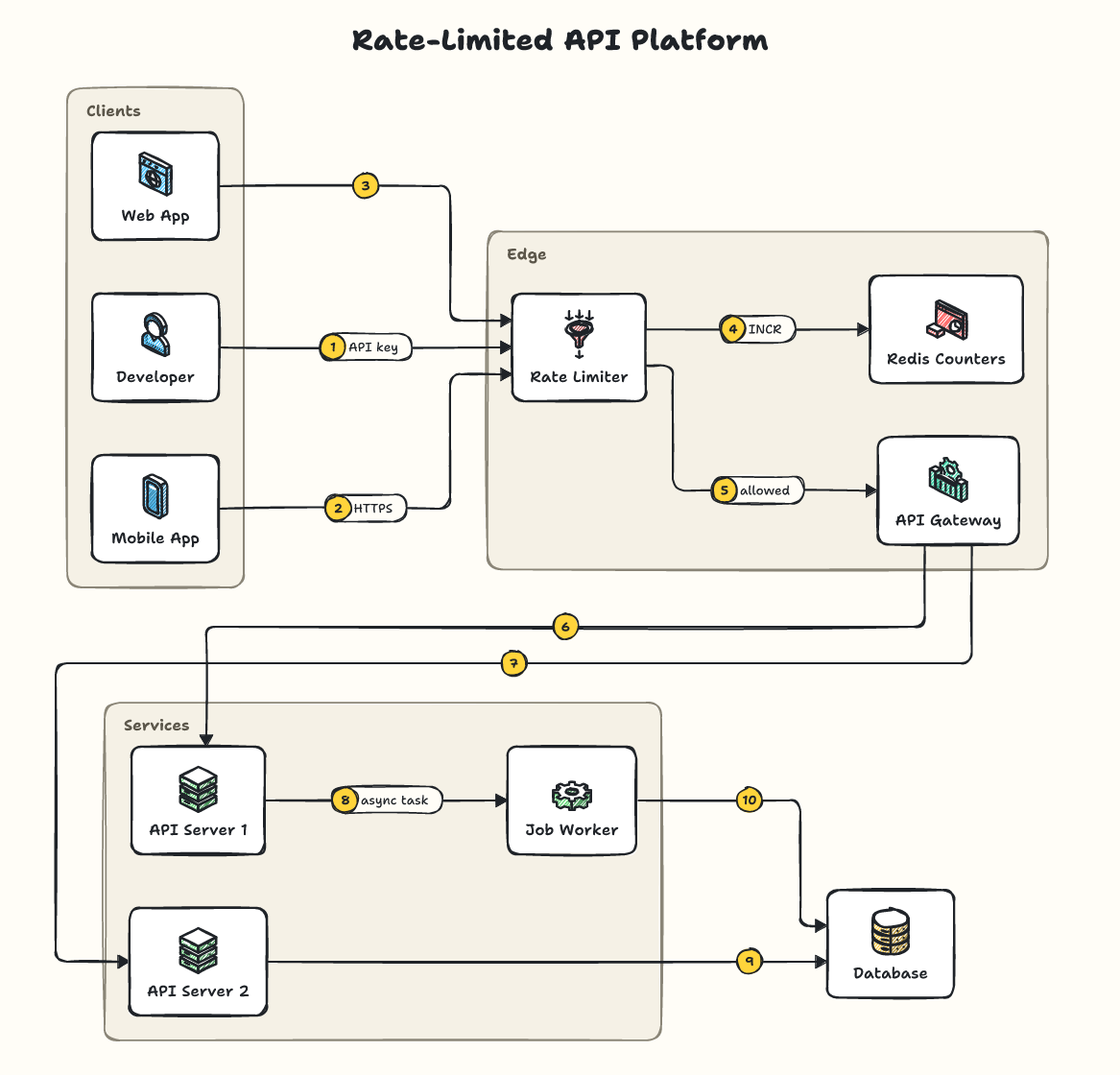
Lets Claude, Cursor and other AI assistants draw clean, hand-sketched system design diagrams with sysketch. The assistant writes a short description of your system instead of drawing the image itself, which makes diagrams faster, cheaper and consistent.
Setup
You need Node.js 20 or newer.
Claude Code: run once in your terminal:
claude mcp add sysketch -- npx -y sysketch-mcp
Claude Desktop, Cursor and other assistants: add this to the assistant's MCP settings, then restart it:
{
  "mcpServers": {
    "sysketch": { "command": "npx", "args": ["-y", "sysketch-mcp"] }
  }
}
Diagrams are saved in the folder your assistant runs the server in (your project, in Claude Code and Cursor). Claude Desktop starts servers outside any project, so there they go to a sysketch folder in your home folder. To choose a folder, add "--dir", "/path/to/folder" to args, or set the SYSKETCH_DIR environment variable.
ChatGPT, Claude on the web, Perplexity and other AI chats: you don't need this package. Add https://sysketch.vercel.app/mcp as a custom connector instead (details).
Use
Ask your assistant, for example:
Use sysketch to draw a ride-sharing system as a PNG.
The diagram is saved in diagrams/ inside that folder, together with its description, so you can ask for changes later: "add a notification service", "use the blueprint theme". Only a one-line summary comes back into the conversation, never the image data.
Measured with Claude Code (Sonnet) on 5 system design requests: 4,352 output tokens with sysketch vs 77,518 when the assistant drew the SVG itself, about 18x fewer (benchmark).
Tools
| Tool | What it does |
|---|---|
render_diagram |
Draws a diagram from a description (spec) or a file (file) to .svg or .png, with an optional theme. preview: true returns the image to the assistant (off by default). |
list_icons |
Lists the icons and recognized names; logos searches installed official logos. |
The tool definitions add about 450 tokens to each session.
Official logos (optional)
When official logos are installed, product names like s3 or stripe show the real logo. See the logos guide.
More examples, themes and the full spec: github.com/Tonys-Coding/sysketch
MIT License.
sysketch MCP questions
How do I add sysketch MCP to Claude Code?
Run claude mcp add sysketch -- npx -y sysketch-mcp in your terminal. Add --scope user to make it available in every project.
How do I add sysketch MCP to Cursor?
Open ~/.cursor/mcp.json and add the server under mcpServers, using the Cursor config shown in the install section above.
What tools does sysketch MCP provide?
It exposes 2 tools, including render_diagram, list_icons.
Can I use official logos in my diagrams?
Yes, if official logos are installed, product names like s3 or stripe will display the actual logo.
Does this server use a lot of tokens?
No, it is highly efficient, using approximately 18x fewer tokens than having an assistant draw raw SVG directly.