
Biel.ai MCP server
Commit Oct 23, 2026Connects AI assistants to technical documentation to provide source-cited answers and context from indexed web pages, files, and repositories.
Also known as TechDocsStudio/biel-mcp, biel-mcp
- Stars
- 4
- Tools
- —
- Downloads, 30 days
- —
- Latest version
- 2.0.0
- Last commit
- Oct 23, 2026
- License
- MIT
What is Biel.ai MCP?
Biel.ai connects AI assistants to technical documentation to provide source-cited answers and context from indexed web pages, files, and repositories.
Summary generated from the project's README
About Biel.ai MCP server
Biel.ai provides a way to connect AI assistants to technical documentation for source-cited answers. It works by indexing web pages, files, repositories, and OpenAPI sources into a project. Developers can use this server with clients like Claude Code, Codex, Cursor, and ChatGPT to retrieve specific context from their documentation.
The server operates through three main tools: biel_search for hybrid keyword and semantic searching, biel_get_document to read full indexed text, and biel_ai to generate conversational answers. Users must have a Biel.ai account and an enabled MCP endpoint. While public projects are accessible without an API key, private projects require an api_key with specific permissions for searching and chat creation.
Setup involves copying a project endpoint from the Biel.ai settings and configuring the client. For tools lacking native HTTP support, mcp-remote can act as a bridge. The system allows for fine-grained control, such as setting a limit on search results between 5 and 20 chunks per request.
Written from the project's README. Every use case is checked against a quote from it.
How to install Biel.ai MCP
Formats verified 10 Nov 2026Install Biel.ai MCP in Claude Code
$ claude mcp add --transport http biel-mcp https://mcp.biel.ai/v2/%7Bproject_slug%7D/mcpInstall Biel.ai MCP in Cursor
~/.cursor/mcp.json
{
  "mcpServers": {
    "biel-mcp": {
      "url": "https://mcp.biel.ai/v2/%7Bproject_slug%7D/mcp"
    }
  }
}Install Biel.ai MCP in VS Code
.vscode/mcp.json
{
  "servers": {
    "biel-mcp": {
      "type": "http",
      "url": "https://mcp.biel.ai/v2/%7Bproject_slug%7D/mcp"
    }
  }
}Install Biel.ai MCP in Codex
~/.codex/config.toml
[mcp_servers.biel-mcp]
url = "https://mcp.biel.ai/v2/%7Bproject_slug%7D/mcp"
Install Biel.ai MCP in Gemini CLI
~/.gemini/settings.json
{
  "mcpServers": {
    "biel-mcp": {
      "httpUrl": "https://mcp.biel.ai/v2/%7Bproject_slug%7D/mcp"
    }
  }
}Automated checks
Ran Nov 14, 2026Full report →Not verified yet. A server needs a score of 80, no serious finding, and enough data for us to check. How checks work

- Source repository linked and reachabletechdocsstudio/biel-mcp is public and reachablegithub.com/techdocsstudio/biel-mcp ↗Pass
- Package names this repository as its sourceNot checked
- Build provenance (Sigstore attestation)Not checked
- Open source license (OSI)MITspdx.org/licenses/MIT.html ↗Pass
- Commit or release in the last yearLast commit or release 2026-10-23github.com/techdocsstudio/biel-mcp ↗Pass
- OpenSSF ScorecardNot checked
- Package name not close to a popular packageNot checked
- No critical advisory in the package or its dependenciesNot checked
- No hidden instructions to the model0 tool descriptions and the README read; no override phrases, credential paths or hidden charactersPass
- Destructive tools are labelledNot checked
- Remote endpoint answers the MCP handshakeinitialize answered with protocol 2025-11-25 in 859 msPass
README
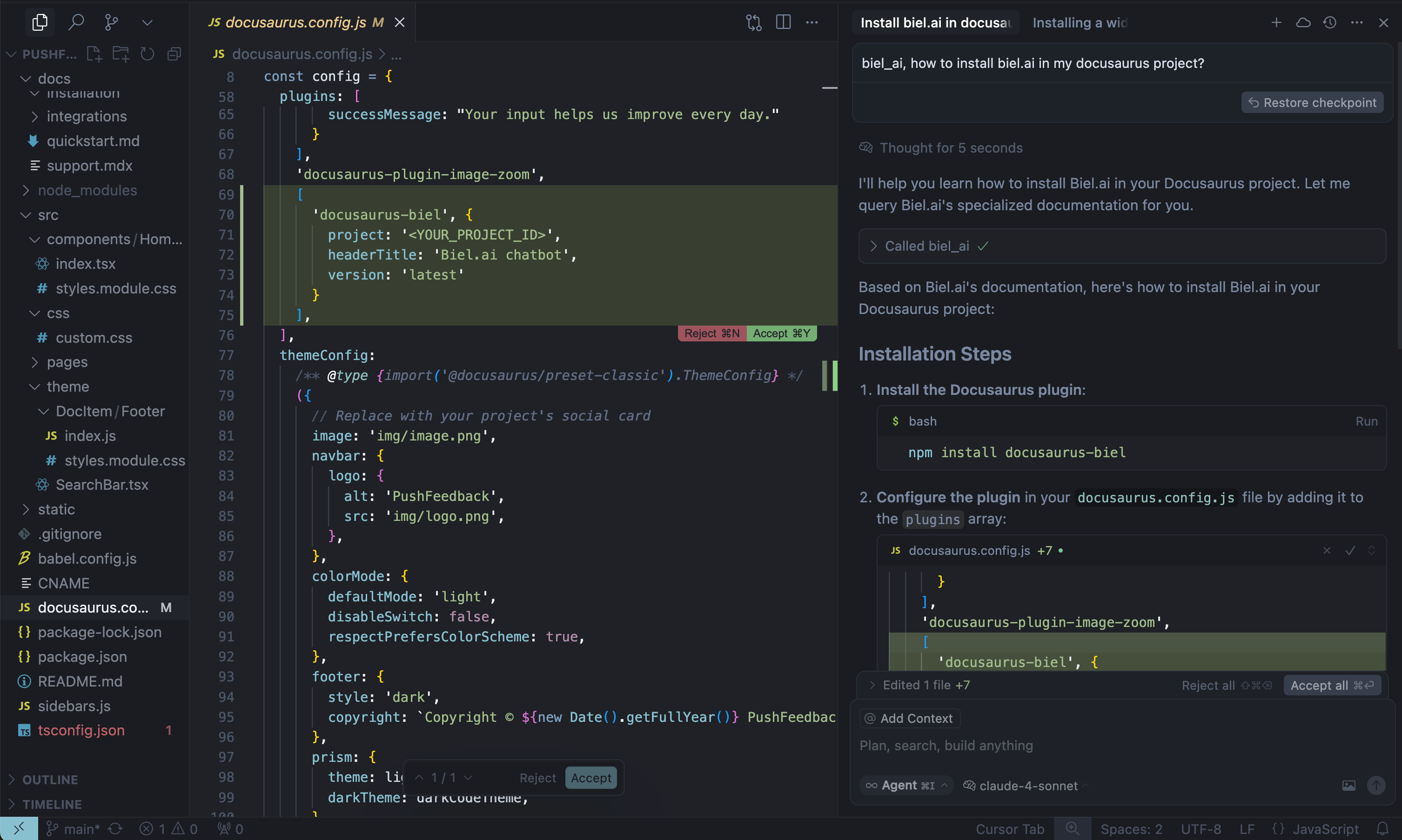
View on GitHubBiel.ai turns technical documentation into answers for users and context for AI agents, with links back to the sources. This MCP server connects Claude Code, Codex, Cursor, and other compatible clients to documentation indexed in a Biel.ai project.
The usual workflow is to search for relevant content, retrieve indexed documents when more context is needed, and answer in the calling AI assistant. Biel.ai can also generate an answer when you explicitly request one. Source grounding does not eliminate model error; check the retrieved content and references.
Requires a Biel.ai account, indexed sources, and hosted MCP enabled on a plan that includes it. Create an account and follow the MCP setup guide.
Getting started
1. Enable MCP and copy your endpoint
Open your project in Biel.ai, go to Settings > MCP, enable the MCP server, and save. Copy the complete endpoint supplied for your project.
2. Connect your AI client
Use the canonical documentation for client-specific steps:
- Connect technical documentation to Claude Code.
- Connect technical documentation to Codex.
- Connect ChatGPT or Claude.
- For Cursor and VS Code / Copilot, use the widget's Connect menu or the manual setup guide.
The example configuration uses mcp-remote as a bridge for clients without native Streamable HTTP support. Clients with native HTTP support should connect directly using their own configuration format.
3. Verify retrieval
Confirm the client discovers biel_search, biel_get_document, and biel_ai. Ask a question your indexed documentation covers:
Use biel_search to find our API authentication instructions. Read relevant
results with biel_get_document and explain the required headers with source links.
Check the retrieved text and citations against the documentation. MCP serves indexed content; refresh sources in Biel.ai after documentation changes and search again for current document IDs.
Choose generated answers or search
The server exposes three tools:
biel_ai: ask Biel.ai to generate an answer, with conversational context. Existing calls usingmessagecontinue to generate answers.biel_search: hybrid keyword and semantic search over indexed web pages, uploaded files, repositories and OpenAPI sources, without answer generation.biel_get_document: read the complete indexed text of a document returned by search.
Call biel_search with a natural-language question or search terms:
{"query": "How do I authenticate with the SDK?", "limit": 5}
Search requests the API's search_type=hybrid&source_types=all. The REST API defaults to search_type=keyword, independently of the selected sources. Results include chunk text, source type, a document_id, and any page/sheet reference; non-URL documents are cited by title and location. The limit argument controls how many chunks are returned (default 5, maximum 20).
Use biel_get_document with a search result's document_id to read the complete indexed document without visiting its source site:
{"document_id": "DOCUMENT_ID_FROM_SEARCH", "limit": 20}
Troubleshooting
Public projects do not need an API key. Private projects require an api_key query parameter with search permission for retrieval and chats_create for generated answers.
A domain query parameter is needed when allowed domains are configured. See connection parameters before connecting a private or domain-restricted project. Treat a URL containing a key as a credential and keep it out of shared configuration.
Self-hosting (Optional)
For advanced users who prefer to run their own MCP server instance:
Local development
# Clone and run locally
git clone https://github.com/TechDocsStudio/biel-mcp
cd biel-mcp
pip install .
biel-mcp
Use as a Python package
Applications that host their own ASGI stack can install the server directly from a tagged revision and import its FastAPI application:
pip install "biel-mcp @ git+https://github.com/TechDocsStudio/biel-mcp.git@VERSION"
from biel_mcp.server import app
Docker deployment
# Docker Compose (recommended)
docker-compose up -d --build

# Or Docker directly
docker build -t biel-mcp .
docker run -d -p 7832:7832 biel-mcp
Support
- Issues: GitHub Issues
- Contact: support@biel.ai
- Custom Demo: Book a demo
Biel.ai MCP questions
How do I add Biel.ai MCP to Claude Code?
Run claude mcp add --transport http biel-mcp https://mcp.biel.ai/v2/%7Bproject_slug%7D/mcp in your terminal. Add --scope user to make it available in every project.
How do I add Biel.ai MCP to Cursor?
Open ~/.cursor/mcp.json and add the server under mcpServers, using the Cursor config shown in the install section above.
Do I need an API key to use the server?
Public projects do not require an API key, but private projects require an api_key query parameter with specific permissions for retrieval and generating answers.