
md-to-docx MCP server
Commit Nov 15, 2026Converts Markdown and AI-generated drafts into professional DOCX documents using presets, templates, and structural diffing.
Also known as sunliangcode/md-to-docx
- Stars
- 1
- Tools
- —
- Downloads, 30 days
- —
- Latest version
- —
- Last commit
- Nov 15, 2026
- License
- MIT
What is md-to-docx MCP?
md-to-docx converts Markdown and AI-generated drafts into professional DOCX documents using presets, templates, and structural diffing.
Summary generated from the project's README
About md-to-docx MCP server
Converting Markdown drafts or AI-generated text into professional Word documents is the primary function of this tool. It serves developers and writers who need to transform structured text into deliverable DOCX files using specific presets like technical, business, academic, or meeting notes. The system operates locally and maintains privacy because it requires no API keys and can be self-hosted using Docker.
Users can interact with the server through several specialized tools including convert, validate, apply_template, and list_presets. It supports a bidirectional workflow, allowing for the reversal of DOCX files back into Markdown and performing structural diffs between two versions of a document. The server handles complex elements such as tables, code blocks, images, and even Mermaid diagrams if the mmdc dependency is present. Because it is an MCP server, it integrates directly with AI clients to automate the document compilation process.
What you can do with it
- 1Compile AI drafts into WordTransform raw text generated by an AI agent into a polished, professional document using predefined styles.
- 2Convert Markdown to DOCXTurn a standard Markdown report into a formatted Word file using a technical preset.
- 3Reverse DOCX to MarkdownConvert an existing Word document back into an editable Markdown format.
- 4Compare document versionsPerform a structural comparison between two different versions of a document to see changes.
Written from the project's README. Every use case is checked against a quote from it.
Automated checks
Ran Nov 15, 2026Full report →Not verified yet. A server needs a score of 80, no serious finding, and enough data for us to check. How checks work · What to fix for more points

- Source repository linked and reachablesunliangcode/md-to-docx is public and reachablegithub.com/sunliangcode/md-to-docx ↗Pass
- Package names this repository as its sourceNot checked
- Build provenance (Sigstore attestation)Not checked
- Open source license (OSI)MITspdx.org/licenses/MIT.html ↗Pass
- Commit or release in the last yearLast commit or release 2026-11-14github.com/sunliangcode/md-to-docx ↗Pass
- OpenSSF ScorecardNot checked
- Package name not close to a popular packageNot checked
- No critical advisory in the package or its dependenciesNot checked
- No hidden instructions to the model0 tool descriptions and the README read; no override phrases, credential paths or hidden charactersPass
- Destructive tools are labelledNot checked
- Remote endpoint answers the MCP handshakeNot checked
README
View on GitHubEnglish | 中文



md-to-docx
The open-source document compiler for the AI era.
    AI / Markdown
          ↓
    Professional DOCX
Why md-to-docx?
- ✓ AI → Word — compile AI drafts into deliverable DOCX (agents)
- ✓ Markdown → DOCX —
md-to-docx report.md --preset technical - ✓ DOCX → Markdown —
md-to-docx reverse report.docx - ✓ Document Diff — structural compare for
.mdand.docx(roundtrip) - ✓ Templates — presets + community Word templates (presets · templates)
- ✓ MCP — convert, validate, apply_template, list_presets, reverse, diff (mcp)
- ✓ Cursor / Claude / Codex / Gemini — SKILL.md · skills/
- ○ Browser Extension (experimental) — export ChatGPT / Claude / Gemini chats (extension)
- ○ Desktop context menu (experimental) — Finder / Explorer right-click
.md↔.docx(desktop) - ✓ GitHub Action — CI builds DOCX from Markdown (action)
- ✓ Local & Private — no API keys, self-host with Docker
30 seconds demo
input.md → md-to-docx → report.docx
./bin/convert examples/technical-report/example.md --preset technical
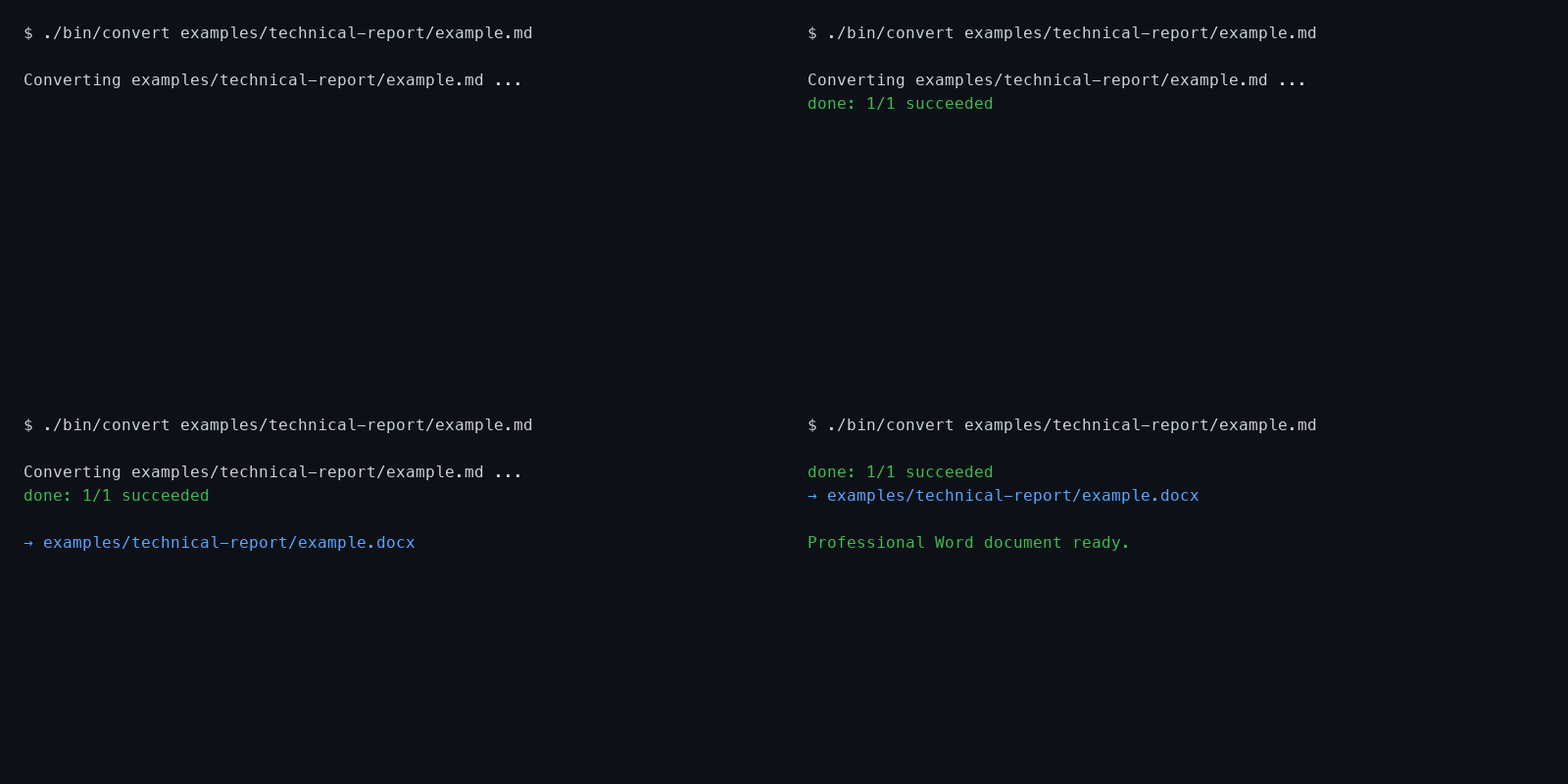
Before (Markdown) → After (Word)
AI Workflow
ChatGPT · Claude · Cursor · Codex · Gemini
                  ↓
              md-to-docx
                  ↓
         Professional Word
SKILL.md · Use with AI agents · MCP server
Templates
Technical · Business · Academic · Chinese · API · Meeting
See the full examples gallery.
Ecosystem
Core: CLI · MCP · GitHub Action · Docker Playground
Experimental (need local CLI or Playground): VS Code · Obsidian · Browser · Desktop
Quick Start
Option A — Git clone (recommended, no pip)
git clone https://github.com/sunliang11/md-to-docx.git
cd md-to-docx
./bin/convert path/to/report.md --preset technical
Option B — Docker Playground (no local Python)
docker compose -f web/docker-compose.yml up --build
# open http://localhost:8080
Option C — Local Web Playground (pip + uvicorn)
pip install -e ".[web]"
PYTHONPATH=scripts python -m md_to_docx.presets_build
uvicorn web.app:app --reload --port 8080
# open http://localhost:8080
Modes: Convert (presets, TOC, numbering, community templates, ODM syntax inserts, validate, engine preview, export DOCX), Reverse (DOCX → Markdown), Diff (structural compare). MCP / editors / GitHub Action stay in their own docs.
Option D — Desktop context menu (Finder / Explorer)
Requires md-to-docx on your PATH (see Install). Then:
# macOS
bash desktop/macos/install.sh

# Windows (PowerShell)
powershell -ExecutionPolicy Bypass -File desktop/windows/install.ps1
Right-click .md → Word; right-click .docx → Markdown. Details and uninstall: desktop/README.md.
Commands
md-to-docx report.md --preset technical                              # convert (default)
md-to-docx reverse report.docx                                        # DOCX → Markdown (same dir, report.md)
md-to-docx diff draft-v1.md draft-v2.md --format md                  # structural diff
md-to-docx report.md --plugin examples/plugins/uppercase_headings.py   # custom plugin
md-to-docx report.md --check                                         # validate only
Full option reference → references/cli.md (all subcommands, flags, install methods, and troubleshooting).
Subcommands: convert (default), reverse, diff, build, mcp. Legacy md-to-docx file.md still works.
Batch & directories
md-to-docx ./docs --output-dir ./output --exclude "README.md"
md-to-docx ./docs --dry-run
What you can do
| What | One-liner | Try |
|---|---|---|
| Convert | Compile Markdown or AI drafts into professional DOCX | md-to-docx report.md --preset technical |
| Reverse | Turn DOCX back into editable Markdown (native AST) | md-to-docx reverse report.docx |
| Diff | Compare two versions by document structure (.md or .docx) | md-to-docx diff v1.md v2.md --format md |
| Validate | Lint Markdown before shipping — no DOCX output | md-to-docx report.md --check |
| Extend | Hook custom transforms with a small Python plugin | md-to-docx report.md --plugin my_plugin.py |
| Automate (CI) | Build DOCX in GitHub Actions; keep .md in Git |
uses: sunliang11/md-to-docx/action@v1.1.0 |
| Editor export | Right-click in VS Code or Obsidian → export Word | VS Code · Obsidian |
| Desktop context menu | Finder / Explorer right-click .md ↔ .docx |
desktop/README.md |
| AI agents | Cursor / MCP / browser — local, no API keys | SKILL.md · MCP |
Pipeline: Markdown / AI output → Document AST → Professional DOCX (and back).
Choose how to run it
| Entry | Status | One-liner | Doc |
|---|---|---|---|
| CLI | Core | Full command-line tool (md-to-docx) |
CLI Reference |
bin/convert |
Core | Run from a git clone without pip install |
— |
| Python API | Core | from md_to_docx.api import convert for scripts |
development.md |
| Cursor Skill | Core | Agent picks a preset and converts for you | SKILL.md |
| Claude / Codex / Gemini | Core | Platform-specific skill copies | skills/ |
| MCP | Core | Four tools: convert, validate, apply_template, list_presets | mcp.md |
| Web Playground | Core | Edit in browser, download DOCX (Docker) | web/README.md |
| GitHub Action | Core | CI builds DOCX from Markdown | action/README.md |
| Browser extension | Experimental | Export ChatGPT / Claude / Gemini chats (needs local Playground) | browser-extension/README.md |
| VS Code | Experimental | Local VSIX / Extension Development Host — not on Marketplace | editors/vscode/README.md |
| Obsidian | Experimental | Manual install — no settings UI yet | editors/obsidian/README.md |
| Finder / Explorer | Experimental | One-click system context menu for .md / .docx |
desktop/README.md |
Document support
- Native AST engine — Document AST → professional DOCX
- Structure — headings, lists, tables, code, blockquotes, images, task lists
- Footnotes — Markdown
[^id]refs render as superscript numbers plus a trailing Notes section (not Wordfootnotes.xmlyet) - CJK — Microsoft YaHei / SimSun templates
- Mermaid — PNG when
mmdcis installed; degrades to code block otherwise - Math — basic LaTeX → OMML (subset; complex MathML falls back to plain text)
- Captions & cross-refs —
{#fig:id},[@fig:id],Table: … {#tbl:id} - TOC & page numbers — Word-native fields, header/footer
- Page breaks —
<!-- pagebreak -->in Markdown - Frontmatter — YAML metadata (
title,author,date,toc, …); CLI flags still required for preset/template
See presets, roundtrip, plugins.
Examples
Seven ready-made reports in examples/: technical, business, academic, API, meeting notes, AI report, Chinese report — each with example.md and compiled example.docx. Plugin sample: examples/plugins/.
Git workflow
Keep Markdown in Git; treat DOCX as a build artifact:
dist/docx/
*.docx
- uses: sunliang11/md-to-docx/action@v1.1.0
  with:
    input: docs/report.md
    preset: technical
- uses: actions/upload-artifact@v4
  with:
    name: docx
    path: dist/docx
See action/README.md. Roadmap: references/roadmap.md.
Community templates
Browse contributed Word templates in templates/. Use any template with --template:
md-to-docx report.md --template templates/technical-design/template.docx
To contribute a template, see the PR checklist in templates/README.md. Document syntax: spec/document-markdown.md (ODM odm-0.1).
Install
Requirements
- Python 3.10+
- mmdc — only if you need Mermaid rendered as images (installation.md)
From source (development)
git clone https://github.com/sunliang11/md-to-docx.git
cd md-to-docx
pip install -e ".[dev]"      # or -e ".[mcp]" / -e ".[web]"
which md-to-docx             # verify CLI is on PATH
md-to-docx report.md         # or ./bin/convert report.md (no pip)
Install options and entry points: CLI Reference — How to run commands.
Not on PyPI yet. Planned package name: md2docx-compiler · CLI command: md-to-docx. Install from source or pip install "git+https://github.com/sunliang11/md-to-docx.git". After the first publish (see release.md), pip install md2docx-compiler will work.
Mermaid note: Without mmdc, diagrams appear as source code blocks. Use --strict-mermaid to fail instead. Full matrix: installation.md.
Documentation
- CLI Reference — all commands, flags, install methods
- Installation & troubleshooting
- Presets
- Validation
- Roundtrip / reverse / diff
- Plugin API
- MCP server
- Use with AI agents
- GitHub Action
- Web Playground
- Browser extension
- Desktop context menu
- VS Code extension
- Obsidian plugin
- Examples gallery
- Example plugins
- Environment variables
- Contributing
- Support
- Code of Conduct
- Security
- Development & tests
- Release process
- Roadmap
Cursor Skill
ln -sfn /path/to/md-to-docx ~/.cursor/skills/md-to-docx
See SKILL.md for agent instructions.
License
MIT — see LICENSE.
Star History
GitHub restricted public stargazer API access in 2026, so hosted api.star-history.com badges no longer work for most repos. This chart is generated by .github/workflows/star-history.yml and committed into the repo.
md-to-docx MCP questions
Can I convert DOCX files back to Markdown?
Yes, the tool includes a reverse mode to turn DOCX files back into editable Markdown using a native AST.
What MCP tools are available?
The MCP server provides four tools: convert, validate, apply_template, and list_presets, as well as reverse and diff capabilities.