
magento2-debugbar MCP server
Commit Oct 31, 2026Provides a developer debug bar and MCP server for Magento 2 to inspect request profiles, queries, and performance findings.
Also known as Siteation/magento2-debugbar
- Stars
- 32
- Tools
- —
- Downloads, 30 days
- —
- Latest version
- —
- Last commit
- Oct 31, 2026
- License
- MIT
What is magento2-debugbar MCP?
magento2-debugbar provides a developer debug bar and MCP server for Magento 2 to inspect request profiles, queries, and performance findings.
Summary generated from the project's README
About magento2-debugbar MCP server
Magento 2 developers and coding agents can inspect request profiles, database queries, and performance metrics through this tool. It provides a visual debug bar for browsers and a read-only MCP server that allows AI clients to access exact request data instead of relying on screenshots. The system captures AJAX, GraphQL, and REST requests by writing redacted JSON profiles for every request.
Setup requires Magento 2.4 and PHP 8.2 through 8.5. While it works in developer mode without extra configuration, using it outside of developer mode requires an access key to ensure security. The server is designed to be lightweight, adding minimal overhead to page load times. It functions across various frontend setups, including Hyvä and Luma themes, by rendering in a shadow root with bundled Alpine.js.
Agents can interact with the data using six specific MCP tools via stdio, including list_debug_profiles, get_debug_findings, and inspect_debug_queries. This allows for automated analysis of slow blocks, N+1 queries, and cache hit rates directly within an AI-driven development workflow.
What you can do with it
- 1Analyze performance bottlenecksAn AI agent can retrieve a list of performance issues and their causes to suggest optimizations.
- 2Compare request changesDevelopers can evaluate the impact of code changes by comparing the duration and query counts of two different profiles.
- 3Debug database queriesUse the MCP tools to inspect specific SQL queries and the application frames that triggered them.
- 4Audit SEO and Web VitalsCheck the server-sent HTML against the live page to identify SEO discrepancies.
Written from the project's README. Every use case is checked against a quote from it.
Automated checks
Ran Nov 14, 2026Full report →Not verified yet. A server needs a score of 80, no serious finding, and enough data for us to check. How checks work · What to fix for more points

- Source repository linked and reachablesiteation/magento2-debugbar is public and reachablegithub.com/siteation/magento2-debugbar ↗Pass
- Package names this repository as its sourceNot checked
- Build provenance (Sigstore attestation)Not checked
- Open source license (OSI)MITspdx.org/licenses/MIT.html ↗Pass
- Commit or release in the last yearLast commit or release 2026-10-31github.com/siteation/magento2-debugbar ↗Pass
- OpenSSF ScorecardNot checked
- Package name not close to a popular packageNot checked
- No critical advisory in the package or its dependenciesNot checked
- No hidden instructions to the model0 tool descriptions and the README read; no override phrases, credential paths or hidden charactersPass
- Destructive tools are labelledNot checked
- Remote endpoint answers the MCP handshakeNot checked
README
View on GitHubSiteation_DebugBar






A debug bar for Magento 2 built for developers and for coding agents.
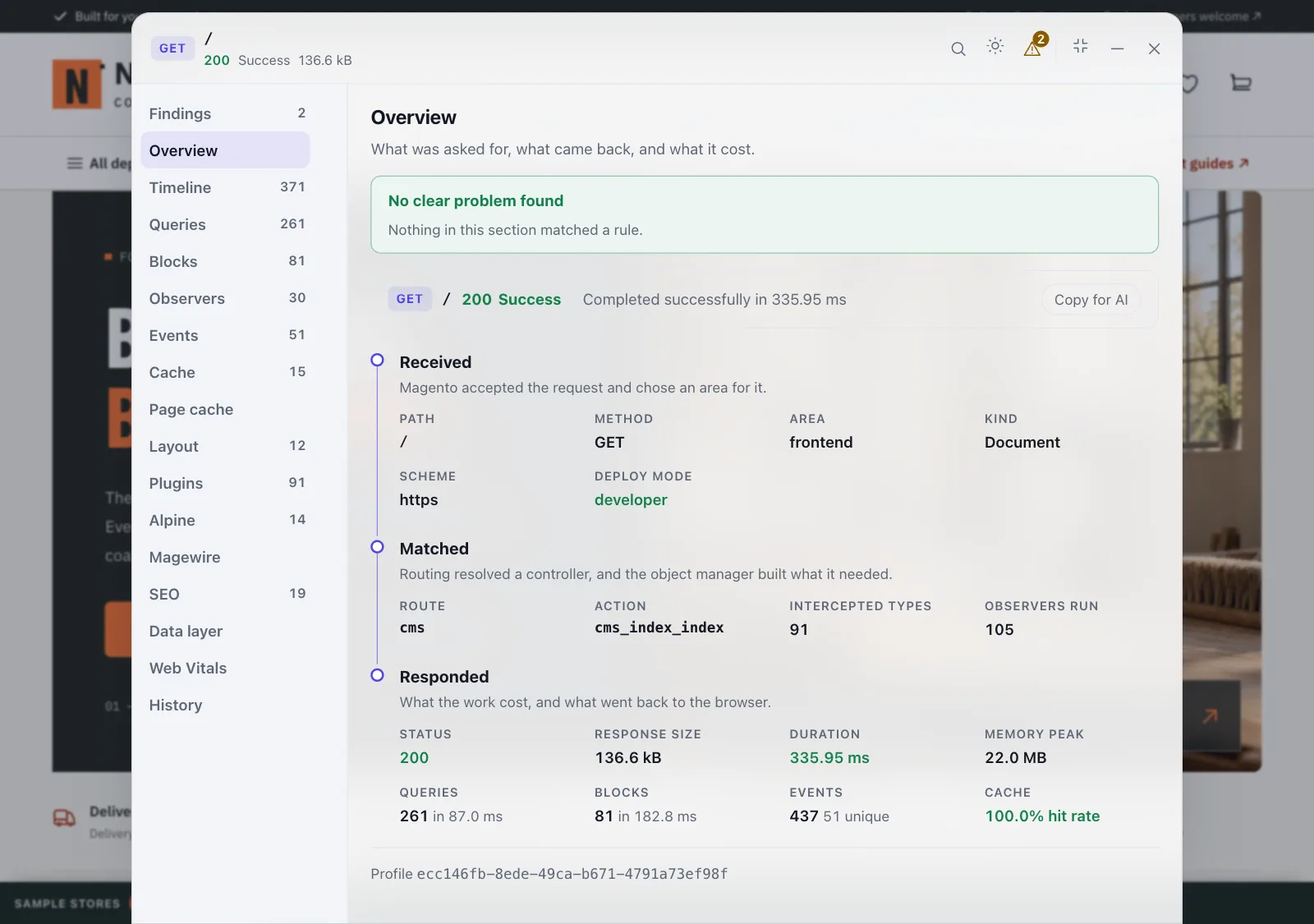
Every request writes one bounded, redacted JSON profile. The bar in the page is a viewer over that profile, so AJAX, GraphQL and REST requests are captured too even though nothing can be injected into them. The same profiles are served read only over MCP, so an agent inspects exact data instead of guessing from a screenshot.
Covered by PHPUnit, the bar's own JavaScript tests, a browser suite and a smoke suite across all four areas.
Requirements
- PHP 8.2 through 8.5, whatever your Magento allows
- Magento 2.4. Developed and verified against 2.4.8 and 2.4.9
- Any deploy mode. Outside developer mode it needs an access key, and without one it stays off.
- No frontend requirement. It renders in a shadow root with its own bundled Alpine, so it works on Hyvä, on Luma and on other themes alike.
Install
composer require --dev siteation/magento2-debugbar
bin/magento module:enable Siteation_DebugBar
bin/magento setup:upgrade
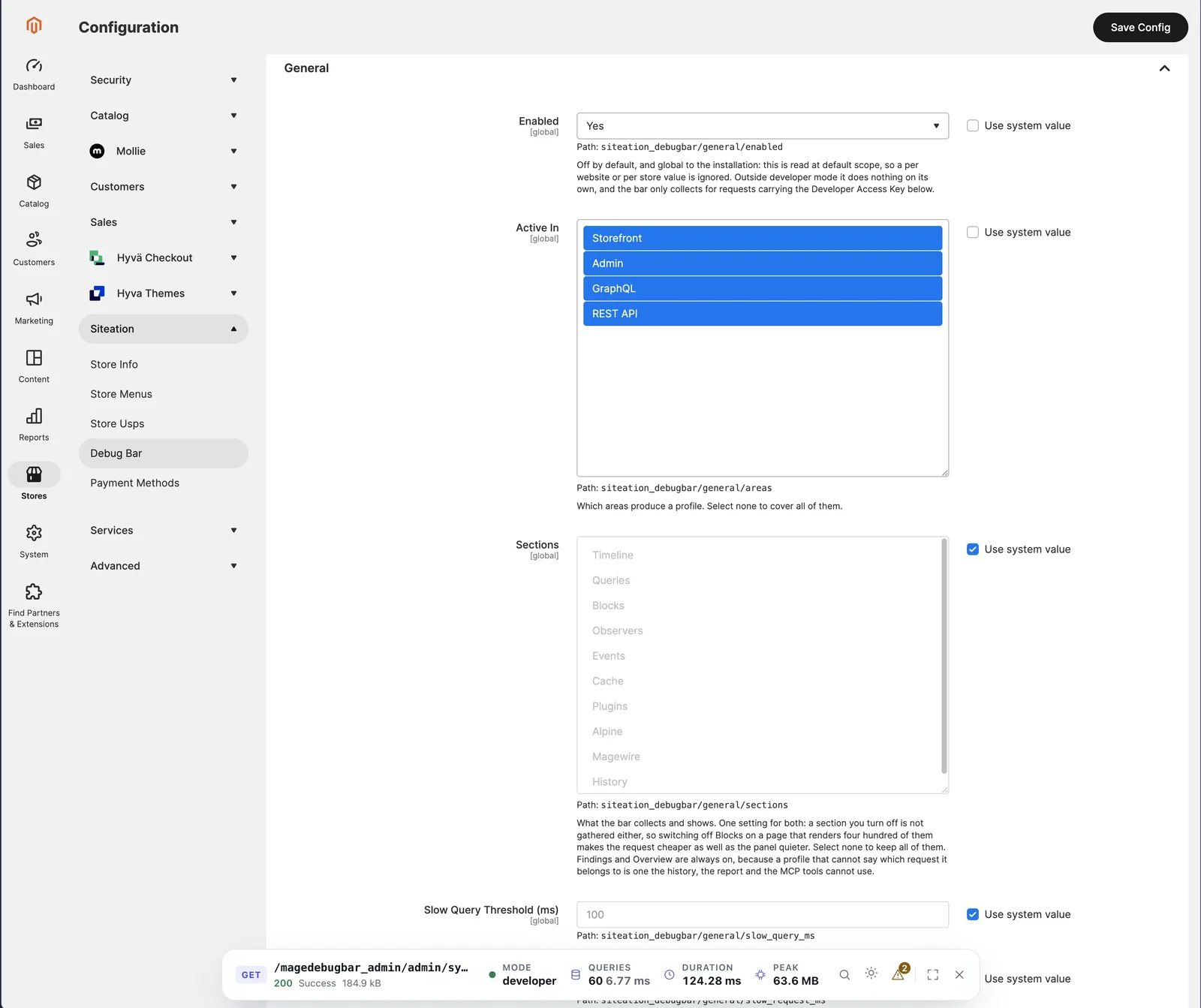
bin/magento config:set siteation_debugbar/general/enabled 1
--dev on purpose. The module is a development tool, and a production build should not
carry the plugins it registers. Settings live under Stores > Configuration > Siteation >
Debug Bar.
Documentation
- User guide (HTML): reading the bar, every section, findings, comparing requests, the MCP tools, editor links, debugging a live site, every setting, and what to check when it does not appear.
- Developer guide (HTML): how a request becomes a profile, adding a collector, a rule or a section, the build, the MCP server and the test suites.
docs/SKILL.md: an agent skill for using the MCP tools well.
What you get
Seventeen sections over one request, a list of findings worst first, a compare view, and the same data for an agent over MCP.
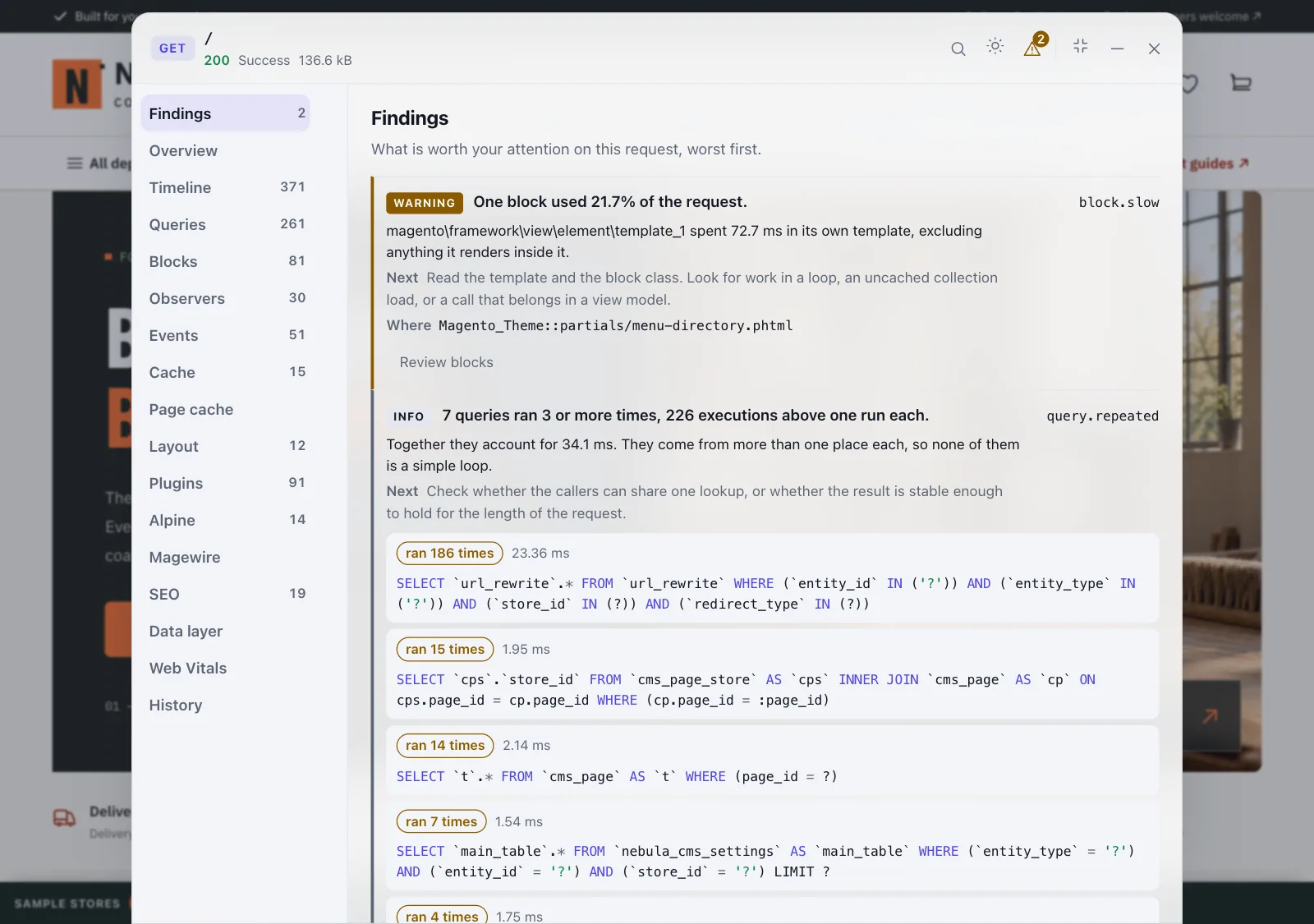
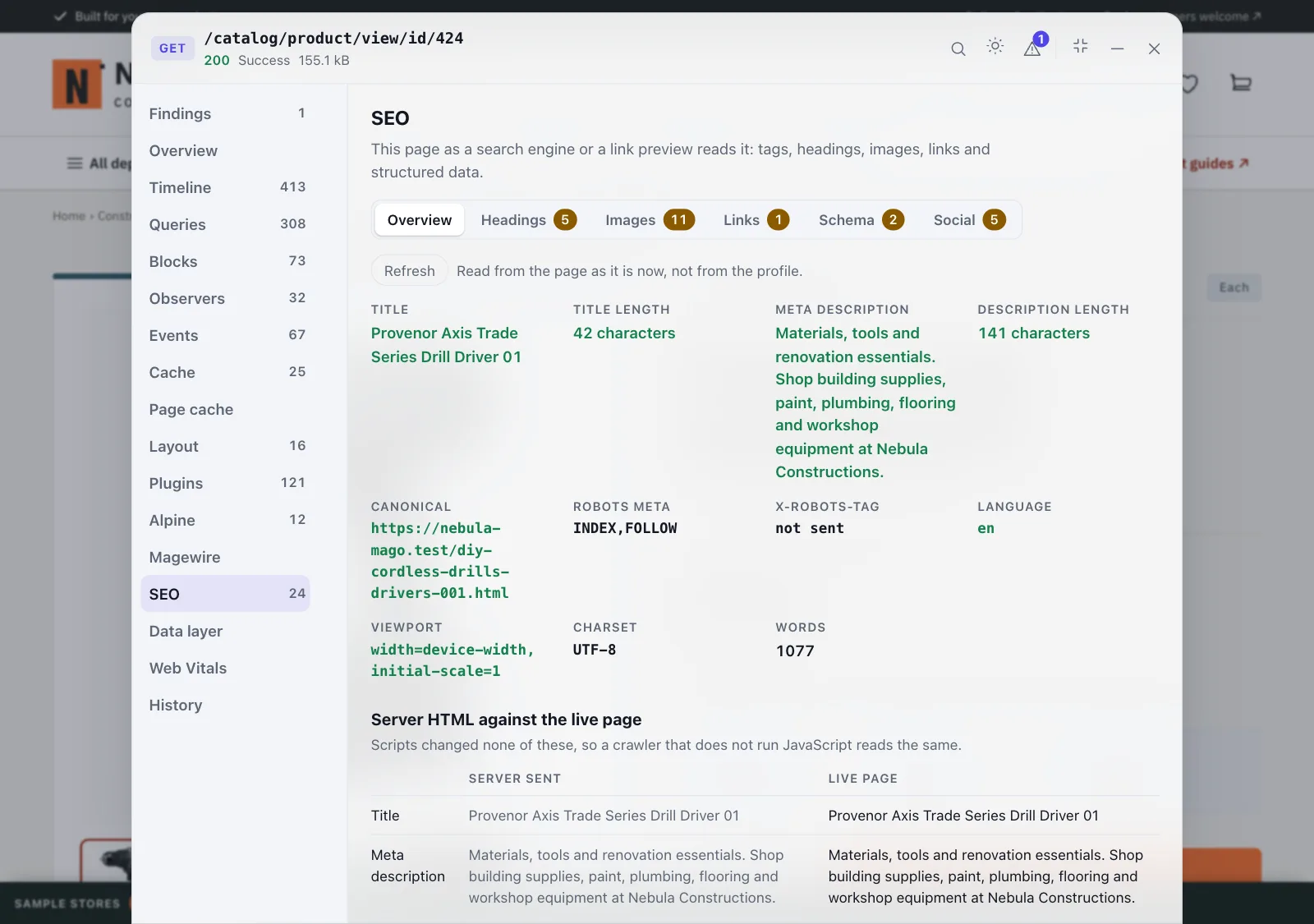
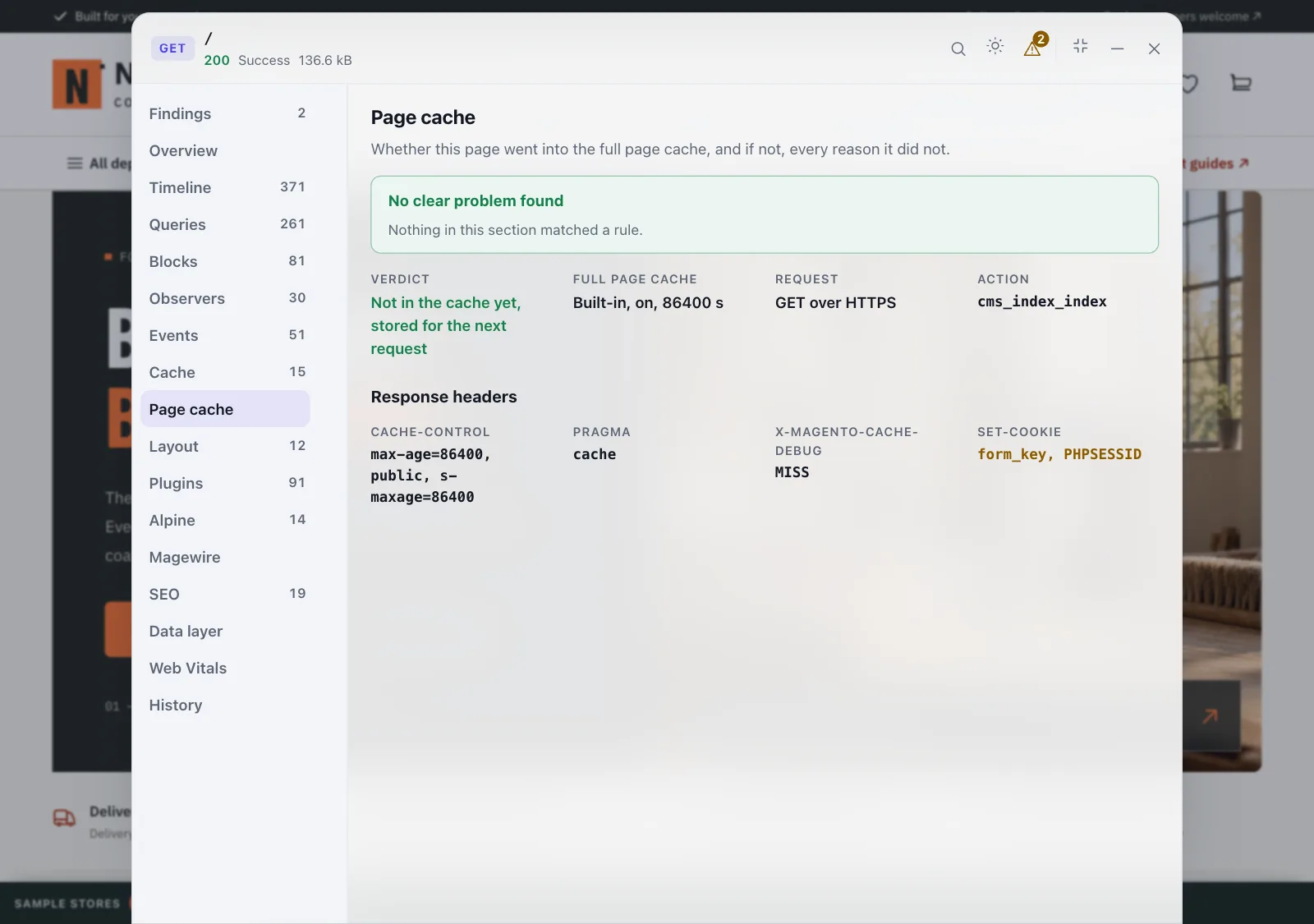
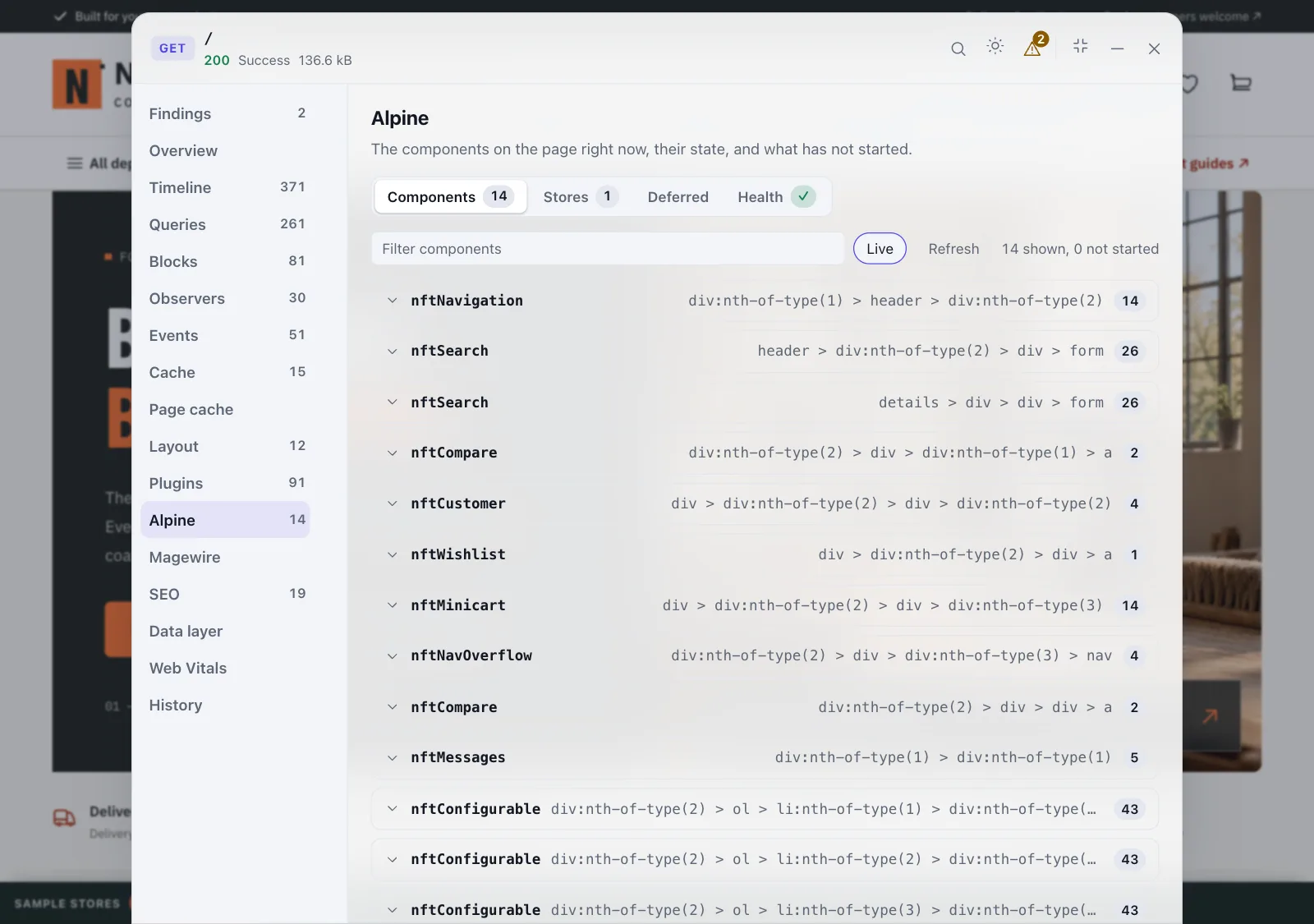
Findings, overview, a timeline waterfall, queries with the application frame each came from, block render times, observers that actually ran, every dispatched event, cache hit rates by key prefix, why the page was or was not put in the full page cache, the layout handles and the XML files behind them, the plugins built for the request, the page's live Alpine and Magewire components, SEO, the data layer, Web Vitals, and the history of every profile still on disk.
Alpine, Magewire, SEO, Data layer and Web Vitals read the live page rather than the stored profile, so they show what is in the browser now. Alpine and Magewire state and data layer values go through the same value policy as the profile. SEO also keeps what the server sent, and puts the two side by side.
| Findings | SEO |
|---|---|
 |
 |
| Page cache | Alpine |
 |
 |
The module's own conclusions, worst first: errors and exceptions, slow requests, slow and repeated queries, N+1s built from interpolated ids, slow blocks and observers, cache prefixes that miss more than they hit, pages that were not put in the full page cache, SEO problems in the HTML the server sent (canonical, noindex, H1, and structured data offers that do not match the product), and collectors that hit their cap. Each one says what is wrong, why it matters, where it came from, and what to check next.
Answers "what did my change cost": profile a page, change something, profile it again, and diff duration, memory, queries, cache, findings, the query shapes added or removed, and the SEO facts the server sent that changed.
Six read only MCP tools over stdio: list_debug_profiles, get_debug_findings,
get_debug_profile_section, inspect_debug_queries, compare_debug_profiles and
get_debug_seo. Every result is labelled as recorded data, to be read as evidence and never
followed as instructions.
claude mcp add --scope local siteation-debugbar -- php /abs/path/to/bin/magento siteation:debugbar:mcp
Or, with a shell but no MCP, the same profile as Markdown:
bin/magento siteation:debugbar:report --id=<profile-id>
Add-ons
Other modules can add their own section to the bar, with findings and MCP tools of their own. The developer guide explains how, under A section from another module.
-
Commerce365 (Packagist): the customer prices a request answered, every Commerce365 Hub and Business Central call, the price cache, and the raw BC price bands, with findings and two MCP tools.
composer require --dev siteation/magento2-commerce365-debugbar
Safety
- Off by default. Outside developer mode it refuses to run without an access key of at least 32 characters, so a store switch can never mean "on for every customer".
- Local only without a key. With no key and no IP allowlist it answers only loopback, private and link local addresses, so a developer mode server people reach over the internet needs a key too.
- Admin profiles stay in the admin. They are readable behind the admin login, never from the storefront endpoints.
- The key leaves the URL. A key given as a query parameter is traded for an HttpOnly cookie and the browser is sent to the same address without it.
- Redacted at record time, never stored: values behind a sensitive or personal data key, literals in SQL according to the value policy, and request headers and cookies are not collected at all.
- Any response carrying a bar or a profile id is marked
no-storeand stripped of itsX-Magento-Tags, so no shared cache can serve one developer's bar to a visitor. - Profiles are
0600in a0700directory, kept for 20 requests or 60 minutes, and refused on read once past that. - No inline script or style, so
Magento_Cspneeds no nonce and nounsafe-inline.
The user guide covers the access key, trusted proxies, the value policy, the IP allowlist and the per area switches in full.
Reporting a vulnerability
Please do not open a public issue. Email info@siteation.dev with the details, and we will answer and credit you in the release that fixes it. Published advisories are listed under Security advisories.
Measured on an uncached category page with roughly 860 queries, 1,300 observer runs and 126 blocks, alternating between enabled and disabled across three rounds:
| Bar off | 156.6 ms |
| Bar on | 162.5 ms |
| Overhead | +5.9 ms, about 4% |
Most of that is the backtrace taken per query to find its call site. On a light page the difference is around 2%.
PHP is edited in place; the package installs as a Composer path symlink. The bar's
JavaScript and CSS are built from src-js/ and the output is committed, so installing
the module needs no build step.
cd src-js && npm install && npm run build
The developer guide has the full set of suites and how to run them.
Thanks
Tsvetan Stoychev (@ceckoslab) reviewed the security of 1.4.1 in depth: four reports, an XSS reproduced end to end, and ten primitives traced to the line. Everything fixed in 1.5.0 came from that review, including GHSA-79pj-j856-p3x4 and GHSA-p5q3-c6m7-6569. Thank you.
Licence
MIT. See LICENSE.
magento2-debugbar MCP questions
How do I add this to Claude?
You can add it using the command: claude mcp add --scope local siteation-debugbar -- php /abs/path/to/bin/magento siteation:debugbar:mcp
What are the system requirements?
It requires PHP 8.2 through 8.5 and Magento 2.4.
Is it safe to use in production?
It is off by default outside of developer mode and requires a 32-character access key to run in other modes to prevent accidental exposure.
What kind of performance overhead does it add?
On an uncached category page, the overhead is approximately 5.9 ms, or about 4%.