
Roblox Studio Bridge MCP server
Commit Oct 21, 2026Connects coding agents to Roblox Studio to inspect hierarchies, generate terrain, write Luau code, and coordinate playtests.
Also known as ShiroKSH/skills
- Stars
- 7
- Tools
- —
- Downloads, 30 days
- —
- Latest version
- —
- Last commit
- Oct 21, 2026
- License
- MIT
What is Roblox Studio Bridge MCP?
Roblox Studio Bridge connects coding agents to Roblox Studio to inspect hierarchies, generate terrain, write Luau code, and coordinate playtests.
Summary generated from the project's README
About Roblox Studio Bridge MCP server
Connecting coding agents like Claude Code, Cursor, or Gemini CLI to Roblox Studio allows developers to automate game development tasks directly from their IDE. This MCP server acts as a bridge that enables an AI to inspect the game hierarchy, generate terrain and geometry, and write scoped Luau code. It is designed for developers who want to move from initial blockouts to interactive, playable environments using a structured workflow of scene specifications and validation.
To use this server, you must install the Roblox Studio Bridge plugin and enable HTTP requests in your Studio place. The connection is secured via a locally generated token that you paste into the plugin panel. The setup requires Node.js 20 or newer and runs as a stdio MCP server. The agent can perform complex operations such as mirroring code to Rojo, running playtests, and capturing viewport images to verify visual changes. All modifications made by the agent use Studio undo recording to ensure safety during the iterative build process.
What you can do with it
- 1Automated Map GenerationAn agent can build a graybox environment by drafting a SceneSpec and applying it to the workspace.
- 2Code and Geometry ValidationDevelopers can instruct an AI to validate the geometry of a map and check for playability.
- 3Visual Verification via CapturesYou can ask the AI to take screenshots of the viewport to check the visual progress of a build.
- 4Interactive PlaytestingThe agent can execute runtime tests in Studio to exercise project code and check gameplay behavior.
Written from the project's README. Every use case is checked against a quote from it.
Automated checks
Ran Nov 15, 2026Full report →Not verified yet. A server needs a score of 80, no serious finding, and enough data for us to check. How checks work · What to fix for more points

- Source repository linked and reachableshiroksh/skills is public and reachablegithub.com/shiroksh/skills ↗Pass
- Package names this repository as its sourceNot checked
- Build provenance (Sigstore attestation)Not checked
- Open source license (OSI)MITspdx.org/licenses/MIT.html ↗Pass
- Commit or release in the last yearLast commit or release 2026-10-21github.com/shiroksh/skills ↗Pass
- OpenSSF ScorecardNot checked
- Package name not close to a popular packageNot checked
- No critical advisory in the package or its dependenciesNot checked
- No hidden instructions to the model0 tool descriptions and the README read; no override phrases, credential paths or hidden charactersPass
- Destructive tools are labelledNot checked
- Remote endpoint answers the MCP handshakeNot checked
README
View on GitHubSkills
roblox-studio connects Claude Code, Codex, Cursor, Gemini CLI, and other coding agents to the place open in Roblox Studio.
The agent can inspect the hierarchy, draft a SceneSpec, create terrain and geometry, write scoped Luau, patch generated instances, mirror code to Rojo, validate the map, and coordinate playtests. Studio changes use Undo recording and new builds stay under Workspace/MapDrafts.
Prompt -> inspect -> SceneSpec -> dry run -> apply -> validate -> playtest
Install
Claude Code
The marketplace plugin includes the skill and starts the local MCP server:
/plugin marketplace add ShiroKSH/skills
/plugin install roblox-studio@skills
Codex
npx skills add ShiroKSH/skills -g
codex mcp add roblox-studio -- npx -y github:ShiroKSH/skills
Restart Codex after adding the MCP server.
Cursor, Copilot, Gemini CLI, and other hosts
Install the skill:
npx skills add ShiroKSH/skills -g
Add the bridge as a stdio MCP server:
{
  "mcpServers": {
    "roblox-studio": {
      "command": "npx",
      "args": ["-y", "github:ShiroKSH/skills"]
    }
  }
}
Requirements: Node.js 20 or newer and Roblox Studio.
Install the Studio plugin
Download RobloxStudioBridge.rbxm from the latest release and put it in %LOCALAPPDATA%\Roblox\Plugins on Windows or ~/Documents/Roblox/Plugins on macOS. Restart Studio after installing or updating it.
To build from source, install Rokit, then run:
git clone https://github.com/ShiroKSH/skills.git
cd skills
rokit install
npm install
npm run install:plugin
The command builds dist/RobloxStudioBridge.rbxm with Rojo and copies it into the local Roblox plugins directory on Windows or macOS. The project pins Rojo and Lune in rokit.toml.
Manual fallback: run npm run build:plugin, then copy the .rbxm file into %LOCALAPPDATA%\Roblox\Plugins on Windows or ~/Documents/Roblox/Plugins on macOS.
Connect Studio
- Enable HTTP requests for the place.
- Open the
Roblox Studio Bridgeplugin panel. - Keep host
127.0.0.1and port3765. - Paste the token printed by the MCP server and select
Connect. - Run
studio_pingfrom the agent.
The token is generated locally, is never a Roblox credential, is not persisted by the plugin, and is cleared from the panel after connection. Set ROBLOX_STUDIO_BRIDGE_TOKEN only when a stable local token is needed.
The panel reconnects after a server restart while the token stays the same. If the server generates a new token, select Connect with that token. Only one Studio session can own a bridge connection. Update the server and the plugin together.
What the bridge exposes
- Bounded hierarchy and property inspection.
- SceneSpec map builds and graybox passes.
- Terrain generation through Studio APIs.
- Batched create, set, ensure, and delete operations inside managed roots.
- Camera control and viewport raycast probes for visual checks.
- Doors, buttons, elevators, teleporters, checkpoints, and scoped runtime scripts.
- Geometry validation, map-readiness contracts, trusted ModuleScript tests in actual Run or Play mode, and Studio output.
- Private binary model backups and native viewport-only PNG captures.
- Rojo projects under
generated/rojo/<mapName>whencodegen.targetisrojoorboth.
The full MCP tool list and protocol are documented in docs/protocol.md. SceneSpec fields are defined in docs/scene-spec.schema.json.
Map workflow
- Run
studio_pingand inspect the relevant place hierarchy. - Build a SceneSpec rooted at
Workspace/MapDrafts. - Run
map_apply_scene_specwithdryRun=true. - Review the target root, object count, touched services, scripts, filesystem writes, terrain, and risks.
- Apply with
dryRun=false. - Run
map_validateon the returned map root with strict geometry enabled. - Run
map_readiness_checkfor playable builds. - Inspect several camera angles, playtest interactions, read Studio output, and patch concrete failures.
Start with examples/simple-obby.scene.json for a minimal spec or examples/vertical-bazaar.scene.json for a layered map. Every apply writes a filesystem manifest under logs/manifests/ and a SceneManifest value under the generated map root.
Gameplay Example
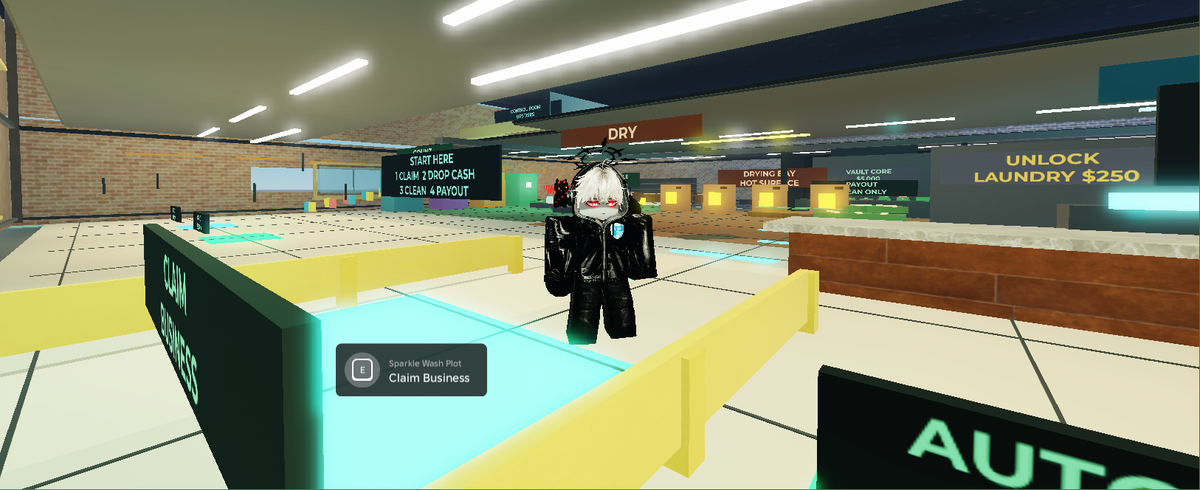
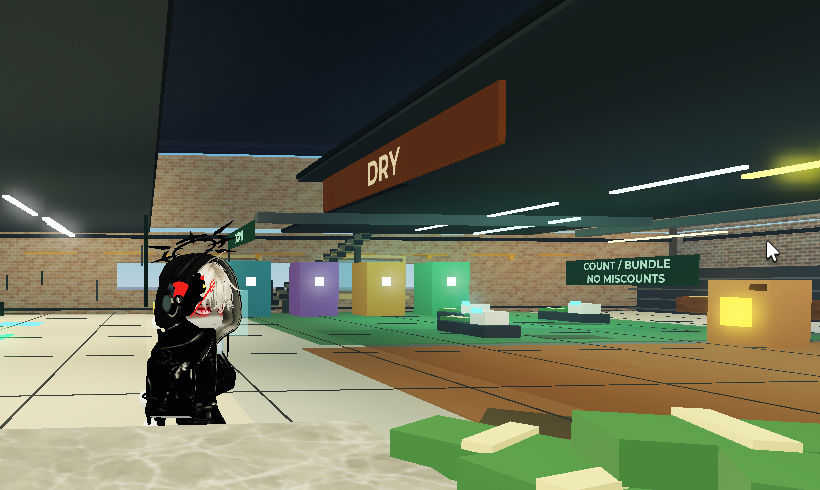
Cash Cleaner contains the server runtime, production-state logic, and executable tests from a real tycoon map. The example fixes abandoned ownership, lost in-process inventory, and duplicate completion payouts, then adds live station countdowns and next-step feedback. Eight gameplay checks passed in Studio through MCP with 13 active prompts and four station displays.
Use studio_export_model to save a managed build root under generated/exports before a repair. Use studio_run_test with a reviewed test ModuleScript and confirmToken="RUN_STUDIO_TEST" to exercise behavior. Tests execute project code, not sandboxed code.
For images, select Allow viewport capture in the plugin panel once, then call studio_capture_viewport. Images stay under generated/captures. The tool never opens permission dialogs or captures desktop panels. Check in-world text before publishing a frame.
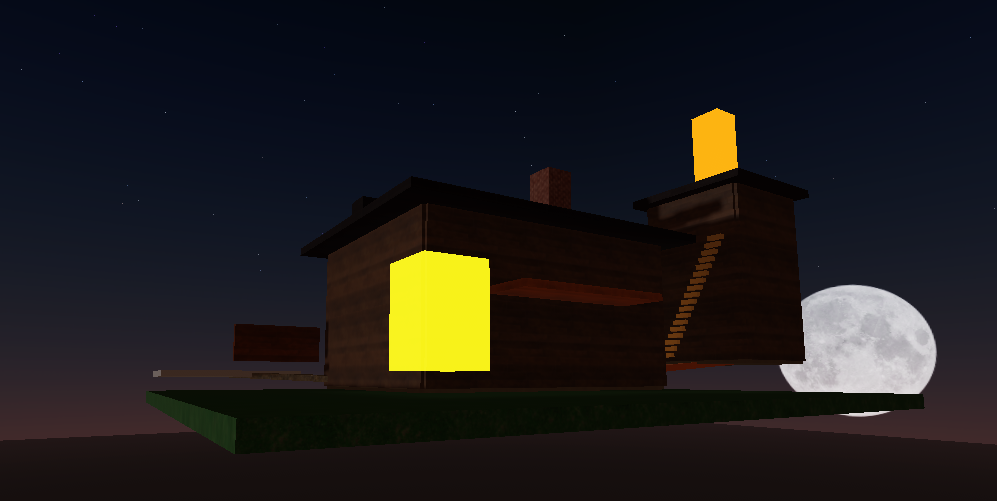
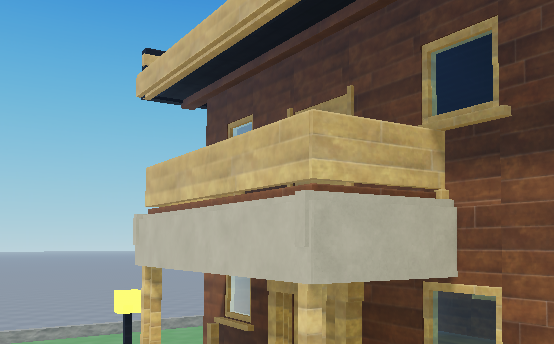
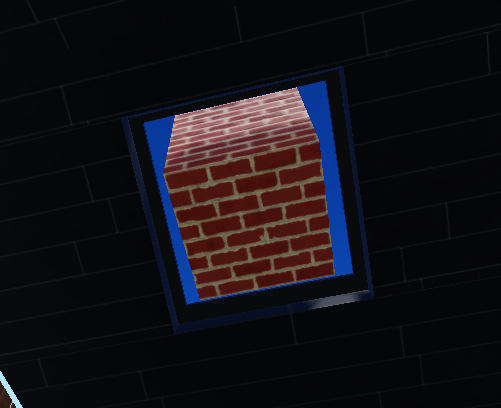
Build evolution
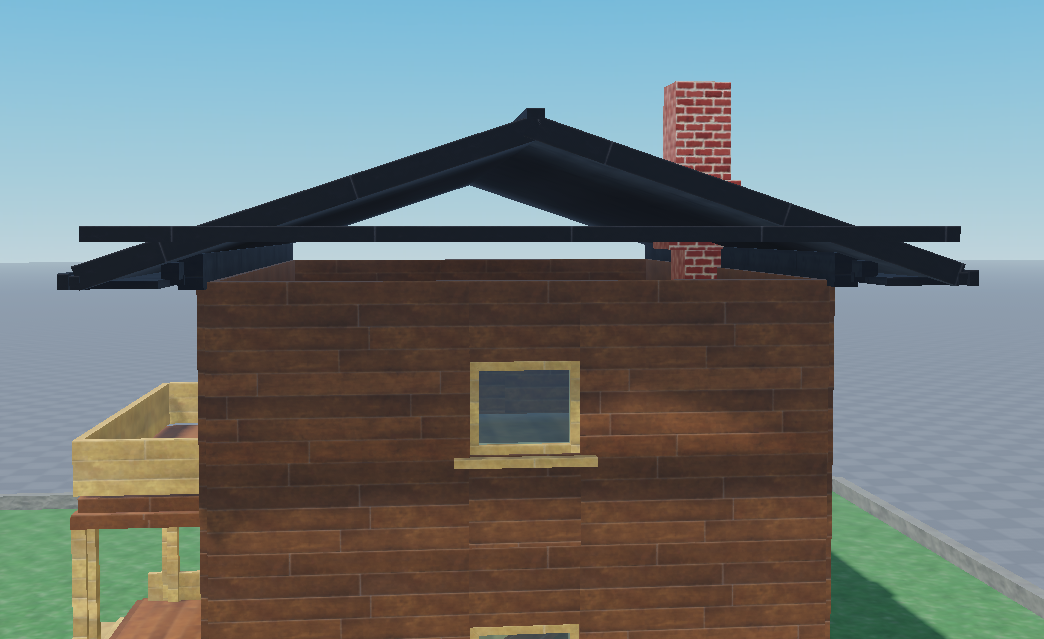
These are cropped Roblox viewport frames from real iterations. Desktop chrome, chats, usernames, paths, tokens, and unrelated files are excluded.
| V1 first pass | V4 exterior pass |
|---|---|
 |
|
| V4 balcony | V4 window and chimney |
|---|---|
 |
 |
Safety
- The HTTP bridge binds to loopback only; the Studio plugin rejects non-loopback hosts.
- Every plugin endpoint except minimal health status requires the shared token.
- Poll credentials are sent in a POST body, not a URL.
- Dangerous Luau execution is disabled by default and filtered again in Studio.
- Deletes require
DELETE_MAP_DRAFTSand remain limited to managed build roots. - External asset IDs require an explicit allowlist.
- Command logs redact tokens, source, code, cookies, passwords, and confirmation values.
- Studio changes use
ChangeHistoryServicerecording with a waypoint fallback.
See docs/safety.md for the full boundary.
Final result
The same workflow can move from an early blockout to a connected, interactive Roblox place, then keep repairing it from validation and playtest feedback:
| Latest playtest | Latest station detail |
|---|---|
 |
 |
Development
npm install
rokit install
npm run check
npm run validate:skill
npm run test:plugin
npm run test:example
check runs the TypeScript build and HTTP/tool tests. test:plugin builds the .rbxm, compiles its Luau modules, and runs scene and transport regressions in Lune. It does not replace an in-Studio visual or playtest check.
Pull requests receive automatic reviews from CodeRabbit and Sourcery. GitHub CodeQL scans JavaScript and TypeScript changes, while Dependabot opens grouped weekly dependency updates and immediate security-fix PRs. Automated suggestions still need to be verified against the tests and the Roblox Studio safety boundaries.
More detail: Contributing, Protocol, Safety, Troubleshooting, and Changelog.
Roblox Studio Bridge MCP questions
How do I connect the MCP server to Roblox Studio?
Enable HTTP requests in your place, open the Roblox Studio Bridge plugin panel, keep the host as 127.0.0.1 and port 3765, then paste the token generated by the MCP server.
Is the connection token a Roblox credential?
No, the token is generated locally, is not a Roblox credential, is not persisted by the plugin, and is cleared from the panel after connection.
What are the system requirements for the bridge?
You need Node.js version 20 or newer and Roblox Studio installed.
Can the agent write code for my Roblox project?
Yes, the agent can write scoped Luau, patch generated instances, and mirror code to Rojo.