
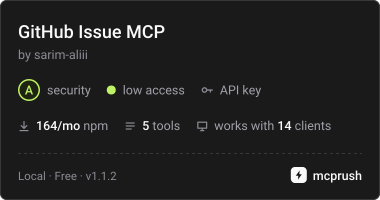
Converts natural-language bug reports into structured GitHub issues while using semantic analysis to detect existing duplicates.
Also known as sarim-aliii/github-issue-mcp, github-issue-mcp
- Stars
- 0
- Tools
- —
- Downloads, 30 days
- —
- Latest version
- 1.1.2
- Last commit
- Oct 22, 2026
- License
- —
What is GitHub Issue MCP Assistant MCP?
GitHub Issue MCP Assistant converts natural-language bug reports into structured GitHub issues while using semantic analysis to detect existing duplicates.
Summary generated from the project's README
About GitHub Issue MCP Assistant MCP server
Converting natural language bug reports into structured GitHub issues is the primary function of this MCP server. It is designed for developers and maintainers who want to automate issue management without losing control over their repository. The system uses Google Gemini to perform semantic analysis, which allows it to distinguish between true duplicates and issues that merely share common keywords like login or crash.
Users interact with the server via an MCP-compatible client using stdio. To function, the setup requires a GitHub personal access token, a GitHub repository owner, a repository name, and a Gemini API key. The server is available as an npm package that can be run using npx or embedded into other Node.js applications.
A key safety feature is the separation of AI reasoning from GitHub write operations. While Gemini can use tools like generate_issue and check_duplicate_issue to analyze data, it is intentionally restricted from using the create_github_issue tool. This ensures that a human must review and approve the final structured issue before any changes are made to the GitHub repository.
What you can do with it
- 1Detecting duplicate bug reportsAn AI client can check if a new bug report describes a problem that has already been submitted to the repository.
- 2Structuring messy bug descriptionsA developer can provide a brief description of a problem and have the AI generate a formal issue with reproduction steps and expected behavior.
- 3Validating repository labelsThe system can retrieve and validate existing labels to ensure new issues are categorized correctly.
- 4Preventing unauthorized repository writesMaintainers can use the server to ensure that an autonomous agent never creates an issue without explicit human consent.
Written from the project's README. Every use case is checked against a quote from it.
How to install GitHub Issue MCP Assistant MCP
Formats verified 10 Nov 2026Add to CursorAdd to GooseInstall GitHub Issue MCP Assistant MCP in Claude Code
$ claude mcp add --env 'GEMINI_API_KEY=<YOUR_GEMINI_API_KEY>' --env 'GITHUB_TOKEN=<YOUR_GITHUB_TOKEN>' --env 'GITHUB_OWNER=<GITHUB_OWNER>' --env 'GITHUB_REPO=<GITHUB_REPO>' github-issue-mcp -- npx -y github-issue-mcpInstall GitHub Issue MCP Assistant MCP in Cursor
~/.cursor/mcp.json
{
  "mcpServers": {
    "github-issue-mcp": {
      "command": "npx",
      "args": [
        "-y",
        "github-issue-mcp"
      ],
      "env": {
        "GEMINI_API_KEY": "<YOUR_GEMINI_API_KEY>",
        "GITHUB_TOKEN": "<YOUR_GITHUB_TOKEN>",
        "GITHUB_OWNER": "<GITHUB_OWNER>",
        "GITHUB_REPO": "<GITHUB_REPO>"
      }
    }
  }
}Install GitHub Issue MCP Assistant MCP in VS Code
.vscode/mcp.json
{
  "servers": {
    "github-issue-mcp": {
      "type": "stdio",
      "command": "npx",
      "args": [
        "-y",
        "github-issue-mcp"
      ],
      "env": {
        "GEMINI_API_KEY": "<YOUR_GEMINI_API_KEY>",
        "GITHUB_TOKEN": "<YOUR_GITHUB_TOKEN>",
        "GITHUB_OWNER": "<GITHUB_OWNER>",
        "GITHUB_REPO": "<GITHUB_REPO>"
      }
    }
  }
}Install GitHub Issue MCP Assistant MCP in VS Code CLI
$ code --add-mcp '{"name":"github-issue-mcp","type":"stdio","command":"npx","args":["-y","github-issue-mcp"],"env":{"GEMINI_API_KEY":"<YOUR_GEMINI_API_KEY>","GITHUB_TOKEN":"<YOUR_GITHUB_TOKEN>","GITHUB_OWNER":"<GITHUB_OWNER>","GITHUB_REPO":"<GITHUB_REPO>"}}'Install GitHub Issue MCP Assistant MCP in Claude Desktop
claude_desktop_config.json
{
  "mcpServers": {
    "github-issue-mcp": {
      "command": "npx",
      "args": [
        "-y",
        "github-issue-mcp"
      ],
      "env": {
        "GEMINI_API_KEY": "<YOUR_GEMINI_API_KEY>",
        "GITHUB_TOKEN": "<YOUR_GITHUB_TOKEN>",
        "GITHUB_OWNER": "<GITHUB_OWNER>",
        "GITHUB_REPO": "<GITHUB_REPO>"
      }
    }
  }
}Install GitHub Issue MCP Assistant MCP in Codex
$ codex mcp add github-issue-mcp --env 'GEMINI_API_KEY=<YOUR_GEMINI_API_KEY>' --env 'GITHUB_TOKEN=<YOUR_GITHUB_TOKEN>' --env 'GITHUB_OWNER=<GITHUB_OWNER>' --env 'GITHUB_REPO=<GITHUB_REPO>' -- npx -y github-issue-mcpInstall GitHub Issue MCP Assistant MCP in Codex config.toml
~/.codex/config.toml
[mcp_servers.github-issue-mcp]
command = "npx"
args = ["-y", "github-issue-mcp"]

[mcp_servers.github-issue-mcp.env]
GEMINI_API_KEY = "<YOUR_GEMINI_API_KEY>"
GITHUB_TOKEN = "<YOUR_GITHUB_TOKEN>"
GITHUB_OWNER = "<GITHUB_OWNER>"
GITHUB_REPO = "<GITHUB_REPO>"
Install GitHub Issue MCP Assistant MCP in Gemini CLI
$ gemini mcp add -s user -e 'GEMINI_API_KEY=<YOUR_GEMINI_API_KEY>' -e 'GITHUB_TOKEN=<YOUR_GITHUB_TOKEN>' -e 'GITHUB_OWNER=<GITHUB_OWNER>' -e 'GITHUB_REPO=<GITHUB_REPO>' github-issue-mcp npx -- -y github-issue-mcpInstall GitHub Issue MCP Assistant MCP in Gemini settings.json
~/.gemini/settings.json
{
  "mcpServers": {
    "github-issue-mcp": {
      "command": "npx",
      "args": [
        "-y",
        "github-issue-mcp"
      ],
      "env": {
        "GEMINI_API_KEY": "<YOUR_GEMINI_API_KEY>",
        "GITHUB_TOKEN": "<YOUR_GITHUB_TOKEN>",
        "GITHUB_OWNER": "<GITHUB_OWNER>",
        "GITHUB_REPO": "<GITHUB_REPO>"
      }
    }
  }
}Configuration
GEMINI_API_KEYRequiredSecretGoogle Gemini API key used for AI-powered issue generation and semantic duplicate analysis.
GITHUB_TOKENRequiredSecretGitHub personal access token used to access the configured repository.
GITHUB_OWNERRequiredGitHub repository owner or organization.
GITHUB_REPORequiredGitHub repository name.
GEMINI_MAX_RETRIESGEMINI_MODELGEMINI_RETRY_BASE_DELAY
Automated checks
Ran Nov 14, 2026Full report →Passed our automated checks. That is not a security audit: read the code and give the server the narrowest access it needs. How checks work · What to fix for more points

- Source repository linked and reachablesarim-aliii/github-issue-mcp is public and reachablegithub.com/sarim-aliii/github-issue-mcp ↗Pass
- Package names this repository as its sourceNot checked
- Build provenance (Sigstore attestation)No build attestation published for this releaseNot checked
- Open source license (OSI)No licenseFinding
- Commit or release in the last yearLast commit or release 2026-10-22github.com/sarim-aliii/github-issue-mcp ↗Pass
- OpenSSF ScorecardNot checked
- Package name not close to a popular packageNo popular package one edit away from github-issue-mcpPass
- No critical advisory in the package or its dependencies162 resolved dependencies checked; no critical advisoryosv.dev ↗Pass
- No hidden instructions to the model0 tool descriptions and the README read; no override phrases, credential paths or hidden charactersPass
- Destructive tools are labelledNot checked
- Remote endpoint answers the MCP handshakeNot checked
README
View on GitHubGitHub Issue MCP Assistant



An AI-powered GitHub issue management system built with Model Context Protocol (MCP), Google Gemini, TypeScript, and the GitHub REST API.
GitHub Issue MCP turns a short natural-language bug report into a structured GitHub issue while intelligently checking for existing duplicates before anything is created.
The project demonstrates a controlled agentic workflow where Gemini can reason and use MCP tools, while persistent GitHub write operations remain explicitly controlled by the application and the user.
The MCP server is also packaged as a reusable npm package so it can be embedded into other Node.js applications or launched directly as an MCP stdio server.
✨ Features
- 🤖 AI-powered issue generation using Google Gemini
- 🔍 Duplicate issue detection
- 🧠 Semantic duplicate analysis instead of relying only on keyword matching
- 📝 Interactive collection of additional issue details
- 🏷️ Repository label retrieval and validation
- 👤 Human approval before issue creation
- 🔐 Prevents the autonomous AI agent from directly creating GitHub issues
- 🔄 Automatic retry handling for temporary Gemini API failures
- 🚦 Daily Gemini quota detection without unnecessary retries
- ⚙️ Configurable Gemini model and retry behavior
- 🧪 Comprehensive unit, workflow, and integration tests
- 📦 Reusable MCP server architecture
- 🔌 Published npm package
- 🚀 Executable
github-issue-mcpMCP CLI - 🌐 Published to the official MCP Registry
- 🛡️ Phase-restricted AI tool access
- 🔗 Separation between AI reasoning and external GitHub operations
📦 Installation
Install from npm
npm install github-issue-mcp

The package is available on npm as:

github-issue-mcp

Current release:

v1.1.2
🚀 Quick Start
Run as an MCP server

The package exposes an executable MCP server CLI.

npx -y github-issue-mcp

The server communicates using MCP over stdio.

This is the recommended approach when configuring the server in an MCP-compatible client.

🔌 MCP Client Configuration

GitHub Issue MCP can be used with any MCP-compatible client that supports stdio servers.

Using npx

The simplest configuration uses the published npm package:

{
  "mcpServers": {
    "github-issue-mcp": {
      "command": "npx",
      "args": [
        "-y",
        "github-issue-mcp"
      ],
      "env": {
        "GITHUB_TOKEN": "YOUR_GITHUB_TOKEN",
        "GITHUB_OWNER": "YOUR_GITHUB_OWNER",
        "GITHUB_REPO": "YOUR_GITHUB_REPO",
        "GEMINI_API_KEY": "YOUR_GEMINI_API_KEY"
      }
    }
  }
}

The MCP client starts:

npx -y github-issue-mcp

and communicates with the server over stdio.

⚙️ Configuration

Create a .env file when running the project locally.

GITHUB_TOKEN=your_github_token
GITHUB_OWNER=your_github_username
GITHUB_REPO=your_repository


GEMINI_API_KEY=your_gemini_api_key


GEMINI_MODEL=gemini-3.6-flash
GEMINI_MAX_RETRIES=3
GEMINI_RETRY_BASE_DELAY=1000


DEBUG=false
Environment variables
Variable	Required	Description	Default
GITHUB_TOKEN	Yes	GitHub API authentication token	Required
GITHUB_OWNER	Yes	GitHub repository owner or organization	Required
GITHUB_REPO	Yes	GitHub repository name	Required
GEMINI_API_KEY	Yes	Google Gemini API key	Required
GEMINI_MODEL	No	Gemini model used by the AI client	gemini-3.6-flash
GEMINI_MAX_RETRIES	No	Maximum number of Gemini retries	3
GEMINI_RETRY_BASE_DELAY	No	Base retry delay in milliseconds	1000
DEBUG	No	Enables debug behavior/logging	false

Never commit .env, GitHub tokens, or Gemini API keys to Git.

🧩 MCP Tools

The MCP server exposes the following tools:

Tool	Purpose
generate_issue	Generate a structured GitHub issue
create_github_issue	Create an issue on GitHub
list_github_issues	Retrieve open repository issues
list_github_labels	Retrieve repository labels
check_duplicate_issue	Find likely duplicate issue candidates
generate_issue

Generates a structured issue from supplied information.

Inputs
description
reproductionSteps
expectedBehavior
actualBehavior
environment
additionalContext
Example output
{
  "title": "Bug: Login button does not work",
  "body": "## Description\n\nLogin button does not work...",
  "labels": ["bug"]
}
check_duplicate_issue

Retrieves likely duplicate candidates from the repository.

The tool performs inexpensive lexical candidate ranking against existing open issues.

The similarity score is not treated as proof of duplication.

Gemini performs the final semantic analysis.

This keeps the expensive AI reasoning focused on a small candidate set rather than every issue in the repository.

list_github_issues

Retrieves open GitHub issues while filtering out pull requests.

list_github_labels

Retrieves labels available in the repository.

create_github_issue

Creates the final GitHub issue.

This tool is intentionally not exposed to the autonomous Gemini agent.

It is invoked directly by the client only after explicit human approval.

🏗️ Architecture
                         ┌──────────────────┐
                         │      User        │
                         └────────┬─────────┘
                                  │
                                  ▼
                         ┌──────────────────┐
                         │    CLI Client    │
                         └────────┬─────────┘
                                  │
                                  ▼
                    ┌──────────────────────────┐
                    │       MCP Client         │
                    └────────────┬─────────────┘
                                 │
                                 ▼
                    ┌──────────────────────────┐
                    │       MCP Server         │
                    └────────────┬─────────────┘
                                 │
              ┌──────────────────┼──────────────────┐
              │                  │                  │
              ▼                  ▼                  ▼
       Duplicate Check     Issue Generation    GitHub Tools
              │                  │                  │
              ▼                  ▼                  ▼
       Candidate Issues    Proposed Issue      GitHub REST API
              │                  │
              ▼                  ▼
       Gemini Semantic      Human Approval
          Analysis              │
              │                  │
         ┌────┴────┐        ┌────┴────┐
         │         │        │         │
        Yes        No       No       Yes
         │         │        │         │
         ▼         ▼        ▼         ▼
        Stop    Continue   Stop   Create Issue
🔑 Core Design Principle

The most important architectural decision is:

Gemini does not have autonomous access to the GitHub write operation.

The workflow is intentionally divided into controlled phases.

Phase 1
Duplicate Detection
        │
        ▼
Semantic Analysis
        │
        ▼
Phase 2
Collect Details
        │
        ▼
Phase 3
Issue Generation
        │
        ▼
Phase 4
Human Approval
        │
        ▼
Phase 5
GitHub Creation

This provides a clear human-in-the-loop safety boundary around persistent external side effects.

🔄 Workflow

The complete workflow is:

1. User describes an issue
              │
              ▼
2. Retrieve duplicate candidates
              │
              ▼
3. Gemini performs semantic analysis
              │
       ┌──────┴──────┐
       │             │
    Duplicate      No duplicate
       │             │
       ▼             ▼
      Stop    4. Collect additional details
                     │
                     ▼
             5. Gemini generates
                structured issue
                     │
                     ▼
             6. Display proposed issue
                     │
                     ▼
             7. Ask user for approval
                     │
              ┌──────┴──────┐
              │             │
             No            Yes
              │             │
              ▼             ▼
             Stop    8. Client creates
                       GitHub issue
🔍 Duplicate Detection

Duplicate detection is deliberately split into two stages.

Stage 1 — Candidate Retrieval

The MCP tool performs inexpensive lexical similarity/ranking against existing open issues.

For example:

User:


"The search results page crashes when I apply multiple filters."


                    │
                    ▼


          check_duplicate_issue


                    │
                    ▼


Candidate #8


"The search results page crashes
when I apply multiple filters."


Similarity: 0.21

The similarity score is only used to identify potentially relevant candidates.

It is not considered proof of duplication.

Stage 2 — Semantic Analysis

Gemini receives the candidate issues and determines whether any candidate describes the same underlying problem.

Example:

{
  "isDuplicate": true,
  "duplicateIssue": {
    "number": 8,
    "title": "Bug: The search results page crashes when I apply multiple filters.",
    "url": "https://github.com/example/repository/issues/8"
  },
  "reason": "The candidate describes the exact same underlying problem."
}

This prevents unrelated issues from being incorrectly classified as duplicates merely because they share common words such as:

login
page
button
crash
issue
🤖 Agent Workflow

The Gemini agent supports controlled multi-step tool execution.

Available MCP tools are restricted according to the current workflow phase.

Phase 1 — Duplicate Detection

Gemini receives:

check_duplicate_issue

The agent can use this tool to retrieve candidate issues.

It cannot use:

generate_issue
create_github_issue

during this phase.

Phase 3 — Issue Generation

Gemini receives:

list_github_labels
generate_issue

This allows the agent to inspect repository labels and generate the proposed issue.

It still cannot create the GitHub issue.

Phase 5 — Issue Creation

The autonomous Gemini agent does not receive:

create_github_issue

Instead, the application directly invokes the tool after explicit human approval.

🔐 Security Model

The project uses multiple layers to prevent unintended GitHub writes.

1. Phase-Based Tool Exposure

Available tools are restricted depending on the current workflow phase.

Duplicate Phase
      │
      └── check_duplicate_issue
Generate Phase
      │
      ├── list_github_labels
      └── generate_issue
Creation Phase
      │
      └── create_github_issue
             (client-controlled)
2. Autonomous Write Protection

The Gemini agent cannot directly invoke:

create_github_issue

Even if the model attempts to request the tool, the agent workflow rejects the operation.

3. Human Approval

The proposed issue is displayed to the user before creation.

Example:

================================
PROPOSED GITHUB ISSUE
================================


Title:
Bug: Login button does not work with valid credentials.


Labels:
bug


Body:


## Description


Login button does not work with valid credentials.


## Steps to Reproduce


Open login page → enter valid credentials → click Login.


## Expected Behavior


User should be redirected to the dashboard.


## Actual Behavior


Nothing happens after clicking Login.


Create this issue on GitHub? [y/N]:

Only explicit approval proceeds to the GitHub write operation.

👤 Human-in-the-Loop Creation

Issue creation is intentionally controlled by the application.

Gemini
   │
   ▼
Generate Proposed Issue
   │
   ▼
CLI Displays Issue
   │
   ▼
User Approval
   │
   ├── No ──► Stop
   │
   └── Yes
         │
         ▼
Client invokes create_github_issue
         │
         ▼
GitHub

Creating a GitHub issue is a persistent external side effect.

Therefore, the AI proposes the action while the user controls the final write operation.

🔄 Gemini Error Handling

The Gemini client includes retry handling for temporary API failures.

HTTP 429

The system distinguishes between temporary rate-limit errors and exhausted daily quotas.

Temporary 429 errors are retried according to the configured retry policy.

Daily quota exhaustion is detected separately and is not repeatedly retried because additional requests cannot succeed until the quota resets or a different Gemini project/model is used.

HTTP 5xx

Temporary Gemini server-side failures are retried automatically.

Examples include:

500
502
503
504
Retry Configuration

Retry behavior can be configured through environment variables:

GEMINI_MAX_RETRIES=3
GEMINI_RETRY_BASE_DELAY=1000

The retry delay increases between attempts.

Invalid JSON

If an MCP tool expected to return JSON produces malformed output, the agent reports a clear error.

Examples:

generate_issue returned invalid JSON.

or:

check_duplicate_issue returned invalid JSON.

This keeps failures localized and easier to diagnose.

📚 Use as a Library

GitHub Issue MCP is designed to be embedded into another Node.js application.

Create an MCP server
import {
  createGitHubIssueMcpServer
} from "github-issue-mcp/server";


const server = createGitHubIssueMcpServer({
  name: "my-github-issue-server",
  version: "1.0.0"
});

The server factory has no dependency on a specific transport, allowing the MCP server to be reused by different hosts and transports.

Start a stdio server
import {
  startStdioServer
} from "github-issue-mcp/server/stdio";


await startStdioServer();
Start the executable CLI
npx -y github-issue-mcp

The executable starts the reusable MCP server using the stdio transport.

📦 Package Exports

The npm package exposes the following public entry points:

github-issue-mcp
github-issue-mcp/server
github-issue-mcp/server/stdio
Server factory
import {
  createGitHubIssueMcpServer
} from "github-issue-mcp/server";
Stdio server
import {
  startStdioServer
} from "github-issue-mcp/server/stdio";
CLI
npx -y github-issue-mcp
🌐 MCP Registry

GitHub Issue MCP is published to the official MCP Registry.

Registry identifier:

io.github.sarim-aliii/github-issue-mcp

npm package:

github-issue-mcp

Current release:

v1.1.2

The Registry publication allows MCP-compatible ecosystems to discover the server using its official registry identity.

🧪 Testing

The project uses Vitest for automated testing.

The current test suite contains:

12 test files
47 tests
47 passing

Tests cover multiple layers of the application.

GitHub API Tests
tests/github/issues.test.ts

Validates:

GitHub issue retrieval
Pull-request filtering
Label retrieval
Label validation
Empty label handling
GitHub issue creation
GitHub API error handling
MCP Tool Tests
tests/tools/mcp-tools.test.ts

Validates:

MCP tool registration
MCP tool invocation
Tool argument handling
MCP error responses
Issue Generation Tests
tests/tools/generate-issue.test.ts

Validates:

Bug issue generation
Optional field handling
Fallback placeholders
Structured issue output
Duplicate Detection Tests
tests/tools/check-duplicate.test.ts

Validates:

Candidate retrieval
Similarity ranking
Candidate limiting
Duplicate detection behavior
Gemini Agent Tests
tests/client/agent.test.ts

Validates:

Gemini request handling
Temporary 429 retry behavior
Temporary 5xx retry behavior
Daily quota handling
Maximum retry behavior
Non-retryable errors
Agent Workflow Tests
tests/client/agent-workflow.test.ts

Validates:

Duplicate-check phase restrictions
Issue-generation phase restrictions
Label lookup
Structured issue generation
Autonomous creation protection
Malformed MCP responses
Workflow Tests
tests/client/workflow.test.ts

Validates:

Duplicate workflow termination
Successful issue generation and creation
Approval rejection
Missing generated issue handling
Configuration Tests
tests/client/config.test.ts

Validates:

Default Gemini configuration
Environment-variable configuration
MCP Integration Tests
tests/integration/mcp-server.test.ts

Validates:

MCP server startup
MCP connection behavior
MCP tool availability
Package API Integration Tests
tests/integration/package-api.test.ts

Validates the public npm package API and ensures the published package exposes the expected reusable server interfaces.

Issue Creation Safety Tests

The integration suite also validates that the issue creation boundary remains client-controlled and that the autonomous agent cannot bypass the intended approval flow.

▶️ Run Tests

Run the complete test suite:

npm test

Run TypeScript validation:

npm run typecheck

Build the project:

npm run build

Expected current result:

Test Files  12 passed (12)
Tests       47 passed (47)
📊 Test Coverage

The current suite validates:

✓ GitHub API interactions
✓ Issue listing
✓ Pull-request filtering
✓ Label retrieval
✓ Label validation
✓ Issue creation
✓ GitHub API error handling
✓ MCP tool registration
✓ MCP tool invocation
✓ Issue generation
✓ Duplicate candidate retrieval
✓ Lexical candidate ranking
✓ Semantic duplicate workflow
✓ Gemini retries
✓ Gemini 429 handling
✓ Gemini 5xx handling
✓ Gemini quota handling
✓ Malformed JSON handling
✓ Agent phase restrictions
✓ Human-controlled write boundary
✓ Workflow orchestration
✓ Approval handling
✓ MCP integration
✓ Package API
✓ Configuration defaults
✓ Environment-based configuration
🧪 Consumer Integration Testing

The project also validates installation from the built npm package in a clean consumer project.

The tested flow is:

Build package
      │
      ▼
npm pack
      │
      ▼
Install package in clean project
      │
      ▼
Import public API
      │
      ▼
Create MCP server
      │
      ▼
Start stdio server
      │
      ▼
Connect with MCP Client
      │
      ▼
Discover tools

The published package has been tested using:

npm install github-issue-mcp

and the executable:

npx github-issue-mcp

The consumer integration verifies that the expected MCP tools are available.

🛠️ Tech Stack
Language
TypeScript
Node.js
AI
Google Gemini
@google/genai
MCP
@modelcontextprotocol/sdk
Validation
Zod
CLI
Inquirer
Testing
Vitest
GitHub
GitHub REST API
📁 Project Structure
github-issue-mcp/
│   │   ├── agent.ts
│   │   ├── ai-client.ts
│   │   ├── approval.ts
│   │   ├── cli.ts
│   │   ├── config.ts
│   │   ├── index.ts
│   │   ├── issue-details.ts
│   │   ├── logger.ts
│   │   ├── tool-adapter.ts
│   │   └── workflow.ts
│   │
│   ├── github/
│   │   ├── client.ts
│   │   └── issues.ts
│   │
│   ├── server/
│   │   ├── cli.ts
│   │   ├── create-server.ts
│   │   ├── index.ts
│   │   └── stdio.ts
│   │
│   ├── tools/
│   │   ├── check-duplicate.ts
│   │   ├── create-issue.ts
│   │   ├── generate-issue.ts
│   │   ├── list-issues.ts
│   │   └── list-labels.ts
│   │
│   ├── types/
│   │   └── issue.ts
│   │
│   └── index.ts
│
├── examples/
│   ├── basic-server/
│   │   └── index.mjs
│   │
│   ├── stdio-client/
│   │   └── index.mjs
│   │
│   └── README.md
│
├── tests/
│   ├── client/
│   │   ├── agent.test.ts
│   │   ├── agent-workflow.test.ts
│   │   ├── config.test.ts
│   │   └── workflow.test.ts
│   │
│   ├── github/
│   │   └── issues.test.ts
│   │
│   ├── integration/
│   │   ├── issue-creation-safety.test.ts
│   │   ├── mcp-server.test.ts
│   │   └── package-api.test.ts
│   │
│   ├── server/
│   │   └── create-server.test.ts
│   │
│   └── tools/
│       ├── check-duplicate.test.ts
│       ├── generate-issue.test.ts
│       └── mcp-tools.test.ts
│
├── .env.example
├── .gitignore
├── package.json
├── server.json
├── tsconfig.json
└── README.md
⚙️ Local Development Setup
1. Clone the repository
git clone https://github.com/sarim-aliii/github-issue-mcp.git
cd github-issue-mcp
2. Install dependencies
npm install
3. Configure environment variables

Create a .env file:

GITHUB_TOKEN=your_github_token
GITHUB_OWNER=your_github_username
GITHUB_REPO=your_repository


GEMINI_API_KEY=your_gemini_api_key


GEMINI_MODEL=gemini-3.6-flash
GEMINI_MAX_RETRIES=3
GEMINI_RETRY_BASE_DELAY=1000


DEBUG=false

Never commit .env to Git.

▶️ Running the Assistant

The original interactive client can be started with:

npx tsx src/client/index.ts

The assistant will ask for a short issue description.

Example:

✔ Describe your issue:
The export button on the reports page does nothing when clicked.

The assistant will then:

1. Connect to the MCP server
2. Discover available MCP tools
3. Search for possible duplicates
4. Analyze candidates semantically
5. Stop if a duplicate exists
6. Ask for additional details
7. Generate a structured issue
8. Display the proposed issue
9. Ask for human confirmation
10. Create the issue if approved
💡 Example
Input
The export button on the reports page does nothing when clicked.
Additional Information
Reproduction
Open the reports page, select a report, and click Export.
Expected
The selected report should be downloaded as a CSV file.
Actual
Nothing happens after clicking Export.
Environment
Chrome 126, Windows 11, App v2.4.1.
Additional context
The issue occurs consistently.
Generated Issue
## Description


The export button on the reports page does nothing when clicked.


## Steps to Reproduce


Open the reports page, select a report, and click Export.


## Expected Behavior


The selected report should be downloaded as a CSV file.


## Actual Behavior


Nothing happens after clicking the Export button.


## Environment


Chrome 126, Windows 11, App v2.4.1.
GitHub Issue MCP Assistant MCP questions
How do I add GitHub Issue MCP Assistant MCP to Claude Code?
Run claude mcp add --env 'GEMINI_API_KEY=<YOUR_GEMINI_API_KEY>' --env 'GITHUB_TOKEN=<YOUR_GITHUB_TOKEN>' --env 'GITHUB_OWNER=<GITHUB_OWNER>' --env 'GITHUB_REPO=<GITHUB_REPO>' github-issue-mcp -- npx -y github-issue-mcp in your terminal. Add --scope user to make it available in every project.
How do I add GitHub Issue MCP Assistant MCP to Cursor?
Open ~/.cursor/mcp.json and add the server under mcpServers, using the Cursor config shown in the install section above.
How does the server handle duplicate issues?
It uses a two-stage process: first, it performs lexical candidate ranking to find potential matches, then uses Gemini for semantic analysis to confirm if the issues are truly duplicates.