
Allows AI agents to control iPhones and iOS simulators by reading screens, performing taps and typing, and running accessibility assertions.
Also known as RadishSoftware/mobster, mobster-cli
- Stars
- 7
- Tools
- —
- Downloads, 30 days
- 193
- Latest version
- 0.4.3
- Last commit
- Nov 15, 2026
- License
- MIT
What is Mobster MCP?
Mobster allows AI agents to control iPhones and iOS simulators by reading screens, performing taps and typing, and running accessibility assertions.
Summary generated from the project's README
About Mobster MCP server
Mobster provides a bridge between AI coding agents and iOS devices or simulators. It enables tools like Claude Code, Cursor, and Codex to interact directly with mobile applications by reading the screen, performing taps, and typing text. This server is designed for developers who want their agents to drive a real iPhone or an iOS simulator during the development process.
To use this server, you need a macOS environment with Xcode and Python 3.12 or later installed. You can launch the MCP server using the command npx @radishsoftware/mobster mcp or by installing the mobster-cli package via pip. The system includes a verification engine that allows agents to run accessibility assertions and receive pass or fail verdicts based on the accessibility tree.
This tool distinguishes itself by offering a shared runtime that powers both the command line interface and the Mobster for Mac application. While standard testing might rely on XCTest, Mobster allows an agent to inspect the screen and execute tasks through the MCP protocol, keeping the verification results tied to the actual accessibility tree of the device.
What you can do with it
- 1Automated device interactionAn AI agent can navigate through an iOS application by simulating user inputs like tapping and typing.
- 2Accessibility verificationDevelopers can use the server to run automated checks and receive reports on whether accessibility elements meet specific criteria.
- 3Visual screen inspectionThe agent can analyze the current state of the mobile interface to understand what is being displayed.
Written from the project's README. Every use case is checked against a quote from it.
How to install Mobster MCP
Formats verified 10 Nov 2026Add to CursorAdd to GooseInstall Mobster MCP in Claude Code
$ claude mcp add mobster -- uvx mobster-cliInstall Mobster MCP in Cursor
~/.cursor/mcp.json
{
  "mcpServers": {
    "mobster": {
      "command": "uvx",
      "args": [
        "mobster-cli"
      ]
    }
  }
}Install Mobster MCP in VS Code
.vscode/mcp.json
{
  "servers": {
    "mobster": {
      "type": "stdio",
      "command": "uvx",
      "args": [
        "mobster-cli"
      ]
    }
  }
}Install Mobster MCP in VS Code CLI
$ code --add-mcp '{"name":"mobster","type":"stdio","command":"uvx","args":["mobster-cli"]}'Install Mobster MCP in Claude Desktop
claude_desktop_config.json
{
  "mcpServers": {
    "mobster": {
      "command": "uvx",
      "args": [
        "mobster-cli"
      ]
    }
  }
}Install Mobster MCP in Codex
$ codex mcp add mobster -- uvx mobster-cliInstall Mobster MCP in Codex config.toml
~/.codex/config.toml
[mcp_servers.mobster]
command = "uvx"
args = ["mobster-cli"]
Install Mobster MCP in Gemini CLI
$ gemini mcp add -s user mobster uvx -- mobster-cliInstall Mobster MCP in Gemini settings.json
~/.gemini/settings.json
{
  "mcpServers": {
    "mobster": {
      "command": "uvx",
      "args": [
        "mobster-cli"
      ]
    }
  }
}Automated checks
Ran Nov 14, 2026Full report →Passed our automated checks. That is not a security audit: read the code and give the server the narrowest access it needs. How checks work

- Source repository linked and reachableradishsoftware/mobster is public and reachablegithub.com/radishsoftware/mobster ↗Pass
- Package names this repository as its sourcemobster-cli names radishsoftware/mobster as sourcepypi.org/project/mobster-cli/ ↗Pass
- Build provenance (Sigstore attestation)Sigstore attestation for mobster-clipypi.org/project/mobster-cli/ ↗Pass
- Open source license (OSI)MITspdx.org/licenses/MIT.html ↗Pass
- Commit or release in the last yearLast commit or release 2026-11-10github.com/radishsoftware/mobster ↗Pass
- OpenSSF ScorecardNot checked
- Package name not close to a popular packageNo popular package one edit away from mobster-cliPass
- No critical advisory in the package or its dependencies24 resolved dependencies checked; no critical advisoryosv.dev ↗Pass
- No hidden instructions to the model0 tool descriptions and the README read; no override phrases, credential paths or hidden charactersPass
- Destructive tools are labelledNot checked
- Remote endpoint answers the MCP handshakeNot checked
README
View on GitHubMobster
MCP server and CLI that lets Claude Code, Cursor and Codex drive a real iPhone or iOS simulator — read the screen, tap, type, and get pass/fail verdicts from accessibility assertions.
Mobster connects your coding agent to the app you are building. Run saved checks, inspect failures and keep the verdict tied to the accessibility tree. The shared runtime powers the command line and Mobster for Mac; this repository owns the CLI, MCP server, simulator tools and verification engine.
On macOS, with Python 3.12 or later:
python3.12 -m pip install mobster-cli
Running a device requires macOS and Xcode. The Python package runs independently of Mobster for Mac. With uv installed, npx @radishsoftware/mobster mcp runs the same CLI through the npm launcher. Tests use synthetic fixtures.
| Workflow | Mobster CLI | Mobster for Mac | XCTest |
|---|---|---|---|
| Claude Code, Cursor or Codex controls a device through MCP | mobster mcp |
Agent integration in the app | Requires an adapter |
| Inspect the screen, tap and type | CLI and MCP tools | Live view and agent tasks | Test code |
| Accessibility assertions with pass/fail reports | mobster verify, mobster test |
Shared verification runtime | XCTest assertions |
| Desktop workspace and team features | Separate app extensions | Included with the app | Xcode workspace |
Connect your agent
mobster mcp --help
mobster mcp install --help
mobster sim --help
mobster verify --help
Follow the agent setup guide and testing guide.
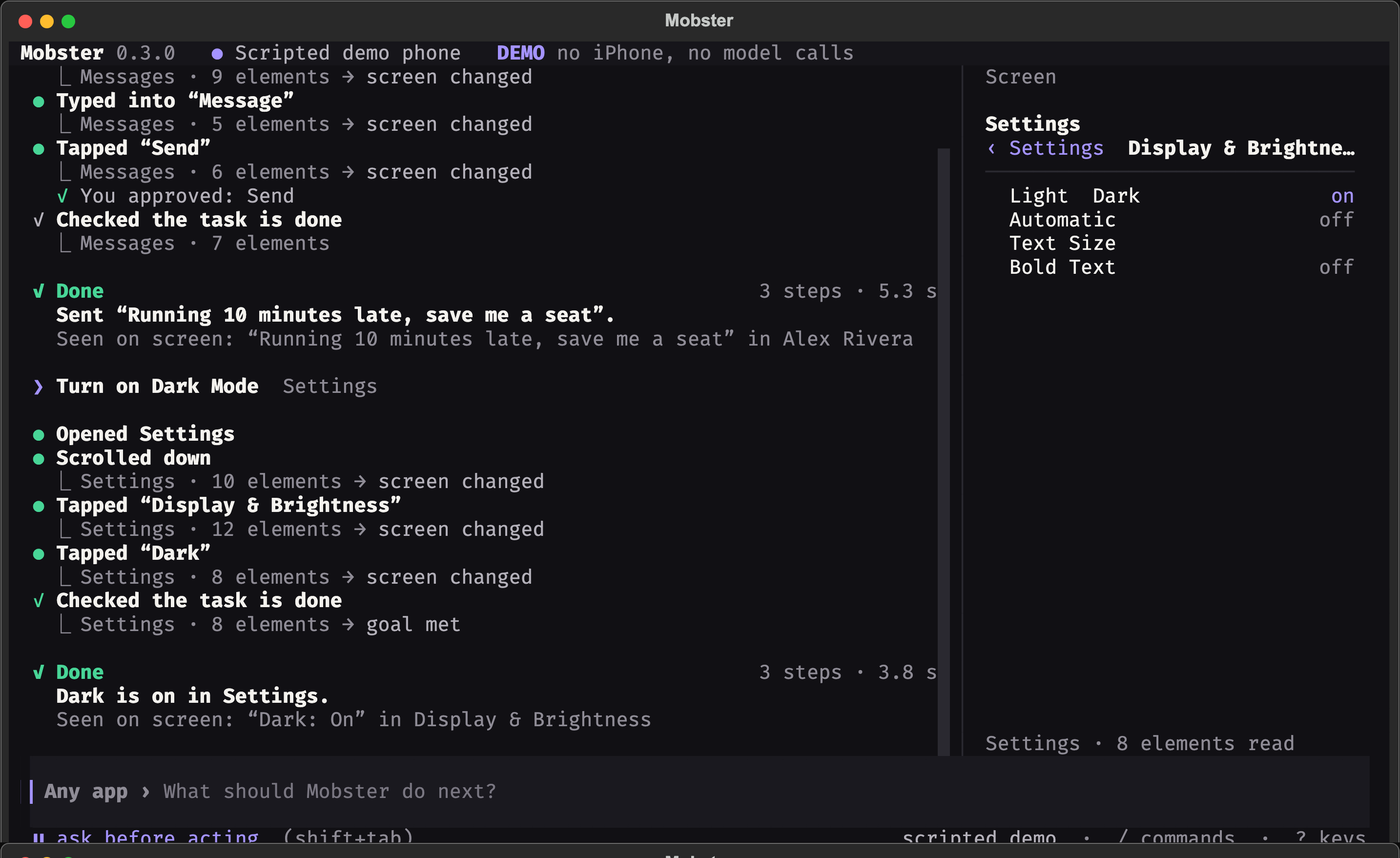
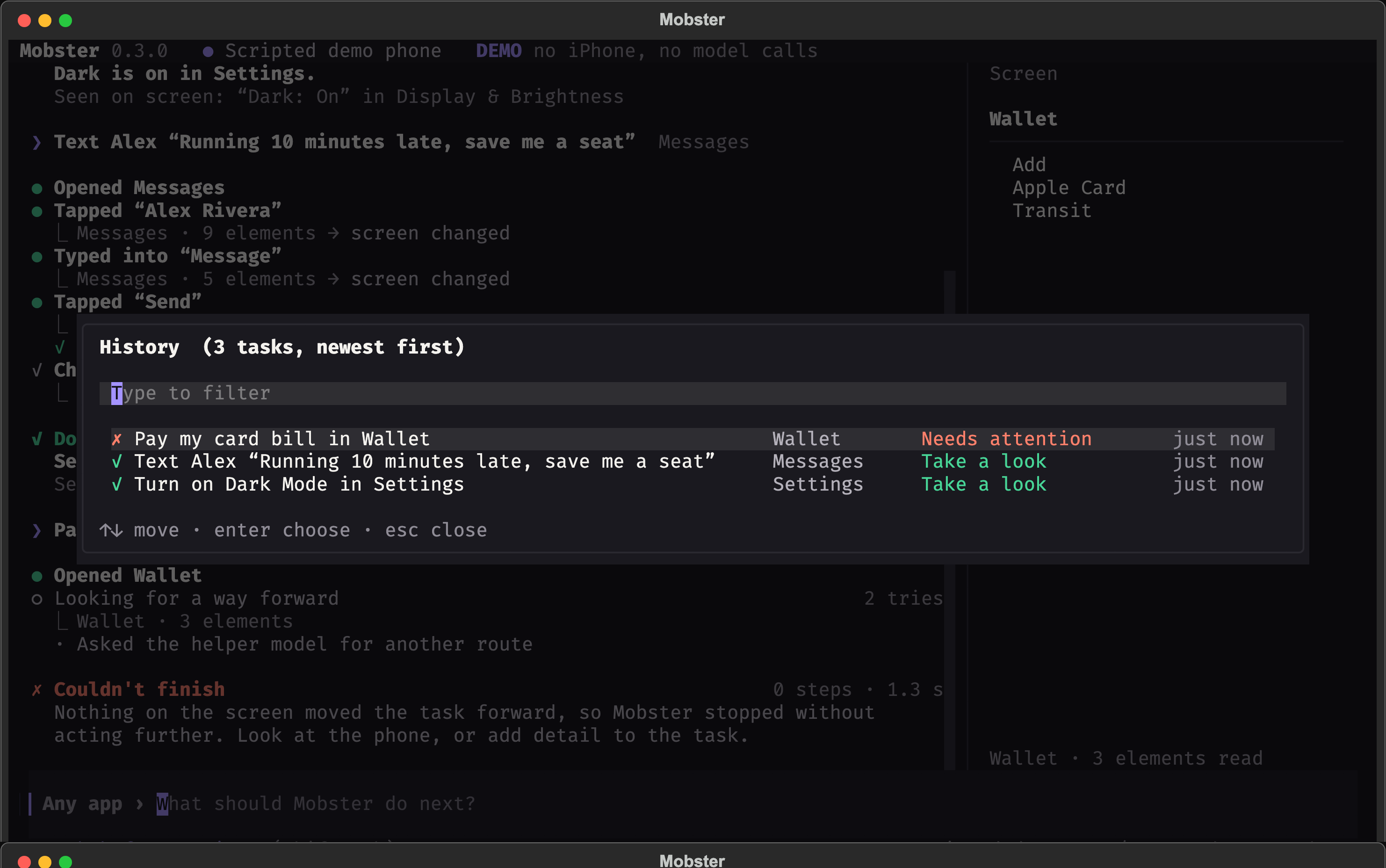
Terminal screenshots
These are scripted demo sessions, not captures of a personal phone.
Develop
From this source checkout:
make venv
make test-backend
Read CONTRIBUTING.md. Training, model weights, datasets and experiment outputs are maintained separately from the product runtime.
Mobster MCP questions
How do I add Mobster MCP to Claude Code?
Run claude mcp add mobster -- uvx mobster-cli in your terminal. Add --scope user to make it available in every project.
How do I add Mobster MCP to Cursor?
Open ~/.cursor/mcp.json and add the server under mcpServers, using the Cursor config shown in the install section above.
What hardware and software is required to run Mobster?
Running a device requires macOS and Xcode, and the server requires Python 3.12 or later.
Can I use Mobster with Claude Code or Cursor?
Yes, Mobster lets Claude Code, Cursor, and Codex drive a real iPhone or iOS simulator via MCP.