
Enables AI agents to request human verification from ID-verified people for high-stakes decisions using an ask_humans tool.
Also known as plureslabs/plures, plures-mcp
- Stars
- 0
- Tools
- 9
- Downloads, 30 days
- —
- Latest version
- 1.11.1
- Last commit
- Nov 15, 2026
- License
- MIT
What is Plures MCP?
Plures enables AI agents to request human verification from ID-verified people for high-stakes decisions using an ask_humans tool. It exposes 9 tools, such as question, options, context.
Summary generated from the project's README
About Plures MCP server
Plures provides a human-in-the-loop mechanism for AI agents that need to make high-stakes decisions. By using the ask_humans tool, an agent can send questions to ID-verified individuals to reach a consensus before proceeding with an action. This server works with various clients including Claude Desktop, Cursor, and VS Code, as well as frameworks like LangChain and the OpenAI Agents SDK. Developers set it up using an npx command and a required PLURES_API_KEY.
The system distinguishes between general verification and internal oversight. While most tasks go to verified people, developers can use the route team parameter to direct sensitive money or account decisions to their own staff. The server includes specialized tools like find_precedents to check how similar cases were handled previously and mapping tools to help agents identify where human intervention is necessary within an application's code. Costs vary based on whether you use test keys, live verified responders, or internal team votes.
What you can do with it
- 1Handle sensitive financial decisionsYou can route requests regarding refunds or payments directly to your own internal team instead of external verifiers.
Written from the project's README. Every use case is checked against a quote from it.
How to install Plures MCP
Formats verified 10 Nov 2026Add to CursorAdd to GooseInstall Plures MCP in Claude Code
$ claude mcp add --env 'PLURES_API_KEY=<YOUR_PLURES_API_KEY>' plures -- npx -y plures-mcpInstall Plures MCP in Cursor
~/.cursor/mcp.json
{
  "mcpServers": {
    "plures": {
      "command": "npx",
      "args": [
        "-y",
        "plures-mcp"
      ],
      "env": {
        "PLURES_API_KEY": "<YOUR_PLURES_API_KEY>"
      }
    }
  }
}Install Plures MCP in VS Code
.vscode/mcp.json
{
  "servers": {
    "plures": {
      "type": "stdio",
      "command": "npx",
      "args": [
        "-y",
        "plures-mcp"
      ],
      "env": {
        "PLURES_API_KEY": "<YOUR_PLURES_API_KEY>"
      }
    }
  }
}Install Plures MCP in VS Code CLI
$ code --add-mcp '{"name":"plures","type":"stdio","command":"npx","args":["-y","plures-mcp"],"env":{"PLURES_API_KEY":"<YOUR_PLURES_API_KEY>"}}'Install Plures MCP in Claude Desktop
claude_desktop_config.json
{
  "mcpServers": {
    "plures": {
      "command": "npx",
      "args": [
        "-y",
        "plures-mcp"
      ],
      "env": {
        "PLURES_API_KEY": "<YOUR_PLURES_API_KEY>"
      }
    }
  }
}Install Plures MCP in Codex
$ codex mcp add plures --env 'PLURES_API_KEY=<YOUR_PLURES_API_KEY>' -- npx -y plures-mcpInstall Plures MCP in Codex config.toml
~/.codex/config.toml
[mcp_servers.plures]
command = "npx"
args = ["-y", "plures-mcp"]

[mcp_servers.plures.env]
PLURES_API_KEY = "<YOUR_PLURES_API_KEY>"
Install Plures MCP in Gemini CLI
$ gemini mcp add -s user -e 'PLURES_API_KEY=<YOUR_PLURES_API_KEY>' plures npx -- -y plures-mcpInstall Plures MCP in Gemini settings.json
~/.gemini/settings.json
{
  "mcpServers": {
    "plures": {
      "command": "npx",
      "args": [
        "-y",
        "plures-mcp"
      ],
      "env": {
        "PLURES_API_KEY": "<YOUR_PLURES_API_KEY>"
      }
    }
  }
}Plures MCP tools 9
Detected from the READMEquestionoptionscontextsensitiveverifiersfastuse_precedentwait_secondsformat
| question | — | |
| options | — | |
| context | — | |
| sensitive | — | |
| verifiers | — | |
| fast | — | |
| use_precedent | — | |
| wait_seconds | — | |
| format | — |
Configuration
PLURES_API_KEYRequiredSecretYour Plures API key. A free pk_test_ key works for trying it.
PLURES_BASE_URLAPI base URL, defaults to https://plures.si
| Name | Description | |
|---|---|---|
| PLURES_API_KEY | Your Plures API key. A free pk_test_ key works for trying it. | RequiredSecret |
| PLURES_BASE_URL | API base URL, defaults to https://plures.si |
Automated checks
Ran Nov 13, 2026Full report →Passed our automated checks. That is not a security audit: read the code and give the server the narrowest access it needs. How checks work

- Source repository linked and reachablePass
- Open source license (OSI)Pass
- Commit or release in the last yearPass
- Package name not close to a popular packagePass
- Remote endpoint uses HTTPSNot checked
- Destructive tools are labelledPass
- No hidden instructions to the modelPass
- No critical advisory in the package or its dependenciesPass
README
View on GitHubplures-mcp
An MCP server that gives any AI agent a human in the loop: an ask_humans tool that sends a decision to ID verified people and returns their consensus before the agent acts. Built on Plures.
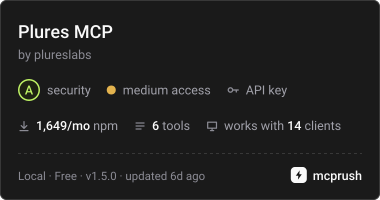
Works with Claude Desktop, Claude Code, Cursor, VS Code, and agent frameworks that support MCP (OpenAI Agents SDK, LangChain, Vercel AI SDK and more).
Set up
Get a free test key at plures.si, then add the server to your client:
{
  "mcpServers": {
    "plures": {
      "command": "npx",
      "args": ["-y", "plures-mcp"],
      "env": { "PLURES_API_KEY": "pk_test_..." }
    }
  }
}
Claude Code: claude mcp add plures --env PLURES_API_KEY=pk_test_... -- npx -y plures-mcp
A pk_test_ key answers instantly with a simulated result (always the first option, clearly marked as a test), so you can try the flow for free. A pk_live_ key sends tasks to real verified people and is paid from prepaid credit at $0.20 per answer, more for recordings and videos by length. If credit runs out, the tool says so; add credit or turn on auto top up at plures.si/dashboard/billing.
Tools
ask_humans: send a judgment call to verified people.
Set route: "team" to send a decision straight to your own team instead of verified people (for money and account decisions, and confidential or policy calls), team to pick one of your named teams, team_votes to have several of them vote, and category to let your routing rules decide. Live, each internal vote is $0.05.
question(required): what people should decide, answerable from the context aloneoptions(required): 2 to 8 possible answerscontext: the material to judge, as plain textimage_url,instructionsaudio_urlorvideo_urlwithmedia_seconds: a clip up to 3 minutes that people play through before answeringsensitive: disturbing content, shown only to people who opted inverifiers: 1, 3, 5, 7 or 9 (default 3)fast: paid speed for decisions that can't wait; served first and pushed at once, $0.10 more per answer liveuse_precedent: look in your judgment graph first. When people already settled cases like this one, it's decided by precedent at once for $0.05 live; one in ten still goes to people as an auditwait_seconds: how long to wait for the answer, 0 to 240 (default 45). If people haven't answered by then, the tool returns atask_idto check later.
ask_judgment: ask a panel for their honest view when there's no right answer to check. You get the spread of views, contested: true when people genuinely split, and a sample of one line reasons.
question(required)format:accept(default: yes, yes with changes, no),compare(sendaandb, ora_image_urlandb_image_url, ora_clip_urlandb_clip_urlwitha_seconds,b_secondsandclip_kind),rate(1 to 5, with the average and spread),flaws(looks right or has a flaw),signoff(coming soon, test keys now: one top rated verified person approves or rejects after a fresh Face ID or Touch ID check, with a reason; $1.00 live), orcustom(sendoptions)context,image_url,rubric(what good looks like),reasons(none,sampleorall),verifiers(default 5),app,wait_seconds
find_precedents: how people decided similar cases before, closest first, with a suggestion when the case is settled. Free.
get_human_answer: check a task by task_id, optionally waiting.
cancel_human_task: cancel a task that no longer matters.
get_mapping_guide, submit_agent_map, get_agent_map: ask your coding agent to "map this app for Plures". It reads the guide, reads your code where it runs, and sends Plures only the map: the steps, the actions with consequences, and a drafted check for each place a person should look. Open the map in your dashboard to try each check and add it.
Each result tells the agent the answer, how many people agreed and whether it is safe to act on. If you've added your team at plures.si/dashboard/team, decisions verified people don't all agree on go to your team, and the agent gets their decision as the final answer.
When agents should use it
The server tells the agent to ask verified people before acting on judgment calls where a mistake is costly: whether an AI answer is correct and on policy, which of two model responses is better, a customer's tone or intent, whether a listing, document or screenshot matches, a moderation edge case. Not for anything it can check with code or a lookup.
Money and account decisions (refunds, payments, invoices, payouts, account access) go to your own team: the agent sends them with route: "team", or your routing rules can match them by category.
Tasks are shown to strangers, so the agent is told not to include secrets or more personal data than the decision needs.
Environment
PLURES_API_KEY(required)PLURES_BASE_URL(optional, defaults to https://plures.si)PLURES_APP(optional): the app tasks and maps belong to, likesupport-agent
MIT licensed. Source: github.com/plureslabs/plures.
Plures MCP questions
How do I add Plures MCP to Claude Code?
Run claude mcp add --env 'PLURES_API_KEY=<YOUR_PLURES_API_KEY>' plures -- npx -y plures-mcp in your terminal. Add --scope user to make it available in every project.
How do I add Plures MCP to Cursor?
Open ~/.cursor/mcp.json and add the server under mcpServers, using the Cursor config shown in the install section above.
What tools does Plures MCP provide?
It exposes 9 tools, including question, options, context, sensitive, verifiers.
How much does it cost to use Plures with real people?
A pk_live_ key sends tasks to real verified people at a cost of $0.20 per answer, with higher rates for recordings and videos based on length.
Can I send sensitive decisions to my own team instead of strangers?
Yes, you can use the route: "team" parameter to send decisions regarding money, accounts, or confidential policy calls directly to your own team.
What happens if people don't answer within the time limit?
If the wait period expires, the tool returns a task_id that you can use to check the status later.
Is there a way to test the server for free?
Yes, using a pk_test_ key will provide an instant simulated result for free so you can test the flow.