
codex-issue-memory MCP server
Commit Oct 31, 2026Enables an AI client to store and retrieve verified bug fixes and debugging preferences using a local SQLite database.
Also known as PhiniteLab/codex-issue-memory
- Stars
- 0
- Tools
- 12
- Downloads, 30 days
- —
- Latest version
- —
- Last commit
- Oct 31, 2026
- License
- MIT
What is codex-issue-memory MCP?
codex-issue-memory enables an AI client to store and retrieve verified bug fixes and debugging preferences using a local SQLite database. It exposes 12 tools, such as issue_match, issue_get, issue_search.
Summary generated from the project's README
About codex-issue-memory MCP server
Developers using Codex can prevent repetitive debugging by storing and retrieving verified bug fixes through this local-first MCP server. It uses a local SQLite database to maintain a repository of reusable resolutions, debugging preferences, and proactive guardrails. By connecting to Codex via a single registration in the config.toml file, the server allows an AI client to learn from past successes and failures rather than re-diagnosing the same errors from scratch.
The system provides twelve specialized tools for tasks such as matching error patterns, searching keyword histories, and recording feedback on whether a retrieved fix was accepted or rejected. Users can manage the entire lifecycle of their debugging knowledge using the issue-memory-maint maintenance CLI, which handles everything from database backups and schema migrations to health checks and performance benchmarks. This setup ensures that debugging knowledge remains private and local to the developer's machine while providing a structured way to build an authoritative memory of technical solutions.
What you can do with it
- 1Retrieve previous bug fixesAn AI client can search for a known solution using a short error excerpt to avoid re-debugging.
- 2Store verified resolutionsDevelopers can save a confirmed fix into the local database to be used as a reference later.
- 3Maintain debugging knowledgeThe maintenance CLI allows for managing the health and backups of the local SQLite store.
- 4Apply proactive guardrailsThe server can provide guidance to prevent common errors before they occur during the coding process.
Written from the project's README. Every use case is checked against a quote from it.
codex-issue-memory MCP tools 12
Detected from the READMEissue_matchissue_getissue_searchissue_recentissue_record_resolutionissue_feedbackissue_set_preferenceissue_list_preferencesissue_guardrailsissue_metricsissue_review_queueissue_review_resolve
| issue_match | — | |
| issue_get | — | |
| issue_search | — | |
| issue_recent | — | |
| issue_record_resolution | — | |
| issue_feedback | — | |
| issue_set_preference | — | |
| issue_list_preferences | — | |
| issue_guardrails | — | |
| issue_metrics | — | |
| issue_review_queue | — | |
| issue_review_resolve | — |
README
View on GitHubcodex-issue-memory
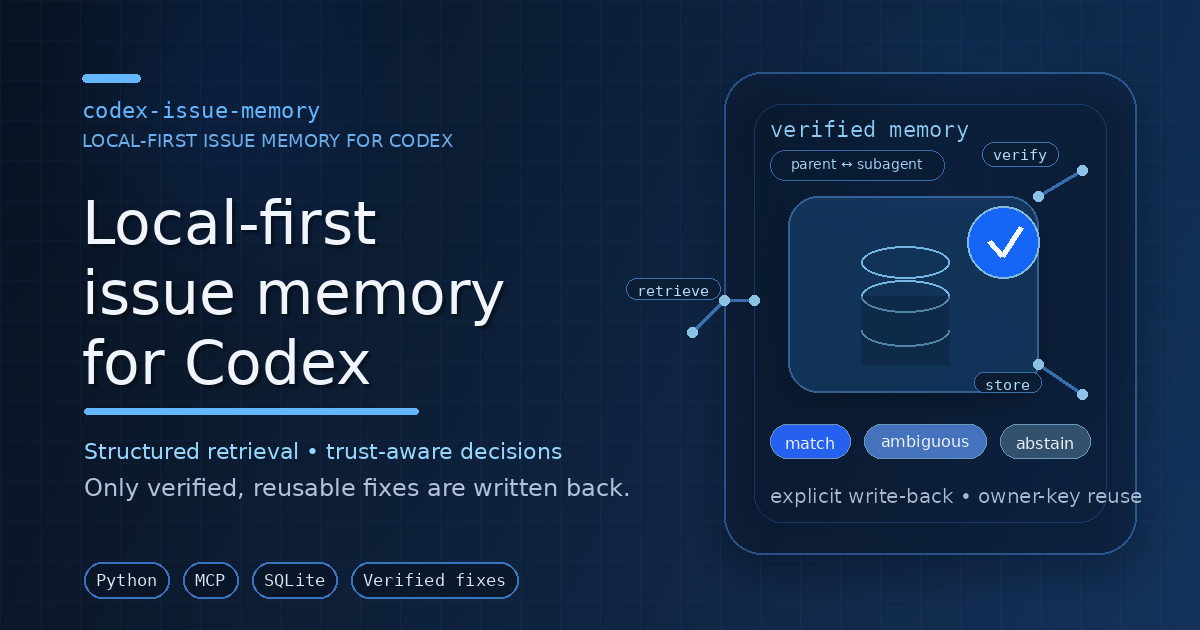
codex-issue-memory is a local-first MCP server for Codex. It stores verified fixes, retrieval feedback, preferences, and guardrails in SQLite so repeated failures can be diagnosed from prior evidence instead of re-debugged from scratch.
What it provides
- MCP runtime:
python -m codex_issue_memory.server - Public MCP tools: 12 tools for matching, inspection, feedback, preferences, guardrails, metrics, and review
- Maintenance CLI:
issue-memory-maintfor schema setup, health checks, backups, telemetry, benchmarks, and lifecycle diagnostics - Local persistence: SQLite DB plus state/log/backup directories under configurable local paths
- Codex integration: one authoritative live registration in
~/.codex/config.toml - Optional wrapper metadata:
.codex-plugin/plugin.jsonand.mcp.jsonfor local/custom plugin workflows only
When to use it
Use this project when you want to:
- search prior fixes from a short error excerpt,
- keep reusable debugging knowledge local,
- record only verified reusable resolutions,
- learn from accepted/rejected retrievals,
- inspect server health, backups, and lifecycle state,
- keep Codex MCP setup reproducible across sessions.
Quick start
git clone https://github.com/PhiniteLab/codex-issue-memory.git
cd codex-issue-memory
bash install.sh
bash scripts/verify_install.sh
The installer prepares a virtualenv, initializes the SQLite store, writes the live issue_memory MCP block to ~/.codex/config.toml, and runs a local verification pass.
Installation modes
Install Mode A — Standard MCP install
Use this for the real runtime.
bash install.sh
bash scripts/verify_install.sh
Verify the live registration:
grep -n '^\[mcp_servers.issue_memory\]' ~/.codex/config.toml
issue-memory-maint smoke
issue-memory-maint doctor --mode shadow --max-instances 0
Expected posture:
- exactly one live
[mcp_servers.issue_memory]block, - writable Linux/WSL-local SQLite/state paths,
- successful smoke and doctor output.
Manual package setup
python3 -m venv .venv
. .venv/bin/activate
python -m pip install --upgrade pip setuptools wheel
python -m pip install -e .[dev]
python -m codex_issue_memory.maintenance init-db
python -m codex_issue_memory.server
Then add one live [mcp_servers.issue_memory] block to ~/.codex/config.toml.
Install Mode B — Plugin-wrapper metadata
Use this only when you need local/custom plugin metadata or manual marketplace-style integration.
python3 -m json.tool .codex-plugin/plugin.json
python3 -m json.tool .mcp.json
Mode B does not create the Python runtime, initialize the database, or register the live MCP server. For runtime use, choose Mode A or manual registration.
MCP tools
Retrieval and inspection
issue_match— find likely prior issue patterns for a failureissue_get— load full details for one patternissue_search— keyword search stored patternsissue_recent— list recent patterns
Write-back and learning
issue_record_resolution— store a verified reusable fixissue_feedback— record accepted/rejected/fix feedback
Preferences and guardrails
issue_set_preference— save prompt-driven strategy preferencesissue_list_preferences— list saved preferencesissue_guardrails— retrieve proactive prevention guidance
Operations and review
issue_metrics— report operational metricsissue_review_queue— list pending/resolved review itemsissue_review_resolve— resolve review queue items
Maintenance CLI
Common commands:
issue-memory-maint smoke
issue-memory-maint smoke-learning
issue-memory-maint doctor --mode shadow --max-instances 0
issue-memory-maint server-status
issue-memory-maint metrics --window-days 30
issue-memory-maint review-queue --status pending --limit 20
issue-memory-maint e2e-mcp-reuse-harness --json
Useful command groups:
- Schema:
init-db,migrate-v2,schema-version - Backups:
backup,list-backups,verify-backup,restore-backup - Health/lifecycle:
smoke,smoke-learning,server-status,runtime-diagnostics,recommended-config,doctor,e2e-mcp-reuse-harness - Telemetry/retention:
metrics,export-dashboard,prune-retention - Review queue:
review-queue,resolve-review - Benchmarks/calibration:
quality-gate-benchmarks,benchmark-user-domains,benchmark-failure-taxonomy,benchmark-dense-bandit,benchmark-real-world,benchmark-hard-negatives,benchmark-merge-stress,calibrate-thresholds,calibrate-weights,analyze-feature-importance,sweep-implicit - Experiment registry:
create-experiment,update-experiment,analyze-experiment
For the complete CLI surface:
issue-memory-maint --help
Python API example
from codex_issue_memory.app import IssueMemoryApp

app = IssueMemoryApp()

result = app.issue_match(
    error_text="ModuleNotFoundError: No module named requests",
    command="python worker.py",
    file_path="api/worker.py",
    project_scope="my-repo",
)
print(result["decision"])
app.issue_record_resolution(
    title="Missing dependency in worker runtime",
    raw_error="ModuleNotFoundError: No module named requests",
    canonical_fix="Install the dependency in the same runtime environment used by the target process.",
    prevention_rule="Pin and install runtime dependencies before process startup.",
    project_scope="my-repo",
)
Architecture flow
Failure excerpt
  ↓
Normalize into a query profile
  ↓
Retrieve candidates from SQLite-backed memory
  ↓
Rank and decide: match / ambiguous / abstain
  ↓
Return compact guidance through MCP
  ↓
Record feedback and verified reusable fixes
Runtime authority and safety
- Keep the live MCP authority in
~/.codex/config.toml. - Keep exactly one
[mcp_servers.issue_memory]block unless you intentionally manage alternatives. - Prefer Linux/WSL-local writable paths for DB, state, logs, and backups.
- Treat
.mcp.json,.codex-plugin/,templates/, and bundledskills/as distribution/reference material, not the live runtime authority. - Write memories only after a fix is verified and reusable.
- Use project-specific scope when a memory should not be global.
Validation
Recommended local checks:
bash scripts/verify_install.sh
python -m pytest
python -m codex_issue_memory.maintenance smoke
python -m codex_issue_memory.maintenance server-status
python -m codex_issue_memory.maintenance e2e-mcp-reuse-harness --json
Optional checks when available:
pyright
ruff check src tests scripts
Troubleshooting
- Codex does not show
issue_memory: restart Codex and verify exactly one live[mcp_servers.issue_memory]block. - Install problems: retry with
SKIP_CRON_INSTALL=1 bash install.shand confirm Python/venv access. - Weak retrieval quality: pass a short meaningful error excerpt plus command, file path, and project scope.
- DB path or permission issues: keep the writable DB under local Linux/WSL storage such as
~/.local/share/codex-issue-memory.
Documentation map
Start with docs/README.md. Key docs:
docs/INSTALLATION.mddocs/CONFIGURATION.mddocs/USAGE.mddocs/OPERATIONS.mddocs/OWNER_KEY_CONTRACT.mddocs/ORCHESTRATION_STDIO_REUSE_CHECKLIST.mddocs/ARCHITECTURE.mddocs/DEVELOPMENT.mddocs/ROADMAP.md
Repository layout
src/codex_issue_memory/             MCP runtime, services, storage, matching, maintenance
src/codex_issue_memory/sql/         SQLite migrations packaged with the runtime
scripts/                            install, registration, backup, and verification helpers
docs/                               public and contributor documentation
templates/                          reference snippets and plugin-wrapper examples
skills/                             bundled reference skill content
tests/                              regression, lifecycle, diagnostics, and benchmark tests
reports_lifecycle_investigation/    historical lifecycle debugging notes and test evidence
.codex-plugin/                      local/custom plugin metadata
.mcp.json                           wrapper server templates
Contributing
Contributions improving install clarity, retrieval quality, operational safety, and validation are welcome. See CONTRIBUTING.md and docs/DEVELOPMENT.md.
License
MIT. See LICENSE.
codex-issue-memory MCP questions
What tools does codex-issue-memory MCP provide?
It exposes 12 tools, including issue_match, issue_get, issue_search, issue_recent, issue_record_resolution.
What does codex-issue-memory do?
It stores verified fixes, retrieval feedback, preferences, and guardrails in SQLite so repeated failures can be diagnosed from prior evidence.
Where is the data stored?
The server uses local-first SQLite storage, typically under configurable local paths like ~/.local/share/codex-issue-memory.
Can I manage the server via a command line?
Yes, it includes a maintenance CLI called issue-memory-maint for tasks like schema setup, health checks, backups, and telemetry.