
Publish AI-generated HTML as shareable live links and update existing pages at the same URL.
Also known as phanosh/host-html, host-html-mcp
- Stars
- 1
- Tools
- —
- Downloads, 30 days
- —
- Latest version
- 0.2.1
- Last commit
- Nov 3, 2026
- License
- MIT
What is host-html MCP?
host-html publishes AI-generated HTML as shareable live links and update existing pages at the same URL.
Summary generated from the project's README
About host-html MCP server
Turning AI-generated code into live websites is what host-html enables for developers using Claude Code, Cursor, or Codex. By providing HTML content to the server, you can instantly generate shareable links that host your work online without managing any deployment pipelines or servers. This tool is designed for users who need to move from a chat interface to a functional web preview in seconds.
To use this server, you must create a free account and provide a personal API key via the HOSTHTML_API_KEY environment variable. The system provides two primary tools: publish_html to create a new live link and update_page to refresh the content of an existing page at the same URL. While publishing is available on free accounts, advanced features like custom slugs and password protection require a Pro or Team plan. The server also supports exporting HTML slides to high-quality PDF files through the host-pdf command.
What you can do with it
- 1Publishing instant web previewsCreate a live URL for an HTML snippet generated during a coding session.
- 2Converting slides to documentsTransform HTML-based presentation slides into a high-quality PDF file.
Written from the project's README. Every use case is checked against a quote from it.
How to install host-html MCP
Formats verified 10 Nov 2026Install host-html MCP in Claude Code
$ claude mcp add --env HOSTHTML_API_KEY=<YOUR_HOSTHTML_API_KEY> host-html -- npx -y host-html-mcpInstall host-html MCP in Cursor
~/.cursor/mcp.json
{
  "mcpServers": {
    "host-html": {
      "command": "npx",
      "args": [
        "-y",
        "host-html-mcp"
      ],
      "env": {
        "HOSTHTML_API_KEY": "<YOUR_HOSTHTML_API_KEY>"
      }
    }
  }
}Install host-html MCP in VS Code
.vscode/mcp.json
{
  "servers": {
    "host-html": {
      "type": "stdio",
      "command": "npx",
      "args": [
        "-y",
        "host-html-mcp"
      ],
      "env": {
        "HOSTHTML_API_KEY": "<YOUR_HOSTHTML_API_KEY>"
      }
    }
  }
}Install host-html MCP in Claude Desktop
claude_desktop_config.json
{
  "mcpServers": {
    "host-html": {
      "command": "npx",
      "args": [
        "-y",
        "host-html-mcp"
      ],
      "env": {
        "HOSTHTML_API_KEY": "<YOUR_HOSTHTML_API_KEY>"
      }
    }
  }
}Install host-html MCP in Codex
~/.codex/config.toml
[mcp_servers.host-html]
command = "npx"
args = ["-y", "host-html-mcp"]

[mcp_servers.host-html.env]
HOSTHTML_API_KEY = "<YOUR_HOSTHTML_API_KEY>"
Install host-html MCP in Gemini CLI
~/.gemini/settings.json
{
  "mcpServers": {
    "host-html": {
      "command": "npx",
      "args": [
        "-y",
        "host-html-mcp"
      ],
      "env": {
        "HOSTHTML_API_KEY": "<YOUR_HOSTHTML_API_KEY>"
      }
    }
  }
}Configuration
HOSTHTML_API_KEYRequiredSecretPersonal API key (hh_...) from host-html.com → Account → API keys
| Name | Description | |
|---|---|---|
| HOSTHTML_API_KEY | Personal API key (hh_...) from host-html.com → Account → API keys | RequiredSecret |
Automated checks
Ran Nov 13, 2026Full report →Passed our automated checks. That is not a security audit: read the code and give the server the narrowest access it needs. How checks work

- Source repository linked and reachablePass
- Open source license (OSI)Pass
- Commit or release in the last yearPass
- Package name not close to a popular packagePass
- Remote endpoint uses HTTPSPass
- Destructive tools are labelledNot checked
- No hidden instructions to the modelPass
- No critical advisory in the package or its dependenciesPass
README
View on GitHubhost-html
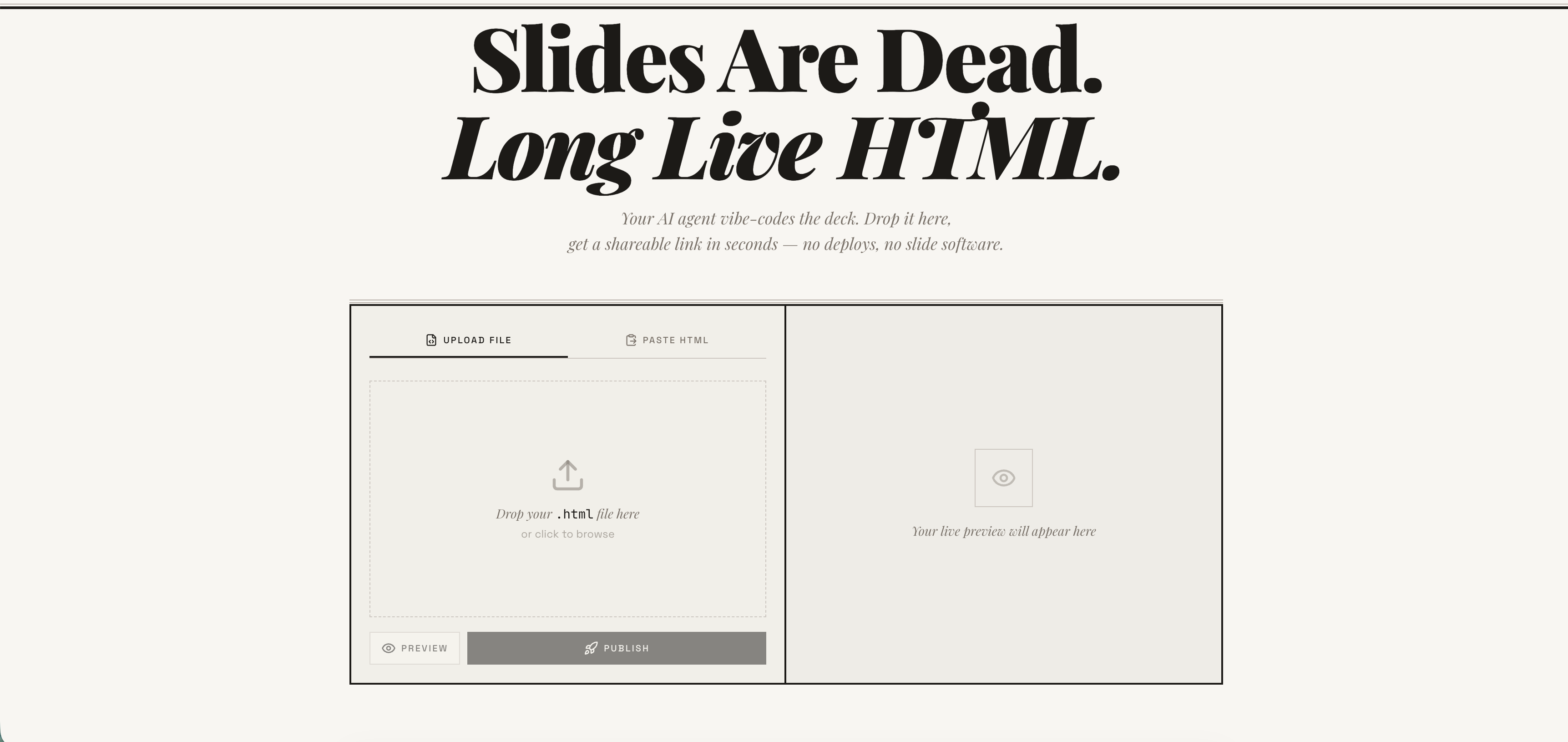
Publish any HTML file as a live link — instantly. Free account required. No deploy pipeline, no server to manage. → host-html.com
Heads up — breaking change in v2.0.0: Anonymous publishing has been retired. Publishing now requires a free, email-verified host-html account and a personal API key set as
HOSTHTML_API_KEY. See Setup: get an API key. Older releases that relied on the built-in shared key will stop publishing.
Install
Claude Code
/plugin marketplace add phanosh/host-html
/plugin install host-html@host-html
The official Claude Code marketplace listing is in the works — until it lands, install directly from this repo with the two commands above.
Claude Desktop, Cursor, Codex (MCP server)
// claude_desktop_config.json / .cursor/mcp.json / .mcp.json
{
  "mcpServers": {
    "host-html": {
      "command": "npx",
      "args": ["-y", "host-html-mcp"],
      "env": { "HOSTHTML_API_KEY": "hh_your_key_here" }
    }
  }
}
Two tools: publish_html (HTML in, link out) and update_page (new HTML, same link).
Source and docs: mcp-server/ · npm: host-html-mcp
Other AI Agents (Skills)
npx skills add phanosh/host-html -g -y
Then use the skills:
/host-html          # publish HTML as a live link
/host-pdf           # export HTML slides to PDF
/host-html finds the HTML, publishes it, and hands you a live URL in seconds.
/host-pdf captures each slide at retina quality and assembles a PDF.
Works with Claude Code, Cursor, Codex, Copilot, and 40+ more agents.
Setup: get an API key
Publishing now requires a free host-html account:
-
Sign in (free) at host-html.com
-
Confirm your email
-
Go to Account → API keys → Create key
-
Copy the generated key (starts with
hh_…— shown once) -
Set it as an environment variable:
export HOSTHTML_API_KEY=hh_your_key_here
The skill reads HOSTHTML_API_KEY automatically. Custom slugs (see the Direct
API table below) still require a Pro/Team plan; publishing itself does not.
Update
When a new version is released here, pull it into your local Claude Code with:
/plugin marketplace update phanosh/host-html
That single command refreshes the marketplace catalog and installs any version bumps in marketplace.json, plugin.json, or the skill frontmatter. To check what you're on:
/plugin
To stay current automatically, open /plugin, go to the Marketplaces tab, select phanosh/host-html, and toggle auto-update on — Claude Code will then pull updates on startup.
For the standalone skills install (npx skills add ...), re-run the same command to upgrade:
npx skills add phanosh/host-html -g -y
Direct API
The publish edge function requires a personal host-html API key (format
hh_…) as the bearer token — see Setup to generate
one. Pass it via the Authorization header (no apikey header is needed):
curl -X POST https://suifgsvtcbrawzdhyuhk.supabase.co/functions/v1/publish \
  -H "Authorization: Bearer $HOSTHTML_API_KEY" \
  -H "Content-Type: application/json" \
  -d '{"html": "<h1>Hello</h1>", "title": "my page"}'
Request
| Field | Type | Required | Description |
|---|---|---|---|
html |
string | ✓ | HTML content (max 1MB) |
title |
string | Page title | |
slug |
string | Custom URL path matching ^[a-z0-9-]{2,64}$ (paid plans) |
|
password |
string | Password-protect the page (4–72 chars, paid plans, JSON body only) |
Response 201
{
  "url": "https://host-html.com/p/abc123",
  "slug": "abc123",
  "edit_token": "...",
  "page_id": "...",
  "has_password": false,
  "expires_at": "2026-03-16T..."
}
has_password is true when the request set a password (the page is locked
and served from private storage); false otherwise.
expires_at is string | null. On a free plan it is the ISO timestamp when the page goes
dark; on a paid plan the page never expires and the field is null. It is the authoritative
expiry — read it from the response rather than assuming a fixed duration, and handle the null
rather than formatting it as a date.
License
MIT
host-html MCP questions
How do I add host-html MCP to Claude Code?
Run claude mcp add --env HOSTHTML_API_KEY=<YOUR_HOSTHTML_API_KEY> host-html -- npx -y host-html-mcp in your terminal. Add --scope user to make it available in every project.
How do I add host-html MCP to Cursor?
Open ~/.cursor/mcp.json and add the server under mcpServers, using the Cursor config shown in the install section above.
How do I publish HTML using host-html?
You can use the publish_html tool to turn HTML content into a live link.
Can I update a page without changing the URL?
Yes, the update_page tool allows you to provide new HTML and keep the same link.
Do I need an account to publish?
Yes, publishing requires a free, email-verified host-html account and a personal API key.