
kprun MCP server
Commit Nov 12, 2026Injects secrets from an encrypted KeePass vault into child processes as environment variables without using plaintext config files.
Also known as numikel/kprun
- Stars
- 8
- Tools
- —
- Downloads, 30 days
- —
- Latest version
- —
- Last commit
- Nov 12, 2026
- License
- MIT
What is kprun MCP?
kprun injects secrets from an encrypted KeePass vault into child processes as environment variables without using plaintext config files.
Summary generated from the project's README
About kprun MCP server
Developers who need to manage sensitive API keys and tokens without leaving them in plaintext configuration files or shell profiles can use kprun. This tool allows you to store secrets in an encrypted KeePass or KeePassXC vault and inject them as environment variables into a single child process at runtime. By using the kprun run command, you can launch MCP servers, coding agents like Claude Code or Hermes, and various scripts in Python or Node.js with the necessary credentials provided only for that specific session.
Setup involves initializing a vault using kprun init, which can store a master password in your OS credential store or use a keyfile for automated environments. Once secrets are stored via the kprun set command, they are injected into the command following the double-dash separator. This approach works across Linux, macOS, and Windows, ensuring that secrets never land in your shell-wide environment or on disk in .env files. The tool maintains security by printing nothing to stdout during injection and providing audit logs that record only key names, never the actual secret values.
What you can do with it
- 1Secure MCP server executionLaunch an MCP server using npx without storing your GitHub token in a client configuration file.
- 2Launch coding agents with OpenRouterStart a terminal coding agent session with all required OpenRouter environment variables injected for that session only.
- 3Automate scripts without .env filesRun a Python or Node.js script that reads API keys from environment variables without creating a physical .env file on your disk.
Written from the project's README. Every use case is checked against a quote from it.
Configuration
ANTHROPIC_API_KEYANTHROPIC_AUTH_TOKENANTHROPIC_BASE_URLANTHROPIC_DEFAULT_OPUS_MODELANTHROPIC_DEFAULT_SONNET_MODELCONTEXT7_API_KEYDATABASE_URLGITHUB_TOKENGITHUB_URLJUNIE_OPENROUTER_API_KEYKPRUN_KEEPASSXC_FIXTUREKPRUN_KEYFILEOPENROUTER_API_KEY
Automated checks
Ran Nov 14, 2026Full report →Not verified yet. A server needs a score of 80, no serious finding, and enough data for us to check. How checks work · What to fix for more points

- Source repository linked and reachablenumikel/kprun is public and reachablegithub.com/numikel/kprun ↗Pass
- Package names this repository as its sourceNot checked
- Build provenance (Sigstore attestation)Not checked
- Open source license (OSI)MITspdx.org/licenses/MIT.html ↗Pass
- Commit or release in the last yearLast commit or release 2026-11-12github.com/numikel/kprun ↗Pass
- OpenSSF ScorecardNot checked
- Package name not close to a popular packageNot checked
- No critical advisory in the package or its dependenciesNot checked
- No hidden instructions to the model0 tool descriptions and the README read; no override phrases, credential paths or hidden charactersPass
- Destructive tools are labelledNot checked
- Remote endpoint answers the MCP handshakeNot checked
README
View on GitHubkprun v0.7.6



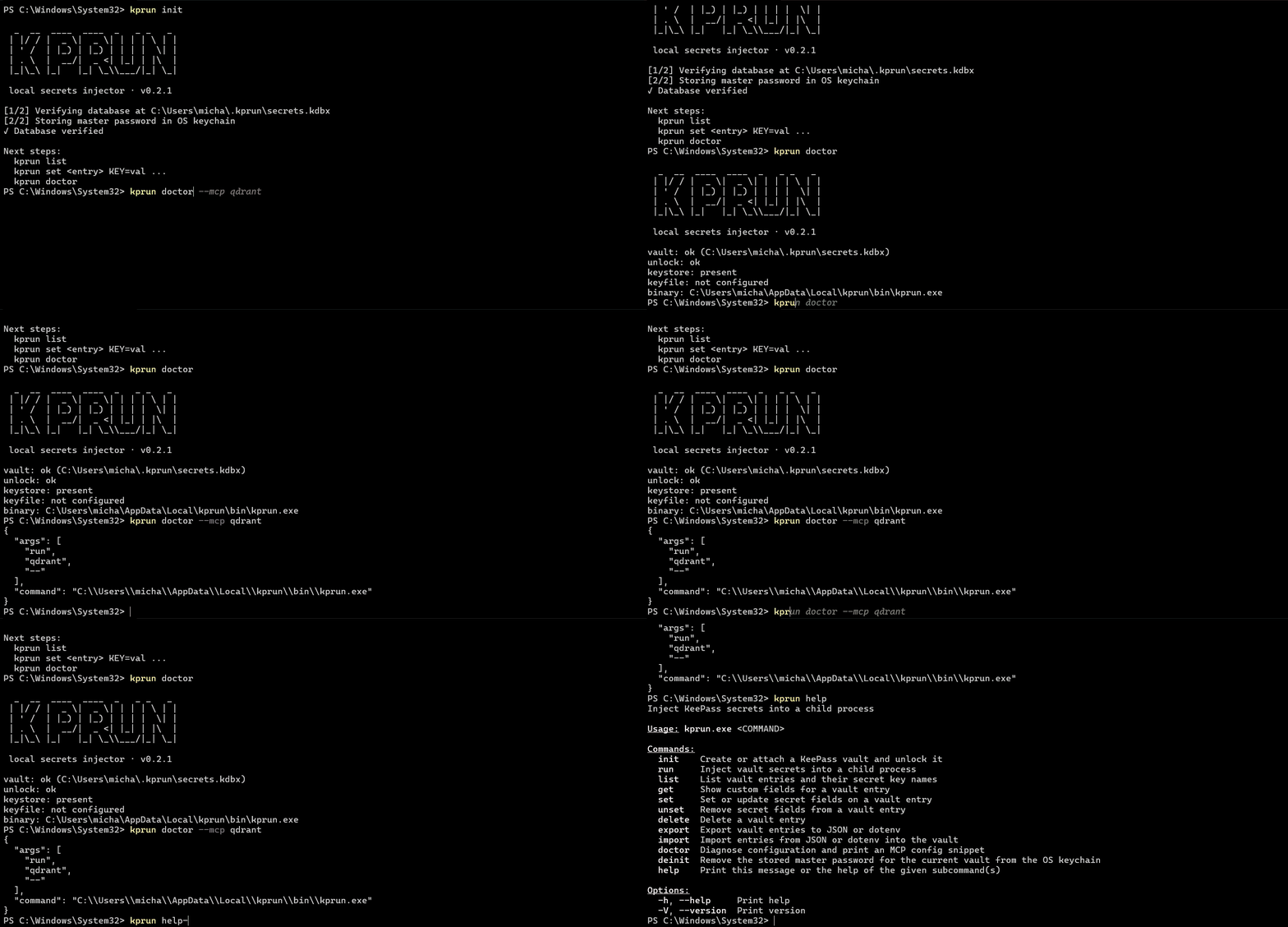
Stop storing API keys in mcp.json and shell profiles. kprun solves this by keeping secrets in an encrypted KeePass vault and injecting them only into spawned processes — no shell-wide exports, no plaintext config files. Designed for MCP servers, coding agents, and dev scripts. Features: per-process injection, audit logging (key names only), cross-platform (Linux/macOS/Windows), KeePassXC-compatible, CI/CD-ready.
Sections: About · How it works · Features · Requirements · Installation · Updating · Quick start · Scripts & automation · Coding agents & OpenRouter · Configuration · CLI reference · CLI Functions · Export and import · MCP integration · Automation and cron · Project structure · Development · Security model · Releases · Contributing · License
About
kprun stores API keys and tokens in a KeePass database on your machine. It unlocks the vault via KPRUN_KEYFILE, the OS credential store, or an interactive prompt, then injects secrets as environment variables into one child process only. Nothing is exported to your shell profile, nothing lands in MCP stdout.
Typical uses:
- Run MCP servers (
npx …) without pasting tokens into client config files - Launch coding agents (Claude Code, Hermes, Junie, AGY, …) with OpenRouter env vars injected for one session only
- Run Python, Node.js, or shell scripts with injected secrets for automation (
kprun run myapi -- python script.py) - Skip per-project
.envfiles — secrets live in the vault and are injected at run time, not on disk in the repo - Manage a dedicated dev-secrets vault separate from your personal password manager
How it works
flowchart LR
    subgraph without ["Without kprun"]
        direction TB
        W1["shell exports GITHUB_TOKEN=…"]
        W1 -->|"secrets in every child"| W2["all processes inherit env"]
    end

    subgraph with ["With kprun"]
        direction TB
        K1["kprun run github -- npx @mcp/server-github"]
        K1 --> K2["unlock vault<br/>(keyfile → keyring → prompt)"]
        K2 --> K3["read entry 'github' custom fields"]
        K3 --> K4["inject env into child only"]
        K4 --> K5["inherit stdio; audit log (key names only)"]
    end
Unlock priority: KPRUN_KEYFILE → OS keystore (kprun / master) → hidden stderr prompt.
Features
- ✅ KeePass / KeePassXC vault — entry title = service name; custom string fields = env var names
- ✅ Per-process injection —
kprun runopens the vault read-only and spawns one child with merged env - ✅ MCP-safe stdio —
runprints nothing on stdout; child owns stdin/stdout/stderr - ✅ Full secret lifecycle —
init,set,get,unset,delete,export,import,doctor - ✅ Audit log — JSON lines with entry names and injected key names; never values, never the vault path
- ✅ Cross-platform — Linux, macOS, Windows (PATHEXT-aware spawn, keyring v1)
- ✅ RTK-style install —
install.sh/install.ps1with SHA-256 checksum verify - ✅ CI matrix — fmt, clippy, tests on ubuntu/windows/macos; release assets on tag
v*
Requirements
- Rust: 1.89.0+ (to build from source)
- OS: Linux, macOS, or Windows
- Optional: KeePassXC to create or edit
.kdbxfiles - MCP client: Cursor, Claude Code, or any tool that spawns a subprocess over stdio
Installation
Quick install (Linux / macOS)
curl -fsSL https://raw.githubusercontent.com/numikel/kprun/refs/heads/main/scripts/install.sh | sh
Installs to ~/.local/bin by default. Override with KPRUN_INSTALL_DIR. Skip PATH changes with KPRUN_NO_MODIFY_PATH=1.
Add to PATH manually if needed:
echo 'export PATH="$HOME/.local/bin:$PATH"' >> ~/.bashrc # or ~/.zshrc
Quick install (Windows)
irm https://raw.githubusercontent.com/numikel/kprun/refs/heads/main/scripts/install.ps1 | iex
Default install dir: %LOCALAPPDATA%\kprun\bin. Adds user Path unless KPRUN_NO_MODIFY_PATH=1.
Open a new terminal, then verify:
kprun --version
Pre-built binaries
Download from GitHub Releases (after the first tag):
| Platform | Asset |
|---|---|
| Linux x86_64 | kprun-x86_64-unknown-linux-gnu.tar.gz |
| Linux arm64 | kprun-aarch64-unknown-linux-gnu.tar.gz |
| macOS Intel | kprun-x86_64-apple-darwin.tar.gz |
| macOS Apple Silicon | kprun-aarch64-apple-darwin.tar.gz |
| Windows | kprun-x86_64-pc-windows-msvc.zip + standalone kprun.exe |
Verify with checksums.txt from the same release unless KPRUN_SKIP_CHECKSUM=1.
Build from source
git clone https://github.com/numikel/kprun.git
cd kprun
cargo build --release -p kprun
# binary: target/release/kprun (or target/<triple>/release/kprun)
Or install into Cargo bin dir:
cargo install --path crates/kprun
Or straight from Git, without cloning:
cargo install --git https://github.com/numikel/kprun
Updating
From previous v0.4.x
# Cargo
cargo install --git https://github.com/numikel/kprun --force

# Or re-run install script
curl -fsSL https://raw.githubusercontent.com/numikel/kprun/refs/heads/main/scripts/install.sh | sh
v0.5.0 breaking change: OS keychain account name changed (lexical path → SHA-256).
On Windows or macOS /tmp vaults, re-run kprun init after updating to re-store the master password.
Binary updates
Download latest from GitHub Releases, verify checksum, replace executable.
Troubleshooting updates
Windows: "access denied" or "failed to remove file"
The executable may be locked by an antivirus, file system cache, or running process:
# Kill any running kprun process
Get-Process kprun -ErrorAction SilentlyContinue | Stop-Process -Force

# Remove the old binary manually
Remove-Item -Path "$env:USERPROFILE\.cargo\bin\kprun.exe" -Force -ErrorAction SilentlyContinue

# Retry installation
cargo install --git https://github.com/numikel/kprun --force
If cargo clean && cargo install --path crates/kprun still fails, wait 10–15 seconds (antivirus quarantine) and retry.
Quick start
# 1. Create vault — one command, no prompts. A master password is generated,
#    stored in the OS keychain, and shown once on stdout.
kprun init --quick
# ⚠️ SAVE THE MASTER PASSWORD PRINTED ABOVE — you'll need it to open the vault in KeePassXC.
# Retrieve later with: kprun reveal-master

# 2. Store secrets (entry title = service; fields = env vars)
kprun set github GITHUB_TOKEN=ghp_xxx

# 3. Inject into a child process
kprun run github -- npx -y @modelcontextprotocol/server-github
Windows (after install.ps1):
kprun init --quick
# ⚠️ SAVE THE MASTER PASSWORD PRINTED ABOVE (shown once for security)
# Retrieve later with: kprun reveal-master

kprun set github GITHUB_TOKEN=ghp_xxx
kprun run github -- npx -y @modelcontextprotocol/server-github
About the master password: kprun init --quick generates a random password, prints it once (save it for KeePassXC access), and stores it securely in the OS keychain. You don't need to memorize it — it's automatically unlocked for kprun run and other commands. If you forget it, retrieve it anytime with kprun reveal-master.
Prefer choosing your own master password (or a keyfile)? Run plain kprun init instead.
Attach an existing KeePassXC database
kprun init --db /path/to/existing.kdbx
Verifies unlock and optionally stores the master password in the OS keychain. Does not recreate the database.
Scripts and automation
Beyond MCP servers and coding agents, kprun run injects vault secrets into any child process that reads environment variables — Python, Node.js, shell scripts, and more. Handy for CI jobs, cron, Task Scheduler, and one-off scripts without checking secrets into a repo or exporting them in your shell profile.
Skip project .env files
Many tools expect secrets in a .env file (python-dotenv, dotenv in Node, framework auto-load). With kprun, store keys in the vault instead and launch through kprun run — the child sees normal environment variables, with no .env on disk, nothing to .gitignore, and no accidental commits. Scripts can use os.getenv / process.env as usual; you can drop load_dotenv() or require('dotenv').config() when env is always injected by kprun.
To move an existing flat .env into the vault once, see Export and import.
The -- separator is required — it marks where vault entry names end and the child command begins:
kprun run <entry> [entry2 ...] -- <command> [args...]
Without --, everything after run is parsed as entry names and the command is missing (common mistake).
Python
Store API keys or tokens under one vault entry, then run your script — secrets appear as normal env vars inside the child only:
kprun set myapi API_KEY=sk-... API_BASE=https://api.example.com
kprun run myapi -- python fetch_data.py
kprun run myapi -- python -m mypackage.cli --dry-run
Windows PowerShell:
kprun set myapi API_KEY=sk-... API_BASE=https://api.example.com
kprun run myapi -- python fetch_data.py
In Python, read them with os.environ["API_KEY"] (or os.getenv) — no kprun-specific API.
Node.js / JavaScript
Same pattern for node, npm scripts, or npx:
kprun set openai OPENAI_API_KEY=sk-...
kprun run openai -- node scripts/sync.js
kprun run openai -- npx tsx scripts/backup.ts
Windows PowerShell:
kprun run openai -- node scripts/sync.js
Combine multiple vault entries when a script needs keys from more than one service:
kprun run openai langfuse -- python pipeline.py
For scheduled jobs without an interactive session (no OS keychain prompt), use a keyfile — see Automation and cron.
Coding agents and OpenRouter
Many terminal coding agents read API keys and provider URLs from environment variables. Instead of exporting them in ~/.bashrc or ~/.zshrc (where every process inherits them), store the OpenRouter profile in your vault and launch the agent through kprun run.
The -- separator is required — it marks where vault entry names end and the child command begins:
kprun run <entry> -- <agent-command> [args...]
One-time vault setup (Claude Code / OpenRouter)
Per OpenRouter's Claude Code guide, Claude Code expects these variables. Store them under one vault entry (title = openrouter here; any name works):
kprun set openrouter \
  OPENROUTER_API_KEY=sk-or-... \
  ANTHROPIC_BASE_URL=https://openrouter.ai/api \
  ANTHROPIC_AUTH_TOKEN=sk-or-... \
  ANTHROPIC_API_KEY=
KeePass fields are literal values — set ANTHROPIC_AUTH_TOKEN to the same key as OPENROUTER_API_KEY. Set ANTHROPIC_API_KEY to an empty string to avoid auth conflicts with a cached Anthropic login (run /logout inside Claude Code once if you previously signed in with Anthropic).
Optional model overrides (also from the OpenRouter docs):
kprun set openrouter \
  ANTHROPIC_DEFAULT_SONNET_MODEL='~anthropic/claude-sonnet-latest' \
  ANTHROPIC_DEFAULT_OPUS_MODEL='~anthropic/claude-opus-latest'
Launch examples
Claude Code — secrets stay in the child process only; your shell profile stays clean:
kprun run openrouter -- claude
Windows PowerShell:
kprun run openrouter -- claude
Verify inside Claude Code with /status (auth token: ANTHROPIC_AUTH_TOKEN, base URL: https://openrouter.ai/api).
Antigravity CLI (agy) — the CLI authenticates via Google by default. If you use OpenRouter through a plugin, extension, or any workflow that reads OPENROUTER_API_KEY from the environment, inject it the same way:
kprun set openrouter OPENROUTER_API_KEY=sk-or-...
kprun run openrouter -- agy
Hermes Agent — Nous Research's terminal agent reads OPENROUTER_API_KEY from the environment (alternative to ~/.hermes/.env). Model and provider stay in ~/.hermes/config.yaml; see OpenRouter's Hermes guide:
kprun set openrouter OPENROUTER_API_KEY=sk-or-...
kprun run openrouter -- hermes
# or: kprun run openrouter -- hermes --tui
Junie CLI — JetBrains' terminal agent uses OpenRouter as a native BYOK provider via JUNIE_OPENROUTER_API_KEY; see OpenRouter's Junie guide:
kprun set openrouter \
  OPENROUTER_API_KEY=sk-or-... \
  JUNIE_OPENROUTER_API_KEY=sk-or-...
kprun run openrouter -- junie
Headless CI example (same injected env, no shell profile):
kprun run openrouter -- junie "Review and fix any code quality issues in the latest commit"
GitHub Copilot CLI — Copilot fixes the model at startup and speaks OpenAI-compatible APIs; env injection alone is awkward for live model switching. For Copilot CLI (and Codex CLI with OpenRouter), the author recommends copilot-cli-custom-proxy instead: a local tray proxy that swaps models on the fly, injects the API key from memory, and launches Copilot/Codex with the right env — without putting keys in your shell profile.
| Agent | kprun fit | Notes |
|---|---|---|
| Claude Code | ✅ Best fit | Env-based OpenRouter setup; see OpenRouter docs |
| Hermes Agent | ✅ Best fit | OPENROUTER_API_KEY; config in ~/.hermes/config.yaml; see OpenRouter docs |
| Junie CLI | ✅ Best fit | JUNIE_OPENROUTER_API_KEY; see OpenRouter docs |
Antigravity CLI (agy) |
⚠️ Partial | Default auth is Google; use kprun when the workflow reads env vars |
| Copilot CLI / Codex CLI | ❌ Use proxy | Prefer copilot-cli-custom-proxy |
One OpenRouter key can power every tool above; generate it at openrouter.ai/settings/keys.
Agent secrets policy — the AGENTS.md standard
Coding agents (Claude Code, Cursor, Codex, Copilot, Windsurf, OpenCode,
Antigravity) default to creating .env files or asking you to paste secrets
into chat. kprun agents installs a secrets policy into the instruction
files those tools already read, teaching them to prefer kprun run injection
instead.
kprun supports the open AGENTS.md standard as its single source of truth:
one repo-level AGENTS.md covers every tool that reads it natively. Claude
Code additionally gets a native CLAUDE.md containing the same full policy
block (no import indirection); both files refresh together on every install,
so they cannot drift. Gemini CLI is deliberately skipped — it is being sunset
in favor of Antigravity, which reads AGENTS.md.
| Tool | Repo-level | Global (install -g) |
|---|---|---|
| Claude Code | CLAUDE.md |
~/.claude/CLAUDE.md |
| Codex | AGENTS.md |
~/.codex/AGENTS.md |
| Copilot CLI | AGENTS.md |
~/.copilot/copilot-instructions.md (honors COPILOT_HOME) |
| Copilot (VS Code) | AGENTS.md |
— (global instructions live in VS Code settings) |
| Cursor | AGENTS.md |
— (global rules are GUI-only) |
| Windsurf | AGENTS.md |
~/.codeium/windsurf/memories/global_rules.md |
| OpenCode | AGENTS.md |
~/.config/opencode/AGENTS.md |
| Antigravity | AGENTS.md |
— (reads repo AGENTS.md) |
The policy block sits between <!-- kprun:agent-policy:start --> and
<!-- kprun:agent-policy:end --> markers; re-running install refreshes only
that region and never touches surrounding content.
kprun agents print                            # canonical block on stdout
kprun agents install                          # AGENTS.md + CLAUDE.md in the current directory
kprun agents install --path sub/dir           # another directory
kprun agents install -g                       # global files of auto-detected agents
kprun agents install -g --target claude,codex # explicit tools, no detection
Configuration
| Variable | Default | Description |
|---|---|---|
KPRUN_DB |
~/.kprun/secrets.kdbx |
Path to the KeePass database |
KPRUN_KEYFILE |
— | Path to a cryptographic key file (second factor) |
KPRUN_LOG |
~/.kprun/access.log |
Audit log path (JSON lines; see Audit log format) |
KPRUN_INSTALL_DIR |
~/.local/bin / %LOCALAPPDATA%\kprun\bin |
Install script target |
KPRUN_NO_MODIFY_PATH |
unset | Set to 1 to skip shell PATH updates |
KPRUN_SKIP_CHECKSUM |
unset | Set to 1 to skip install checksum verify |
KPRUN_VERSION |
latest release | Pin install script version |
KPRUN_TEST_MASTER |
— | Test hook (only in builds compiled with --features test-hooks; not present in GitHub Release binaries): fixed master password for automation |
Install script env vars are documented in scripts/install.sh and scripts/install.ps1.
CLI reference
kprun init   [--db PATH] [--no-store] [--keyfile PATH] [--quick [--force]]
kprun run    <entry> [entry2 ...] -- <command> [args...]
kprun list   [--json]
kprun get    <entry> [--keys] [--reveal]
kprun set    <entry> KEY=val [KEY2=val2 ...] | --stdin
kprun unset  <entry> KEY [KEY2 ...]
kprun delete <entry>
kprun export [--format json|dotenv] [--stdout] [--reveal] [--output PATH]
kprun import <file> [--merge]
kprun migrate <file> [--entry <name>] [--merge] [--gitignore] [--delete]
kprun scan   [--path DIR] [--history [--full-history]] [--json]
kprun doctor [--mcp <entry>] [-- <command>...]
kprun mcp    -e <entry> [--header "Name: template"]... [--bearer FIELD] [--transport auto|streamable-http|sse] [--timeout SECS] [--allow-insecure-http] <url>
kprun agents print | install [--path <dir>] | install -g [--target <tool>[,<tool>...]]
kprun reveal-master [--db PATH]
kprun deinit [--db PATH] [--delete-vault [--yes]]
For detailed workflow examples, see Export and import, MCP integration, and Automation and cron below.
CLI Functions
kprun init
Purpose: Create a new KeePass vault or attach an existing one. The vault stores secrets in a .kdbx file and the master password can be stored in the OS keychain for automatic unlocking.
Syntax:
kprun init [--db PATH] [--no-store] [--keyfile PATH] [--quick [--force]]
Options:
--db PATH— Path to the KeePass database (default:~/.kprun/secrets.kdbxorKPRUN_DBenv var). If the path points to an existing database, kprun verifies unlock and optionally stores the master password in the keychain.--keyfile PATH— Path to a cryptographic key file (256 random bits encoded as hex). Created if missing. Acts as a second factor alongside the master password; both are required to unlock. Useful for automation when the OS keychain is unavailable (cron, Task Scheduler).--no-store— Do not store the master password in the OS keychain. Requires interactive prompts on everykpruncommand. Incompatible withkprun mcp(which cannot prompt).--quick— Non-interactive setup: generates a random 128-bit master password (printed once to stdout), creates a password-only vault (no keyfile required), and stores the password in the OS keychain. Save the printed password — you will need it to open the vault in KeePassXC. Incompatible with--keyfileand--no-store.--force— Requires--quick. Overwrites an existing vault after confirmation; does not ask interactively, assumesyes.
Limitations:
- The vault file is stored as plaintext on disk (encrypted inside the
.kdbxformat). If the vault is compromised, all secrets are at risk. - After updating from v0.4.x to v0.5.0+, the keychain account name changed (lexical path → SHA-256). Re-run
kprun init --quickon temporary vaults to update the keychain entry.
Examples:
# Quick setup: auto-generated password, stored in keychain
kprun init --quick
# ⚠️ SAVE THE MASTER PASSWORD PRINTED ABOVE

# Custom database path with keyfile
kprun init --db /vault/secrets.kdbx --keyfile /vault/master.key

# Attach an existing KeePassXC database
kprun init --db ~/Documents/MyPasswords.kdbx

# Re-initialize vault (overwrites after confirmation)
kprun init --quick --force
kprun run
Purpose: Inject secrets from vault entries into a child process environment. The child process inherits only the injected variables plus a safe default environment (PATH, HOME, etc.). Nothing is exported to your shell profile.
Syntax:
kprun run [--clean-env] <entry> [entry2 ...] -- <command> [args...]
Arguments:
<entry> [entry2 ...]— One or more vault entry titles. Secrets from all entries are merged into the child's environment. If an entry doesn't exist,kprunexits with error code1.--— Required separator that marks where entry names end and the child command begins.<command> [args...]— Command to run in the child process. Receives the injected environment variables.
Options:
--clean-env— Inject vault secrets into a minimal, safe environment instead of inheriting parent env. Drops parent variables except PATH, HOME, and a small allowlist. Useful for scripts that should not see unrelated secrets from the parent shell.
Limitations:
- The child process exits with the same exit code as the command (non-zero signals are reported as 128 + signal number on Unix).
- Duplicate entry names are silently deduplicated.
- If multiple entries define the same key, the last entry's value wins (collision handling follows POSIX env-var precedent).
- The
--separator is mandatory — without it, every positional argument is parsed as an entry name and the command is never found.
Examples:
# Run Python with injected secrets from 'myapi' entry
kprun run myapi -- python script.py

# Multiple entries: secrets from both are merged
kprun run openai langfuse -- python pipeline.py

# NPX with injected GitHub token
kprun run github -- npx -y @modelcontextprotocol/server-github

# Run with minimal environment (drops parent env)
kprun run api --clean-env -- node server.js
kprun MCP questions
How does kprun handle secrets?
It stores API keys and tokens in a KeePass database and injects them as environment variables into a single child process only.
Is it safe for MCP servers?
Yes, it is designed to be MCP-safe by ensuring the run command prints nothing to stdout, allowing the child process to own the standard streams.
Can I use my existing KeePassXC database?
Yes, you can attach an existing KeePassXC database using the init command with the --db flag.
Does it work on Windows?
Yes, kprun is cross-platform and supports Linux, macOS, and Windows.