
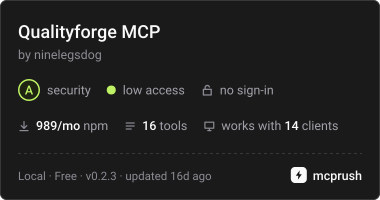
Provides a read-only MCP server that delivers normalized browser testing defect artifacts and evidence to AI assistants for debugging.
Also known as ninelegsdog/qualityforge
- Stars
- 0
- Tools
- —
- Downloads, 30 days
- —
- Latest version
- 0.2.3
- Last commit
- Nov 13, 2026
- License
- Apache-2.0
What is QualityForge MCP?
QualityForge provides a read-only MCP server that delivers normalized browser testing defect artifacts and evidence to AI assistants for debugging.
Summary generated from the project's README
About QualityForge MCP server
QualityForge provides a read-only MCP server designed to bridge the gap between failing browser tests and AI debugging assistants. Built on top of Playwright, it transforms raw test failures into normalized defect artifacts using the defect.v1 schema. This allows an AI agent to inspect structured evidence such as traces, screenshots, videos, and console signals without granting the agent permission to execute actions on the system.
Developers use this server by running it locally via stdio using the command npx --no-install qualityforge-mcp. The server includes thirteen tools, resources, and a specific triage_failure prompt to assist in root cause analysis. It is specifically designed to work with Node.js 22 or newer and provides a structured way to pass network errors, page errors, and console logs to an assistant while ensuring sensitive data is redacted at the source.
What you can do with it
- 1Automated failure triageAn AI assistant can use the triage_failure prompt to analyze why a specific test failed using provided evidence.
- 2Debugging browser errorsDevelopers can hand over console errors and network signals to an AI to find the cause of a UI failure.
- 3Analyzing test regressionsUse the run history to determine if a current failure is a new issue or a recurring problem.
Written from the project's README. Every use case is checked against a quote from it.
How to install QualityForge MCP
Formats verified 10 Nov 2026Add to CursorAdd to GooseInstall QualityForge MCP in Claude Code
$ claude mcp add qualityforge -- npx -y qualityforgeInstall QualityForge MCP in Cursor
~/.cursor/mcp.json
{
  "mcpServers": {
    "qualityforge": {
      "command": "npx",
      "args": [
        "-y",
        "qualityforge"
      ]
    }
  }
}Install QualityForge MCP in VS Code
.vscode/mcp.json
{
  "servers": {
    "qualityforge": {
      "type": "stdio",
      "command": "npx",
      "args": [
        "-y",
        "qualityforge"
      ]
    }
  }
}Install QualityForge MCP in VS Code CLI
$ code --add-mcp '{"name":"qualityforge","type":"stdio","command":"npx","args":["-y","qualityforge"]}'Install QualityForge MCP in Claude Desktop
claude_desktop_config.json
{
  "mcpServers": {
    "qualityforge": {
      "command": "npx",
      "args": [
        "-y",
        "qualityforge"
      ]
    }
  }
}Install QualityForge MCP in Codex
$ codex mcp add qualityforge -- npx -y qualityforgeInstall QualityForge MCP in Codex config.toml
~/.codex/config.toml
[mcp_servers.qualityforge]
command = "npx"
args = ["-y", "qualityforge"]
Install QualityForge MCP in Gemini CLI
$ gemini mcp add -s user qualityforge npx -- -y qualityforgeInstall QualityForge MCP in Gemini settings.json
~/.gemini/settings.json
{
  "mcpServers": {
    "qualityforge": {
      "command": "npx",
      "args": [
        "-y",
        "qualityforge"
      ]
    }
  }
}Configuration
QUALITYFORGE_EVIDENCE_CHECK
| Name | Description | |
|---|---|---|
| QUALITYFORGE_EVIDENCE_CHECK | — |
Automated checks
Ran Nov 14, 2026Full report →Passed our automated checks. That is not a security audit: read the code and give the server the narrowest access it needs. How checks work

- Source repository linked and reachableninelegsdog/qualityforge is public and reachablegithub.com/ninelegsdog/qualityforge ↗Pass
- Package names this repository as its sourcequalityforge names ninelegsdog/qualityforge as sourcenpmjs.com/package/qualityforge ↗Pass
- Build provenance (Sigstore attestation)Sigstore attestation for qualityforgenpmjs.com/package/qualityforge/v/0.2.3#provenance ↗Pass
- Open source license (OSI)Apache-2.0spdx.org/licenses/Apache-2.0.html ↗Pass
- Commit or release in the last yearLast commit or release 2026-11-12github.com/ninelegsdog/qualityforge ↗Pass
- OpenSSF ScorecardNot checked
- Package name not close to a popular packageNo popular package one edit away from qualityforgePass
- No critical advisory in the package or its dependencies1 resolved dependencies checked; no critical advisoryosv.dev ↗Pass
- No hidden instructions to the model0 tool descriptions and the README read; no override phrases, credential paths or hidden charactersPass
- Destructive tools are labelledNot checked
- Remote endpoint answers the MCP handshakeNot checked
README
View on GitHubQualityForge
Evidence-first browser quality automation for modern web applications.
QualityForge is an open-source foundation on top of Playwright that turns a failing run into evidence a machine can read: normalized defect artifacts with trace, screenshot and video, a quality gate with explicit thresholds, capture of console, network and page-error signals — and a read-only MCP server that hands all of it to an AI assistant without granting it the ability to act.







Status — stable, published.
qualityforge@0.2.3is on npm since 2026-11-04 (0.1.0on 2026-10-15 was the first stable release), and the defect contract isdefect.v1at 1.6.0. The0.xline still allows breaking changes in a minor, so pin the version you install.
Contents
- Why this exists
- What you get
- Quick start
- The demo app
- The evidence pipeline
- Defect artifacts
- The MCP server
- Configuration
- Commands
- Rules enforced in CI
- Documentation
- Contributing
Why this exists
Most teams end up with a pile of one-off UI tests per project: duplicated selectors, no shared failure evidence, no cross-project view of quality. QualityForge is a reusable core instead — one configuration, one evidence format, one set of quality gates, pointed at any web application.
The differentiator is not “AI writes tests”. Playwright already ships agents for that. It is the evidence layer between a failing run and any agent: defect artifacts normalized into one schema, readable without granting the reader the ability to act.
What you get
- An evidence pipeline. Trace on first retry, screenshot and video on failure, in Chromium, Firefox and WebKit. A run that fails still publishes its artifacts.
- One normalized defect format.
defect.v1, contract 1.4.0: a versioned, validated artifact per failure that extends Playwright'serror-context.mdrather than duplicating it. - A quality gate. The collector splits by spec × project, refuses duplicate ids, treats an aborted suite as one outage instead of a defect per test, and exits non-zero when thresholds are violated.
- Signal capture. Console errors, uncaught page errors, failed requests and
HTTP errors above 400 — redacted at the source, bounded per category, with a
signals.droppedcount so a truncated capture never looks complete. - A read-only MCP server. Protocol 2026-07-28, thirteen tools, resources and a
triage_failureprompt, verified against OpenCode v2.0.16 over real stdio. - Run history. One compact file per run, so “is this a regression or has it always been this way” has an answer.
- CI that checks itself. Six legs — lint and typecheck, unit tests on Node 22 and 24, the suite on three browsers — plus a job that installs the real OpenCode client and asserts the frames that cross the wire.
Quick start
Development requires Node.js 22 or newer — Node 20 reached end-of-life in
March 2026, and "engines": ">=22.0.0" says so instead of promising install
politeness. CI runs Node 22 and 24, and the floor is the lower of the two.
.nvmrc pins 22 for contributors: tsc dies with a segmentation fault under
one Node 24.21.0 build on this machine, reproducibly. If you use a version
manager, run nvm use before anything else.
Platforms. Linux is what CI runs and therefore what is verified. The core
is written to be platform-neutral — path.sep and path.relative throughout,
no POSIX-only calls — so Windows and macOS should work, and have not been
tested. Treat them as unverified rather than supported.
git clone https://github.com/ninelegsdog/qualityforge.git
cd qualityforge
npm ci
npx playwright install --with-deps chromium
npm test
npm test starts the bundled demo app automatically, so a fresh clone runs
green with no configuration and no third-party network dependency. Open the
HTML report with npm run report. For a step-by-step path — seeing a real
failure with evidence, collecting defect artifacts, connecting an agent,
pointing the suite at your own application — follow
docs/quick-start.md, or
docs/quick-start.ru.md.
The demo app
fixtures/ is a small multi-page app that exists so the suite has something
real to test. It is not a mock: it renders, validates and fetches.
| Route | What it does |
|---|---|
/ |
Overview with a heading, a status readout, and an entity list fetched from /api/items |
/docs |
Documentation page with the evidence policy |
/contact |
Form with client-side validation and accessible error reporting |
/api/items |
JSON payload backing the entity list |
/boom |
Deliberately returns 500, for exercising the evidence pipeline |
Every control is labelled, every message has a role, and every element the tests need has a stable handle — the suite asserts on what a user perceives, not on markup structure.
The evidence pipeline
The project's core promise is that a failure leaves enough evidence to diagnose it, and that claim is tested, not asserted:
QUALITYFORGE_EVIDENCE_CHECK=1 npx playwright test tests/smoke/evidence-pipeline.spec.ts
This runs two deliberately failing tests and exits non-zero. Afterwards
test-results/ contains, per failure:
| Artifact | Produced because |
|---|---|
test-failed-1.png |
screenshot: "only-on-failure" |
video.webm |
video: "retain-on-failure" |
trace.zip |
trace: "on-first-retry" — add --trace on locally, since a local run never retries |
error-context.md |
Structured failure summary: test name, location, error, expected, received |
error-context.md is the most interesting one: it is written as an instruction
to an assistant — “explain why, be concise, respect best practices” — followed
by the test name, file location, error and the diff of expectations. It is the
raw material an agent needs, and it costs nothing extra.
On CI, prefer the trace viewer over screenshots and videos when debugging: it gives the DOM snapshot at each action plus the full network log.
Defect artifacts
A failing test is only useful if the failure can be read later without re-running anything. QualityForge turns each failure into one normalized, versioned artifact:
npm test                    # writes artifacts/json/playwright-results.json
npm run defects:collect     # writes artifacts/defects/<runId>/
{
  "id": "form-validation-smoke-shows-an-error-when-email-is-empty",
  "status": "failed",
  "test": { "file": "tests/smoke/form-validation.smoke.spec.ts", "line": 15 },
  "failure": {
    "message": "Error: expect(locator).toHaveText(expected) failed\n\nExpected: \"Email is required\"",
    "errorContextRef": "test-results/.../error-context.md",
  },
  "evidence": { "screenshot": "test-results/.../test-failed-1.png" },
  "context": { "commit": "43c761f", "baseUrl": "http://127.0.0.1:4311" },
  "flakiness": { "verdict": "unknown", "attempts": 1 },
}
The artifact deliberately extends Playwright's error-context.md rather
than duplicating it: it records a path to that file and adds stable identity,
run correlation, VCS context, evidence pointers and a flakiness verdict. The
signals block — console errors, uncaught page errors, failed requests, HTTP
errors above 400 — is collected live by the bundled fixture, because “element
not found” is a symptom while “the page threw a TypeError” is the cause. See
docs/defect-schema.md for the full contract.
Accessibility is a second, separate measurement rather than a field on that
artifact: npm run a11y:audit runs axe-core against a page and writes
a11y-audit.v1 — capped at ten nodes per rule with the discarded count stated,
html reduced to structure because it carries page content, and target kept
because without it the nodes are indistinguishable. See
docs/a11y-schema.md.
npm run defects:collect doubles as a CI quality gate: it exits 0 when the
gate passes, 1 when thresholds are violated, and 2 when collection could
not run at all.
Installing the package
npm i qualityforge@0.2.3
latest points at this release. Pin the version you want rather than trusting
a tag name anyway: npm forbids removing latest, so a tag can only ever move
forward, and a bare npm i qualityforge takes whatever it points at rather
than what you tested against.
A consuming project imports the fixture from the build — Playwright refuses to
transpile TypeScript under node_modules, so the fixture is shipped as a
subpath in exports:
import { expect, test } from "qualityforge/fixtures/quality-context.js";
That one import change is the whole integration: console, page-error and network capture become automatic. Everything captured is redacted at the source — URLs keep scheme, host and path with query strings and credentials removed, console text has tokens and JWTs replaced, sensitive header values are masked while their names are kept — and capture is bounded at 40 entries per category.
@playwright/test is a peer dependency: a consuming project brings its own,
and npm 7+ installs it automatically when it is missing, because the fixture
cannot run without it. The declared range is ^1.63.0; the number CI verifies
is 1.63.0, pinned exactly in devDependencies, and npm run package:check
fails if the package stops declaring the peer or npm stops installing it for
the consumer.
The bin entries publish the two commands a consuming project runs — always
through npx --no-install, which provably cannot reach the registry for
somebody else's code:
npx --no-install qualityforge [flags]                          # the collector
npx --no-install qualityforge-mcp [--root <dir>] [--history <dir>]
The MCP server
npm run mcp starts a read-only MCP server over stdio, speaking protocol
2026-07-28. It hands an agent the evidence layer: what failed, where, and what
the page was doing while it failed. Verified against OpenCode v2.0.16 on
Linux by connecting with the block below; Kilo and MiMo are out of scope by
decision — see the end of this section.
{
  "$schema": "https://opencode.ai/config.json",
  "mcp": {
    "qualityforge": {
      "enabled": true,
      "type": "local",
      "command": ["node", "/absolute/path/to/qualityforge/dist/mcp/index.js"],
    },
  },
}
A project that installed the package needs no path at all:
["npx", "--no-install", "qualityforge-mcp"] runs the same server out of
node_modules/.bin. The command points into dist/, which npm ci builds
(prepare runs tsc) — or npm run build, if the install was done with
--ignore-scripts. opencode mcp list then reports the connection status;
run it more than once before you believe it — the status is a sample of a
connection still forming, not a verdict.
| Tool | What it answers |
|---|---|
quality_get_latest_run |
Counts, gate, every dimension's verdict, policy chain, history verdict |
quality_list_failures |
Compact records: id, status, test location, flakiness |
quality_get_defect |
One defect in full, including console, network and page-error signals |
quality_flaky_tests |
Which specs failed across runs: flaky, failing, new, or gone |
quality_get_trend |
Pass rate per run, direction, duration, distinct failing specs |
quality_list_audits |
Accessibility audits on record, newest first, and whether they are clean |
quality_get_audit |
One audit in full, with every rule's kept-against-real node count |
Plus resources for the latest run summary and any defect, and a
triage_failure prompt that asks for facts before hypotheses.
Before you connect
- Produce the artifacts first. The server exits 1 when it cannot find an
artifacts root, and the message saying so goes to stderr, which the client
discards — so all you see is
failed: Connection closed. Run the suite andnpm run defects:collectfirst, or pass--root <dir>. - Use absolute paths. A client spawns the server from your project directory, not from this checkout, so a relative root resolves somewhere that does not exist.
- Spell the runner out. The block points at
dist/, so nothing transpiles at connection time:initializewas answered in ~0.24 s here, against ~2.4 s for["npx", "tsx", …, "src/mcp/index.ts"], and OpenCode's documented default MCP timeout is 5000 ms. - Both config forms connect. The flat
mcp.<name>shown above and the V2-documentedmcp.servers.<name>were both connected on v2.0.16. The difference is which file wrote it, not whether it works.
Read-only by construction
There is no write path in the server: no tool mutates anything, and the store exposes no mutating method. Read-only is structural, not a promise.
Every client-supplied path is treated as hostile, because client-side path
allowlists are a convenience rather than a boundary. Absolute paths, ..
traversal before and after percent-decoding, NUL bytes and symlinks resolving
outside the root are all rejected — and the rejection message never echoes the
filesystem layout, since it can end up in a transcript.
Why the protocol is hand-written. The official @modelcontextprotocol/sdk
was checked rather than assumed: version 1.32.0 declares
LATEST_PROTOCOL_VERSION = "2025-11-25" and contains no server/discover, no
resultType, no ttlMs/cacheScope and no subscriptions/listen — it does
not implement 2026-07-28. The 2025-11-25 handshake is still accepted, because
a client that never sends initialize must still get tools/list.
Kilo and MiMo are not supported, by decision — not merely untested. The owner decided on 2026-10-03 not to pursue them: the server-side work a third client would require is better spent on the one client that is real. If you use them, nothing in this document says whether the block above is accepted.
Configuration
config/project.json declares the project name, the
origin under test, the evidence policy, gate thresholds, and where artifacts
are written. It is validated on load, and every problem is reported at once
with the exact path:
Configuration error: Invalid configuration in /…/config/project.json
  - thresholds.maxFailureRate must be a number between 0 and 1, got "high"
  - baseUrl must not contain credentials, a query string or a fragment
Run history
An optional history block keeps one compact file per run, so the question
“is this a regression, or has it always been this way” has an answer:
"history": { "directory": "quality-history", "keep": 200 }
It is committed on purpose, unlike artifacts/: a history entry is a few
hundred bytes of counts and outcomes, and it is the only thing that makes a run
worth having had. Each entry records which specs did not pass, and two MCP
tools read it: quality_flaky_tests separates a spec that recovered from one
that never did, and quality_get_trend reports a direction over a window and
answers unknown below four runs. Left unset, history is off and nothing
extra is written.
Commands
npm test                    # full suite
npm run test:smoke          # Chromium only
npm run test:unit           # unit tests, no browser launched
npm run test:debug          # Playwright Inspector, step through a test
npm run report              # open the HTML report
npm run report:clean        # remove generated output
npm run build               # compile src/ to dist/ (an install runs this for you)
npm run defects:collect     # build defect artifacts from the last run
npm run defects:check       # prove two report-shape rules on a real Playwright run
npm run a11y:audit          # audit a page for accessibility, into artifacts/a11y/<runId>/
npm run mcp                 # start the read-only MCP server on stdio
npm run mcp:check:all       # drive the server over real stdio and check it
npm run mcp:schema          # cross-check capabilities against the client's binary
npm run mcp:live            # connect the real opencode client and assert the wire
npm run verify              # lint + typecheck + build + format check (CI runs this first)
The Python-based checks — mcp:check*, mcp:schema, mcp:live,
defects:check, docs:numbers, docs:support, docs:tools and ci:validate
— are separate scripts so that verify stays runnable with only Node installed.
mcp:live additionally needs the opencode binary; without it the check fails
rather than skips — a live-client check that quietly passes without a client
would be decoration.
Rules enforced in CI
page.waitForTimeout()is banned by a lint rule. It is the main cause of flaky tests; wait for a real condition instead.test.only()anddescribe.only()are banned. In CI they would silently skip the rest of the suite.@typescript-eslint/no-floating-promisesis an error. A forgottenawaiton a Playwright call makes a test quietly assert nothing.- Selector policy is a lint guard, not advice: CSS, XPath and the
text=shorthand in a literallocator()argument failnpm run lint. The hierarchy — role, then label, then text,data-testidlast — is indocs/selectors-and-testid.md. - Formatting and type checks must pass.
Everything in this repository follows the same rule: nothing is done until it has run in the real environment and been observed to fail for the right reason. Claims about reports, protocol frames and runner verdicts are checked against the real producers, never against a hand-written fixture.
Documentation
docs/quick-start.md— a step-by-step path from a fresh clone to an agent reading a real failuredocs/architecture.md— how the pieces fit togetherdocs/defect-schema.md— thedefect.v1contractdocs/a11y-schema.md— thea11y-audit.v1contractdocs/selectors-and-testid.md— locator policydocs/client-support.md— who was connected to the MCP server, and what was observeddocs/roadmap.md— where this is going, and where it is notdocs/parallel-work.md— how several agents work in this repository without collidingAGENTS.md— rules for coding agents working in this repoCHANGELOG.md— release history
To start a project from rather than to read: the template, https://github.com/ninelegsdog/qualityforge-template, installs this package from git, runs green from a fresh clone, and ships the MCP block already written.
Contributing
See CONTRIBUTING.md — set up, pull-request rules, test
expectations, and the expectations for AI-assisted contributions. Use the issue
templates for a bug report or a
feature request, and the
PULL_REQUEST_TEMPLATE.md when you open a
pull request.
Security issues: read SECURITY.md first — do not open a public
issue for them.
License
Apache-2.0 — see LICENSE. Be straightforward and assume good
faith: the community standards are in
CODE_OF_CONDUCT.md.
Used in production
QualityForge is used to verify the BotKit ecosystem of 9 production Telegram bots via botkit-farm. The MCP server enables AI agents to analyze test failures with full evidence (traces, screenshots, network logs) without direct access to modify code.
Agent Infrastructure Focus
Built as part of a broader agentic development infrastructure - harnesses, quality gates, and verification-first workflows for AI coding agents.
QualityForge MCP questions
How do I add QualityForge MCP to Claude Code?
Run claude mcp add qualityforge -- npx -y qualityforge in your terminal. Add --scope user to make it available in every project.
How do I add QualityForge MCP to Cursor?
Open ~/.cursor/mcp.json and add the server under mcpServers, using the Cursor config shown in the install section above.
What does the MCP server do?
It acts as a read-only evidence layer that provides an AI assistant with information about what failed, where, and the page state during the failure.
Is the MCP server capable of taking actions?
No, the server is strictly read-only to ensure the AI assistant can analyze defects without the ability to act on the system.
What kind of evidence is captured during a failure?
The system captures traces, screenshots, videos, and structured failure summaries including console errors, network signals, and page errors.
What are the system requirements for development?
Development requires Node.js version 22 or newer.