
brain.md MCP server
Commit Nov 8, 2026Lets AI agents read, search, query, and write markdown notes using semantic RAG and per-folder permissions.
Also known as mi4uu/brain.md, brain-md
- Stars
- 38
- Tools
- —
- Downloads, 30 days
- —
- Latest version
- —
- Last commit
- Nov 8, 2026
- License
- AGPL-3.0
What is brain.md MCP?
brain.md lets AI agents read, search, query, and write markdown notes using semantic RAG and per-folder permissions.
Summary generated from the project's README
About brain.md MCP server
brain.md provides a local-first markdown vault designed to serve as a memory layer for AI agents. It functions as an MCP server using streamable HTTP, allowing clients like Claude Desktop, Claude Code, or Cursor to interact with your notes. The system includes 17 tools and 2 resources that enable agents to read, search, query, and write markdown files directly. It is built for developers who want to provide semantic context to LLMs without relying on cloud-based vector databases.
Users can manage their data through a web-based editor that supports Obsidian-compatible syntax, including wikilinks, math, and mermaid diagrams. The server features a built-in semantic search capability using a local bge-small-en-v1.5 embedder via WASM ONNX, though it can also connect to Ollama, LM Studio, or OpenAI. Security is handled through per-folder read and write permissions, ensuring agents only access specific parts of a vault. Every change is automatically tracked via git autocommits, providing a full audit trail of agent and user activity.
What you can do with it
- 1Provide semantic context to agentsAn AI agent can use semantic search to find relevant notes within a local markdown vault to answer complex questions.
- 2Restrict agent access to private filesYou can prevent an AI from reading sensitive information by setting specific folder permissions.
- 3Maintain a history of AI editsDevelopers can track every modification made by an AI agent through a git-based audit trail.
- 4Sync notes with ObsidianYou can use your existing Obsidian vault as the knowledge base for your MCP-compliant tools.
Written from the project's README. Every use case is checked against a quote from it.
Configuration
BRAINMD_GITHUB_CLIENT_IDBRAINMD_GITHUB_CLIENT_SECRETBRAINMD_OAUTH_ALLOWED_EMAILSBRAINMD_OIDC_ALLOWED_GROUPSBRAINMD_OIDC_CLIENT_IDBRAINMD_OIDC_CLIENT_SECRETBRAINMD_OIDC_GROUPS_CLAIMBRAINMD_OIDC_ISSUERBRAINMD_OIDC_NAMEBRAINMD_PUBLIC_URL
| Name | Description | |
|---|---|---|
| BRAINMD_GITHUB_CLIENT_ID | — | |
| BRAINMD_GITHUB_CLIENT_SECRET | — | |
| BRAINMD_OAUTH_ALLOWED_EMAILS | — | |
| BRAINMD_OIDC_ALLOWED_GROUPS | — | |
| BRAINMD_OIDC_CLIENT_ID | — | |
| BRAINMD_OIDC_CLIENT_SECRET | — | |
| BRAINMD_OIDC_GROUPS_CLAIM | — | |
| BRAINMD_OIDC_ISSUER | — | |
| BRAINMD_OIDC_NAME | — | |
| BRAINMD_PUBLIC_URL | — |
Automated checks
Ran Nov 14, 2026Full report →Not verified yet. A server needs a score of 80, no serious finding, and enough data for us to check. How checks work · What to fix for more points

- Source repository linked and reachablemi4uu/brain.md is public and reachablegithub.com/mi4uu/brain.md ↗Pass
- Package names this repository as its sourceNot checked
- Build provenance (Sigstore attestation)Not checked
- Open source license (OSI)AGPL-3.0spdx.org/licenses/AGPL-3.0.html ↗Pass
- Commit or release in the last yearLast commit or release 2026-11-08github.com/mi4uu/brain.md ↗Pass
- OpenSSF ScorecardNot checked
- Package name not close to a popular packageNot checked
- No critical advisory in the package or its dependenciesNot checked
- No hidden instructions to the model0 tool descriptions and the README read; no override phrases, credential paths or hidden charactersPass
- Destructive tools are labelledNot checked
- Remote endpoint answers the MCP handshakeNot checked
README
View on GitHubbrain.md
A local-first second brain for you, and for your AI agents.


What you get
| Obsidian-compatible markdown | Wikilinks, embeds, callouts, math, mermaid, tasks, frontmatter, aliases. Open your existing Obsidian vault and it just works. |
| Live editor + preview | CodeMirror 6 with cursor-anchored scroll sync, autosave, instant tooltips, command palette, quick switcher. |
| Semantic search built in | Per-vault embedded vector store (pure JS, no external DB). Notes are chunked, embedded and indexed on every save. |
| Pluggable embedders | Default: bge-small-en-v1.5 running locally via bundled WASM ONNX, works in the prebuilt single binary, zero native deps. Or point at Ollama, LM Studio, or OpenAI: anything with /v1/embeddings. |
| MCP server (streamable HTTP) | 17 tools and 2 resources mounted on the same port. Claude Desktop, Claude Code, Cursor and any MCP-compliant agent can read, search, query and write your notes. |
| Per-folder agent permissions | Right-click a folder → set {read, write} for the MCP surface. Keep Journal/Private/ out of agent reach without locking down the vault. |
| Optional password auth | argon2id, bearer tokens, 24-hour TTL, gates both HTTP API and MCP. Off by default, on with one click. |
| Git autocommit with a full audit trail | Every save lands in git, attributed to whoever (or whichever agent) made it. Full history, diff, restore, manual checkpoints. The vault is a real git repo on disk. |
| No vendor lock-in | Your vault is a folder of .md files. Open it in VSCode, Obsidian, cat, anything. brain.md is just one more way to view and query it. |
| Zero API keys required | Out of the box it runs fully offline. Cloud embedders are an opt-in, not a default. |
Why brain.md
LLMs are only as smart as the context you give them. brain.md turns your notes into that context, without dragging them into someone else's cloud, without locking them inside a proprietary format, and without asking you to plumb a vector database yourself.
You write markdown. brain.md gives you:
- a polished editor + live preview with the full Obsidian-flavor dialect (wikilinks, embeds, callouts, math, mermaid, highlights, tasks, frontmatter, aliases),
- a per-vault embedded vector store (pure JS, ships in the single
binary) with a local
bge-small-en-v1.5embedder by default running via bundled WASM ONNX. Switch to Ollama, LM Studio, OpenAI, or anything else with a/v1/embeddingsendpoint with one toggle, - an MCP server (streamable HTTP) mounted on the same port, so Claude Desktop (or any MCP client) can read, search and write your notes safely, with per-folder read/write permissions for the agent surface,
- optional password auth (or login via Google, GitHub, Keycloak or Authentik) and git autocommit / restore with a per-path audit trail for the whole vault.
Everything runs on your machine. The vault is a plain folder of .md
files you can open in any editor at any time.
How it compares
| Obsidian | Logseq | Notion | brain.md | |
|---|---|---|---|---|
| License | Proprietary | AGPL-3.0 | Proprietary | AGPL-3.0 |
| Local-first vault on disk | ✓ | ✓ | ✗ (cloud) | ✓ |
Plain .md files (no proprietary db) |
✓ | ✓ (block model) | ✗ | ✓ |
| Built-in MCP server | ✗ (3rd-party plugin) | ✗ | ✗ | ✓ (17 tools) |
| Vector RAG built-in | ✗ (paid plugin) | ✗ | ✓ (cloud only) | ✓ (embedded, local) |
| Per-folder agent permissions | n/a | n/a | n/a | ✓ |
| Single binary, no Electron | ✗ (Electron) | ✗ (Electron) | n/a | ✓ (bun --compile) |
| Works fully offline (incl. embeddings) | ✓ (no AI) | ✓ (no AI) | ✗ | ✓ (bundled WASM ONNX) |
brain.md is not trying to replace Obsidian's plugin ecosystem or Notion's databases. It's narrower on purpose: a markdown vault designed from day one as a memory layer for AI agents over the Model Context Protocol.
Table of contents
- Quick start
- Install
- The interface
- AI for agents
- CLI
- Defaults & paths
- Architecture
- Roadmap
- Contributing
- License
Quick start
One line, no clone, no Bun, no Node: the installer detects your OS and
arch, downloads the matching prebuilt binary from the latest GitHub
release, drops it in ~/.local/bin (or %USERPROFILE%\.brain.md\bin
on Windows), and verifies it runs.
macOS / Linux
curl -fsSL https://raw.githubusercontent.com/mi4uu/brain.md/main/install.sh | bash
Windows (PowerShell)
powershell -c "irm https://raw.githubusercontent.com/mi4uu/brain.md/main/install.ps1 | iex"
Then:
brainmd                  # serve on :3000, vault at $HOME/.local/share/brain.md/vault
open http://localhost:3000
Open http://localhost:3000. First run creates your vault at the
XDG default ($HOME/.local/share/brain.md/vault on macOS / Linux,
the equivalent on Windows).
To enable semantic search and the MCP similar_notes tool, open
Settings → AI / RAG and flip the switch. Default embedder is
bge-small-en-v1.5 running locally via bundled WASM ONNX (one-time
~34 MB quantized model download, then fully offline, no Ollama, no
Python, no native deps).
Want a tour? Point brain.md at the demo vault that ships with the repo:
brainmd --vault-dir ./example/vaultEvery screenshot below was taken against
example/vault/.
Install
Option A: install script (recommended, see Quick start)
# macOS / Linux
curl -fsSL https://raw.githubusercontent.com/mi4uu/brain.md/main/install.sh | bash

# Windows
powershell -c "irm https://raw.githubusercontent.com/mi4uu/brain.md/main/install.ps1 | iex"
The script picks the right asset for your OS and CPU, downloads it
together with the release's SHA256SUMS, verifies the checksum
matches before installing anything, writes the binary to
~/.local/bin/brain (or %USERPROFILE%\.brain.md\bin\brain.exe),
chmod's it, and verifies it boots. Pin a version with
BRAIN_VERSION=v0.1.0, change the install dir with BRAIN_INSTALL=….
Option B: download the binary manually
Every release ships a single-file executable per platform with
the web UI embedded inside it, plus a SHA256SUMS file to verify them
against. No Bun runtime, no Node.js, no git clone, no bun install.
Just download, mark executable, run.
Grab the file for your machine from the latest release: github.com/mi4uu/brain.md/releases/latest
| Platform | Architecture | Asset |
|---|---|---|
| macOS (Apple Silicon) | arm64 |
brain-md-darwin-arm64 |
| macOS (Intel) | x64 |
brain-md-darwin-x64 |
| Linux | x64 |
brain-md-linux-x64 |
| Linux | arm64 |
brain-md-linux-arm64 |
| Windows | x64 |
brain-md-windows-x64.exe |
One-liner: macOS / Linux
# macOS Apple Silicon: swap the URL suffix for your platform from the table above
curl -L -o brainmd \
  https://github.com/mi4uu/brain.md/releases/latest/download/brain-md-darwin-arm64
chmod +x brainmd
./brainmd                                # → serves on http://localhost:3000
# Optional: drop it on your $PATH so you can run `brainmd` anywhere
sudo mv brainmd /usr/local/bin/brainmd
brainmd --help                           # see all flags
brainmd --port 4000                      # custom port
brainmd --vault-dir ~/notes/my-vault     # custom vault location
One-liner: Windows (PowerShell)
iwr https://github.com/mi4uu/brain.md/releases/latest/download/brain-md-windows-x64.exe `
    -OutFile brainmd.exe
.\brainmd.exe                            # → serves on http://localhost:3000
.\brainmd.exe --help                     # all flags
First run: brain.md creates an empty vault at the XDG default (
$HOME/.local/share/brain.md/vaulton macOS/Linux, the equivalent on Windows) and serves the editor at http://localhost:3000. Want to try the demo vault first? Downloadexample/vault/and pass it withbrain --vault-dir ./vault.
Untagged commits also produce binaries; they live as build artifacts on the Actions page with 30-day retention.
Option C: from source
git clone https://github.com/mi4uu/brain.md.git
cd brain.md
bun install
bun run start            # runs the production server on :3000
For development:
bun run dev:server       # backend on :3000
bun run dev:web          # vite on :5173 (with /api proxy)
If you run bun run start from a fresh source checkout (no compiled
binary, no web/dist), the server downloads the matching web bundle
from the GitHub release into
$XDG_CACHE_HOME/brain.md/web/<version>/ on first request and serves
from there. To always work offline, run bun run --cwd web build
once.
Requires Bun ≥ 1.3. brain.md uses
Bun.password(built-in argon2id) so you don't need a native crypto build.
The interface
Editor + preview
Two synchronised panes powered by CodeMirror 6 and a unified / remark / rehype rendering pipeline. The active block in the preview stays anchored to the cursor in the editor; a thin SVG connector marks the link between them.
Need more room? The layout button in the pane header (or ⌘\ / Ctrl+\) cycles editor + preview → editor only → preview only, and the choice is remembered per device.
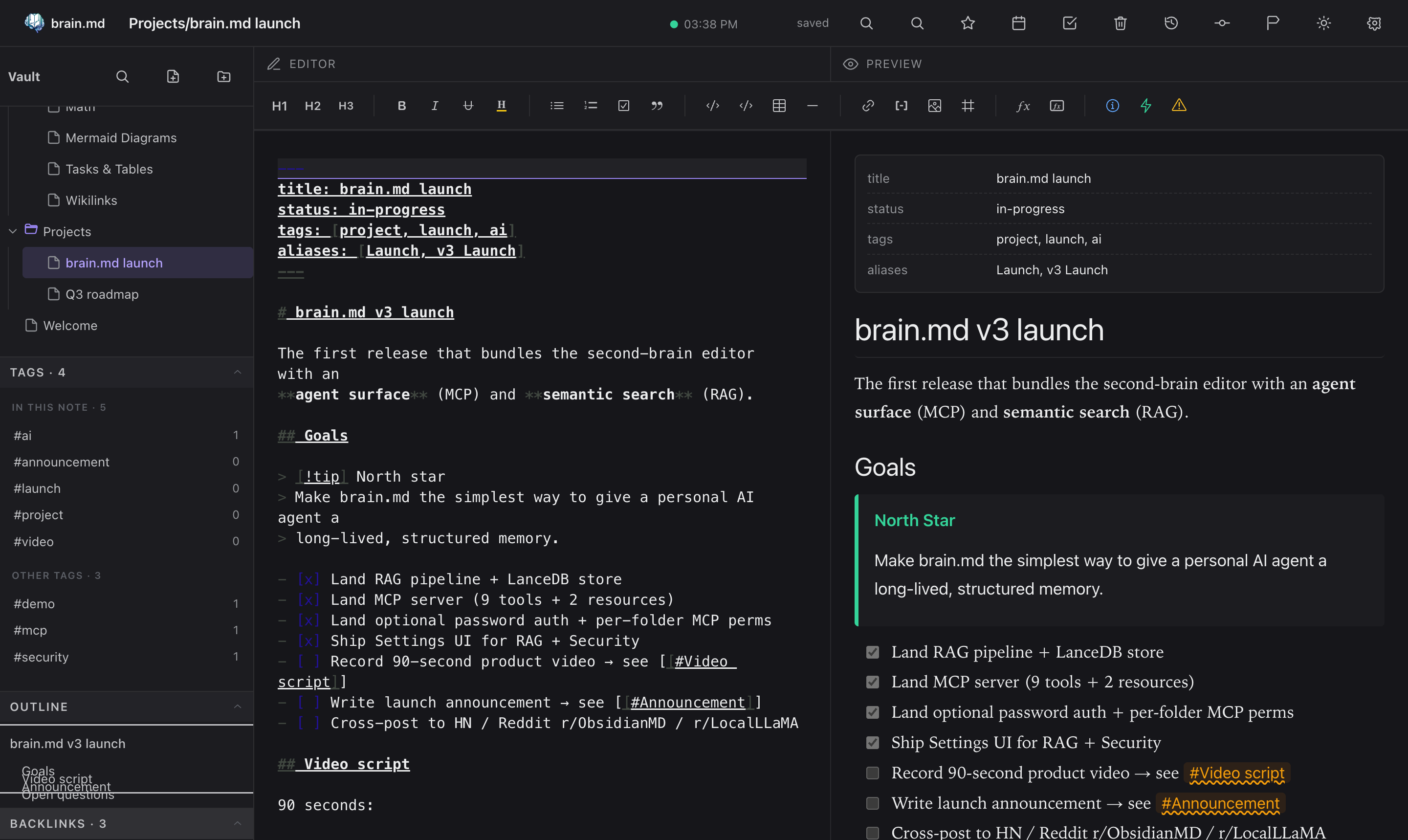
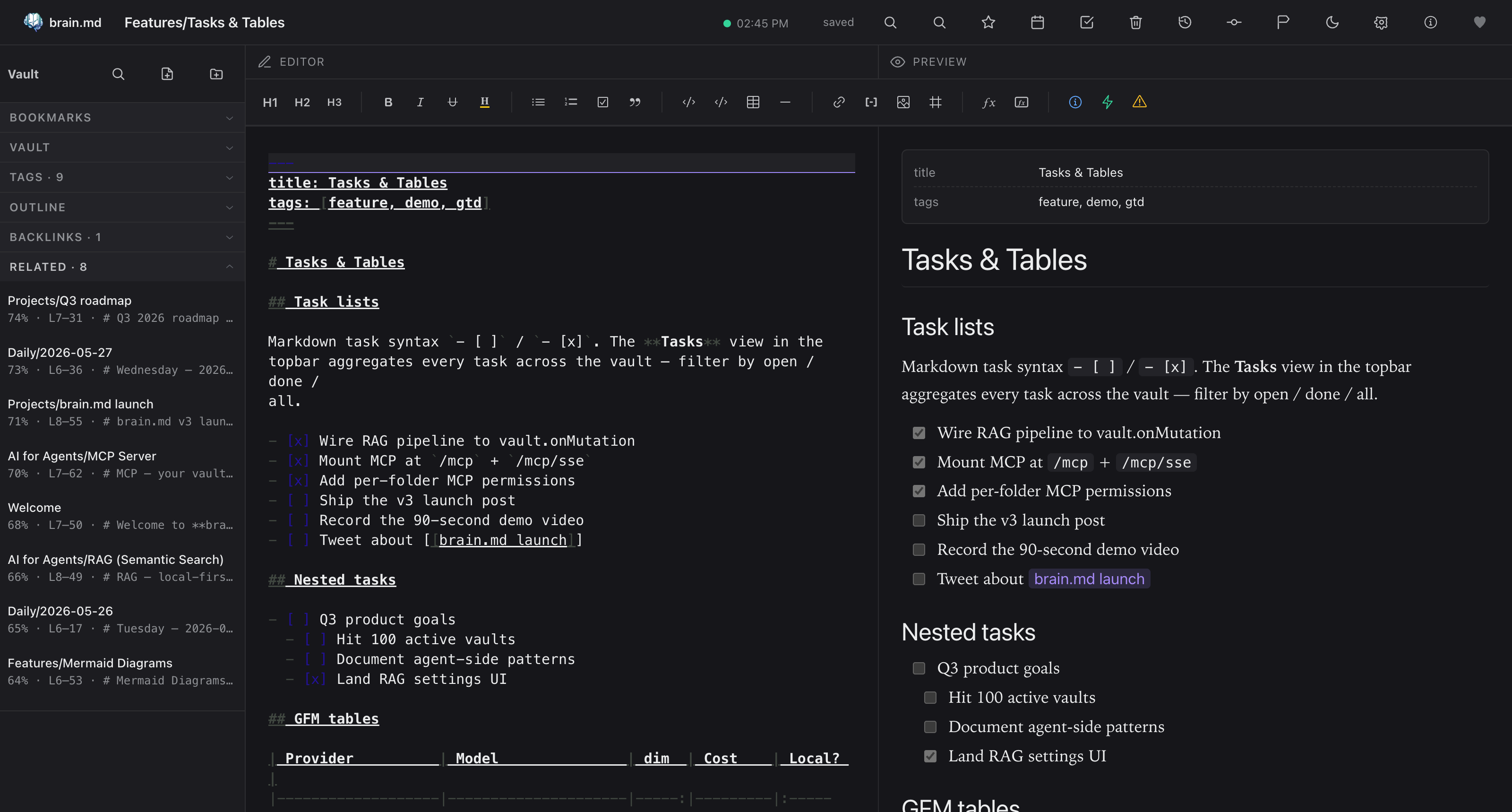
The right rail collects Bookmarks · Vault · Tags · Outline ·
Backlinks · Related. Each section is collapsible and remembers its
state per device (localStorage). The Tags panel splits into
In this note and Other tags the moment you open a note. The
Related panel powers itself from the RAG index, the same engine the
agents use, and after every save brain.md quietly suggests up to three
tags borrowed from your closest semantic neighbours.
Markdown that actually does things
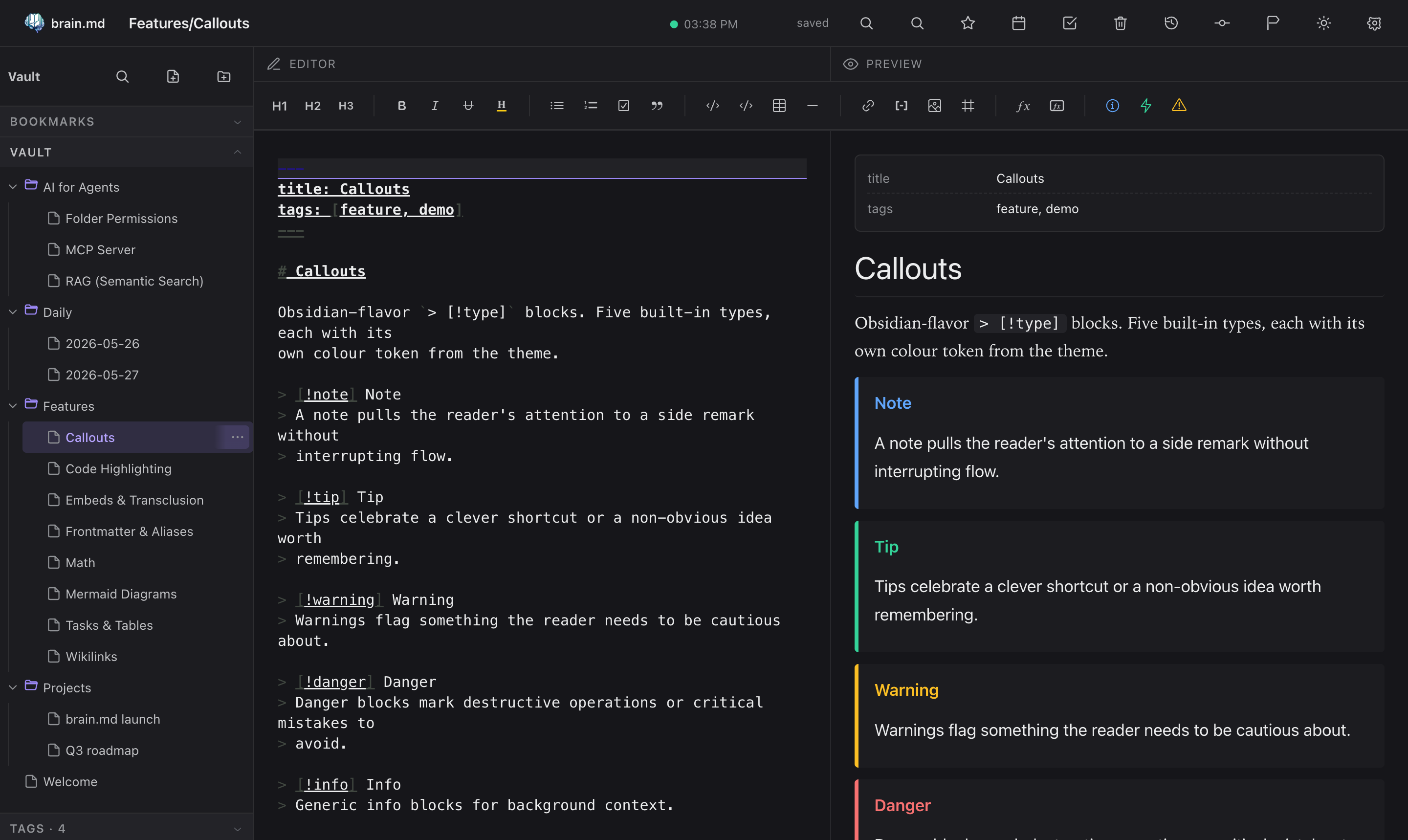
Callouts
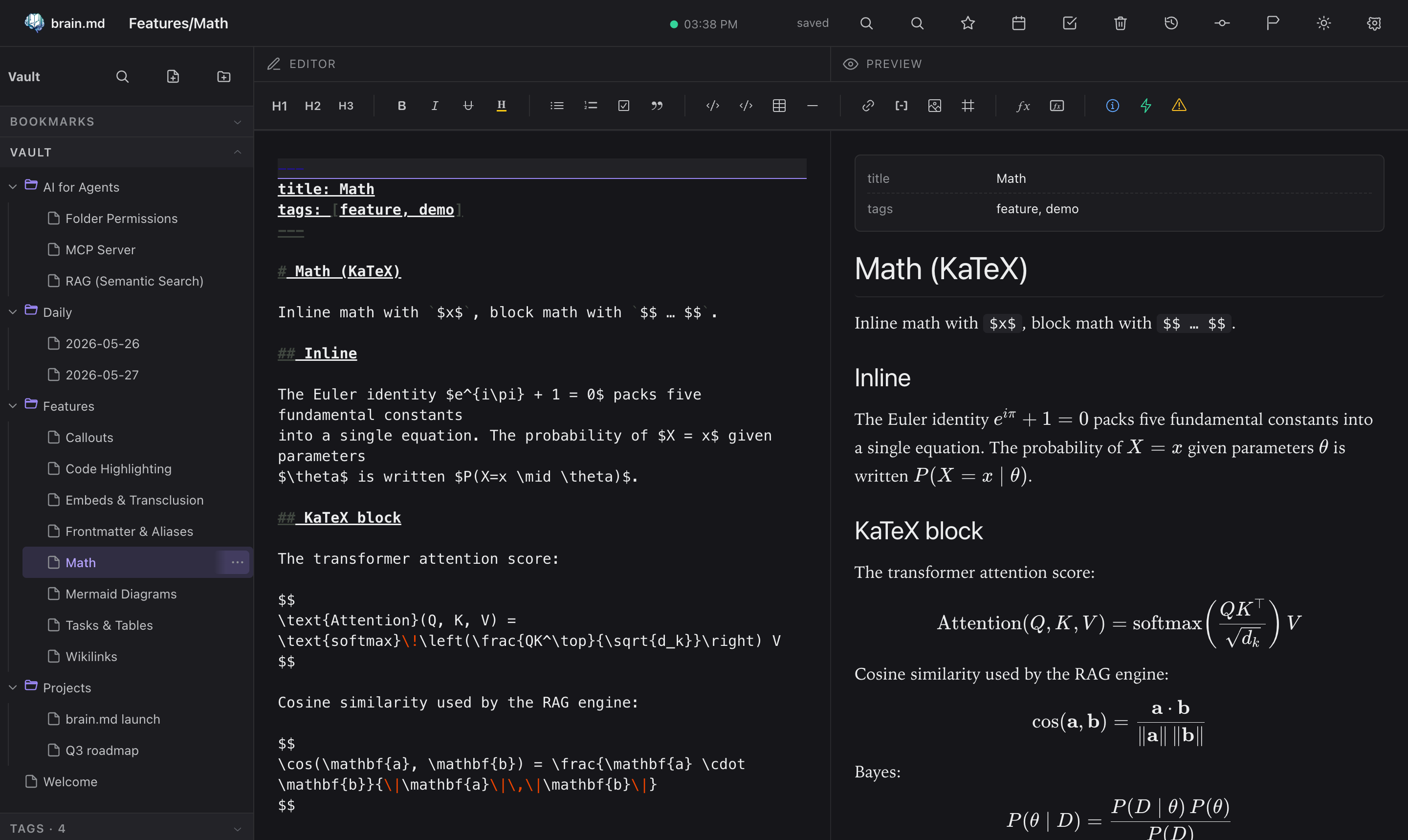
Math (KaTeX)
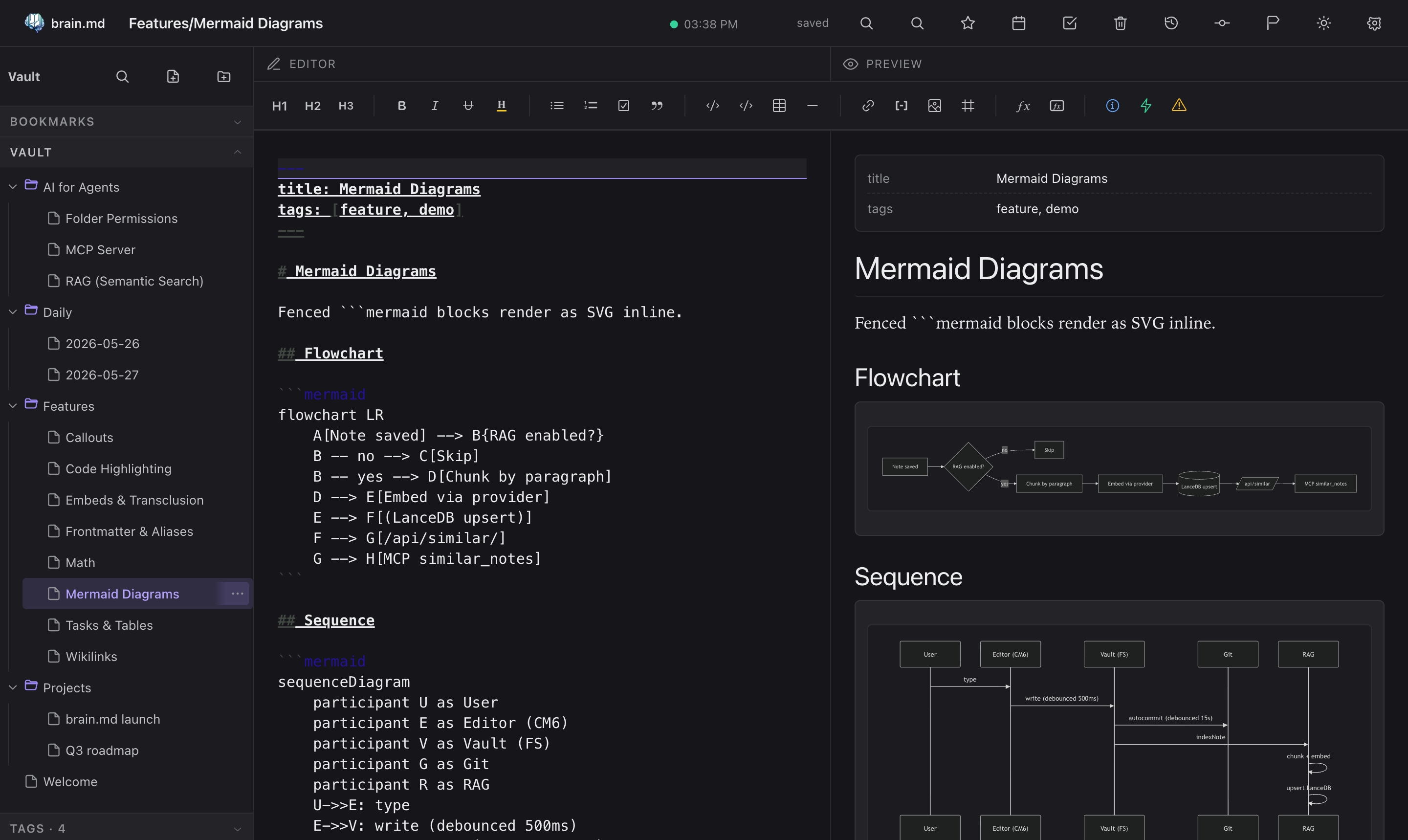
Mermaid diagrams
Syntax-highlighted code
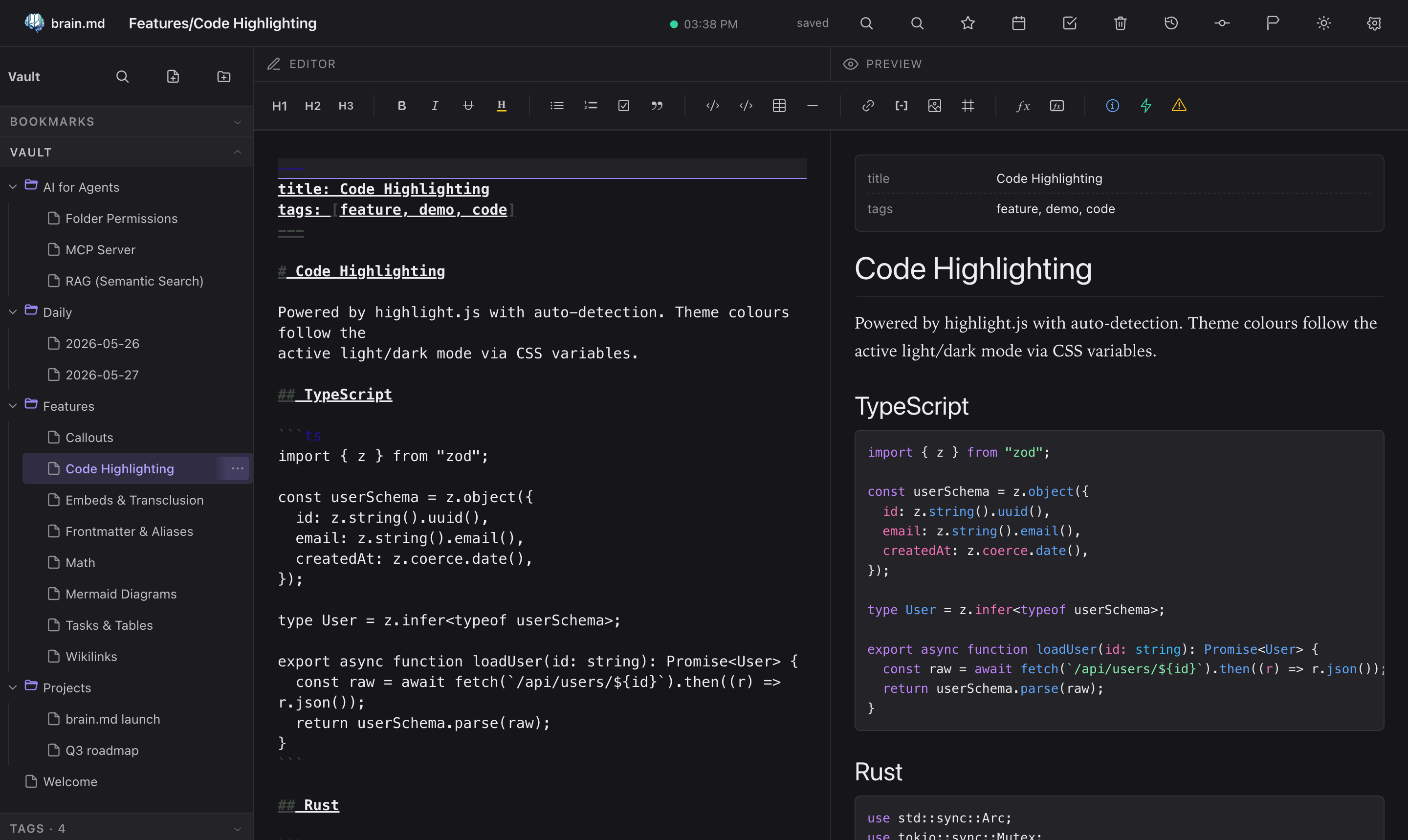
Command palette + quick switcher
- ⌘P / Ctrl+P: search across titles and bodies
- ⌘O / Ctrl+O: fuzzy quick switcher
Both are powered by cmdk inside a Radix Dialog.
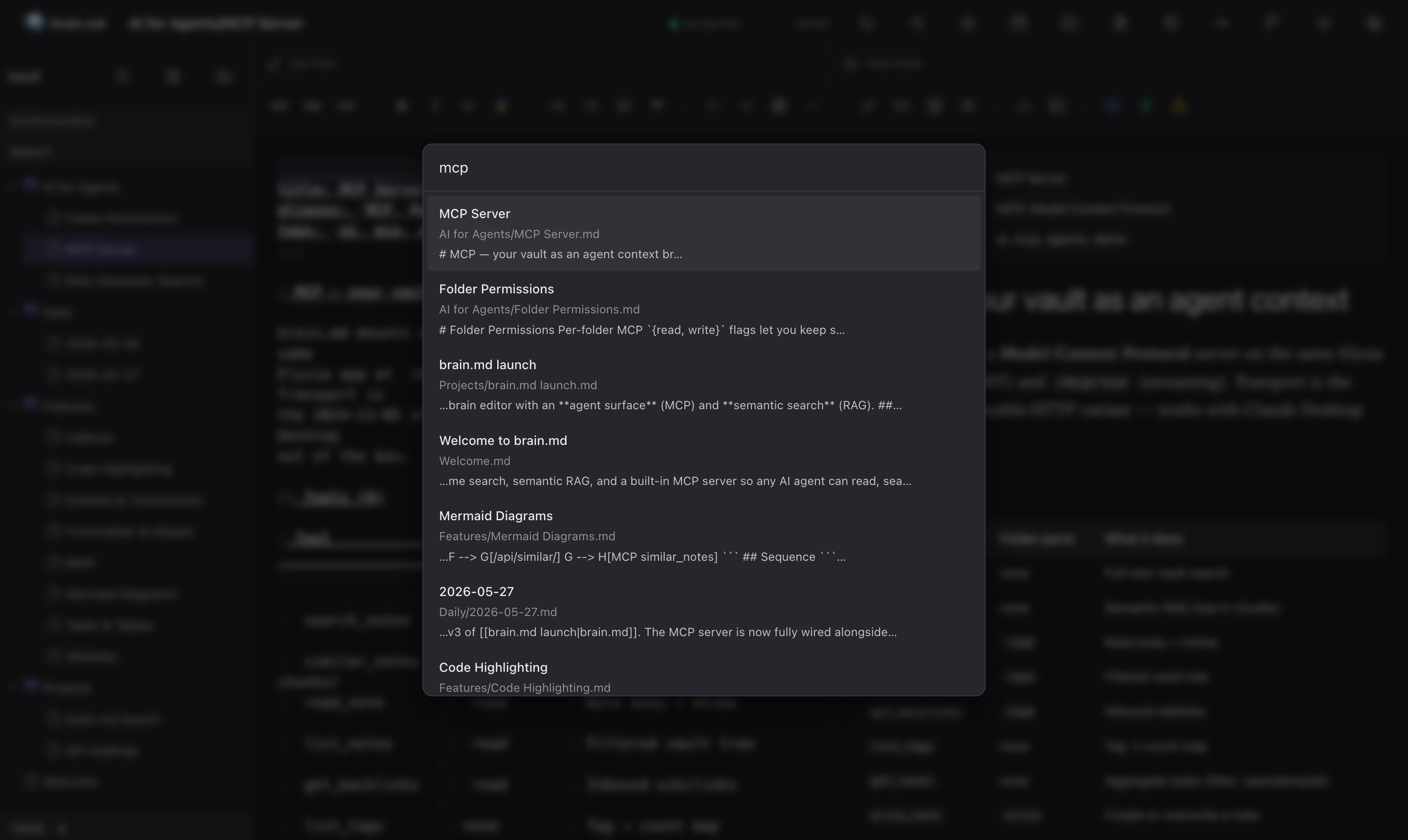
Tasks across the vault
Every - [ ] and - [x] in your notes is collected into a single
view, with filters for open / done / all and a click-through to the
source line.
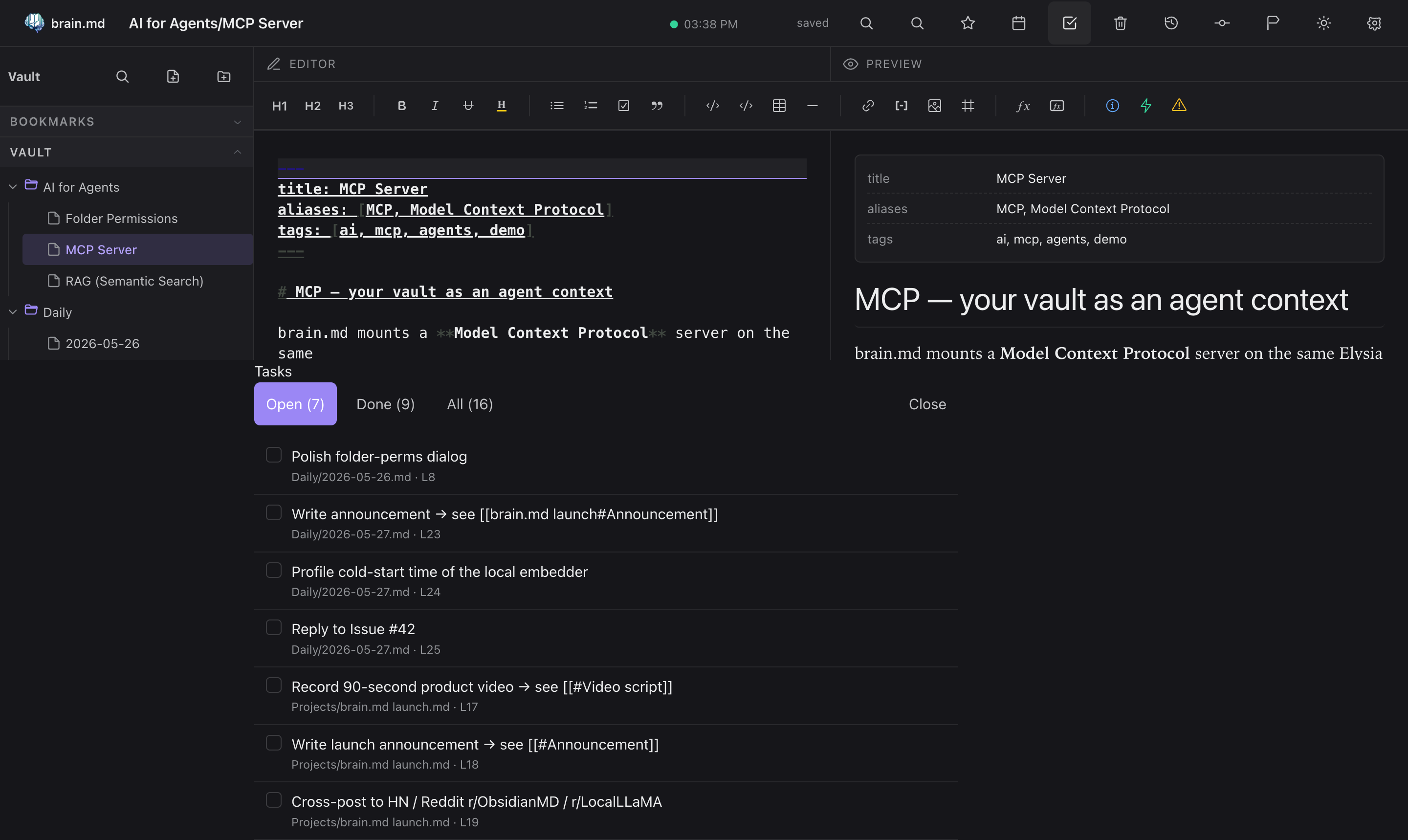
Auto versioning & history
Every save is auto-committed to git in the background (debounced,
~15 s). Open any note's History panel to see every prior
revision, side-by-side unified diffs, and a one-click Restore
this version. Filter by the current note or by the whole vault.
No "save as", no daily snapshots cron: the vault is a real git
repo on disk, so git log, git blame, git diff all work from
the terminal too.
A restore only touches the one file you asked for and commits only that path, never a sweep of whatever else happened to be dirty in the vault at the time. See Audit trail for who a commit is attributed to when more than one person or agent wrote to the vault in the same save window.
Mobile
brain.md is not a desktop-only tool. The same vault, the same self-hosted instance, the same editor work from your phone too, over LAN, Tailscale, or a Cloudflare Tunnel (Zero Trust, no public port, no DDNS). The server itself is tiny, a single Bun binary that runs comfortably on the free tier of Oracle Cloud or AWS (ARM micro instances, ≤1 vCPU / ≤1 GB RAM). Drop the binary on a $0/month VPS, route a hostname to it through Cloudflare, and you have a private second brain reachable from any device, anywhere.
Without a password the server only accepts requests whose Host
header is localhost/127.0.0.1/[::1] or an entry in
ALLOWED_HOSTS, as a guard against DNS rebinding. Set a password
(you want one anyway outside loopback) or add your LAN name or tunnel
hostname to ALLOWED_HOSTS. With a password set the check is off.
Behind a tunnel or reverse proxy, the login and OAuth-consent rate
limiter keys on the real TCP peer by default, which is the tunnel
itself (loopback), not the actual client: every request shares one
bucket. Set BRAINMD_TRUST_PROXY=cloudflare when a Cloudflare Tunnel
(cloudflared) runs on the same host and forwards to a local port,
to key on the CF-Connecting-IP header Cloudflare's edge sets
instead, only honoured when the direct peer is loopback. For any
other local reverse proxy, set BRAINMD_TRUST_PROXY to a
comma-separated list of its IPs to key on X-Forwarded-For instead
(the right-most entry that isn't itself one of those IPs), only
honoured when the direct peer is one of them. Leave it unset if
there's no local proxy in front of the server at all.
The mobile layout adapts: editor and preview swap in place via a bottom tab, the topbar scrolls horizontally with a sticky brand + hamburger, the sidebar slides in as a drawer.
Real phone, not a Chrome DevTools emulator. Captures notes on the move; the same RAG, tags, backlinks, and tasks you have on desktop.
AI for agents
This is what makes brain.md more than another markdown editor.
Semantic search (RAG)
When a note is saved, brain.md chunks it (≤ 512 tokens, ~64-token
overlap, paragraph-aligned, frontmatter excluded), embeds each chunk,
and upserts the vectors into a per-vault embedded store at
<VAULT>/.brain/vectors.json (pure JS, brute-force cosine, well
under 10ms for typical vaults).
| Provider | Model | dim | Local? | API key |
|---|---|---|---|---|
| Local (default) | bge-small-en-v1.5 (WASM) |
384 | ✓ | no |
| Ollama | e.g. nomic-embed-text |
768 | ✓ | no |
| LM Studio | any served GGUF embedder | varies | ✓ | no |
| OpenRouter (free tier) | nvidia/llama-nemotron-embed-vl-1b-v2:free |
2048 | no | yes |
| OpenAI | text-embedding-3-small |
1536 | no | yes |
Out of the box, in the prebuilt binary. The local embedder ships as bundled WASM ONNX with a hand-rolled BERT tokenizer: no
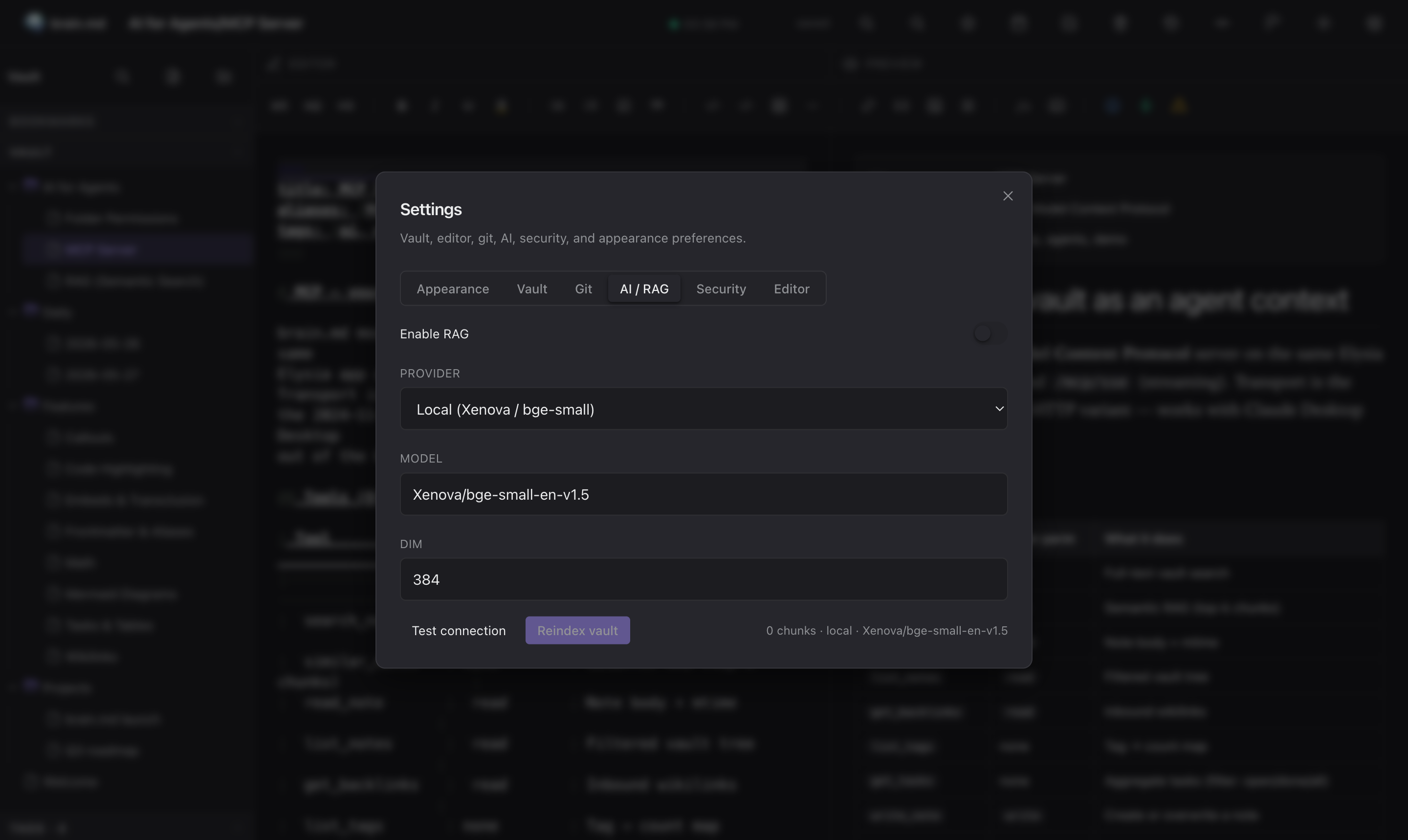
onnxruntime-node, nosharp, no platform-specific.nodebindings. Toggle Enable RAG in Settings → AI / RAG, brain.md fetches the ~34 MB quantized model once and works fully offline after that, on macOS / Linux / Windows alike. Want to keep your existing Ollama or hosted endpoint? Switch to OpenAI-compatible in the same panel.
OpenRouter: free embeddings, zero local deps
If the WASM model doesn't fit your machine (constrained RAM / no disk space for the cache) and you don't want to run Ollama either, OpenRouter ships a free OpenAI-compatible embeddings endpoint that requires no local model, no GPU, no setup beyond an API key.
In Settings → AI / RAG:
| Field | Value |
|---|---|
| Provider | OpenAI-compatible |
| Base URL | https://openrouter.ai/api/v1/ |
| Model | nvidia/llama-nemotron-embed-vl-1b-v2:free |
| DIM | 2048 |
| API Key | from openrouter.ai/keys, no credit card required for :free models |
Click Test connection, then Reindex vault. Indexes the whole vault in seconds, multilingual, multimodal-aware (works on notes mixing languages). Trade-offs: data leaves your machine on every embed call; free tier has rate limits; works only when online.
Heads-up: the same applies to Ollama, OpenAI, or any HTTP embedder. Switching
Base URL,API Key, orDIMwhile staying on the same provider and model takes effect immediately as of v0.3.1 / v0.4.0 (B17). Older binaries needed a server restart for those fields to apply.
REST surface:
| Method | Path | What |
|---|---|---|
| GET | /api/similar?q=…&k=… |
Top-k semantic hits with snippet + line range |
| GET | /api/related/*path?k=… |
Notes semantically close to a given path |
| POST | /api/context |
Pack top chunks into a token-budgeted markdown block |
| GET | /api/orphans?limit=… |
Notes with no backlinks AND low semantic neighbours |
| GET | /api/digest?since=7d |
Topic clusters across recently modified notes |
| GET | /api/rag/status |
Provider, model, dim, chunks, needsReindex |
| POST | /api/rag/reindex |
Walks the vault and rebuilds the index |
| POST | /api/rag/test |
Dry-run an embedder config without saving |
Related notes, in the sidebar
The same engine the agents use also powers a Related panel in the sidebar. Open any note → the panel lists semantically close neighbours with score, line range and a snippet preview. Click jumps you there.
Tag suggestions on save
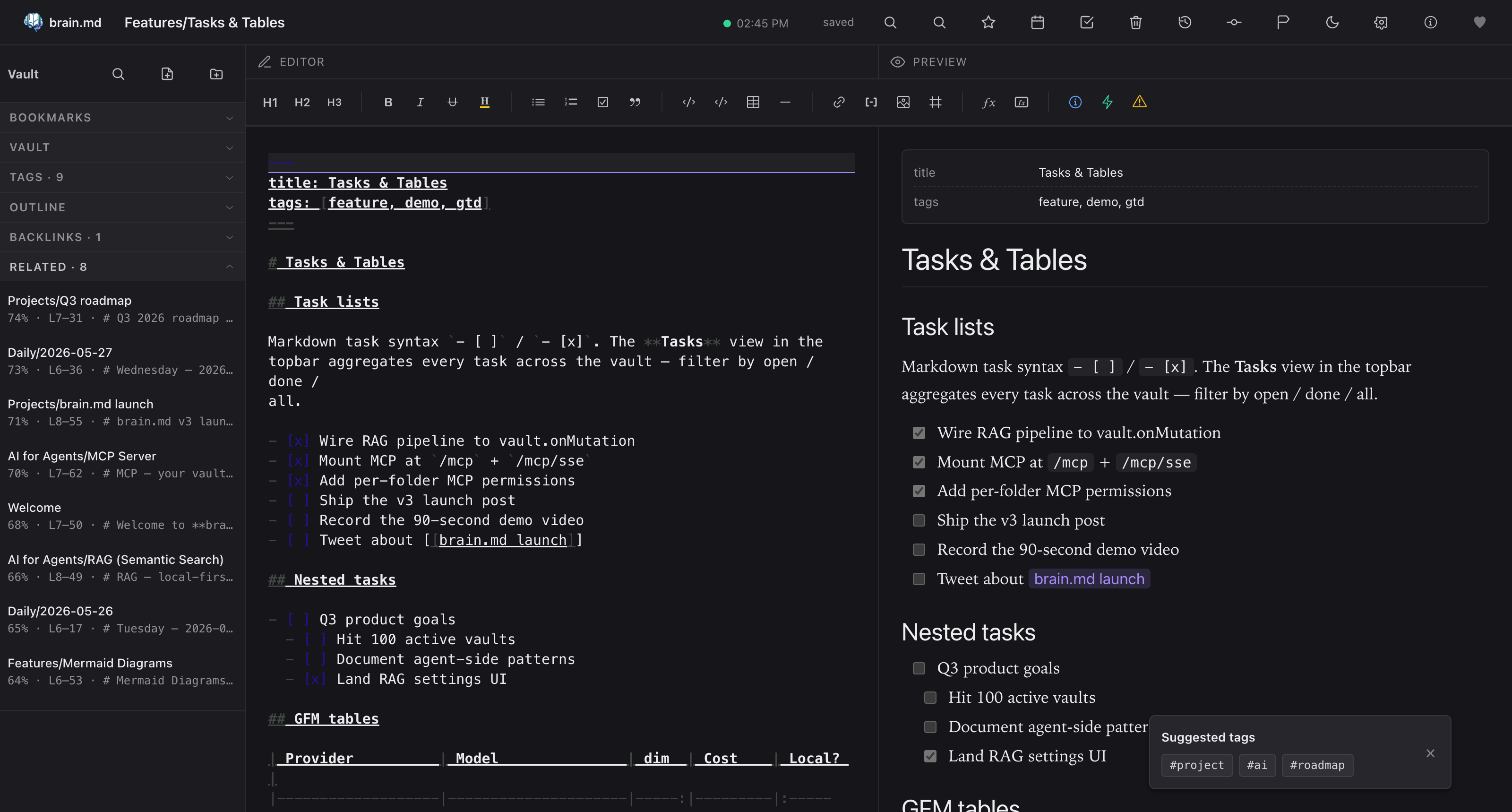
After every save, brain.md quietly looks at the closest neighbours'
frontmatter tags and suggests up to three you haven't used yet.
One click drops the tag into your frontmatter.
brain.md MCP questions
Can I use my existing Obsidian vault?
Yes, brain.md is compatible with Obsidian-style markdown including wikilinks, embeds, callouts, and more.
How does the semantic search work?
It uses a per-vault embedded vector store with a local bge-small-en-v1.5 embedder running via bundled WASM ONNX.
Can I control what my AI agent can access?
Yes, you can set per-folder read and write permissions for the MCP surface to keep private folders out of reach.
Does it require an internet connection?
It can run fully offline out of the box using bundled WASM ONNX for embeddings.