
A reference implementation used to check, validate, and test MCP clients and Specification Enhancement Proposals (SEPs) against a running server.
Also known as markusvankempen/mcp-reference-server
- Stars
- 0
- Tools
- 6
- Downloads, 30 days
- —
- Latest version
- 1.0.1
- Last commit
- Nov 13, 2026
- License
- —
What is reference MCP?
reference is a reference implementation used to check, validate, and test MCP clients and Specification Enhancement Proposals (SEPs) against a running server. It exposes 6 tools, such as describe_server, create_ticket, add_comment.
Summary generated from the project's README
About reference MCP server
Developers building or testing Model Context Protocol implementations can use this reference server to validate clients and Specification Enhancement Proposals. It provides a full-stack demonstration that goes beyond simple string returns by including 22 tools, 3 resources, and 5 prompts. The server supports three different transports including stdio, SSE, and Streamable HTTP, making it compatible with various client setups like VS Code, Cursor, or Windsurf.
Users can test advanced protocol features such as rate limiting, PII redaction, and per-tool authentication gates. The implementation includes a live control plane to toggle 15 different specifications and SEP prototypes, allowing developers to observe how their clients handle new capabilities like groups, skills, tasks, and events. It also features built-in observability through a log page that displays call counters, error logs, and full call traces to help debug model interactions.
What you can do with it
- 1Validate client protocol complianceTest how your MCP client handles various specification enhancements and prototype features by flipping live switches.
- 2Simulate long-running workflowsUse the test job tool to verify how your client manages tasks that return handles or require polling.
Written from the project's README. Every use case is checked against a quote from it.
How to install reference MCP
Formats verified 10 Nov 2026Add to CursorAdd to GooseInstall reference MCP in Claude Code
$ claude mcp add --env 'MCP_API_KEY=<YOUR_MCP_API_KEY>' --env 'MCP_USERS=<YOUR_MCP_USERS>' mcp-reference-server -- npx -y mcp-reference-serverInstall reference MCP in Cursor
~/.cursor/mcp.json
{
  "mcpServers": {
    "mcp-reference-server": {
      "command": "npx",
      "args": [
        "-y",
        "mcp-reference-server"
      ],
      "env": {
        "MCP_API_KEY": "<YOUR_MCP_API_KEY>",
        "MCP_USERS": "<YOUR_MCP_USERS>"
      }
    }
  }
}Install reference MCP in VS Code
.vscode/mcp.json
{
  "servers": {
    "mcp-reference-server": {
      "type": "stdio",
      "command": "npx",
      "args": [
        "-y",
        "mcp-reference-server"
      ],
      "env": {
        "MCP_API_KEY": "<YOUR_MCP_API_KEY>",
        "MCP_USERS": "<YOUR_MCP_USERS>"
      }
    }
  }
}Install reference MCP in VS Code CLI
$ code --add-mcp '{"name":"mcp-reference-server","type":"stdio","command":"npx","args":["-y","mcp-reference-server"],"env":{"MCP_API_KEY":"<YOUR_MCP_API_KEY>","MCP_USERS":"<YOUR_MCP_USERS>"}}'Install reference MCP in Claude Desktop
claude_desktop_config.json
{
  "mcpServers": {
    "mcp-reference-server": {
      "command": "npx",
      "args": [
        "-y",
        "mcp-reference-server"
      ],
      "env": {
        "MCP_API_KEY": "<YOUR_MCP_API_KEY>",
        "MCP_USERS": "<YOUR_MCP_USERS>"
      }
    }
  }
}Install reference MCP in Codex
$ codex mcp add mcp-reference-server --env 'MCP_API_KEY=<YOUR_MCP_API_KEY>' --env 'MCP_USERS=<YOUR_MCP_USERS>' -- npx -y mcp-reference-serverInstall reference MCP in Codex config.toml
~/.codex/config.toml
[mcp_servers.mcp-reference-server]
command = "npx"
args = ["-y", "mcp-reference-server"]

[mcp_servers.mcp-reference-server.env]
MCP_API_KEY = "<YOUR_MCP_API_KEY>"
MCP_USERS = "<YOUR_MCP_USERS>"
Install reference MCP in Gemini CLI
$ gemini mcp add -s user -e 'MCP_API_KEY=<YOUR_MCP_API_KEY>' -e 'MCP_USERS=<YOUR_MCP_USERS>' mcp-reference-server npx -- -y mcp-reference-serverInstall reference MCP in Gemini settings.json
~/.gemini/settings.json
{
  "mcpServers": {
    "mcp-reference-server": {
      "command": "npx",
      "args": [
        "-y",
        "mcp-reference-server"
      ],
      "env": {
        "MCP_API_KEY": "<YOUR_MCP_API_KEY>",
        "MCP_USERS": "<YOUR_MCP_USERS>"
      }
    }
  }
}reference MCP tools 6
Detected from the READMEdescribe_servercreate_ticketadd_commentclose_ticketget_schemarun_query
Configuration
MCP_API_KEYSecretAPI key for authenticated tool calls. Issue one on /admin → API Keys. Required when AUTH_MODE=write or AUTH_MODE=all.
MCP_USERSSecretExtra username/password users: 'alice:secret:read,write'. Comma-separated, colon-delimited.
AUTH_MODEAuthentication mode: off (default), write (write+pii tools gated), all (every tool gated).
MCP_MODERATE_LIMITMax tool calls per window per caller. Default 60.
Automated checks
Ran Nov 14, 2026Full report →Passed our automated checks. That is not a security audit: read the code and give the server the narrowest access it needs. How checks work · What to fix for more points

- Source repository linked and reachablemarkusvankempen/mcp-reference-server is public and reachablegithub.com/markusvankempen/mcp-reference-server ↗Pass
- Package names this repository as its sourcemcp-reference-server names markusvankempen/mcp-reference-server as sourcenpmjs.com/package/mcp-reference-server ↗Pass
- Build provenance (Sigstore attestation)No build attestation published for this releaseNot checked
- Open source license (OSI)No licenseFinding
- Commit or release in the last yearLast commit or release 2026-11-13github.com/markusvankempen/mcp-reference-server ↗Pass
- OpenSSF ScorecardNot checked
- Package name not close to a popular packageNo popular package one edit away from mcp-reference-serverPass
- No critical advisory in the package or its dependenciesthe package checked; no critical advisoryosv.dev ↗Pass
- No hidden instructions to the model6 tool descriptions and the README read; no override phrases, credential paths or hidden charactersPass
- Destructive tools are labelledNo tool named like delete, drop or execPass
- Remote endpoint answers the MCP handshakeNot checked
README
View on GitHubMCP Reference Server — A Full-Stack MCP Demo







A reference MCP server for the Model Context Protocol. Use it to check, validate and test your client, your server, and proposed protocol changes (SEPs, Specification Enhancement Proposals) against a running implementation. Run it in under five minutes.
- Reference: 22 tools, 3 resources, 5 prompts, three transports (stdio, SSE, Streamable HTTP), three auth modes, API keys, per-tool gates, rate limiting, and a desk for health, tools, admin, and the log.
- Validate:
/healthsays the server is alive,/testsays it works, and the automated suites exercise tools, auth, events, tasks and skills. - Test SEPs: 15 specifications and SEP prototypes (groups, skills, tasks, events and more) sit behind live switches. Flip one and watch how your client copes. See the SEP control plane.
| MCP server (mcp-reference-server 1.0.0) | server/ |
| MCP specification and SEPs | modelcontextprotocol.io · SEP process |
Personal open-source project. SEP behavior here is a prototype for testing, not the specification; the specification at modelcontextprotocol.io is authoritative.
What makes this useful beyond a hello-world
Most MCP examples stop at "here is a tool that returns a string." This one goes further:
| Feature | What you learn |
|---|---|
| 22 tools with intent-named descriptions | Nouns live in a schema, verbs stay as tools — not request(path, method) |
3 resources (ticket://, tickets://open, schema://) |
resources/list enumerates instances; reads use the same gate() as the matching tool |
| 5 MCP prompts | User-facing prompts vs agent-facing tools |
Tool annotations (readOnlyHint, destructiveHint, idempotentHint, openWorldHint: false) |
Client confirm/retry UX |
| Server instructions | The README the model actually reads |
isError: true on every failure |
Clients don't need to parse ok: false |
Attribution scar — create_ticket without requester_email |
201 is not done. The bot owns the ticket. |
Schema discovery — get_schema → run_query |
One query tool beats a pile of query_* names |
| 0 tools discovered — hand a laptop path to a cloud runner | The silent failure with no error and no warning |
| stdio + SSE + Streamable HTTP from one codebase | Three transports, same 22 tools |
Auth modes (off / write / all) + per-tool gate + per-tool auth lock |
Security is an operator concern |
tools/list_changed broadcast when admin flips a gate |
SSE and Streamable HTTP sessions refresh; one-shot curl does not |
Rate limiting with retry_after_seconds in the error |
Stop the model retrying in a loop |
PII redaction on run_query schema=customers |
Same tool, same endpoint; the phone field is REDACTED without the pii scope |
/health vs /test |
Alive ≠ works. Public /test is read-only; cwd stays off public /health |
Live observability — /log page with counters, error log, call trace |
See what the model is actually doing |
Operate it over MCP — settings (one update_settings patch), users, API keys and settings import are tools, settings export is run_query schema=settings, and most need the admin scope even when auth is off |
The control plane is part of the server, not a side door |
Three ways to operate one server — /admin Remote config and the mcp-reference-server command line |
Same steps, same Demo setup, checked against each other |
| Groups (mcp-reference-server 1.0.0) | Prototype of io.modelcontextprotocol/groups. A client that negotiates it gets describe_server and get_schema from tools/list, then groups/list and groups/get. Seven groups: query, tickets-write, admin, events, traffic, jobs, client. A client that does not negotiate still gets all 22 tools. server/README.md |
| Skills (SEP-2640) | io.modelcontextprotocol/skills. A skill is a workflow and files (skills/list, skills/get, resources/read), not a tool and not a scope. Built in: work-an-open-ticket, open-a-ticket, read-the-queue. Admins upload more. server/README.md |
| Tasks (SEP-2663) | io.modelcontextprotocol/tasks. create_ticket and run_test_job can return a flat task handle. Poll tasks/get, or open tasks/stream (SEP-2694, draft) and resume with after. After ttlMs, tasks/get is -32602 with data.status expired until the retain window ends. tasks/result is not implemented. server/README.md |
| Events (SEP-3415 draft) | io.modelcontextprotocol/events. events/list and events/poll read the same bus as GET /sse. events/stream is a short push. Webhook is not offered. server/README.md |
| Sampling, roots, and progress | draft_reply calls sampling/createMessage and does not post the draft. list_workspace_roots calls roots/list and does not read the files. An open run_test_job sends notifications/progress when the request carries a progressToken. A one-shot call has no client to ask. server/README.md |
Live SEP control plane (/admin#adm-seps) |
Toggle 15 MCP specifications & SEPs live (2026-07-28 §2.1, SEP-1686, SEP-2640, SEP-2575, SEP-2567, SEP-2127, SEP-3415, SEP-3313, SEP-19, SEP-2636, SEP-1577, SEP-1036, SEP-1850, SEP-2549, SEP-2164) to test client resilience and audit compliance. server/README.md lists what each switch changes |
Quickstart — five minutes
# Run directly from npm — nothing to clone or install
npx mcp-reference-server           # stdio (IDE spawns this)
MCP_MODE=http npx mcp-reference-server  # HTTP — opens /health /test /admin /mcp
Then open in a browser:
| URL | What it shows |
|---|---|
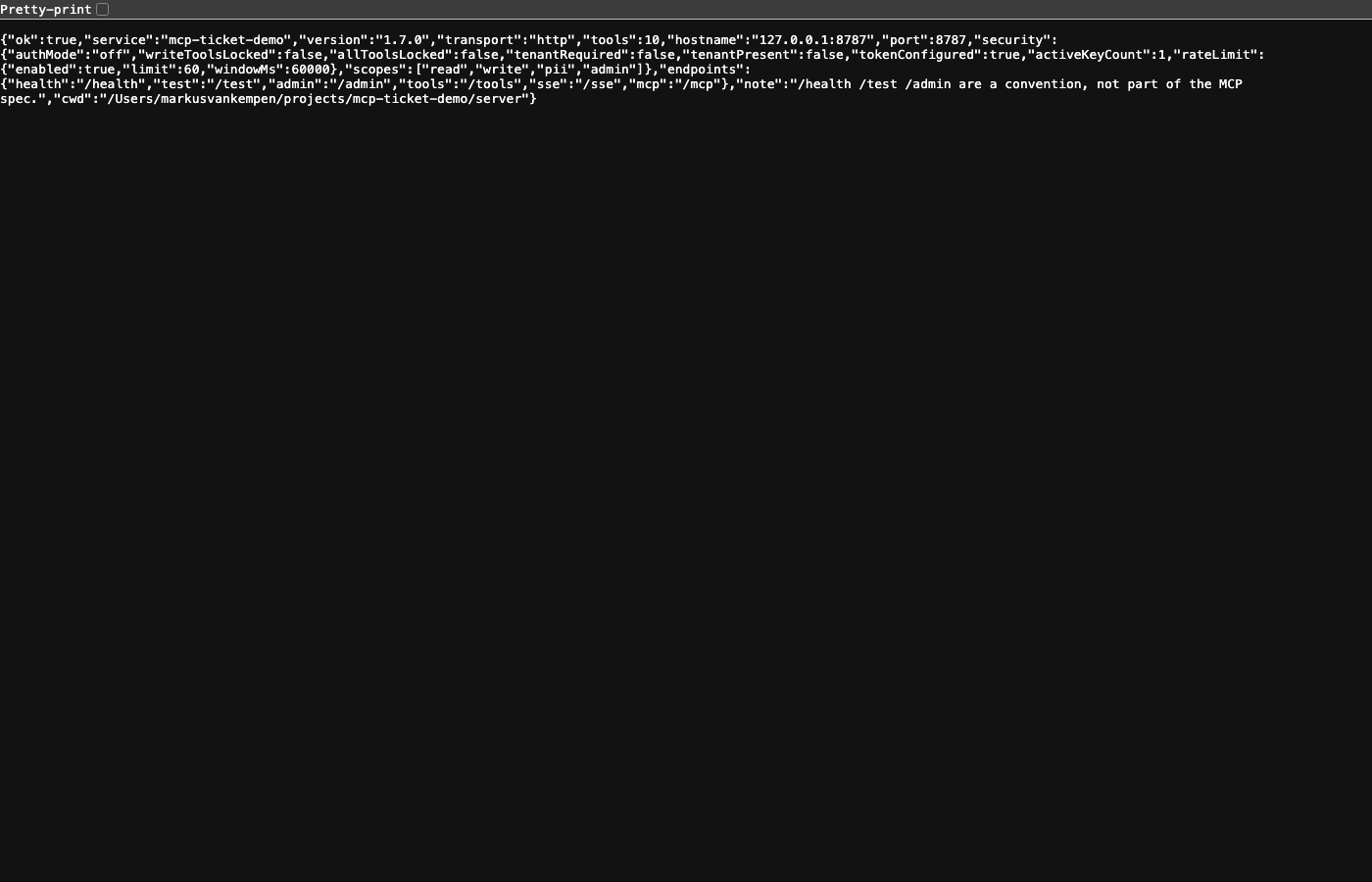
| http://127.0.0.1:8787/health | Is the process alive? (cwd only on localhost) |
| http://127.0.0.1:8787/test | Read-only smoke: seed tickets, schemas, and run_query |
| http://127.0.0.1:8787/admin | Auth mode, API keys, tool gates, observability |
| http://127.0.0.1:8787/log | Call counters, error log, full call trace |
| http://127.0.0.1:8787/tools | Every tool, with its scope, a Try button, and the curl that calls it. Tabs for groups, skills, tasks, and the test job |
| http://127.0.0.1:8787/help#help-specs | Reference for the groups, skills, tasks, and events extensions |
From a terminal
The same mcp-reference-server command is also a client for a running server, local or deployed. With no arguments it is still the MCP server, so the IDE configs below keep working.
npx mcp-reference-server status                                    # http://127.0.0.1:8787/mcp by default
npx mcp-reference-server call run_query schema=tickets 'filter={"status":"open"}' limit=5   # any tool, values typed from its schema
npx mcp-reference-server demo apply --user demo --password demo    # users, keys, auth write, 30 calls / 60 s
npx mcp-reference-server demo check --user demo --password demo    # acts as each role and as nobody
npx mcp-reference-server status --url https://my-host.example.com  # a deployed server
--json prints one document for scripts, and exit codes are 0 done · 1 refused · 2 usage · 3 unreachable. Commands that delete or reconfigure ask first. Every command, option and example is in server/README.md, and a copy-paste page is at /clients/cli.html on a running desk. demo apply changes real settings, so use it on a server you own.
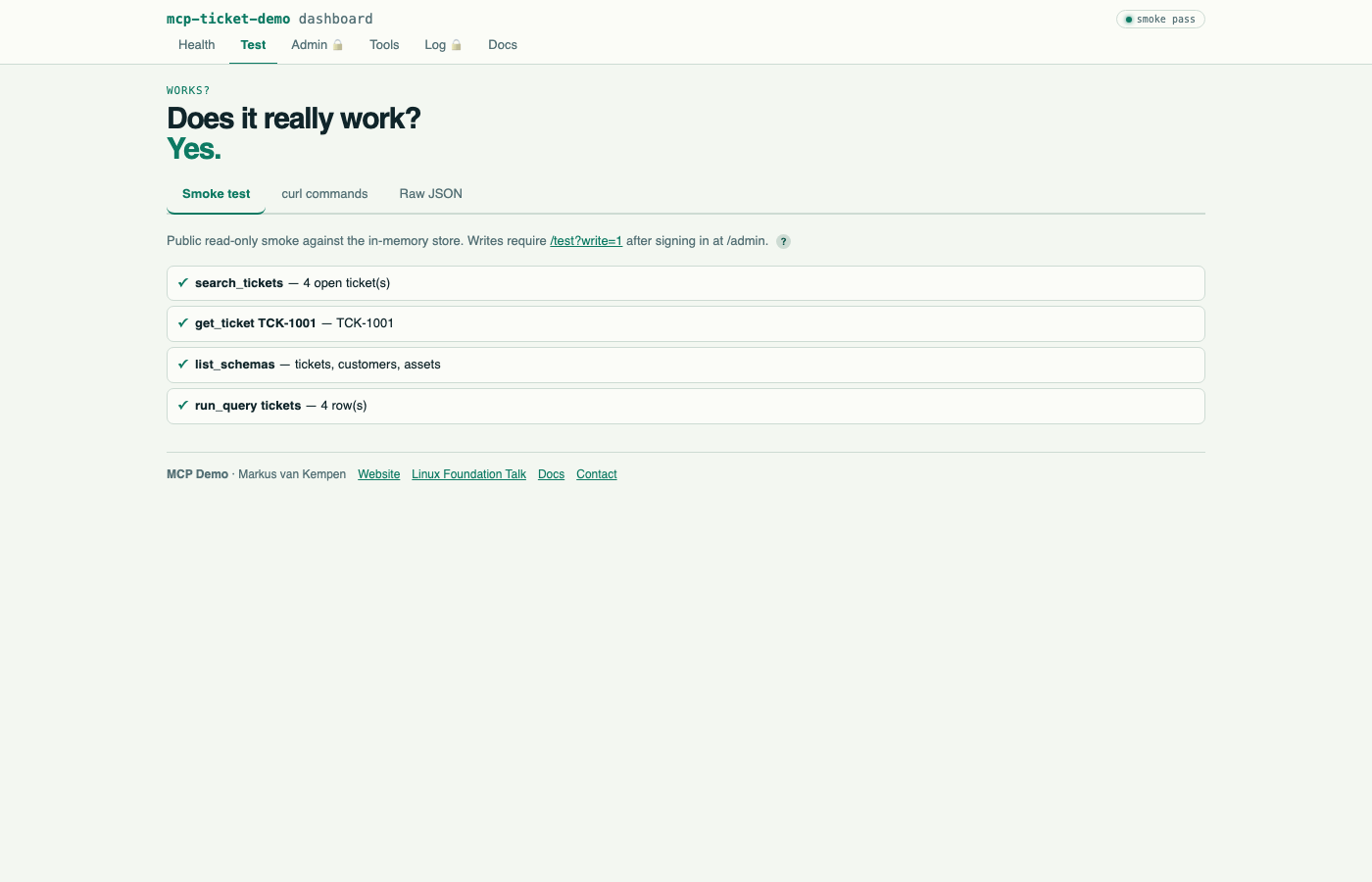
Laptop login: demo / demo. On a public bind (HOST=0.0.0.0, container, Code Engine) set ADMIN_PASSWORD — the default is disabled. Write smoke is /test?write=1 after admin sign-in.
Add to your IDE (one line)
VS Code / GitHub Copilot — .vscode/mcp.json:
{
  "servers": {
    "mcp-reference-server": {
      "type": "stdio",
      "command": "npx",
      "args": ["mcp-reference-server"],
      "env": { "MCP_MODE": "stdio" }
    }
  }
}
Bob / Cursor / Windsurf — .bob/mcp.json / .cursor/mcp.json / .windsurf/mcp.json:
{
  "mcpServers": {
    "mcp-reference-server": {
      "command": "npx",
      "args": ["mcp-reference-server"],
      "env": { "MCP_MODE": "stdio" }
    }
  }
}
Per-client detail is in docs/LOCAL.md and docs/BOB.md, and a running desk serves copy-paste pages for each client at /clients/.
Tools
The server has 22 tools. Six are the ticket desk, below. Eight operate the server itself: update_settings (every setting is one patch: auth mode, rate limit, call trace, desk sign-in, SEPs, transports, events, gates, locks and scopes), set_mqtt, users (create_user, delete_user), API keys (issue_api_key, revoke_api_key), import_settings and sample traffic (generate_traffic). Most of those need the admin scope even while auth is off; server/README.md lists the scope of each. Three are timers, start_timer, stop_timer and push_timer, with no get_timer (push_timer also streams the timer as events; see Events): you read a timer through the schema, run_query with schema=timers (server/README.md). push_log sends a log line as an event, and watch_system publishes the machine as system.info, including a container's cgroup limit. run_test_job waits a set time and ends as a chosen task status, to test long-running calls and SEP-2663 tasks (server/README.md). On an open call it also sends notifications/progress when the request carries a progressToken. draft_reply asks the connected client's model for a draft and does not post it. list_workspace_roots returns the workspace roots the client chose to share and does not read the files (server/README.md). Plain lists are not tools of their own: run_query reads settings (the saved settings, importable as they are), system (the machine), events (the events already sent), and, with an admin credential, users, api_keys, trace, errors and counters. The page at /clients/dashboard.html draws them. Each of these tools is declared once and everything else is generated from that definition.
The ticket desk (6)
| Tool | Scope | When to use | Lesson |
|---|---|---|---|
describe_server |
read |
First call, and after any denial | Discovery beats guessing |
create_ticket |
write |
Open a ticket — always pass requester_email |
Omit it → 201 + bot owns the ticket |
add_comment |
write |
Comment on a known ticket | Write tool; gated |
close_ticket |
write |
Resolve a ticket, optionally add resolution note | destructiveHint: true, idempotentHint: true |
get_schema |
read |
Before any query | No name lists every name with its kind (data, query, tool); a name gives that shape or those arguments |
run_query |
read |
The one query tool: schema=tickets (find by status / requester_email / query, or one ticket by id with body and comments), schema=customers (phone is REDACTED without the pii scope), plus assets, timers, system, settings, events (and, for an admin, users, api_keys, trace, errors, counters) |
Nouns in a schema, verbs as tools. Replaces query_tickets / query_assets / … |
3 Resources
Resources are addressable and pinnable — clients can subscribe and refresh. Tools are for agent loops.
| URI | What it returns | Same gate as |
|---|---|---|
ticket://TCK-1001 |
One ticket by id | run_query |
tickets://open |
Live open ticket list (top 25) | run_query |
schema://tickets |
Query schema shape (also customers, assets) |
get_schema |
Call resources/list to browse — you do not need to know a URI ahead of time. A denied read is a JSON-RPC error (not a fake ticket document you can pin).
5 Prompts
User-facing prompts — the user picks these, the model executes them.
| Prompt | Lesson it teaches |
|---|---|
search-open-tickets |
List open tickets and who owns each one |
attribution-scar |
Create a ticket with no requester email. The service account owns it |
schema-discovery |
get_schema (no name) → get_schema (name) → run_query walkthrough |
close-ticket-flow |
add_comment then close_ticket in sequence |
diagnose-server |
describe_server — auth mode, scopes, available tools |
Auth model
off    All tools open. No credential needed. Default for local dev.
write  Read tools open. Write tools need a credential. The customer phone shows only with a `pii` credential.
all    Every tool call requires a credential.
Credentials: Authorization: Bearer <api key> over HTTP · MCP_API_KEY env var over stdio.
Issue keys, set modes, toggle per-tool gates, and lock individual tools on /admin.
A change broadcasts notifications/tools/list_changed to connected SSE and Streamable HTTP sessions (Cursor/Bob after initialize). One-shot POST /mcp (curl) has no session — it sees the new list on the next call.
Repo layout
mcp-reference-server/
  server/       MCP server — tools, resources, prompts, auth, HTTP pages
    src/cli/    The command line client (mcp-reference-server <command>)
    clients/    Copy-paste setup pages served at /clients/ (editors, browser, CLI, settings)
  docs/         Walkthroughs: demo, local, admin and security, Bob
  Dockerfile    node:20-bookworm-slim, non-root USER node, WORKDIR /app
Docs
| Doc | What's in it |
|---|---|
| docs/README.md | Index. Server mcp-reference-server 1.0.0 |
| docs/DEMO.md | End-to-end demo guide — 16 live curl demos, every lesson, real captured output |
| docs/LOCAL.md | Local stdio + HTTP walkthrough |
| docs/ADMIN-AND-SECURITY.md | Auth modes, API keys, tool gates, SEP switches |
| docs/BOB.md | IBM Bob specific setup |
| server/README.md | Full reference: the 22 tools, groups, skills, tasks, sampling, roots, progress, every endpoint curl, and the command line |
Environment variables
| Variable | Default | What it does |
|---|---|---|
MCP_MODE |
stdio |
stdio or http |
PORT |
8080 |
HTTP only. npm run http uses 8787 |
HOST |
127.0.0.1 |
0.0.0.0 inside container (set automatically) |
AUTH_MODE |
off |
off · write · all |
ADMIN_USER / ADMIN_PASSWORD |
demo / demo |
/admin login. Default disabled on a public bind until ADMIN_PASSWORD is set |
CORS_ORIGINS |
unset | Extra Origin values allowed on /mcp. Localhost and same-host are always allowed |
API_KEY / API_KEY_SCOPES |
unset | Register one key at boot |
MCP_API_KEY |
unset | stdio credential. The command line client sends it as a bearer key |
MCP_USERNAME / MCP_PASSWORD |
unset | stdio basic auth. The command line client sends them as HTTP Basic |
MCP_URL |
http://127.0.0.1:8787/mcp |
Command line client only: the server to talk to |
MCP_SKILLS_DIR |
~/.mcp-reference-server/skills |
Uploaded skills. They survive a restart. Tickets do not |
MCP_TASK_TTL_MS |
60000 |
How long a task handle lives |
MCP_USERS |
unset | "alice:secret:read,write" extra logins |
RATE_LIMIT / RATE_LIMIT_WINDOW_MS |
60 / 60000 |
Calls per window per caller |
TENANT_ID |
unset | If set, writes need x-tenant-id header |
Honest limits
- Tickets live in memory — a new container starts from seed data.
- Admin auth is a session cookie, not SSO. Cookie is
HttpOnly(+Secureon HTTPS). /healthbeing green does not mean the ticket went to the right person.- Public
/testdoes not create or close tickets. Use/test?write=1after admin sign-in. - Remote config and the command line change real settings (auth mode, users, keys, rate limit) on whatever server you point them at. Demo setup is for a server you own.
Author: Markus van Kempen · github.com/markusvankempen · markusvankempen.github.io · npm
reference MCP questions
How do I add reference MCP to Claude Code?
Run claude mcp add --env 'MCP_API_KEY=<YOUR_MCP_API_KEY>' --env 'MCP_USERS=<YOUR_MCP_USERS>' mcp-reference-server -- npx -y mcp-reference-server in your terminal. Add --scope user to make it available in every project.
How do I add reference MCP to Cursor?
Open ~/.cursor/mcp.json and add the server under mcpServers, using the Cursor config shown in the install section above.
What tools does reference MCP provide?
It exposes 6 tools, including describe_server, create_ticket, add_comment, close_ticket, get_schema.
How can I run the reference server?
You can run it directly from npm using npx mcp-reference-server for stdio mode, or by setting MCP_MODE=http for HTTP mode.
What transports does the server support?
The server supports three transports: stdio, SSE, and Streamable HTTP.
Can I use this to test new protocol specifications?
Yes, you can toggle 15 MCP specifications and SEP prototypes live to test how your client handles them.
Does the server include observability features?
Yes, it provides a /log page that includes call counters, error logs, and full call traces.