
Provides a typed procedure-as-data model for TypeScript that enables executing calls via HTTP, WebSocket, CLI, or MCP.
Also known as mark1russell7/client, @procedures/bundle-assistant, @procedures/bundle-mcp, @procedures/client, @procedures/mcp
- Stars
- 0
- Tools
- —
- Downloads, 30 days
- —
- Latest version
- —
- Last commit
- Nov 16, 2026
- License
- MIT
What is Client MCP?
Client provides a typed procedure-as-data model for TypeScript that enables executing calls via HTTP, WebSocket, CLI, or MCP.
Summary generated from the project's README
About Client MCP server
Executing typed procedures across different environments is what this TypeScript model enables. Developers can define a single procedure with a specific path, Zod input, Zod output, and handler, then run it through various transports including HTTP, WebSocket, the mark CLI, or as an MCP tool. This approach treats programs as plain JSON, allowing for complex control flow and references to previous results.
Users can implement this locally using LocalTransport or connect to remote services via HttpTransport or WebSocketTransport. The system provides built-in support for streams, middleware, retries, and caching. It is designed for scenarios where the same set of procedures must be accessible to a program, a CLI, a server, and AI clients like Claude simultaneously. The architecture relies on Node.js 22 or later and uses ES modules for implementation.
What you can do with it
- 1Execute complex multi-step programsA developer can send a JSON object representing a sequence of steps where one call uses the result of a previous one.
- 2Provide developer tools to ClaudeYou can equip Claude with 91 specific tools including Docker, MongoDB, and SQLite by adding the mcp-dev-tools server.
- 3Run procedures over different protocolsYou can switch from local execution to remote server execution by changing the transport type.
Written from the project's README. Every use case is checked against a quote from it.
How to install Client MCP
Formats verified 10 Nov 2026Add to CursorAdd to GooseInstall Client MCP in Claude Code
$ claude mcp add client -- npx -y @procedures/bundle-assistantInstall Client MCP in Cursor
~/.cursor/mcp.json
{
  "mcpServers": {
    "client": {
      "command": "npx",
      "args": [
        "-y",
        "@procedures/bundle-assistant"
      ]
    }
  }
}Install Client MCP in VS Code
.vscode/mcp.json
{
  "servers": {
    "client": {
      "type": "stdio",
      "command": "npx",
      "args": [
        "-y",
        "@procedures/bundle-assistant"
      ]
    }
  }
}Install Client MCP in VS Code CLI
$ code --add-mcp '{"name":"client","type":"stdio","command":"npx","args":["-y","@procedures/bundle-assistant"]}'Install Client MCP in Claude Desktop
claude_desktop_config.json
{
  "mcpServers": {
    "client": {
      "command": "npx",
      "args": [
        "-y",
        "@procedures/bundle-assistant"
      ]
    }
  }
}Install Client MCP in Codex
$ codex mcp add client -- npx -y @procedures/bundle-assistantInstall Client MCP in Codex config.toml
~/.codex/config.toml
[mcp_servers.client]
command = "npx"
args = ["-y", "@procedures/bundle-assistant"]
Install Client MCP in Gemini CLI
$ gemini mcp add -s user client npx -- -y @procedures/bundle-assistantInstall Client MCP in Gemini settings.json
~/.gemini/settings.json
{
  "mcpServers": {
    "client": {
      "command": "npx",
      "args": [
        "-y",
        "@procedures/bundle-assistant"
      ]
    }
  }
}Automated checks
Ran Nov 15, 2026Full report →Passed our automated checks. That is not a security audit: read the code and give the server the narrowest access it needs. How checks work

- Source repository linked and reachablemark1russell7/client is public and reachablegithub.com/mark1russell7/client ↗Pass
- Package names this repository as its source@procedures/bundle-assistant, @procedures/bundle-mcp name mark1russell7/client as sourcenpmjs.com/package/@procedures/bundle-assistant ↗Pass
- Build provenance (Sigstore attestation)Sigstore attestation for @procedures/bundle-assistant, @procedures/bundle-mcpnpmjs.com/package/@procedures/bundle-assistant/v/0.56.0#prov ↗Pass
- Open source license (OSI)MITspdx.org/licenses/MIT.html ↗Pass
- Commit or release in the last yearLast commit or release 2026-11-14github.com/mark1russell7/client ↗Pass
- OpenSSF ScorecardNot checked
- Package name not close to a popular packageNo popular package one edit away from @procedures/bundle-assistant, @procedures/bundle-mcp, @procedures/client, @procedures/mcp, @procedures/mcp-dev-tools, @procedures/mcp-serverPass
- No critical advisory in the package or its dependenciesNot checked
- No hidden instructions to the model0 tool descriptions and the README read; no override phrases, credential paths or hidden charactersPass
- Destructive tools are labelledNot checked
- Remote endpoint answers the MCP handshakeNot checked
README
View on GitHubclient


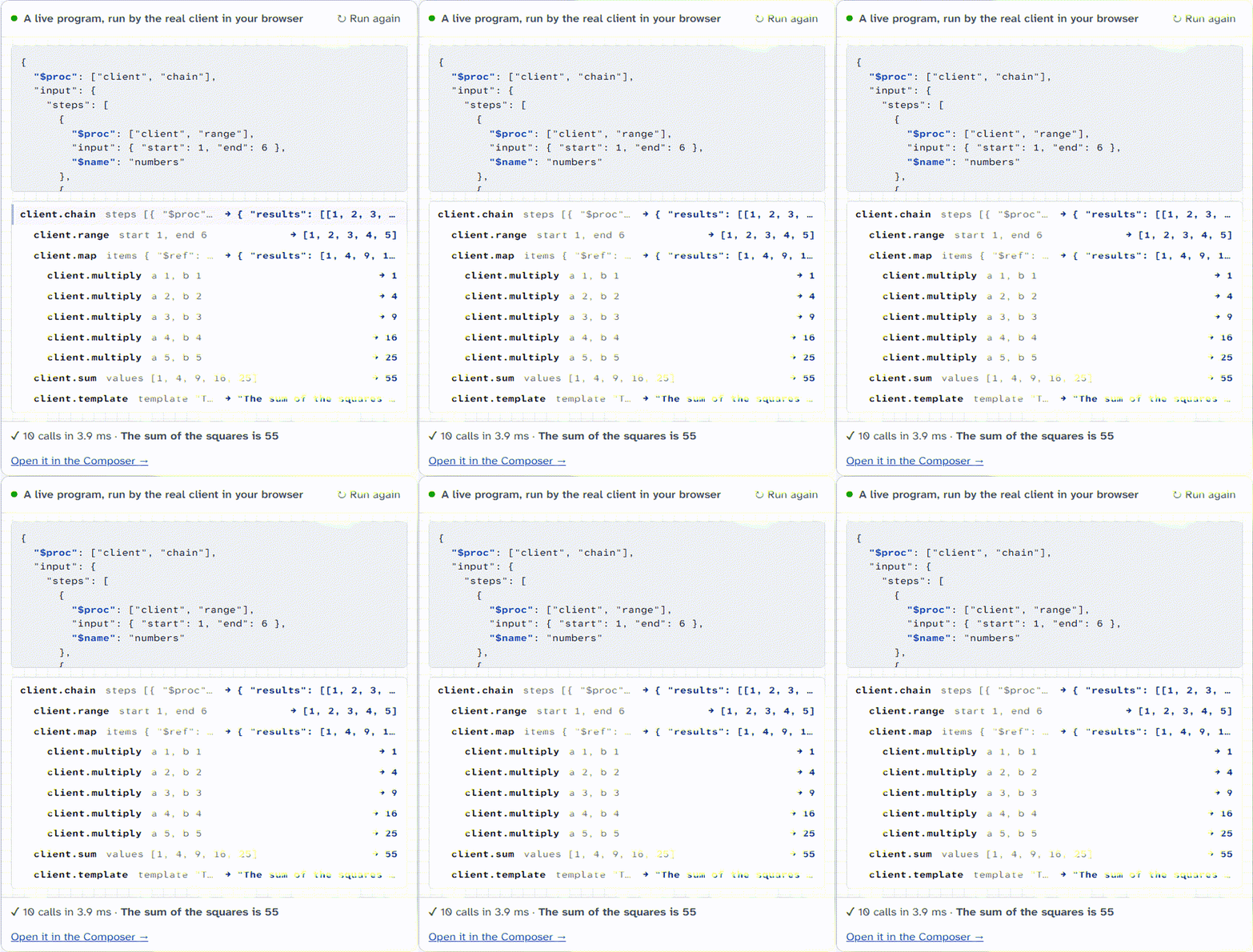
Procedures as data for TypeScript. You define a procedure one time: a path, a Zod input, a Zod output and a handler. Then you use it in the same process, over HTTP or WebSocket, from the mark CLI, or from Claude as an MCP tool. A program is plain JSON: calls, references to earlier results, and control flow. The client gives streams, middleware, retries and a cache.
The site has the Composer (build a program from blocks, then start it in your browser), the middleware lab, the procedure catalog and the status board.
Install
npm install @procedures/client zod
The packages need Node.js 22 or later. They are ES modules.
Example
import * as z from "zod";
import { Client, LocalTransport, PROCEDURE_REGISTRY, allCoreProcedures, createProcedure, zodAdapter } from "@procedures/client";
import "@procedures/client/register"; // the control flow: client.chain and the others

// A procedure: a path, a typed input and output, and a handler
PROCEDURE_REGISTRY.register(
  createProcedure()
    .path(["greet"])
    .input(zodAdapter(z.object({ name: z.string() })))
    .output(zodAdapter(z.string()))
    .handler(async ({ name }) => `Hello, ${name}!`)
    .build(),
);
for (const p of allCoreProcedures) if (!PROCEDURE_REGISTRY.has(p.path)) PROCEDURE_REGISTRY.register(p);

const client = new Client(new LocalTransport({ registry: PROCEDURE_REGISTRY }));
console.log(await client.exec({ $proc: ["greet"], input: { name: "Ada" } }));
// Hello, Ada!

// A program is JSON: the second step reads the result of the first step
const result = await client.exec({
  $proc: ["client", "chain"],
  input: {
    steps: [
      { $proc: ["client", "add"], input: { a: 2, b: 3 } },
      { $proc: ["client", "multiply"], input: { a: { $ref: "$last" }, b: 4 } },
    ],
  },
});
console.log(result.final);
// 20
Replace LocalTransport with HttpTransport or WebSocketTransport to use the same procedures on a server. PROGRAM-FORMAT.md tells the rules of programs.
Compared with other tools
| client | tRPC | JSON-RPC 2.0 | MCP TypeScript SDK | |
|---|---|---|---|---|
| Unit of work | A procedure: path, Zod input and output, handler | A router of queries, mutations and subscriptions | A method name and its parameters | Tools, resources and prompts |
| Transports | In the process, HTTP (JSON or NDJSON streams), WebSocket, MCP over stdio, a CLI | HTTP and WebSocket links | Not part of the specification | stdio and Streamable HTTP |
| Programs as data | JSON programs with references and control flow | No | A batch of calls | No |
| Streams | Async generators, with flow control | Subscriptions | Notifications only | Progress notifications |
| Types on the client | A typed call for each path | End-to-end inference from the router type | No | JSON Schema of the tools |
| Maturity | Version 0.x, one author | Version 11, wide use | A stable specification | The official SDK |
tRPC is the better choice for type inference from server to client in one application. This repository is for procedures that many hosts use: a program, a CLI, a server and Claude.
Packages
All packages are in packages/. The public packages are in the npm scope @procedures, with one version together. The table gives the npm name, and the link goes to the folder.
| Group | Packages |
|---|---|
| Core | @procedures/client (procedures, client, transports, middleware), @procedures/compiler (the check and the compiler of programs), @procedures/systems (the timer law of systems for the client), @procedures/collections (data structures), @procedures/store (the program store), @procedures/signaldb (a SignalDB collection as the local copy of HybridStorage), @procedures/dag (dependency graphs, and dag.traverse) |
| Commands | @procedures/shell, @procedures/git, @procedures/pnpm, @procedures/npm (the npm registry), @procedures/docker, @procedures/node, @procedures/vite, @procedures/vitest, @procedures/cue, @procedures/cli-run, @procedures/gh |
| Data and services | @procedures/fs, @procedures/http (HTTP with a host allowlist), @procedures/json (JSON and YAML transforms), @procedures/archive (tar.gz and zip with a check of each path), @procedures/llm (a language model: completions with tools, streams and structured answers), @procedures/s3, @procedures/mongo, @procedures/sqlite, @procedures/snapshot, @procedures/splay |
| Everyday data | @procedures/ics (calendars and recurrences), @procedures/mail (MIME and IMAP), @procedures/geo (geocoding and routes), @procedures/weather (forecasts), @procedures/exif (photo time and place), @procedures/notify (push notifications) |
| Tool commands | @procedures/restic (backups), @procedures/tailscale (the tailnet), @procedures/browser (a PDF file or a screenshot of a page with an installed browser), @procedures/pdf (the procedure pdf.render), @procedures/claude-cli (a turn of the Claude Code CLI as a process) |
| Private data | @procedures/ios-backup (iPhone backups and messages), @procedures/privacy-scan (private data in text before a release) |
| Servers and MCP | @procedures/peer, @procedures/better-auth (the sign-in with Better Auth, and the principal of a request), @procedures/access (the rights of a principal on a scope, and the output filter of a host), @procedures/server, @procedures/mcp, @procedures/mcp-server, @procedures/mcp-dev-tools (an MCP server for Claude Code) |
| Tools | @procedures/mark (the mark CLI), @procedures/cli-kit (a command line for any registry), @procedures/lib, @procedures/procedure, @procedures/playground, @procedures/schedule (a cron for stored programs), @procedures/env (environment variables, with the secrets masked) |
| Bundles | @procedures/bundle-dev, @procedures/bundle-mcp, @procedures/bundle-assistant (the opt-in tools of the assistant) |
| Private | site (the website), documentation |
Until October 2026, these packages had the scope @mark1russell7 (for example @mark1russell7/client-shell). The general packages @mark1russell7/cue, @mark1russell7/splay and @mark1russell7/docker-sqlite keep their scope.
Use with Claude
@procedures/mcp-dev-tools is an MCP server with 91 developer tools: Docker, MongoDB, SQLite, CUE, Vitest and the workspace. Each tool call has a time limit, and a tool can use only the procedures that it declares. Add it to the MCP configuration of Claude Code:
{
  "mcpServers": {
    "dev-tools": { "command": "npx", "args": ["-y", "@procedures/mcp-dev-tools"] }
  }
}
Build and test
- Install the dependencies:
pnpm install - Build all packages:
pnpm build - Start the tests:
pnpm test - Examine the types:
pnpm typecheck
pnpm build builds the packages in the sequence of their dependencies. Each package writes its output to its dist/ folder. Git ignores dist/. ONBOARDING.md tells more.
The fault cells of the harness of systems run in the workflow harness.yml on the WebSocket client and server of each commit. harness/procedures-subject tells more.
Release
RELEASE.md tells how the packages go to npm. node scripts/check-packages.ts examines each package as npm gives it.
Other repositories
Some packages use general packages from other repositories: cue, splay and docker-sqlite. A general package does not use a package of this repository.
License
MIT. Refer to LICENSE.
Client MCP questions
How do I add Client MCP to Claude Code?
Run claude mcp add client -- npx -y @procedures/bundle-assistant in your terminal. Add --scope user to make it available in every project.
How do I add Client MCP to Cursor?
Open ~/.cursor/mcp.json and add the server under mcpServers, using the Cursor config shown in the install section above.
What is the core concept of client?
It treats procedures as data, allowing you to define a path, Zod input, Zod output, and a handler once, then use it across different transports.
How can I use this with Claude?
You can use the @procedures/mcp-dev-tools package as an MCP server for Claude Code to access developer tools like Docker, MongoDB, and SQLite.