
Maps Agent MCP server
Commit Nov 9, 2026Provides AI agents with specialized knowledge about Google Business Profile and Google Maps, including guides, SEO research, and local ranking insights.
Also known as maps-agent/mcp, mcp
- Stars
- 0
- Tools
- 5
- Downloads, 30 days
- —
- Latest version
- 1.0.0
- Last commit
- Nov 9, 2026
- License
- —
What is Maps Agent MCP?
Maps Agent provides AI agents with specialized knowledge about Google Business Profile and Google Maps, including guides, SEO research, and local ranking insights. It exposes 5 tools, such as search_knowledge, get_article, list_articles.
Summary generated from the project's README
About Maps Agent MCP server
Maps Agent provides AI agents with specialized expertise regarding Google Business Profile and Google Maps. It serves as a knowledge resource for developers and marketers who need to integrate local SEO research, ranking insights, and marketing guides into their AI workflows. The server is hosted remotely at maps-agent.com and uses Streamable HTTP for communication. It is a read-only service that requires no sign-in or API keys to operate.
Users can interact with the server through various clients including Claude Desktop, Claude Code, Cursor, and VS Code. The toolset includes search_knowledge for finding specific guides or glossary terms, get_article to retrieve full markdown content, and list_articles to browse published topics. It also features define_term for explaining local SEO terminology and get_research to access detailed studies including their methods and findings.
Written from the project's README. Every use case is checked against a quote from it.
How to install Maps Agent MCP
Formats verified 10 Nov 2026Add to CursorAdd to GooseInstall Maps Agent MCP in Claude Code
$ claude mcp add --transport http mcp https://maps-agent.com/mcpInstall Maps Agent MCP in Cursor
~/.cursor/mcp.json
{
  "mcpServers": {
    "mcp": {
      "url": "https://maps-agent.com/mcp"
    }
  }
}Install Maps Agent MCP in VS Code
.vscode/mcp.json
{
  "servers": {
    "mcp": {
      "type": "http",
      "url": "https://maps-agent.com/mcp"
    }
  }
}Install Maps Agent MCP in VS Code CLI
$ code --add-mcp '{"name":"mcp","type":"http","url":"https://maps-agent.com/mcp"}'Install Maps Agent MCP in Codex
$ codex mcp add mcp --url https://maps-agent.com/mcpInstall Maps Agent MCP in Codex config.toml
~/.codex/config.toml
[mcp_servers.mcp]
url = "https://maps-agent.com/mcp"
Install Maps Agent MCP in Gemini CLI
$ gemini mcp add -s user --transport http mcp https://maps-agent.com/mcpInstall Maps Agent MCP in Gemini settings.json
~/.gemini/settings.json
{
  "mcpServers": {
    "mcp": {
      "url": "https://maps-agent.com/mcp",
      "type": "http"
    }
  }
}Maps Agent MCP tools 5
Detected from the READMEsearch_knowledgeget_articlelist_articlesdefine_termget_research
| search_knowledge | — | |
| get_article | — | |
| list_articles | — | |
| define_term | — | |
| get_research | — |
Automated checks
Ran Nov 14, 2026Full report →Not verified yet. A server needs a score of 80, no serious finding, and enough data for us to check. How checks work · What to fix for more points

- Source repository linked and reachablemaps-agent/mcp is public and reachablegithub.com/maps-agent/mcp ↗Pass
- Package names this repository as its sourceNot checked
- Build provenance (Sigstore attestation)Not checked
- Open source license (OSI)No licenseFinding
- Commit or release in the last yearLast commit or release 2026-11-09github.com/maps-agent/mcp ↗Pass
- OpenSSF ScorecardNot checked
- Package name not close to a popular packageNot checked
- No critical advisory in the package or its dependenciesNot checked
- No hidden instructions to the model5 tool descriptions and the README read; no override phrases, credential paths or hidden charactersPass
- Destructive tools are labelledNo tool named like delete, drop or execPass
- Remote endpoint answers the MCP handshakeinitialize answered with protocol 2025-06-18 in 385 msPass
README
View on GitHubMaps Agent MCP server
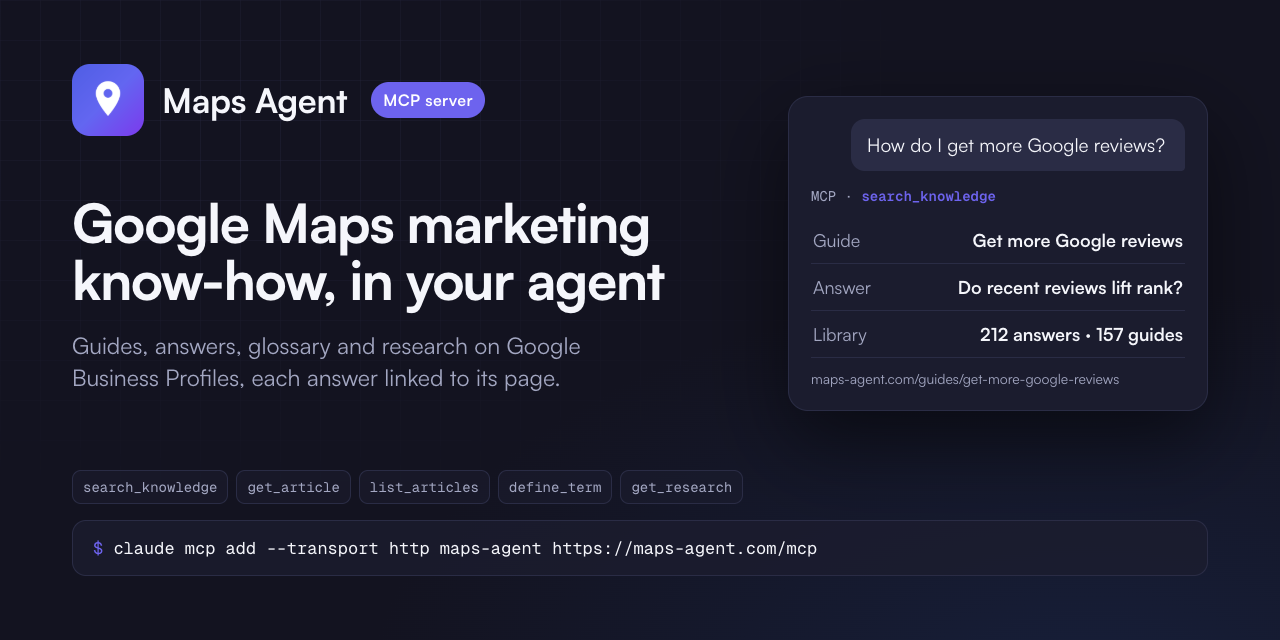
Google Business Profile and Google Maps know-how for AI agents: guides, answers, a glossary and research on reviews, categories, photos, posts and local rankings. Each answer links to its page on maps-agent.com.
- Server:
https://maps-agent.com/mcp- remote, Streamable HTTP, read-only, no sign-in, no key. - MCP Registry name:
com.maps-agent/knowledge.
This repository holds the connection files, the plugin and the skill. The server runs at maps-agent.com.
Tools
| Tool | What it does |
|---|---|
search_knowledge |
Search guides, answers, research and the glossary; filter by form. |
get_article |
One page in full as markdown, with its canonical URL and update date. |
list_articles |
What is published, by form and topic. |
define_term |
A local SEO term in plain words. |
get_research |
One study with its method, sample and findings. |
Connect
| Client | How |
|---|---|
| Claude, Claude Desktop | Settings - Connectors - Add custom connector - https://maps-agent.com/mcp |
| Claude Code | claude mcp add --transport http maps-agent https://maps-agent.com/mcp |
| Claude Code, plugin | /plugin install maps-agent --marketplace maps-agent/mcp |
| ChatGPT | Settings - Apps - developer mode - Create - URL https://maps-agent.com/mcp, no authentication |
| Cursor | .mcp.json in your project or ~/.cursor/mcp.json |
| VS Code | code --add-mcp '{"name":"maps-agent","type":"http","url":"https://maps-agent.com/mcp"}' |
| Codex | codex mcp add maps-agent --url https://maps-agent.com/mcp |
| Gemini CLI | gemini extensions install https://github.com/maps-agent/mcp |
Example questions
- How do I get more Google reviews for my local business?
- What is a Google Business Profile primary category and how should I choose it?
- What does "proximity" mean in Google Maps rankings?
Terms
Terms: https://maps-agent.com/terms. Privacy: https://maps-agent.com/privacy. Contact: hello@maps-agent.com. The files in this repository are MIT-licensed; the content the service returns is not covered by that licence.
Maps Agent MCP questions
How do I add Maps Agent MCP to Claude Code?
Run claude mcp add --transport http mcp https://maps-agent.com/mcp in your terminal. Add --scope user to make it available in every project.
How do I add Maps Agent MCP to Cursor?
Open ~/.cursor/mcp.json and add the server under mcpServers, using the Cursor config shown in the install section above.
What tools does Maps Agent MCP provide?
It exposes 5 tools, including search_knowledge, get_article, list_articles, define_term, get_research.
Does the server require an API key or sign-in?
No, the server is read-only and requires no sign-in or authentication keys.
What kind of information can I search for?
You can search for guides, answers, research, and a glossary related to Google Maps and local business rankings.