
consult-opencode MCP server
Commit Sep 5, 2026Delegates self-contained tasks to opencode's free-tier models as a one-shot subagent for coding workflows.
Also known as jayden99236/consult-opencode
- Stars
- 0
- Tools
- —
- Downloads, 30 days
- —
- Latest version
- 0.1.1
- Last commit
- Sep 5, 2026
- License
- MIT
What is consult-opencode MCP?
consult-opencode delegates self-contained tasks to opencode's free-tier models as a one-shot subagent for coding workflows.
Summary generated from the project's README
About consult-opencode MCP server
Delegating small, self-contained coding tasks to free-tier models is what consult-opencode enables for developers using primary AI agents. Instead of using expensive model turns for minor requests like drafting a regex or summarizing a file, you can offload these subtasks to the opencode provider namespace. This setup works as a one-shot subagent that returns text responses directly to your workflow.
Users can integrate this via an MCP server for direct tool access in clients like Claude Desktop, Claude Code, Cursor, or Windsurf. It requires Node.js and the opencode CLI installed on your system. The server provides a consult_opencode tool that defaults to the opencode/big-pickle model, requiring no API keys or complex configuration. For environments that only support shell commands, a CLI script is available to run tasks through the terminal or via pipes.
What you can do with it
- 1Offload minor coding tasksAsk the subagent to handle small requests like writing boilerplate tests to save your primary model's turns.
- 2Summarize code filesProvide a file via a pipe to get a quick explanation of its contents.
- 3Automate via shell scriptsRun the CLI script within a pipeline to capture task results in a scriptable format.
Written from the project's README. Every use case is checked against a quote from it.
README
View on GitHubconsult-opencode

Delegate a self-contained task to opencode as a one-shot subagent, from any coding agent (or human) that can run a shell command — or, more directly, straight from inside an AI chat client via MCP.
Listed on the official MCP Registry as io.github.jayden99236/consult-opencode, with a one-click .mcpb bundle attached to each release for Claude Desktop and other MCPB-compatible clients.
Demo
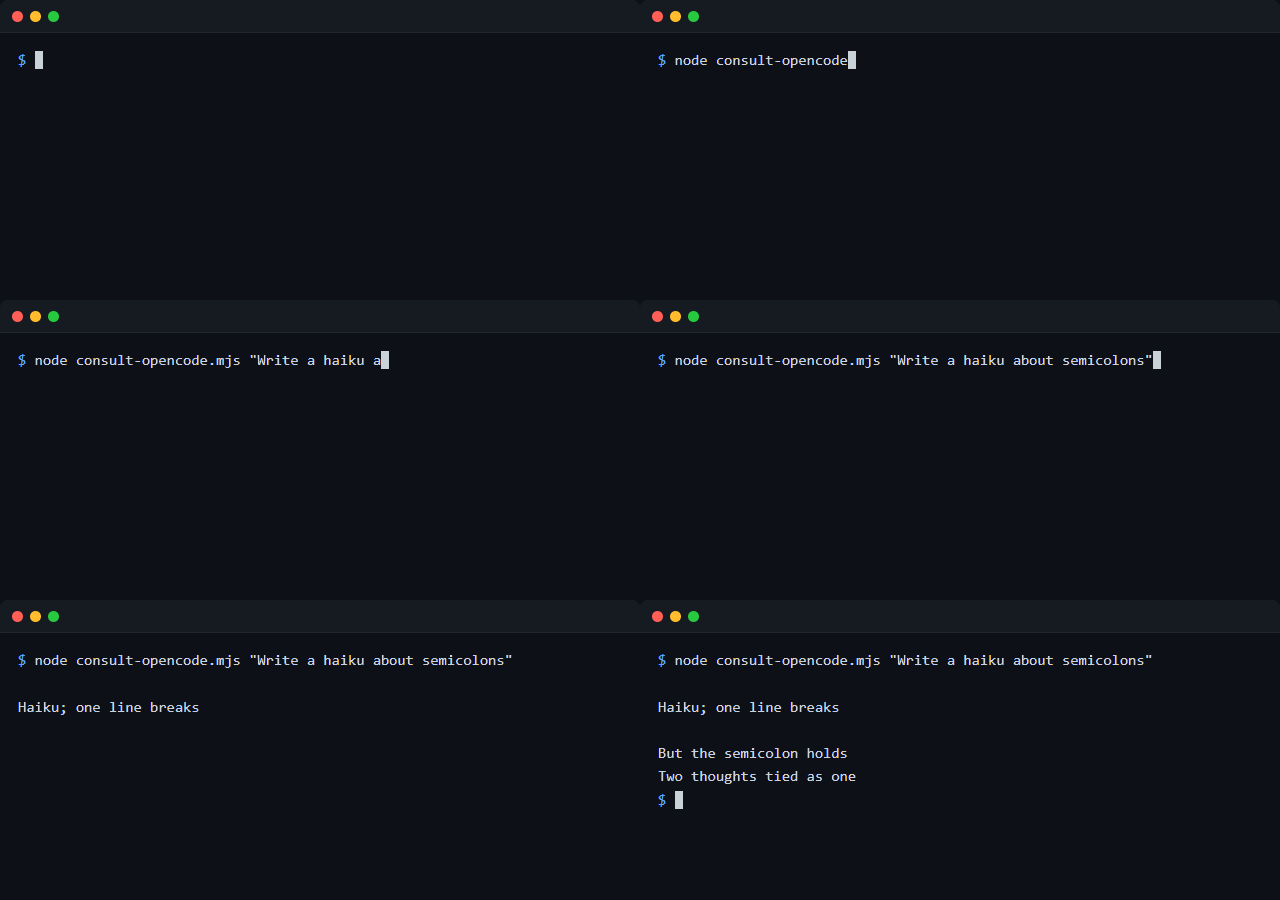
Why
If you're driving an expensive/primary coding agent (Claude, GPT, etc.) through a session, it's often wasteful to spend one of its own turns on something small and self-contained: summarizing a file, drafting a regex, writing a boilerplate test, getting a second opinion. opencode ships its own free-tier models under the opencode/ provider namespace — zero config, no API key required. This repo gives you two ways to reach it:
- MCP server (
mcp-server.mjs) — the easiest path. Add it once to your AI chat client's config and the model gets a nativeconsult_opencodetool, no shell commands involved. See Direct integration below. - CLI script (
consult-opencode.mjs) — zero dependencies, for agents/scripts that can only run shell commands, or for calling it yourself from a terminal.
Both wrap the same core logic in lib.mjs.
Requirements
The CLI script itself (consult-opencode.mjs + lib.mjs) has no dependencies beyond Node built-ins. The MCP server additionally needs @modelcontextprotocol/sdk and zod — run npm install in this repo to get those (see below).
Direct integration (MCP server)
MCP is the standard way to give an AI chat client a native tool without it having to shell out to anything. Once configured, the model just sees a consult_opencode tool it can call directly.
git clone https://github.com/jayden99236/consult-opencode.git
cd consult-opencode
npm install
Claude Desktop
Add to your claude_desktop_config.json (find it here):
{
  "mcpServers": {
    "consult-opencode": {
      "command": "node",
      "args": ["/absolute/path/to/consult-opencode/mcp-server.mjs"]
    }
  }
}
Restart Claude Desktop and consult_opencode shows up as an available tool.
Claude Code
claude mcp add consult-opencode -- node /absolute/path/to/consult-opencode/mcp-server.mjs
Or add it to a project's .mcp.json directly using the same mcpServers block shown above.
Other MCP clients (Cursor, Windsurf, etc.)
Any MCP-compatible client takes the same shape: a command (node) and args (the absolute path to mcp-server.mjs), configured as a stdio server. Check your client's docs for where that config lives — the mcpServers entry above is portable as-is.
The tool takes task (required) and an optional model (defaults to opencode/big-pickle, opencode's free tier), and returns the subagent's response as text.
CLI usage
node consult-opencode.mjs "Summarize what this function does: ..."
Or install it globally to get a consult-opencode command:
npm install -g .
consult-opencode "Write a regex for US zip codes"
Pipe a task in instead of passing it as an argument:
cat some-file.js | consult-opencode "Explain what this file does"
Options
| Flag | Description |
|---|---|
--model <provider/model> |
Model to use (default: opencode/big-pickle, opencode's free tier). Once you've authenticated another provider in opencode (opencode providers login), you can point this at it, e.g. --model anthropic/claude-haiku-4-5. |
--json |
Print { model, text, cost } as JSON instead of plain text. |
-h, --help |
Show usage. |
From another agent
Most coding agents can just run this as a shell command and read its stdout:
node /path/to/consult-opencode.mjs "task description here"
Exit code is non-zero on failure, with the error on stderr; stdout carries only the result text (or the JSON blob with --json), so it composes cleanly in scripts and pipelines.
The Windows gotcha this script works around
opencode's compiled Windows binary (opencode.exe) has been observed to hang indefinitely when its stdout is an anonymous pipe — which is exactly what Node's child_process gives you by default when you capture a child process's output. This reproduced consistently (6/6 runs) across both a direct .exe spawn and a shell-wrapped one.
The fix: redirect the child's stdout/stderr to a real temp file on disk, then read the file back once the process exits, instead of piping. This works reliably on Windows and is harmless on other platforms, so consult-opencode always does it this way regardless of OS.
If you're integrating with opencode from your own Node tooling and see a hang with zero output, this is almost certainly why.
License
MIT
consult-opencode MCP questions
Do I need an API key to use this?
No, opencode ships its own free-tier models under the opencode/ provider namespace which requires zero config and no API key.