
Rapier MCP server
Commit Nov 14, 2026Enables an AI assistant to write markdown notes, create editable diagrams, and perform digital drawing and painting.
Also known as jackskip22/rapier-plugins, rapier-plugins
- Stars
- 0
- Tools
- —
- Downloads, 30 days
- —
- Latest version
- 1.2.68
- Last commit
- Nov 14, 2026
- License
- AGPL-3.0
What is Rapier MCP?
Rapier enables an AI assistant to write markdown notes, create editable diagrams, and perform digital drawing and painting.
Summary generated from the project's README
About Rapier MCP server
Rapier provides a specialized environment for AI assistants to interact with visual and structured text content. It allows an agent to generate markdown notes and construct editable diagrams directly within the workspace. Beyond text and diagrams, the server enables digital drawing and painting capabilities, turning the AI into a creative tool for visual tasks.
Developers use this server to extend the capabilities of their AI clients beyond simple text generation. By integrating Rapier, an assistant can move from writing code or prose to creating visual assets and structured documentation. The server functions as a bridge between the language model and a creative interface, supporting both technical diagramming and artistic expression through specific drawing tools.
Written from the project's README. Every use case is checked against a quote from it.
How to install Rapier MCP
Formats verified 10 Nov 2026Add to CursorAdd to GooseInstall Rapier MCP in Claude Code
$ claude mcp add --transport http rapier-plugins https://mcp.rapier.website/door/mcpInstall Rapier MCP in Cursor
~/.cursor/mcp.json
{
  "mcpServers": {
    "rapier-plugins": {
      "url": "https://mcp.rapier.website/door/mcp"
    }
  }
}Install Rapier MCP in VS Code
.vscode/mcp.json
{
  "servers": {
    "rapier-plugins": {
      "type": "http",
      "url": "https://mcp.rapier.website/door/mcp"
    }
  }
}Install Rapier MCP in VS Code CLI
$ code --add-mcp '{"name":"rapier-plugins","type":"http","url":"https://mcp.rapier.website/door/mcp"}'Install Rapier MCP in Codex
$ codex mcp add rapier-plugins --url https://mcp.rapier.website/door/mcpInstall Rapier MCP in Codex config.toml
~/.codex/config.toml
[mcp_servers.rapier-plugins]
url = "https://mcp.rapier.website/door/mcp"
Install Rapier MCP in Gemini CLI
$ gemini mcp add -s user --transport http rapier-plugins https://mcp.rapier.website/door/mcpInstall Rapier MCP in Gemini settings.json
~/.gemini/settings.json
{
  "mcpServers": {
    "rapier-plugins": {
      "url": "https://mcp.rapier.website/door/mcp",
      "type": "http"
    }
  }
}Automated checks
Ran Nov 15, 2026Full report →Not verified yet. A server needs a score of 80, no serious finding, and enough data for us to check. How checks work · What to fix for more points

- Source repository linked and reachablejackskip22/rapier-plugins is public and reachablegithub.com/jackskip22/rapier-plugins ↗Pass
- Package names this repository as its sourceNot checked
- Build provenance (Sigstore attestation)Not checked
- Open source license (OSI)AGPL-3.0spdx.org/licenses/AGPL-3.0.html ↗Pass
- Commit or release in the last yearLast commit or release 2026-11-13github.com/jackskip22/rapier-plugins ↗Pass
- OpenSSF ScorecardNot checked
- Package name not close to a popular packageNot checked
- No critical advisory in the package or its dependenciesNot checked
- No hidden instructions to the model0 tool descriptions and the README read; no override phrases, credential paths or hidden charactersPass
- Destructive tools are labelledNot checked
- Remote endpoint answers the MCP handshakeinitialize answered with protocol 2025-06-18 in 573 msPass
README
View on GitHubJPEG XL for Obsidian
Open .jxl pictures in your notes, and convert PNG, JPEG, WebP and GIF files to smaller JPEG XL files, as you paste or across the vault.
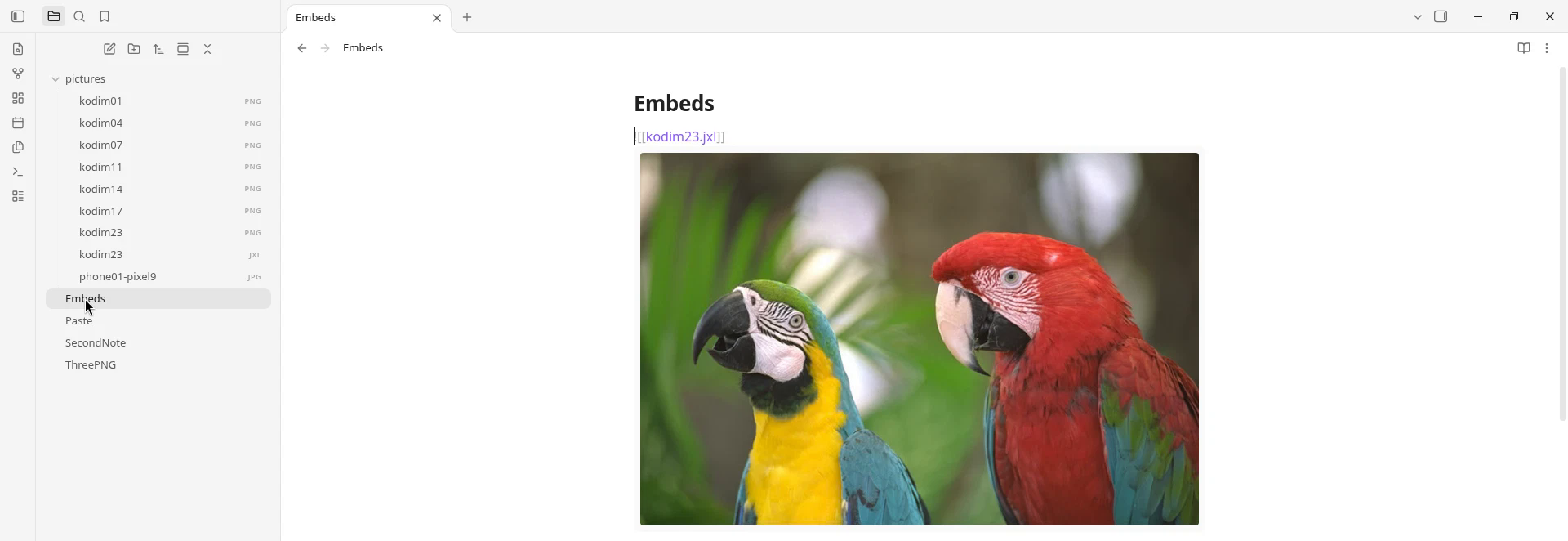
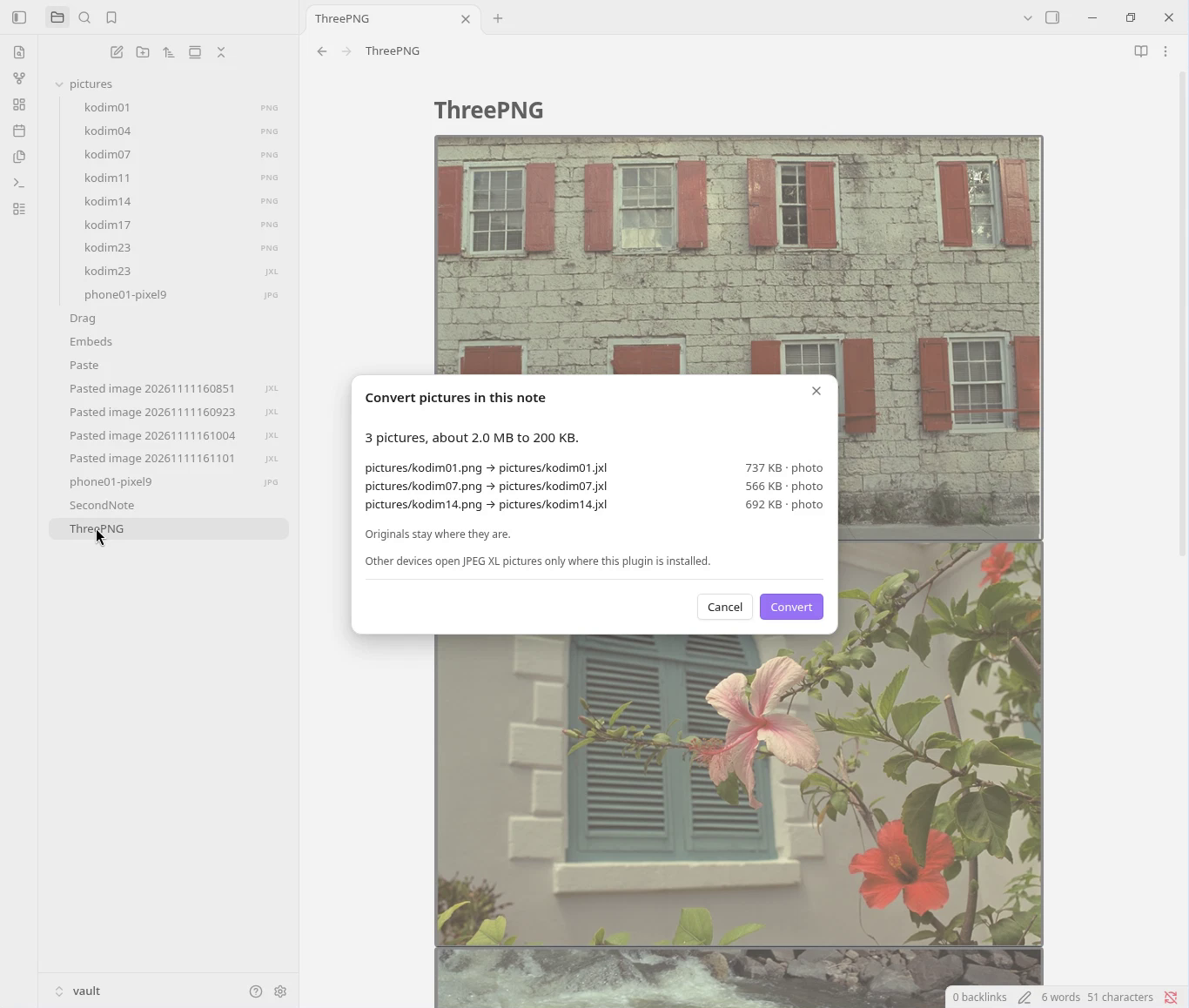
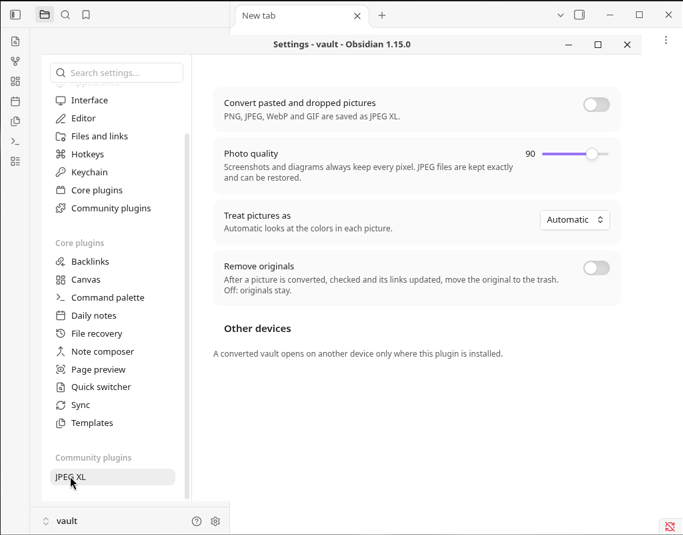
Install
Settings, Community plugins, Browse, search for "JPEG XL", Install, Enable.
What it saves
One file each, converted by this plugin at its defaults (photo quality 90). WebP made with Pillow 12.3: lossless for screenshots and the animation, quality 90 for photographs. Not an average.
| Picture | Original | WebP | JPEG XL |
|---|---|---|---|
| Screenshot of a note, 2200 × 1520 PNG | 192 KB | 56 KB | 36 KB, every pixel kept |
| Screenshot of code, 1960 × 840 PNG | 175 KB | 57 KB | 39 KB, every pixel kept |
| Phone photo pasted as a 2560 × 1920 PNG | 7.63 MB | 893 KB | 789 KB, quality 90 |
| Phone photo, 12.5 MP JPEG | 5.44 MB | 1.83 MB, re-encoded with loss | 4.85 MB, the JPEG restores exactly |
| Animated GIF, 24 frames, 360 × 160 | 77 KB | 66 KB | 37 KB, every pixel kept |
A picture is replaced only if the new file is smaller.
Your files
- Everything runs on your device. No network, no telemetry; no file leaves your vault.
- Nothing is overwritten. Each new picture is read back and checked against the original before any link changes. Originals stay unless you turn on Remove originals, and then they go to Obsidian's trash.
- Undo the last conversion puts the links back.
- A converted vault opens on another device only where this plugin is installed.
Commands
Convert this picture · Convert all pictures in this note · Convert all pictures in the vault · Convert this picture back to PNG · Restore the original JPEG · Undo the last conversion
Made with rapier-jxl. The plugin is MIT-licensed: obsidian/LICENSE.
This repository also holds the files that Rapier (rapier.website) and its agent plugins load. Privacy and terms.
Rapier MCP questions
How do I add Rapier MCP to Claude Code?
Run claude mcp add --transport http rapier-plugins https://mcp.rapier.website/door/mcp in your terminal. Add --scope user to make it available in every project.
How do I add Rapier MCP to Cursor?
Open ~/.cursor/mcp.json and add the server under mcpServers, using the Cursor config shown in the install section above.