
ComfyAgent MCP server
Commit Nov 10, 2026Enables AI clients to control a local ComfyUI studio for image and video generation, manage workflows, and search local galleries via MCP.
Also known as IvenKooLab/comfy-agent
- Stars
- 33
- Tools
- —
- Downloads, 30 days
- —
- Latest version
- —
- Last commit
- Nov 10, 2026
- License
- MIT
What is ComfyAgent MCP?
ComfyAgent enables AI clients to control a local ComfyUI studio for image and video generation, manage workflows, and search local galleries via MCP.
Summary generated from the project's README
About ComfyAgent MCP server
Controlling a local ComfyUI studio through an AI client is what comfy-agent enables for creators working with image and video generation. This MCP server connects to a running ComfyAgent desktop application via a local URL, allowing external hosts like Claude Desktop or Cursor to manage complex creative tasks. It functions as a bridge between your AI assistant and your local GPU-driven workflows, ensuring that all generation data remains on your machine.
Developers can use specific tools to interact with the studio, such as query_status to check VRAM and job queues, or submit_generation to trigger new image or video creations. The server also provides access to the workflow library through list_workflows and allows for finding previous outputs using search_gallery. By integrating with the ComfyAgent ecosystem, it supports advanced features like prompt enhancement and managing a library of over 600 templates directly from an agentic interface.
What you can do with it
- 1Monitor hardware and job statusAsk your AI client to check the current VRAM usage and see if any generation jobs are currently running or queued.
- 2Trigger new media generationsInstruct an agent to generate a specific image or video using enhanced prompts.
- 3Browse available creative workflowsHave your AI assistant list the different workflow templates available in your library.
- 4Locate previous project outputsSearch through your local gallery to find specific generated images or videos.
Written from the project's README. Every use case is checked against a quote from it.
Configuration
COMFYAGENT_URL
Automated checks
Ran Nov 14, 2026Full report →Not verified yet. A server needs a score of 80, no serious finding, and enough data for us to check. How checks work · What to fix for more points

- Source repository linked and reachableivenkoolab/comfy-agent is public and reachablegithub.com/ivenkoolab/comfy-agent ↗Pass
- Package names this repository as its sourceNot checked
- Build provenance (Sigstore attestation)Not checked
- Open source license (OSI)MITspdx.org/licenses/MIT.html ↗Pass
- Commit or release in the last yearLast commit or release 2026-11-10github.com/ivenkoolab/comfy-agent ↗Pass
- OpenSSF ScorecardNot checked
- Package name not close to a popular packageNot checked
- No critical advisory in the package or its dependenciesNot checked
- No hidden instructions to the model0 tool descriptions and the README read; no override phrases, credential paths or hidden charactersPass
- Destructive tools are labelledNot checked
- Remote endpoint answers the MCP handshakeNot checked
README
View on GitHubComfyAgent
A local-first desktop studio for ComfyUI — pure-stdlib Python, vanilla JS, zero dependencies, one 10 MB exe




English | 简体中文
One native window that runs your local ComfyUI end to end: prompt-to-image/video creation, a gallery, a visual workflow editor, 600+ official templates, a model manager with resumable downloads, batch pipelines for episodic video, and an MCP server so external agents can drive it too.
Highlights
- 🖥️ Real desktop app — double-click the exe: native window + system tray. Closing the window minimizes it; single instance; no console box
- 🔒 Local-first — generation runs on your GPU, data never leaves your machine
- 🪶 Zero dependencies — pure Python standard library backend + vanilla JS frontend, ~10 MB installed
- 🌐 Bilingual — full UI and built-in help in English & Chinese
Features
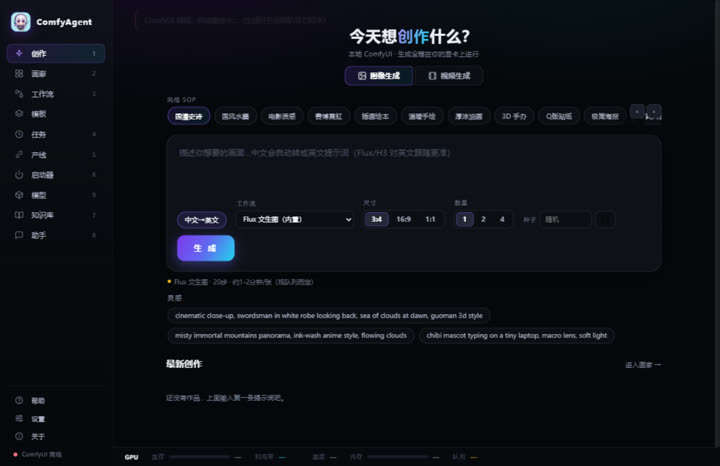
- 🎨 Create — prompt-to-image (Flux, MOSS-Image, FLUX 3 Klein — the two open-source October releases, built in) and prompt-to-video (MiniMax H3, native audio); Chinese prompts are auto-enhanced into English (LLM-powered, dictionary fallback); 12 style presets, character lock strings, image & video modes
- 👤 Characters — lock strings, reference images and character LoRA binding (auto-injected into image workflows, strength adjustable); ControlNet plan notes per character
- 🖼️ Gallery — live masonry, hover video preview, batch archive/delete, PNG parameter parsing, folder filters
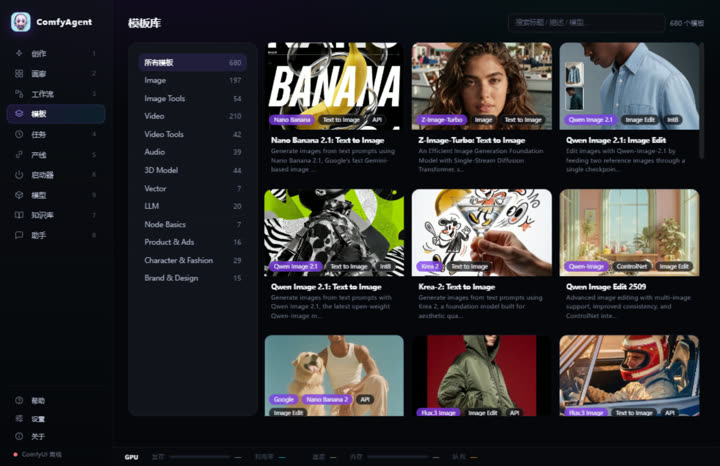
- 📚 Templates — 600+ official ComfyUI templates with real previews, one-click load into the editor; new subgraph-based templates (e.g. SCAIL-2 character animation) are auto-flattened and load like any other
- 🔧 Workflows — SVG node editor (drag/link/snap/validation); built-in Flux + H3 workflows; import UI/API JSON or extract from PNG
- 📋 Runs — queue, progress, ETA, one-click retry, GPU time ledger
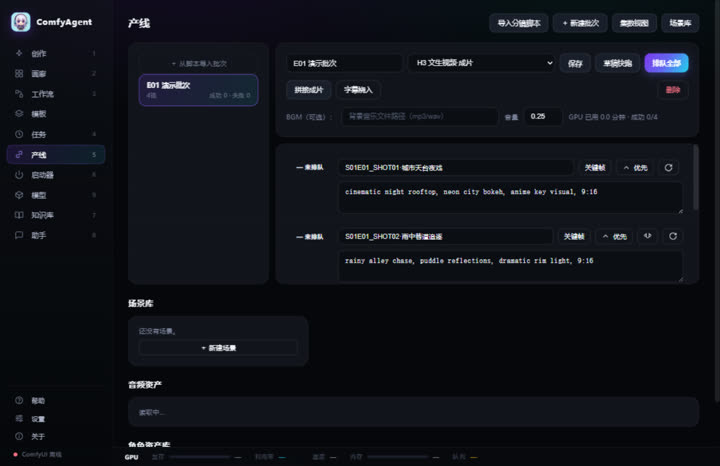
- 🎬 Pipeline — episodic script → shot list → batch queue → concat with BGM; shot-to-shot chaining (seamless long takes via last-frame continuation), priority queue, scene library, audio assets, subtitle burn-in, per-episode stats
- Pre-flight gate — first/last-frame anchoring (H3 FL2V, auto-selected per shot), seven-section prompt check, filmability lint, first/last frame size + SSIM checks; blockers stop the queue (force-submittable), plus an optional vision-model audit, a palette sheet with B&W value check, beat/BPM alignment from the original track, reference-to-video (9 images + 3 audio refs), 9:16 vertical short-drama output, SRT/edit-sheet export and a per-batch retrospective
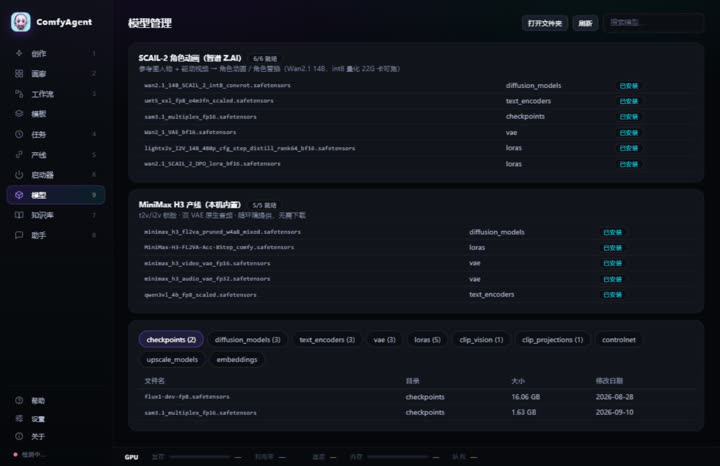
- ⬢ Models — preset suites (SCAIL-2, MiniMax H3, MOSS-Image, FLUX 3 Klein) with one-click resumable downloads and live progress; browse local model dirs by category with search; opening a template that needs missing models offers a one-jump download
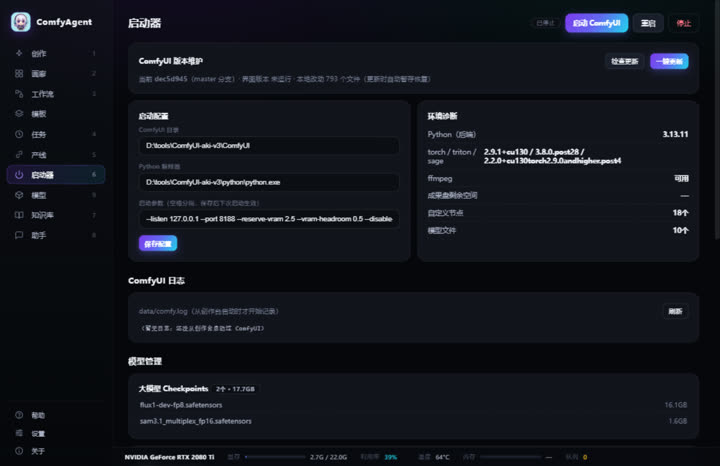
- 🚀 Launcher — start/stop/update ComfyUI, model inventory, custom nodes, environment diagnostics (torch/triton/sage), logs
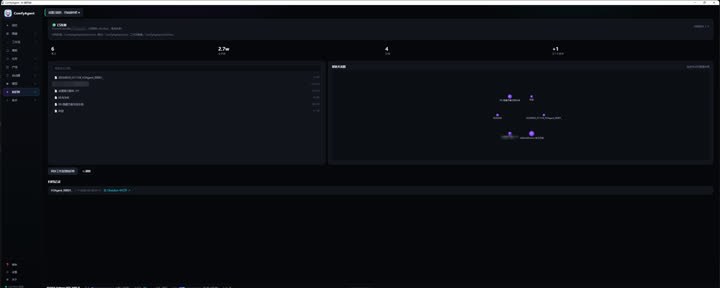
- 🗂️ Knowledge — Obsidian archiving, stats, graph view, full-text search
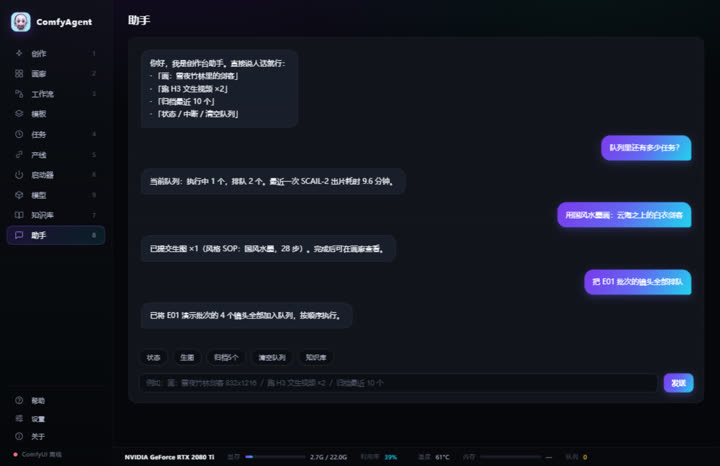
- 🤖 Assistant — natural-language control with multi-step actions; deterministic local entity resolution (typo-tolerant) runs before the LLM,
@binds a workflow / character / style by explicit ID, multi-step plans resume from a breakpoint, and gallery adoption signals are recorded for style/quality analytics - 🔌 MCP Server — expose ComfyAgent to any MCP host (see below)
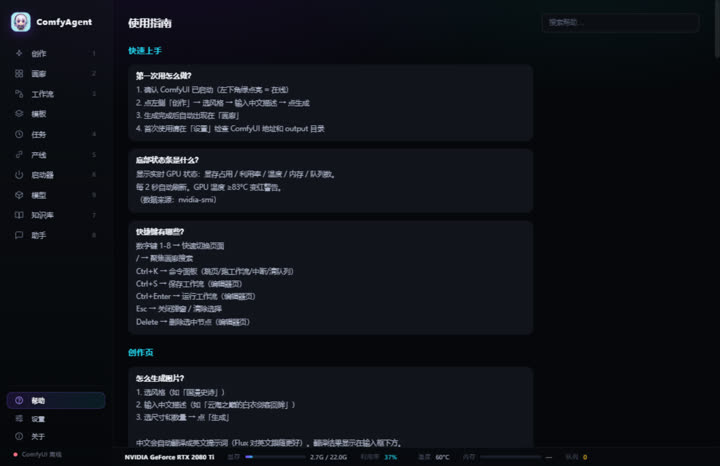
- 📖 Built-in help — 50+ searchable Q&A, bilingual
- 📊 Hardware bar — GPU util/temp/VRAM/RAM/queue, 2s refresh
Quick Start
- Grab
ComfyAgent-win64.zipfrom the latest release and unzip - Double-click
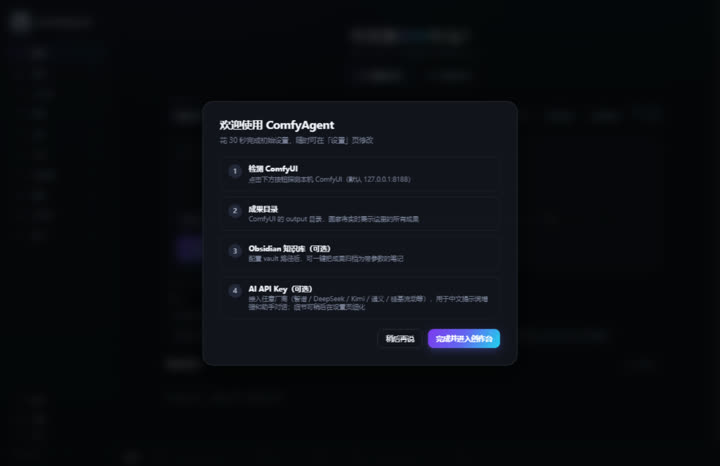
ComfyAgent.exe— a native window opens (30-second setup wizard on first run) - Close to tray; right-click the tray icon to quit
Requirements: a local ComfyUI (default 127.0.0.1:8188); ffmpeg on PATH (video poster frames); WebView2 runtime.
To develop against a source checkout: python server.py --open (browser mode), python app.py (desktop shell), bash build_exe.sh (build). See CHANGELOG.md for the design and iteration history.
Screenshots
Captured with python tools/capture_shots.py (headless Edge/Chrome, zero extra dependencies; the script spins up a temporary instance with demo data so your own data/ is untouched).
Setup Wizard
Create
Templates
Pipeline
Launcher
Models
Knowledge (Obsidian)
Assistant
Help
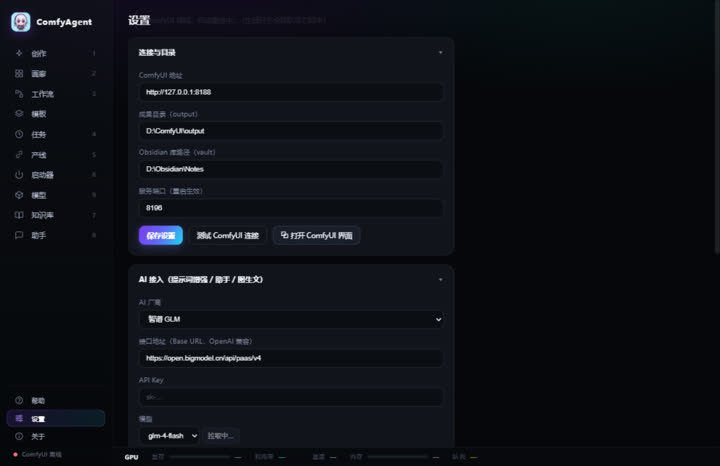
Settings
About
MCP Server
A built-in zero-dependency MCP server (stdio + JSON-RPC 2.0) exposes ComfyAgent to any MCP host (ZCode / Claude Desktop / Cursor, ...):
| Tool | What it does |
|---|---|
query_status |
ComfyUI online state, running/queued jobs, VRAM |
submit_generation |
Submit image/video generation (auto prompt enhancement, count ≤ 4) |
list_workflows |
Workflow library (draft/final tiers with real timings) |
search_gallery |
Search local gallery outputs |
"comfyagent": {
  "command": "python",
  "args": ["<repo>/mcp_server.py"],
  "env": { "COMFYAGENT_URL": "http://127.0.0.1:8190" }
}
(Requires ComfyAgent to be running.)
Credits
The local H3 short-drama pipeline (v1.9.0: reference-to-video, dialogue tagging rules, reaction-shot checks, SRT/edit-sheet export) was inspired by Miller (@TuyetloanP81840)'s hands-on guide "Making an AI short drama alone with Claude + H3" - read the original article. Thank you for publishing the full workflow and the pitfall list.
Contributing
Issues and PRs welcome (English or Chinese):
- Fork → branch → commit → PR
- Describe the problem you solve and how to verify it
- Backend changes must stay on the zero-third-party-dependency principle (Python stdlib only)
License
MIT © 2026 IvenKooLab
ComfyAgent MCP questions
What can I do with the ComfyAgent MCP server?
You can query ComfyUI status, submit image or video generation tasks, list available workflows, and search your local output gallery.
Does ComfyAgent require an internet connection for generation?
No, it is a local-first studio where generation runs on your own GPU and data never leaves your machine.