
Code Runner MCP server
✓ VerifiedExecutes code snippets across dozens of programming languages and returns the results to an AI client.
Also known as formulahendry/mcp-server-code-runner, mcp-server-code-runner
- Stars
- 241
- Tools
- —
- Downloads, 30 days
- —
- Latest version
- 0.1.9
- Last commit
- Feb 5, 2026
- License
- MIT
What is Code Runner MCP?
Code Runner executes code snippets across dozens of programming languages and returns the results to an AI client.
Summary generated from the project's README
About Code Runner MCP server
Executing code snippets across dozens of programming languages and returning the results to an AI client is the primary function of this server. It allows developers to bridge the gap between text-based reasoning and actual code execution by providing a run-code tool. This tool supports a wide variety of languages including JavaScript, Python, Ruby, Go, Swift, Rust, and many others, ranging from shell scripts like BASH and PowerShell to specialized languages like Elixir and Haskell.
Users can set up the server locally using npx for VS Code or Claude Desktop, or by running a Docker container. For Windows users experiencing connection issues with npx, alternatives like bunx or using cmd are available. To ensure successful execution, the specific interpreter or compiler for the chosen language must be present in the system PATH environment variable. The server can also be run using a streamable HTTP transport after a global npm installation.
What you can do with it
- 1Verify logic with live executionAsk the AI to run a specific snippet of JavaScript to confirm mathematical or logical results.
- 2Query system informationRequest the AI to find the location of the temporary folder on your operating system.
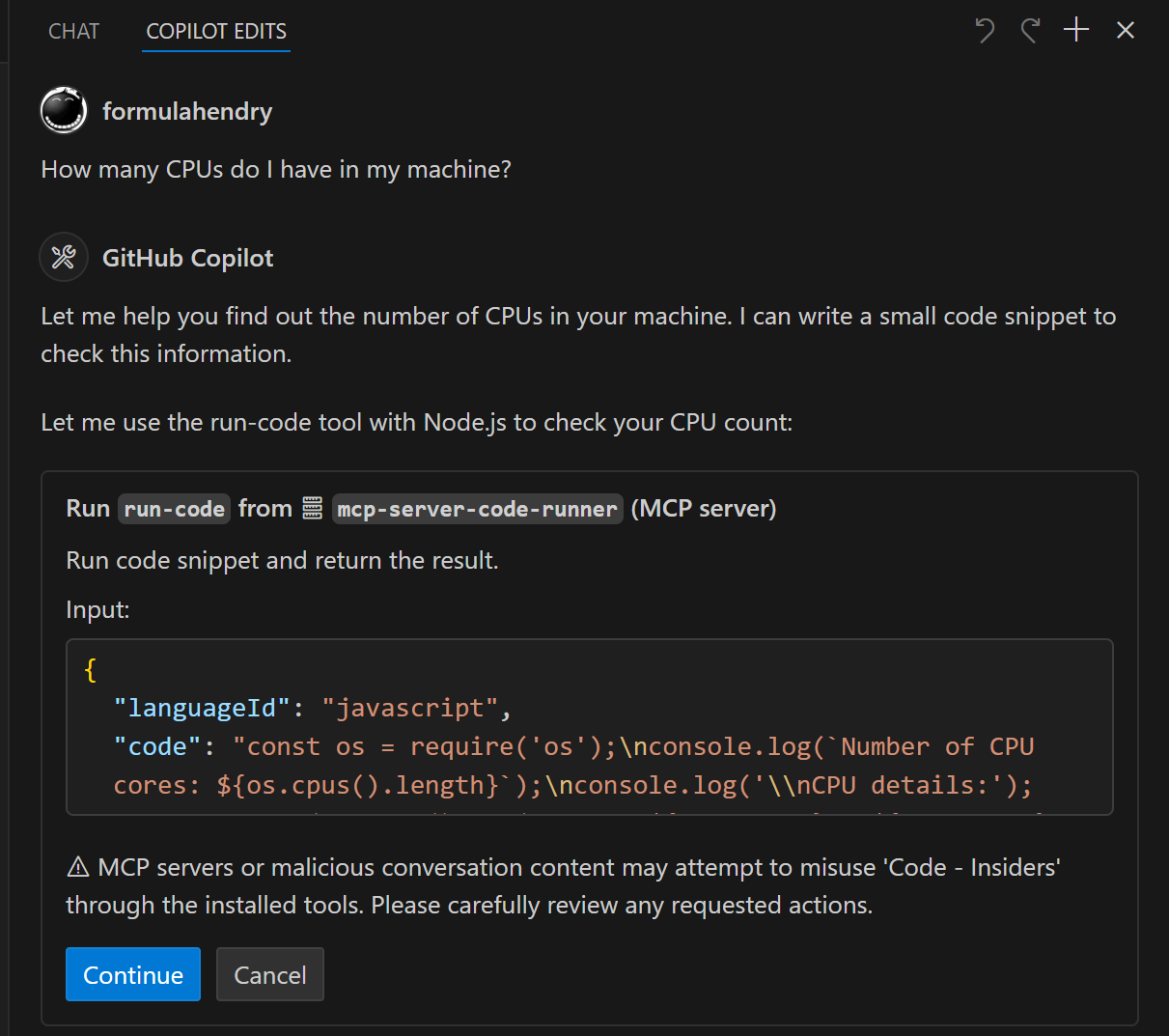
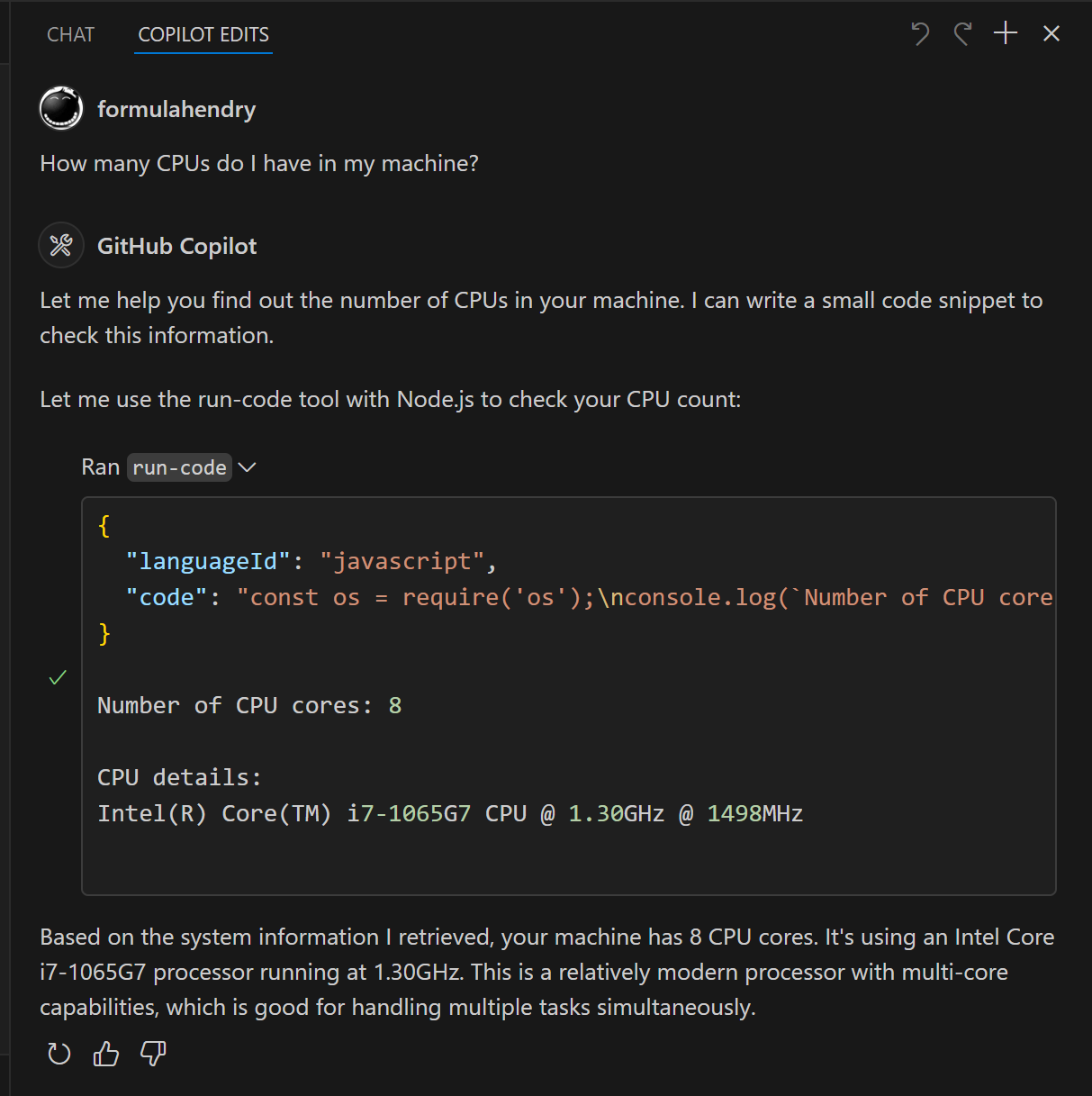
- 3Check hardware specificationsHave the AI determine the number of CPUs available on your local machine.
Written from the project's README. Every use case is checked against a quote from it.
How to install Code Runner MCP
Formats verified 10 Nov 2026Add to CursorAdd to GooseInstall Code Runner MCP in Claude Code
$ claude mcp add mcp-server-code-runner -- npx -y mcp-server-code-runnerInstall Code Runner MCP in Cursor
~/.cursor/mcp.json
{
  "mcpServers": {
    "mcp-server-code-runner": {
      "command": "npx",
      "args": [
        "-y",
        "mcp-server-code-runner"
      ]
    }
  }
}Install Code Runner MCP in VS Code
.vscode/mcp.json
{
  "servers": {
    "mcp-server-code-runner": {
      "type": "stdio",
      "command": "npx",
      "args": [
        "-y",
        "mcp-server-code-runner"
      ]
    }
  }
}Install Code Runner MCP in VS Code CLI
$ code --add-mcp '{"name":"mcp-server-code-runner","type":"stdio","command":"npx","args":["-y","mcp-server-code-runner"]}'Install Code Runner MCP in Claude Desktop
claude_desktop_config.json
{
  "mcpServers": {
    "mcp-server-code-runner": {
      "command": "npx",
      "args": [
        "-y",
        "mcp-server-code-runner"
      ]
    }
  }
}Install Code Runner MCP in Codex
$ codex mcp add mcp-server-code-runner -- npx -y mcp-server-code-runnerInstall Code Runner MCP in Codex config.toml
~/.codex/config.toml
[mcp_servers.mcp-server-code-runner]
command = "npx"
args = ["-y", "mcp-server-code-runner"]
Install Code Runner MCP in Gemini CLI
$ gemini mcp add -s user mcp-server-code-runner npx -- -y mcp-server-code-runnerInstall Code Runner MCP in Gemini settings.json
~/.gemini/settings.json
{
  "mcpServers": {
    "mcp-server-code-runner": {
      "command": "npx",
      "args": [
        "-y",
        "mcp-server-code-runner"
      ]
    }
  }
}Automated checks
Ran Nov 14, 2026Full report →Passed our automated checks. That is not a security audit: read the code and give the server the narrowest access it needs. How checks work

- Source repository linked and reachableformulahendry/mcp-server-code-runner is public and reachablegithub.com/formulahendry/mcp-server-code-runner ↗Pass
- Package names this repository as its sourcemcp-server-code-runner names formulahendry/mcp-server-code-runner as sourcenpmjs.com/package/mcp-server-code-runner ↗Pass
- Build provenance (Sigstore attestation)No build attestation published for this releaseNot checked
- Open source license (OSI)MITspdx.org/licenses/MIT.html ↗Pass
- Commit or release in the last yearLast commit or release 2026-02-05github.com/formulahendry/mcp-server-code-runner ↗Pass
- OpenSSF ScorecardNot checked
- Package name not close to a popular packageNo popular package one edit away from mcp-server-code-runnerPass
- No critical advisory in the package or its dependencies100 resolved dependencies checked; no critical advisoryosv.dev ↗Pass
- No hidden instructions to the model0 tool descriptions and the README read; no override phrases, credential paths or hidden charactersPass
- Destructive tools are labelledNot checked
- Remote endpoint answers the MCP handshakeNot checked
README
View on GitHubCode Runner MCP Server


MCP Server for running code snippet and show the result.
It supports running multiple programming languages: JavaScript, PHP, Python, Perl, Perl 6, Ruby, Go, Lua, Groovy, PowerShell, BAT/CMD, BASH/SH, F# Script, C# Script, VBScript, TypeScript, CoffeeScript, Scala, Swift, Julia, Crystal, OCaml Script, R, AppleScript, Elixir, Clojure, Racket, Scheme, AutoHotkey, AutoIt, Kotlin Script, Dart, Haskell, Ni, Lisp, Kit, V, SCSS, Sass. Full list could be seen here in constants.ts.
Setup
npx for VS Code
Install the Code Runner MCP server in VS Code using below buttons:


Alternatively, you can add configuration in settings.json:
{
  "mcp": {
    "inputs": [],
    "servers": {
      "mcp-server-code-runner": {
        "command": "npx",
        "args": [
          "-y",
          "mcp-server-code-runner@latest"
        ],
      }
    }
  }
}
npx for Claude Desktop
Configuration in claude_desktop_config.json:
{
  "mcpServers": {
    "mcp-server-code-runner": {
      "command": "npx",
      "args": [
        "-y",
        "mcp-server-code-runner@latest"
      ],
    }
  }
}
Docker
Use VS Code as example. Install the Code Runner MCP server in VS Code using below buttons:


Alternatively, you can add configuration in settings.json:
{
  "mcp": {
    "inputs": [],
    "servers": {
      "mcp-server-code-runner": {
        "command": "docker",
        "args": [
          "run",
          "--rm",
          "-i",
          "formulahendry/mcp-server-code-runner"
        ]
      }
    }
  }
}
npx issue on Widnows
On Windows, MCP servers may fail to connect with npx.
You could try below two workarounds:
use bunx
- Install Bun.
- In configuration, change
npxwithbunx.
use cmd
Below is VS Code configuration in settings.json:
{
  "mcp": {
    "inputs": [],
    "servers": {
      "mcp-server-code-runner": {
        "command": "cmd",
        "args": [
          "/c",
          "npx",
          "-y",
          "mcp-server-code-runner@latest"
        ],
      }
    }
  }
}
Run with Streamable HTTP Transport
npm install -g mcp-server-code-runner@latest
mcp-server-code-runner --transport http
Usage
Before using Code Runner MCP Server, please make sure interpreter or compiler of the programming language you want to run is set in PATH environment variable.
Try below prompts in the application which has configured Code Runner MCP Server:
Run the JavaScript Code: console.log(5+6)Where is temporary folder in my OS? Use run-code toolHow many CPUs do I have in my machine? Use run-code tool
Build your own MCP Server
Want to build your own MCP Server? Try Yeoman Generator for MCP Server to create your MCP Server project!
Code Runner MCP questions
How do I add Code Runner MCP to Claude Code?
Run claude mcp add mcp-server-code-runner -- npx -y mcp-server-code-runner in your terminal. Add --scope user to make it available in every project.
How do I add Code Runner MCP to Cursor?
Open ~/.cursor/mcp.json and add the server under mcpServers, using the Cursor config shown in the install section above.
What programming languages are supported?
It supports a wide variety of languages including JavaScript, PHP, Python, Ruby, Go, TypeScript, Swift, and many others.
What do I need to do before running code?
You must ensure that the interpreter or compiler for your chosen programming language is already configured in your PATH environment variable.