
markmv MCP server
Commit Nov 9, 2026Enables AI agents to move, split, join, and merge markdown files while automatically refactoring links to maintain project integrity.
Also known as ExaDev/markmv
- Stars
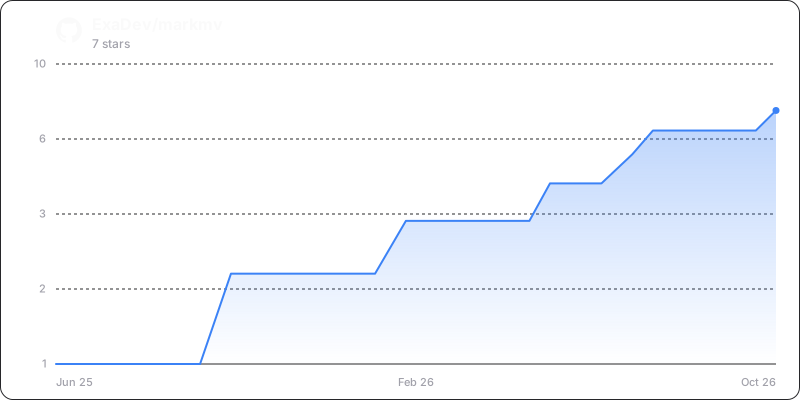
- 7
- Tools
- 3
- Downloads, 30 days
- —
- Latest version
- —
- Last commit
- Nov 9, 2026
- License
- MIT
What is markmv MCP?
markmv enables AI agents to move, split, join, and merge markdown files while automatically refactoring links to maintain project integrity. It exposes 3 tools, such as move_file, move_files, validate_operation.
Summary generated from the project's README
About markmv MCP server
markmv provides a specialized set of tools for managing markdown documentation through intelligent file operations. It is designed for developers and AI agents who need to reorganize large documentation sets without breaking internal links. The server functions by automatically refactoring references whenever files are moved, renamed, or restructured, ensuring project integrity remains intact.
Users can interact with the system via a command line interface, a REST API, or as an MCP server for integration with AI clients like Claude Desktop. When used as an MCP server, it exposes specific tools such as move_file, move_files, and validate_operation. This allows an AI agent to perform complex file migrations and verify that no links were broken during the process. The system requires Node.js version 18.0.0 or higher to run.
What you can do with it
- 1Relocate documentation filesAsk the AI to move a specific markdown file to a new directory while updating all existing references.
- 2Batch file migrationsInstruct an agent to move an entire folder of files to a new location and fix all links simultaneously.
- 3Verify link integrityRequest a check to ensure that recent file movements did not result in any broken links within the project.
Written from the project's README. Every use case is checked against a quote from it.
markmv MCP tools 3
Detected from the READMEmove_filemove_filesvalidate_operation
| move_file | — | |
| move_files | — | |
| validate_operation | — |
Configuration
NODE_OPTIONS
| Name | Description | |
|---|---|---|
| NODE_OPTIONS | — |
Automated checks
Ran Nov 14, 2026Full report →Not verified yet. A server needs a score of 80, no serious finding, and enough data for us to check. How checks work · What to fix for more points

- Source repository linked and reachableexadev/markmv is public and reachablegithub.com/exadev/markmv ↗Pass
- Package names this repository as its sourceNot checked
- Build provenance (Sigstore attestation)Not checked
- Open source license (OSI)MITspdx.org/licenses/MIT.html ↗Pass
- Commit or release in the last yearLast commit or release 2026-11-09github.com/exadev/markmv ↗Pass
- OpenSSF ScorecardNot checked
- Package name not close to a popular packageNot checked
- No critical advisory in the package or its dependenciesNot checked
- No hidden instructions to the model3 tool descriptions and the README read; no override phrases, credential paths or hidden charactersPass
- Destructive tools are labelledNo tool named like delete, drop or execPass
- Remote endpoint answers the MCP handshakeNot checked
README
View on GitHubmarkmv ✏️
npx markmv --help




TypeScript CLI for markdown file operations with intelligent link refactoring
markmv revolutionises how you manage markdown documentation by providing intelligent file operations that automatically maintain link integrity across your entire project. Whether you're reorganising documentation, splitting large files, or combining related content, markmv ensures your links never break.
✨ Key Features
- 🚀 Move files/directories with automatic link updates
- ✂️ Split large files by headers, size, or manual markers
- 🔗 Join multiple files with conflict resolution
- 🧠 Merge content with interactive conflict handling
- 📚 Generate indexes for documentation organization
- 🌐 Multiple access methods: CLI, REST API, MCP, and programmatic
📦 Installation
# Use directly with npx (recommended)
npx markmv --help

# Install globally
npm install -g markmv

# Install as library
npm install markmv
Requirements: Node.js >= 18.0.0
🚀 Quick Start
# Move a file and update all references
npx markmv move old-doc.md new-location/renamed-doc.md

# Split a large file by headers
npx markmv split large-guide.md --strategy headers --header-level 2

# Join multiple files
npx markmv join intro.md setup.md usage.md --output complete-guide.md

# Generate documentation index
npx markmv index --type links --strategy directory
🌐 Access Methods
markmv provides multiple interfaces for different use cases:
CLI Tool
npx markmv move old.md new.md --json # JSON output for scripting
REST API Server
npx markmv api # Start HTTP server on port 3000 (--port to change it)
MCP Server (AI Integration)
npx markmv mcp # Model Context Protocol server
Programmatic API
import { moveFile } from "markmv";
const result = await moveFile("old.md", "new.md");
🤖 MCP Setup (AI Integration)
The markmv MCP server enables AI agents (like Claude) to use markmv functionality directly. Here's how to set it up:
Claude Desktop Configuration
Add markmv to your Claude Desktop configuration:
macOS: ~/Library/Application Support/Claude/claude_desktop_config.json
Windows: %APPDATA%/Claude/claude_desktop_config.json
{
  "mcpServers": {
    "markmv": {
      "command": "npx",
      "args": ["markmv", "mcp"],
      "env": {
        "NODE_OPTIONS": "--no-warnings"
      }
    }
  }
}
Available MCP Tools
Once configured, Claude can use these markmv tools:
move_file- Move/rename files with link updatesmove_files- Move multiple files in batchvalidate_operation- Check for broken links
Note: Additional tools (split, join, merge, convert, index) will be added in future releases.
Example Usage with Claude
After setup, you can ask Claude to:
"Use markmv to move
docs/old-guide.mdtoguides/new-guide.mdand update all references"
"Move multiple files from the
drafts/folder topublished/and update all links"
"Validate my recent file moves to check for any broken links"
Verification
Restart Claude Desktop and look for the 🔧 MCP icon in the chat. If configured correctly, you'll see "markmv" listed in the connected MCP servers.
📖 Documentation
The API reference is generated from the TypeScript sources on every release: commands, core classes, the join, merge and split strategies, and the exported types. See the changelog for what changed in each release.
🛠️ Development
git clone https://github.com/ExaDev/markmv.git
cd markmv
pnpm install
pnpm run build
pnpm test
📄 License
MIT - see the LICENSE file for details.
markmv MCP questions
What tools does markmv MCP provide?
It exposes 3 tools, including move_file, move_files, validate_operation.
How do I install markmv?
You can use npx to run it directly, install it globally via npm, or install it as a library in your project.
What are the system requirements for markmv?
The tool requires Node.js version 18.0.0 or higher.