
doc2mcp MCP server
Converts any documentation URL into a hosted MCP server for use with AI agents and IDEs like Cursor and Claude.
Also known as doc2mcp/doc2mcp
- Stars
- 6
- Tools
- 6
- Downloads, 30 days
- —
- Latest version
- 1.0.1782461537
- Last commit
- Aug 1, 2026
- License
- MIT
What is doc2mcp MCP?
doc2mcp converts any documentation URL into a hosted MCP server for use with AI agents and IDEs like Cursor and Claude. It exposes 6 tools, such as list_documentation_pages, get_documentation_page, search_documentation.
Summary generated from the project's README
About doc2mcp MCP server
This service transforms any documentation URL into a hosted MCP server designed for AI agents and integrated development environments. It automates the process of crawling, analyzing, and converting web-based documentation into functional tools that can be used within Cursor, Claude, or VS Code. Developers can access this infrastructure through a web dashboard, a command-line interface, or a dedicated JavaScript/TypeScript SDK.
Users interact with the system by providing a source URL, which then generates specific tools like search_documentation, get_documentation_page, and ask_documentation. The setup requires a user PAT and a project token obtained from the web platform. While the web and CLI methods are geared toward quick integration with IDEs, the SDK allows for programmatic implementation within frameworks such as LangChain, LangGraph, and CrewAI. This makes it a versatile solution for building documentation-aware agents that can perform heading-aware searches or retrieve full markdown content from specific pages.
What you can do with it
- 1Convert documentation for IDEsA developer can turn a Stripe or GitHub documentation URL into a ready-to-use MCP server for Cursor in under a minute.
- 2Perform semantic documentation searchesUse the generated tools to conduct searches that understand the structure of the documentation headings.
Written from the project's README. Every use case is checked against a quote from it.
How to install doc2mcp MCP
Formats verified 10 Nov 2026Add to CursorAdd to GooseInstall doc2mcp MCP in Claude Code
$ claude mcp add --transport http developer https://doc2mcp.site/api/mcp/c7dd7af1-84b9-4bc3-a3e8-0b3a324c8413/mcpInstall doc2mcp MCP in Cursor
~/.cursor/mcp.json
{
  "mcpServers": {
    "developer": {
      "url": "https://doc2mcp.site/api/mcp/c7dd7af1-84b9-4bc3-a3e8-0b3a324c8413/mcp"
    }
  }
}Install doc2mcp MCP in VS Code
.vscode/mcp.json
{
  "servers": {
    "developer": {
      "type": "http",
      "url": "https://doc2mcp.site/api/mcp/c7dd7af1-84b9-4bc3-a3e8-0b3a324c8413/mcp"
    }
  }
}Install doc2mcp MCP in VS Code CLI
$ code --add-mcp '{"name":"developer","type":"http","url":"https://doc2mcp.site/api/mcp/c7dd7af1-84b9-4bc3-a3e8-0b3a324c8413/mcp"}'Install doc2mcp MCP in Codex
$ codex mcp add developer --url https://doc2mcp.site/api/mcp/c7dd7af1-84b9-4bc3-a3e8-0b3a324c8413/mcpInstall doc2mcp MCP in Codex config.toml
~/.codex/config.toml
[mcp_servers.developer]
url = "https://doc2mcp.site/api/mcp/c7dd7af1-84b9-4bc3-a3e8-0b3a324c8413/mcp"
Install doc2mcp MCP in Gemini CLI
$ gemini mcp add -s user --transport http developer https://doc2mcp.site/api/mcp/c7dd7af1-84b9-4bc3-a3e8-0b3a324c8413/mcpInstall doc2mcp MCP in Gemini settings.json
~/.gemini/settings.json
{
  "mcpServers": {
    "developer": {
      "url": "https://doc2mcp.site/api/mcp/c7dd7af1-84b9-4bc3-a3e8-0b3a324c8413/mcp",
      "type": "http"
    }
  }
}doc2mcp MCP tools 6
Detected from the READMElist_documentation_pagesget_documentation_pagesearch_documentationget_documentation_overviewread_full_documentationask_documentation
| list_documentation_pages | — | |
| get_documentation_page | — | |
| search_documentation | — | |
| get_documentation_overview | — | |
| read_full_documentation | — | |
| ask_documentation | — |
Automated checks
Ran Nov 15, 2026Full report →Not verified yet. A server needs a score of 80, no serious finding, and enough data for us to check. How checks work · What to fix for more points

- Source repository linked and reachabledoc2mcp/doc2mcp is public and reachablegithub.com/doc2mcp/doc2mcp ↗Pass
- Package names this repository as its sourceNot checked
- Build provenance (Sigstore attestation)Not checked
- Open source license (OSI)MITspdx.org/licenses/MIT.html ↗Pass
- Commit or release in the last yearLast commit or release 2026-08-01github.com/doc2mcp/doc2mcp ↗Pass
- OpenSSF ScorecardNot checked
- Package name not close to a popular packageNot checked
- No critical advisory in the package or its dependenciesNot checked
- No hidden instructions to the model6 tool descriptions and the README read; no override phrases, credential paths or hidden charactersPass
- Destructive tools are labelledNo tool named like delete, drop or execPass
- Remote endpoint answers the MCP handshakeEndpoint did not answer initialize: HTTP 402Finding
README
View on GitHubdoc2mcp
Documentation infrastructure for AI agents
Paste any docs URL → get a hosted, Cursor-ready MCP server in under 60 seconds.
Live · Docs · SDK · Marketplace · Open Source



⭐ Star this repo — it helps developers discover doc2mcp on GitHub and the MCP Registry.
Three ways to use doc2mcp
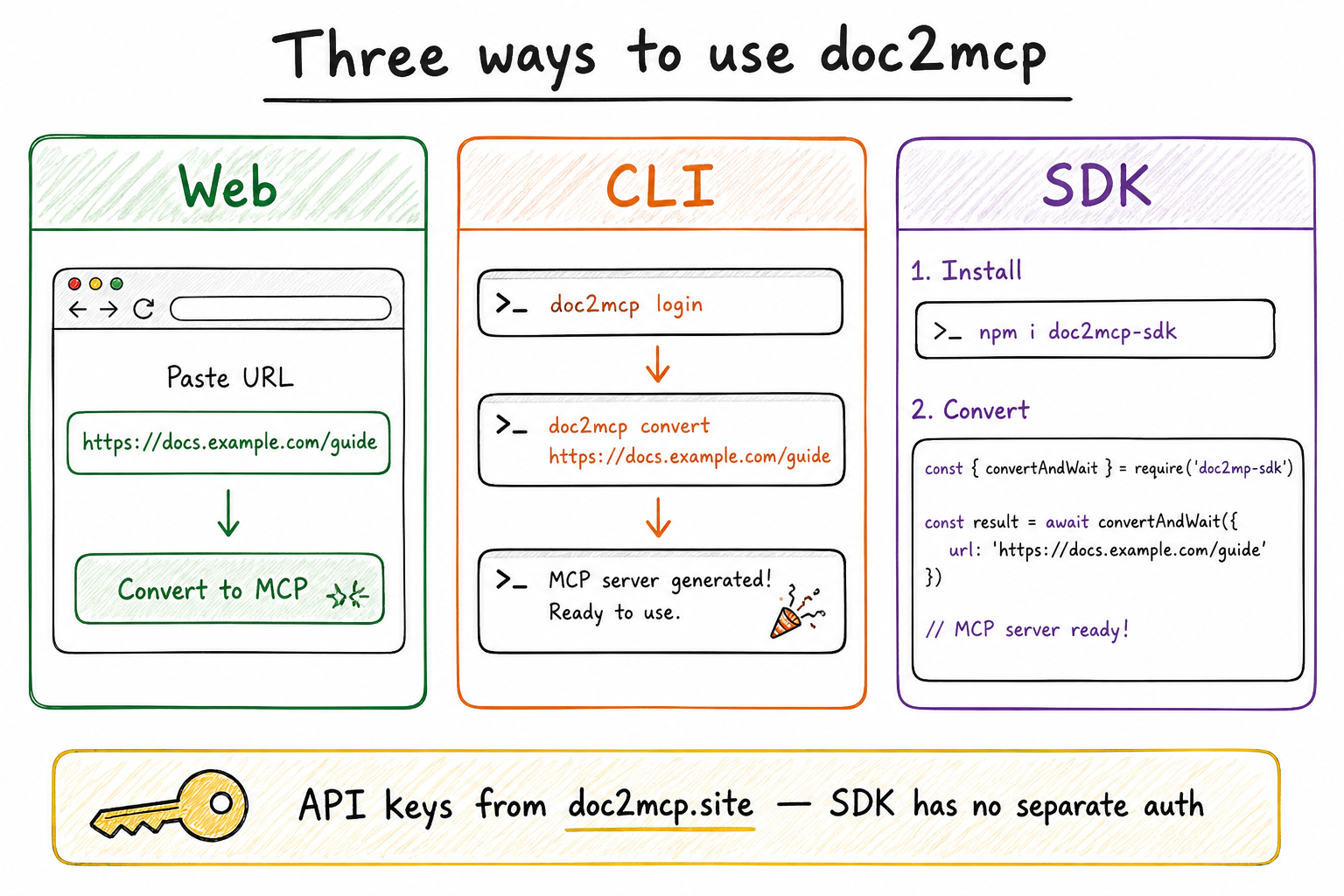
| Surface | Best for | Start here |
|---|---|---|
| Web | Instant convert in the browser | doc2mcp.site |
| CLI | Terminal + one-shot install into Cursor | npm i -g doc2mcp |
| SDK | Code, CI, LangChain / LangGraph / agents | doc2mcp-sdk |
API keys always come from doc2mcp.site (User PAT + project token). The SDK has no separate login.
The pipeline
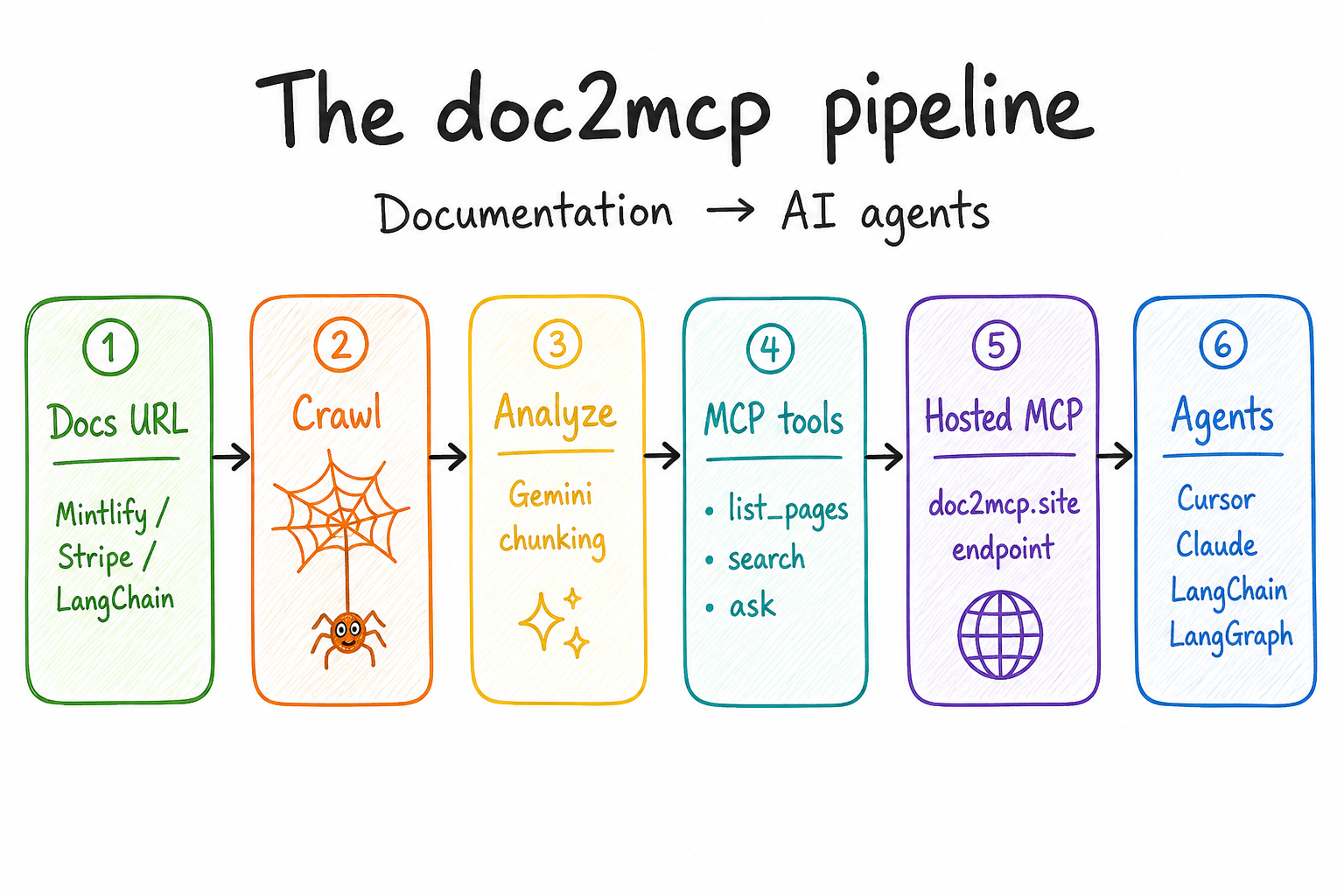
Docs URL → crawl → analyze → MCP tools → hosted endpoint → Cursor / Claude / LangChain / LangGraph.
1) Web (normal)
- Sign in at doc2mcp.site/login
- Paste a docs URL (Stripe, LangChain, Mintlify, GitHub…)
- Copy the hosted MCP URL + Bearer token into Cursor / Claude / VS Code
{
  "mcpServers": {
    "my-docs": {
      "url": "https://doc2mcp.site/api/mcp/{project_id}/mcp",
      "headers": { "Authorization": "Bearer <project-token>" }
    }
  }
}
2) CLI
npm install -g doc2mcp
doc2mcp login                 # creates User PAT (d2mcp_pat_…)
doc2mcp https://docs.example.com
Lists the same projects as the dashboard. Install helpers for Cursor / VS Code / Claude / Windsurf.
3) SDK (doc2mcp-sdk)
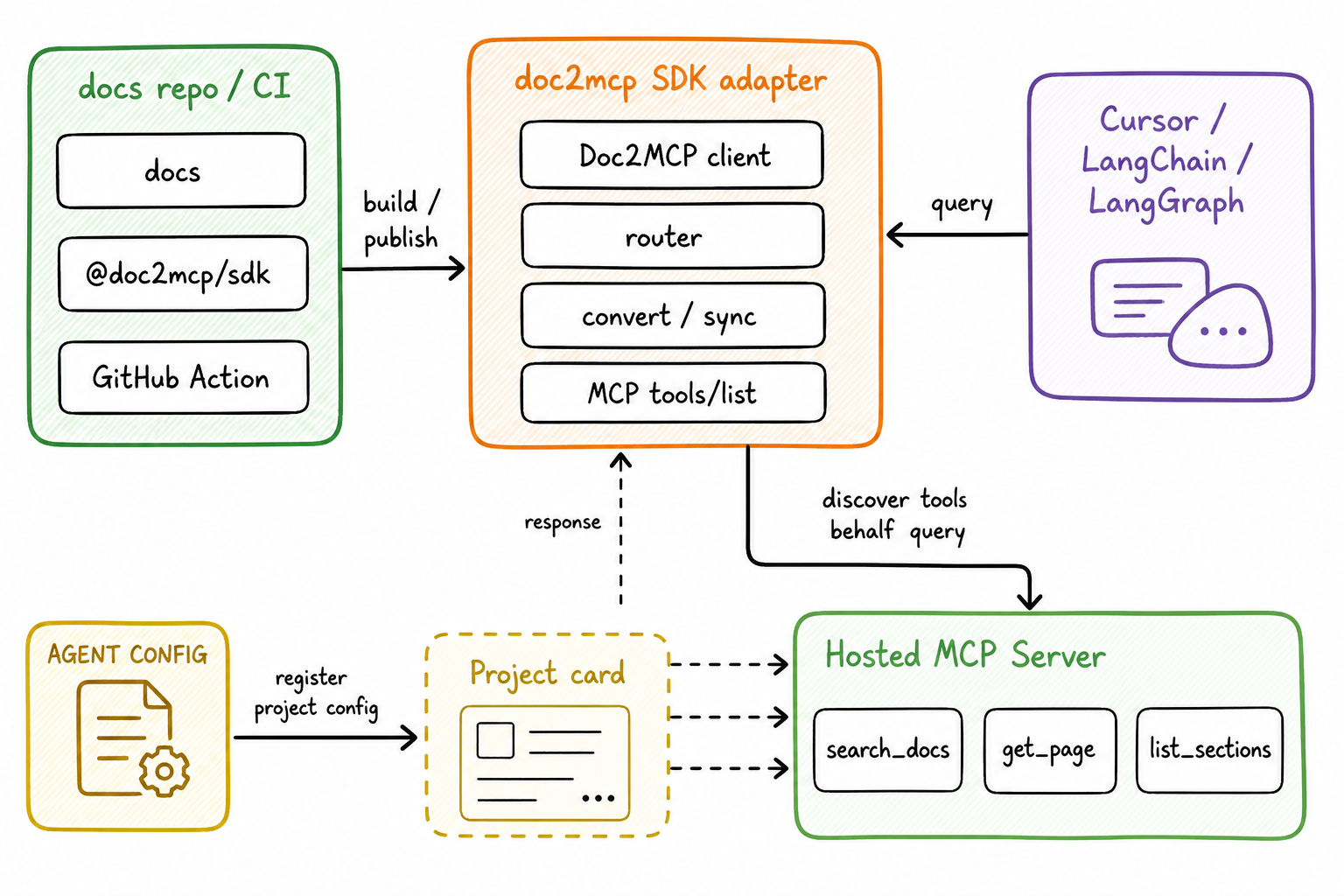
npm i doc2mcp-sdk
import { Doc2MCP } from "doc2mcp-sdk";

// User PAT from doc2mcp.site / `npx doc2mcp login` — SDK has no auth of its own
const client = new Doc2MCP({ token: process.env.DOC2MCP_API_TOKEN! }); // Settings → d2mcp_usr_…

const ready = await client.convertAndWait({
  sourceUrl: "https://js.langchain.com/docs",
});

const answer = await client.callToolText({
  mcpUrl: ready.mcp.url,
  mcpToken: ready.mcp.token, // project token d2mcp_…
  name: "search_documentation",
  arguments: { query: "how do runnables work?" },
});
Full handbook (API keys, Cursor, Claude, LangChain, LangGraph, LangSmith, OpenAI, Vercel AI SDK, CrewAI, AutoGen, Mastra):
Product docs page: doc2mcp.site/docs/sdk
MCP tools generated per project
| Tool | What it does |
|---|---|
list_documentation_pages |
Every crawled page |
get_documentation_page |
Full markdown of one page |
search_documentation |
Heading-aware search |
get_documentation_overview |
Summary + index |
read_full_documentation |
All pages combined |
ask_documentation |
Q&A with citations |
Repos
| Repo | Purpose |
|---|---|
| doc2mcp/doc2mcp (this) | Next.js app, CLI, pipeline, MCP runtime |
| doc2mcp/doc2mcp-sdk | Programmatic JS/TS SDK + framework examples |
| doc2mcp/doc2mcp-registry | MCP Registry gateway manifest |
Contribute
- Read CONTRIBUTING.md and CODE_OF_CONDUCT.md
- Branch from
staging→ open PR →staging - AI review (
Gemini PR review) fails the check on must-fix — fix blockers before merge - Coupon
opensourcedoc2mcp→ Starter free for 12 months on Pricing
More: doc2mcp.site/open-source
Local development
pnpm install
cp .env.example .env.local
pnpm dev
pnpm check
pnpm exec tsc --noEmit --skipLibCheck
CI / CD
Feature → staging (preview) → main → v* tag deploys production on Vercel.
PR checks: Biome/Ultracite, TypeScript, Next build, CLI build, Gemini AI review (must-fix → failed check).
License
MIT — see LICENSE.
doc2mcp MCP questions
How do I add doc2mcp MCP to Claude Code?
Run claude mcp add --transport http developer https://doc2mcp.site/api/mcp/c7dd7af1-84b9-4bc3-a3e8-0b3a324c8413/mcp in your terminal. Add --scope user to make it available in every project.
How do I add doc2mcp MCP to Cursor?
Open ~/.cursor/mcp.json and add the server under mcpServers, using the Cursor config shown in the install section above.
What tools does doc2mcp MCP provide?
It exposes 6 tools, including list_documentation_pages, get_documentation_page, search_documentation, get_documentation_overview, read_full_documentation.
Does the SDK require its own login?
No, the SDK uses a User PAT (Personal Access Token) from doc2mcp.site and does not have a separate login process.