
GitHub CI/CD MCP server
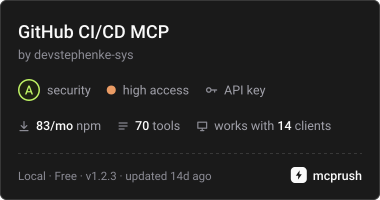
Commit Oct 22, 2026Enables AI agents to manage repositories, pull requests, GitHub Actions, deployments, and local git operations through GitHub REST and GraphQL APIs.
Also known as devstephenke-sys/Github-Free-MCPs, github-free-mcps, @kinus/github-cicd-mcp
- Stars
- 2
- Tools
- —
- Downloads, 30 days
- —
- Latest version
- 1.2.2
- Last commit
- Oct 22, 2026
- License
- MIT
What is GitHub CI/CD MCP?
GitHub CI/CD enables AI agents to manage repositories, pull requests, GitHub Actions, deployments, and local git operations through GitHub REST and GraphQL APIs.
Summary generated from the project's README
About GitHub CI/CD MCP server
Managing DevOps workflows and repository lifecycles directly from an AI assistant is what this server enables. It provides developers using Cursor or Claude Desktop with a suite of tools to interact with GitHub via REST and GraphQL APIs. By connecting a GitHub personal access token through environment variables, an agent can handle everything from basic repository management to complex continuous integration and deployment tasks.
The server bridges the gap between high-level AI reasoning and technical execution by offering specific tools for GitHub Actions, branch protection, and deployment status. It also includes capabilities for local git operations like pushing, pulling, and committing. This allows for a unified workflow where an AI can monitor workflow runs, manage pull request reviews, or check organization billing usage without requiring the user to switch between a terminal and a web browser.
Written from the project's README. Every use case is checked against a quote from it.
How to install GitHub CI/CD MCP
Formats verified 10 Nov 2026Add to CursorAdd to GooseInstall GitHub CI/CD MCP in Claude Code
$ claude mcp add --env 'GITHUB_TOKEN=<YOUR_GITHUB_TOKEN>' github-free-mcps -- npx -y @kinus/github-cicd-mcpInstall GitHub CI/CD MCP in Cursor
~/.cursor/mcp.json
{
  "mcpServers": {
    "github-free-mcps": {
      "command": "npx",
      "args": [
        "-y",
        "@kinus/github-cicd-mcp"
      ],
      "env": {
        "GITHUB_TOKEN": "<YOUR_GITHUB_TOKEN>"
      }
    }
  }
}Install GitHub CI/CD MCP in VS Code
.vscode/mcp.json
{
  "servers": {
    "github-free-mcps": {
      "type": "stdio",
      "command": "npx",
      "args": [
        "-y",
        "@kinus/github-cicd-mcp"
      ],
      "env": {
        "GITHUB_TOKEN": "<YOUR_GITHUB_TOKEN>"
      }
    }
  }
}Install GitHub CI/CD MCP in VS Code CLI
$ code --add-mcp '{"name":"github-free-mcps","type":"stdio","command":"npx","args":["-y","@kinus/github-cicd-mcp"],"env":{"GITHUB_TOKEN":"<YOUR_GITHUB_TOKEN>"}}'Install GitHub CI/CD MCP in Claude Desktop
claude_desktop_config.json
{
  "mcpServers": {
    "github-free-mcps": {
      "command": "npx",
      "args": [
        "-y",
        "@kinus/github-cicd-mcp"
      ],
      "env": {
        "GITHUB_TOKEN": "<YOUR_GITHUB_TOKEN>"
      }
    }
  }
}Install GitHub CI/CD MCP in Codex
$ codex mcp add github-free-mcps --env 'GITHUB_TOKEN=<YOUR_GITHUB_TOKEN>' -- npx -y @kinus/github-cicd-mcpInstall GitHub CI/CD MCP in Codex config.toml
~/.codex/config.toml
[mcp_servers.github-free-mcps]
command = "npx"
args = ["-y", "@kinus/github-cicd-mcp"]

[mcp_servers.github-free-mcps.env]
GITHUB_TOKEN = "<YOUR_GITHUB_TOKEN>"
Install GitHub CI/CD MCP in Gemini CLI
$ gemini mcp add -s user -e 'GITHUB_TOKEN=<YOUR_GITHUB_TOKEN>' github-free-mcps npx -- -y @kinus/github-cicd-mcpInstall GitHub CI/CD MCP in Gemini settings.json
~/.gemini/settings.json
{
  "mcpServers": {
    "github-free-mcps": {
      "command": "npx",
      "args": [
        "-y",
        "@kinus/github-cicd-mcp"
      ],
      "env": {
        "GITHUB_TOKEN": "<YOUR_GITHUB_TOKEN>"
      }
    }
  }
}Configuration
GITHUB_TOKENRequiredSecretGitHub personal access token for authentication
GITHUB_API_URLGitHub Enterprise REST API base URL (optional)
GITHUB_GRAPHQL_URLGitHub Enterprise GraphQL endpoint (optional)
GITHUB_HOSTGitHub Enterprise hostname (optional, defaults to github.com)
| Name | Description | |
|---|---|---|
| GITHUB_TOKEN | GitHub personal access token for authentication | RequiredSecret |
| GITHUB_API_URL | GitHub Enterprise REST API base URL (optional) | |
| GITHUB_GRAPHQL_URL | GitHub Enterprise GraphQL endpoint (optional) | |
| GITHUB_HOST | GitHub Enterprise hostname (optional, defaults to github.com) |
Automated checks
Ran Nov 13, 2026Full report →Not verified yet. A server needs a score of 80, no serious finding, and enough data for us to check. How checks work · What to fix for more points

- Source repository linked and reachabledevstephenke-sys/github-free-mcps is public and reachablegithub.com/devstephenke-sys/github-free-mcps ↗Pass
- Package names this repository as its source@kinus/github-cicd-mcp names devstephenke-sys/github-free-mcps as sourcenpmjs.com/package/@kinus/github-cicd-mcp ↗Pass
- Build provenance (Sigstore attestation)No build attestation published for this releaseNot checked
- Open source license (OSI)MITspdx.org/licenses/MIT.html ↗Pass
- Commit or release in the last yearLast commit or release 2026-10-22github.com/devstephenke-sys/github-free-mcps ↗Pass
- OpenSSF ScorecardNot checked
- Package name not close to a popular packageNo popular package one edit away from @kinus/github-cicd-mcpPass
- No critical advisory in the package or its dependenciesCritical advisory: GHSA-x6jw-m9v5-85vh, GHSA-v5rq-49vh-5v5cosv.dev/vulnerability/GHSA-x6jw-m9v5-85vh ↗Finding
- No hidden instructions to the model0 tool descriptions and the README read; no override phrases, credential paths or hidden charactersPass
- Destructive tools are labelledNot checked
- Remote endpoint answers the MCP handshakeNot checked
README
View on GitHubgithub-cicd-mcp
GitHub CI/CD MCP server for Model Context Protocol.


Model Context Protocol (MCP) server for GitHub REST and GraphQL — built for CI/CD and DevOps workflows in Cursor, Claude Desktop, and other MCP clients.
Give your AI agent tools to manage repos, commits, pull requests, issues, GitHub Actions, deployments, billing, releases, branch protection, webhooks, and local git — without leaving the editor.
Install
npm / npx (recommended)
{
  "mcpServers": {
    "github-cicd": {
      "command": "npx",
      "args": ["-y", "@kinus/github-cicd-mcp"],
      "env": {
        "GITHUB_TOKEN": "${env:GITHUB_TOKEN}"
      }
    }
  }
}
Set GITHUB_TOKEN (or GH_TOKEN) in your system environment, or replace ${env:GITHUB_TOKEN} with a secret reference your client supports.
From source
git clone https://github.com/devstephenke-sys/Github-Free-MCPs.git
cd Github-Free-MCPs
npm install
npm run build
Point MCP at node /absolute/path/to/github-cicd-mcp/dist/index.js.
Authentication
Create a personal access token:
| Need | Scopes / permissions |
|---|---|
| Repos, PRs, commits, issues | repo or fine-grained Contents, Pull requests, Issues |
| Actions | workflow |
| Org billing | read:org + org billing role |
| Admin (branch protection, webhooks) | Admin access on the repo/org |
Never commit tokens. Use environment variables only.
⚠️ Security: See SECURITY.md for security policies and best practices.
Recent Security Update (v1.2.3): Updated simple-git to v4.0.2 to address critical security vulnerabilities (CVE-2026-102828, CVE-2026-102826, CVE-2026-102827, CVE-2026-6951).
Tool reference
Core & repos
github_get_authenticated_user, github_get_rate_limit, github_create_repository, github_get_repository, github_list_repositories, github_create_branch, github_fork_repository
Commits & CI status
github_list_commits, github_get_commit, github_compare_commits, github_create_commit, github_get_combined_status, github_list_check_runs_for_ref
Pull requests
github_create_pull_request, github_list_pull_requests, github_get_pull_request, github_merge_pull_request, github_update_pull_request, github_list_pull_request_files, github_create_pull_request_review
Issues
github_create_issue, github_list_issues, github_get_issue, github_update_issue, github_add_issue_comment, github_list_issue_comments
Releases & tags
github_list_releases, github_get_release_by_tag, github_create_release, github_list_tags, github_create_tag
Branches & protection
github_list_branches, github_get_branch, github_get_branch_protection, github_update_branch_protection, github_delete_branch_protection
GitHub Actions
github_list_workflows, github_list_workflow_runs, github_get_workflow_run, github_list_workflow_jobs, github_rerun_workflow, github_cancel_workflow_run, github_dispatch_workflow, github_list_actions_secrets, github_list_actions_variables, github_list_workflow_run_artifacts, github_download_workflow_artifact
Deployments (CD)
github_list_deployments, github_create_deployment, github_create_deployment_status, github_list_environments
Billing
github_get_user_billing_actions, github_get_org_billing_actions, github_get_org_billing_overview, github_get_org_billing_usage_report
Webhooks & access
github_list_webhooks, github_create_webhook, github_delete_webhook, github_list_collaborators, github_add_collaborator, github_list_teams
GraphQL
github_graphql_query, github_graphql_mutation, github_graphql_repository_overview
Local git
git_status, git_commit, git_push, git_pull, git_log, git_clone
GitHub Enterprise
GITHUB_HOST— hostname (when notgithub.com)GITHUB_API_URL— REST base, e.g.https://github.example.com/api/v3GITHUB_GRAPHQL_URL— GraphQL endpoint override
Development
npm install
npm run build
npm run verify
Publish your own fork
See RELEASING.md for:
- Public GitHub repo setup
- npm publish (
npm publish --access public) - GitHub Releases and optional MCP directory listings
License
GitHub CI/CD MCP questions
How do I add GitHub CI/CD MCP to Claude Code?
Run claude mcp add --env 'GITHUB_TOKEN=<YOUR_GITHUB_TOKEN>' github-free-mcps -- npx -y @kinus/github-cicd-mcp in your terminal. Add --scope user to make it available in every project.
How do I add GitHub CI/CD MCP to Cursor?
Open ~/.cursor/mcp.json and add the server under mcpServers, using the Cursor config shown in the install section above.
What permissions do I need for GitHub Actions?
To manage GitHub Actions, your token requires the 'workflow' scope.