
DecRec MCP server
Commit Sep 7, 2026Provides a shared decision memory for AI agents to record, revisit, and resolve consequential choices across different platforms.
Also known as decrec-io/decrec-plugin, decrec-plugin
- Stars
- 1
- Tools
- —
- Downloads, 30 days
- —
- Latest version
- 2026.9.1
- Last commit
- Sep 7, 2026
- License
- MIT
What is DecRec MCP?
DecRec provides a shared decision memory for AI agents to record, revisit, and resolve consequential choices across different platforms.
Summary generated from the project's README
About DecRec MCP server
Maintaining a consistent history of important choices across different AI platforms is what DecRec enables. Developers using various agents like Claude, ChatGPT, Cursor, or Codex can use this system to ensure that a decision made in one conversation is remembered and accessible in another, even weeks later. It functions as a shared system of record that focuses specifically on consequential choices rather than general chat history or code output.
Users set up the server by installing the plugin through their specific client, such as using slash commands in Cursor or marketplace commands in Claude Code and Codex CLI. For ChatGPT web users, it requires connecting to a remote server URL and uploading a skill zip file. The system uses a specialized skill to help the agent judge when a choice is significant enough to capture, search, update, or archive. This prevents the agent from cluttering the memory with trivial information while ensuring that the reasoning behind critical architectural or business forks remains available to any future agent session.
What you can do with it
- 1Preserving architectural decisionsAsk the agent to record a specific choice between two technical paths so it can be recalled in a future session.
- 2Extracting decisions from discussionsProvide meeting notes or chat threads and have the agent identify which points are important enough to save to the decision memory.
- 3Maintaining cross-platform continuityEnsure a decision made in ChatGPT is visible when you switch to a different coding assistant like Cursor.
Written from the project's README. Every use case is checked against a quote from it.
How to install DecRec MCP
Formats verified 10 Nov 2026Add to CursorAdd to GooseInstall DecRec MCP in Claude Code
$ claude mcp add --transport http decrec-plugin https://decrec.io/mcpInstall DecRec MCP in Cursor
~/.cursor/mcp.json
{
  "mcpServers": {
    "decrec-plugin": {
      "url": "https://decrec.io/mcp"
    }
  }
}Install DecRec MCP in VS Code
.vscode/mcp.json
{
  "servers": {
    "decrec-plugin": {
      "type": "http",
      "url": "https://decrec.io/mcp"
    }
  }
}Install DecRec MCP in VS Code CLI
$ code --add-mcp '{"name":"decrec-plugin","type":"http","url":"https://decrec.io/mcp"}'Install DecRec MCP in Codex
$ codex mcp add decrec-plugin --url https://decrec.io/mcpInstall DecRec MCP in Codex config.toml
~/.codex/config.toml
[mcp_servers.decrec-plugin]
url = "https://decrec.io/mcp"
Install DecRec MCP in Gemini CLI
$ gemini mcp add -s user --transport http decrec-plugin https://decrec.io/mcpInstall DecRec MCP in Gemini settings.json
~/.gemini/settings.json
{
  "mcpServers": {
    "decrec-plugin": {
      "url": "https://decrec.io/mcp",
      "type": "http"
    }
  }
}Automated checks
Ran Nov 15, 2026Full report →Not verified yet. A server needs a score of 80, no serious finding, and enough data for us to check. How checks work · What to fix for more points

- Source repository linked and reachabledecrec-io/decrec-plugin is public and reachablegithub.com/decrec-io/decrec-plugin ↗Pass
- Package names this repository as its sourceNot checked
- Build provenance (Sigstore attestation)Not checked
- Open source license (OSI)MITspdx.org/licenses/MIT.html ↗Pass
- Commit or release in the last yearLast commit or release 2026-09-07github.com/decrec-io/decrec-plugin ↗Pass
- OpenSSF ScorecardNot checked
- Package name not close to a popular packageNot checked
- No critical advisory in the package or its dependenciesNot checked
- No hidden instructions to the model0 tool descriptions and the README read; no override phrases, credential paths or hidden charactersPass
- Destructive tools are labelledNot checked
- Remote endpoint answers the MCP handshakeHTTPS endpoint answered 401 (sign-in required)Pass
README
View on GitHubDecRec
AI explores. You decide. DecRec remembers.
Shared decision memory across Claude, ChatGPT, Cursor, Codex, and other agents.
Install · Docs · How it works · Why decisions · What the Skill does · What we learned · Privacy
Install in 30 seconds
This package is an Agent Plugin: a skill plus the DecRec MCP server.
In Cursor
Type this in the chat input as a slash command:
/add-plugin decrec@https://github.com/decrec-io/decrec-plugin
Or Settings → Customize → Plugins and install from that GitHub repo.
In Claude Code
/plugin marketplace add decrec-io/decrec-plugin
/plugin install decrec@decrec
In Codex CLI
codex plugin marketplace add decrec-io/decrec-plugin
codex plugin add decrec@decrec
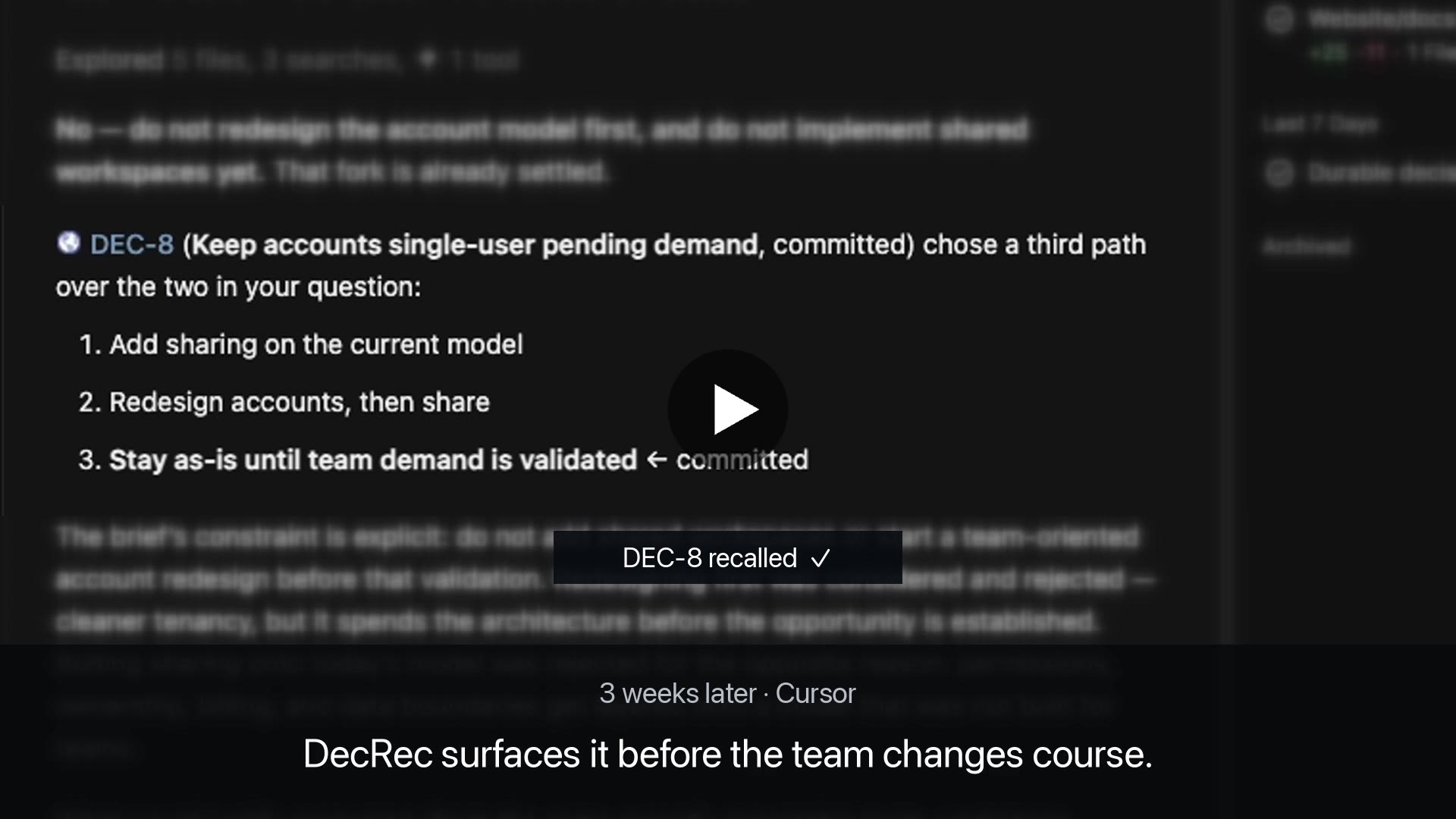
Your agent forgot. DecRec didn't.
3 weeks ago — ChatGPT
Keep accounts single-user until we validate team demand.
✓ Committed as DEC-8
Today — Cursor, fresh conversation
Before changing the account model: DEC-8 deliberately kept accounts single-user while validating demand. Want to revisit it?
One decision. Any agent.
How it works
MCP gives the agent access to decisions. The Skill teaches it when those decisions matter.
Agent
  ├─ Skill → judgment: when decisions matter
  └─ MCP   → durable decision state
               ↕
             DecRec
| Layer | Role |
|---|---|
| Skill | Judgment: what counts as a decision, when to recall, when to capture, when to stop. |
| MCP | Durable state: search, create, update, admit, commit, and archive decisions. |
| DecRec | The shared system of record across chats and agents. |
Tools without the skill still write; the skill without tools cannot persist across agents.
Why decisions, not everything?
DecRec remembers decisions, not AI output. Agents can prepare and surface records; a human commits the decision.
Your agent already has access to code, chats, docs, and project context. DecRec doesn't try to remember all of it.
It keeps the smaller set of choices that constrain future work:
- what you chose
- why
- what you considered
- who committed it
- what would justify revisiting it
The goal isn't more context. It's giving a fresh agent the reasoning behind decisions already made.
What the Skill does
-
Stay in scope — don't advance past what was asked (no catalog → shape → update → explore → admit → commit chain unless requested).
-
Recall — search only at a decision boundary (consequential choice that constrains later work). Never before ordinary coding.
-
Capture — offer once when a consequential fork settles; never auto-create; never interrupt trivia.
-
Humans commit — the agent can prepare and surface records, but it does not place commitments.
Full protocol: skills/decrec/SKILL.md. Exploration prompts: skills/decrec/explore-prompts.md.
Try it
After install, allow the MCP connection, then paste one of these into a new conversation:
Live choice
Should we [option A] or [option B]?

Work through it from more than one side, then record the decision in DecRec.
Or substitute any real decision you're working through.
A thread
Here is a [Slack thread / meeting notes]. What is worth recording in DecRec? Don't record until I pick.

[paste]
Already picked
We picked [option A] over [option B]. Record that decision in DecRec.
Install
| Client | Start here |
|---|---|
| Cursor | Slash command below, or Settings → Plugins |
| Claude Code | /plugin marketplace add |
| Codex CLI | codex plugin marketplace add |
| Claude (Web and Desktop) | Add marketplace decrec-io/decrec-plugin |
| ChatGPT | Work: marketplace plugin. Chat: MCP + skill zip |
| VS Code | Command Palette → Chat: Install Plugin From Source |
| Other | Copy skill files + MCP connector |
Cursor
Type this in the chat input as a slash command:
/add-plugin decrec@https://github.com/decrec-io/decrec-plugin
Or Settings → Customize → Plugins and install from that GitHub repo.
Claude Code
/plugin marketplace add decrec-io/decrec-plugin
/plugin install decrec@decrec
Codex CLI
codex plugin marketplace add decrec-io/decrec-plugin
codex plugin add decrec@decrec
Claude (Web and Desktop)
Same path on both. Skill and MCP come with the plugin.
- Customize → Plugins → Add → Add marketplace
- URL:
decrec-io/decrec-plugin - Sync → select DecRec → Install
- Allow when asked.
ChatGPT
Desktop (Work)
Marketplace plugin. Does not run in Chat.
- Open Plugins → Add → Add a marketplace.
- Source:
decrec-io/decrec-plugin - Add marketplace, then install decrec.
- Allow when asked. Start a new Work conversation.
Web and Desktop (Chat)
Marketplace plugin does not run here. Add MCP and the skill on chatgpt.com.
MCP (tools only — no skill):
- Plugins → +
- Connection: Server URL
- URL:
https://decrec.io/mcp - Create. Allow when asked. Start a new conversation.
Skill:
- Download ZIP from the GitHub repo
- Plugins → Skills → + → upload that zip
VS Code
Command Palette (Cmd+Shift+P / Ctrl+Shift+P), then:
Chat: Install Plugin From Source
Paste the GitHub URL and press Enter:
https://github.com/decrec-io/decrec-plugin
Other
Copy skills/decrec/*.md (SKILL.md and explore-prompts.md) into your client's skill directory. Add an MCP connector to https://decrec.io/mcp.
What we learned teaching agents when to remember
Useful even if you never use DecRec. Steal these for your own agent skills.
1. Capture only when all three hold
Alternatives (≥2 paths), consequence (constrains later work), future relevance (someone will ask why).
2. Don't advance past the ask
Match the stage they requested; stop there.
3. Recall only at a decision boundary
Not before ordinary coding, bugfixes, or implementing an already-chosen approach.
4. Fail-fast and branch on error codes
locked, in_flight, and pin_mismatch mean stop (or reload). Don't infer from the chat and retry.
5. Isolated role passes
Explore from clean contexts; the agent synthesizes options, the agent does not commit.
6. No invented facts
Don't invent stack, vendors, tenancy, or business metrics the brief doesn't state.
See skills/decrec/SKILL.md for the full rules.
Privacy
This plugin connects to the remote MCP server at https://decrec.io/mcp (OAuth). DecRec stores account email, organization membership, and decision content you choose to record. Details: Terms & data policy. Support: hello@decrec.io.
DecRec MCP questions
How do I add DecRec MCP to Claude Code?
Run claude mcp add --transport http decrec-plugin https://decrec.io/mcp in your terminal. Add --scope user to make it available in every project.
How do I add DecRec MCP to Cursor?
Open ~/.cursor/mcp.json and add the server under mcpServers, using the Cursor config shown in the install section above.
Can the AI agent commit decisions on its own?
No, the agent can prepare and surface records for review, but the actual commitment must be made by a human.