
CommentKeyword MCP server
Commit Nov 11, 2026Lets AI agents create and manage Instagram comment-to-DM keyword automations using Meta's official API.
Also known as commentkeyword/instagram-mcp-server, agent-toolkit
- Stars
- 1
- Tools
- 5
- Downloads, 30 days
- —
- Latest version
- 0.3.1
- Last commit
- Nov 11, 2026
- License
- MIT
What is CommentKeyword MCP?
CommentKeyword lets AI agents create and manage Instagram comment-to-DM keyword automations using Meta's official API. It exposes 5 tools, such as create_keyword, update_keyword, delete_keyword.
Summary generated from the project's README
About CommentKeyword MCP server
Automating Instagram comment-to-DM workflows is what CommentKeyword enables for developers using AI agents like Claude, Cursor, or ChatGPT. By connecting to Meta's official Instagram API, this server allows agents to create, manage, and pause keyword-triggered automations. Users can set up specific triggers where a comment on a Reel or post prompts an automatic direct message containing a link or a public reply.
This tool is designed for professional Instagram accounts and can be run locally via npx or hosted remotely. It offers a unique capability to target the next post or Reel automatically using the next_post setting, which is not available in other automation platforms. Developers can manage up to 10 DM variants and attach existing AI agents to handle follow-up conversations. The service includes a free tier that supports 3 active keywords and 300 automated DMs per month.
What you can do with it
- 1Automate Reel engagementSet up a trigger so that anyone commenting a specific word on your next Reel receives a direct message with a link.
- 2Manage automation lifecycleAsk your AI agent to pause old keyword automations or check which ones are waiting for a new post.
- 3Enhance DM conversationsAttach a specialized sales agent to a keyword to manage follow-up questions after the initial automated message.
- 4Monitor automation performanceRetrieve statistics regarding how many DMs were triggered, sent, or failed within a specific date range.
Written from the project's README. Every use case is checked against a quote from it.
CommentKeyword MCP tools 5
Detected from the READMEcreate_keywordupdate_keyworddelete_keywordlist_agentsget_usage
| create_keyword | — | |
| update_keyword | — | |
| delete_keyword | — | |
| list_agents | — | |
| get_usage | — |
Configuration
COMMENTKEYWORD_API_TOKENRequiredSecretCommentKeyword API token. Create one at https://commentkeyword.com/settings?tab=api with keywords:read, keywords:write and agents:read.
COMMENTKEYWORD_API_URLOptional API base URL. Defaults to https://commentkeyword.com/api.
| Name | Description | |
|---|---|---|
| COMMENTKEYWORD_API_TOKEN | CommentKeyword API token. Create one at https://commentkeyword.com/settings?tab=api with keywords:read, keywords:write and agents:read. | RequiredSecret |
| COMMENTKEYWORD_API_URL | Optional API base URL. Defaults to https://commentkeyword.com/api. |
Automated checks
Ran Nov 12, 2026Full report →Not verified yet. A server needs a score of 80, no serious finding, and enough data for us to check. How checks work

- Source repository linked and reachablePass
- Open source license (OSI)Pass
- Commit or release in the last yearPass
- Package name not close to a popular packageNot checked
- Remote endpoint uses HTTPSNot checked
- Destructive tools are labelledNot checked
- No hidden instructions to the modelPass
- No critical advisory in the package or its dependenciesNot checked
README
View on GitHubInstagram MCP Server (Comment-to-DM)
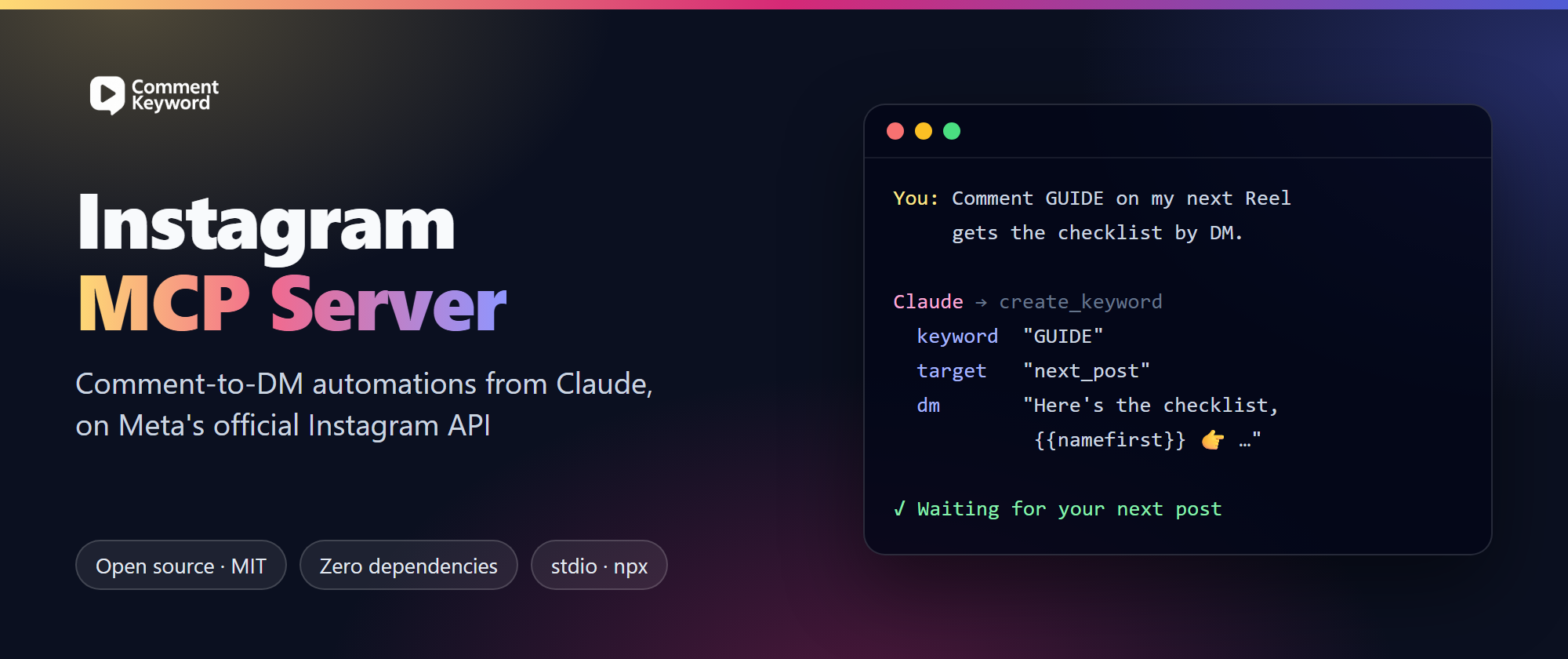
An open-source Instagram MCP server that lets Claude, Cursor, Codex and other AI agents set up Instagram comment-to-DM automations ("Comment GUIDE and I'll DM you the link") through Meta's official Instagram API. If you were looking for a ManyChat MCP to build comment automations from Claude, this is the alternative that does it: ManyChat's API can't create keyword or comment triggers, so no ManyChat MCP server can either.
Made by CommentKeyword. MIT-licensed. Registry name com.commentkeyword/mcp.
| What it does | Creates, re-targets, pauses and deletes Instagram comment-to-DM keyword automations: keyword, public reply, DM, link tracking, optional AI follow-up |
| How it reaches Instagram | Meta's official Instagram API (professional accounts). No password, no session cookies, no scraping |
| Clients | Claude (claude.ai, desktop, Cowork, mobile), Claude Code, ChatGPT, Codex, Cursor, Windsurf and other MCP clients that support remote OAuth or local stdio servers |
| Runs | Hosted at https://commentkeyword.com/connect/mcp (sign in with CommentKeyword, no token), or locally with npx (Node 18+, no dependencies, no build step) |
| Also in this repo | An Agent Skill that plans the "comment X" CTA of a Reel, a Claude Code plugin, a Remotion comment-to-DM CTA for the end of a Reel, an n8n template and a video-toolkit add-on |
| Price | The MCP server and the REST API are included on every CommentKeyword plan, Free too (300 automated DMs a month, 3 active keywords) |
What it looks like
You:    Edit this into a Reel. CTA: comment GUIDE to get the free checklist.
Claude: …edits the video, adds a "Comment GUIDE 👇" overlay inside the safe zone, writes the caption…
        Ready to arm the DM:
          Keyword: GUIDE (whole word) · Posts: your next post or reel
          DM: "Here's the checklist, {{namefirst}} 👉 https://…"
          Public reply: "Sent! Check your DMs 📩"
        Create it?
You:    Yes
Claude: Done. GUIDE is waiting for your next post. Publish the Reel, then comment GUIDE from
        another account to test it.
The next_post target means you don't need the post's ID: the automation attaches itself to the next post or Reel the account publishes, so you can set it up while the video is still in the edit.
More prompts that work:
- "Anyone who comments PLAN on my next Reel should get https://example.com/plan by DM. Add a public reply."
- "Re-arm GUIDE for my next upload."
- "Which of my keywords are waiting for a post? Pause the ones from last month."
- "Attach my sales agent to the WEBINAR keyword so it answers follow-up questions."
Instagram MCP server vs ManyChat MCP
People often search for a ManyChat MCP when what they want is to tell Claude "set up comment-to-DM for my next Reel". As of October 2026:
| Job | Third-party ManyChat MCP servers | This server |
|---|---|---|
| Find a contact, tag them, set a field | Yes | No (not a CRM) |
| Send a message or start a flow you already built | Yes | No |
| Create a keyword / comment-trigger automation | No: ManyChat's API has no endpoint for it | Yes |
| Point an automation at your next post or Reel | No | Yes (next_post) |
| Edit the DM text | No (it lives in ManyChat's flow editor) | Yes, up to 10 variants |
| Official Instagram API | Through ManyChat | Yes |
| Free plan with API access | No (ManyChat's API is on paid plans) | Yes |
ManyChat is still the better tool if you need WhatsApp, Messenger, TikTok or email in one place, or large multi-branch visual flows. Details: ManyChat MCP: what exists and ManyChat alternative for comment-to-DM.
Instagram MCP servers: how this one differs
Meta has no official MCP server for organic Instagram (its official MCP covers ads), so every Instagram MCP server is third-party. Many log in with your password or a session cookie, or scrape public pages. This one only talks to the CommentKeyword API, which uses Meta's official Instagram login and permissions, and it does one job well: comment-to-DM. It doesn't publish posts, read Instagram insights or read your inbox (only the conversations your CommentKeyword AI agents handled); pair it with a scheduler or an analytics connector for those. Comparison: Instagram MCP servers compared.
Connect by URL (no token, no Node.js)
The hosted server at https://commentkeyword.com/connect/mcp has the same tools. Your app signs in with CommentKeyword (OAuth) and you approve what it may do; disconnect it any time in Settings → API & MCP.
- Claude (claude.ai, desktop app, Cowork, mobile): Customize → Connectors → + → add a custom connector, paste the URL, keep the detected options (sign in now, Claude's published identity), then sign in. On Team and Enterprise an owner adds it under Organization settings → Connectors.
- Claude Code:
claude mcp add --transport http --scope user commentkeyword https://commentkeyword.com/connect/mcp, then/mcp→ commentkeyword → sign in. - Codex (CLI, IDE extension and app):
codex mcp add commentkeyword --url https://commentkeyword.com/connect/mcpopens the sign-in; if it doesn't, runcodex mcp login commentkeyword. - ChatGPT: chatgpt.com/plugins → + → Add custom MCP server, paste the URL, keep OAuth, then sign in (depends on your plan and workspace settings).
- Cursor:
{ "mcpServers": { "commentkeyword": { "url": "https://commentkeyword.com/connect/mcp" } } }in~/.cursor/mcp.json, then sign in when Cursor asks.
The rest of this README covers the local server, which uses an API token, and the Claude Code plugin, which also installs the Agent Skill.
Before you start
- Create a CommentKeyword account at https://commentkeyword.com. API access is included on every plan, including Free.
- Connect an Instagram professional account (Business or Creator).
- Create an API token under Settings → API & MCP (https://commentkeyword.com/settings?tab=api). Give it
keywords:read,keywords:writeandagents:read. Addkeywords:deleteonly if you want the agent to be able to delete automations, andconversations:readif it should read your AI agents' conversations.
Install
Claude Code (skill and MCP server)
/plugin marketplace add commentkeyword/instagram-mcp-server
/plugin install commentkeyword@commentkeyword
Claude Code asks for your API token when the plugin is enabled. It stores the token in your system keychain.
Claude Code (MCP server only)
claude mcp add --transport stdio --env COMMENTKEYWORD_API_TOKEN=YOUR_TOKEN commentkeyword -- npx -y github:commentkeyword/instagram-mcp-server#v0.3.0
Claude Desktop, Cursor, Windsurf and other MCP clients
Add the server to the client's MCP config. For Claude Desktop that file is claude_desktop_config.json (Settings → Developer → Edit Config).
{
  "mcpServers": {
    "commentkeyword": {
      "command": "npx",
      "args": ["-y", "github:commentkeyword/instagram-mcp-server#v0.3.0"],
      "env": { "COMMENTKEYWORD_API_TOKEN": "YOUR_TOKEN" }
    }
  }
}
Skill only (Claude.ai, Claude Desktop, other agents that read SKILL.md)
With the skills CLI (Claude Code, Cursor, Codex and other agents):
npx skills add commentkeyword/instagram-mcp-server
Or by hand:
- Download
skills/comment-to-dm-ctaas a folder and zip it. - In Claude, upload the zip under Customize → Skills → Upload a skill.
Without the MCP server, the skill still plans the CTA and the DM. It can also call the REST API directly where the agent has network access (see references/api.md).
Add-ons for video toolkits
| Toolkit | Add-on |
|---|---|
| Remotion | integrations/remotion: an animated "comment the keyword, get the DM" box for the end of a Reel. It shows your real public reply, DM, handle and profile picture, read from your automation |
| claude-code-video-toolkit | integrations/claude-code-video-toolkit: a /comment-dm command that reads the CTA from the project and arms the DM before you publish |
n8n
integrations/n8n has an importable n8n workflow that creates the comment-to-DM automation for your next post through the REST API, with Header Auth and no code.
MCP tools
| Tool | What it does |
|---|---|
create_keyword |
Create an automation. target is next_post, all_posts or specific_posts. Also takes up to 10 DM variants, up to 10 public reply variants, link tracking, and an existing AI agent to attach (aiAgentId, paid plans). |
update_keyword |
Change any field. Re-arm it for the next upload with target: "next_post", or pause it with isActive: false. |
list_keywords / get_keyword |
Check for conflicts and see whether the next post was caught (nextPostStatus). |
delete_keyword |
Delete an automation. Asks for confirmation when an AI agent is attached. |
list_agents |
List the AI agents already set up in your dashboard, so one can be attached to a keyword to continue the conversation after the first DM. Agents are created and edited in the dashboard, not through the API. |
get_keyword_stats / get_stats_overview |
Results for one keyword or the whole workspace over a date range: DMs triggered, sent, held and failed, public replies, replies received, AI conversations, goals reached and tracked link clicks. Counts only. |
list_conversations / get_conversation |
The DM conversations your AI agents handled, with the data each one collected (such as a lead's email), and one conversation's messages. Needs conversations:read. |
get_usage |
The plan, DMs used this month, active keywords, and anything stopping DMs from going out: Free quota used up, a failed payment, or Instagram to reconnect. Saving an active keyword also reports these. |
| Environment variable | |
|---|---|
COMMENTKEYWORD_API_TOKEN |
Required. Your personal access token. |
COMMENTKEYWORD_API_URL |
Optional. Defaults to https://commentkeyword.com/api. |
Network and data
- One destination. The MCP server and the skill's curl examples only call the CommentKeyword API, at
https://commentkeyword.com/api(orCOMMENTKEYWORD_API_URLif you set it). No telemetry, no other hosts. - What gets sent: your API token (as a Bearer header) and the automation you confirm: keyword, DM and reply text, target posts and options.
- What comes back: your keyword automations and the names of your AI agents.
- Nothing on disk. The server stores nothing locally.
- Privacy policy: https://commentkeyword.com/privacy
Safety
- Every automation messages real people. The skill and the tool descriptions tell the agent to confirm the keyword, the DM and the target with you before creating or activating anything.
- Each token works for one workspace and can be revoked at any time in Settings → API & MCP.
- Use the narrowest permissions you need.
Development
npm test # end-to-end tests: spawns the server over stdio against a mock API
The MCP server has no dependencies and no build step. It is two readable files in server/: core.mjs holds the tools, the validation and the JSON-RPC handling; commentkeyword-mcp.mjs is the stdio entry point. It needs Node 18 or newer.
FAQ
Is there an official Instagram MCP server? No. Meta's official MCP server is for ads. Every MCP server for posts, comments and DMs is third-party, so check whether it uses the official API. This one does.
Does ManyChat have an MCP server? Not an official one, as of October 2026. Third-party wrappers can tag contacts and trigger existing flows, but can't create comment automations, because ManyChat's API doesn't allow it.
Can Claude send Instagram DMs with this? It sets up automations; CommentKeyword then sends the DMs within Instagram's rules: one private reply per comment within 7 days, and more messages within 24 hours after the person writes back.
Is it allowed by Meta? It uses Meta's official Instagram API with permissions you approve, and messages only people who commented your keyword. See Is Instagram DM automation allowed?.
Does it work with ChatGPT or claude.ai in the browser? Yes, through the hosted server at https://commentkeyword.com/connect/mcp: see Connect by URL.
What does it cost? The server is free and open source. The CommentKeyword service has a Free plan that includes the API; paid plans add DMs, keywords and AI agents. Pricing.
Links
- Instagram MCP server: setup for every client
- Connect Instagram to Claude
- Comment-to-DM REST API and API docs
License
MIT. Maintained by CommentKeyword. Issues and PRs welcome.
CommentKeyword MCP questions
What tools does CommentKeyword MCP provide?
It exposes 5 tools, including create_keyword, update_keyword, delete_keyword, list_agents, get_usage.
Can I use this for free?
Yes, the MCP server is included in the Free plan, which allows for 3 active keywords and 300 automated DMs per month.
How is this different from a ManyChat MCP?
Unlike ManyChat, this server can create keyword or comment triggers and point automations at your next post or Reel.