
A workstation-local event bus that lets AI agents and scripts block on or emit events from CI, Docker, pytest, and the filesystem without polling.
Also known as astrogilda/waitbus
- Stars
- 2
- Tools
- —
- Downloads, 30 days
- —
- Latest version
- 0.2.0
- Last commit
- Nov 9, 2026
- License
- MIT
What is waitbus MCP?
waitbus is a workstation-local event bus that lets AI agents and scripts block on or emit events from CI, Docker, pytest, and the filesystem without polling.
Summary generated from the project's README
About waitbus MCP server
waitbus provides a workstation-local event bus designed to coordinate heterogeneous agent fleets and scripts on a single machine. It allows tools like Claude Code, Cursor, and various background processes to communicate by emitting and blocking on events without the need for constant polling. By using a local broadcast daemon and a SQLite event store, the system ensures that when a CI job, Docker container, or pytest session finishes, every connected tool on the box receives the notification immediately.
Users can manage events through a command line interface or by integrating with Python-based agents. The server supports several built-in sources including GitHub Actions, Docker container lifecycles, filesystem changes, pytest sessions, and Prometheus Alertmanager. Because all processing happens locally on your machine via an AF_UNIX socket, there is no requirement for cloud accounts, internet connectivity, or telemetry. It is built for developers who need a reliable coordination backplane to synchronize different AI frameworks and local development workflows.
What you can do with it
- 1Wait for complex multi-source conditionsBlock a script until a specific combination of CI status, test results, and build completions are all met.
- 2Automate commands based on local eventsTrigger a specific shell command the moment a filesystem change or container exit occurs.
Written from the project's README. Every use case is checked against a quote from it.
How to install waitbus MCP
Formats verified 10 Nov 2026Install waitbus MCP in Claude Code
$ claude mcp add waitbus -- uvx waitbusInstall waitbus MCP in Cursor
~/.cursor/mcp.json
{
  "mcpServers": {
    "waitbus": {
      "command": "uvx",
      "args": [
        "waitbus"
      ]
    }
  }
}Install waitbus MCP in VS Code
.vscode/mcp.json
{
  "servers": {
    "waitbus": {
      "type": "stdio",
      "command": "uvx",
      "args": [
        "waitbus"
      ]
    }
  }
}Install waitbus MCP in Claude Desktop
claude_desktop_config.json
{
  "mcpServers": {
    "waitbus": {
      "command": "uvx",
      "args": [
        "waitbus"
      ]
    }
  }
}Install waitbus MCP in Codex
~/.codex/config.toml
[mcp_servers.waitbus]
command = "uvx"
args = ["waitbus"]
Install waitbus MCP in Gemini CLI
~/.gemini/settings.json
{
  "mcpServers": {
    "waitbus": {
      "command": "uvx",
      "args": [
        "waitbus"
      ]
    }
  }
}Automated checks
Ran Nov 14, 2026Full report →Passed our automated checks. That is not a security audit: read the code and give the server the narrowest access it needs. How checks work

- Source repository linked and reachableastrogilda/waitbus is public and reachablegithub.com/astrogilda/waitbus ↗Pass
- Package names this repository as its sourcewaitbus names astrogilda/waitbus as sourcepypi.org/project/waitbus/ ↗Pass
- Build provenance (Sigstore attestation)Sigstore attestation for waitbuspypi.org/project/waitbus/ ↗Pass
- Open source license (OSI)MITspdx.org/licenses/MIT.html ↗Pass
- Commit or release in the last yearLast commit or release 2026-11-09github.com/astrogilda/waitbus ↗Pass
- OpenSSF ScorecardNot checked
- Package name not close to a popular packageNo popular package one edit away from waitbusPass
- No critical advisory in the package or its dependencies42 resolved dependencies checked; no critical advisoryosv.dev ↗Pass
- No hidden instructions to the model0 tool descriptions and the README read; no override phrases, credential paths or hidden charactersPass
- Destructive tools are labelledNot checked
- Remote endpoint answers the MCP handshakeNot checked
README
View on GitHubwaitbus: the workstation-local, cross-harness status bus. D-Bus for agents, with a replay log and a wait primitive



One wait verb that blocks on, and queries across, every local source at once. When any agent, CI job, test, or container on your machine finishes or fails, every other tool on the box hears it: your Claude Code, your Cursor, your scripts, your CI. Clients that support server notifications get a push; the rest get one blocking waitbus wait. No waitbus cloud, no account, no telemetry; all processing stays on your machine.
Below: a Pydantic AI agent and a LangGraph agent, two different frameworks running as two separate OS processes, both wait on one local waitbus bus. One fails; the peer on the other framework, plus a live waitbus top view, react to the single failure broadcast.
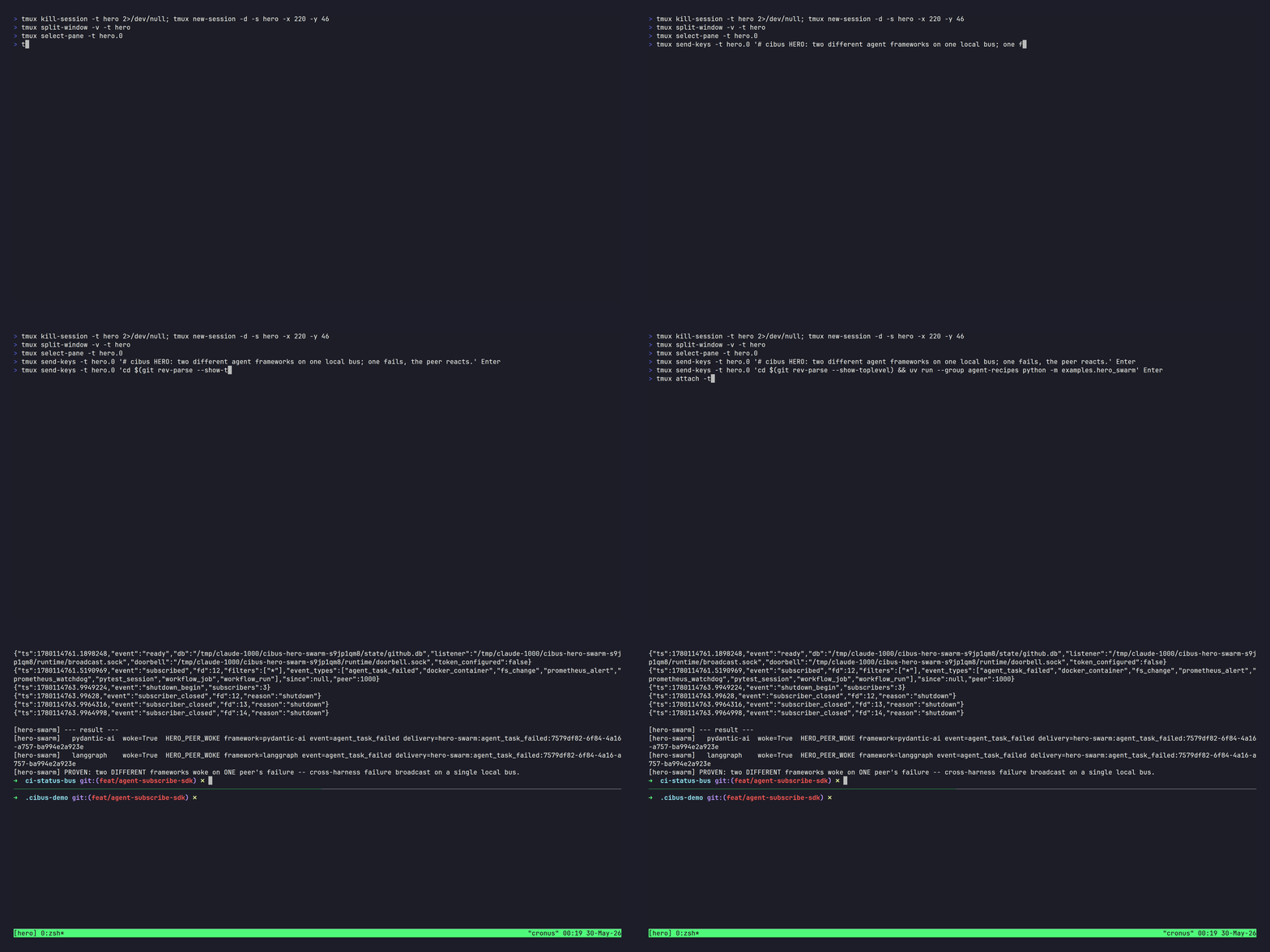
Real frameworks and real waitbus subscribe/emit; the agents' LLMs are deterministic fakes and the failure is an injected event, so the clip runs fully offline. Reproduce the claim (not just the recording): run uvx waitbus demo for the gentler single-agent walk-through (no clone, no install), or, for the exact two-framework proof shown above, clone the repo and run uv run --group agent-recipes python -m examples.hero_swarm (Linux-verified; prints PROVEN: two DIFFERENT frameworks woke on ONE peer's failure). Higher-quality MP4 at hero.mp4. Maintainers re-render this recording from docs/demo/.waitbus-demo/ with make hero (dev-only; needs vhs, ttyd, tmux, and JetBrains Mono).
Try it now, no install:
uvx waitbus demoboots a real local bus and returns the instant an event lands, fully offline (~8 s).
waitbus is the workstation-local, cross-harness status bus that lets the tools on one machine hear each other. It does three things: ingest events, broadcast them, and replay them.
Ingest: a blocking wait/emit primitive lets any agent or script
(across Cursor, Claude Code, and any tool on the box) wait on, or emit, events
from five built-in sources (GitHub Actions CI, pytest sessions, Docker
container lifecycle, filesystem changes, and Prometheus Alertmanager) plus any
plugin source registered under the waitbus.sources.v1 entry-point group.
Broadcast: events land in SQLite the moment they arrive, and a broadcast
daemon fans each row to every connected consumer within about a
millisecond on the local socket (measured; see benchmarks/BENCHMARKING.md). Your
agent blocks on waitbus wait (including across sources at once with
--all-of/--first-of) with zero agent-side polling and idle CPU until the thing it
cares about happens, and waitbus on <predicate> -- <command> runs a command
the moment it does (in the CLI process, not the daemon, via execve with no
shell; event values arrive as namespaced WAITBUS_* environment variables and
a $WAITBUS_EVENT_FILE, never as argv, so event content cannot inject flags
or overwrite PATH). Because every agent on the box shares that one bus, it
doubles as a same-machine coordination backplane: one agent emits, the others
wake.
Replay: a durable replay log (since=) means a consumer that was
offline catches up instead of missing the moment, and waitbus events analyze
queries what the bus stored. It is the local opt-in
event-broadcast model the OS already uses (D-Bus signals, inotify, journald),
with the replay log and a wait predicate added on top. (GitHub Actions was
the first source wired, which is why the examples lead with CI, but waitbus is
not CI-only.) The dependency stack is lean: typer, msgspec, platformdirs,
pydantic-settings, prometheus_client, stamina, and the mcp SDK, with no
heavy TUI or crypto dependency. The daemon idles at roughly 40 MB RSS measured
(p50 on the benchmark host, most of it the CPython interpreter baseline) over
a SQLite event store and an AF_UNIX SOCK_STREAM broadcast bus with
length-prefix framing. Runs on Linux (systemd-user) and macOS (launchd).
Who this is for
This is for you if…
- You run a heterogeneous agent fleet (Claude Code and Cursor and background scripts) on one workstation and want them to hear each other's finishes and failures.
- You wait across sources. "Block until the tests pass and the build is
done and CI is green," in one predicate, in a script
(
waitbus wait --all-of ...). Nothing else expresses this. - You want zero-LLM-token, zero-poll waiting as a daily habit across many local things, and you'll run a daemon to get it.
- You care that the daemon on your box is trustworthy: reproducible builds, offline, no cloud, no account, no telemetry.
This is NOT for you if…
- You wait on one GitHub repo's CI and nothing else. Use
gh run watch. It's zero-setup, and for that single job we don't beat it by enough to justify a daemon. - You only need to react to a file change. Use
inotifywait/entr. They're far faster on raw filesystem latency (our own benchmark says so) and need no daemon. - You want cloud, cross-machine, or team coordination. Out of scope for the local core by design.
- You want addressed agent-to-agent messaging as the product (threads,
inboxes, routing). The headline here is broadcast source-ingestion; the
request()/respond()facet exists, but a dedicated message queue serves that center of gravity better.
Try it in 60 seconds
uvx waitbus demo # one command, no install needed
waitbus demo allocates a temporary state directory and boots the
broadcast daemon, then runs two phases. Phase 1, the point: an
agent blocks on waitbus wait (the same egress engine the real command
uses) with zero polling and idle CPU; the moment a github
workflow_run event lands, the wait returns and the demo prints the
real measured event-to-unblock latency. Phase 2, breadth: the same
primitive delivers every source. pytest_session, docker_container,
and fs_change events fan out to a live subscriber. Nothing on your
machine outside the temporary directory is touched.

A recorded MP4 + GIF walkthrough lives at
docs/demo/.waitbus-demo/demo.mp4 and demo.gif
(the tape script is demo.tape). Re-rendering is reproducible
via make demo from that directory (requires
VHS ≥ 0.10.0, ttyd, and
ffmpeg); the Makefile enforces the VHS version floor and refuses
to render against an older binary that could silently change tape
semantics.
The four events the demo emits are synthesized in-process. There is no real HTTP listener, no real pytest run, no real Docker daemon, no real watchdog. A banner before each emit makes this explicit, mirroring the
waitbus statsoutput. To wire waitbus against real GitHub webhook deliveries, follow the Quick start below.
Quick start
Prove the primitive in ~10 seconds -- one foreground daemon, one event, no service install. Install the CLI and bootstrap state:
uv tool install waitbus          # or: pipx install waitbus
waitbus init                     # one-time setup: state dirs, SQLite schema, scaffolds
Then, in two terminals, watch a blocking wait return the instant an emit
lands on the bus:
# Terminal A -- run the broadcast daemon in the foreground (Ctrl-C to stop):
waitbus broadcast serve
# Terminal B -- block on the next agent event, then emit one from the same shell:
waitbus wait --source agent --match 'fields.event_type="agent_message"' --timeout 30s &
sleep 1   # let the backgrounded wait attach to the bus before we emit (a
          # long-lived subscriber would already be attached; this one-liner
          # just compresses "wait, then something happens" into one shell)
waitbus emit \
  --delivery-id demo-1 --source agent --event-type agent_message \
  --owner local --repo local --received-at "$(date +%s)" \
  --payload-json '{"hello":"world"}' --ingest-method manual
wait   # the backgrounded `waitbus wait` prints "matched on source=agent" and exits 0
That round trip -- block, emit, unblock, with zero polling -- is the whole primitive. Everything below wires it to real sources and, optionally, runs the daemons permanently under your service manager.
Run the fleet permanently (optional)
waitbus install-credentials github-webhook-secret   # optional: only for GitHub-CI waiting (enables the webhook listener)
waitbus install-systemd          # Linux: copy + enable the 8 systemd-user units
waitbus install-launchd          # macOS: copy + bootstrap the 4 LaunchAgent plists
waitbus read-events watch        # live tail of incoming events
install-systemd is Linux-only; install-launchd is macOS-only.
Each command refuses to run on the other platform and points at the
right one.
Once events are flowing, block any script or agent on the next
matching event with waitbus wait -- any source, any field, exit code
carries the verdict. The wait side is always zero-setup; the event it
waits for still has to be produced by something (an opt-in emitter or a source
watcher), so each example below notes what must be emitting for it to return:
# pytest: wait for any session to finish.
# wait is zero-setup; a pytest_session event needs the opt-in emitter --
# run your suite with:  pytest -p waitbus.sources.pytest_emit --waitbus-emit
waitbus wait --source pytest --match 'fields.event_type="pytest_session"' --timeout 10m

# Docker: wait for a container to exit.
# wait is zero-setup; a docker_container event needs the docker watcher running --
# start it with:  waitbus source docker   (see `waitbus source docker --help`)
waitbus wait --source docker --match 'fields.event_type="docker_container"' --timeout 30s

# Filesystem: wait for a watched path to change.
# wait is zero-setup; an fs_change event needs the fs watcher running --
# start it with:  waitbus source fs <dir>  (see `waitbus source fs --help`)
waitbus wait --source fs --match 'fields.event_type="fs_change"' --timeout 5m

# GitHub CI: wait on a commit's terminal conclusion (needs webhook wiring -- see below)
waitbus wait --sha 7f3a1b2 --timeout 5m
If you have used watchexec or entr to
re-run a command when a file changes, waitbus wait is the same idea with a wider
net: it blocks on a file change too, but it can also wait on a CI run, a pytest
session, a container exit, or another agent's event, and hands the verdict back
through the exit code. The bus underneath also
fans every one of those events out to every other tool on the box.
Architecture

Rendered from docs/architecture.mmd (a static image is used so the diagram renders on PyPI and other non-Mermaid surfaces, not only on GitHub). Regenerate with mmdc -i docs/architecture.mmd -o docs/architecture.png.
Two ingress classes land events in the same store: remote webhooks (GitHub,
Alertmanager) arrive over HTTPS and pass through waitbus listener serve, while
in-process sources (pytest, docker, fs, plugins, and any agent) call the
public emit() API to write the row directly, with no listener and no network hop.
An ETag polling fallback runs on a 45-second timer for repos you cannot receive
webhooks for (upstreams, forks). Every path writes through the same
INSERT OR IGNORE, so redeliveries are idempotent, and every row rings the
broadcast doorbell so subscribers wake within about a millisecond regardless of which
ingress produced it.
How waitbus relates to MCP Tasks (task=True) and to the local agent-to-agent
buses (agent-message-queue, claude-code-inter-session): see
docs/COMPETITIVE_LANDSCAPE.md.
Installation
As a Python CLI tool
uv tool install waitbus              # or: pipx install waitbus
waitbus init                         # one-time setup: state dirs, SQLite schema, scaffold files
waitbus install-credentials github-webhook-secret   # optional: HMAC for the GitHub webhook listener (opt-in)
waitbus install-credentials alertmanager-hmac       # optional: alertmanager / watchdog HMAC
waitbus install-systemd              # Linux: copy + enable the 8 systemd-user units
waitbus install-launchd              # macOS: copy + bootstrap the 4 LaunchAgent plists
Each command is idempotent. Re-running install-credentials <name> rotates
the credential (re-configure the GitHub webhook and Alertmanager after
rotating, then systemctl --user restart waitbus-listener.service).
After install you have one console script on PATH: waitbus. All
daemon entry-points and admin commands are reachable via sub-commands:
| Sub-command | Purpose |
|---|---|
waitbus init |
Bootstrap state dirs, SQLite schema, scaffold files |
waitbus install-systemd |
Linux: copy + enable systemd-user units |
waitbus install-launchd |
macOS: copy + bootstrap LaunchAgent plists |
waitbus install-credentials |
Stage an HMAC secret into the 0600 secrets file (reads --file or stdin) |
waitbus doctor |
Validate install (paths, binaries, credential store, units, /metrics) |
waitbus status |
Operational dashboard: DB row count, daemon liveness |
waitbus verify-plugin |
Validate .claude-plugin/plugin.json |
waitbus listener serve |
HTTP webhook receiver (loopback :9000) |
waitbus broadcast serve |
AF_UNIX broadcast hub daemon |
waitbus etag-poll run |
GitHub API ETag poll worker |
waitbus mcp serve |
MCP server (stdio) re-emitting broadcast events as notifications |
waitbus read-events watch |
Subscribe to broadcast bus, stream events live |
waitbus read-events list |
Print recent events from the local cache |
waitbus pr-monitor tick |
Roll job events into per-PR state |
waitbus watchdog-check run |
Ingestion-silence detector |
And, depending on platform, either 8 systemd-user units in ~/.config/systemd/user/ (Linux):
waitbus-listener.service    waitbus-broadcast.socket
waitbus-broadcast.service   waitbus-etag-poll.service
waitbus-etag-poll.timer     waitbus-watchdog.service
waitbus-watchdog.timer      waitbus-forward@.service
…or 4 LaunchAgent plists in ~/Library/LaunchAgents/ (macOS):
dev.waitbus.listener.plist     dev.waitbus.broadcast.plist
dev.waitbus.etag-poll.plist    dev.waitbus.watchdog.plist
The macOS plists carry __BIN_DIR__ / __LOG_DIR__ / __RUNTIME_DIR__
placeholders that waitbus install-launchd resolves to the
operator's actual paths before writing. Agents are loaded via
launchctl bootstrap gui/$UID <plist> (the modern replacement for
the deprecated launchctl load -w).
As a Python library
from waitbus import subscribe, wait_for, EventFrame

# Block until one matching event arrives (returns the frame, or None on timeout).
frame: EventFrame | None = wait_for('fields.event_type="pytest_session"',
                                    source="pytest", timeout=600)
if frame is not None:
    print(frame.event_type, frame.fields)

# Or stream every matching event as it lands.
for frame in subscribe(source="docker"):
    print(frame.event_type, frame.fields)
Agents can also message each other on the same bus -- one sends a request and blocks for the correlated reply, the other answers from its inbox:
from waitbus import request, respond, wait_for

# responder (agent_b), in its own process
msg = wait_for(to="agent_b", source="agent", timeout=5.0)
if msg is not None:
    respond(msg, '{"answer": 42}')             # sender defaults to msg's recipient

# requester (agent_a)
reply = request("agent_b", '{"ask": "meaning"}', sender="agent_a", timeout=5.0)
# reply is the answer EventFrame, or None on timeout.
See docs/AGENT_MESSAGING.md for the request/reply
contract, the inbox stream, and the same-UID trust model.
The stable public API is emit, subscribe, asubscribe, wait_for,
request, respond, EventFrame, and the plugin hooks register_source,
register_condition, register_evaluator (full signatures in
docs/CONSUMER_API.md). To produce events, the
waitbus emit CLI is the simplest path; see examples/emitters/ for the
emit() Python form. Everything under a leading underscore (waitbus._db,
waitbus._paths, …) is a private internal and may change between releases.
Runtime dependencies (the full mandatory set, same as the lean stack
above): typer (umbrella CLI), msgspec (wire framing), platformdirs
(state and runtime path resolution), pydantic-settings (config
loader), prometheus_client (metrics), stamina (retry policy), and
the mcp SDK (MCP server). The two consumer-facing extras
(waitbus[analyze], waitbus[fs]) pull duckdb / watchdog lazily and
are the only optional packages. All other internal modules are pure
stdlib: no network at import time, no C extensions, safe to import
in any Python 3.11+ environment. The package root logger uses
NullHandler so library consumers never see leaked log records.
As an MCP server (PyPI + uvx)
waitbus mcp serve is a stdio MCP server (JSON-RPC 2.0 over the spec at
https://modelcontextprotocol.io/specification). What a given client can do with it
depends on which MCP features that client implements, so here is the actual
capability split:
- Pull, for any MCP client that supports Tools. Call waitbus tools to query
status and to block-wait for events;
tail_eventsis a bounded long-poll, so even waiting needs no polling loop. This is the broadly portable path. - Push, for clients that support resource subscription. waitbus emits the
spec-standard
notifications/resources/updatedforwaitbus://repo/...subscribers. Whether your client surfaces that push (rather than only calling tools) depends on the client; most coding-agent MCP clients today are pull-only, and the published client matrices track Tools / Resources / Prompts, not a notification-surfacing column. - Inline render, for Claude Code. waitbus also emits an Anthropic-private
notifications/claude/channelthat Claude Code renders inline; other clients ignore the unknown method harmlessly per JSON-RPC 2.0.
Verified with: an executable test exercises the path end-to-end, not just
"speaks the spec": Claude Code (the MCP emit path, tests/test_mcp_e2e.py);
and, via the public Python SDK (waitbus.wait_for / subscribe), a
Pydantic AI and a LangGraph agent (tests/test_agent_integration_*.py);
plus the language snippets and the bash waitbus wait wrapper. Any other
stdio-MCP client can use the pull path above, but that is config, not a tested
end-to-end guarantee.
The command is always uvx --from waitbus waitbus mcp serve; only WHERE each client
stores its MCP config differs. Those locations and formats move across client
versions, so treat the table below as a starting point and check your client's
current MCP docs:
{
  "mcpServers": {
    "waitbus": {
      "command": "uvx",
      "args": ["--from", "waitbus", "waitbus", "mcp", "serve"]
    }
  }
}
| Client | MCP config location (verify against the client's current docs) |
|---|---|
| Claude Code | ~/.claude/.mcp.json (or per-project ./.mcp.json) |
| Claude Desktop | ~/Library/Application Support/Claude/claude_desktop_config.json (macOS) or %APPDATA%\Claude\claude_desktop_config.json (Windows) |
| Cursor | ~/.cursor/mcp.json (or .cursor/mcp.json per project) |
| Cline (VS Code) | ~/.config/Cline/cline_mcp_settings.json (Linux), or per-workspace .vscode/cline_mcp_settings.json |
| Codex CLI (OpenAI) | ~/.codex/config.toml (under a [mcp_servers.waitbus] table; Codex uses TOML, not JSON) |
| Gemini CLI (Google) | ~/.gemini/settings.json (under the mcpServers key) |
| Continue | ~/.continue/config.json (under the mcpServers key) |
Aider is intentionally absent: as of 2026-05 Aider ships no native MCP client (tracked upstream in aider-AI/aider FR #4506; the only MCP path is the separate AiderDesk companion app). Point Aider-style or non-MCP agents at waitbus through the Python SDK (
waitbus.wait_for) or thewaitbus waitCLI instead.
uv must be on PATH (curl -LsSf https://astral.sh/uv/install.sh | sh).
See platform support.
As a Claude Code plugin
Until a marketplace / MCP-registry entry is published, load the plugin from a
local checkout of this repository. The manifest at .claude-plugin/plugin.json
references the repo-root .mcp.json, so --plugin-dir must point at the
checkout root (not a subdirectory):
git clone https://github.com/astrogilda/waitbus
claude --plugin-dir ./waitbus --dangerously-load-development-channels
--dangerously-load-development-channels is required to load a plugin from a
local directory that is not a published marketplace entry (the same invocation
documented in CONTRIBUTING.md). Once the marketplace
entry is published to the MCP Registry (see CHANGELOG.md for current status),
install it from there instead. Either way the plugin enables /waitbus slash
commands and the waitbus skill inside any Claude Code session.
Usage
Reading events
# Live tail — one line per event; monitoring-friendly cadence
waitbus read-events watch

# Query the last hour in JSON (pass extra flags after the sub-command)
waitbus read-events list --since 1h --json

# Roll job events into per-PR state (watch PRs 7 and 9)
waitbus pr-monitor tick --pr 7 --pr 9
waitbus MCP questions
How do I add waitbus MCP to Claude Code?
Run claude mcp add waitbus -- uvx waitbus in your terminal. Add --scope user to make it available in every project.
How do I add waitbus MCP to Cursor?
Open ~/.cursor/mcp.json and add the server under mcpServers, using the Cursor config shown in the install section above.
Does waitbus require an internet connection or cloud account?
No, all processing stays on your machine with no cloud, no account, and no telemetry.
What sources can waitbus ingest events from?
It supports GitHub Actions CI, pytest sessions, Docker container lifecycle, filesystem changes, and Prometheus Alertmanager.
How does waitbus handle agents that were offline when an event occurred?
It uses a durable replay log that allows offline consumers to catch up on missed events.
Can I use waitbus to coordinate different AI agent frameworks?
Yes, it acts as a same-machine coordination backplane where one agent can emit an event and others on different frameworks will wake up.