
ローカルのケース記録とオフラインの証拠を使用して、インシデントのタイムライン作成および根本原因の仮説のランク付けを行います。
別名 vmware-skills/VMware-Debug, vmware-debug
- スター
- 1
- ツール
- —
- ダウンロード数(30日間)
- 933
- 最新バージョン
- 2.3.3
- 最終コミット
- 2026年11月13日
- ライセンス
- MIT
VMware Debug MCPとは
VMware DebugはMCPサーバーです。 ローカルのケース記録とオフラインの証拠を使用して、インシデントのタイムライン作成および根本原因の仮説のランク付けを行います。.
プロジェクトのREADMEから生成された概要
VMware Debug MCP server について
このツールは、技術調査担当者がオフラインの証拠からインシデントのタイムラインを構築し、根本原因の仮説をランク付けすることを可能にします。ローカルに保存されているケース記録や監査データを相関させることで、過去の出来事をより明確に把握できます。完全にローカルデータ上で動作するため、VMware APIへの接続や外部からの復旧機能は必要ありません。
開発者は、uv経由で公開されているCLIを使用してこのサーバーをセットアップでき、Python 3.10以上が必要です。Cursor、Codex、Gemini CLI、Cline、およびローカルモデルを含むさまざまなエージェントホストで動作するように設計されています。ワークフローは、既存の証拠を分析して情報の欠落を特定し、調査における次の確認事項について具体的な推奨事項を提供することに重点を置いています。
このサーバーは、ライブ管理インターフェースではなく、オフライン分析ツールとして機能します。提供されたドキュメントやログに基づき、明示的な信頼レベルとともに異なる仮説をランク付けするのに役立ちます。これは、複数のMCP serverと共有ポリシーライブラリを含む、より広範なVMware Skillsコレクションの一部です。
できること
- 1オフラインのイベントデータの相関ローカルのケース記録と監査ログを分析し、時系列のインシデントタイムラインを構築します。
- 2根本原因の仮説のランク付けインシデントのさまざまな潜在的な原因を評価し、それぞれに信頼レベルを割り当てます。
- 3調査の次のステップの特定調査を完了するために、どの特定の領域やログをさらに調査する必要があるかを判断します。
プロジェクトの README から作成されています。すべてのユースケースは、その引用と照らし合わせて確認されています。
VMware Debug MCPのインストール方法
フォーマット検証日 2026年11月10日Cursor に追加Gooseに追加Claude CodeにVMware Debug MCPをインストール
$ claude mcp add vmware-debug -- uvx vmware-debugCursorにVMware Debug MCPをインストール
~/.cursor/mcp.json
{
  "mcpServers": {
    "vmware-debug": {
      "command": "uvx",
      "args": [
        "vmware-debug"
      ]
    }
  }
}VS CodeにVMware Debug MCPをインストール
.vscode/mcp.json
{
  "servers": {
    "vmware-debug": {
      "type": "stdio",
      "command": "uvx",
      "args": [
        "vmware-debug"
      ]
    }
  }
}VS Code CLIにVMware Debug MCPをインストール
$ code --add-mcp '{"name":"vmware-debug","type":"stdio","command":"uvx","args":["vmware-debug"]}'Claude DesktopにVMware Debug MCPをインストール
claude_desktop_config.json
{
  "mcpServers": {
    "vmware-debug": {
      "command": "uvx",
      "args": [
        "vmware-debug"
      ]
    }
  }
}CodexにVMware Debug MCPをインストール
$ codex mcp add vmware-debug -- uvx vmware-debugCodex config.tomlにVMware Debug MCPをインストール
~/.codex/config.toml
[mcp_servers.vmware-debug]
command = "uvx"
args = ["vmware-debug"]
Gemini CLIにVMware Debug MCPをインストール
$ gemini mcp add -s user vmware-debug uvx -- vmware-debugGemini settings.jsonにVMware Debug MCPをインストール
~/.gemini/settings.json
{
  "mcpServers": {
    "vmware-debug": {
      "command": "uvx",
      "args": [
        "vmware-debug"
      ]
    }
  }
}自動チェック
実行日 2026年11月14日完全なレポート →自動チェックに合格しました。これはセキュリティ監査ではありません。コードを読み、サーバーに必要最小限のアクセス権を与えてください。 チェックの仕組み

- ソースリポジトリがリンクされており、アクセス可能vmware-skills/vmware-debug is public and reachablegithub.com/vmware-skills/vmware-debug ↗合格
- パッケージがこのリポジトリをソースとして指定vmware-debug names vmware-skills/vmware-debug as sourcepypi.org/project/vmware-debug/ ↗合格
- ビルドの来歴 (Sigstore 証明)No build attestation published for this release未チェック
- オープンソースライセンス (OSI)MITspdx.org/licenses/MIT.html ↗合格
- 過去1年以内にコミットまたはリリースありLast commit or release 2026-11-13github.com/vmware-skills/vmware-debug ↗合格
- OpenSSF Scorecard未チェック
- パッケージ名が有名なパッケージに酷似していないNo popular package one edit away from vmware-debug合格
- パッケージおよびその依存関係に重大な勧告なし39 resolved dependencies checked; no critical advisoryosv.dev ↗合格
- モデルへの隠れた指示がない0 tool descriptions and the README read; no override phrases, credential paths or hidden characters合格
- 破壊的なツールがラベル付けされている未チェック
- リモートエンドポイントが MCP ハンドシェイクに応答未チェック
README
GitHubで見るVMware-Debug
Build a clearer incident timeline from evidence you already have.
English · 简体中文
Community-maintained · MIT · Not an official VMware/Broadcom product.
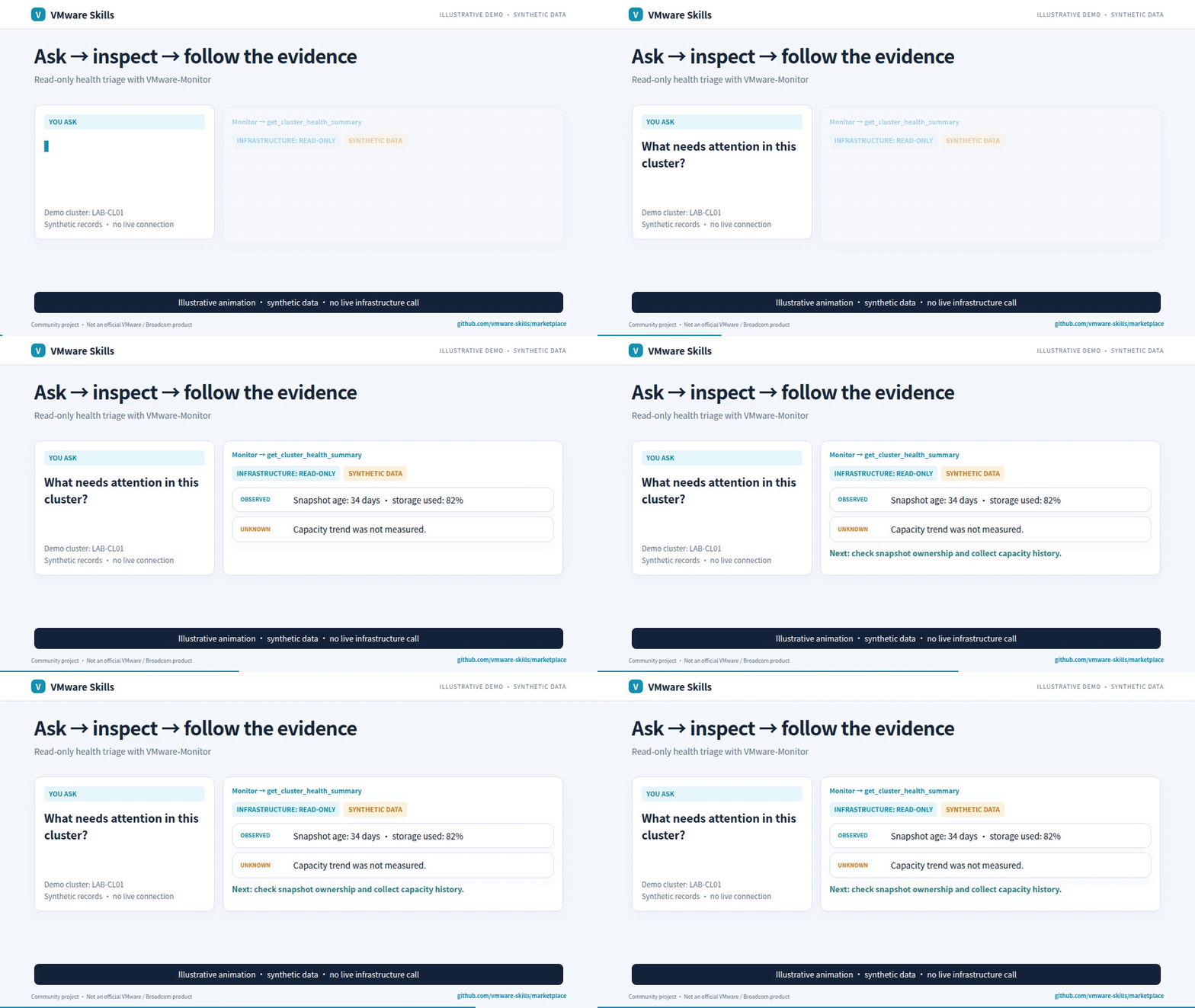
Synthetic-data GIF; video includes redacted historical screenshots. Download the AI-narrated family introduction (~3 min)
Why use it?
- Correlate offline events and case records.
- Rank hypotheses with explicit confidence and gaps.
- Get focused next-check recommendations.
Get started
Install the published CLI and inspect its commands:
uv tool install vmware-debug==2.3.3
vmware-debug --help
Requires uv and Python >=3.10. Keep case evidence and audit data locally; no VMware API connection is needed. Setup guide.
For agent-host installation, use the setup guide and Cursor, Codex, Gemini CLI, Cline and local-model examples.
Choose a model with the shared model-fit workflow: compare the same tasks, review quality and safety, then select the smallest tested passing configuration per task group; this is not a production guarantee.
Know the boundaries
Offline analysis: no VMware API connection or remediation execution. Case records and audit data are stored locally; hypotheses are not established root causes.
Go deeper
- Capabilities
- CLI reference
- Agent guardrails
- Detailed usage and architecture
- MCP launch configuration
- Canonical skill instructions
Part of VMware Skills: 15 skills, 14 MCP servers and one shared Policy library. If it helps your work, star the family portal.
VMware Debug MCPのよくある質問
VMware Debug MCPをClaude Codeに追加するには
ターミナルでclaude mcp add vmware-debug -- uvx vmware-debugを実行します。すべてのプロジェクトで利用するには--scope userを追加します。
VMware Debug MCPをCursorに追加するには
~/.cursor/mcp.jsonを開き、上記のインストールセクションに示すCursor設定を使ってmcpServersの下にサーバーを追加します。
このツールはVMware APIへの接続が必要ですか?
いいえ、このツールはオフライン分析を行うため、VMware APIへの接続やvSphereへのアクセスは必要ありません。
このツールで復旧アクションを実行できますか?
いいえ、このツールはオフライン分析に限定されており、復旧アクションを実行することはできません。
ツールによって生成された仮説は、公式な根本原因として扱われますか?
いいえ、このツールは証拠に基づいて仮説を生成しますが、これらは確定した根本原因ではありません。