
タスク、メモ、ドキュメントをディスク上のMarkdownファイルとして管理することで、AIエージェントにローカルメモリとコンテキストを提供します。
別名 rgdevment/mcp-plugins, tisty-mcp
- スター
- 1
- ツール
- —
- ダウンロード数(30日間)
- —
- 最新バージョン
- —
- 最終コミット
- 2026年11月14日
- ライセンス
- Apache-2.0
Tisty MCPとは
タスク、メモ、ドキュメントをディスク上のMarkdownファイルとして管理することで、AIエージェントにローカルメモリとコンテキストを提供します。
プロジェクトのREADMEから生成された概要
Tisty MCP server について
mcp-pluginsは、ローカルのMarkdownファイルを通じてAIエージェントに永続的なメモリを提供します。Tistyプラグインを使用することで、開発者はアシスタントがセッション間でコンテキストを忘れてしまうのを防ぐことができます。このシステムは、特定のステップを持つタスク、日付付きのジャーナル、主題別のドキュメントを、WindowsまたはmacOSのディスク上で直接管理します。この構成により、初期計画から最終決定に至るまで、エージェントの作業のあらゆる段階がチャット履歴の中で失われることなく、監査可能な形式で記録されます。
これを使用するには、コンピュータにTistyアプリとNode.jsがインストールされている必要があります。Claude Code、Gemini CLI、またはCursor経由で接続できます。Tistyプラグインは、小さなランチャーを使用してアシスタントをローカルアプリに接続し、サーバーが常にデータと一致するようにします。アカウント、サブスクリプション、テレメトリなしで動作するため、すべての情報は自身のハードウェア上でプライベートに保持されます。エージェントはセクションごとに長いドキュメントを読み取ったり、ファイルをフォルダに分けたり、Brainstormで付箋を管理してアイデアを整理したりできます。
できること
- 1長期的なプロジェクトコンテキストの維持保存されたMarkdownドキュメントにアクセスして、以前のセッションから情報を取得するようAIエージェントに指示します。
- 2構造化されたタスクワークフローの管理アシスタントに複雑な作業を具体的なステップに分解させ、日付付きのタスクを使用して進捗を追跡させます。
- 3大容量ファイルの効率的な読み込みファイル全体を一度に処理するのではなく、ドキュメントの特定の箇所を分析するようにエージェントに指示します。
- 4突発的なアイデアの整理Brainstorm機能を使用して、後で正式なタスクやドキュメントに変換できるクイックな思考をキャプチャします。
プロジェクトの README から作成されています。すべてのユースケースは、その引用と照らし合わせて確認されています。
Tisty MCPのインストール方法
フォーマット検証日 2026年11月10日Cursor に追加Gooseに追加Claude CodeにTisty MCPをインストール
$ claude mcp add mcp-plugins -- npx -y tisty-mcpCursorにTisty MCPをインストール
~/.cursor/mcp.json
{
  "mcpServers": {
    "mcp-plugins": {
      "command": "npx",
      "args": [
        "-y",
        "tisty-mcp"
      ]
    }
  }
}VS CodeにTisty MCPをインストール
.vscode/mcp.json
{
  "servers": {
    "mcp-plugins": {
      "type": "stdio",
      "command": "npx",
      "args": [
        "-y",
        "tisty-mcp"
      ]
    }
  }
}VS Code CLIにTisty MCPをインストール
$ code --add-mcp '{"name":"mcp-plugins","type":"stdio","command":"npx","args":["-y","tisty-mcp"]}'Claude DesktopにTisty MCPをインストール
claude_desktop_config.json
{
  "mcpServers": {
    "mcp-plugins": {
      "command": "npx",
      "args": [
        "-y",
        "tisty-mcp"
      ]
    }
  }
}CodexにTisty MCPをインストール
$ codex mcp add mcp-plugins -- npx -y tisty-mcpCodex config.tomlにTisty MCPをインストール
~/.codex/config.toml
[mcp_servers.mcp-plugins]
command = "npx"
args = ["-y", "tisty-mcp"]
Gemini CLIにTisty MCPをインストール
$ gemini mcp add -s user mcp-plugins npx -- -y tisty-mcpGemini settings.jsonにTisty MCPをインストール
~/.gemini/settings.json
{
  "mcpServers": {
    "mcp-plugins": {
      "command": "npx",
      "args": [
        "-y",
        "tisty-mcp"
      ]
    }
  }
}自動チェック
実行日 2026年11月14日完全なレポート →自動チェックに合格しました。これはセキュリティ監査ではありません。コードを読み、サーバーに必要最小限のアクセス権を与えてください。 チェックの仕組み

- ソースリポジトリがリンクされており、アクセス可能rgdevment/mcp-plugins is public and reachablegithub.com/rgdevment/mcp-plugins ↗合格
- パッケージがこのリポジトリをソースとして指定tisty-mcp names rgdevment/mcp-plugins as sourcenpmjs.com/package/tisty-mcp ↗合格
- ビルドの来歴 (Sigstore 証明)Sigstore attestation for tisty-mcpnpmjs.com/package/tisty-mcp/v/1.3.1#provenance ↗合格
- オープンソースライセンス (OSI)Apache-2.0spdx.org/licenses/Apache-2.0.html ↗合格
- 過去1年以内にコミットまたはリリースありLast commit or release 2026-11-12github.com/rgdevment/mcp-plugins ↗合格
- OpenSSF Scorecard未チェック
- パッケージ名が有名なパッケージに酷似していないNo popular package one edit away from tisty-mcp合格
- パッケージおよびその依存関係に重大な勧告なし未チェック
- モデルへの隠れた指示がない0 tool descriptions and the README read; no override phrases, credential paths or hidden characters合格
- 破壊的なツールがラベル付けされている未チェック
- リモートエンドポイントが MCP ハンドシェイクに応答未チェック
README
GitHubで見るmcp-plugins
Plugins that connect assistants to apps by rgdevment. Each plugin brings an app's MCP server and a skill that teaches the assistant how to work with it. The apps run on your own computer; the plugins only tell your assistant how to reach them.
Install
Claude Code, in one step:
/plugin install tisty --marketplace rgdevment/mcp-plugins
Or add the marketplace first and install from it:
/plugin marketplace add rgdevment/mcp-plugins
/plugin install tisty@rgdevment
Gemini CLI:
gemini extensions install https://github.com/rgdevment/mcp-plugins
Cursor: install from the Cursor Directory, or add this repository as a plugin source in Cursor's settings.
Plugins
Tisty
Local memory and context for you and your AI agent. Your agent forgets everything when the session ends; Tisty keeps it. Tasks with steps and a dated journal, and documents one per subject, as plain Markdown on your own disk, for Windows and macOS. Ideas caught on the fly wait as sticky notes in Brainstorm, to become a task or go into a document later. No account, no subscription, no telemetry, no server. With the plugin, your assistant picks up where it left off by asking what moved since last time, reads a long document by its outline and one section instead of the whole file, files tasks with steps and dates, sets reminders, writes and edits documents passage by passage, files them into folders, jots and sorts ideas with you and searches open and archived work. It never closes or deletes anything: it says a task is done and you confirm it.
Your agents' work, in the open. Through Tisty, an agent plans in documents and works in tasks: it writes the plan, what it found and what it decided as Markdown, breaks the work into tasks with steps and ticks them off as it goes. Nothing stays buried in a chat: every stage lands in Tisty, on your computer, where you can follow it as it happens and audit it later. When it says a task is done, you are the one who closes it.
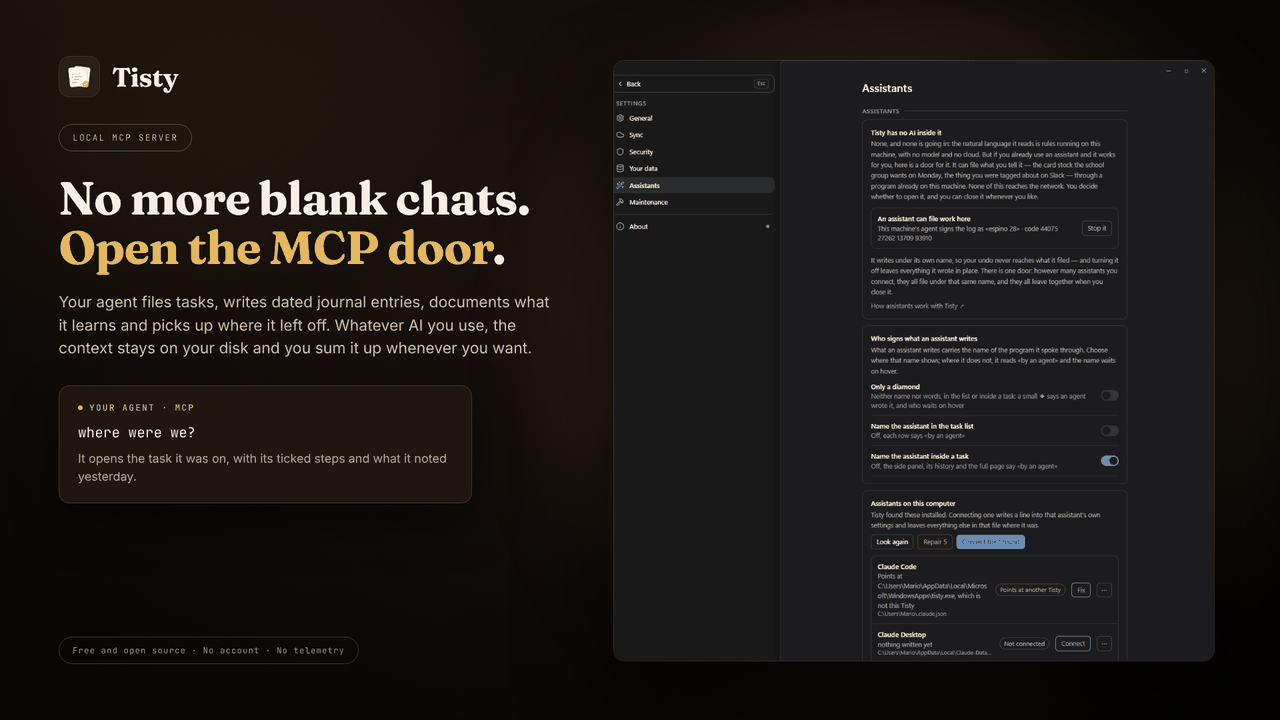
Requires the Tisty app and Node.js. A small launcher finds the Tisty
installed on your computer and starts its own MCP server, so the server always
matches the app and your data. Without Tisty, it tells your assistant how to
install it. Other assistants, such as GitHub Copilot in VS Code, take the same
launcher from npm: npx -y tisty-mcp. More in the plugin's readme.
| Install Tisty | |
|---|---|
| Windows | Microsoft Store or winget install rgdevment.Tisty |
| macOS | brew tap rgdevment/tap && brew trust rgdevment/tap && brew install --cask tisty |
| Every way | Installation guide |
If your assistant does not see Tisty's tools, restart it after installing Tisty. Connect Tisty either with this plugin or from Tisty's Settings › Assistants, not both, so the assistant does not run Tisty's server twice.
| Learn more | |
|---|---|
| Website | https://www.tisty.app/ |
| Documentation | https://www.tisty.app/docs/ |
| Assistants and MCP | https://www.tisty.app/docs/assistants-and-mcp/ |
| What an assistant may do | https://www.tisty.app/docs/mcp-permissions/ |
| MCP tools | https://www.tisty.app/docs/mcp-tools/ |
| Writing in Tisty | https://markdown.tisty.app |
| Privacy | https://www.tisty.app/privacy/ |
| Official MCP Registry | io.github.rgdevment/tisty |
| Source | https://github.com/rgdevment/Tisty |
| Issues | https://github.com/rgdevment/Tisty/issues |
Layout
.claude-plugin/marketplace.json   Claude Code marketplace
.cursor-plugin/marketplace.json   Cursor marketplace
gemini-extension.json             Gemini CLI extension (the Tisty plugin)
plugins/<app>/                    one folder per plugin, with each host's manifest,
                                  its MCP config, its skills and its launcher
test/                             tests for the launchers
listings/                         manifests some directories publish from
Licence
Apache-2.0. Each app keeps its own licence: Tisty is AGPL-3.0. Report a problem with an app in that app's own issues.
Tisty MCPのよくある質問
Tisty MCPをClaude Codeに追加するには
ターミナルでclaude mcp add mcp-plugins -- npx -y tisty-mcpを実行します。すべてのプロジェクトで利用するには--scope userを追加します。
Tisty MCPをCursorに追加するには
~/.cursor/mcp.jsonを開き、上記のインストールセクションに示すCursor設定を使ってmcpServersの下にサーバーを追加します。
Tistyはプライバシーとデータをどのように扱いますか?
Tistyは、アカウント、サブスクリプション、テレメトリ、サーバーを一切使用せず、お使いのコンピュータ上でローカルに動作します。
Tistyのシステム要件は何ですか?
Tistyプラグインを使用するには、コンピュータにTistyアプリとNode.jsがインストールされている必要があります。
VS CodeでTistyを使用できますか?
はい、VS Code内のGitHub Copilotなどの他のアシスタントから、npm経由でTistyランチャーを使用できます。