
Instagram クリエイター向けの AI コンテンツスタジオです。チャットを通じて、パフォーマンス分析、競合調査、Reels の生成、投稿キューの管理が可能です。
別名 pandich93/creatorloop
- スター
- 0
- ツール
- —
- ダウンロード数(30日間)
- —
- 最新バージョン
- 0.3.0
- 最終コミット
- 2026年10月18日
- ライセンス
- MIT
creatorloop MCPとは
creatorloopはMCPサーバーです。 Instagram クリエイター向けの AI コンテンツスタジオです。チャットを通じて、パフォーマンス分析、競合調査、Reels の生成、投稿キューの管理が可能です。.
プロジェクトのREADMEから生成された概要
creatorloop MCP server について
Instagram クリエイターは、Claude とのチャットインターフェースを通じて、コンテンツのライフサイクル全体を管理できます。このスタジオは公式の Instagram API を使用して、Reels の視聴時間、フォロワーの増加数、エンゲージメント率などのパフォーマンス指標を分析します。勘に頼るのではなく、どのフック、キャプション、投稿時間が実際に成果につながっているのかを、データに基づいたインサイトとして提供します。
ユーザーは、競合アカウントを合法的に監視し、フォロワーの推移を追跡し、特定の投稿が平均よりも大幅に高いパフォーマンスを示した際にアラートを受け取ることができます。また、コンテンツの作成とスケジューリングも可能です。これには、セーフゾーンやオリジナル楽曲の自動チェック機能を備えた Remotion Reel テンプレートが含まれています。安全性を確保するため、メディアの投稿やコメントへの返信といった公開アクションはすべて、2段階のプロセスを通じてユーザーの明示的な承認が必要となります。
セットアップには、Meta アプリ、Facebook ページにリンクされた Instagram Business または Creator アカウント、およびローカルインストール用の uv ツールが必要です。この MCP server は Python または Docker を介してローカルマシン上で動作するため、App Secret やアクセストークンなどの機密性の高い認証情報は、チャット履歴ではなくローカルシステム内に安全に保持されます。
できること
- 1コンテンツのパフォーマンス分析過去60日間のコンテンツレポートを依頼し、Reels とカルーセルのどちらのパフォーマンスが良いかを確認できます。
- 2競合の成長モニタリングプロフェッショナルアカウントを追跡し、どの投稿がバイラル化しているかを特定します。
- 3チャットによる投稿予約ローカルフォルダにある準備済みの投稿を、指定した日時の投稿キューに追加します。
- 4コミュニティエンゲージメントの管理未読のコメントを特定し、承認用の返信ドラフトを作成します。
プロジェクトの README から作成されています。すべてのユースケースは、その引用と照らし合わせて確認されています。
creatorloop MCPのインストール方法
フォーマット検証日 2026年11月10日Cursor に追加Gooseに追加Claude Codeにcreatorloop MCPをインストール
$ claude mcp add --env 'IG_ACCESS_TOKEN=<YOUR_IG_ACCESS_TOKEN>' creatorloop -- uvx creatorloopCursorにcreatorloop MCPをインストール
~/.cursor/mcp.json
{
  "mcpServers": {
    "creatorloop": {
      "command": "uvx",
      "args": [
        "creatorloop"
      ],
      "env": {
        "IG_ACCESS_TOKEN": "<YOUR_IG_ACCESS_TOKEN>"
      }
    }
  }
}VS Codeにcreatorloop MCPをインストール
.vscode/mcp.json
{
  "servers": {
    "creatorloop": {
      "type": "stdio",
      "command": "uvx",
      "args": [
        "creatorloop"
      ],
      "env": {
        "IG_ACCESS_TOKEN": "<YOUR_IG_ACCESS_TOKEN>"
      }
    }
  }
}VS Code CLIにcreatorloop MCPをインストール
$ code --add-mcp '{"name":"creatorloop","type":"stdio","command":"uvx","args":["creatorloop"],"env":{"IG_ACCESS_TOKEN":"<YOUR_IG_ACCESS_TOKEN>"}}'Claude Desktopにcreatorloop MCPをインストール
claude_desktop_config.json
{
  "mcpServers": {
    "creatorloop": {
      "command": "uvx",
      "args": [
        "creatorloop"
      ],
      "env": {
        "IG_ACCESS_TOKEN": "<YOUR_IG_ACCESS_TOKEN>"
      }
    }
  }
}Codexにcreatorloop MCPをインストール
$ codex mcp add creatorloop --env 'IG_ACCESS_TOKEN=<YOUR_IG_ACCESS_TOKEN>' -- uvx creatorloopCodex config.tomlにcreatorloop MCPをインストール
~/.codex/config.toml
[mcp_servers.creatorloop]
command = "uvx"
args = ["creatorloop"]

[mcp_servers.creatorloop.env]
IG_ACCESS_TOKEN = "<YOUR_IG_ACCESS_TOKEN>"
Gemini CLIにcreatorloop MCPをインストール
$ gemini mcp add -s user -e 'IG_ACCESS_TOKEN=<YOUR_IG_ACCESS_TOKEN>' creatorloop uvx -- creatorloopGemini settings.jsonにcreatorloop MCPをインストール
~/.gemini/settings.json
{
  "mcpServers": {
    "creatorloop": {
      "command": "uvx",
      "args": [
        "creatorloop"
      ],
      "env": {
        "IG_ACCESS_TOKEN": "<YOUR_IG_ACCESS_TOKEN>"
      }
    }
  }
}設定
IG_ACCESS_TOKENシークレットInstagram Graph API token (long-lived or System User). Can also live in the creatorloop .env file.
IG_USER_IDInstagram professional account ID (not the username).
| 名前 | 説明 | 種類 |
|---|---|---|
| IG_ACCESS_TOKEN | Instagram Graph API token (long-lived or System User). Can also live in the creatorloop .env file. | シークレット |
| IG_USER_ID | Instagram professional account ID (not the username). |
自動チェック
実行日 2026年11月14日完全なレポート →自動チェックに合格しました。これはセキュリティ監査ではありません。コードを読み、サーバーに必要最小限のアクセス権を与えてください。 チェックの仕組み

- ソースリポジトリがリンクされており、アクセス可能pandich93/creatorloop is public and reachablegithub.com/pandich93/creatorloop ↗合格
- パッケージがこのリポジトリをソースとして指定creatorloop names pandich93/creatorloop as sourcepypi.org/project/creatorloop/ ↗合格
- ビルドの来歴 (Sigstore 証明)Sigstore attestation for creatorlooppypi.org/project/creatorloop/ ↗合格
- オープンソースライセンス (OSI)MITspdx.org/licenses/MIT.html ↗合格
- 過去1年以内にコミットまたはリリースありLast commit or release 2026-10-18github.com/pandich93/creatorloop ↗合格
- OpenSSF Scorecard未チェック
- パッケージ名が有名なパッケージに酷似していないNo popular package one edit away from creatorloop合格
- パッケージおよびその依存関係に重大な勧告なし35 resolved dependencies checked; no critical advisoryosv.dev ↗合格
- モデルへの隠れた指示がない0 tool descriptions and the README read; no override phrases, credential paths or hidden characters合格
- 破壊的なツールがラベル付けされている未チェック
- リモートエンドポイントが MCP ハンドシェイクに応答未チェック
README
GitHubで見るcreatorloop
Open-source AI content studio for Instagram creators, built on Claude and the official Instagram API.
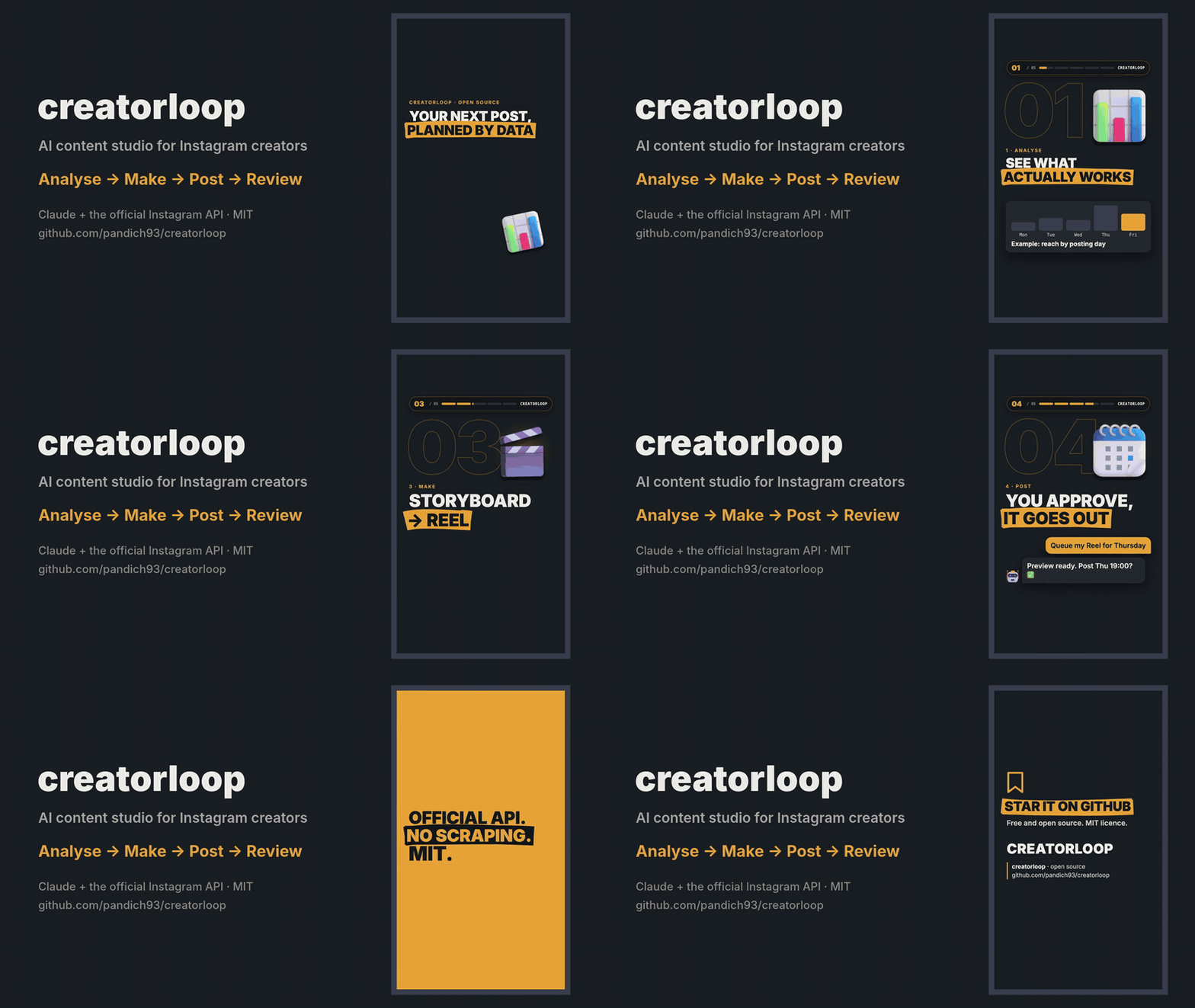
Analyse what works → make Reels and carousels → publish or queue them → review how they did. All from a chat with Claude.




Why
There are plenty of "Instagram API for Claude" servers. creatorloop is built for the creator's loop instead:
- Learn from data, not vibes. Best and worst posts with their hooks, format comparison, follows per 1,000 reach, Reels watch time, best day and hour — and which captions (language, question hook, CTA, length) actually work.
- Spy on competitors legally. Track professional accounts, keep their follower history, and get alerted to the posts that did N× better than their median. Analyse any public post by URL, slides included.
- Make the content. A Remotion Reel template with automatic checks (first-second rule, safe zones, "not a copy of the carousel"), original music and licensed 3D objects.
- Publish safely. Two-step publishing with a preview, a queue with fingerprints (a changed file blocks the post), 24 h / 72 h post reviews and comment replies — every public action needs your explicit OK.
- Official API only. No scraping, no browser automation, no risk to your account.
Quick start
You need uv, Claude Desktop, an Instagram Business or Creator account linked to a Facebook Page, and your own Meta app (5-minute guide).
uvx --from creatorloop creatorloop-setup
It connects Claude Desktop and opens a setup page in your browser: enter your app's App ID and App Secret, press Continue with Facebook, done. Then ask Claude: "How did my last 10 posts do, and what should I post next?"
Already in Claude? Ask "connect my Instagram": Claude opens the same page (open_setup). Your App Secret and
token are typed only into that local page, never into the chat.
| System | Command |
|---|---|
| Windows | powershell -ExecutionPolicy ByPass -c "irm https://astral.sh/uv/install.ps1 | iex" |
| macOS | brew install uv or curl -LsSf https://astral.sh/uv/install.sh | sh |
| Linux | curl -LsSf https://astral.sh/uv/install.sh | sh |
creatorloop runs on Python 3.12 or newer; uv downloads one by itself if you don't have it.
creatorloop-setup finds the Claude Desktop config on Windows (including the Microsoft Store build), macOS and Linux,
keeps your other servers, makes a backup and creates your settings file. Claude Desktop rewrites its config while it
runs, so on macOS the command quits and reopens it for you; on Windows and Linux it asks you to quit it first.
One-click install (Claude Desktop)
Prefer not to open a terminal? Download the .mcpb file from the
latest release and double-click it (or drag it into
Claude Desktop → Settings → Extensions). Claude Desktop sets up Python and the dependencies itself, so the first start
takes a minute. Leave the two optional fields empty and ask Claude "connect my Instagram": the same setup page opens.
Fill them in only if you already have a token and account ID — values entered there win over the setup page. If
Claude Desktop says it can't find uv, install it (see Installing uv above) and restart Claude Desktop.
Build the image straight from GitHub and keep your settings in a folder on your computer:
docker build -t creatorloop https://github.com/pandich93/creatorloop.git
mkdir "$HOME/creatorloop"
If you use the post queue, first create .env in that folder with IG_TIMEZONE=Europe/Berlin (your zone): the container
runs in UTC.
Connect your account (the setup page runs in the container; open the printed link in your browser). Keep all three
8765 the same; to use another port change all three:
docker run --rm -it -p 127.0.0.1:8765:8765 -v "$HOME/creatorloop:/data" --entrypoint creatorloop-auth creatorloop \
  login --no-browser --port 8765 --bind 0.0.0.0
creatorloop-setup doesn't run inside Docker, so add the server to claude_desktop_config.json yourself, with the
full path to the folder:
{
  "mcpServers": {
    "creatorloop": {
      "command": "docker",
      "args": ["run", "-i", "--rm", "-v", "/Users/you/creatorloop:/data", "creatorloop"]
    }
  }
}
Post folders for prepare_post and queue_post go into creatorloop/content/. The image includes cloudflared for
publishing carousels.
The open_setup tool does not work inside Docker; use the command above to reconnect.
What you can ask
- "Make a report on my content for the last 60 days. Reels or carousels — what works better, and when should I post?"
- "Compare me with @competitor1 and @competitor2. Who has the higher engagement and why?"
- "Analyse this post https://www.instagram.com/p/… and write my own version of it."
- "Track @competitor and tell me every week which of their posts took off."
- "Check the hashtags #ai, #productivity and #startup. Check the quota first."
- "Queue the post from folder
my-first-reelfor the next free slot." → preview → "yes" → it goes out on time. - "Which new comments haven't I answered? Draft replies." → you approve each reply.
Ready-made prompts in Claude Desktop's + menu: Weekly Instagram report, Competitor brief, Data-driven content ideas.
Tools
| Area | Tools |
|---|---|
| Your account | get_my_profile, get_my_media, get_media_insights, get_account_insights, get_audience_demographics |
| Content analysis | get_my_content_report, get_caption_insights, get_post_history, post_reviews |
| Competitors | get_competitor, compare_accounts, get_follower_history, track_competitor, untrack_competitor, list_tracked_competitors, update_tracked_competitors, find_viral_posts, get_competitor_post |
| Hashtags | search_hashtag, compare_hashtags, plan_hashtag_research |
| Publishing | prepare_post, get_post_job, publish_media, list_publications |
| Queue | queue_post, list_queue, cancel_queued |
| Comments | get_new_comments, reply_comment |
| Service | get_api_status, open_setup, clear_cache, restart_server |
34 tools in total. Tools that change something on Instagram are annotated as such for Claude, and their descriptions
tell it to act only after you approve: publish_media and reply_comment after you OK the preview or the exact
text, queue_post only with confirm=true after you saw the preview.
Publishing
Put the files into a folder inside your content folder (<creatorloop home>/content/<name>/):
my-carousel/                   my-reel/
  slide_01.png … slide_10.png    reel.mp4        # H.264/HEVC, 23–60 fps, ≤1920 px wide, 3 s–15 min, ≤300 MB
  caption.txt                    caption.txt
                                 reel.json       # optional: {"cover_ms": 1667, "share_to_feed": true, "trial": "SS_PERFORMANCE"}
- Slides: 1–10 PNG/JPG (API limit), aspect ratio 4:5 to 1.91:1, ordered by file name. Everything below a
---line incaption.txtis notes and is not published. - Then: "prepare the post from folder
my-carousel" → preview → "publish". Or queue it for a slot. - Carousels: Instagram downloads images from a public URL, so creatorloop opens a temporary
Cloudflare Quick Tunnel
for that minute. Install
cloudflaredonce:winget install --id Cloudflare.cloudflared -e(Windows),brew install cloudflared(macOS) or a package from pkg.cloudflare.com (Linux). - Reels upload directly to Meta (no tunnel). The MP4 header is checked before upload (duration, size, width,
moovfirst) with the exactffmpegfix if something is off. - Queue slots default to Tue/Thu/Sun 19:00 in your timezone — an example, change
QUEUE_SLOTSin the settings file. A queued post is blocked if its files or caption change after you approved it, and is marked missed if your computer was asleep for more than 3 hours past the slot. - Meta's limit is 100 posts per rolling 24 hours;
list_publicationsshows what is left. Publishing is never retried automatically, so there are no duplicates.
Making the content itself: see examples/ and the content pipeline —
a sample carousel, a sample Reel storyboard and the Remotion Reel template.
What the Instagram API allows (and doesn't)
| Possible | Not possible | |
|---|---|---|
| Your account | Reach, views, likes, comments, saves, shares, profile visits, follows per post, Reels average watch time, audience demographics, account totals | Data older than 2 years; insights per carousel slide; Stories after 24 h |
| Competitors (Business Discovery) | Public data of Business/Creator accounts: followers, posts, bio, likes, comments, Reels views per post | Personal or private accounts; their reach, saves, shares, demographics; Stories |
| Hashtags | Top posts and posts from the last 24 h | More than 30 unique hashtags per rolling 7 days; post authors; keyword, audio or trend search |
| Follower growth | creatorloop saves a daily snapshot for you and every competitor you look at | History before the first snapshot |
Engagement rate for your posts = Σ(likes + comments + saves + shares) / Σreach × 100 (weighted, so tiny posts don't skew it). Posts younger than 72 h are reported separately as "still growing". Competitors' ER is per follower — the API does not expose their reach.
Settings
creatorloop-setup creates .env in your creatorloop home folder:
| System | Home folder |
|---|---|
| Windows | %APPDATA%\creatorloop |
| macOS | ~/Library/Application Support/creatorloop |
| Linux | ~/.local/share/creatorloop (or $XDG_DATA_HOME/creatorloop) |
Set CREATORLOOP_HOME to use another folder. The home folder holds .env, the creatorloop.db database and the
content/ folder.
| Variable | Required | Meaning |
|---|---|---|
IG_ACCESS_TOKEN |
yes | Long-lived (60 days) or System User (never expires) token — see Meta setup |
IG_USER_ID |
yes | Your Instagram professional account ID (1784…), not the username |
GRAPH_API_VERSION |
no | Default v26.0 |
META_APP_ID, META_APP_SECRET |
no | Filled by the setup page; also used to check the token expiry |
IG_TIMEZONE |
no | IANA name, e.g. Europe/Berlin. Default: your computer's timezone |
QUEUE_SLOTS |
no | e.g. Mon,Wed,Fri 20:00 |
IG_DB_PATH, CACHE_TTL_*_MIN |
no | Database location, cache lifetime in minutes |
The token expiry shows up in get_api_status, and every tool answer carries a token_warning 14 days before expiry.
FAQ
Data & privacy
- Your token, settings, database and content stay on your computer in the creatorloop home folder.
- creatorloop talks to Meta only: the Instagram Graph API (
graph.facebook.com,rupload.facebook.comfor video uploads) and Instagram's media servers when it downloads the slides of a post you asked it to analyse. - To publish carousels (and Reels, if the direct upload is refused) it opens a temporary Cloudflare Quick Tunnel to your local files for the minute Meta needs to fetch them, then closes it and deletes the temporary copies.
- No analytics, telemetry or third-party services.
Development
git clone https://github.com/pandich93/creatorloop && cd creatorloop
uv sync
uv run pytest            # offline: mocked Graph API and captured response shapes
uv run creatorloop-setup # points Claude Desktop at this checkout instead of the PyPI package
See CONTRIBUTING.md. Security issues: SECURITY.md.
Disclaimer
creatorloop is an independent open-source project. Not affiliated with, endorsed or sponsored by Meta or Instagram. "Instagram" is a trademark of Meta Platforms, Inc. You are responsible for complying with the Meta Platform Terms and Instagram's policies when you use it.
License
MIT. The Reel template in examples/reel-template uses Remotion, which has
its own licence; bundled assets and fonts are listed in
examples/reel-template/public/assets/LICENSES.md.
creatorloop MCPのよくある質問
creatorloop MCPをClaude Codeに追加するには
ターミナルでclaude mcp add --env 'IG_ACCESS_TOKEN=<YOUR_IG_ACCESS_TOKEN>' creatorloop -- uvx creatorloopを実行します。すべてのプロジェクトで利用するには--scope userを追加します。
creatorloop MCPをCursorに追加するには
~/.cursor/mcp.jsonを開き、上記のインストールセクションに示すCursor設定を使ってmcpServersの下にサーバーを追加します。
この MCP server はスクレイピングやブラウザ自動化を使用しますか?
いいえ、公式の Instagram API のみを使用するため、アカウント停止のリスクを回避できます。
競合のパフォーマンスを追跡できますか?
はい、プロフェッショナルアカウントを追跡し、フォロワー数の推移を監視したり、エンゲージメントの高い投稿のアラートを受け取ったりできます。
投稿プロセスはどのように行われますか?
プレビューとキューシステムを備えた2段階の投稿プロセスを採用しており、すべての操作をユーザーが承認した上で実行されます。
どのような Instagram データにアクセスできますか?
リーチ、再生回数、いいね、コメント、保存、シェア、プロフィール訪問数、およびオーディエンスの属性データにアクセスできます。