
box MCPサーバー
コミット 2026年11月6日AIエージェントによるツール実行を安全に行うため、読み取り専用ファイルシステムと厳格なネットワークポリシーを備えた、隔離されたDockerサンドボックス内でMCP serverを実行します。
別名 lowcache/mcp-box
- スター
- 15
- ツール
- —
- ダウンロード数(30日間)
- —
- 最新バージョン
- —
- 最終コミット
- 2026年11月6日
- ライセンス
- MIT
box MCPとは
boxはMCPサーバーです。 AIエージェントによるツール実行を安全に行うため、読み取り専用ファイルシステムと厳格なネットワークポリシーを備えた、隔離されたDockerサンドボックス内でMCP serverを実行します。.
プロジェクトのREADMEから生成された概要
box MCP server について
mcp-boxは、Model Context Protocol serverを隔離されたDockerサンドボックス内で実行することで、セキュリティレイヤーを提供します。このツールは、ホストマシンの整合性を損なうリスクなしに、シェルコマンド、ファイルシステム操作、データベースクエリなどのツールを実行する必要がある開発者やAIエージェントユーザー向けに設計されています。システムは読み取り専用のルートファイルシステムと厳格なネットワークポリシーを使用しているため、エージェントが悪意のある指示を受け取ったとしても、SSHキーやクラウドの認証情報などの機密ファイルにアクセスすることはできません。
ユーザーはこのツールをポータブルなGoバイナリとして実行でき、ローカルシステムでDockerがアクティブであることのみを必要とします。決定論的なイメージビルドのためにNixを使用することもできますが、Nixがない場合は、サーバーは自動的にGitHub Container Registryから固定されたOCIイメージをプルするようにフォールバックします。sqlite、shell、filesystem、fetchなどの特定のプロファイルに対する組み込みサポートが含まれています。統合は、Claude DesktopやClaude Code用のJSONスニペットを生成する設定ジェネレーターによって簡素化されており、--workspaceフラグを介してスコープ化されたワークスペースを迅速にセットアップできます。
できること
- 1安全なシェルコマンドの実行ルートファイルシステムが読み取り専用で、デフォルトでネットワークアクセスが無効化されたサンドボックス内で、任意のスクリプトを実行します。
- 2隔離されたデータベースクエリ制限された環境内で、sqlite serverを使用して高性能なデータベース操作を実行します。
- 3安全なウェブスクレイピングコンテナの境界を維持する制御されたネットワークモードを使用して、AIエージェントがウェブコンテンツを取得できるようにします。
プロジェクトの README から作成されています。すべてのユースケースは、その引用と照らし合わせて確認されています。
自動チェック
実行日 2026年11月14日完全なレポート →まだ検証されていません。サーバーには80点のスコア、重大な問題がないこと、および検証に必要な十分なデータが必要です。 チェックの仕組み · 点数を上げるための改善点

- ソースリポジトリがリンクされており、アクセス可能lowcache/mcp-box is public and reachablegithub.com/lowcache/mcp-box ↗合格
- パッケージがこのリポジトリをソースとして指定未チェック
- ビルドの来歴 (Sigstore 証明)未チェック
- オープンソースライセンス (OSI)MITspdx.org/licenses/MIT.html ↗合格
- 過去1年以内にコミットまたはリリースありLast commit or release 2026-11-06github.com/lowcache/mcp-box ↗合格
- OpenSSF Scorecard未チェック
- パッケージ名が有名なパッケージに酷似していない未チェック
- パッケージおよびその依存関係に重大な勧告なし未チェック
- モデルへの隠れた指示がない0 tool descriptions and the README read; no override phrases, credential paths or hidden characters合格
- 破壊的なツールがラベル付けされている未チェック
- リモートエンドポイントが MCP ハンドシェイクに応答未チェック
README
GitHubで見るmcp-box


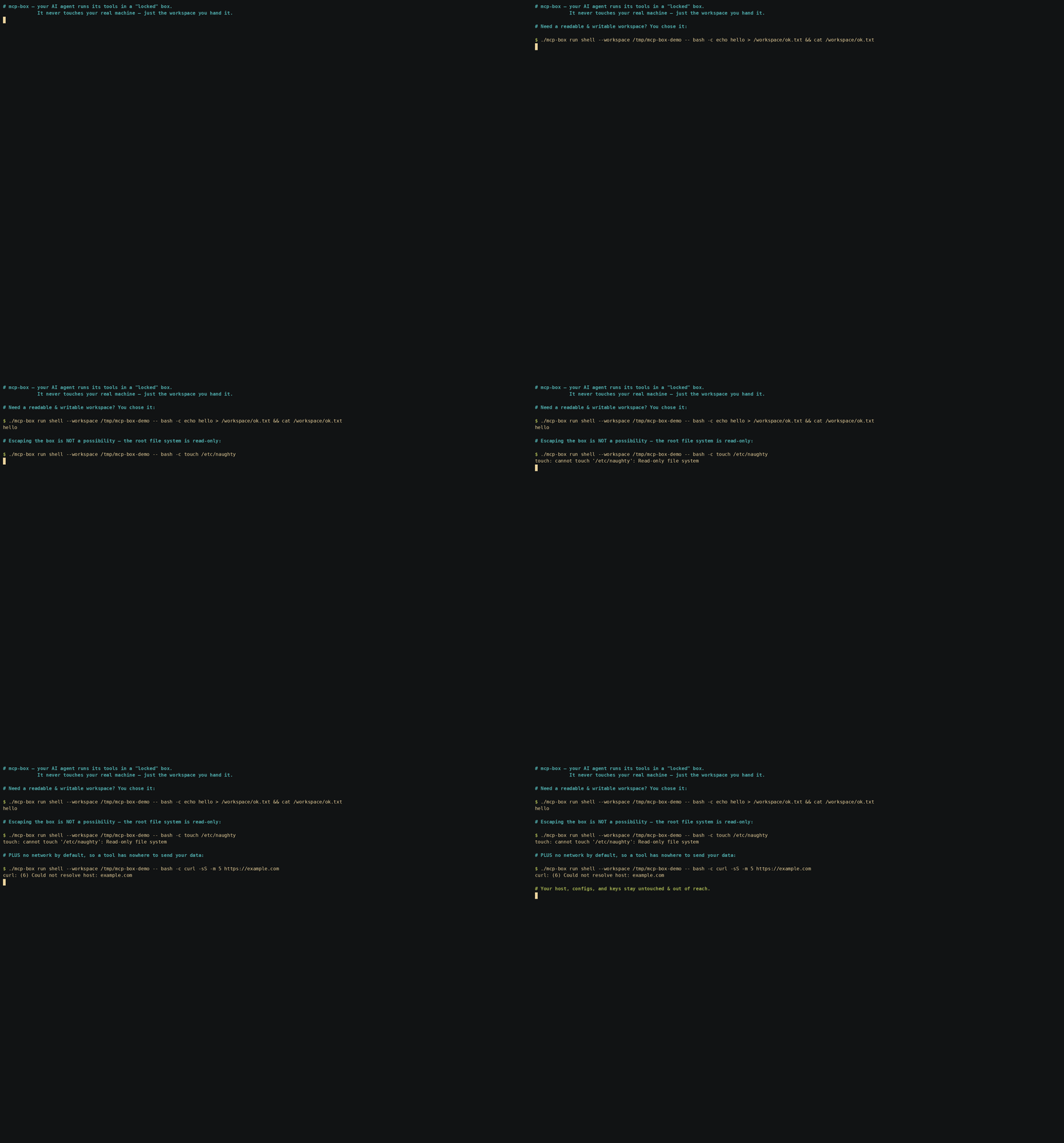
Your AI agent's tools run with your permissions. When an MCP server can call run_command or write files,
a buggy prompt or a malicious instruction can reach your home directory, your SSH keys, and your cloud credentials.
mcp-box puts every MCP server inside a locked-down Docker sandbox with a read-only root filesystem, explicit writable mounts,
dropped Linux capabilities, and per-profile network policy. Only the folders you mount are writable; the rest of your host stays out of reach.
mcp-box is the boringly reliable way to run MCP servers safely: inspectable, reproducible, and default-deny by design.
mcp-box is a single, portable Go binary that launches turnkey, immutable, strictly-isolated
container sandboxes for Model Context Protocol (MCP) servers. Nix is used for deterministic image builds
when present, but it is entirely optional. Without Nix, mcp-box pulls the same pinned OCI image definitions
from GHCR and runs them under the same Docker isolation model. Docker is the only hard requirement.
Same server, same hardening, same sandbox boundary — only the image source changes.
Security Audit Checks
You can audit the sandbox boundary directly by overriding the container command with -- bash -c '...'. These checks prove the boundary itself, not just the MCP server running inside it. The hardening (read-only root, no network, dropped capabilities, host UID mapping) applies to any process in the box:
- Read-only filesystem — writes outside
/workspaceare rejected:./mcp-box run shell -- bash -c 'touch /etc/naughty' # => touch: cannot touch '/etc/naughty': Read-only file system (exit 1) - Network isolation — with the default
--network none, DNS/egress fail:./mcp-box run shell -- bash -c 'curl -I https://google.com' # => curl: (6) Could not resolve host: google.com (exit 6) - No privilege escalation —
sudois not even present in the image:./mcp-box run shell -- bash -c 'sudo -l' # => bash: line 1: sudo: command not found (exit 127) - Host UID/GID mapping — the process is you, not root:
./mcp-box run shell -- bash -c 'id'
# => uid=<your uid> gid=<your gid> ...   (files in /workspace are owned by you)
Key Features
- Strict Sandboxing:
- Immutable Root (
--read-only): The entire root filesystem is mounted read-only. - Transient State (
--tmpfs): Writable spaces (/tmpand/run) exist solely in RAM and disappear once the container stops. - Zero Capabilities (
--cap-drop=ALL): The running processes have no special Linux kernel capabilities. - No Privilege Escalation (
no-new-privileges:true): Prevents elevation to root inside the sandbox. - Per-Profile Network Policy:
- Most sandboxes default to
--network none. - Networked profiles are explicit and opt-in, so a server only gets egress when its job genuinely requires it.
- The
fetchprofile is the exception by design: it uses a controlled network mode for web access, while still keeping the container boundary intact.
- Most sandboxes default to
- Scoped Workspaces: Only specifically mounted host directories (
--workspace) are visible to the server at/workspace.
- Immutable Root (
- Correct File Ownership:
- Containers run mapped to your host UID/GID (
-u $(id -u):$(id -g)), ensuring that files written to mounted workspaces are owned by you (notroot) and don't trigger host-side permission errors.
- Containers run mapped to your host UID/GID (
- Painless Integration:
- Built-in configuration generator (
mcp-box config <server>) prints out paste-ready JSON snippets to plug directly intoclaude_desktop_config.jsonor OpenClaw configurations.
- Built-in configuration generator (
- Zero-Dependency Nix Autonomy:
- If Nix is installed, running a sandbox automatically triggers a local rebuild and load of the OCI image.
- If Nix is absent,
mcp-boxautomatically detects this and falls back to pulling pre-built, identical, and secure OCI images directly from the GitHub Container Registry (ghcr.io/lowcache), making Nix entirely optional for the end-user.
CLI Surface
mcp-box is designed to be inspectable, scriptable, and auditable.
mcp-box run <server>— launch a sandboxed MCP servermcp-box stop <id>— stop a running sandboxmcp-box ps— list active sandboxesmcp-box inspect <id>— show the full sandbox spec and policymcp-box logs <id>— read audit logsmcp-box logs --follow— stream live eventsmcp-box config <server>— print paste-ready client configmcp-box build <server>— rebuild or refresh an OCI image
Quickstart
# 1. Get the binary (Docker is the only dependency)
curl -sSL https://github.com/lowcache/mcp-box/releases/latest/download/mcp-box-linux-amd64 -o mcp-box
chmod +x mcp-box && mv mcp-box ~/.local/bin/

# 2. Prove the sandbox holds — this write MUST fail
mcp-box run shell --workspace /tmp/demo -- bash -c 'touch /etc/naughty'
# => touch: cannot touch '/etc/naughty': Read-only file system

# 3. Wire it into your AI client (paste the output into claude_desktop_config.json)
mcp-box config sqlite
Pre-Packaged Sandboxes
| Server Name | Language | Included Utilities | Network Mode | Primary Purpose |
|---|---|---|---|---|
sqlite |
Python | sqlite3 CLI, fastmcp SDK |
none |
High-performance, isolated database querying. |
shell |
Python | bash, ripgrep, fd, git, curl, jq, sqlite, tar |
none |
Safe, sandboxed script running and file operations. |
filesystem |
Node.js | ripgrep, fd, git |
none |
Scoped filesystem read/write and code searching. |
fetch |
Node.js | curl |
bridge |
Safe, isolated web fetching and scraping. |
Policy, Compose, and Auditability
mcp-box is not just a runner — it is a trust layer for MCP execution.
Planned core platform features:
- Policy profiles for common trust levels:
readonly,dev,trusted,internet-off,internet-on - Compose-style specs for multi-server setups
- Append-only audit logs for sandbox lifecycle and denied actions
ps/inspect/logsso every sandbox can be checked after launch- Pinned image digests for reproducible, reviewable execution
Dependencies
Depending on your installation path, mcp-box has distinct dependency requirements:
- Runtime Boundary (All Users):
- Docker Engine (Must be active and running locally on the host system).
- Local Image Building (Source Flow with Nix):
- Nix (with experimental
flakesandnix-commandenabled).
- Nix (with experimental
- CLI Compilation (Source Flow with Go):
- Go compiler v1.22 or higher (only required if building the executable from source without using Nix).
- Zero-Dependency Fallback Flow:
- None. The pre-compiled CLI binary runs standalone and automatically pulls the pre-built, multi-arch OCI images straight from GHCR into your local Docker daemon.
Architecture
graph TD
    subgraph Host [Host Environment]
        Agent[AI Agent / Claude Desktop] <-->|stdio piping| CLI[mcp-box CLI]
        CLI -->|Checks for Nix| NixDetect{Nix Installed?}

        NixDetect -->|Yes: Source Flow| NixBuild[nix build .#server]
        NixBuild -->|Stream tarball| DockerLoad[docker load]

        NixDetect -->|No: Registry Flow| DockerPull[docker pull ghcr.io]
        DockerPull -->|Tag locally| DockerLoad

        DockerLoad -->|Loads image| Docker[Docker Engine]
    end

    subgraph Sandbox [Docker Sandbox]
        Server[MCP Server]
        Tools[Isolated Tools: git, rg, sqlite3, curl]
        Workspace[Mounted Workspace: /workspace]
    end

    Docker -->|spawns with strict isolation| Sandbox
    CLI <-->|stdio piping| Server
Installation
Depending on your host environment, you can install and run mcp-box with three different avenues:
Option A: Pre-built Go Binary (No Nix / Docker-only)
For systems that only have Docker installed:
- Download the compiled CLI binary (pick the asset matching your OS/arch —
linux/darwin,amd64/arm64):curl -sSL https://github.com/lowcache/mcp-box/releases/latest/download/mcp-box-linux-amd64 -o mcp-box chmod +x mcp-box - Move to PATH (Optional):
mv mcp-box ~/.local/bin/ # Or another folder in your PATH
On first execution, mcp-box will automatically detect the absence of Nix and pull the pre-built OCI images from ghcr.io/lowcache into your local Docker daemon.
Option B: From Source via Nix Flake (Nix/NixOS)
For systems running Nix/NixOS:
- Run directly without installing:
nix run github:lowcache/mcp-box -- list - Install to your user profile:
nix profile install github:lowcache/mcp-box - Declarative Installation (NixOS / Home Manager):
Add the flake input and package to your configuration:
# flake.nix inputs:
inputs.mcp-box.url = "github:lowcache/mcp-box";

# In systemPackages or home.packages:
inputs.mcp-box.packages.${pkgs.system}.default
On first execution, mcp-box will build the Go binary and OCI images purely from source and load them directly into your local Docker daemon.
Option C: Compile from Source (Go Compiler)
If you want to compile the CLI binary manually without Nix:
- Clone the repository:
git clone https://github.com/lowcache/mcp-box.git cd mcp-box - Compile the binary (the Go module lives in
src/go):cd src/go go build -o ../../mcp-box .
You can now run ./mcp-box directly, which will pull OCI layers from the registry or build locally using Nix based on your host environment.
Usage Guide
1. Show Help & Supported Servers
./mcp-box help
./mcp-box list
2. Run a Sandbox Interactively
You can launch any server interactively to test its behavior and tools:
./mcp-box run sqlite --workspace /tmp/sandbox-db -- --db /workspace/test.db
3. Build/Force-Update an OCI Image
If you want to manually rebuild or force-update a Nix-built image:
./mcp-box build sqlite
4. Integration with AI Clients
mcp-box config <server> prints a ready-to-paste mcpServers JSON block (with an
absolute path to the binary). The same block works for both Claude Desktop and
Claude Code.
./mcp-box config sqlite
Claude Code (CLI)
Claude Code does not use claude_desktop_config.json. Add the server with one
command — note the nested -- (the first separates claude's flags from the
subprocess; the second is consumed by mcp-box to forward server args):
# user scope (available in every project); drop -s user for the current project only
claude mcp add -s user mcp-box-sqlite -- \
  mcp-box run sqlite --workspace /abs/path/to/workspace -- --db /workspace/db.sqlite
Or, to commit a shareable config to your repo, drop the mcp-box config JSON block
straight into a project-root .mcp.json — it uses the exact {"mcpServers": …}
shape that config emits.
Verify with claude mcp list.
Claude Desktop
Paste the config block into claude_desktop_config.json. Its location is
OS-specific:
| OS | Path |
|---|---|
| macOS | ~/Library/Application Support/Claude/claude_desktop_config.json |
| Windows | %APPDATA%\Claude\claude_desktop_config.json |
| Linux | ~/.config/Claude/claude_desktop_config.json |
box MCPのよくある質問
mcp-boxはどのようにホストシステムを保護しますか?
Dockerサンドボックスを使用し、ルートファイルシステムを読み取り専用に設定、Linux capabilitiesを削除、さらにプロファイルごとのネットワークポリシーを適用することで、明示的にマウントされたフォルダのみが書き込み可能になるよう制御します。
mcp-boxを使用するためにNixは必要ですか?
いいえ、Nixは完全にオプションです。Nixがインストールされていない場合は、ツールがGitHub Container Registryから固定されたOCIイメージを自動的にプルします。
mcp-boxを実行するための主な依存関係は何ですか?
唯一の必須要件はDocker Engineであり、ローカルホストでアクティブかつ実行されている必要があります。