
PlainText Wallet Approval Checker MCPサーバー
コミット 2026年10月29日複雑な暗号資産ウォレットの承認や署名リクエストを、SAFE、CAUTION、RISKといった分かりやすい判定結果に翻訳します。
別名 Fizzl13/SmartContractExplainer, smartcontractexplainer
- スター
- 1
- ツール
- —
- ダウンロード数(30日間)
- —
- 最新バージョン
- 1.1.2
- 最終コミット
- 2026年10月29日
- ライセンス
- —
PlainText Wallet Approval Checker MCPとは
PlainText Wallet Approval CheckerはMCPサーバーです。 複雑な暗号資産ウォレットの承認や署名リクエストを、SAFE、CAUTION、RISKといった分かりやすい判定結果に翻訳します。.
プロジェクトのREADMEから生成された概要
PlainText Wallet Approval Checker MCP server について
PlainText Wallet Approval Checkerは、暗号資産ウォレットの承認や署名リクエストがセキュリティに与える影響をユーザーが理解できるように支援します。技術的なデータを、SAFE、CAUTION、RISKといったシンプルな判定結果に変換します。このサービスは、GoPlus Security APIを介してトークンやNFTの承認状況を照会し、Claudeを使用して調査結果を人間が読みやすい説明として生成します。
開発者は、このNode.jsアプリケーションをローカルで実行するか、Renderにデプロイできます。サーバーのセットアップにはANTHROPIC_API_KEYが必要であり、オプションでGOPLUS_ACCESS_TOKENを使用することで、毎分30回という無料枠の制限を回避できます。上級ユーザー向けには、FIZZL_INTERNAL_KEYを使用して、トランザクション、typed-data署名、または実際の承認に対する監査を実行できるpresign-guardを利用可能です。このアプリケーションはステートレスであり、チェックプロセス中にユーザーデータを保存することはありません。
できること
- 1トランザクションのセキュリティ監査presign-guardの統合を使用して、トランザクションやtyped-data署名の安全性を確認します。
- 2APIによるセキュリティ監視特定の理由コードや判定結果を必要とするエージェントに、自動化されたセキュリティチェックを組み込みます。
プロジェクトの README から作成されています。すべてのユースケースは、その引用と照らし合わせて確認されています。
PlainText Wallet Approval Checker MCPのインストール方法
フォーマット検証日 2026年11月10日Cursor に追加Gooseに追加Claude CodeにPlainText Wallet Approval Checker MCPをインストール
$ claude mcp add --transport http smartcontractexplainer https://plaintext.fizzl.eu/mcpCursorにPlainText Wallet Approval Checker MCPをインストール
~/.cursor/mcp.json
{
  "mcpServers": {
    "smartcontractexplainer": {
      "url": "https://plaintext.fizzl.eu/mcp"
    }
  }
}VS CodeにPlainText Wallet Approval Checker MCPをインストール
.vscode/mcp.json
{
  "servers": {
    "smartcontractexplainer": {
      "type": "http",
      "url": "https://plaintext.fizzl.eu/mcp"
    }
  }
}VS Code CLIにPlainText Wallet Approval Checker MCPをインストール
$ code --add-mcp '{"name":"smartcontractexplainer","type":"http","url":"https://plaintext.fizzl.eu/mcp"}'CodexにPlainText Wallet Approval Checker MCPをインストール
$ codex mcp add smartcontractexplainer --url https://plaintext.fizzl.eu/mcpCodex config.tomlにPlainText Wallet Approval Checker MCPをインストール
~/.codex/config.toml
[mcp_servers.smartcontractexplainer]
url = "https://plaintext.fizzl.eu/mcp"
Gemini CLIにPlainText Wallet Approval Checker MCPをインストール
$ gemini mcp add -s user --transport http smartcontractexplainer https://plaintext.fizzl.eu/mcpGemini settings.jsonにPlainText Wallet Approval Checker MCPをインストール
~/.gemini/settings.json
{
  "mcpServers": {
    "smartcontractexplainer": {
      "url": "https://plaintext.fizzl.eu/mcp",
      "type": "http"
    }
  }
}自動チェック
実行日 2026年11月15日完全なレポート →まだ検証されていません。サーバーには80点のスコア、重大な問題がないこと、および検証に必要な十分なデータが必要です。 チェックの仕組み · 点数を上げるための改善点

- ソースリポジトリがリンクされており、アクセス可能fizzl13/smartcontractexplainer is public and reachablegithub.com/fizzl13/smartcontractexplainer ↗合格
- パッケージがこのリポジトリをソースとして指定未チェック
- ビルドの来歴 (Sigstore 証明)未チェック
- オープンソースライセンス (OSI)No license検出事項
- 過去1年以内にコミットまたはリリースありLast commit or release 2026-10-29github.com/fizzl13/smartcontractexplainer ↗合格
- OpenSSF Scorecard未チェック
- パッケージ名が有名なパッケージに酷似していない未チェック
- パッケージおよびその依存関係に重大な勧告なし未チェック
- モデルへの隠れた指示がない0 tool descriptions and the README read; no override phrases, credential paths or hidden characters合格
- 破壊的なツールがラベル付けされている未チェック
- リモートエンドポイントが MCP ハンドシェイクに応答Endpoint did not answer initialize: HTTP 200検出事項
README
GitHubで見るPlainText — wallet approval translator

Built on presign-guard: PlainText's verdicts now come from presign-guard (the same checks, sanctions list, wallet age and signed receipt); PlainText adds the explanation in plain language for people.
POST /api/check-wallet($0.04) uses presign-guard's approval audit,POST /api/explain($0.03) its pre-sign check when the payload is a real approval, transaction or typed-data signature (anything else is explained by the model alone,source: "model"). Agents that only need the verdict and reason codes can call presign-guard directly ($0.01–$0.02). NeedsFIZZL_INTERNAL_KEY(the same value on both services, Render only); without it the old path (GoPlus + Claude) runs.
A small Node.js app that looks up a wallet's token/NFT approvals via the GoPlus Security API and asks Claude to explain them in plain language.
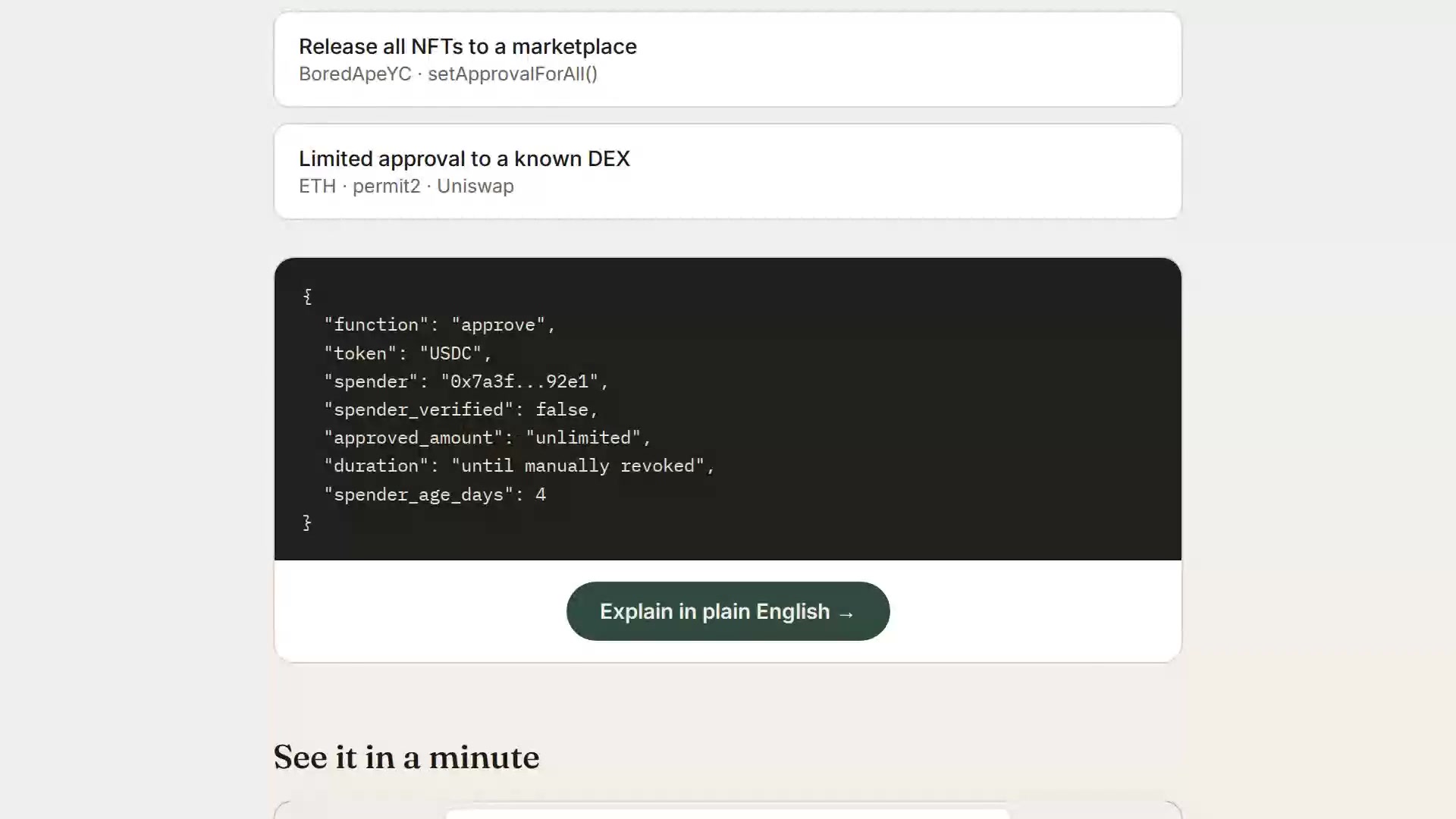
▶ Watch the 1-minute explainer · Live: https://plaintext.fizzl.eu
Project structure
plaintext-wallet/
├── server.js          Express backend (GoPlus + Anthropic calls)
├── media.js           Serves the explainer video from the explainer-video branch
├── feedback.js        POST /feedback and the MCP tool feedback (same file in every Fizzl service)
├── media/explainer/   Script and pipeline for the explainer video
├── package.json
├── render.yaml         Render deploy config (optional, see below)
├── .env.example         Copy to .env for local dev
└── public/
    └── index.html      Frontend (wallet check + demo scenarios)
Feedback
Found a bug, or missing something? Send it with POST /feedback (free, no payment) or the MCP tool feedback:
curl -X POST https://plaintext.fizzl.eu/feedback \
  -H 'content-type: application/json' \
  -d '{"type": "feature", "message": "Support Solana wallets", "endpoint": "/api/check-wallet"}'
type is bug, feature or other; message is required (up to 2000 characters); endpoint and contact are optional. The answer is 202 with an id. At most 10 reports per hour per caller. Reports go to the usage log, and a person reads every one; nothing in a report is run or changed automatically. GET /feedback shows the schema.
1. Run it locally first
cd plaintext-wallet
npm install
cp .env.example .env
# edit .env and paste your ANTHROPIC_API_KEY
npm start
Open http://localhost:3000 — try the "Try a sample" tab first (no API keys needed besides Anthropic), then "Check a wallet" with a real address once you're happy it works.
2. Deploy to Render
Option A — one-click via render.yaml (Blueprint)
- Push this folder to a new GitHub repo.
- In the Render dashboard: New + → Blueprint → select your repo.
Render reads
render.yamlautomatically and creates the web service. - When prompted, fill in the environment variables:
ANTHROPIC_API_KEY— required, from console.anthropic.comGOPLUS_ACCESS_TOKEN— optional, only needed if you outgrow GoPlus's free 30 calls/minute limit (see console.gopluslabs.io)
- Click Apply — Render builds and deploys automatically.
Option B — manual web service (no render.yaml needed)
- Push this folder to a GitHub repo.
- Render dashboard → New + → Web Service → connect your repo.
- Settings:
- Environment: Node
- Build Command:
npm install - Start Command:
npm start - Instance Type: Free (fine for a prototype)
- Under Environment Variables, add
ANTHROPIC_API_KEY(and optionallyGOPLUS_ACCESS_TOKEN). - Click Create Web Service. Render gives you a
https://<name>.onrender.comURL once the build finishes.
Render's free tier spins the service down after inactivity — the first request after idling will take ~30-50 seconds to wake up. That's normal and fine for a prototype you're sharing for feedback.
Notes on the GoPlus integration
- The wallet check calls
token_approval_securityornft721_approval_securityunderhttps://api.gopluslabs.io/api/v2/.... This is documented but the GoPlus docs site is JS-rendered, so before you rely on this in front of real users, do one manual test call (e.g. withcurl) against a wallet you control, and compare the actual JSON shape to whatserver.jsexpects — field names occasionally shift between GoPlus API versions. - The free GoPlus tier is capped at 30 calls/minute — plenty for early testing, but rate-limit errors will surface as a plain error message in the UI if you exceed it.
- No user data is stored anywhere in this app — every check is a stateless round trip. If you later add accounts, saved wallets, or history, update this note (and your own privacy policy) accordingly.
Costs to expect
- Render free tier: $0/month, with the cold-start behavior above. A paid tier ($7/month "Starter") removes the spin-down if this gets real usage.
- Anthropic API: pay-per-use, billed to whatever key you provide. A single explanation call is small (well under 1K tokens), so cost per check will be a fraction of a cent — but keep an eye on your usage dashboard if this gets shared widely, since there's no rate limiting built into this prototype yet.
PlainText Wallet Approval Checker MCPのよくある質問
PlainText Wallet Approval Checker MCPをClaude Codeに追加するには
ターミナルでclaude mcp add --transport http smartcontractexplainer https://plaintext.fizzl.eu/mcpを実行します。すべてのプロジェクトで利用するには--scope userを追加します。
PlainText Wallet Approval Checker MCPをCursorに追加するには
~/.cursor/mcp.jsonを開き、上記のインストールセクションに示すCursor設定を使ってmcpServersの下にサーバーを追加します。
どのようにしてウォレットの安全性を判断しているのですか?
GoPlus Security APIを使用してトークンやNFTの承認状況を調査し、Claudeを使用してその結果を平易な言葉で説明します。
ユーザーデータは保存されますか?
いいえ、このアプリケーションはステートレスであり、チェックプロセス中にユーザーデータを保存することはありません。