
Versorgt AI-Agents mit lokalem Gedächtnis und Kontext, indem Aufgaben, Notizen und Dokumente als Markdown-Dateien auf deiner Festplatte verwaltet werden.
Auch bekannt als rgdevment/mcp-plugins, tisty-mcp
- Stars
- 1
- Tools
- —
- Downloads, 30 Tage
- —
- Neueste Version
- —
- Letzter Commit
- 14. Nov. 2026
- Lizenz
- Apache-2.0
Was ist Tisty MCP?
Versorgt AI-Agents mit lokalem Gedächtnis und Kontext, indem Aufgaben, Notizen und Dokumente als Markdown-Dateien auf deiner Festplatte verwaltet werden.
Zusammenfassung generiert aus dem README des Projekts
Über Tisty MCP server
mcp-plugins ermöglicht es, AI-Agents durch lokale Markdown-Dateien ein persistentes Gedächtnis zu geben. Durch die Nutzung des Tisty Plugins können Entwickler verhindern, dass Assistenten den Kontext zwischen verschiedenen Sessions vergessen. Das System verwaltet Aufgaben mit spezifischen Schritten, datierte Journals und fachbezogene Dokumente direkt auf deiner Windows- oder macOS-Festplatte. Dieses Setup stellt sicher, dass jede Phase der Arbeit eines Agents – von der ersten Planung bis zur finalen Entscheidung – in einem prüfbaren Format aufgezeichnet wird, anstatt in der Chat-Historie verloren zu gehen.
Um dies zu nutzen, müssen die Tisty App und Node.js auf deinem Computer installiert sein. Du kannst dich über Claude Code, Gemini CLI oder Cursor verbinden. Das Tisty Plugin nutzt einen kleinen Launcher, um deinen Assistenten mit der lokalen App zu verbinden, damit der Server immer mit deinen Daten übereinstimmt. Es funktioniert ohne Accounts, Abonnements oder Telemetrie, sodass alle Informationen privat auf deiner eigenen Hardware bleiben. Der Agent kann lange Dokumente abschnittsweise lesen, Aufgaben in Ordnern ablegen und Sticky Notes in Brainstorm verwalten, um Ideen zu organisieren.
Was du damit machen kannst
- 1Langfristigen Projektkontext beibehaltenLass deinen AI-Agenten Informationen aus vorherigen Sessions abrufen, indem er auf gespeicherte Markdown-Dokumente zugreift.
- 2Strukturierte Task-Workflows verwaltenLass einen Assistenten komplexe Arbeiten in spezifische Schritte unterteilen und den Fortschritt mithilfe datierter Aufgaben verfolgen.
- 3Große Dateien effizient lesenWeise einen Agenten an, spezifische Teile eines Dokuments zu analysieren, anstatt die gesamte Datei auf einmal zu verarbeiten.
- 4Spontane Ideen organisierenNutze die Brainstorm-Funktion, um schnelle Gedanken festzuhalten, die später in formale Aufgaben oder Dokumente umgewandelt werden können.
Geschrieben aus dem README des Projekts. Jeder Use Case wurde gegen ein Zitat daraus geprüft.
So installierst du Tisty MCP
Formate geprüft am 10. Nov. 2026Zu Cursor hinzufügenZu Goose hinzufügenTisty MCP in Claude Code installieren
$ claude mcp add mcp-plugins -- npx -y tisty-mcpTisty MCP in Cursor installieren
~/.cursor/mcp.json
{
  "mcpServers": {
    "mcp-plugins": {
      "command": "npx",
      "args": [
        "-y",
        "tisty-mcp"
      ]
    }
  }
}Tisty MCP in VS Code installieren
.vscode/mcp.json
{
  "servers": {
    "mcp-plugins": {
      "type": "stdio",
      "command": "npx",
      "args": [
        "-y",
        "tisty-mcp"
      ]
    }
  }
}Tisty MCP in VS Code CLI installieren
$ code --add-mcp '{"name":"mcp-plugins","type":"stdio","command":"npx","args":["-y","tisty-mcp"]}'Tisty MCP in Claude Desktop installieren
claude_desktop_config.json
{
  "mcpServers": {
    "mcp-plugins": {
      "command": "npx",
      "args": [
        "-y",
        "tisty-mcp"
      ]
    }
  }
}Tisty MCP in Codex installieren
$ codex mcp add mcp-plugins -- npx -y tisty-mcpTisty MCP in Codex config.toml installieren
~/.codex/config.toml
[mcp_servers.mcp-plugins]
command = "npx"
args = ["-y", "tisty-mcp"]
Tisty MCP in Gemini CLI installieren
$ gemini mcp add -s user mcp-plugins npx -- -y tisty-mcpTisty MCP in Gemini settings.json installieren
~/.gemini/settings.json
{
  "mcpServers": {
    "mcp-plugins": {
      "command": "npx",
      "args": [
        "-y",
        "tisty-mcp"
      ]
    }
  }
}Automatisierte Checks
Geluften am 14. Nov. 2026Vollständiger Bericht →Unsere automatisierten Checks bestanden. Das ist kein Security-Audit: Lies den Code und gib dem Server nur den minimal notwendigen Zugriff. Wie die Checks funktionieren

- Source Repository verknüpft und erreichbarrgdevment/mcp-plugins is public and reachablegithub.com/rgdevment/mcp-plugins ↗Bestanden
- Paket nennt dieses Repository als Quelletisty-mcp names rgdevment/mcp-plugins as sourcenpmjs.com/package/tisty-mcp ↗Bestanden
- Build-Provenienz (Sigstore-Attestierung)Sigstore attestation for tisty-mcpnpmjs.com/package/tisty-mcp/v/1.3.1#provenance ↗Bestanden
- Open Source Lizenz (OSI)Apache-2.0spdx.org/licenses/Apache-2.0.html ↗Bestanden
- Commit oder Release im letzten JahrLast commit or release 2026-11-12github.com/rgdevment/mcp-plugins ↗Bestanden
- OpenSSF ScorecardNicht geprüft
- Package-Name ähnelt keinem populären PackageNo popular package one edit away from tisty-mcpBestanden
- Keine kritischen Advisories im Paket oder seinen AbhängigkeitenNicht geprüft
- Keine versteckten Anweisungen an das Modell0 tool descriptions and the README read; no override phrases, credential paths or hidden charactersBestanden
- Destruktive Tools sind markiertNicht geprüft
- Remote-Endpoint beantwortet den MCP-HandshakeNicht geprüft
README
Auf GitHub ansehenmcp-plugins
Plugins that connect assistants to apps by rgdevment. Each plugin brings an app's MCP server and a skill that teaches the assistant how to work with it. The apps run on your own computer; the plugins only tell your assistant how to reach them.
Install
Claude Code, in one step:
/plugin install tisty --marketplace rgdevment/mcp-plugins
Or add the marketplace first and install from it:
/plugin marketplace add rgdevment/mcp-plugins
/plugin install tisty@rgdevment
Gemini CLI:
gemini extensions install https://github.com/rgdevment/mcp-plugins
Cursor: install from the Cursor Directory, or add this repository as a plugin source in Cursor's settings.
Plugins
Tisty
Local memory and context for you and your AI agent. Your agent forgets everything when the session ends; Tisty keeps it. Tasks with steps and a dated journal, and documents one per subject, as plain Markdown on your own disk, for Windows and macOS. Ideas caught on the fly wait as sticky notes in Brainstorm, to become a task or go into a document later. No account, no subscription, no telemetry, no server. With the plugin, your assistant picks up where it left off by asking what moved since last time, reads a long document by its outline and one section instead of the whole file, files tasks with steps and dates, sets reminders, writes and edits documents passage by passage, files them into folders, jots and sorts ideas with you and searches open and archived work. It never closes or deletes anything: it says a task is done and you confirm it.
Your agents' work, in the open. Through Tisty, an agent plans in documents and works in tasks: it writes the plan, what it found and what it decided as Markdown, breaks the work into tasks with steps and ticks them off as it goes. Nothing stays buried in a chat: every stage lands in Tisty, on your computer, where you can follow it as it happens and audit it later. When it says a task is done, you are the one who closes it.
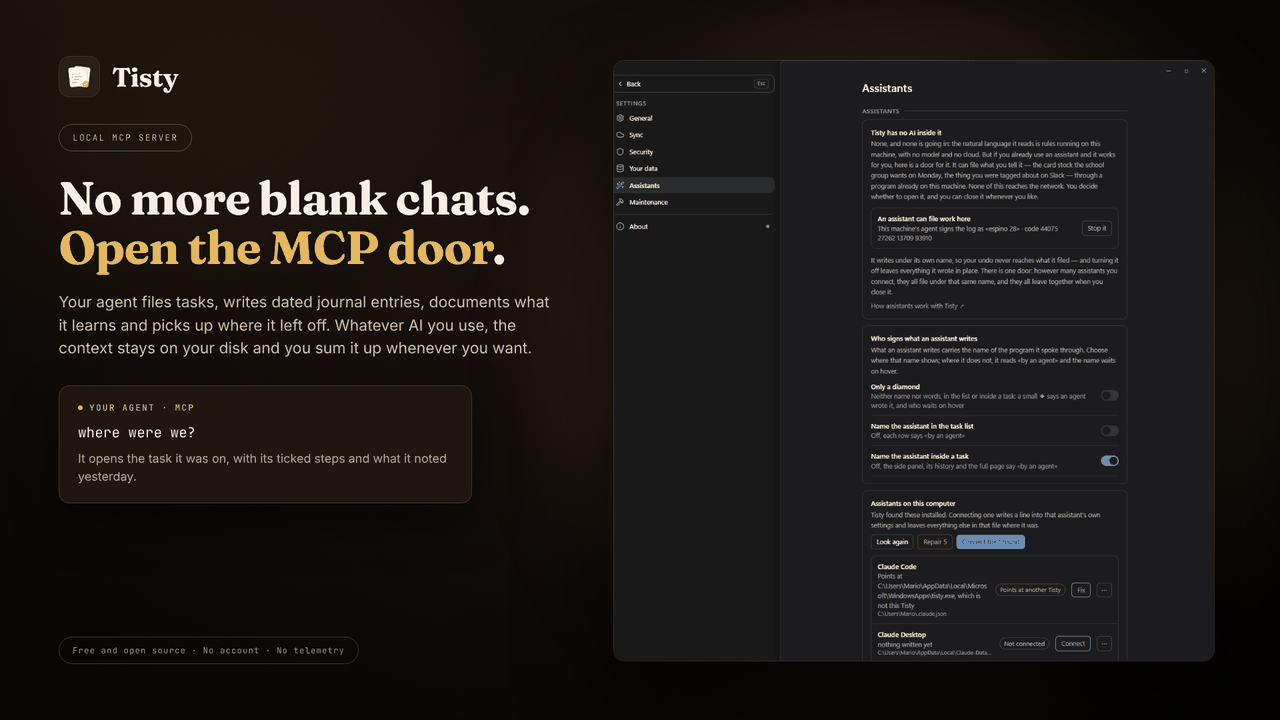
Requires the Tisty app and Node.js. A small launcher finds the Tisty
installed on your computer and starts its own MCP server, so the server always
matches the app and your data. Without Tisty, it tells your assistant how to
install it. Other assistants, such as GitHub Copilot in VS Code, take the same
launcher from npm: npx -y tisty-mcp. More in the plugin's readme.
| Install Tisty | |
|---|---|
| Windows | Microsoft Store or winget install rgdevment.Tisty |
| macOS | brew tap rgdevment/tap && brew trust rgdevment/tap && brew install --cask tisty |
| Every way | Installation guide |
If your assistant does not see Tisty's tools, restart it after installing Tisty. Connect Tisty either with this plugin or from Tisty's Settings › Assistants, not both, so the assistant does not run Tisty's server twice.
| Learn more | |
|---|---|
| Website | https://www.tisty.app/ |
| Documentation | https://www.tisty.app/docs/ |
| Assistants and MCP | https://www.tisty.app/docs/assistants-and-mcp/ |
| What an assistant may do | https://www.tisty.app/docs/mcp-permissions/ |
| MCP tools | https://www.tisty.app/docs/mcp-tools/ |
| Writing in Tisty | https://markdown.tisty.app |
| Privacy | https://www.tisty.app/privacy/ |
| Official MCP Registry | io.github.rgdevment/tisty |
| Source | https://github.com/rgdevment/Tisty |
| Issues | https://github.com/rgdevment/Tisty/issues |
Layout
.claude-plugin/marketplace.json   Claude Code marketplace
.cursor-plugin/marketplace.json   Cursor marketplace
gemini-extension.json             Gemini CLI extension (the Tisty plugin)
plugins/<app>/                    one folder per plugin, with each host's manifest,
                                  its MCP config, its skills and its launcher
test/                             tests for the launchers
listings/                         manifests some directories publish from
Licence
Apache-2.0. Each app keeps its own licence: Tisty is AGPL-3.0. Report a problem with an app in that app's own issues.
Tisty MCP Fragen
Wie füge ich Tisty MCP zu Claude Code hinzu?
Führe claude mcp add mcp-plugins -- npx -y tisty-mcp in deinem Terminal aus. Füge --scope user hinzu, damit der Server in jedem Projekt verfügbar ist.
Wie füge ich Tisty MCP zu Cursor hinzu?
Öffne ~/.cursor/mcp.json und füge den Server unter mcpServers hinzu, mit der Cursor-Config aus dem Installationsabschnitt oben.
Wie geht Tisty mit Datenschutz und Daten um?
Tisty läuft lokal auf deinem Computer – ohne Account, ohne Abo, ohne Telemetrie und ohne Server.
Was sind die Systemanforderungen für Tisty?
Um das Tisty Plugin zu nutzen, müssen die Tisty App auf deinem Computer sowie Node.js installiert sein.
Kann ich Tisty mit VS Code nutzen?
Ja, andere Assistenten wie GitHub Copilot in VS Code können den Tisty Launcher via npm nutzen.