
ig-publisher MCP server
Commit 13. Nov. 2026Ermöglicht es AI Agents, Instagram Reels, Fotos, Carousels und Stories über die offizielle Graph API zu veröffentlichen, zu planen und zu verwalten.
Auch bekannt als JavoxirJava/ig-publisher
- Stars
- 2
- Tools
- —
- Downloads, 30 Tage
- —
- Neueste Version
- —
- Letzter Commit
- 13. Nov. 2026
- Lizenz
- MIT
Was ist ig-publisher MCP?
Ermöglicht es AI Agents, Instagram Reels, Fotos, Carousels und Stories über die offizielle Graph API zu veröffentlichen, zu planen und zu verwalten.
Zusammenfassung generiert aus dem README des Projekts
Über ig-publisher MCP server
Das Management von Instagram-Content durch AI Agents ist mit ig-publisher möglich, einem lokalen Tool, das für professionelle Business- oder Creator-Accounts entwickelt wurde. Es erlaubt dir, Reels, Fotos, Carousels und Stories über die offizielle Instagram Graph API zu veröffentlichen, zu planen und zu überwachen. Durch die Verbindung mit MCP Clients wie Claude Code können Developer Social-Media-Workflows direkt über ihr Terminal oder LLM-Interface automatisieren.
Der Server läuft lokal auf Linux oder macOS und benötigt eine Meta Developer App sowie einen Instagram Professional Account. Er übernimmt die aufwendige Medienvorbereitung, indem er ffmpeg und ffprobe nutzt, um Codecs, Seitenverhältnisse und Caption-Limits zu validieren. Falls Medien die Anforderungen nicht erfüllen, kann das Tool Dateien automatisch neu kodieren, um erfolgreiche Uploads zu gewährleisten.
User können ihre gesamte Präsenz über spezifische Tools wie ig_publish, ig_schedule und ig_insights verwalten. Das System unterstützt verschiedene Hosting-Methoden für Bilder und Cover, einschließlich eines integrierten cloudflared Tunnels, eines statischen Webservers oder benutzerdefinierter Commands wie dem AWS CLI. Alle Authentication Tokens bleiben sicher auf deinem Rechner in einer lokalen SQLite Datenbank gespeichert.
Was du damit machen kannst
- 1Automatisierte Content-PlanungEin AI Agent kann ein Reel planen, damit es zu einem bestimmten Zeitpunkt in der Zukunft gepostet wird.
- 2Validierung von MedienanforderungenEin Developer kann prüfen, ob eine Videodatei die technischen Spezifikationen von Instagram erfüllt, bevor ein Upload versucht wird.
- 3Automatische MedienkorrekturDas System kann Video-Encoding-Probleme automatisch beheben, um die Kompatibilität mit der Plattform sicherzustellen.
Geschrieben aus dem README des Projekts. Jeder Use Case wurde gegen ein Zitat daraus geprüft.
Konfiguration
IG_ENV_FILE
| Name | Beschreibung | Typ |
|---|---|---|
| IG_ENV_FILE | — |
Automatisierte Checks
Geluften am 14. Nov. 2026Vollständiger Bericht →Noch nicht verifiziert. Ein Server benötigt einen Score von 80, keine kritischen Befunde und genug Daten für unsere Prüfung. Wie die Checks funktionieren · Was du für mehr Punkte verbessern kannst

- Source Repository verknüpft und erreichbarjavoxirjava/ig-publisher is public and reachablegithub.com/javoxirjava/ig-publisher ↗Bestanden
- Paket nennt dieses Repository als QuelleNicht geprüft
- Build-Provenienz (Sigstore-Attestierung)Nicht geprüft
- Open Source Lizenz (OSI)MITspdx.org/licenses/MIT.html ↗Bestanden
- Commit oder Release im letzten JahrLast commit or release 2026-11-13github.com/javoxirjava/ig-publisher ↗Bestanden
- OpenSSF ScorecardNicht geprüft
- Package-Name ähnelt keinem populären PackageNicht geprüft
- Keine kritischen Advisories im Paket oder seinen AbhängigkeitenNicht geprüft
- Keine versteckten Anweisungen an das Modell0 tool descriptions and the README read; no override phrases, credential paths or hidden charactersBestanden
- Destruktive Tools sind markiertNicht geprüft
- Remote-Endpoint beantwortet den MCP-HandshakeNicht geprüft
README
Auf GitHub ansehenig-publisher
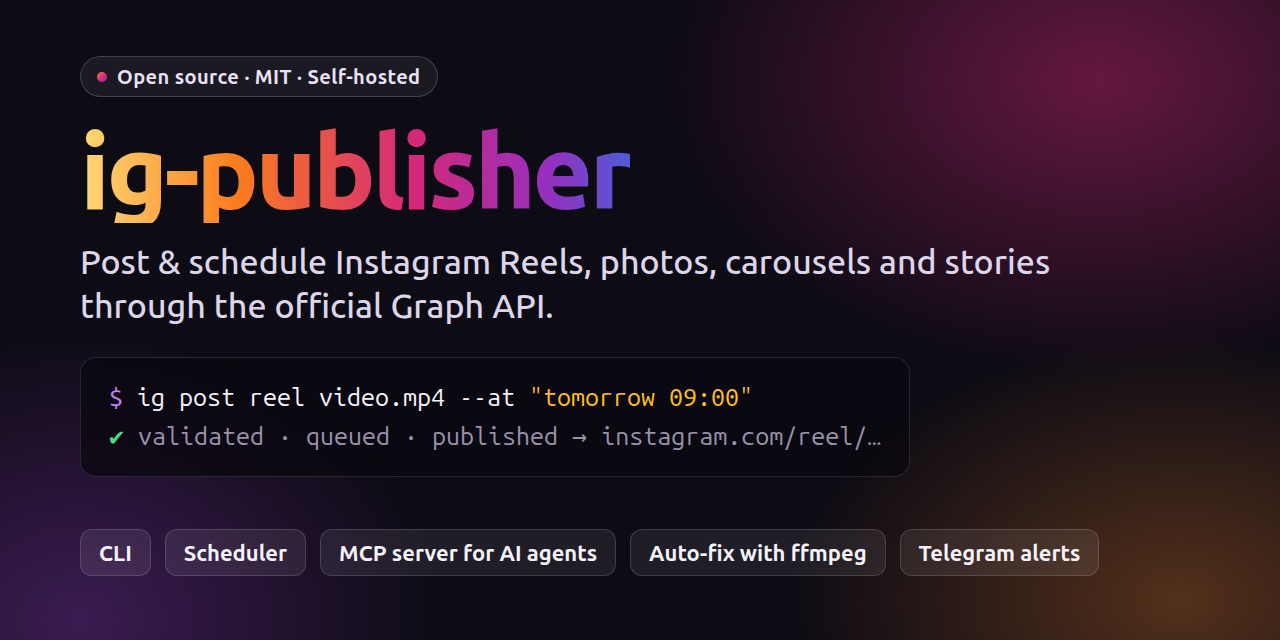


English · O‘zbekcha
A local, self-hosted tool that publishes Reels, photos, carousels and stories to an Instagram professional (Business or Creator) account through the official Instagram Graph API, either with Instagram Login (graph.instagram.com) or with Facebook Login and a linked Page.
You can use it in three ways:
- CLI: the
igcommand. - MCP server: AI agents such as Claude Code or local LLM clients can publish, schedule and read stats.
- Queue + systemd timer: posts scheduled with
--atare published automatically. The timer checks every 5 minutes.
There is no hosted backend. You use your own Meta app, and your token stays on your machine in data/ig.sqlite.
Features
- Validation. Uses ffprobe to check Instagram's media requirements: codec, fps, duration, size, aspect ratio and moov atom. It also checks caption limits: 2200 characters, 30 hashtags and 20 @mentions.
- Auto-fix. Re-encodes with ffmpeg when needed (H.264/AAC, 23–60 fps, faststart) and converts PNG/WebP
to JPEG. Use
--no-fixto turn this off. - Duplicate protection. The same media is not published twice unless you pass
--force. - Upload. Videos are sent directly with
upload_type=resumablefirst. If that fails, the tool falls back to a public URL. Instagram accepts images and covers only by URL, so they are served through a host:tunnel: a cloudflared quick tunnel. No setup needed.static: your own web server.command: any upload command, for example rclone or the AWS CLI for S3/R2.
- Wait and publish. Waits until the container is
FINISHED, then callsmedia_publishand returns the permalink. - Resume. If a run is interrupted, the next attempt finds the ready container and publishes it.
- Rate limits. Checks the 24-hour publishing quota before posting. Queue failures are retried with backoff.
- Notifications and token refresh. Sends optional Telegram notifications and refreshes the token automatically.
Requirements
- Linux. The CLI and MCP server should also work on macOS, but that is untested. The scheduler uses systemd user timers, so it is Linux only.
- Node.js ≥ 24. TypeScript runs natively, so there is no build step.
- ffmpeg / ffprobe in
PATH, or setFFMPEG_PATH/FFPROBE_PATHin.env. - cloudflared for the default
tunnelhost. You can skip it if you usestaticorcommand. - An Instagram Business or Creator account and a Meta developer app. See SETUP.md.
Installation
git clone https://github.com/JavoxirJava/ig-publisher.git ~/ig-publisher
cd ~/ig-publisher
npm install
cp .env.example .env && chmod 600 .env
ln -s ~/ig-publisher/bin/ig ~/.local/bin/ig     # put `ig` on your PATH
npm test                                       # optional: full flow against a mock Graph API (needs ffmpeg)
Then connect your account:
ig auth token -        # paste the access token, press Enter, then Ctrl+D
ig doctor              # everything should be ✅ (Telegram is optional)
ig scheduler install   # optional: systemd timer for scheduled posts
How to get a token (about 30–60 minutes, one time):
- Switch your Instagram account to Professional (Business or Creator).
- Create an app at https://developers.facebook.com/apps with the use case "Manage messaging & content on Instagram". Leave it in Development mode. App Review is not needed to post to your own account.
- Go to Instagram → API setup with Instagram login → Generate access tokens, add your account,
click Generate token, then run
ig auth token -.
If your app only shows "API setup with Facebook login", set IG_LOGIN=facebook. The full step-by-step
guide, including the OAuth flow, the Facebook Login flow and troubleshooting, is in SETUP.md
(currently in Uzbek).
Quick start
ig doctor
ig post reel video.mp4 --caption "Text #hashtag" --cover cover.png --dry-run   # validate only
ig post reel video.mp4 --caption "Text #hashtag" --cover cover.png             # publish
ig post reel video.mp4 --caption-file caption.txt --at "tomorrow 09:00"       # schedule
ig post carousel 1.jpg 2.png 3.mp4 --caption "..." --alt "description"
ig post story story.mp4
ig post --spec post.json
ig queue          # scheduled posts
ig history        # published posts, with permalinks
--at accepts now, +30m, +2h, +1d, 09:00, tomorrow 09:00 (or ertaga 09:00) and
2026-10-27 18:30. Times are in local time.
Post spec (JSON)
{
  "type": "reel",
  "media": ["/abs/or/relative/video.mp4"],
  "cover": "cover.png",
  "caption": "Text\n\n#tag1 #tag2",
  "shareToFeed": true,
  "collaborators": ["friend_account"],
  "label": "my-series-002"
}
type:reel|image|carousel(2–20 media) |story.media: local files or ready-madehttps://URLs. Relative paths are resolved against the spec file.- Optional fields:
captionFile,thumbOffsetMs,locationId,userTags([{username,x,y}]),altText,audioName,aiGenerated,trial(MANUAL|SS_PERFORMANCE),fix(defaulttrue).
A spec file is the easiest way to plug ig-publisher into your own pipeline, for example a video renderer.
Write post.json and run ig post --spec post.json --at "...".
All commands
ig auth token|url|login|status|refresh|logout
ig check <file> [--as reel|story|feed|carousel|cover]
ig queue [--all] | show|cancel <id> | retry <id> [--at ...] | run
ig limit | ig media | ig insights <media-id|account> | ig comments <id> | ig reply <id> <text>
ig scheduler install|uninstall|status   ig tick   ig notify-test
--json      machine-readable JSON on stdout (for agents and scripts)
Exit codes: 0 OK, 1 error, 2 bad usage, 3 duplicate.
MCP server
Register it with Claude Code:
claude mcp add --scope user ig-publisher -- node --disable-warning=ExperimentalWarning ~/ig-publisher/src/mcp.ts
Any other MCP client can use the same stdio command: node .../src/mcp.ts.
Tools:
ig_account,ig_check_mediaig_publish(dryRun,force),ig_scheduleig_queue_list,ig_queue_cancel,ig_queue_retry,ig_historyig_media_list,ig_insights,ig_comments,ig_reply
A ready-made Claude Code skill is in skill/SKILL.md. Copy it to
~/.claude/skills/instagram-publisher/SKILL.md.
Multiple accounts
Each account gets its own env file and data directory:
mkdir -p profiles/second && cp .env.example profiles/second/.env
# in profiles/second/.env:
#   IG_PROFILE=second
#   IG_DATA_DIR=/home/you/ig-publisher/profiles/second/data
IG_ENV_FILE=$PWD/profiles/second/.env ig auth token -
IG_ENV_FILE=$PWD/profiles/second/.env ig scheduler install    # timer: ig-publisher-second
profiles/ is git-ignored.
Configuration
All settings live in .env. See .env.example for the full list: login type, upload mode,
host, Telegram, API version, polling and retry options.
Telegram notifications are optional. Set TELEGRAM_BOT_TOKEN and TELEGRAM_CHAT_ID, then run ig notify-test.
Project layout
src/config.ts      .env, paths, binary discovery
src/db.ts          node:sqlite (data/ig.sqlite): token, posts, queue
src/api/           http (errors/retry), auth (token, OAuth, refresh), publish, media (insights/comments)
src/media/probe.ts ffprobe checks + ffmpeg fixes
src/host/          tunnel (cloudflared + Range-capable file server), static, command
src/service.ts     publish orchestration
src/queue.ts       queue, time parsing, tick
src/scheduler.ts   systemd user timer
src/cli.ts, src/mcp.ts
test/              end-to-end tests against a mock Graph API (npm test)
Security
- Never commit
.env,data/orprofiles/. They contain your access token and are git-ignored by default. - The tunnel file server listens only on
127.0.0.1. It serves only the files of the current post, under a random secret path, and shuts down after publishing. - Tokens are redacted from logs and error messages.
Disclaimer
This is an independent project. It is not affiliated with, endorsed by or sponsored by Meta or Instagram. You are responsible for following the Meta Platform Terms and Instagram's rules for the content you publish.
License
ig-publisher MCP Fragen
Welche Arten von Instagram-Content kann ich posten?
Du kannst Reels, Fotos, Carousels und Stories veröffentlichen.
Benötigt dieses Tool ein gehostetes Backend?
Nein, es ist ein lokales, selbst gehostetes Tool, das deine eigene Meta App nutzt und Tokens auf deinem Rechner speichert.
Kann das Tool Mediendateien automatisch reparieren?
Ja, es nutzt ffmpeg, um Videos in die erforderlichen Codecs neu zu kodieren und konvertiert PNG/WebP zu JPEG.