
PlainText Wallet Approval Checker MCP server
Commit 29. Okt. 2026Übersetzt komplexe Krypto-Wallet-Approvals und Signatur-Anfragen in verständliche Urteile wie SAFE, CAUTION oder RISK.
Auch bekannt als Fizzl13/SmartContractExplainer, smartcontractexplainer
- Stars
- 1
- Tools
- —
- Downloads, 30 Tage
- —
- Neueste Version
- 1.1.2
- Letzter Commit
- 29. Okt. 2026
- Lizenz
- —
Was ist PlainText Wallet Approval Checker MCP?
PlainText Wallet Approval Checker ist ein MCP server. Übersetzt komplexe Krypto-Wallet-Approvals und Signatur-Anfragen in verständliche Urteile wie SAFE, CAUTION oder RISK.
Zusammenfassung generiert aus dem README des Projekts
Über PlainText Wallet Approval Checker MCP server
Der PlainText Wallet Approval Checker hilft Nutzern, die Sicherheitsfolgen von Kryptowährungs-Wallet-Approvals und Signatur-Anfragen zu verstehen. Er übersetzt technische Daten in einfache Urteile wie SAFE, CAUTION oder RISK. Der Service funktioniert, indem er Token- und NFT-Approvals über die GoPlus Security API abfragt und Claude nutzt, um menschenlesbare Erklärungen für die Ergebnisse zu generieren.
Entwickler können diese Node.js Anwendung lokal ausführen oder auf Render deployen. Für das Setup des Servers ist ein ANTHROPIC_API_KEY erforderlich; ein optionaler GOPLUS_ACCESS_TOKEN kann verwendet werden, um das Free-Tier-Limit von 30 Aufrufen pro Minute zu umgehen. Für fortgeschrittene Nutzer kann das System presign-guard nutzen, um Audits für Transaktionen, typed-data signatures oder echte Approvals mittels eines FIZZL_INTERNAL_KEY durchzuführen. Die Anwendung ist stateless und speichert während des Prüfprozesses keine Nutzerdaten.
Was du damit machen kannst
- 1Transaktionssicherheit prüfenNutze die presign-guard Integration, um die Sicherheit von Transaktionen und typed-data signatures zu checken.
- 2Sicherheit via API überwachenIntegiere automatisierte Sicherheitsprüfungen in Agents, die spezifische Reason Codes und Urteile benötigen.
Geschrieben aus dem README des Projekts. Jeder Use Case wurde gegen ein Zitat daraus geprüft.
So installierst du PlainText Wallet Approval Checker MCP
Formate geprüft am 10. Nov. 2026Zu Cursor hinzufügenZu Goose hinzufügenPlainText Wallet Approval Checker MCP in Claude Code installieren
$ claude mcp add --transport http smartcontractexplainer https://plaintext.fizzl.eu/mcpPlainText Wallet Approval Checker MCP in Cursor installieren
~/.cursor/mcp.json
{
  "mcpServers": {
    "smartcontractexplainer": {
      "url": "https://plaintext.fizzl.eu/mcp"
    }
  }
}PlainText Wallet Approval Checker MCP in VS Code installieren
.vscode/mcp.json
{
  "servers": {
    "smartcontractexplainer": {
      "type": "http",
      "url": "https://plaintext.fizzl.eu/mcp"
    }
  }
}PlainText Wallet Approval Checker MCP in VS Code CLI installieren
$ code --add-mcp '{"name":"smartcontractexplainer","type":"http","url":"https://plaintext.fizzl.eu/mcp"}'PlainText Wallet Approval Checker MCP in Codex installieren
$ codex mcp add smartcontractexplainer --url https://plaintext.fizzl.eu/mcpPlainText Wallet Approval Checker MCP in Codex config.toml installieren
~/.codex/config.toml
[mcp_servers.smartcontractexplainer]
url = "https://plaintext.fizzl.eu/mcp"
PlainText Wallet Approval Checker MCP in Gemini CLI installieren
$ gemini mcp add -s user --transport http smartcontractexplainer https://plaintext.fizzl.eu/mcpPlainText Wallet Approval Checker MCP in Gemini settings.json installieren
~/.gemini/settings.json
{
  "mcpServers": {
    "smartcontractexplainer": {
      "url": "https://plaintext.fizzl.eu/mcp",
      "type": "http"
    }
  }
}Automatisierte Checks
Geluften am 15. Nov. 2026Vollständiger Bericht →Noch nicht verifiziert. Ein Server benötigt einen Score von 80, keine kritischen Befunde und genug Daten für unsere Prüfung. Wie die Checks funktionieren · Was du für mehr Punkte verbessern kannst

- Source Repository verknüpft und erreichbarfizzl13/smartcontractexplainer is public and reachablegithub.com/fizzl13/smartcontractexplainer ↗Bestanden
- Paket nennt dieses Repository als QuelleNicht geprüft
- Build-Provenienz (Sigstore-Attestierung)Nicht geprüft
- Open Source Lizenz (OSI)No licenseBefund
- Commit oder Release im letzten JahrLast commit or release 2026-10-29github.com/fizzl13/smartcontractexplainer ↗Bestanden
- OpenSSF ScorecardNicht geprüft
- Package-Name ähnelt keinem populären PackageNicht geprüft
- Keine kritischen Advisories im Paket oder seinen AbhängigkeitenNicht geprüft
- Keine versteckten Anweisungen an das Modell0 tool descriptions and the README read; no override phrases, credential paths or hidden charactersBestanden
- Destruktive Tools sind markiertNicht geprüft
- Remote-Endpoint beantwortet den MCP-HandshakeEndpoint did not answer initialize: HTTP 200Befund
README
Auf GitHub ansehenPlainText — wallet approval translator

Built on presign-guard: PlainText's verdicts now come from presign-guard (the same checks, sanctions list, wallet age and signed receipt); PlainText adds the explanation in plain language for people.
POST /api/check-wallet($0.04) uses presign-guard's approval audit,POST /api/explain($0.03) its pre-sign check when the payload is a real approval, transaction or typed-data signature (anything else is explained by the model alone,source: "model"). Agents that only need the verdict and reason codes can call presign-guard directly ($0.01–$0.02). NeedsFIZZL_INTERNAL_KEY(the same value on both services, Render only); without it the old path (GoPlus + Claude) runs.
A small Node.js app that looks up a wallet's token/NFT approvals via the GoPlus Security API and asks Claude to explain them in plain language.
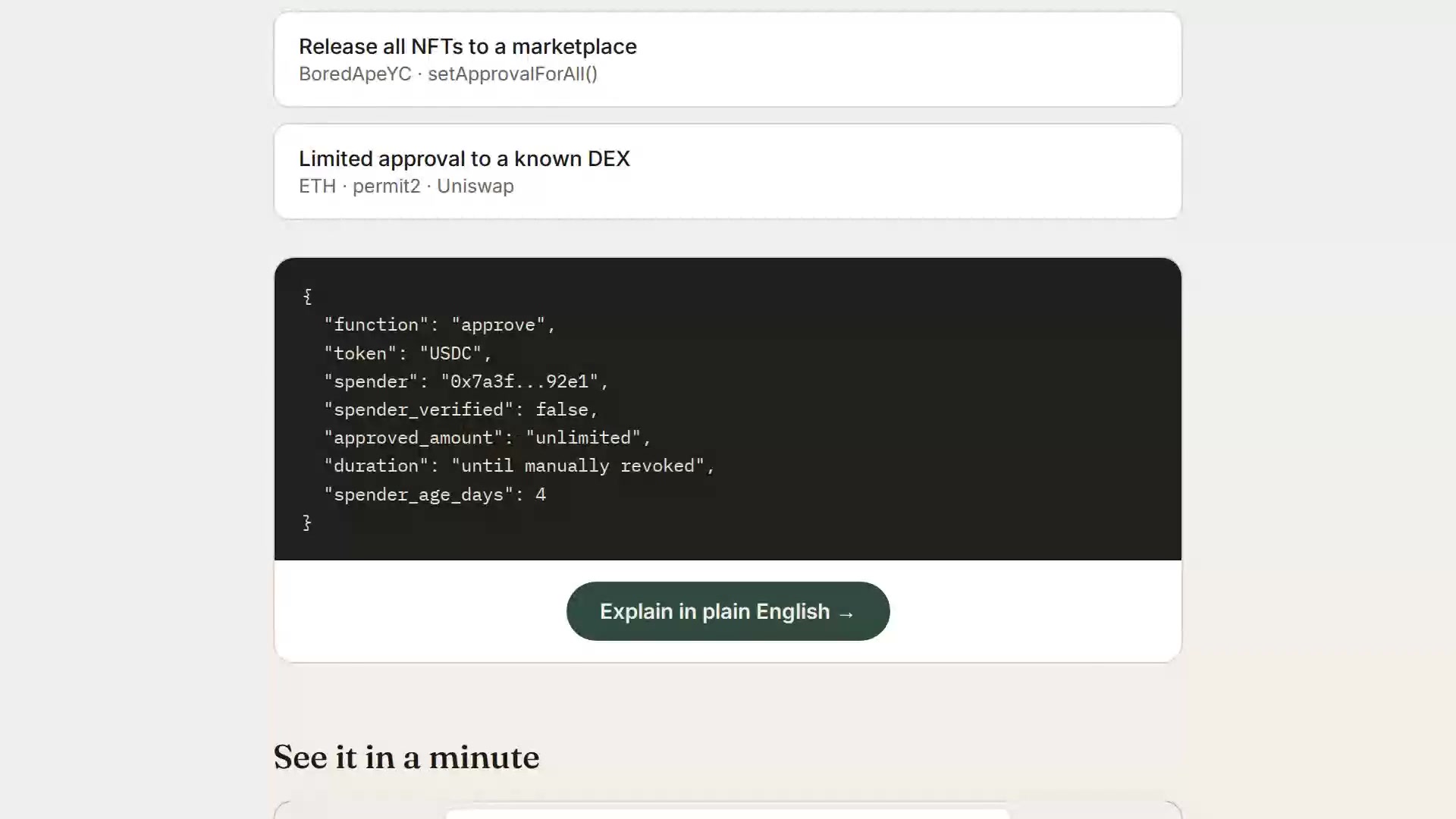
▶ Watch the 1-minute explainer · Live: https://plaintext.fizzl.eu
Project structure
plaintext-wallet/
├── server.js          Express backend (GoPlus + Anthropic calls)
├── media.js           Serves the explainer video from the explainer-video branch
├── feedback.js        POST /feedback and the MCP tool feedback (same file in every Fizzl service)
├── media/explainer/   Script and pipeline for the explainer video
├── package.json
├── render.yaml         Render deploy config (optional, see below)
├── .env.example         Copy to .env for local dev
└── public/
    └── index.html      Frontend (wallet check + demo scenarios)
Feedback
Found a bug, or missing something? Send it with POST /feedback (free, no payment) or the MCP tool feedback:
curl -X POST https://plaintext.fizzl.eu/feedback \
  -H 'content-type: application/json' \
  -d '{"type": "feature", "message": "Support Solana wallets", "endpoint": "/api/check-wallet"}'
type is bug, feature or other; message is required (up to 2000 characters); endpoint and contact are optional. The answer is 202 with an id. At most 10 reports per hour per caller. Reports go to the usage log, and a person reads every one; nothing in a report is run or changed automatically. GET /feedback shows the schema.
1. Run it locally first
cd plaintext-wallet
npm install
cp .env.example .env
# edit .env and paste your ANTHROPIC_API_KEY
npm start
Open http://localhost:3000 — try the "Try a sample" tab first (no API keys needed besides Anthropic), then "Check a wallet" with a real address once you're happy it works.
2. Deploy to Render
Option A — one-click via render.yaml (Blueprint)
- Push this folder to a new GitHub repo.
- In the Render dashboard: New + → Blueprint → select your repo.
Render reads
render.yamlautomatically and creates the web service. - When prompted, fill in the environment variables:
ANTHROPIC_API_KEY— required, from console.anthropic.comGOPLUS_ACCESS_TOKEN— optional, only needed if you outgrow GoPlus's free 30 calls/minute limit (see console.gopluslabs.io)
- Click Apply — Render builds and deploys automatically.
Option B — manual web service (no render.yaml needed)
- Push this folder to a GitHub repo.
- Render dashboard → New + → Web Service → connect your repo.
- Settings:
- Environment: Node
- Build Command:
npm install - Start Command:
npm start - Instance Type: Free (fine for a prototype)
- Under Environment Variables, add
ANTHROPIC_API_KEY(and optionallyGOPLUS_ACCESS_TOKEN). - Click Create Web Service. Render gives you a
https://<name>.onrender.comURL once the build finishes.
Render's free tier spins the service down after inactivity — the first request after idling will take ~30-50 seconds to wake up. That's normal and fine for a prototype you're sharing for feedback.
Notes on the GoPlus integration
- The wallet check calls
token_approval_securityornft721_approval_securityunderhttps://api.gopluslabs.io/api/v2/.... This is documented but the GoPlus docs site is JS-rendered, so before you rely on this in front of real users, do one manual test call (e.g. withcurl) against a wallet you control, and compare the actual JSON shape to whatserver.jsexpects — field names occasionally shift between GoPlus API versions. - The free GoPlus tier is capped at 30 calls/minute — plenty for early testing, but rate-limit errors will surface as a plain error message in the UI if you exceed it.
- No user data is stored anywhere in this app — every check is a stateless round trip. If you later add accounts, saved wallets, or history, update this note (and your own privacy policy) accordingly.
Costs to expect
- Render free tier: $0/month, with the cold-start behavior above. A paid tier ($7/month "Starter") removes the spin-down if this gets real usage.
- Anthropic API: pay-per-use, billed to whatever key you provide. A single explanation call is small (well under 1K tokens), so cost per check will be a fraction of a cent — but keep an eye on your usage dashboard if this gets shared widely, since there's no rate limiting built into this prototype yet.
PlainText Wallet Approval Checker MCP Fragen
Wie füge ich PlainText Wallet Approval Checker MCP zu Claude Code hinzu?
Führe claude mcp add --transport http smartcontractexplainer https://plaintext.fizzl.eu/mcp in deinem Terminal aus. Füge --scope user hinzu, damit der Server in jedem Projekt verfügbar ist.
Wie füge ich PlainText Wallet Approval Checker MCP zu Cursor hinzu?
Öffne ~/.cursor/mcp.json und füge den Server unter mcpServers hinzu, mit der Cursor-Config aus dem Installationsabschnitt oben.
Wie bestimmt der Service die Sicherheit einer Wallet?
Er nutzt die GoPlus Security API, um Token- und NFT-Approvals zu prüfen, und verwendet Claude, um die Ergebnisse in einfacher Sprache zu erklären.
Speichert die Anwendung Nutzerdaten?
Nein, die Anwendung ist stateless und speichert während des Prüfprozesses keine Nutzerdaten.